towing KIA NIRO 2021 User Guide
[x] Cancel search | Manufacturer: KIA, Model Year: 2021, Model line: NIRO, Model: KIA NIRO 2021Pages: 710, PDF Size: 14.77 MB
Page 415 of 710
Driving your vehicle
92 5
✽
✽
NOTICE
• Even though the steering is assist-
ed by the function, the driver may
control the steering.
• The steering wheel may feel heav-
ier when the steering wheel is
assisted by the function than when
it is not.
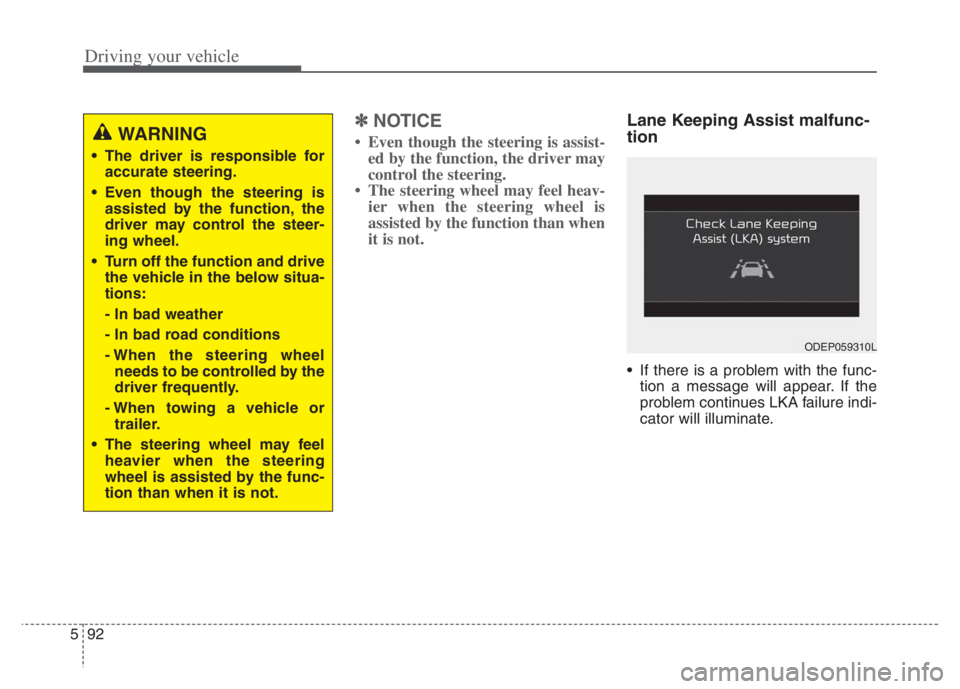
Lane Keeping Assist malfunc-
tion
If there is a problem with the func-
tion a message will appear. If the
problem continues LKA failure indi-
cator will illuminate.
WARNING
The driver is responsible for
accurate steering.
Even though the steering is
assisted by the function, the
driver may control the steer-
ing wheel.
Turn off the function and drive
the vehicle in the below situa-
tions:
- In bad weather
- In bad road conditions
- When the steering wheel
needs to be controlled by the
driver frequently.
- When towing a vehicle or
trailer.
The steering wheel may feel
heavier when the steering
wheel is assisted by the func-
tion than when it is not.
ODEP059310L
Page 462 of 710
5139
Driving your vehicle
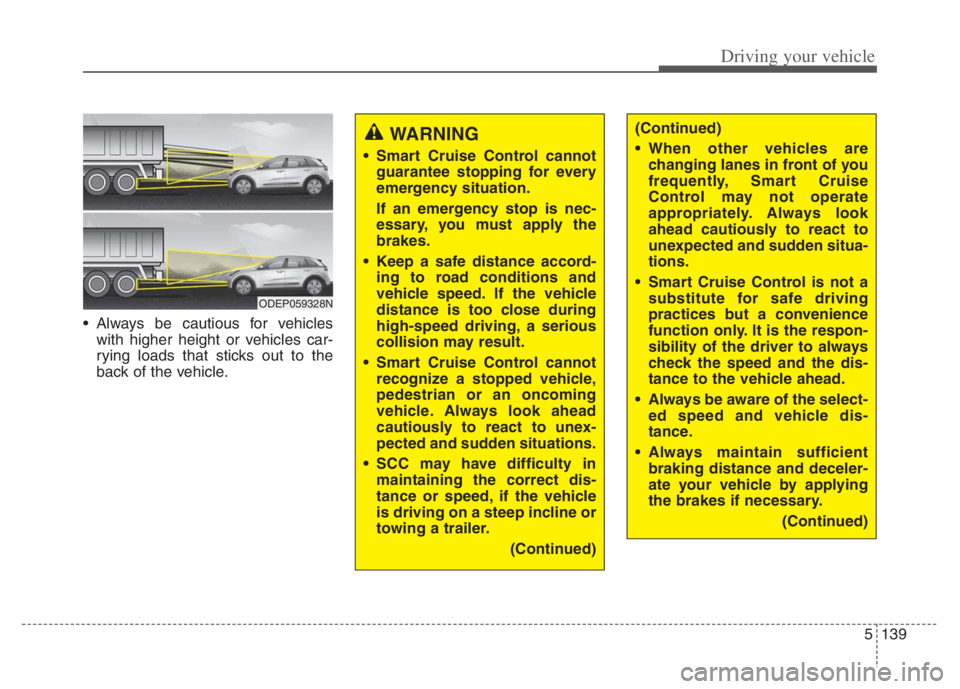
Always be cautious for vehicles
with higher height or vehicles car-
rying loads that sticks out to the
back of the vehicle.
WARNING
Smart Cruise Control cannot
guarantee stopping for every
emergency situation.
If an emergency stop is nec-
essary, you must apply the
brakes.
Keep a safe distance accord-
ing to road conditions and
vehicle speed. If the vehicle
distance is too close during
high-speed driving, a serious
collision may result.
Smart Cruise Control cannot
recognize a stopped vehicle,
pedestrian or an oncoming
vehicle. Always look ahead
cautiously to react to unex-
pected and sudden situations.
SCC may have difficulty in
maintaining the correct dis-
tance or speed, if the vehicle
is driving on a steep incline or
towing a trailer.
(Continued)
ODEP059328N
(Continued)
When other vehicles are
changing lanes in front of you
frequently, Smart Cruise
Control may not operate
appropriately. Always look
ahead cautiously to react to
unexpected and sudden situa-
tions.
Smart Cruise Control is not a
substitute for safe driving
practices but a convenience
function only. It is the respon-
sibility of the driver to always
check the speed and the dis-
tance to the vehicle ahead.
Always be aware of the select-
ed speed and vehicle dis-
tance.
Always maintain sufficient
braking distance and deceler-
ate your vehicle by applying
the brakes if necessary.
(Continued)
Page 470 of 710
5147
Driving your vehicle
After you pass through a tollgate
on a highway, Navigation-based
Smart Cruise Control operates
based on the first lane. If you enter
one of the other lanes, the function
might not properly decelerate.
The vehicle will accelerate if the
driver depresses the accelerate
pedal while Navigation-based
Smart Cruise Control is operating,
and function will not decelerate the
vehicle. If not depressing the accel-
erator pedal sufficiently, the vehicle
speed may decrease.
If the driver accelerates and
releases the accelerator pedal
while the Navigation-based Smart
Cruise Control is operating, the
vehicle may not decelerate suffi-
ciently or may rapidly decelerate to
a safe speed.
If the curve is too large or too
small, Navigation-based Smart
Cruise Control may not operate.✽ ✽
NOTICE
• When the function is activated, the
vehicle decelerates automatically
before reaching the curved road
according to its curvature, and the
driving speed returns to the speed
set by Smart Cruise Control after
passing the curved section.
• The speed information on the clus-
ter and navigation may differ
• The time gap could occur between
the navigation's guidance and
when Navigation-based Smart
Cruise Control operation starts
and ends.
• Even if you are driving at a speed
lower than Smart Cruise Control
set speed, acceleration may be lim-
ited by the speeding cameras and
curve sections ahead.
• If Navigation-based Smart Cruise
Control is operating while leaving
the main road to enter an inter-
change, junction, rest area, etc.,
the function may operate for a cer-
tain period of time.
(Continued)(Continued)
Navigation-based Smart
Cruise Control may not oper-
ate due to the existence of
leading vehicles and the driv-
ing conditions of the vehicle.
Always pay attention to road
and driving conditions while
driving.
When you are towing a trailer
or another vehicle, we recom-
mend that Navigation-based
Smart Cruise Control is
turned off due to safety rea-
sons.
Page 476 of 710
5153
Driving your vehicle
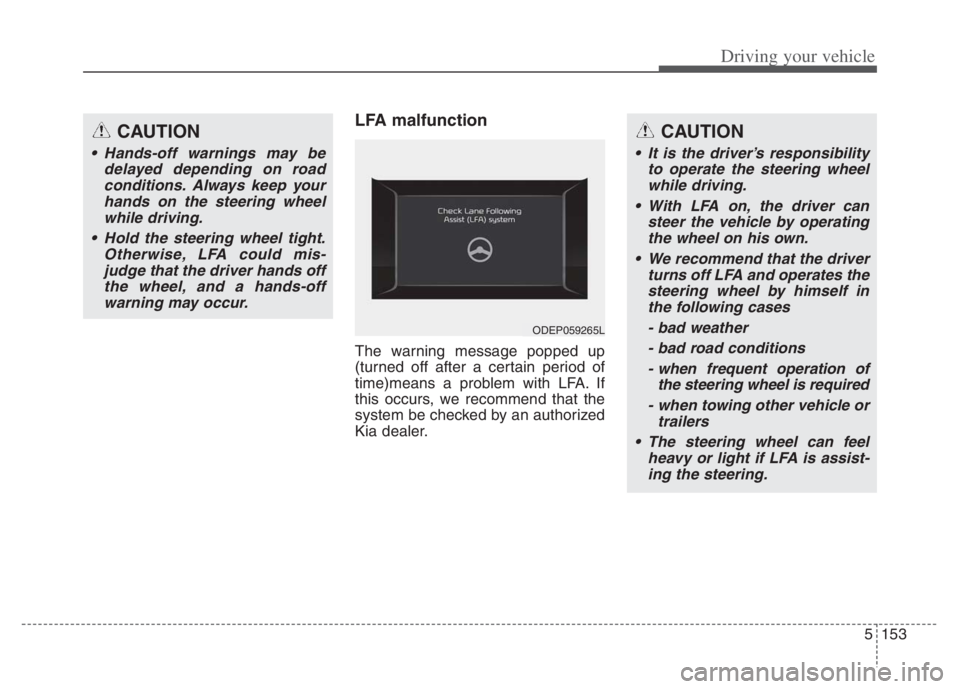
LFA malfunction
The warning message popped up
(turned off after a certain period of
time)means a problem with LFA. If
this occurs, we recommend that the
system be checked by an authorized
Kia dealer.
CAUTION
Hands-off warnings may be
delayed depending on road
conditions. Always keep your
hands on the steering wheel
while driving.
Hold the steering wheel tight.
Otherwise, LFA could mis-
judge that the driver hands off
the wheel, and a hands-off
warning may occur.
CAUTION
It is the driver’s responsibility
to operate the steering wheel
while driving.
With LFA on, the driver can
steer the vehicle by operating
the wheel on his own.
We recommend that the driver
turns off LFA and operates the
steering wheel by himself in
the following cases
- bad weather
- bad road conditions
- when frequent operation of
the steering wheel is required
- when towing other vehicle or
trailers
The steering wheel can feel
heavy or light if LFA is assist-
ing the steering.
ODEP059265L
Page 485 of 710
Driving your vehicle
162 5
* Refer to “Smart Cruise Control
(SCC)” in this chapter. for cautions
and warnings about vehicle dis-
tance control and front radar.
* Refer to “Lane Following Assist
(LFA) “ in this chapter. for cautions
and warnings about steering con-
trol and front view camera.CAUTION
Highway Driving Assist may not
function properly in the follow-
ing situations:
The navigation is not working
properly.
The navigation is not updated.
The real-time GPS or map
information provided has
errors.
The navigation is overloaded
by performing functions such
as route search, video play-
back, voice recognition, etc.
are performing simultaneously.
The navigation is recalculat-
ing the route while driving.
GPS signals are blocked in
areas such as a tunnel.
The driver goes off course or
the route to the destination is
changed or canceled by reset-
ting the navigation.
The vehicle enters a service
station or rest area
(Continued)
(Continued)
The speed limit of selected
highway section is changed
due to road conditions.
Android Auto or Car Play is
operating.
The navigation cannot detect
the current vehicle position
(ex: elevated roads including
overpass adjacent to general
roads or nearby roads exist in
a parallel way).
The navigation is being updat-
ed while driving.
The navigation is being reset
while driving.
The road is slippery due to
bad weather such as rain or
snow.
If your vehicle tows a trailer or
another vehicle, you should
release Highway Driving
Assist system. Operating the
brake system or steering sys-
tem while towing may
adversely affect the safety.
Page 515 of 710
Driving your vehicle
192 5
To keep locks from freezing
To keep the locks from freezing,
squirt an approved de-icer fluid or
glycerine into the key opening. If a
lock is covered with ice, squirt it with
an approved de-icing fluid to remove
the ice. If the lock is frozen internally,
you may be able to thaw it out by
using a heated key. Handle the heat-
ed key with care to avoid injury.
Use approved window washer
anti-freeze in system
To keep the water in the window
washer system from freezing, add an
approved window washer anti-freeze
solution in accordance with instruc-
tions on the container. Window wash-
er anti-freeze is available from an
authorized Kia dealer and most auto
parts outlets. Do not use engine
coolant or other types of anti-freeze
as these may damage the paint fin-
ish.
Don’t let your parking brake
freeze
Under some conditions your parking
brake can freeze in the engaged
position. This is most likely to happen
when there is an accumulation of
snow or ice around or near the rear
brakes or if the brakes are wet. If
there is a risk the parking brake may
freeze, apply it only temporarily while
you put the gear shift lever in P (Park,
Dual clutch transmission) and block
the rear wheels so the vehicle cannot
roll. Then release the parking brake.
Don't let ice and snow accu-
mulate underneath
Under some conditions, snow and
ice can build up under the fenders
and interfere with the steering. When
driving in severe winter conditions
where this may happen, you should
periodically check underneath the
vehicle to be sure the movement of
the front wheels and the steering
components are not obstructed.
Carry emergency equipment
Depending on the severity of the
weather, you should carry appropri-
ate emergency equipment. Some of
the items you may want to carry
include tow straps or chains, flash-
light, emergency flares, sand, shov-
el, jumper cables, window scraper,
gloves, ground cloth, coveralls, blan-
ket, etc.
TRAILER TOWING
We do not recommend using this
vehicle for trailer towing.
Page 517 of 710
Driving your vehicle
194 5
Towing capacity:
We do not recommend using this
vehicle for trailer towing.
Cargo capacity:
The cargo capacity of your vehicle
will increase or decrease depending
on the weight and the number of
occupants.
Steps for Determining Correct
Load Limit -
(1) Locate the statement "The com-
bined weight of occupants and
cargo should never exceed XXX
kg or XXX lbs.'' on your vehicle's
placard.
(2) Determine the combined weight
of the driver and passengers that
will be riding in your vehicle.
(3) Subtract the combined weight of
the driver and passengers from
XXX kg or XXX lbs.
(4) The resulting figure equals the
available amount of cargo and
luggage load capacity. For exam-
ple, if the "XXX" amount equals
1400 lbs. and there will be five
150 lb passengers in your vehi-
cle, the amount of available cargo
and luggage load capacity is 650
lbs.
(1400-750 (5 x 150) = 650 lbs.)(5) Determine the combined weight
of luggage and cargo being
loaded on the vehicle. That
weight may not safely exceed the
available cargo and luggage load
capacity calculated in Step 4.
(6) If your vehicle will be towing a
trailer, load from your trailer will
be transferred to your vehicle.
Consult this manual to determine
how this reduces the available
cargo and luggage load capacity
of your vehicle.
WARNING - Loose cargo
Do not travel with unsecured
objects in the passenger com-
partment of your vehicle (e.g.
suit cases or unsecured child
seats). These items may strike
occupants during a sudden
stop or crash.
Page 521 of 710

What to do in an emergency
Road warning . . . . . . . . . . . . . . . . . . . . . . . . . . . . . . 6-2
• Hazard warning flasher . . . . . . . . . . . . . . . . . . . . . . . . 6-2
In case of an emergency while driving . . . . . . . . . . 6-3
• If the engine stalls at a crossroad or crossing. . . . . . . 6-3
• If you have a flat tire while driving . . . . . . . . . . . . . . . 6-3
• If the engine stalls while driving . . . . . . . . . . . . . . . . . 6-3
If the engine will not start . . . . . . . . . . . . . . . . . . . . 6-4
• If engine doesn't turn over or turns over slowly . . . . 6-4
• If engine turns over normally but does not start . . . . 6-4
Emergency starting . . . . . . . . . . . . . . . . . . . . . . . . . 6-5
• Before Jump Starting (For Hybrid) . . . . . . . . . . . . . . 6-5
• Method to disconnect the (-) cable for regular
maintenance (For Hybrid) . . . . . . . . . . . . . . . . . . . . . 6-7
• Jump starting . . . . . . . . . . . . . . . . . . . . . . . . . . . . . . . . . 6-8
• Push-starting . . . . . . . . . . . . . . . . . . . . . . . . . . . . . . . . 6-10
If the engine overheats . . . . . . . . . . . . . . . . . . . . . . 6-11
Tire Pressure Monitoring System (TPMS) . . . . . 6-13
• Check tire pressure . . . . . . . . . . . . . . . . . . . . . . . . . . . 6-13
• Low tire pressure telltale . . . . . . . . . . . . . . . . . . . . . . 6-15
• Low tire pressure position telltale . . . . . . . . . . . . . . . 6-15
• Changing a tire with TPMS . . . . . . . . . . . . . . . . . . . . 6-17
If you have a flat tire (with spare tire) . . . . . . . . . 6-19
• Jack and tools . . . . . . . . . . . . . . . . . . . . . . . . . . . . . . . 6-19
• Removing and storing the spare tire . . . . . . . . . . . . . 6-20
• Changing tires . . . . . . . . . . . . . . . . . . . . . . . . . . . . . . . 6-20
If you have a flat tire (with Tire Mobility Kit) . . 6-28
• Introduction . . . . . . . . . . . . . . . . . . . . . . . . . . . . . . . . . 6-29
• Notes on the safe use of the Tire Mobility Kit . . . . . 6-30
• Components of the Tire Mobility Kit . . . . . . . . . . . . 6-32
• Using the Tire Mobility Kit . . . . . . . . . . . . . . . . . . . . 6-33
• Distributing the sealant. . . . . . . . . . . . . . . . . . . . . . . . 6-35
• Checking the tire inflation pressure . . . . . . . . . . . . . 6-36
• Technical Data . . . . . . . . . . . . . . . . . . . . . . . . . . . . . . . 6-38
Towing . . . . . . . . . . . . . . . . . . . . . . . . . . . . . . . . . . . 6-39
• Towing service . . . . . . . . . . . . . . . . . . . . . . . . . . . . . . . 6-39
• Removable towing hook . . . . . . . . . . . . . . . . . . . . . . . 6-40
• Emergency towing . . . . . . . . . . . . . . . . . . . . . . . . . . . . 6-41
If An Accident Occurs . . . . . . . . . . . . . . . . . . . . . . 6-446
Page 528 of 710
What to do in an emergency
86
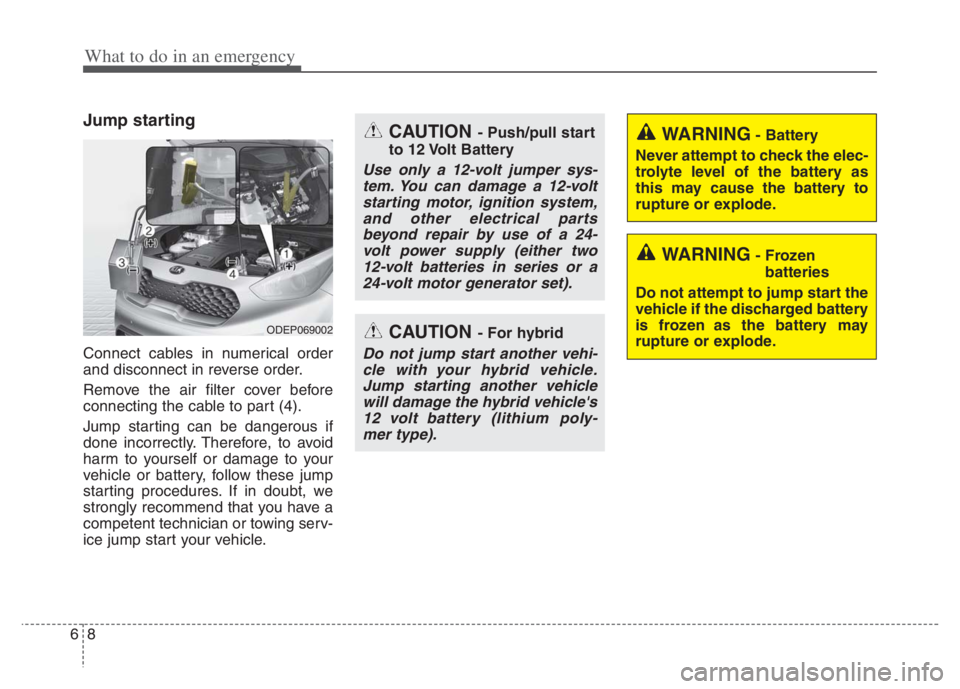
Jump starting
Connect cables in numerical order
and disconnect in reverse order.
Remove the air filter cover before
connecting the cable to part (4).
Jump starting can be dangerous if
done incorrectly. Therefore, to avoid
harm to yourself or damage to your
vehicle or battery, follow these jump
starting procedures. If in doubt, we
strongly recommend that you have a
competent technician or towing serv-
ice jump start your vehicle.
ODEP069002
CAUTION - Push/pull start
to 12 Volt Battery
Use only a 12-volt jumper sys- tem. You can damage a 12-voltstarting motor, ignition system,and other electrical partsbeyond repair by use of a 24-volt power supply (either two12-volt batteries in series or a24-volt motor generator set).
WARNING- Battery
Never attempt to check the elec-
trolyte level of the battery as
this may cause the battery to
rupture or explode.
WARNING- Frozen batteries
Do not attempt to jump start the
vehicle if the discharged battery
is frozen as the battery may
rupture or explode.
CAUTION - For hybrid
Do not jump start another vehi- cle with your hybrid vehicle.Jump starting another vehiclewill damage the hybrid vehicle's12 volt battery (lithium poly-mer type).
Page 539 of 710
619
What to do in an emergency
IF YOU HAVE A FLAT TIRE (WITH SPARE TIRE) (IF EQUIPPED)
Jack and tools
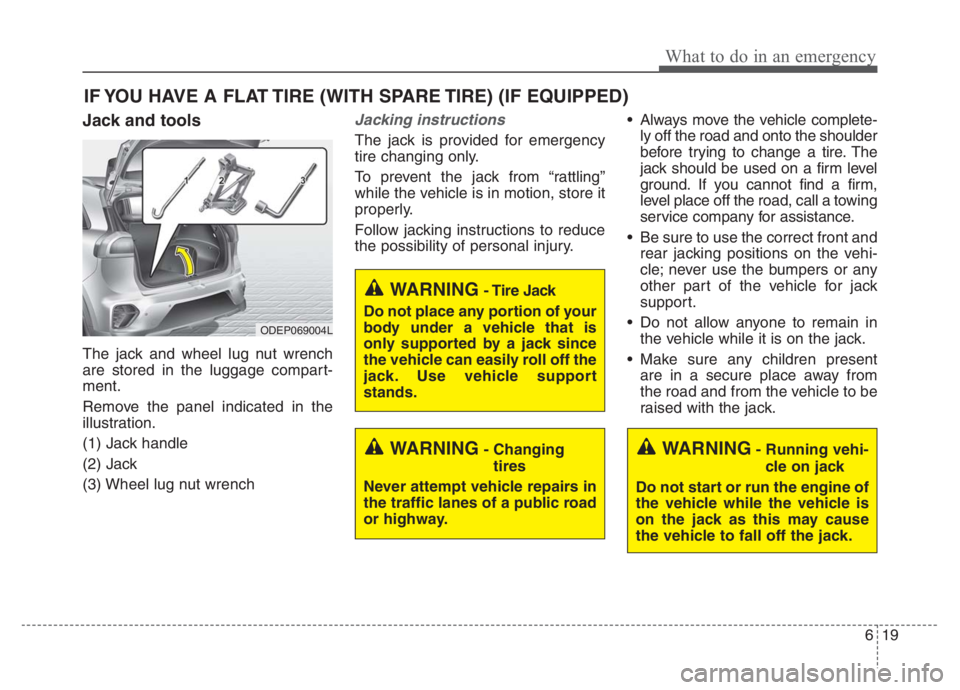
The jack and wheel lug nut wrench
are stored in the luggage compart-
ment.
Remove the panel indicated in the
illustration.
(1) Jack handle
(2) Jack
(3) Wheel lug nut wrench
Jacking instructions
The jack is provided for emergency
tire changing only.
To prevent the jack from “rattling”
while the vehicle is in motion, store it
properly.
Follow jacking instructions to reduce
the possibility of personal injury. Always move the vehicle complete-
ly off the road and onto the shoulder
before trying to change a tire. The
jack should be used on a firm level
ground. If you cannot find a firm,
level place off the road, call a towing
service company for assistance.
Be sure to use the correct front and
rear jacking positions on the vehi-
cle; never use the bumpers or any
other part of the vehicle for jack
support.
Do not allow anyone to remain in
the vehicle while it is on the jack.
Make sure any children present
are in a secure place away from
the road and from the vehicle to be
raised with the jack.
WARNING- Changing
tires
Never attempt vehicle repairs in
the traffic lanes of a public road
or highway.
ODEP069004L
WARNING- Tire Jack
Do not place any portion of your
body under a vehicle that is
only supported by a jack since
the vehicle can easily roll off the
jack. Use vehicle support
stands.
WARNING- Running vehi-
cle on jack
Do not start or run the engine of
the vehicle while the vehicle is
on the jack as this may cause
the vehicle to fall off the jack.