cruise control KIA NIRO 2021 Owner's Guide
[x] Cancel search | Manufacturer: KIA, Model Year: 2021, Model line: NIRO, Model: KIA NIRO 2021Pages: 710, PDF Size: 14.77 MB
Page 466 of 710
5143
Driving your vehicle
Function operation
Operating conditions
Navigation-based Smart Cruise
Control is ready to operate if all of
the following conditions are satisfied:
Smart Cruise Control is operating
Driving on main roads of highways
(or motorways)
✽ ✽
NOTICE
For more details on how to operate
Smart Cruise Control, refer to
“Smart Cruise Control (SCC)” in
this chapter.
Display and control
When Navigation-based Smart
Cruise Control operates, it will be
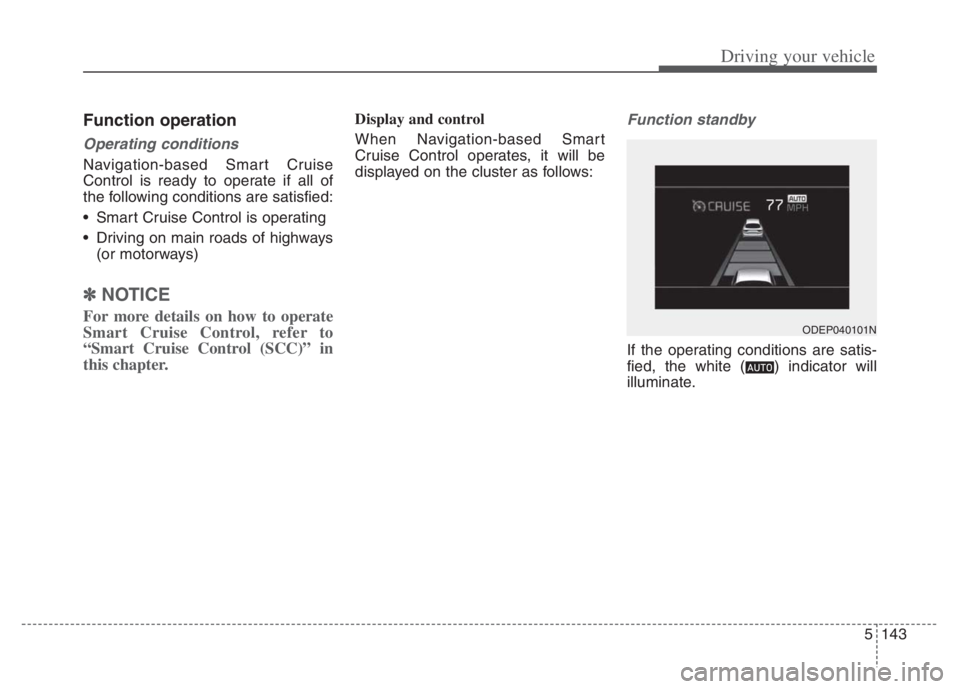
displayed on the cluster as follows:Function standby
If the operating conditions are satis-
fied, the white ( ) indicator will
illuminate.
ODEP040101N
Page 467 of 710
Driving your vehicle
144 5
Function operating
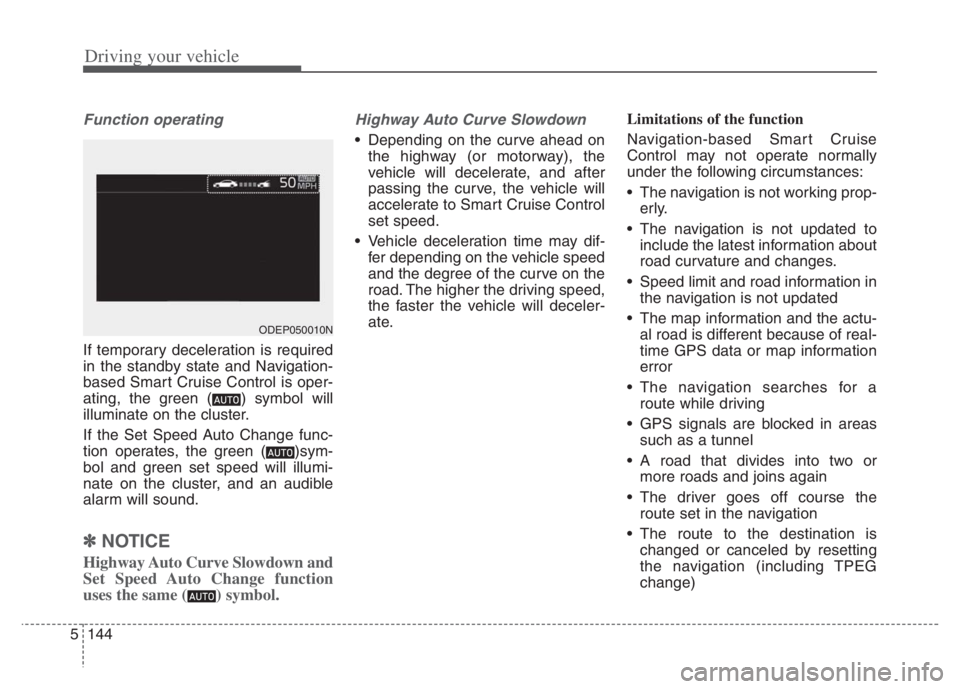
If temporary deceleration is required
in the standby state and Navigation-
based Smart Cruise Control is oper-
ating, the green ( ) symbol will
illuminate on the cluster.
If the Set Speed Auto Change func-
tion operates, the green ( )sym-
bol and green set speed will illumi-
nate on the cluster, and an audible
alarm will sound.
✽ ✽
NOTICE
Highway Auto Curve Slowdown and
Set Speed Auto Change function
uses the same ( ) symbol.
Highway Auto Curve Slowdown
Depending on the curve ahead on
the highway (or motorway), the
vehicle will decelerate, and after
passing the curve, the vehicle will
accelerate to Smart Cruise Control
set speed.
Vehicle deceleration time may dif-
fer depending on the vehicle speed
and the degree of the curve on the
road. The higher the driving speed,
the faster the vehicle will deceler-
ate.Limitations of the function
Navigation-based Smart Cruise
Control may not operate normally
under the following circumstances:
The navigation is not working prop-
erly.
The navigation is not updated to
include the latest information about
road curvature and changes.
Speed limit and road information in
the navigation is not updated
The map information and the actu-
al road is different because of real-
time GPS data or map information
error
The navigation searches for a
route while driving
GPS signals are blocked in areas
such as a tunnel
A road that divides into two or
more roads and joins again
The driver goes off course the
route set in the navigation
The route to the destination is
changed or canceled by resetting
the navigation (including TPEG
change)
ODEP050010N
Page 469 of 710
![KIA NIRO 2021 Owners Guide Driving your vehicle
146 5
[3]: Driving route, [4]: Main road, [5]: Set route,
[6]: Branch line
When there is a difference
between the navigation route
(main road) and the driving route
(branch line](/img/2/54800/w960_54800-468.png "KIA NIRO 2021 Owners Guide Driving your vehicle
146 5
[3]: Driving route, [4]: Main road, [5]: Set route,
[6]: Branch line
When there is a difference
between the navigation route
(main road) and the driving route
(branch line")
Driving your vehicle
146 5
[3]: Driving route, [4]: Main road, [5]: Set route,
[6]: Branch line
When there is a difference
between the navigation route
(main road) and the driving route
(branch line), Highway Auto Curve
Slowdown function may temporari-
ly operate due to the navigation
information of the highway curve
section.
When it is judged that you are driv-
ing out of the route by entering the
highway interchange and junction,
Highway Auto Curve Slowdown
function will not operate.
[3]: Driving route, [5]: Main road, [6]: Branch
line
If there is no destination set on the
navigation, Highway Auto Curve
Slowdown function will operate
based on the curve information on
the main road.
Even if you depart from the main
road, Highway Auto Curve
Slowdown function may temporari-
ly operate due to navigation infor-
mation of the highway curve sec-
tion
ODEP050002NOMQ4050208L
WARNING
Navigation-based Smart
Cruise Control is not a substi-
tute for safe driving practices,
but a convenience function.
Always have your eyes on the
road, and it is the responsibil-
ity of the driver to avoid violat-
ing traffic laws.
The navigation's speed limit
information may differ from
the actual speed limit informa-
tion on the road. It is the dri-
ver's responsibility to check
the speed limit on the actual
driving road or lane.
Highway Auto Curve
Slowdown will automatically
cancel when you leave the
main road of the highway.
Always pay attention to road
and driving conditions while
driving.
(Continued)
Page 470 of 710
5147
Driving your vehicle
After you pass through a tollgate
on a highway, Navigation-based
Smart Cruise Control operates
based on the first lane. If you enter
one of the other lanes, the function
might not properly decelerate.
The vehicle will accelerate if the
driver depresses the accelerate
pedal while Navigation-based
Smart Cruise Control is operating,
and function will not decelerate the
vehicle. If not depressing the accel-
erator pedal sufficiently, the vehicle
speed may decrease.
If the driver accelerates and
releases the accelerator pedal
while the Navigation-based Smart
Cruise Control is operating, the
vehicle may not decelerate suffi-
ciently or may rapidly decelerate to
a safe speed.
If the curve is too large or too
small, Navigation-based Smart
Cruise Control may not operate.✽ ✽
NOTICE
• When the function is activated, the
vehicle decelerates automatically
before reaching the curved road
according to its curvature, and the
driving speed returns to the speed
set by Smart Cruise Control after
passing the curved section.
• The speed information on the clus-
ter and navigation may differ
• The time gap could occur between
the navigation's guidance and
when Navigation-based Smart
Cruise Control operation starts
and ends.
• Even if you are driving at a speed
lower than Smart Cruise Control
set speed, acceleration may be lim-
ited by the speeding cameras and
curve sections ahead.
• If Navigation-based Smart Cruise
Control is operating while leaving
the main road to enter an inter-
change, junction, rest area, etc.,
the function may operate for a cer-
tain period of time.
(Continued)(Continued)
Navigation-based Smart
Cruise Control may not oper-
ate due to the existence of
leading vehicles and the driv-
ing conditions of the vehicle.
Always pay attention to road
and driving conditions while
driving.
When you are towing a trailer
or another vehicle, we recom-
mend that Navigation-based
Smart Cruise Control is
turned off due to safety rea-
sons.
Page 471 of 710
Driving your vehicle
148 5
(Continued)
• Deceleration by Navigation-based
Smart Cruise Control may not be
sufficient due to road conditions
such as uneven road surfaces, nar-
row lanes, etc.
Page 472 of 710
5149
Driving your vehicle
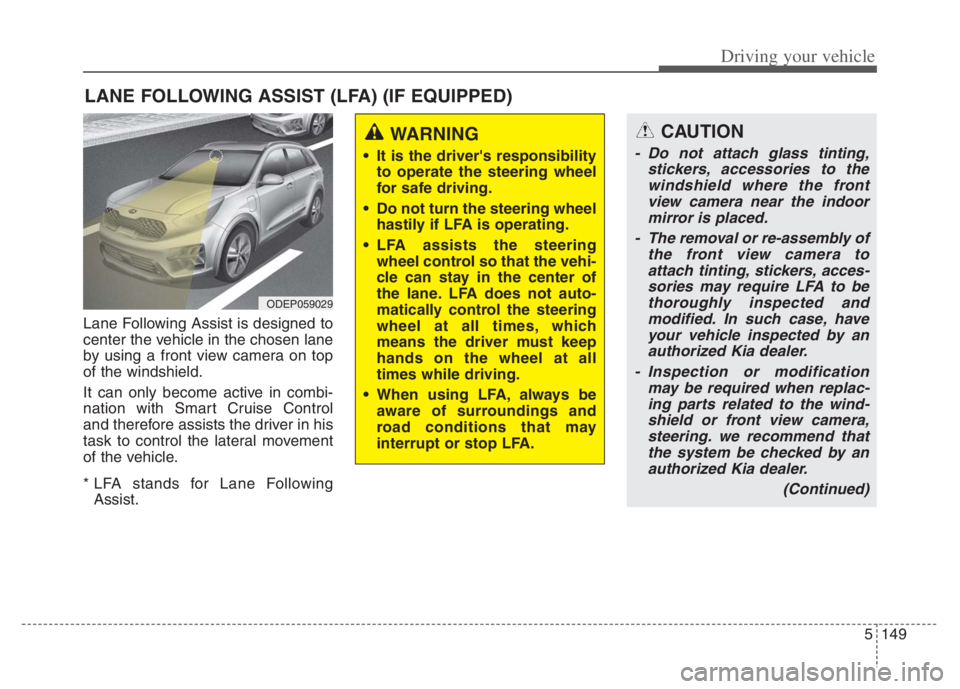
Lane Following Assist is designed to
center the vehicle in the chosen lane
by using a front view camera on top
of the windshield.
It can only become active in combi-
nation with Smart Cruise Control
and therefore assists the driver in his
task to control the lateral movement
of the vehicle.
* LFA stands for Lane Following
Assist.
LANE FOLLOWING ASSIST (LFA) (IF EQUIPPED)
ODEP059029
WARNING
It is the driver's responsibility
to operate the steering wheel
for safe driving.
Do not turn the steering wheel
hastily if LFA is operating.
LFA assists the steering
wheel control so that the vehi-
cle can stay in the center of
the lane. LFA does not auto-
matically control the steering
wheel at all times, which
means the driver must keep
hands on the wheel at all
times while driving.
When using LFA, always be
aware of surroundings and
road conditions that may
interrupt or stop LFA.
CAUTION
- Do not attach glass tinting,
stickers, accessories to the
windshield where the front
view camera near the indoor
mirror is placed.
- The removal or re-assembly of
the front view camera to
attach tinting, stickers, acces-
sories may require LFA to be
thoroughly inspected and
modified. In such case, have
your vehicle inspected by an
authorized Kia dealer.
- Inspection or modification
may be required when replac-
ing parts related to the wind-
shield or front view camera,
steering. we recommend that
the system be checked by an
authorized Kia dealer.
(Continued)
Page 474 of 710
5151
Driving your vehicle
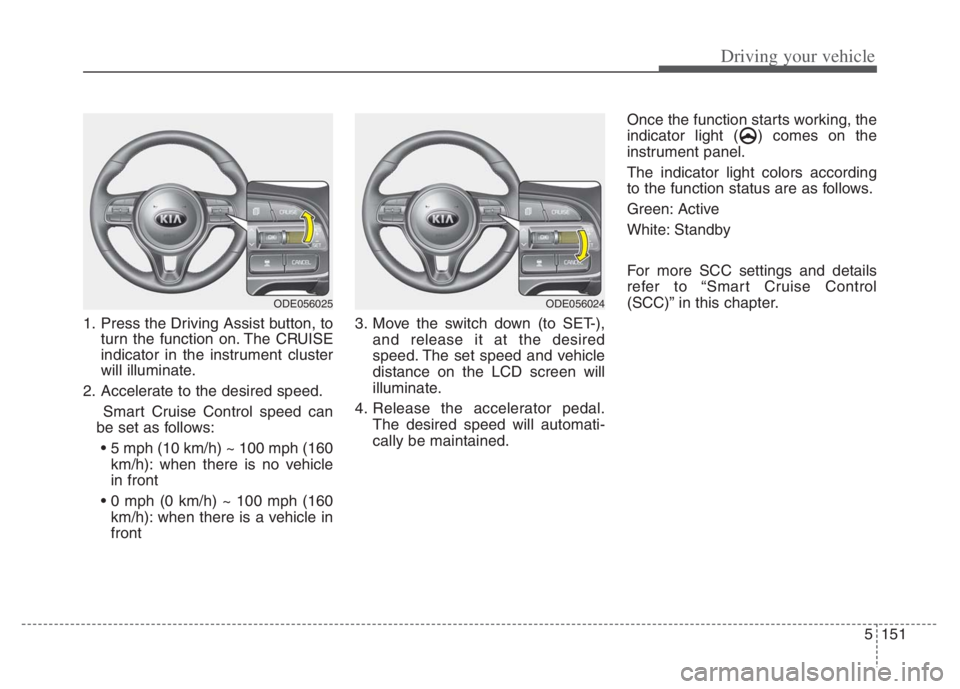
1. Press the Driving Assist button, to
turn the function on. The CRUISE
indicator in the instrument cluster
will illuminate.
2. Accelerate to the desired speed.
Smart Cruise Control speed can
be set as follows:
km/h): when there is no vehicle
in front
km/h): when there is a vehicle in
front3. Move the switch down (to SET-),
and release it at the desired
speed. The set speed and vehicle
distance on the LCD screen will
illuminate.
4. Release the accelerator pedal.
The desired speed will automati-
cally be maintained.Once the function starts working, the
indicator light ( ) comes on the
instrument panel.
The indicator light colors according
to the function status are as follows.
Green: Active
White: Standby
For more SCC settings and details
refer to “Smart Cruise Control
(SCC)” in this chapter.
ODE056025ODE056024
Page 479 of 710
Driving your vehicle
156 5
HDA is designed to control the vehi-
cle distance and speed of the vehicle
when driving on a highway.
The function assists drivers by
receiving information about the
speed limit of the highway that the
vehicle is on and automatically
changing the set speed of Smart
Cruise Control when needed.✽ ✽
NOTICE
• HDA is available only on con-
trolled access road of certain high-
ways.
❈ ❈
Controlled access road indi-
cates roads with limited
entrances and exits that allow
uninterrupted high speed traf-
fic flow. Only passenger cars
and motorcycles are allowed on
controlled access roads.
• Additional highways may be
expanded by navigation updates.
HIGHWAY DRIVING ASSIST (HDA) (IF EQUIPPED)
WARNING
HDA is not a substitute for
safe driving practices, but a
convenience function. It is the
responsibility of the driver to
always be aware of the sur-
roundings and drive safely.
HDA relies entirely on the
road information provided by
the navigation system. It is the
responsibility of the driver to
follow traffic laws and avoid
accidents.
Turn off Highway Driving
Assist when the vehicle is
being towed.
For your safety, please read
the owner's manual before
using the function.
Available highway
(Controlled access road)
USASelect Interstate Highways
Page 480 of 710
![KIA NIRO 2021 Owners Guide 5157
Driving your vehicle
Setting and activating HDA
With the ignition switch or ENGINE
START/STOP button in the [ON],
select or release the setting from
“User Setting Driver Assistance
Drivi](/img/2/54800/w960_54800-479.png "KIA NIRO 2021 Owners Guide 5157
Driving your vehicle
Setting and activating HDA
With the ignition switch or ENGINE
START/STOP button in the [ON],
select or release the setting from
“User Setting Driver Assistance
Drivi")
5157
Driving your vehicle
Setting and activating HDA
With the ignition switch or ENGINE
START/STOP button in the [ON],
select or release the setting from
“User Setting Driver Assistance
Driving Assist Highway Driving
Assist”.
Select HDA in the User setting of the
instrument panel. and the function
will operate if the following conditions
are met :
If the engine is turned off then on
again, the function maintains the last
setting.
Operating conditions
If you activate HDA in the User set-
ting of the instrument panel. and the
following conditions are met, HDA
will be ready to operate, and the indi-
cator light ( ) will come on
green in the cluster.
When driving on the highway main
line.
When Smart Cruise Control is in
operation (Vehicle deceleration
and acceleration control)
- Refer to “Smart Cruise Control
(SCC)” in this chapter.
- If SCC is in standby mode (SCC
is on but speed is not set), HDA
will be in the same mode. The
white indicator ( ) light will
be turned on.
When the vehicle speed is below
95 mph (153 km/h)
HDA operation
The speed is automatically set in
accordance with the steering control
and the highway speed limit when all
the operating conditions are met.
Page 482 of 710
5159
Driving your vehicle
When the hands-off warning
lasts for a certain period of
time
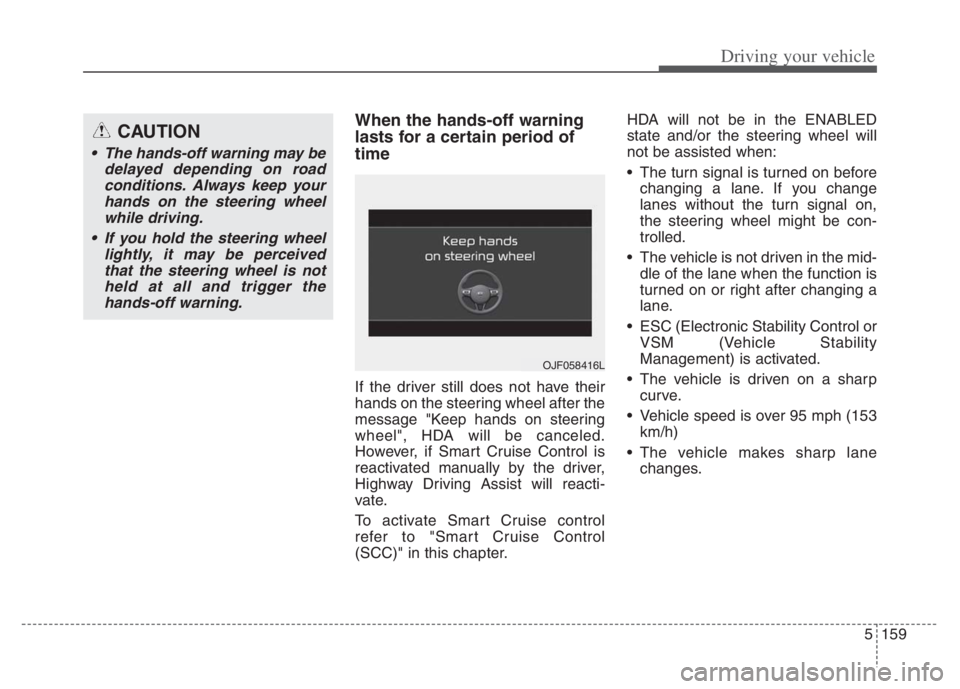
If the driver still does not have their
hands on the steering wheel after the
message "Keep hands on steering
wheel", HDA will be canceled.
However, if Smart Cruise Control is
reactivated manually by the driver,
Highway Driving Assist will reacti-
vate.
To activate Smart Cruise control
refer to "Smart Cruise Control
(SCC)" in this chapter.HDA will not be in the ENABLED
state and/or the steering wheel will
not be assisted when:
The turn signal is turned on before
changing a lane. If you change
lanes without the turn signal on,
the steering wheel might be con-
trolled.
The vehicle is not driven in the mid-
dle of the lane when the function is
turned on or right after changing a
lane.
ESC (Electronic Stability Control or
VSM (Vehicle Stability
Management) is activated.
The vehicle is driven on a sharp
curve.
Vehicle speed is over 95 mph (153
km/h)
The vehicle makes sharp lane
changes.
CAUTION
The hands-off warning may be
delayed depending on road
conditions. Always keep your
hands on the steering wheel
while driving.
If you hold the steering wheel
lightly, it may be perceived
that the steering wheel is not
held at all and trigger the
hands-off warning.
OJF058416L