window KIA NIRO 2021 Owner's Guide
[x] Cancel search | Manufacturer: KIA, Model Year: 2021, Model line: NIRO, Model: KIA NIRO 2021Pages: 710, PDF Size: 14.77 MB
Page 383 of 710
Driving your vehicle
60 5
✽
✽
NOTICE
• Be careful not to apply unneces-
sary force on the frontal sensor
area. When the sensor moves out
of the correct position due to
external force, FCA may not nor-
mally operate even without the
warning light or message. In this
case, have your vehicle inspected
by an authorized Kia dealer.
• Keep the sensor and sensor area
clean.
• Be careful not to force to shock on
sensor or area. If the sensor is out
of the position by the shock, FCA
may not normally operate even
without the warning light ON or
message. In this case, have your
vehicle inspected by an authorized
Kia dealer.
• Do not tint the window or install
stickers, accessories around the
inside mirror where the front view
camera is installed.
• Make sure the front view camera
installation point does not get wet.
(Continued)(Continued)
• Do not impact or arbitrarily
remove any front view camera
components.
• Do not place reflective
objects(white paper or mirror etc.)
on the crash pad.
FCA may activate unnecessarily
due to reflect of the sunlight.
• For more cautions for the camera
sensor, refer to Lane Keeping
Assist (LKA) in this chapter.
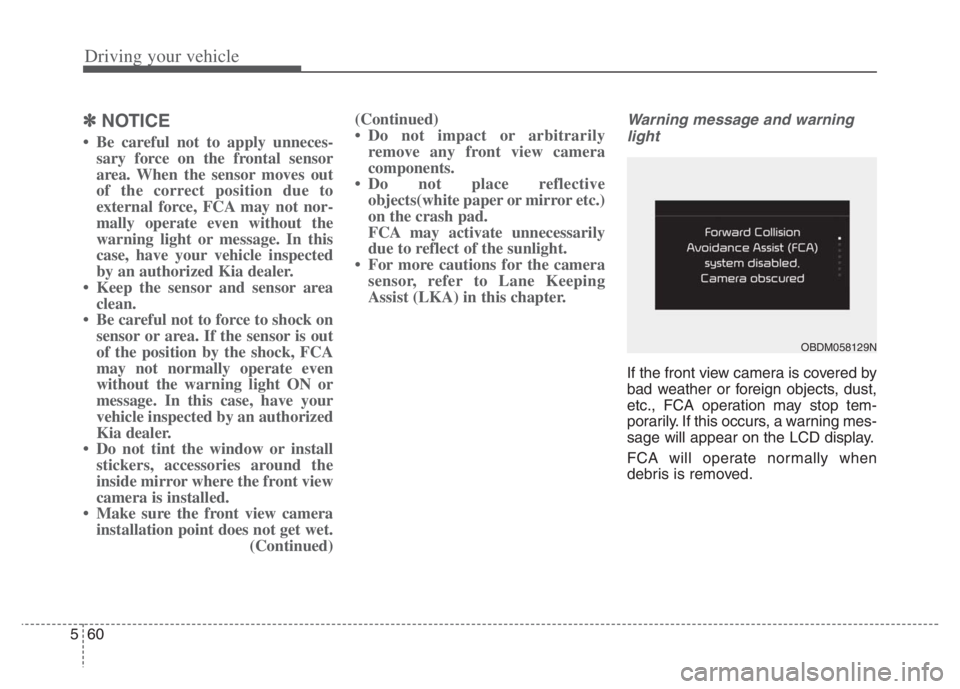
Warning message and warning
light
If the front view camera is covered by
bad weather or foreign objects, dust,
etc., FCA operation may stop tem-
porarily. If this occurs, a warning mes-
sage will appear on the LCD display.
FCA will operate normally when
debris is removed.
OBDM058129N
Page 399 of 710
Driving your vehicle
76 5
In bad weather conditions such as
heavy rain, heavy snow, and fog, or
when sensor is covered by foreign
material, dust, tec., the sensors will
be degraded and the function will be
temporarily disabled.
Always keep the sensor clean.✽ ✽
NOTICE
• Do not install any accessories,
such as license plate molding or
sticker, on the sensor area. Nor
arbitrarily replace the bumper.
Those may adversely affect the
sensing performance.
• Always keep the sensor/bumper
area clean.
• Use only soft cloths to wash the
vehicle. Also, do not spray highly-
pressurized water on the sensor
installed on the bumper.
• Be careful not to apply unneces-
sary force on the frontal sensor
area. When the sensor moves out
of the correct position due to
external force, the function may
not normally operate even without
the warning light or message. In
this case, have your vehicle
inspected by an authorized Kia
dealer.
• Use only the genuine Kia sensor
cover. Do not arbitrarily apply
paint on the sensor cover.
(Continued)(Continued)
• Do not tint the window or install
stickers, accessories around the
inside mirror where the camera is
installed.
• Make sure the front view camera
installation point does not get wet.
• Do not impact or arbitrarily
remove any front radar compo-
nents.
• Do not place reflective
objects(white paper or mirror etc.)
on the crash pad.
The function may activate unnec-
essarily due to reflect of the sun-
light.
• Excessive audio volume may dis-
turb the sound of the function
warning alarm.
• For more cautions for the front
view camera sensor, refer to the
“Lane Keeping Assist (LKA)” in
this chapter.
Page 434 of 710
5111
Driving your vehicle
✽ ✽
NOTICE
Driver Attention Warning utilizes
the front view camera sensor on the
front windshield for its operation.
To keep the front view camera
sensor in the best condition, you
should observe the followings:
- Do not disassemble camera tem-
porarily for tinted window or
attaching any types of coatings and
accessories. If you disassemble a
camera and assemble it again, take
your vehicle to an authorized Kia
dealer and have the system
checked.
- Do not locate any reflective
objects (i.e. white paper, mirror)
over the dashboard. Any light
reflection may cause a mal-func-
tion of Driver Attention Warning.
(Continued)(Continued)
- Pay extreme caution to keep the
front view camera out of water.
- Do not arbitrarily disassemble the
camera assembly, nor apply any
impact on the camera assembly.
• Playing the vehicle audio system
at high volume may offset Driver
Attention Warning warning
sounds.
For more information of front
view camera, refer to “Lane
Keeping Assist (LKA)”.CAUTION
Driver Attention Warning may
not properly operate with limit-
ed alerting in the following situ-
ations:
The function will not operate
for about 15 seconds when
restarting the engine or initial-
izing the front view camera
such as rebooting, etc.
The lane detection perform-
ance is limited. (For more
information, refer to "Lane
Keeping Assist (LKA)" in this
chapter.)
The vehicle is violently driven
or is abruptly turned for obsta-
cle avoidance (e.g. construc-
tion area, other vehicles, fallen
objects, bumpy road).
Intentionally frequent lane
cut-in
(Continued)
Page 457 of 710
Driving your vehicle
134 5
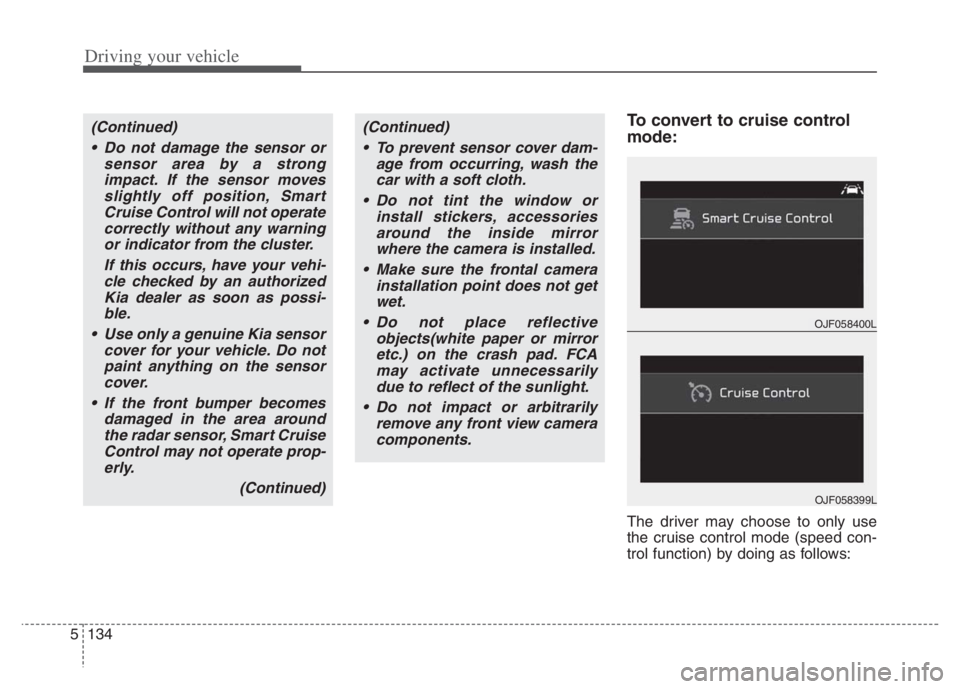
To convert to cruise control
mode:
The driver may choose to only use
the cruise control mode (speed con-
trol function) by doing as follows:
(Continued)
Do not damage the sensor or
sensor area by a strong
impact. If the sensor moves
slightly off position, Smart
Cruise Control will not operate
correctly without any warning
or indicator from the cluster.
If this occurs, have your vehi-
cle checked by an authorized
Kia dealer as soon as possi-
ble.
Use only a genuine Kia sensor
cover for your vehicle. Do not
paint anything on the sensor
cover.
If the front bumper becomes
damaged in the area around
the radar sensor, Smart Cruise
Control may not operate prop-
erly.
(Continued)(Continued)
To prevent sensor cover dam-
age from occurring, wash the
car with a soft cloth.
Do not tint the window or
install stickers, accessories
around the inside mirror
where the camera is installed.
Make sure the frontal camera
installation point does not get
wet.
Do not place reflective
objects(white paper or mirror
etc.) on the crash pad. FCA
may activate unnecessarily
due to reflect of the sunlight.
Do not impact or arbitrarily
remove any front view camera
components.
OJF058400L
OJF058399L
Page 492 of 710
5169
Driving your vehicle
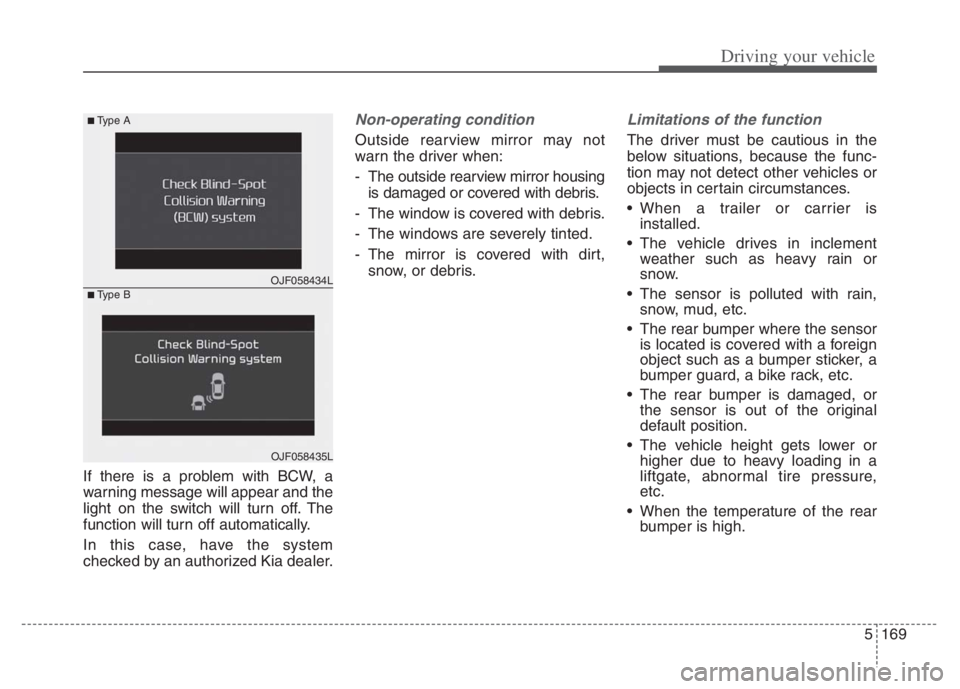
If there is a problem with BCW, a
warning message will appear and the
light on the switch will turn off. The
function will turn off automatically.
In this case, have the system
checked by an authorized Kia dealer.
Non-operating condition
Outside rearview mirror may not
warn the driver when:
- The outside rearview mirror housing
is damaged or covered with debris.
- The window is covered with debris.
- The windows are severely tinted.
- The mirror is covered with dirt,
snow, or debris.
Limitations of the function
The driver must be cautious in the
below situations, because the func-
tion may not detect other vehicles or
objects in certain circumstances.
When a trailer or carrier is
installed.
The vehicle drives in inclement
weather such as heavy rain or
snow.
The sensor is polluted with rain,
snow, mud, etc.
The rear bumper where the sensor
is located is covered with a foreign
object such as a bumper sticker, a
bumper guard, a bike rack, etc.
The rear bumper is damaged, or
the sensor is out of the original
default position.
The vehicle height gets lower or
higher due to heavy loading in a
liftgate, abnormal tire pressure,
etc.
When the temperature of the rear
bumper is high.
OJF058434L
■Type A
■Type B
OJF058435L
Page 506 of 710

5183
Driving your vehicle
Remember, your vehicle does not
require extended warm-up. After
the engine has started, allow the
engine to run for 10 to 20 seconds
prior to placing the vehicle in gear.
In very cold weather, however, give
your engine a slightly longer warm-
up period.
Don't "lug" or "over-rev" the engine.
Lugging is driving too slowly in a
very high gear resulting in engine
bucking. If this happens, shift to a
lower gear. Over-revving is racing
the engine beyond its safe limit.
This can be avoided by shifting at
the recommended speed. Use your air conditioning sparingly.
The air conditioning system is
operated by engine power so your
fuel economy is reduced when you
use it.
Opening windows at high speeds
can reduce fuel economy.
Fuel economy is less in crosswinds
and headwinds. To help offset
some of this loss, slow down when
driving in these conditions.
Keeping a vehicle in good operating
condition is important both for econ-
omy and safety. Therefore, have an
authorized Kia dealer perform
scheduled inspections and mainte-
nance.
WARNING - Engine off
during motion
Never turn the engine off to
coast down hills or anytime the
vehicle is in motion. The power
steering and power brakes will
not function properly without
the engine running.
In addition, turning off the
engine start/stop button while
driving could engage the steer-
ing wheel lock, resulting in loss
of vehicle steering. Keep the
engine on and downshift to an
appropriate gear for an engine
braking effect.
Page 515 of 710
Driving your vehicle
192 5
To keep locks from freezing
To keep the locks from freezing,
squirt an approved de-icer fluid or
glycerine into the key opening. If a
lock is covered with ice, squirt it with
an approved de-icing fluid to remove
the ice. If the lock is frozen internally,
you may be able to thaw it out by
using a heated key. Handle the heat-
ed key with care to avoid injury.
Use approved window washer
anti-freeze in system
To keep the water in the window
washer system from freezing, add an
approved window washer anti-freeze
solution in accordance with instruc-
tions on the container. Window wash-
er anti-freeze is available from an
authorized Kia dealer and most auto
parts outlets. Do not use engine
coolant or other types of anti-freeze
as these may damage the paint fin-
ish.
Don’t let your parking brake
freeze
Under some conditions your parking
brake can freeze in the engaged
position. This is most likely to happen
when there is an accumulation of
snow or ice around or near the rear
brakes or if the brakes are wet. If
there is a risk the parking brake may
freeze, apply it only temporarily while
you put the gear shift lever in P (Park,
Dual clutch transmission) and block
the rear wheels so the vehicle cannot
roll. Then release the parking brake.
Don't let ice and snow accu-
mulate underneath
Under some conditions, snow and
ice can build up under the fenders
and interfere with the steering. When
driving in severe winter conditions
where this may happen, you should
periodically check underneath the
vehicle to be sure the movement of
the front wheels and the steering
components are not obstructed.
Carry emergency equipment
Depending on the severity of the
weather, you should carry appropri-
ate emergency equipment. Some of
the items you may want to carry
include tow straps or chains, flash-
light, emergency flares, sand, shov-
el, jumper cables, window scraper,
gloves, ground cloth, coveralls, blan-
ket, etc.
TRAILER TOWING
We do not recommend using this
vehicle for trailer towing.
Page 526 of 710

What to do in an emergency
6 6
The following items should be reset
after the battery has been discharged
or the battery has been disconnected.
Auto up/down window
Sunroof
Trip computer
Climate control system
Driver position Memory System
Audio
As explained above, if the vehicle
cannot be started after pressing the
“12V Batt Reset” switch (1) due to
over discharge, try to jump-start
(refer to Jump-starting).Charging method for 12V battery
(A) It is recommended to charge the
12V battery by starting and run-
ning the vehicle (HEV Ready
Mode) for a minimum of 30 min-
utes if a 12V reset, or jump start
has been used.
(B) If you cannot start the vehicle :
After connecting the jumper cables
at the recommended locations, you
should press “12V batt Reset”
switch (1) to charge the battery.
The voltage range of the charger
should be 13.3~14V and its current
range should be less than 60A.
(13.8V is recommended).CAUTION
• The use of an improper charg-
er with a voltage and current
range higher than specified
may cause overheating and
damage to the 12V battery.
The use of an incorrect charg-
er will lead to a power shut-off
to save the 12V battery. Stop
using the incorrect charger
once the power of the vehicle
is shut off.
Page 564 of 710
IF AN ACCIDENT OCCURS
✽ ✽
NOTICE
Any gas or electrolyte leakage from
your vehicle is not only poisonous but
also flammable. Upon witnessing one
of those, make sure your car is parked
in a safe area away from any roads,
open the windows, and maintain a
safe distance away from the vehicle.
Immediately contact an authorized
Kia dealer and advise them that a
hybrid vehicle is involved.
If you need towing, refer to
"Towing" in the previous pages.
When the vehicle is severely dam-
aged, remain a safe distance of 50
feet (15 meter) or more between
your vehicle and other
vehicles/flammables.
If a fire occurs :
Immediately call emergency services
(911) and advise the emergency
responders that a hybrid vehicle is
involved.
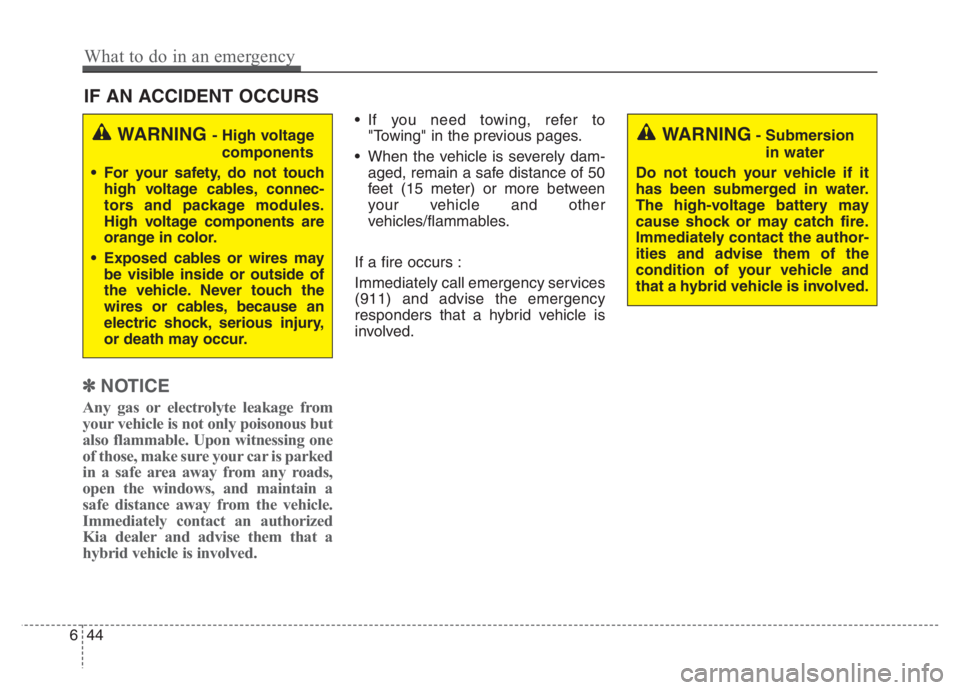
WARNING - High voltage
components
For your safety, do not touch
high voltage cables, connec-
tors and package modules.
High voltage components are
orange in color.
Exposed cables or wires may
be visible inside or outside of
the vehicle. Never touch the
wires or cables, because an
electric shock, serious injury,
or death may occur.WARNING- Submersion
in water
Do not touch your vehicle if it
has been submerged in water.
The high-voltage battery may
cause shock or may catch fire.
Immediately contact the author-
ities and advise them of the
condition of your vehicle and
that a hybrid vehicle is involved.
644
What to do in an emergency
Page 602 of 710
Maintenance
38 7
2. Lift up the wiper blade clip. Then
pull down the blade assembly and
remove it.
3. Install the new blade assembly.
4. Return the wiper arm on the wind-
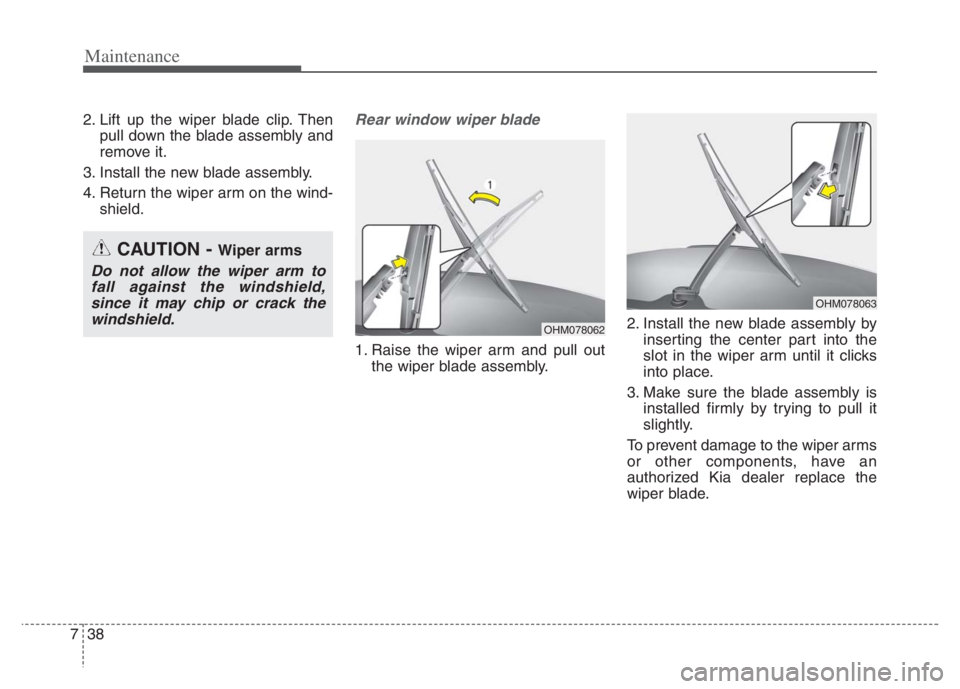
shield.Rear window wiper blade
1. Raise the wiper arm and pull out
the wiper blade assembly.2. Install the new blade assembly by
inserting the center part into the
slot in the wiper arm until it clicks
into place.
3. Make sure the blade assembly is
installed firmly by trying to pull it
slightly.
To prevent damage to the wiper arms
or other components, have an
authorized Kia dealer replace the
wiper blade.
OHM078062
OHM078063
CAUTION - Wiper arms
Do not allow the wiper arm to
fall against the windshield,
since it may chip or crack the
windshield.