navigation KIA NIRO EV 2022 Navigation System Quick Reference Guide
[x] Cancel search | Manufacturer: KIA, Model Year: 2022, Model line: NIRO EV, Model: KIA NIRO EV 2022Pages: 332, PDF Size: 11.18 MB
Page 267 of 332
9-69
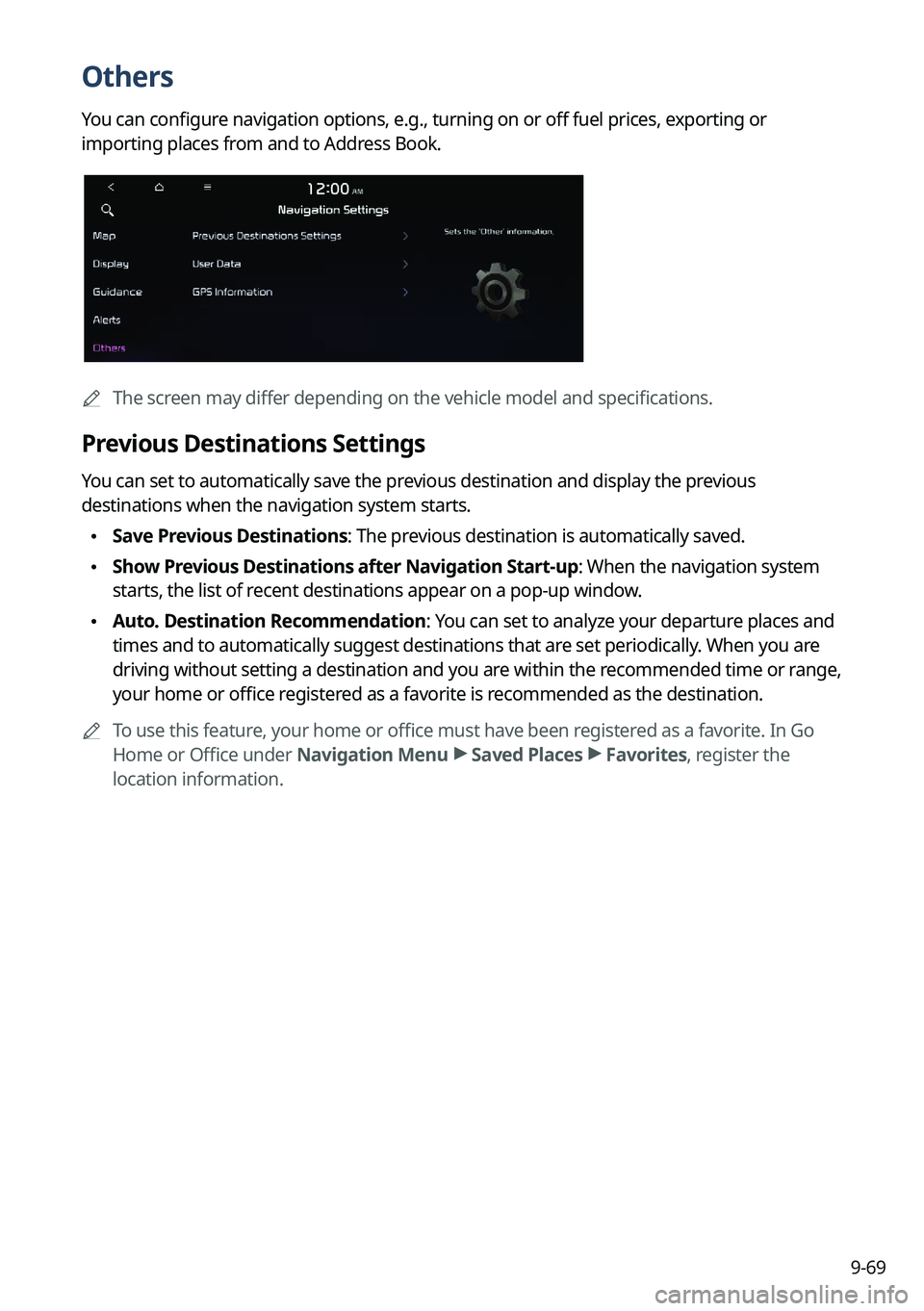
Others
You can configure navigation options, e.g., turning on or off fuel prices, exporting or
importing places from and to Address Book.
0000AThe screen may differ depending on the vehicle model and specifications.
Previous Destinations Settings
You can set to automatically save the previous destination and display the previous
destinations when the navigation system starts.
\225Save Previous Destinations: The previous destination is automatically saved.
\225Show Previous Destinations after Navigation Start-up: When the navigation system
starts, the list of recent destinations appear on a pop-up window.
\225Auto. Destination Recommendation: You can set to analyze your departure places and
times and to automatically suggest destinations that are set periodically. When you are
driving without setting a destination and you are within the recommended time or range,
your home or office registered as a favorite is recommended as the destination.
0000
A
To use this feature, your home or office must have been registered as a favorite. In Go
Home or Office under Navigation Menu >
Saved Places >
Favorites, register the
location information.
Page 268 of 332
9-70
User Data
You can import location data from a USB device to the system, or export the data on the
system to a USB device.0000
A
When importing or exporting the location data, you can uses only the USB device
formatted in exFAT, FAT16/32, or NTFS.
\225Import Saved Places/Previous Destinations from USB Device: You can import
registered location and destination information, saved on your USB storage device, to the
system.
0000
A
Previous information saved on the system will be deleted.
0000
A
If location information is imported from a different navigation device or system,
the locations may appear differently because the device/system uses a different
coordinate system.
\225Export Saved Places/Previous Destinations to USB Device: You can export registered
location and destination information, saved on the system, to your USB storage device.
0000
A
Previous information saved on the USB storage device will be deleted.
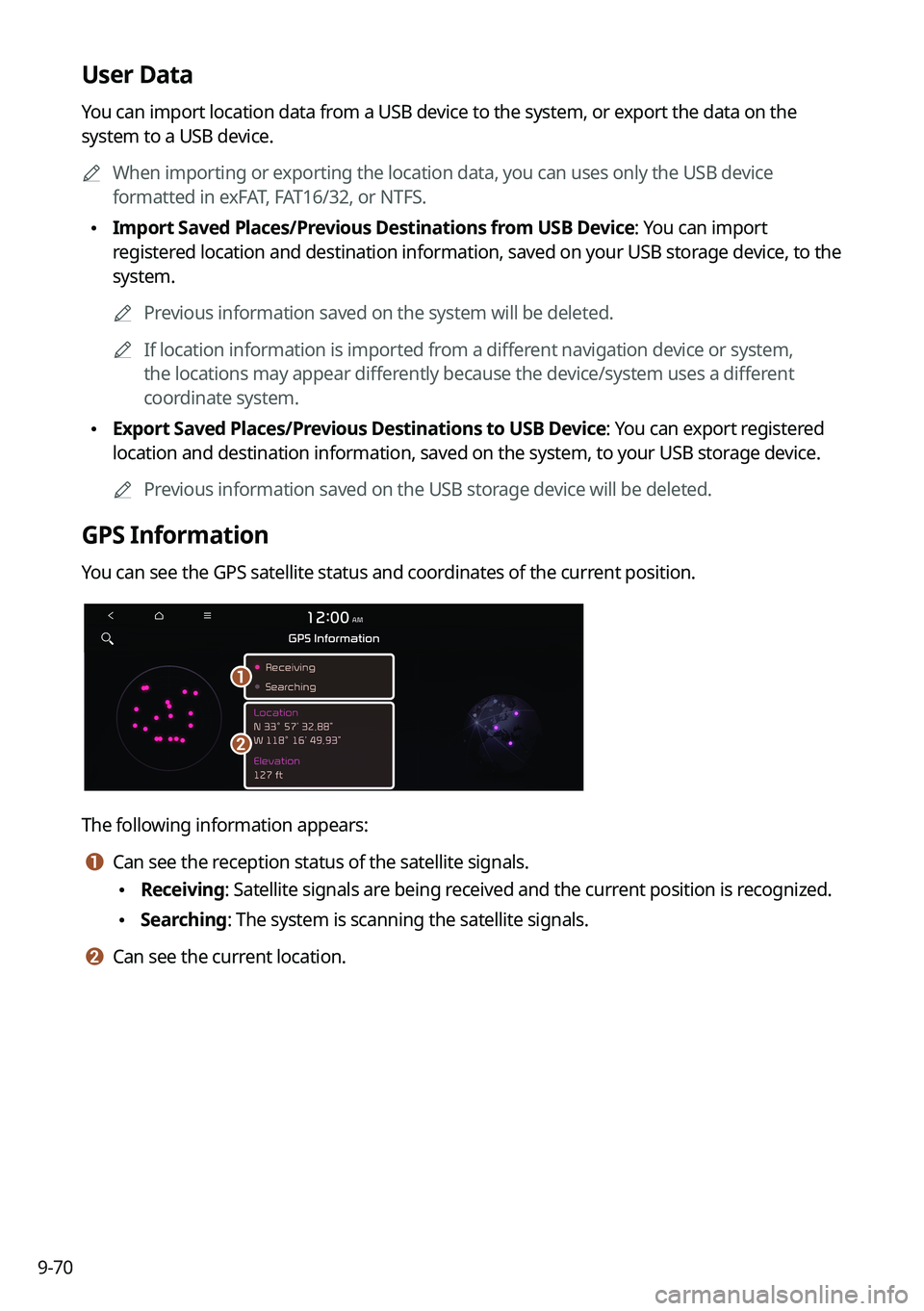
GPS Information
You can see the GPS satellite status and coordinates of the current position.
\037
\036
The following information appears:
a a Can see the reception status of the satellite signals.
\225Receiving: Satellite signals are being received and the current position is recognized.
\225Searching: The system is scanning the satellite signals.
b b Can see the current location.
Page 276 of 332
9-78
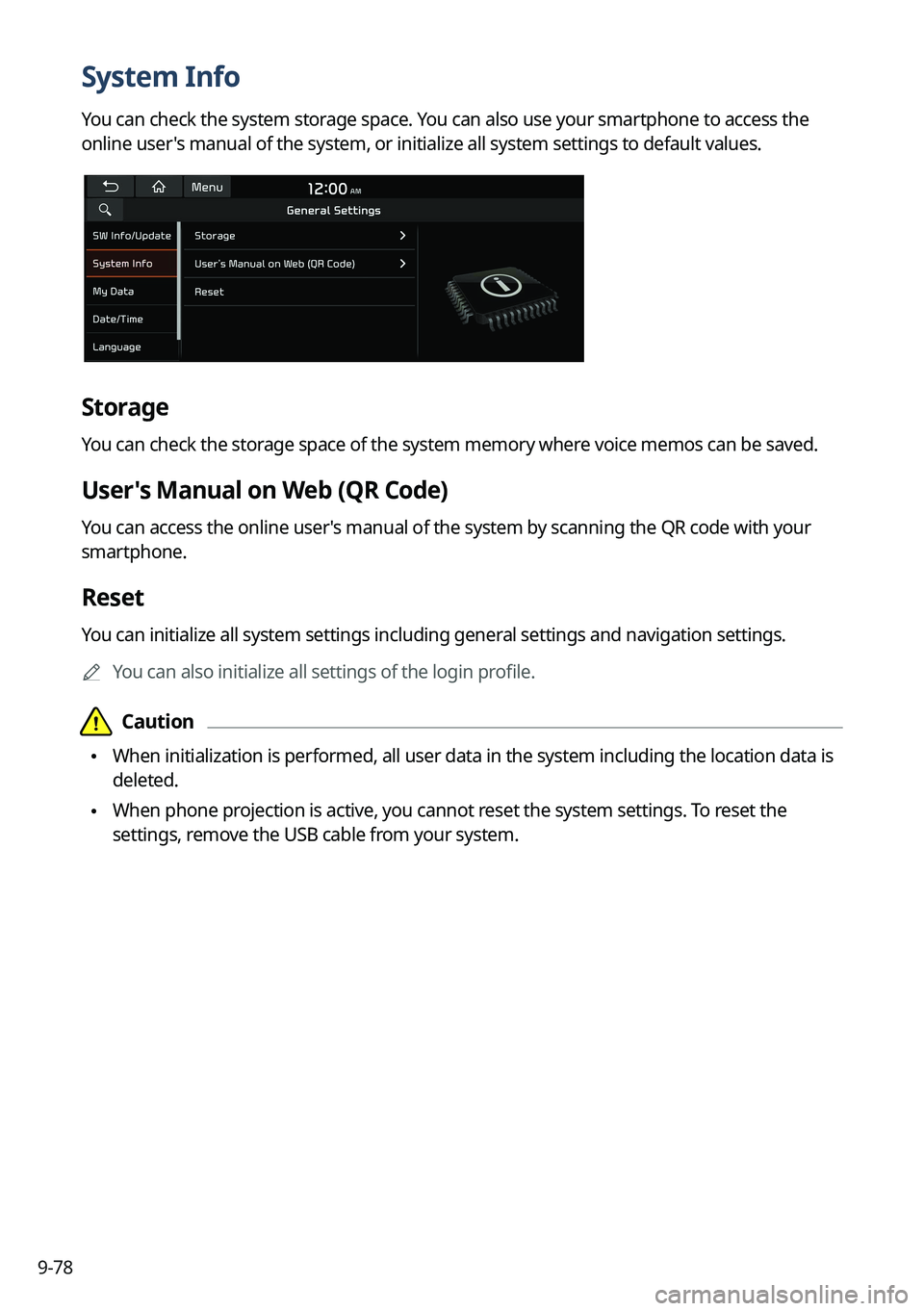
System Info
You can check the system storage space. You can also use your smartphone to access the
online user's manual of the system, or initialize all system settings to default values.
Storage
You can check the storage space of the system memory where voice memos can be saved.
User's Manual on Web (QR Code)
You can access the online user's manual of the system by scanning the QR code with your
smartphone.
Reset
You can initialize all system settings including general settings and navigation settings.0000
A
You can also initialize all settings of the login profile.
\334\334Caution
\225When initialization is performed, all user data in the system including the location data is
deleted.
\225When phone projection is active, you cannot reset the system settings. To reset the
settings, remove the USB cable from your system.
Page 277 of 332
9-79
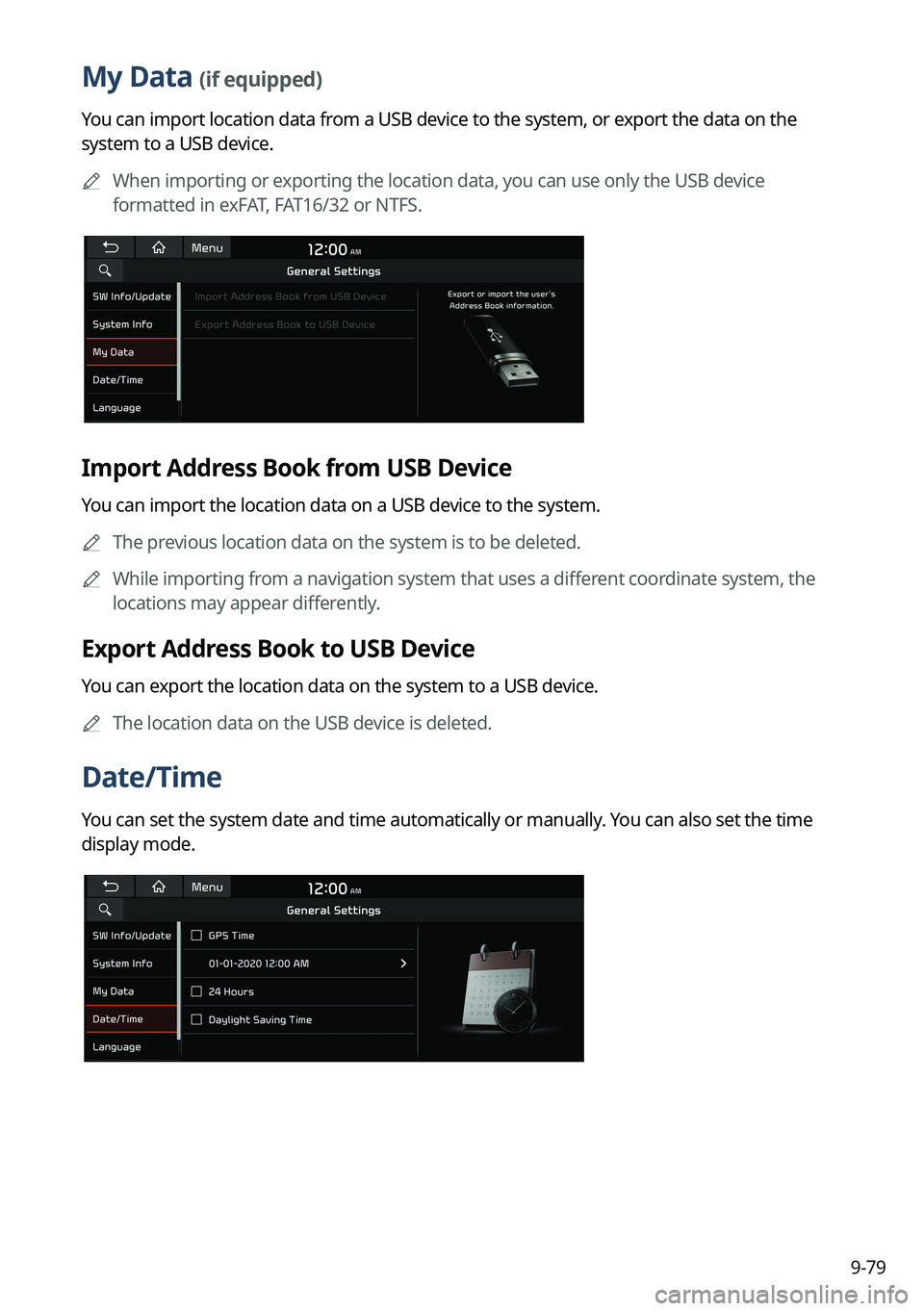
My Data (if equipped)
You can import location data from a USB device to the system, or export the data on the
system to a USB device.0000
A
When importing or exporting the location data, you can use only the USB device
formatted in exFAT, FAT16/32 or NTFS.
Import Address Book from USB Device
You can import the location data on a USB device to the system.
0000
A
The previous location data on the system is to be deleted.
0000
A
While importing from a navigation system that uses a different coordinate system, the
locations may appear differently.
Export Address Book to USB Device
You can export the location data on the system to a USB device.
0000
A
The location data on the USB device is deleted.
Date/Time
You can set the system date and time automatically or manually. You can also set the time
display mode.
Page 281 of 332
9-83
Storage
You can check the storage space of the system memory where voice memos can be saved.
User's Manual on Web (QR Code)
You can access the online user's manual of the system by scanning the QR code with your
smartphone.
What's New (if equipped)
You can see the latest system update information.0000
A
After update is completed, the system will display the main update items on the screen.
Scan the QR code to view the update announcement.
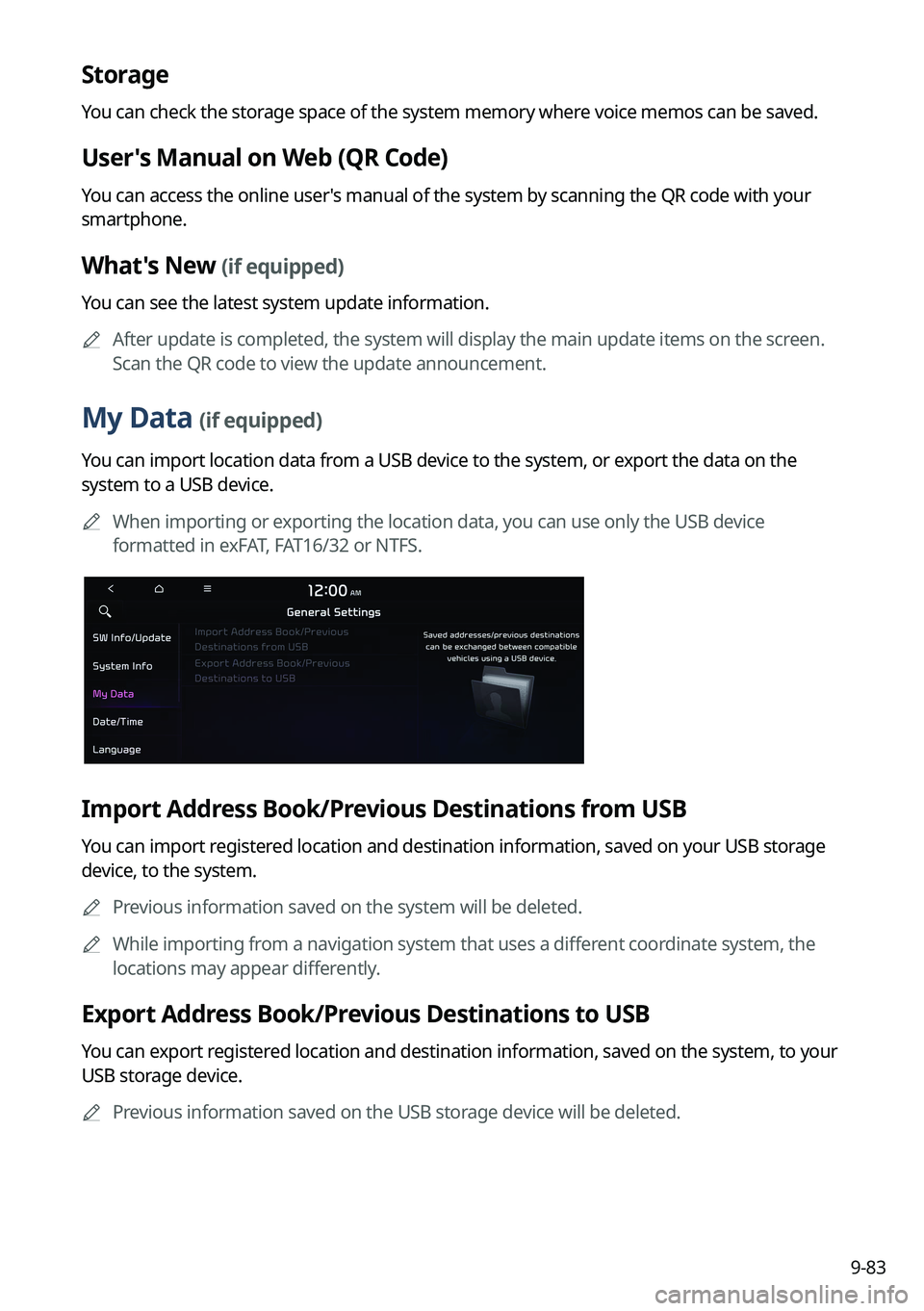
My Data (if equipped)
You can import location data from a USB device to the system, or export the data on the
system to a USB device.
0000
A
When importing or exporting the location data, you can use only the USB device
formatted in exFAT, FAT16/32 or NTFS.
Import Address Book/Previous Destinations from USB
You can import registered location and destination information, saved on your USB storage
device, to the system.
0000
A
Previous information saved on the system will be deleted.
0000
A
While importing from a navigation system that uses a different coordinate system, the
locations may appear differently.
Export Address Book/Previous Destinations to USB
You can export registered location and destination information, saved on the system, to your
USB storage device.
0000
A
Previous information saved on the USB storage device will be deleted.
Page 297 of 332
9-99
How to Update the Map and Software for
your Infotainment System
To ensure you are maximizing the full potential of your navigation system, we advise
updating the map and software annually. To update, visit the map update website and install
the Navigation Updater program onto your PC. Use the program to download and install the
latest map, points of interest, and software. Alternatively, you can visit your local dealership
to update.
\334\334Caution
\225It may take a while (tens of minutes) to finish the system update depending on the
amount of data.
\225Never turn off the system or remove the storage before finishing the system update.
When the system is turned off or the storage device is removed from the system while
updating, it may cause data or system damage.
0000
A
After update is completed, the system automatically restarts and the SW Info/Update
screen displays the updated version.
0000
A
During update, you cannot use the navigation system, UVO service, camera, and
infotainment system.
0000
A
For assistance concerning the update, contact the Customer Center at 800-333-4
KIA(4542).
0000
A
Changes are not applied to the map after creation of all update files. For this reason, road
names, POI names, speed limits, or other map information displayed, may not be the
latest values due to the creation time of the update files.
Updating via a USB device
Install the Navigation Updater on your PC and then download the latest data to a USB device
for update to the navigation map and infotainment system.
Installing Navigation Updater
On your PC, visit the website at http://update.kia.com/us to download and
install the Navigation Updater software.
0000
A
For system requirements for installing the program and details on how to install it, visit
the website.
Page 298 of 332
9-100
Updating the software and map
1 Connect a USB device to the computer and run Navigation Updater for
downloading the update files.
2 Follow the instructions on the screen to download the update files.
3 Remove the USB device from the computer and then connect it to the
USB port in your vehicle.
4 Start the vehicle to turn on the system.
0000
A
You can perform update without starting the vehicle by simply locating the start
switch to "ON".
\334\334Caution
\225Perform update with the start switch "ON" when the battery is sufficiently charged
by driving the vehicle. When the battery is discharged while updating, the system
may get damaged with the update stopped.
-Note that the battery may be discharged easily in winter.
-The battery may also be discharged easily when the vehicle is not used for a long
time. Caution is required.
\225
When you start the vehicle while updating with the start switch "ON", power supply
to the system may be cut off.
5 On the All Menus screen, press Setup >
General >
SW Info/Update.
0000
A
After the system is turned on, press Yes when a pop-up window appears whether
to proceed with update. In this case, the screen changes to allow you to select the
update method.
[ Updating immediately
You can finish the update quickly.
1 On the SW Info/Update screen, press Update.
2 Press Update Now.
3 Press OK.
The update is performed immediately after the system reboots.
Page 299 of 332

9-101
[Background Update
You can perform update while using the system.
1 On the SW Info/Update screen, press Update.
2 Press Background Update.
3 Press OK.
0000
A
Compared to Update Now, it may take longer.
0000
A
On the All Menus screen, press Setup >
General >
SW Info/Update to see the update
progress.
0000
A
It is possible to start background updates only when the vehicle is on.
0000
A
It is possible to continue to perform updates even after turning off the vehicle while
updates are in progress. On the notification window displayed when the vehicle is
turned off, press Update to perform the remaining updates to complete the process
successfully. For later update, press Later.
0000
A
If the update process is not completed, a notification window appears asking if you want
to perform updates each time you turn off the vehicle.
0000
A
All system functions, including the rear view camera, are disabled while updates are in
progress.
[Scheduling an update
When you set for scheduled update after downloading the latest data, the navigation map
and infotainment system can be updated while not using the vehicle.
1 On the SW Info/Update screen, press Update.
2 Press Install after Turning Off the Ignition.
3 Set the update time and press OK.
When scheduling the update is finished, the status indicator icon appears.
0000
A
You can set to start the update within 12 hours or less after the vehicle is stopped.
4 Turn off the vehicle (ACC Off).
Page 308 of 332
10-8
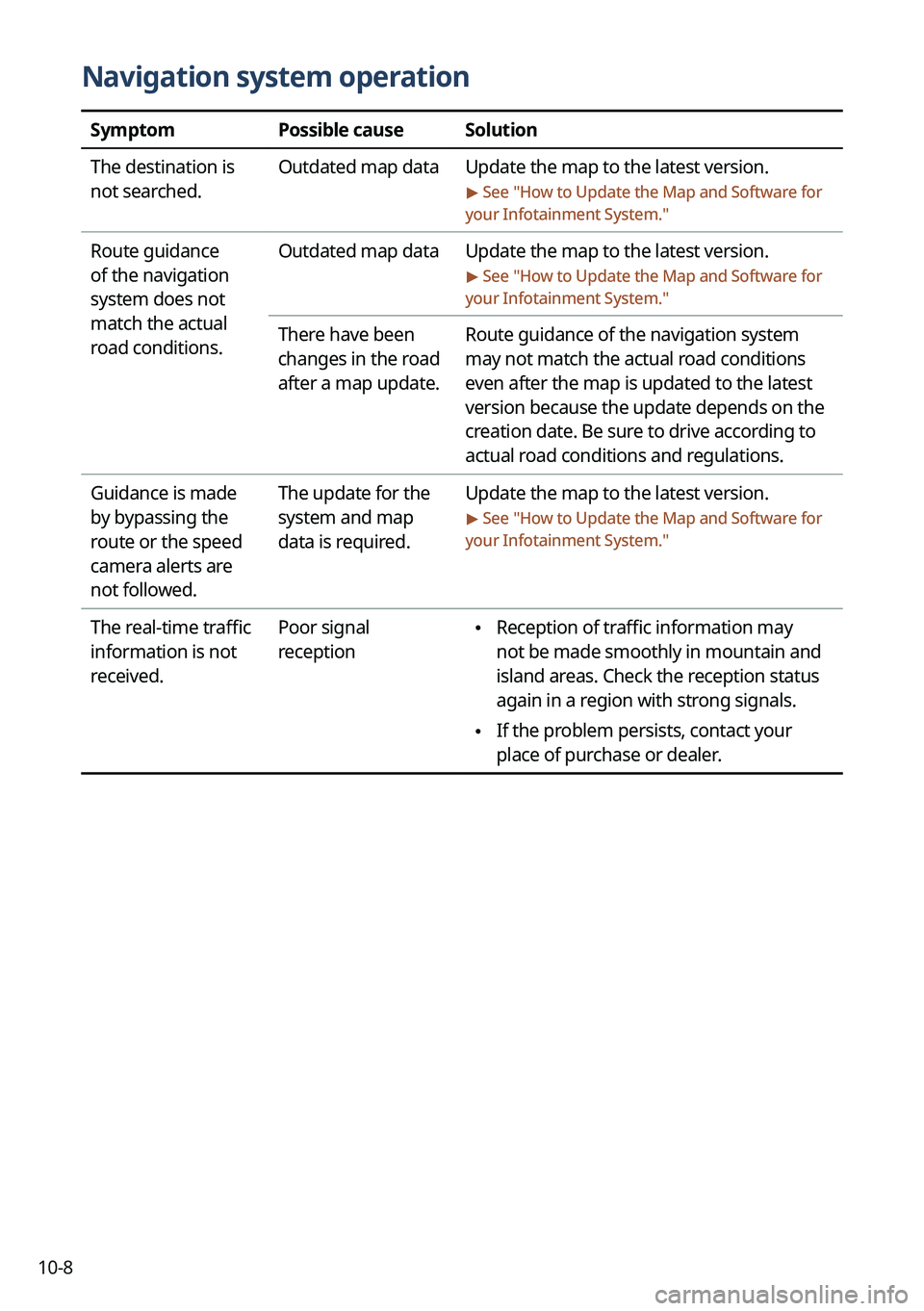
Navigation system operation
SymptomPossible causeSolution
The destination is
not searched. Outdated map data
Update the map to the latest version.
> See "How to Update the Map and Software for
your Infotainment System."
Route guidance
of the navigation
system does not
match the actual
road conditions. Outdated map data
Update the map to the latest version.
> See "How to Update the Map and Software for
your Infotainment System."
There have been
changes in the road
after a map update. Route guidance of the navigation system
may not match the actual road conditions
even after the map is updated to the latest
version because the update depends on the
creation date. Be sure to drive according to
actual road conditions and regulations.
Guidance is made
by bypassing the
route or the speed
camera alerts are
not followed. The update for the
system and map
data is required.
Update the map to the latest version.
> See "
How to Update the Map and Software for
your Infotainment System."
The real-time traffic
information is not
received. Poor signal
reception \225
Reception of traffic information may
not be made smoothly in mountain and
island areas. Check the reception status
again in a region with strong signals.
\225If the problem persists, contact your
place of purchase or dealer.
Page 309 of 332

10-9
System status indicator icons
You can see the system status by checking the status indicator icons at the top right of the
system screen.
Different status indicator icons appear when each function is performed. The meanings of
the icons are as follows:
Mute/memo recording
Navigation sound muted
Radio/Media sound muted
All sound outputs muted
Recording a voice memo
Bluetooth/call
Connecting a phone via Bluetooth
Connecting an audio device via Bluetooth
Connecting a phone and an audio device via Bluetooth
Making a call via a Bluetooth phone
Bluetooth phone's microphone off
Downloading the contact and list of recent calls from the connected Bluetooth
phone