lock KIA NIRO HYBRID EV 2021 Owners Manual
[x] Cancel search | Manufacturer: KIA, Model Year: 2021, Model line: NIRO HYBRID EV, Model: KIA NIRO HYBRID EV 2021Pages: 667, PDF Size: 9.17 MB
Page 378 of 667
Driving your vehicle
52 5
Good braking practices
Check to be sure the parking brake
is not engaged and the parking
brake indicator light is out before
driving away.
Driving through water may get the
brakes wet. They can also get wet
when the vehicle is washed. Wet
brakes can be dangerous! Your
vehicle will not stop as quickly if the
brakes are wet. Wet brakes may
cause the vehicle to pull to one side.
To dry the brakes, apply the brakes
lightly until the braking action
returns to normal, taking care to
keep the vehicle under control at all
times. If the braking action does not
return to normal, stop as soon as it
is safe to do so and call an author-
ized Kia dealer for assistance.
Don't coast down hills with the
vehicle out of gear. This is extreme-
ly hazardous. Keep the vehicle in
gear at all times, use the brakes to
slow down, then shift to a lower
gear so that engine braking will
help you maintain a safe speed. Don't "ride" the brake pedal.
Resting your foot on the brake
pedal while driving can be danger-
ous because the brakes might
overheat and lose their effective-
ness. It also increases the wear of
the brake components.
If a tire goes flat while you are driv-
ing, apply the brakes gently and
keep the vehicle pointed straight
ahead while you slow down. When
you are moving slowly enough for it
to be safe to do so, pull off the road
and stop in a safe place.
If your vehicle is equipped with a
dual clutch transmission, don't let
your vehicle creep forward. To
avoid creeping forward, keep your
foot firmly on the brake pedal when
the vehicle is stopped.
Be cautious when parking on a hill.
Firmly engage the parking brake
and place the shift lever in P (Dual
clutch transmission). If your vehicle
is facing downhill, turn the front
wheels into the curb to help keep
the vehicle from rolling.If your vehicle is facing uphill, turn
the front wheels away from the
curb to help keep the vehicle from
rolling. If there is no curb or if it is
required by other conditions to
keep the vehicle from rolling, block
the wheels.
Under some conditions your park-
ing brake can freeze in the
engaged position. This is most like-
ly to happen when there is an
accumulation of snow or ice
around or near the rear brakes or if
the brakes are wet. If there is a risk
that the parking brake may freeze,
apply it only temporarily while you
put the shift lever in P (Dual clutch
transmission) and block the rear
wheels so the vehicle cannot roll.
Then release the parking brake.
Do not hold the vehicle on an
incline with the accelerator pedal.
This can cause the transaxle to
overheat. Always use the brake
pedal or parking brake.
Page 389 of 667
563
Driving your vehicle
Recognizing vehicles
The sensor may be limited when:
The front view camera or front
radar sensor is blocked with a for-
eign object or debris
The camera lens is contaminated
due to tinted, filmed or coated
windshield, damaged glass, or
stuck of foreign matter (sticker,
bug, etc.) on the glass
Inclement weather such as heavy
rain or snow obscures the field of
view of the radar sensor or camera
There is interference by electro-
magnetic waves
There is severe irregular reflection
from the radar sensor
The front view camera/front radar
sensor recognition is limited
The vehicle in front is too small to
be detected (for example a motor-
cycle etc.)
The vehicle in front is an oversize
vehicle or trailer that is too big to
be detected by the camera recog-
nition system (for example a tractor
trailer, etc.) The camera's field of view is not
well illuminated (either too dark or
too much reflection or too much
backlight that obscures the field of
view)
The vehicle in front does not have
their rear lights or their rear lights
does not turned ON or their rear
lights are located unusually.
The outside brightness changes
suddenly, for example when enter-
ing or exiting a tunnel
When light coming from a street
light or an oncoming vehicle is
reflected on a wet road surface
such as a puddle in the road
The field of view in front is
obstructed by sun glare
The vehicle in front is driving errat-
ically
The vehicle is on unpaved or
uneven rough surfaces, or road
with sudden gradient changes.
The vehicle is driven near areas
containing metal substances as a
construction zone, railroad, etc. The vehicle drives inside a build-
ing, such as a basement parking
lot
The front view camera does not
recognize the entire vehicle in
front.
The front view camera is damaged.
The brightness outside is too low
such as when the headlamps are
not on at night or the vehicle is
going through a tunnel.
The shadow is on the road by a
median strip, trees, etc.
The vehicle drives through a toll-
gate.
The windshield glass is fogged up;
a clear view of the road is obstruct-
ed.
The rear part of the vehicle in front
is not normally visible. (the vehicle
turns in other direction or the vehi-
cle is overturned.)
The adverse road conditions cause
excessive vehicle vibrations while
driving
The sensor recognition changes
suddenly when passing over a
speed bump
Page 390 of 667
Driving your vehicle
64 5
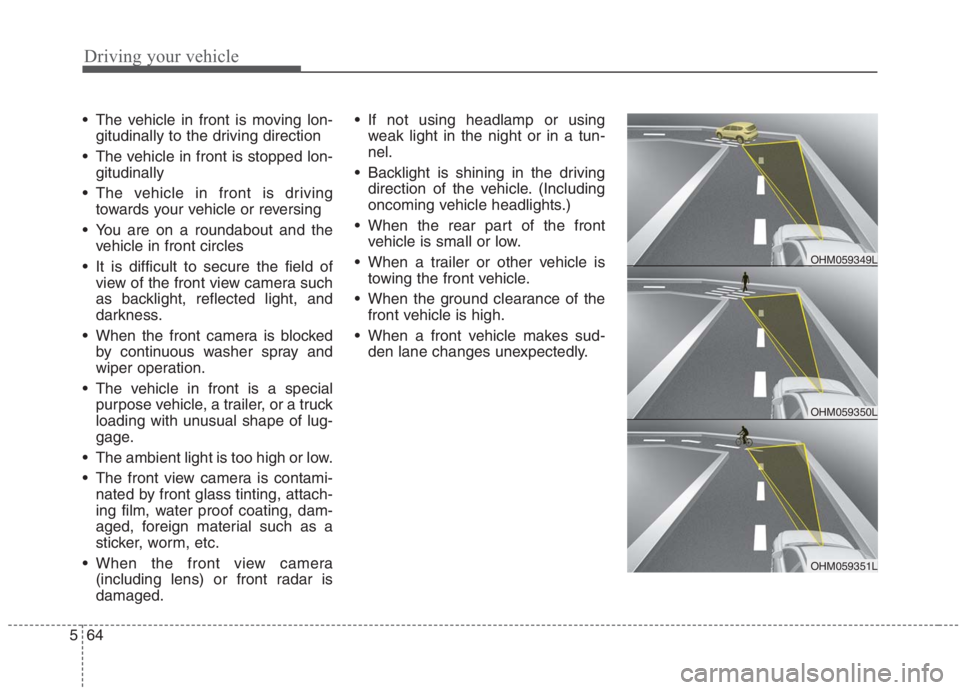
The vehicle in front is moving lon-
gitudinally to the driving direction
The vehicle in front is stopped lon-
gitudinally
The vehicle in front is driving
towards your vehicle or reversing
You are on a roundabout and the
vehicle in front circles
It is difficult to secure the field of
view of the front view camera such
as backlight, reflected light, and
darkness.
When the front camera is blocked
by continuous washer spray and
wiper operation.
The vehicle in front is a special
purpose vehicle, a trailer, or a truck
loading with unusual shape of lug-
gage.
The ambient light is too high or low.
The front view camera is contami-
nated by front glass tinting, attach-
ing film, water proof coating, dam-
aged, foreign material such as a
sticker, worm, etc.
When the front view camera
(including lens) or front radar is
damaged. If not using headlamp or using
weak light in the night or in a tun-
nel.
Backlight is shining in the driving
direction of the vehicle. (Including
oncoming vehicle headlights.)
When the rear part of the front
vehicle is small or low.
When a trailer or other vehicle is
towing the front vehicle.
When the ground clearance of the
front vehicle is high.
When a front vehicle makes sud-
den lane changes unexpectedly.
OHM059350L
OHM059349L
OHM059351L
Page 411 of 667
585
Driving your vehicle
Warning message
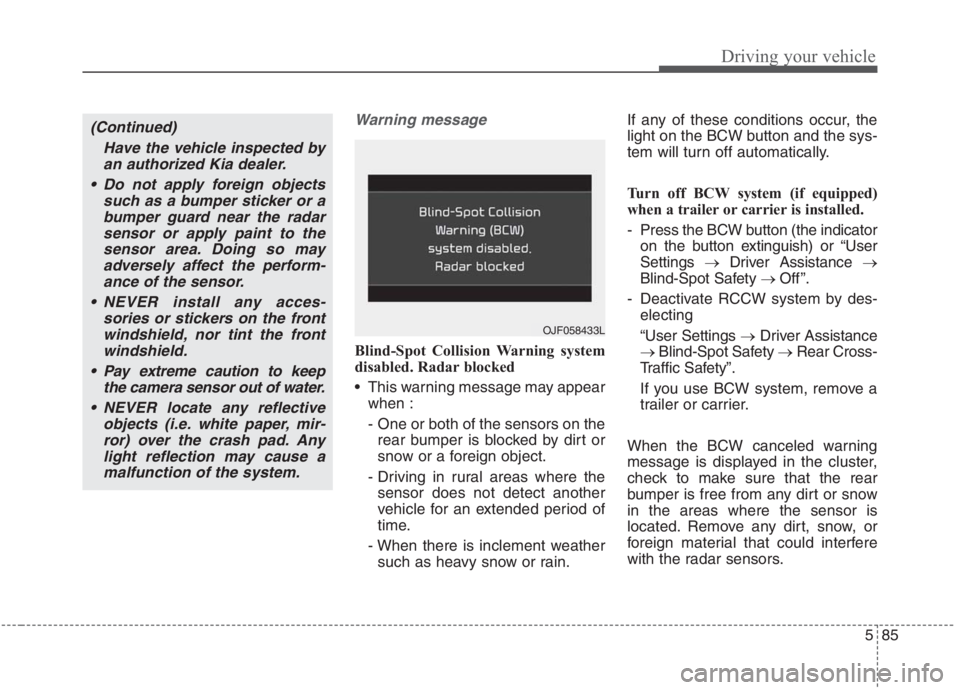
Blind-Spot Collision Warning system
disabled. Radar blocked
This warning message may appear
when :
- One or both of the sensors on the
rear bumper is blocked by dirt or
snow or a foreign object.
- Driving in rural areas where the
sensor does not detect another
vehicle for an extended period of
time.
- When there is inclement weather
such as heavy snow or rain.If any of these conditions occur, the
light on the BCW button and the sys-
tem will turn off automatically.
Turn off BCW system (if equipped)
when a trailer or carrier is installed.
- Press the BCW button (the indicator
on the button extinguish) or “User
Settings →Driver Assistance →
Blind-Spot Safety → Off ”.
- Deactivate RCCW system by des-
electing
“User Settings →Driver Assistance
→Blind-Spot Safety →Rear Cross-
Traffic Safety”.
If you use BCW system, remove a
trailer or carrier.
When the BCW canceled warning
message is displayed in the cluster,
check to make sure that the rear
bumper is free from any dirt or snow
in the areas where the sensor is
located. Remove any dirt, snow, or
foreign material that could interfere
with the radar sensors.
(Continued)
Have the vehicle inspected by
an authorized Kia dealer.
Do not apply foreign objects
such as a bumper sticker or a
bumper guard near the radar
sensor or apply paint to the
sensor area. Doing so may
adversely affect the perform-
ance of the sensor.
NEVER install any acces-
sories or stickers on the front
windshield, nor tint the front
windshield.
Pay extreme caution to keep
the camera sensor out of water.
NEVER locate any reflective
objects (i.e. white paper, mir-
ror) over the crash pad. Any
light reflection may cause a
malfunction of the system.
OJF058433L
Page 412 of 667
Driving your vehicle
86 5
After any dirt or debris is removed,
BCW should operate normally after
about 10 minutes of driving the vehi-
cle.
If the system still does not operate
normally, have your vehicle inspect-
ed by an authorized Kia dealer.
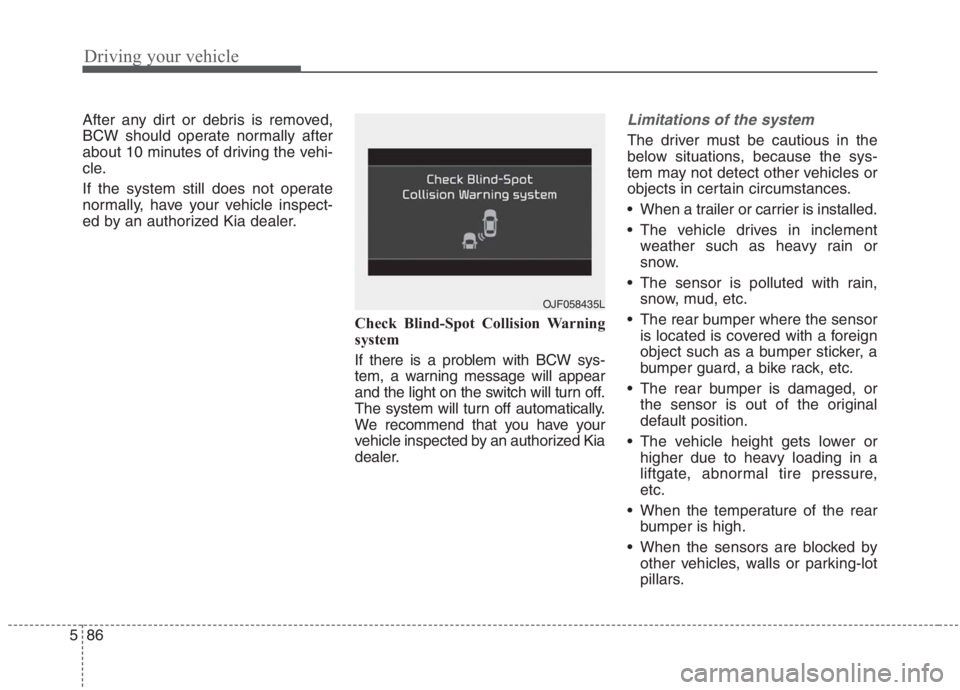
Check Blind-Spot Collision Warning
system
If there is a problem with BCW sys-
tem, a warning message will appear
and the light on the switch will turn off.
The system will turn off automatically.
We recommend that you have your
vehicle inspected by an authorized Kia
dealer.Limitations of the system
The driver must be cautious in the
below situations, because the sys-
tem may not detect other vehicles or
objects in certain circumstances.
When a trailer or carrier is installed.
The vehicle drives in inclement
weather such as heavy rain or
snow.
The sensor is polluted with rain,
snow, mud, etc.
The rear bumper where the sensor
is located is covered with a foreign
object such as a bumper sticker, a
bumper guard, a bike rack, etc.
The rear bumper is damaged, or
the sensor is out of the original
default position.
The vehicle height gets lower or
higher due to heavy loading in a
liftgate, abnormal tire pressure,
etc.
When the temperature of the rear
bumper is high.
When the sensors are blocked by
other vehicles, walls or parking-lot
pillars.
OJF058435L
Page 433 of 667
5107
Driving your vehicle
Smart Cruise Control system will
be temporarily canceled when:
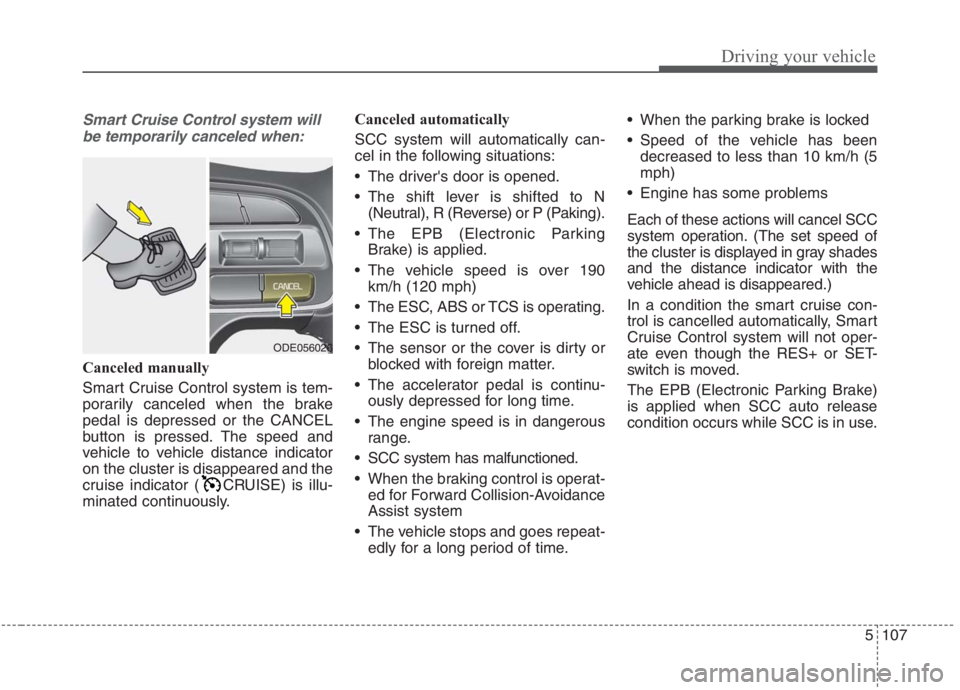
Canceled manually
Smart Cruise Control system is tem-
porarily canceled when the brake
pedal is depressed or the CANCEL
button is pressed. The speed and
vehicle to vehicle distance indicator
on the cluster is disappeared and the
cruise indicator ( CRUISE) is illu-
minated continuously.Canceled automatically
SCC system will automatically can-
cel in the following situations:
The driver's door is opened.
The shift lever is shifted to N
(Neutral), R (Reverse) or P (Paking).
The EPB (Electronic Parking
Brake) is applied.
The vehicle speed is over 190
km/h (120 mph)
The ESC, ABS or TCS is operating.
The ESC is turned off.
The sensor or the cover is dirty or
blocked with foreign matter.
The accelerator pedal is continu-
ously depressed for long time.
The engine speed is in dangerous
range.
SCC system has malfunctioned.
When the braking control is operat-
ed for Forward Collision-Avoidance
Assist system
The vehicle stops and goes repeat-
edly for a long period of time. When the parking brake is locked
Speed of the vehicle has been
decreased to less than 10 km/h (5
mph)
Engine has some problems
Each of these actions will cancel SCC
system operation. (The set speed of
the cluster is displayed in gray shades
and the distance indicator with the
vehicle ahead is disappeared.)
In a condition the smart cruise con-
trol is cancelled automatically, Smart
Cruise Control system will not oper-
ate even though the RES+ or SET-
switch is moved.
The EPB (Electronic Parking Brake)
is applied when SCC auto release
condition occurs while SCC is in use.
ODE056026
Page 443 of 667
5117
Driving your vehicle
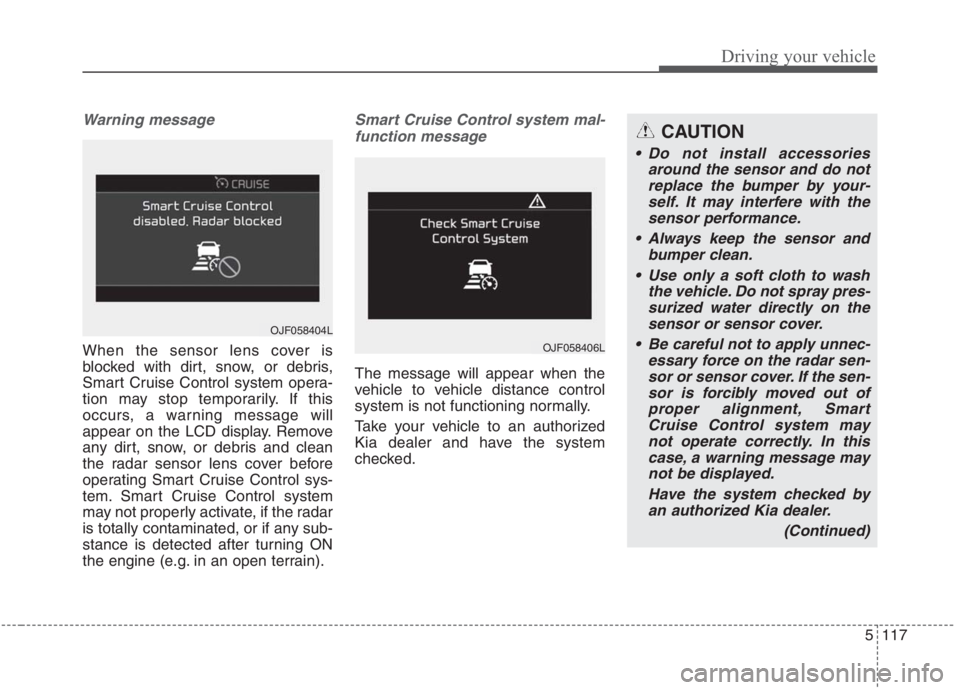
Warning message
When the sensor lens cover is
blocked with dirt, snow, or debris,
Smart Cruise Control system opera-
tion may stop temporarily. If this
occurs, a warning message will
appear on the LCD display. Remove
any dirt, snow, or debris and clean
the radar sensor lens cover before
operating Smart Cruise Control sys-
tem. Smart Cruise Control system
may not properly activate, if the radar
is totally contaminated, or if any sub-
stance is detected after turning ON
the engine (e.g. in an open terrain).
Smart Cruise Control system mal-
function message
The message will appear when the
vehicle to vehicle distance control
system is not functioning normally.
Take your vehicle to an authorized
Kia dealer and have the system
checked.
OJF058404L
OJF058406L
CAUTION
Do not install accessories
around the sensor and do not
replace the bumper by your-
self. It may interfere with the
sensor performance.
Always keep the sensor and
bumper clean.
Use only a soft cloth to wash
the vehicle. Do not spray pres-
surized water directly on the
sensor or sensor cover.
Be careful not to apply unnec-
essary force on the radar sen-
sor or sensor cover. If the sen-
sor is forcibly moved out of
proper alignment, Smart
Cruise Control system may
not operate correctly. In this
case, a warning message may
not be displayed.
Have the system checked by
an authorized Kia dealer.
(Continued)
Page 457 of 667
5131
Driving your vehicle
- If the number of lanes increasesor decreases, or if the lanes inter-
sect with each other more
intensely (tollgate entry section,
road section/joining section, etc.)
- When there are two or more lane markings such as a construction
section, a designated lane, etc.
- When the lane is crowded such as the construction section or the
lane is replaced by some struc-
tures
- If there is a road marking such as a zigzag lane, crosswalk mark, or
road surface milestone
- When a lane suddenly becomes invisible or disappears from an
intersection
• The external environment affecting the system
- If the outside brightness of the vehi- cle suddenly changes, such as
when entering or exiting the tunnel
or passing under the bridge - If the vehicle's headlights are not
used at night or in the tunnel, or the
brightness of the headlights is too
weak
- If there are boundary structures such as tollgate booths and side-
walk blocks
- If it is difficult to distinguish lanes due to the reflection on the wet
road made by sunlight, streetlight,
and oncoming traffic.
- When the backlight is strongly reflected in the direction of the
vehicle
- When Driving to the left or right lane by bus lane or on the bus
lane
- If there is no enough distance between the front car or if the lane
is covered by the car ahead of me
- When the lane change is large, such as a steep curve or a contin-
uous curve
- When passing through speed bump, sudden up/down or left/right
slope
- If the vehicle is severely shaken - When the temperature around the
mirror is very high due to direct
sunlight
• When the front camera has poor vis- ibility
- If the windshield of the vehicle and the camera lens are covered
with dust, fingerprints, or tinting.
- If the camera has poor visibility due to bad weather such as fog,
heavy rain, heavy snow.
- If moisture is not completely removed from the windscreen.
- When placing objects on the dashboard, etc.
Page 460 of 667
Driving your vehicle
134 5
Warning message and system
control
Rear Cross-Traffic Collision
Warning system
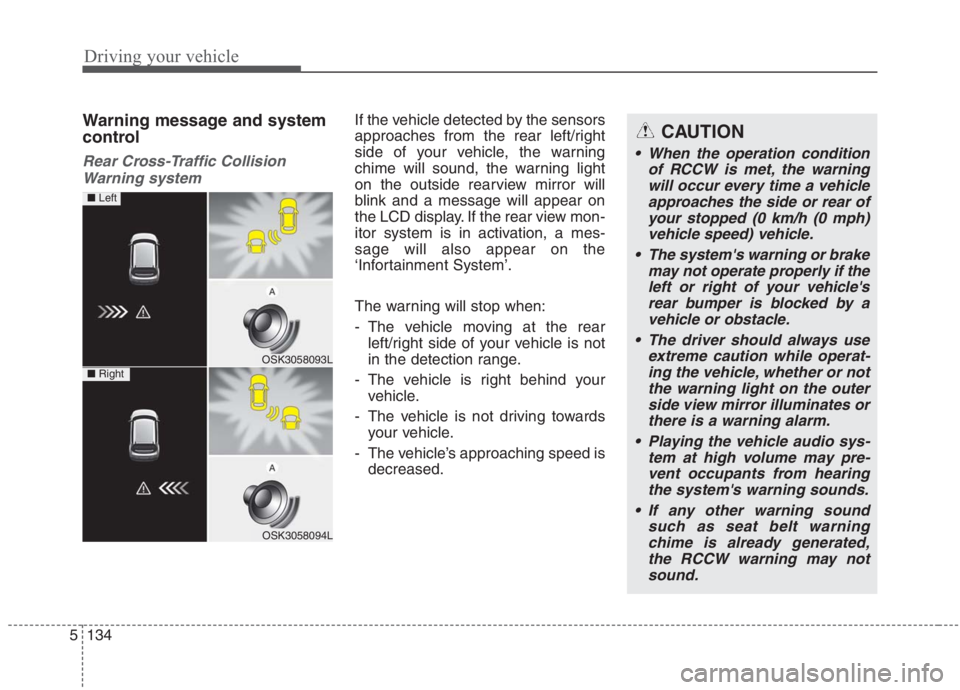
If the vehicle detected by the sensors
approaches from the rear left/right
side of your vehicle, the warning
chime will sound, the warning light
on the outside rearview mirror will
blink and a message will appear on
the LCD display. If the rear view mon-
itor system is in activation, a mes-
sage will also appear on the
‘Infortainment System’.
The warning will stop when:
- The vehicle moving at the rear
left/right side of your vehicle is not
in the detection range.
- The vehicle is right behind your
vehicle.
- The vehicle is not driving towards
your vehicle.
- The vehicle’s approaching speed is
decreased.CAUTION
When the operation condition
of RCCW is met, the warning
will occur every time a vehicle
approaches the side or rear of
your stopped (0 km/h (0 mph)
vehicle speed) vehicle.
The system's warning or brake
may not operate properly if the
left or right of your vehicle's
rear bumper is blocked by a
vehicle or obstacle.
The driver should always use
extreme caution while operat-
ing the vehicle, whether or not
the warning light on the outer
side view mirror illuminates or
there is a warning alarm.
Playing the vehicle audio sys-
tem at high volume may pre-
vent occupants from hearing
the system's warning sounds.
If any other warning sound
such as seat belt warning
chime is already generated,
the RCCW warning may not
sound.
OSK3058093L
OSK3058094L
■ Left
■ Right
Page 462 of 667
Driving your vehicle
136 5
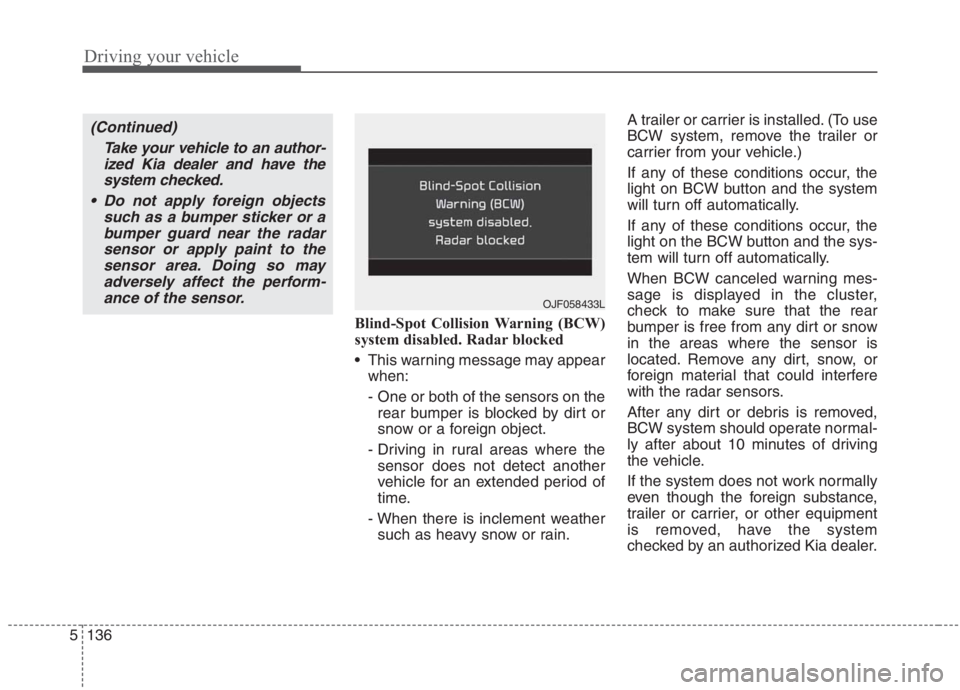
Blind-Spot Collision Warning (BCW)
system disabled. Radar blocked
This warning message may appear
when:
- One or both of the sensors on the
rear bumper is blocked by dirt or
snow or a foreign object.
- Driving in rural areas where the
sensor does not detect another
vehicle for an extended period of
time.
- When there is inclement weather
such as heavy snow or rain.A trailer or carrier is installed. (To use
BCW system, remove the trailer or
carrier from your vehicle.)
If any of these conditions occur, the
light on BCW button and the system
will turn off automatically.
If any of these conditions occur, the
light on the BCW button and the sys-
tem will turn off automatically.
When BCW canceled warning mes-
sage is displayed in the cluster,
check to make sure that the rear
bumper is free from any dirt or snow
in the areas where the sensor is
located. Remove any dirt, snow, or
foreign material that could interfere
with the radar sensors.
After any dirt or debris is removed,
BCW system should operate normal-
ly after about 10 minutes of driving
the vehicle.
If the system does not work normally
even though the foreign substance,
trailer or carrier, or other equipment
is removed, have the system
checked by an authorized Kia dealer.
OJF058433L
(Continued)
Take your vehicle to an author-
ized Kia dealer and have the
system checked.
Do not apply foreign objects
such as a bumper sticker or a
bumper guard near the radar
sensor or apply paint to the
sensor area. Doing so may
adversely affect the perform-
ance of the sensor.