wheel KIA NIRO HYBRID EV 2022 Workshop Manual
[x] Cancel search | Manufacturer: KIA, Model Year: 2022, Model line: NIRO HYBRID EV, Model: KIA NIRO HYBRID EV 2022Pages: 684, PDF Size: 9.67 MB
Page 426 of 684
599
Driving your vehicle
✽ ✽
NOTICE
• During normal Cruise Control
operation, when the SET- switch is
activated or reactivated after apply-
ing the brakes, Cruise Control will
energize after approximately 3 sec-
onds. This delay is normal.
• To activate Cruise Control, depress
the brake pedal at least once after
placing the ignition switch or
ENGINE START/STOP button to
the ON position or starting the
engine. This is to check if the brake
switch which is important part to
cancel Cruise Control is in normal
condition.
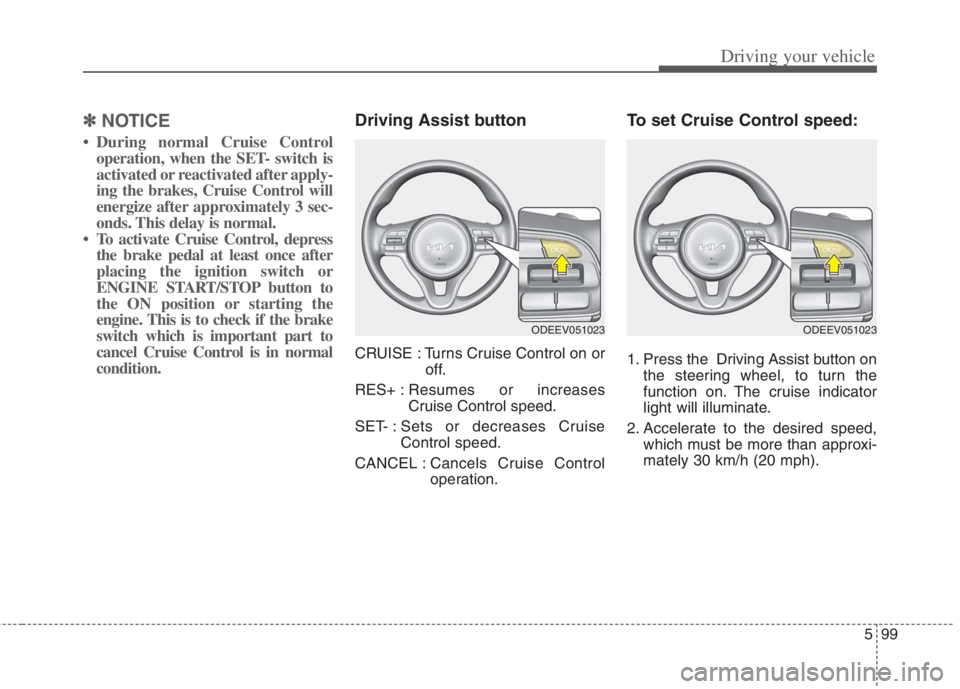
Driving Assist button
CRUISE : Turns Cruise Control on or
off.
RES+ :Resumes or increases
Cruise Control speed.
SET- : Sets or decreases Cruise
Control speed.
CANCEL :Cancels Cruise Control
operation.
To set Cruise Control speed:
1. Press the Driving Assist button on
the steering wheel, to turn the
function on. The cruise indicator
light will illuminate.
2. Accelerate to the desired speed,
which must be more than approxi-
mately 30 km/h (20 mph).
ODEEV051023ODEEV051023
Page 428 of 684
5101
Driving your vehicle
To temporarily accelerate with
Cruise Control on:
If you want to speed up temporarily
when Cruise Control is on, depress
the accelerator pedal. Increased
speed will not interfere with Cruise
Control operation or change the set
speed.
To return to the set speed, take your
foot off the accelerator pedal.
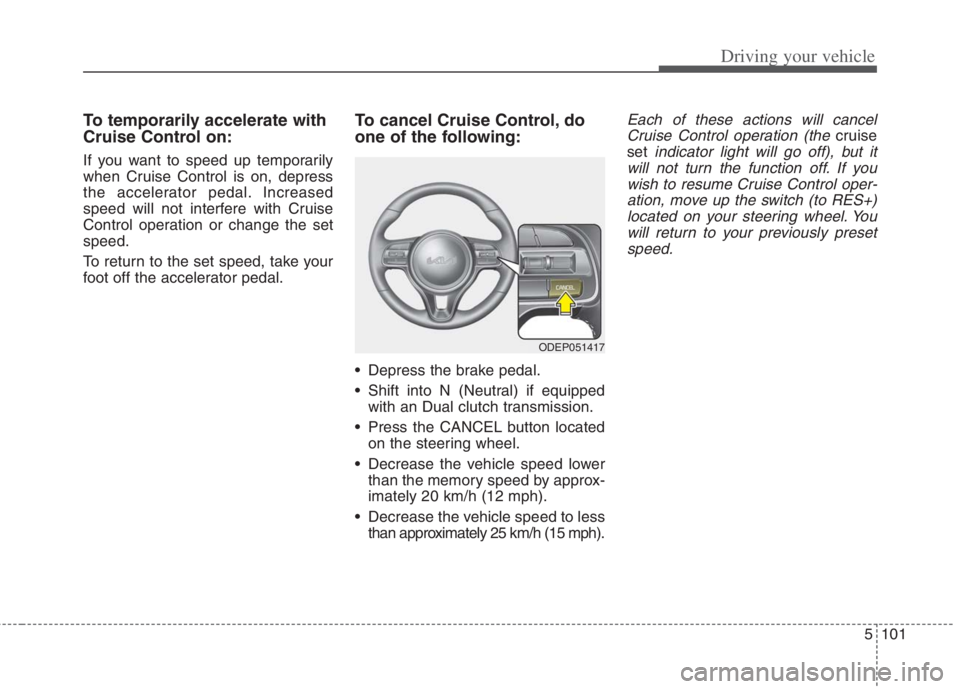
To cancel Cruise Control, do
one of the following:
• Depress the brake pedal.
Shift into N (Neutral) if equippedwith an Dual clutch transmission.
Press the CANCEL button located on the steering wheel.
Decrease the vehicle speed lower than the memory speed by approx-
imately 20 km/h (12 mph).
Decrease the vehicle speed to less than approximately 25 km/h (15 mph).
Each of these actions will cancelCruise Control operation (the
cruise
set
indicator light will go off), but it
will not turn the function off. If you wish to resume Cruise Control oper-ation, move up the switch (to RES+)located on your steering wheel. Youwill return to your previously presetspeed.
ODEP051417
Page 441 of 684
Driving your vehicle
114 5
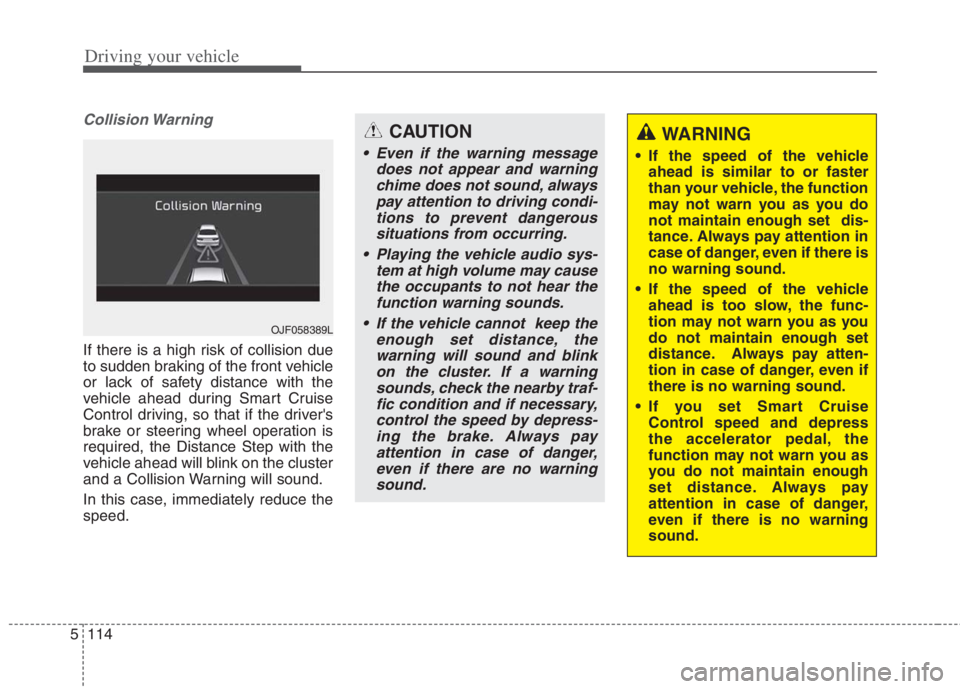
Collision Warning
If there is a high risk of collision due
to sudden braking of the front vehicle
or lack of safety distance with the
vehicle ahead during Smart Cruise
Control driving, so that if the driver's
brake or steering wheel operation is
required, the Distance Step with the
vehicle ahead will blink on the cluster
and a Collision Warning will sound.
In this case, immediately reduce the
speed.
OJF058389L
CAUTION
Even if the warning message
does not appear and warning
chime does not sound, always
pay attention to driving condi-
tions to prevent dangerous
situations from occurring.
Playing the vehicle audio sys-
tem at high volume may cause
the occupants to not hear the
function warning sounds.
If the vehicle cannot keep the
enough set distance, the
warning will sound and blink
on the cluster. If a warning
sounds, check the nearby traf-
fic condition and if necessary,
control the speed by depress-
ing the brake. Always pay
attention in case of danger,
even if there are no warning
sound.
WARNING
If the speed of the vehicle
ahead is similar to or faster
than your vehicle, the function
may not warn you as you do
not maintain enough set dis-
tance. Always pay attention in
case of danger, even if there is
no warning sound.
If the speed of the vehicle
ahead is too slow, the func-
tion may not warn you as you
do not maintain enough set
distance. Always pay atten-
tion in case of danger, even if
there is no warning sound.
If you set Smart Cruise
Control speed and depress
the accelerator pedal, the
function may not warn you as
you do not maintain enough
set distance. Always pay
attention in case of danger,
even if there is no warning
sound.
Page 459 of 684
Driving your vehicle
132 5
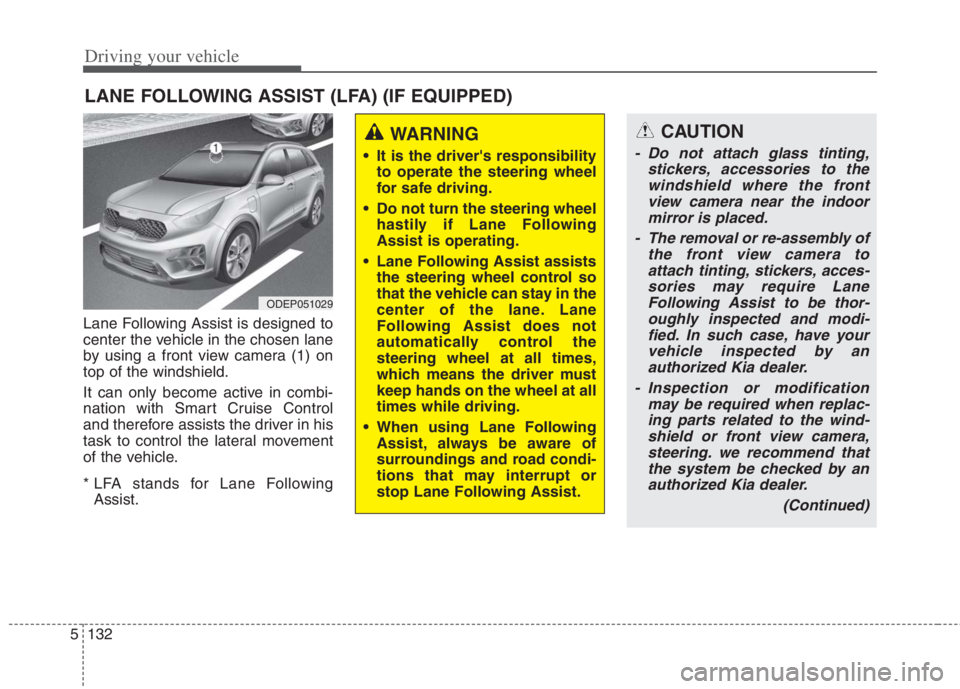
Lane Following Assist is designed to
center the vehicle in the chosen lane
by using a front view camera (1) on
top of the windshield.
It can only become active in combi-
nation with Smart Cruise Control
and therefore assists the driver in his
task to control the lateral movement
of the vehicle.
* LFA stands for Lane Following
Assist.
LANE FOLLOWING ASSIST (LFA) (IF EQUIPPED)
ODEP051029
WARNING
It is the driver's responsibility
to operate the steering wheel
for safe driving.
Do not turn the steering wheel
hastily if Lane Following
Assist is operating.
Lane Following Assist assists
the steering wheel control so
that the vehicle can stay in the
center of the lane. Lane
Following Assist does not
automatically control the
steering wheel at all times,
which means the driver must
keep hands on the wheel at all
times while driving.
When using Lane Following
Assist, always be aware of
surroundings and road condi-
tions that may interrupt or
stop Lane Following Assist.
CAUTION
- Do not attach glass tinting,
stickers, accessories to the
windshield where the front
view camera near the indoor
mirror is placed.
- The removal or re-assembly of
the front view camera to
attach tinting, stickers, acces-
sories may require Lane
Following Assist to be thor-
oughly inspected and modi-
fied. In such case, have your
vehicle inspected by an
authorized Kia dealer.
- Inspection or modification
may be required when replac-
ing parts related to the wind-
shield or front view camera,
steering. we recommend that
the system be checked by an
authorized Kia dealer.
(Continued)
Page 460 of 684
5133
Driving your vehicle
Lane Following Assist opera-
tion
To use Lane Following Assist two
steps are necessary:
(1) Lane Following Assist has to be
enabled, and
(2) Smart Cruise Control has to be
activated
Select or release the setting from
“User setting Driver Assistance
Driving Assist Lane Following
Assist”. Select Lane Following
Assist in the user setting of the
instrument panel.
Press the Lane Driving Assist but-
ton ( ) located on the steering
wheel to turn on Lane Following
Assist.
(Continued)
- Depending on your surround-
ings and road conditions,
Lane Following Assist could
fail to recognize the lane and
stop working. In turn, extra
caution is required while driv-
ing with Lane Following
Assist on.
- Be sure to check the non-
operating conditions and cau-
tions for the driver before
using Lane Following Assist.
- Do not place reflective materi-
als such as white paper or
mirror on the crash pad.
Sunlight reflections can cause
a malfunction in Lane
Following Assist.
- Too big sound from the sound
function can interrupt the
alarming sound from Lane
Following Assist.
(Continued)(Continued)
- Keeping your hands off the
wheel while driving will trigger
the hands-off warning and
deactivate the steering-assist
function. Put your hands back
on the wheel, then the steer-
ing-assist system will be re-
activated.
- When driving at a high speed,
the steering assist force can
become weak and the vehicle
can drive out of its lane. Extra
caution is required, and com-
ply with the speed limit.
- Attaching an object to the
steering wheel could deter
steering assistance.
- Attaching an object to the
steering wheel could deter the
hands-off alarming system.
Page 461 of 684
Driving your vehicle
134 5
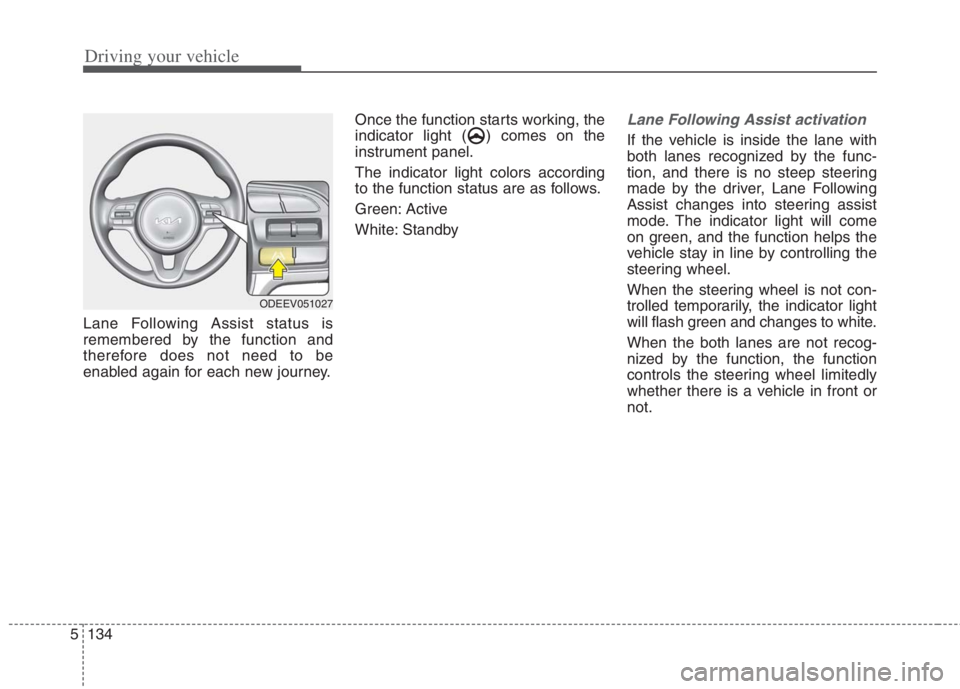
Lane Following Assist status is
remembered by the function and
therefore does not need to be
enabled again for each new journey.Once the function starts working, the
indicator light ( ) comes on the
instrument panel.
The indicator light colors according
to the function status are as follows.
Green: Active
White: Standby
Lane Following Assist activation
If the vehicle is inside the lane with
both lanes recognized by the func-
tion, and there is no steep steering
made by the driver, Lane Following
Assist changes into steering assist
mode. The indicator light will come
on green, and the function helps the
vehicle stay in line by controlling the
steering wheel.
When the steering wheel is not con-
trolled temporarily, the indicator light
will flash green and changes to white.
When the both lanes are not recog-
nized by the function, the function
controls the steering wheel limitedly
whether there is a vehicle in front or
not.
ODEEV051027
Page 462 of 684
5135
Driving your vehicle
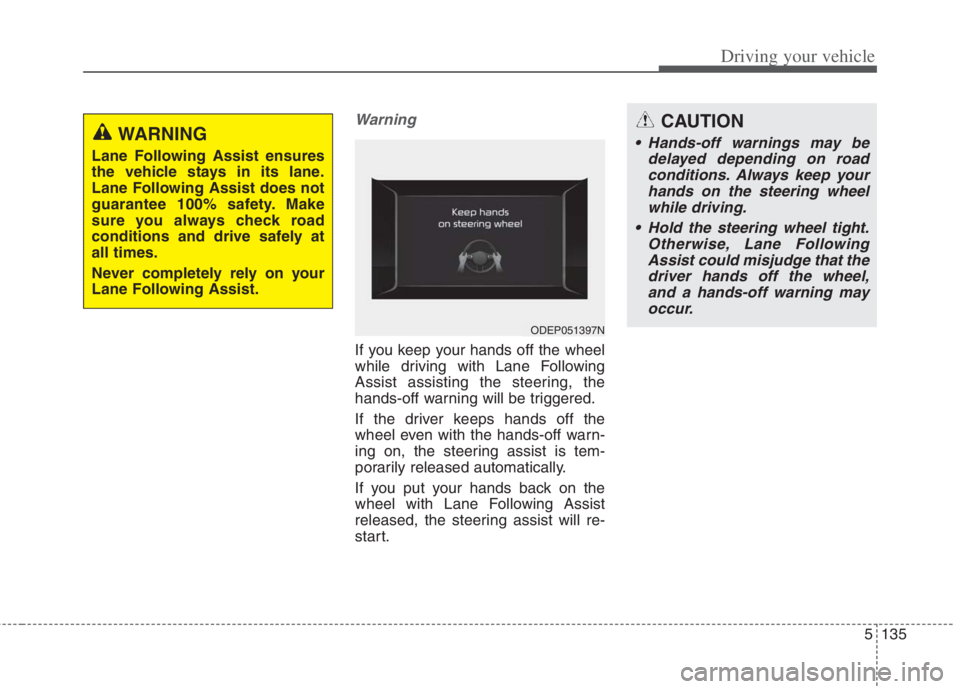
Warning
If you keep your hands off the wheel
while driving with Lane Following
Assist assisting the steering, the
hands-off warning will be triggered.
If the driver keeps hands off the
wheel even with the hands-off warn-
ing on, the steering assist is tem-
porarily released automatically.
If you put your hands back on the
wheel with Lane Following Assist
released, the steering assist will re-
start.
ODEP051397N
WARNING
Lane Following Assist ensures
the vehicle stays in its lane.
Lane Following Assist does not
guarantee 100% safety. Make
sure you always check road
conditions and drive safely at
all times.
Never completely rely on your
Lane Following Assist.
CAUTION
Hands-off warnings may be
delayed depending on road
conditions. Always keep your
hands on the steering wheel
while driving.
Hold the steering wheel tight.
Otherwise, Lane Following
Assist could misjudge that the
driver hands off the wheel,
and a hands-off warning may
occur.
Page 463 of 684
Driving your vehicle
136
5
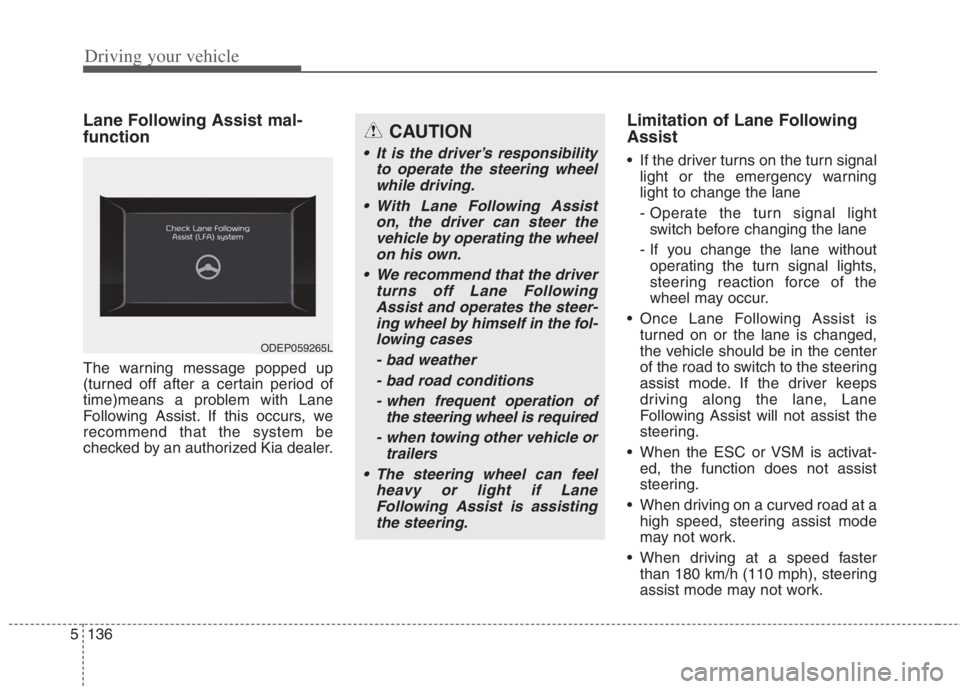
Lane Following Assist mal-
function
The warning message popped up
(turned off after a certain period of
time)means a problem with Lane
Following Assist. If this occurs, we
recommend that the system be
checked by an authorized Kia dealer.
Limitation of Lane Following
Assist
If the driver turns on the turn signal
light or the emergency warning
light to change the lane
- Operate the turn signal lightswitch before changing the lane
- If you change the lane without operating the turn signal lights,
steering reaction force of the
wheel may occur.
Once Lane Following Assist is turned on or the lane is changed,
the vehicle should be in the center
of the road to switch to the steering
assist mode. If the driver keeps
driving along the lane, Lane
Following Assist will not assist the
steering.
When the ESC or VSM is activat- ed, the function does not assist
steering.
When driving on a curved road at a high speed, steering assist mode
may not work.
When driving at a speed faster than 180 km/h (110 mph), steering
assist mode may not work.
CAUTION
It is the driver’s responsibility to operate the steering wheelwhile driving.
With Lane Following Assist on, the driver can steer thevehicle by operating the wheelon his own.
We recommend that the driver turns off Lane FollowingAssist and operates the steer-ing wheel by himself in the fol-lowing cases
- bad weather- bad road conditions- when frequent operation of the steering wheel is required
- when towing other vehicle or trailers
The steering wheel can feel heavy or light if LaneFollowing Assist is assistingthe steering.
ODEP059265L
Page 484 of 684
5157
Driving your vehicle
Your vehicle's fuel economy depends
mainly on your style of driving, where
you drive and when you drive.
Each of these factors affects how
many kilometers (miles) you can get
from a liter (gallon) of fuel. To operate
your vehicle as economically as pos-
sible, use the following driving sug-
gestions to help save money in both
fuel and repairs:
Drive smoothly. Accelerate at a
moderate rate. Don't make "jack-
rabbit" starts or full-throttle shifts
and maintain a steady cruising
speed. Don't race between stop-
lights. Try to adjust your speed to
the traffic so you don't have to
change speeds unnecessarily.
Avoid heavy traffic whenever pos-
sible. Always maintain a safe dis-
tance from other vehicles so you
can avoid unnecessary braking.
This also reduces brake wear.
Drive at a moderate speed. The
faster you drive, the more fuel your
vehicle uses. Driving at a moderate
speed, especially on the highway,
is one of the most effective ways to
reduce fuel consumption. Don't "ride" the brake pedal. This
can increase fuel consumption and
also increase wear on these com-
ponents. In addition, driving with
your foot resting on the brake pedal
may cause the brakes to overheat,
which reduces their effectiveness
and may lead to more serious con-
sequences.
Take care of your tires. Keep them
inflated to the recommended pres-
sure. Incorrect inflation, either too
much or too little, results in unnec-
essary tire wear. Check the tire
pressures at least once a month.
Be sure that the wheels are
aligned correctly. Improper align-
ment can result from hitting curbs
or driving too fast over irregular
surfaces. Poor alignment causes
faster tire wear and may also result
in other problems as well as
greater fuel consumption. Keep your vehicle in good condi-
tion. For better fuel economy and
reduced maintenance costs, main-
tain your vehicle in accordance
with the maintenance schedule in
chapter 8. If you drive your vehicle
in severe conditions, more frequent
maintenance is required (see
chapter 8 for details).
Keep your vehicle clean. For maxi-
mum service, your vehicle should
be kept clean and free of corrosive
materials. It is especially important
that mud, dirt, ice, etc. not be
allowed to accumulate on the
underside of the vehicle. This extra
weight can result in increased fuel
consumption and also contribute to
corrosion.
Travel lightly. Don't carry unneces-
sary weight in your vehicle. Weight
reduces fuel economy.
Don't let the engine idle longer
than necessary. If you are waiting
(and not in traffic), turn off your
engine and restart only when
you're ready to go.
ECONOMICAL OPERATION
Page 485 of 684
Driving your vehicle
158 5
Remember, your vehicle does not
require extended warm-up. After
the engine has started, allow the
engine to run for 10 to 20 seconds
prior to placing the vehicle in gear.
In very cold weather, however, give
your engine a slightly longer warm-
up period.
Don't "lug" or "over-rev" the engine.
Lugging is driving too slowly in a
very high gear resulting in engine
bucking. If this happens, shift to a
lower gear. Over-revving is racing
the engine beyond its safe limit.
This can be avoided by shifting at
the recommended speed. Use your air conditioning sparingly.
The air conditioning system is
operated by engine power so your
fuel economy is reduced when you
use it.
Opening windows at high speeds
can reduce fuel economy.
Fuel economy is less in crosswinds
and headwinds. To help offset
some of this loss, slow down when
driving in these conditions.
Keeping a vehicle in good operating
condition is important both for econ-
omy and safety. Therefore, have an
authorized Kia dealer perform
scheduled inspections and mainte-
nance.
WARNING - Engine off
during motion
Never turn the engine off to
coast down hills or anytime the
vehicle is in motion. The power
steering and power brakes will
not function properly without
the engine running.
In addition, turning off the
engine start/stop button while
driving could engage the steer-
ing wheel lock, resulting in loss
of vehicle steering. Keep the
engine on and downshift to an
appropriate gear for an engine
braking effect.