light KIA NIRO HYBRID EV 2022 Manual Online
[x] Cancel search | Manufacturer: KIA, Model Year: 2022, Model line: NIRO HYBRID EV, Model: KIA NIRO HYBRID EV 2022Pages: 684, PDF Size: 9.67 MB
Page 257 of 684
4119
Features of your vehicle
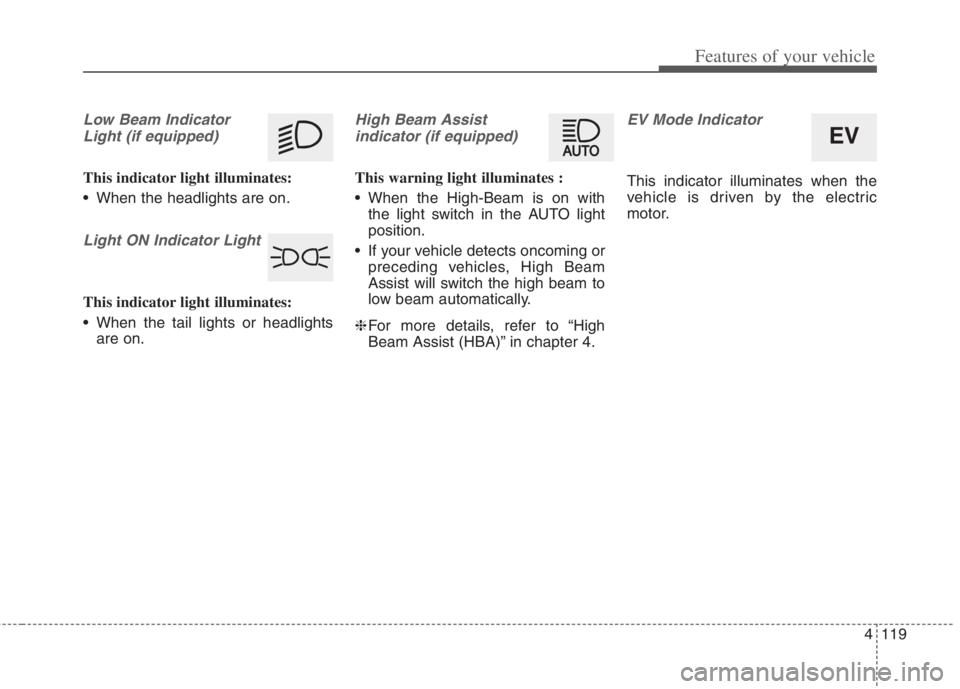
Low Beam Indicator
Light (if equipped)
This indicator light illuminates:
When the headlights are on.
Light ON Indicator Light
This indicator light illuminates:
When the tail lights or headlights
are on.
High Beam Assist
indicator (if equipped)
This warning light illuminates :
When the High-Beam is on with
the light switch in the AUTO light
position.
If your vehicle detects oncoming or
preceding vehicles, High Beam
Assist will switch the high beam to
low beam automatically.
❈For more details, refer to “High
Beam Assist (HBA)” in chapter 4.
EV Mode Indicator
This indicator illuminates when the
vehicle is driven by the electric
motor.
EV
Page 258 of 684
Features of your vehicle
120 4
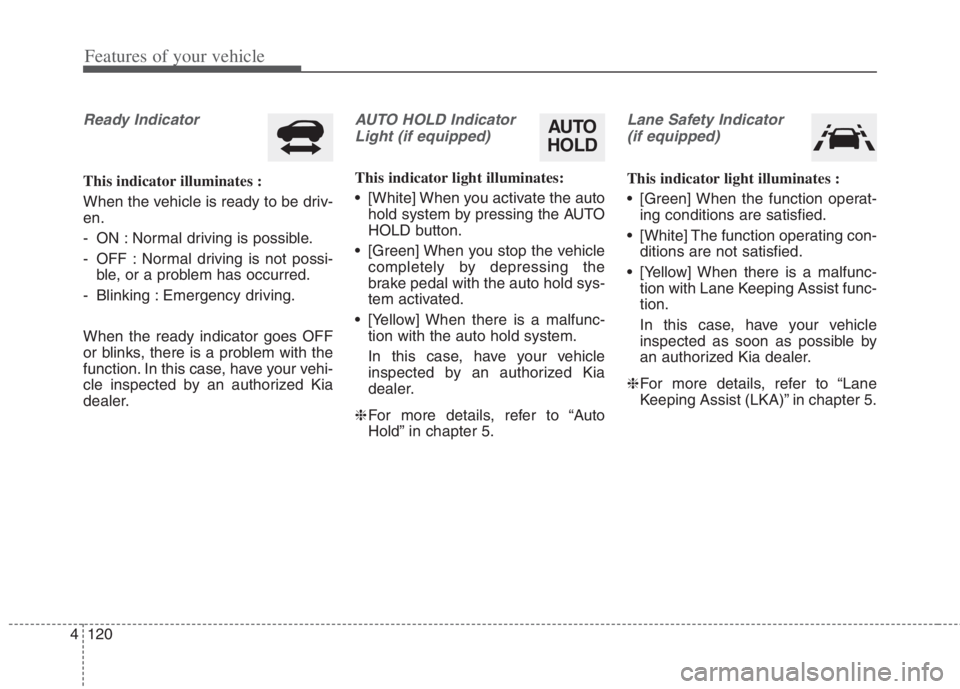
Ready Indicator
This indicator illuminates :
When the vehicle is ready to be driv-
en.
- ON : Normal driving is possible.
- OFF : Normal driving is not possi-
ble, or a problem has occurred.
- Blinking : Emergency driving.
When the ready indicator goes OFF
or blinks, there is a problem with the
function. In this case, have your vehi-
cle inspected by an authorized Kia
dealer.
AUTO HOLD Indicator
Light (if equipped)
This indicator light illuminates:
[White] When you activate the auto
hold system by pressing the AUTO
HOLD button.
[Green] When you stop the vehicle
completely by depressing the
brake pedal with the auto hold sys-
tem activated.
[Yellow] When there is a malfunc-
tion with the auto hold system.
In this case, have your vehicle
inspected by an authorized Kia
dealer.
❈For more details, refer to “Auto
Hold” in chapter 5.
Lane Safety Indicator
(if equipped)
This indicator light illuminates :
[Green] When the function operat-
ing conditions are satisfied.
[White] The function operating con-
ditions are not satisfied.
[Yellow] When there is a malfunc-
tion with Lane Keeping Assist func-
tion.
In this case, have your vehicle
inspected as soon as possible by
an authorized Kia dealer.
❈For more details, refer to “Lane
Keeping Assist (LKA)” in chapter 5.
AUTO
HOLD
Page 259 of 684
4121
Features of your vehicle
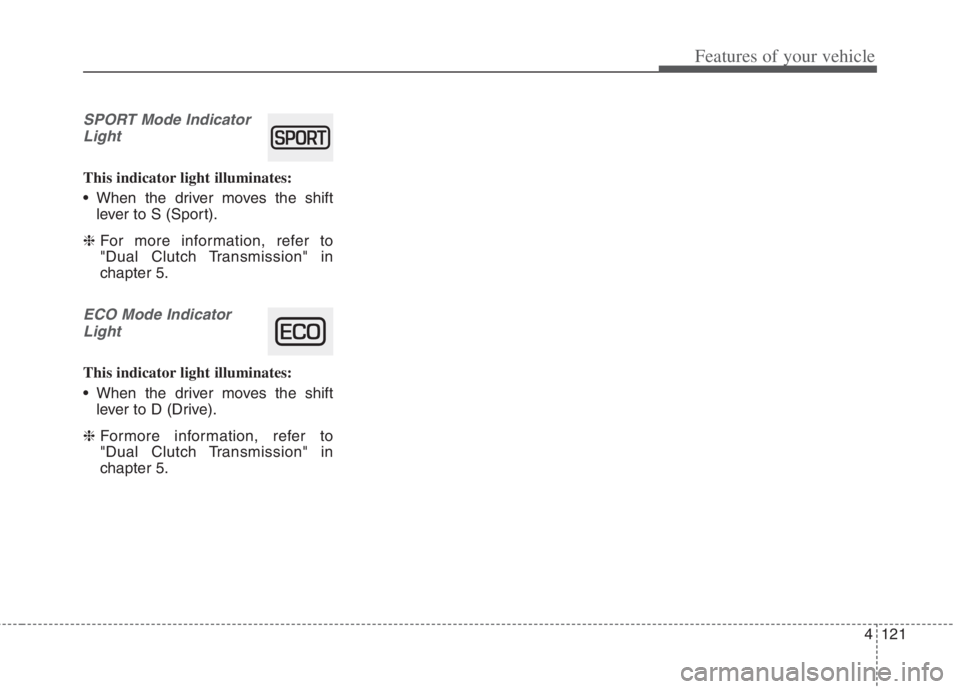
SPORT Mode Indicator
Light
This indicator light illuminates:
When the driver moves the shift
lever to S (Sport).
❈For more information, refer to
"Dual Clutch Transmission" in
chapter 5.
ECO Mode Indicator
Light
This indicator light illuminates:
When the driver moves the shift
lever to D (Drive).
❈Formore information, refer to
"Dual Clutch Transmission" in
chapter 5.
Page 261 of 684
4123
Features of your vehicle
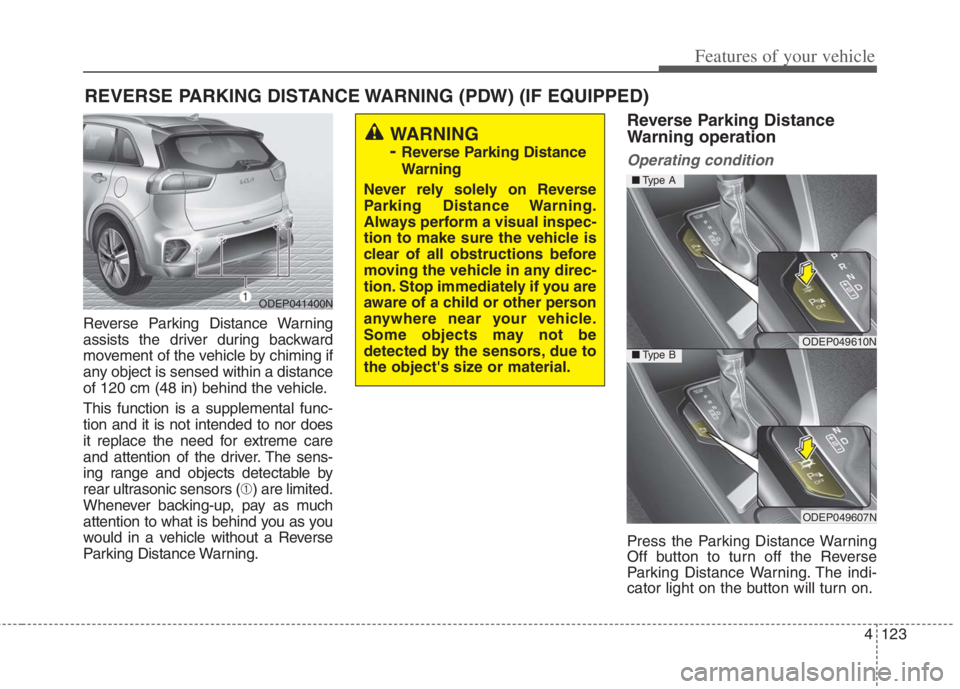
Reverse Parking Distance Warning
assists the driver during backward
movement of the vehicle by chiming if
any object is sensed within a distance
of 120 cm (48 in) behind the vehicle.
This function is a supplemental func-
tion and it is not intended to nor does
it replace the need for extreme care
and attention of the driver. The sens-
ing range and objects detectable by
rear ultrasonic sensors (➀) are limited.
Whenever backing-up, pay as much
attention to what is behind you as you
would in a vehicle without a Reverse
Parking Distance Warning.
Reverse Parking Distance
Warning operation
Operating condition
Press the Parking Distance Warning
Off button to turn off the Reverse
Parking Distance Warning. The indi-
cator light on the button will turn on.
REVERSE PARKING DISTANCE WARNING (PDW) (IF EQUIPPED)
WARNING
-
Reverse Parking Distance
Warning
Never rely solely on Reverse
Parking Distance Warning.
Always perform a visual inspec-
tion to make sure the vehicle is
clear of all obstructions before
moving the vehicle in any direc-
tion. Stop immediately if you are
aware of a child or other person
anywhere near your vehicle.
Some objects may not be
detected by the sensors, due to
the object's size or material.
ODEP041400N
ODEP049610N
ODEP049607N
■Type A
■Type B
Page 269 of 684
4131
Features of your vehicle
Battery saver function
The purpose of this feature is to pre-
vent the battery from being dis-
charged if the lights are left in the ON
position.
The system automatically shuts off
the parking lights after the engine is
off and the driver's door is opened.
However, the position lamps stay ON
even when the driver-side door is
opened if the light switch is operated
after the engine is turned off.
If necessary, to keep the lamps on
turn the position lamps OFF and ON
again using the headlamp switch on
the steering column after the engine
is turned off.
Headlight escort function
(if equipped)
If you turn the ignition switch to the
ACC or OFF position with the head-
lights ON, the headlights remain on
for about 5 minutes. However, if the
driver's door is opened and closed,
the headlights are turned off after 15
seconds.
The headlights can be turned off by
pressing the lock button on the trans-
mitter (or smart key) one more or
turning the light switch to the OFF
position.
Daytime running light (DRL)
The Daytime Running Lights (DRL)
can make it easier for others to see the
front of your vehicle during the day.
DRL can be helpful in many different
driving conditions, and it is especially
helpful after dawn and before sunset.
The DRL system will turn the dedi-
cated lamp OFF when:
1. The headlight switch is on
2. The engine is off
3. The front fog light is on.
4. Engaging the Parking Brake
LIGHTING
Page 270 of 684
Features of your vehicle
132 4
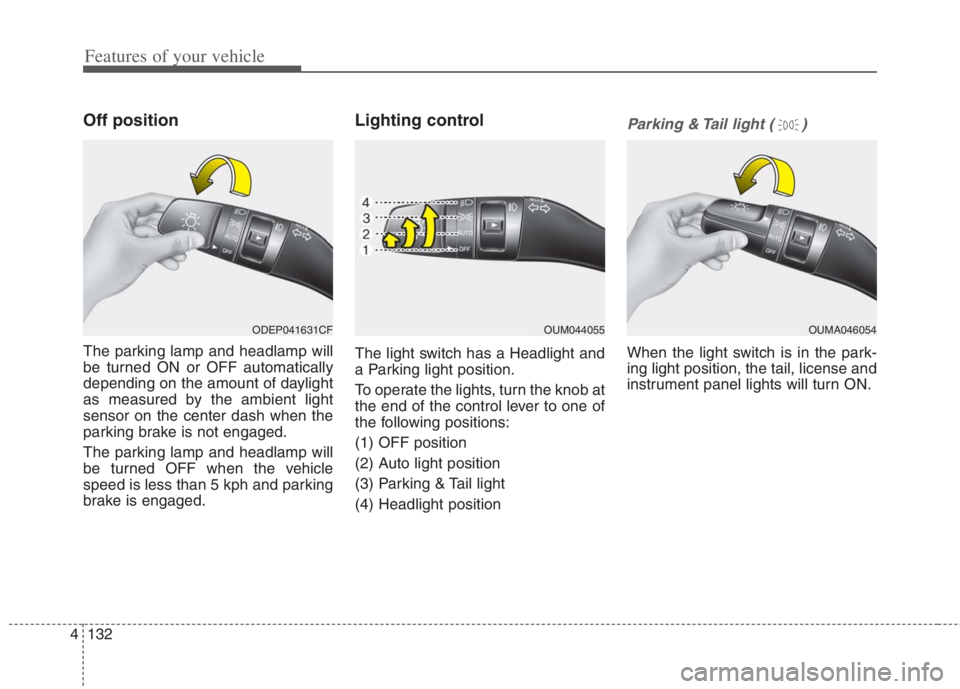
Off position
The parking lamp and headlamp will
be turned ON or OFF automatically
depending on the amount of daylight
as measured by the ambient light
sensor on the center dash when the
parking brake is not engaged.
The parking lamp and headlamp will
be turned OFF when the vehicle
speed is less than 5 kph and parking
brake is engaged.
Lighting control
The light switch has a Headlight and
a Parking light position.
To operate the lights, turn the knob at
the end of the control lever to one of
the following positions:
(1) OFF position
(2) Auto light position
(3) Parking & Tail light
(4) Headlight position
Parking & Tail light ( )
When the light switch is in the park-
ing light position, the tail, license and
instrument panel lights will turn ON.
OUM044055 OUMA046054 ODEP041631CF
Page 271 of 684
4133
Features of your vehicle
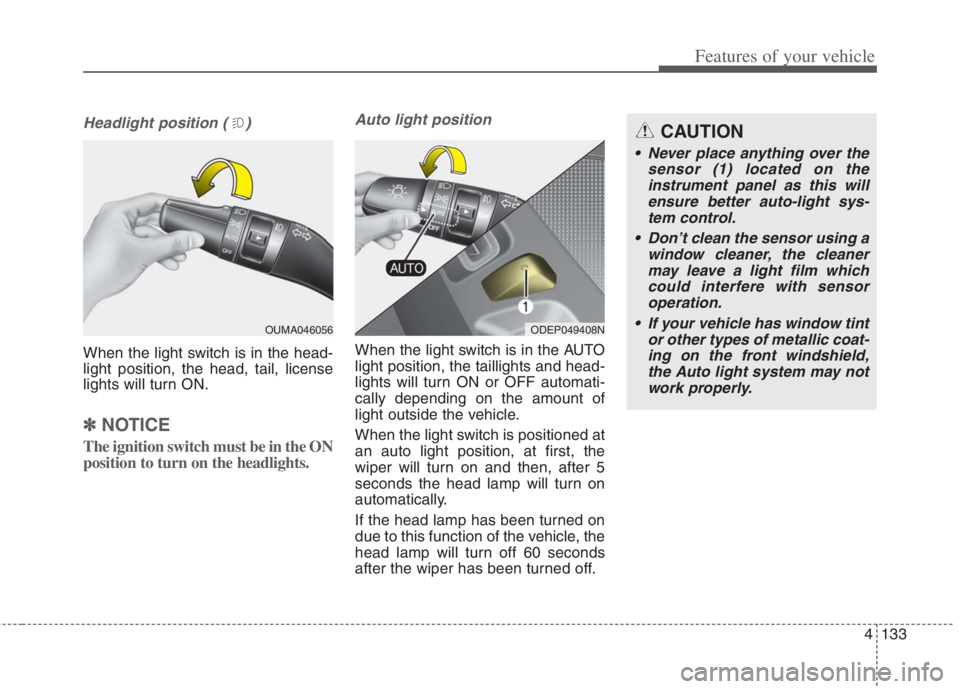
Headlight position ( )
When the light switch is in the head-
light position, the head, tail, license
lights will turn ON.
✽ ✽
NOTICE
The ignition switch must be in the ON
position to turn on the headlights.
Auto light position
When the light switch is in the AUTO
light position, the taillights and head-
lights will turn ON or OFF automati-
cally depending on the amount of
light outside the vehicle.
When the light switch is positioned at
an auto light position, at first, the
wiper will turn on and then, after 5
seconds the head lamp will turn on
automatically.
If the head lamp has been turned on
due to this function of the vehicle, the
head lamp will turn off 60 seconds
after the wiper has been turned off.
ODEP049408N
CAUTION
Never place anything over the
sensor (1) located on the
instrument panel as this will
ensure better auto-light sys-
tem control.
Don’t clean the sensor using a
window cleaner, the cleaner
may leave a light film which
could interfere with sensor
operation.
If your vehicle has window tint
or other types of metallic coat-
ing on the front windshield,
the Auto light system may not
work properly.
OUMA046056
Page 272 of 684
Features of your vehicle
134 4
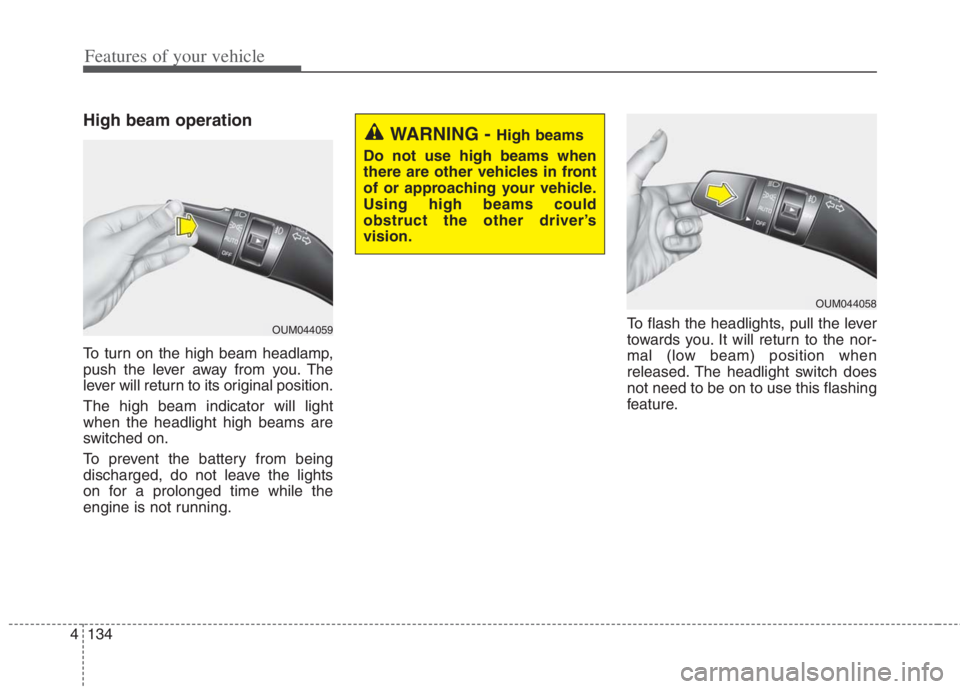
High beam operation
To turn on the high beam headlamp,
push the lever away from you. The
lever will return to its original position.
The high beam indicator will light
when the headlight high beams are
switched on.
To prevent the battery from being
discharged, do not leave the lights
on for a prolonged time while the
engine is not running.To flash the headlights, pull the lever
towards you. It will return to the nor-
mal (low beam) position when
released. The headlight switch does
not need to be on to use this flashing
feature.
OUM044058
WARNING - High beams
Do not use high beams when
there are other vehicles in front
of or approaching your vehicle.
Using high beams could
obstruct the other driver’s
vision.
OUM044059
Page 273 of 684
4135
Features of your vehicle
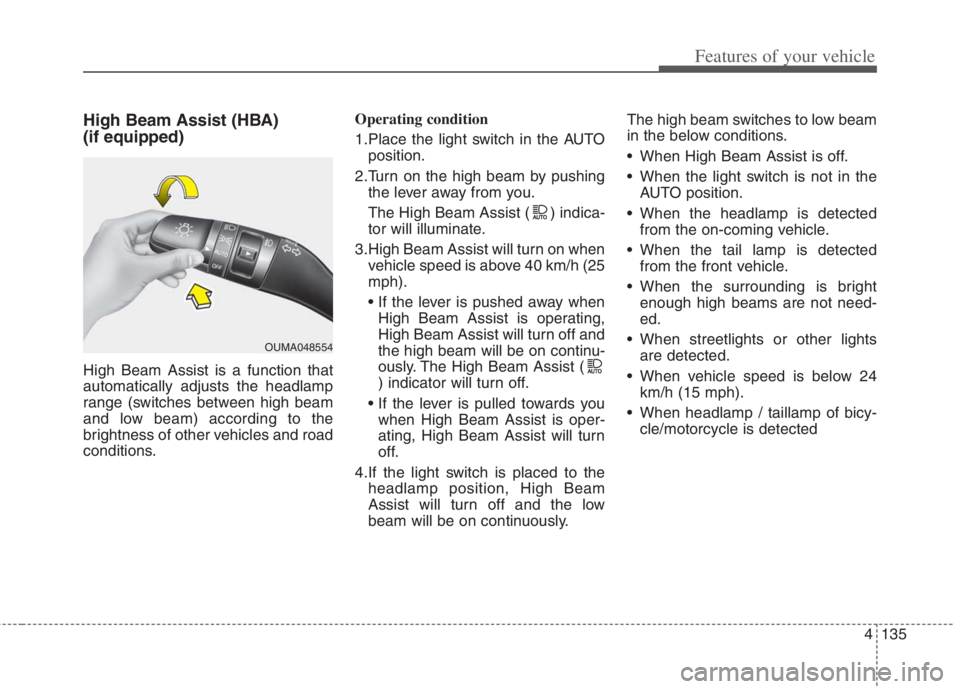
High Beam Assist (HBA)
(if equipped)
High Beam Assist is a function that
automatically adjusts the headlamp
range (switches between high beam
and low beam) according to the
brightness of other vehicles and road
conditions.Operating condition
1.Place the light switch in the AUTO
position.
2.Turn on the high beam by pushing
the lever away from you.
The High Beam Assist ( ) indica-
tor will illuminate.
3.High Beam Assist will turn on when
vehicle speed is above 40 km/h (25
mph).
High Beam Assist is operating,
High Beam Assist will turn off and
the high beam will be on continu-
ously. The High Beam Assist (
) indicator will turn off.
when High Beam Assist is oper-
ating, High Beam Assist will turn
off.
4.If the light switch is placed to the
headlamp position, High Beam
Assist will turn off and the low
beam will be on continuously.The high beam switches to low beam
in the below conditions.
When High Beam Assist is off.
When the light switch is not in the
AUTO position.
When the headlamp is detected
from the on-coming vehicle.
When the tail lamp is detected
from the front vehicle.
When the surrounding is bright
enough high beams are not need-
ed.
When streetlights or other lights
are detected.
When vehicle speed is below 24
km/h (15 mph).
When headlamp / taillamp of bicy-
cle/motorcycle is detected
OUMA048554
Page 274 of 684
Features of your vehicle
136 4
The system may not operate normal-
ly in the below conditions.
When the light from the on-coming
or front vehicle is not detected
because of lamp damage, hidden
from sight, etc.
When the lamp of the on-coming or
front vehicle is covered with dust,
snow or water.
When the light from the on-coming
or front vehicle is not detected
because of exhaust fume, smoke,
fog, snow, etc.
When the front window is covered
with foreign matters such as ice,
dust, fog, or is damaged.
When there is a similar shape lamp
with the front vehicle’s lamps.
When it is hard to see because of
fog, heavy rain or snow.
When the headlamp is not repaired
or replaced at an authorized deal-
er.
When headlamp aiming is not
properly adjusted.
When driving on a narrow curved
road or rough road. When driving downhill or uphill.
When only part of the vehicle in
front is visible on a crossroad or
curved road.
When there is a traffic light, reflect-
ing sign, flashing sign or mirror.
When the road conditions are bad
such as being wet or covered with
snow.
When the front vehicle’s head-
lamps are off but the fog lamps on.
When a vehicle suddenly appears
from a curve.
When the vehicle is tilted from a
flat tire or being towed.
When the Lane Keeping Assist
system warning light illuminates. (if
equipped)✽ ✽
NOTICE
• Do not place any accessories,
stickers or tint the windshield.
• Have the windshield glass replaced
from an authorized dealer.
• Do not remove or damage related
parts of High Beam Assist.
• Be careful that water doesn’t get
into the High Beam Assist unit.
• Do not place objects on the dash-
board that reflect light such as
mirrors, white paper, etc. The
function may malfunction if sun-
light is reflected.
• At times, High Beam Assist may
not work properly, always check
the road conditions for your safe-
ty. When the function does not
operate normally, manually
change between the high beam
and low beam.