light KIA NIRO PHEV 2021 Owners Manual
[x] Cancel search | Manufacturer: KIA, Model Year: 2021, Model line: NIRO PHEV, Model: KIA NIRO PHEV 2021Pages: 710, PDF Size: 14.77 MB
Page 423 of 710
![KIA NIRO PHEV 2021 Owners Manual Driving your vehicle
100 5
ORJ058128ORJ058129
[A] : Warning sound
Second stage warning
A warning chime to warn the driver will activate when:
1. At the First stage warning (the warning light illuminat](/img/2/54749/w960_54749-422.png "KIA NIRO PHEV 2021 Owners Manual Driving your vehicle
100 5
ORJ058128ORJ058129
[A] : Warning sound
Second stage warning
A warning chime to warn the driver will activate when:
1. At the First stage warning (the warning light illuminat")
Driving your vehicle
100 5
ORJ058128ORJ058129
[A] : Warning sound
Second stage warning
A warning chime to warn the driver will activate when:
1. At the First stage warning (the warning light illuminate on the outside
review mirror and the head up display (if equipped) AND
2. The turn signal is applied (same side as where the vehicle is being detected).
When this warning is activated, the warning light on the outside rearview mirror
and the head up display (if equipped) will also blink. And a warning chime will
sound.
If you turn off the turn signal indicator, the second stage warning will be deacti-
vated.
Once the detected vehicle is no longer within the blind spot area, the warn-
ing will turn off according to the driving conditions of the vehicle.
■Second stage warning (left)■Second stage warning (right)
WARNING
The warning light on the out-
side rearview mirror will illu-
minate whenever a vehicle is
detected at the rear side by
the function.
To avoid accidents, do not
focus only on the warning
light and neglect to check the
vehicle surroundings.
Drive safely even though the
vehicle is equipped with
Blind-Spot Collision Warning.
Do not solely rely on the func-
tion but check your surround-
ings before changing lanes or
backing the vehicle up.
The function may not warn the
driver in some situations so
always check your surround-
ings while driving.
Page 424 of 710
5101
Driving your vehicle
Detecting Sensor
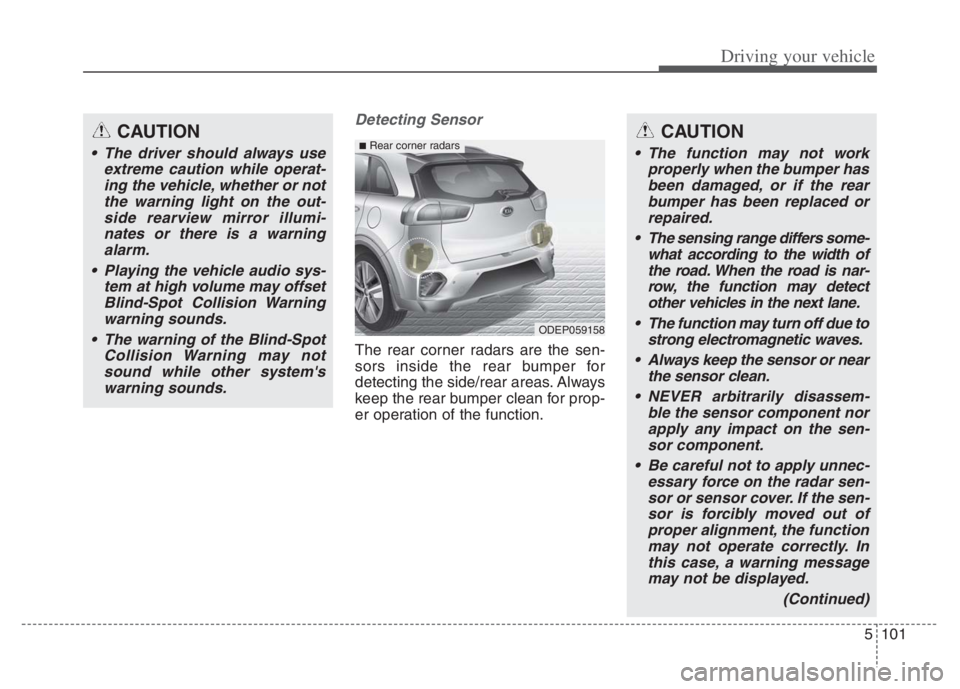
The rear corner radars are the sen-
sors inside the rear bumper for
detecting the side/rear areas. Always
keep the rear bumper clean for prop-
er operation of the function.
CAUTION
The driver should always use
extreme caution while operat-
ing the vehicle, whether or not
the warning light on the out-
side rearview mirror illumi-
nates or there is a warning
alarm.
Playing the vehicle audio sys-
tem at high volume may offset
Blind-Spot Collision Warning
warning sounds.
The warning of the Blind-Spot
Collision Warning may not
sound while other system's
warning sounds.
ODEP059158
■Rear corner radarsCAUTION
The function may not work
properly when the bumper has
been damaged, or if the rear
bumper has been replaced or
repaired.
The sensing range differs some-
what according to the width of
the road. When the road is nar-
row, the function may detect
other vehicles in the next lane.
The function may turn off due to
strong electromagnetic waves.
Always keep the sensor or near
the sensor clean.
NEVER arbitrarily disassem-
ble the sensor component nor
apply any impact on the sen-
sor component.
Be careful not to apply unnec-
essary force on the radar sen-
sor or sensor cover. If the sen-
sor is forcibly moved out of
proper alignment, the function
may not operate correctly. In
this case, a warning message
may not be displayed.
(Continued)
Page 425 of 710
Driving your vehicle
102 5
Warning message
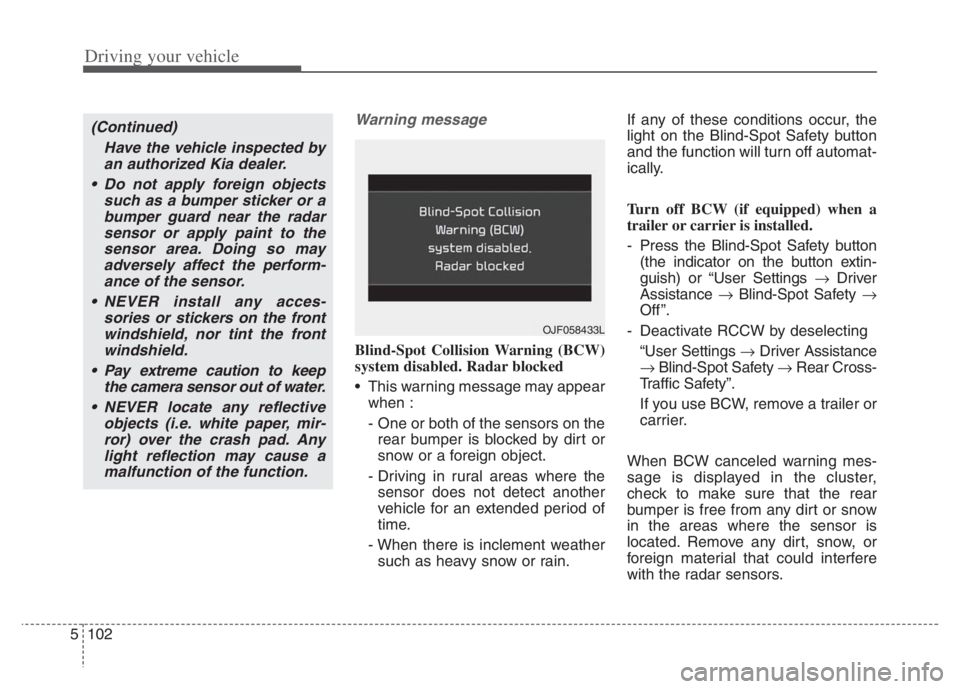
Blind-Spot Collision Warning (BCW)
system disabled. Radar blocked
This warning message may appear
when :
- One or both of the sensors on the
rear bumper is blocked by dirt or
snow or a foreign object.
- Driving in rural areas where the
sensor does not detect another
vehicle for an extended period of
time.
- When there is inclement weather
such as heavy snow or rain.If any of these conditions occur, the
light on the Blind-Spot Safety button
and the function will turn off automat-
ically.
Turn off BCW (if equipped) when a
trailer or carrier is installed.
- Press the Blind-Spot Safety button
(the indicator on the button extin-
guish) or “User Settings Driver
Assistance Blind-Spot Safety
Off ”.
- Deactivate RCCW by deselecting
“User Settings Driver Assistance
Blind-Spot Safety Rear Cross-
Traffic Safety”.
If you use BCW, remove a trailer or
carrier.
When BCW canceled warning mes-
sage is displayed in the cluster,
check to make sure that the rear
bumper is free from any dirt or snow
in the areas where the sensor is
located. Remove any dirt, snow, or
foreign material that could interfere
with the radar sensors.
(Continued)
Have the vehicle inspected by
an authorized Kia dealer.
Do not apply foreign objects
such as a bumper sticker or a
bumper guard near the radar
sensor or apply paint to the
sensor area. Doing so may
adversely affect the perform-
ance of the sensor.
NEVER install any acces-
sories or stickers on the front
windshield, nor tint the front
windshield.
Pay extreme caution to keep
the camera sensor out of water.
NEVER locate any reflective
objects (i.e. white paper, mir-
ror) over the crash pad. Any
light reflection may cause a
malfunction of the function.
OJF058433L
Page 426 of 710
5103
Driving your vehicle
After any dirt or debris is removed,
BCW should operate normally after
about 10 minutes of driving the vehi-
cle.
If the function still does not operate
normally, have your vehicle inspect-
ed by an authorized Kia dealer.
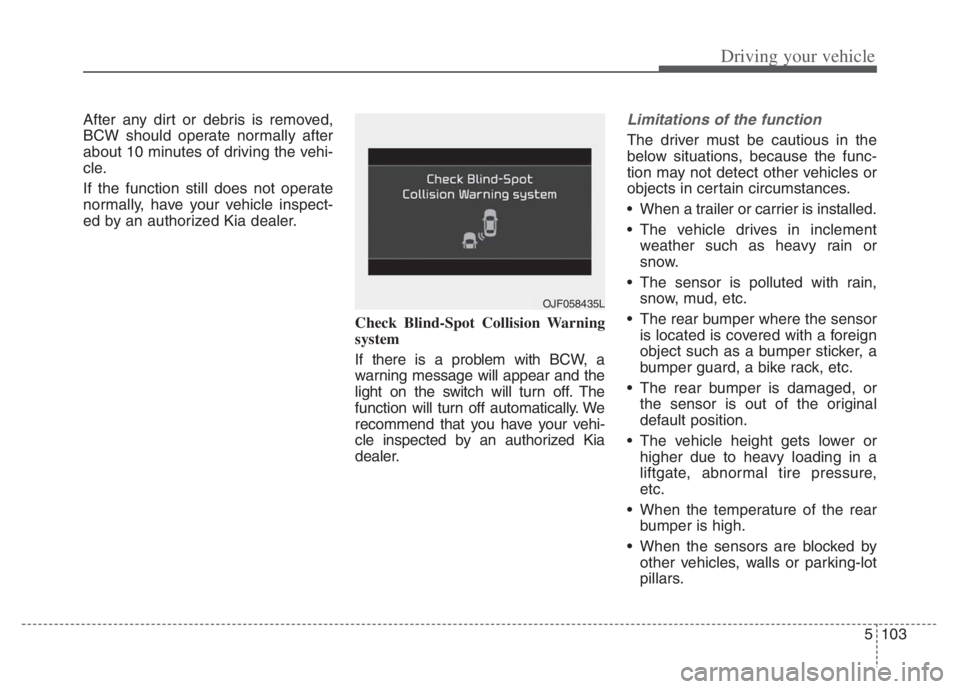
Check Blind-Spot Collision Warning
system
If there is a problem with BCW, a
warning message will appear and the
light on the switch will turn off. The
function will turn off automatically. We
recommend that you have your vehi-
cle inspected by an authorized Kia
dealer.Limitations of the function
The driver must be cautious in the
below situations, because the func-
tion may not detect other vehicles or
objects in certain circumstances.
When a trailer or carrier is installed.
The vehicle drives in inclement
weather such as heavy rain or
snow.
The sensor is polluted with rain,
snow, mud, etc.
The rear bumper where the sensor
is located is covered with a foreign
object such as a bumper sticker, a
bumper guard, a bike rack, etc.
The rear bumper is damaged, or
the sensor is out of the original
default position.
The vehicle height gets lower or
higher due to heavy loading in a
liftgate, abnormal tire pressure,
etc.
When the temperature of the rear
bumper is high.
When the sensors are blocked by
other vehicles, walls or parking-lot
pillars.
OJF058435L
Page 429 of 710
Driving your vehicle
106 5
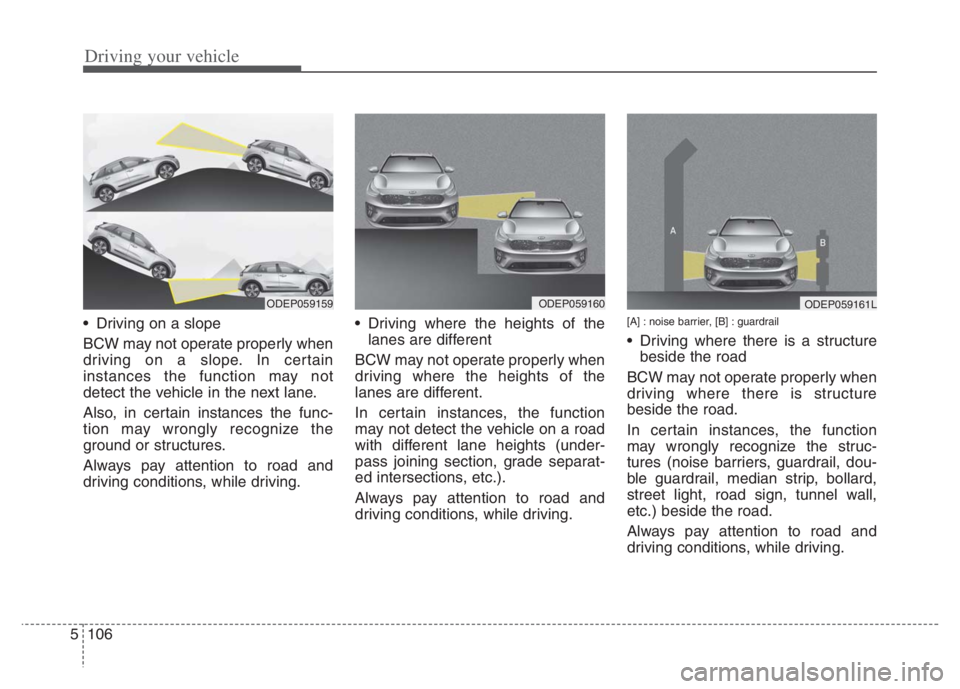
Driving on a slope
BCW may not operate properly when
driving on a slope. In certain
instances the function may not
detect the vehicle in the next lane.
Also, in certain instances the func-
tion may wrongly recognize the
ground or structures.
Always pay attention to road and
driving conditions, while driving. Driving where the heights of the
lanes are different
BCW may not operate properly when
driving where the heights of the
lanes are different.
In certain instances, the function
may not detect the vehicle on a road
with different lane heights (under-
pass joining section, grade separat-
ed intersections, etc.).
Always pay attention to road and
driving conditions, while driving.[A] : noise barrier, [B] : guardrail
Driving where there is a structure
beside the road
BCW may not operate properly when
driving where there is structure
beside the road.
In certain instances, the function
may wrongly recognize the struc-
tures (noise barriers, guardrail, dou-
ble guardrail, median strip, bollard,
street light, road sign, tunnel wall,
etc.) beside the road.
Always pay attention to road and
driving conditions, while driving.
ODEP059161LODEP059159ODEP059160
Page 434 of 710
5111
Driving your vehicle
✽ ✽
NOTICE
Driver Attention Warning utilizes
the front view camera sensor on the
front windshield for its operation.
To keep the front view camera
sensor in the best condition, you
should observe the followings:
- Do not disassemble camera tem-
porarily for tinted window or
attaching any types of coatings and
accessories. If you disassemble a
camera and assemble it again, take
your vehicle to an authorized Kia
dealer and have the system
checked.
- Do not locate any reflective
objects (i.e. white paper, mirror)
over the dashboard. Any light
reflection may cause a mal-func-
tion of Driver Attention Warning.
(Continued)(Continued)
- Pay extreme caution to keep the
front view camera out of water.
- Do not arbitrarily disassemble the
camera assembly, nor apply any
impact on the camera assembly.
• Playing the vehicle audio system
at high volume may offset Driver
Attention Warning warning
sounds.
For more information of front
view camera, refer to “Lane
Keeping Assist (LKA)”.CAUTION
Driver Attention Warning may
not properly operate with limit-
ed alerting in the following situ-
ations:
The function will not operate
for about 15 seconds when
restarting the engine or initial-
izing the front view camera
such as rebooting, etc.
The lane detection perform-
ance is limited. (For more
information, refer to "Lane
Keeping Assist (LKA)" in this
chapter.)
The vehicle is violently driven
or is abruptly turned for obsta-
cle avoidance (e.g. construc-
tion area, other vehicles, fallen
objects, bumpy road).
Intentionally frequent lane
cut-in
(Continued)
Page 437 of 710
Driving your vehicle
114 5
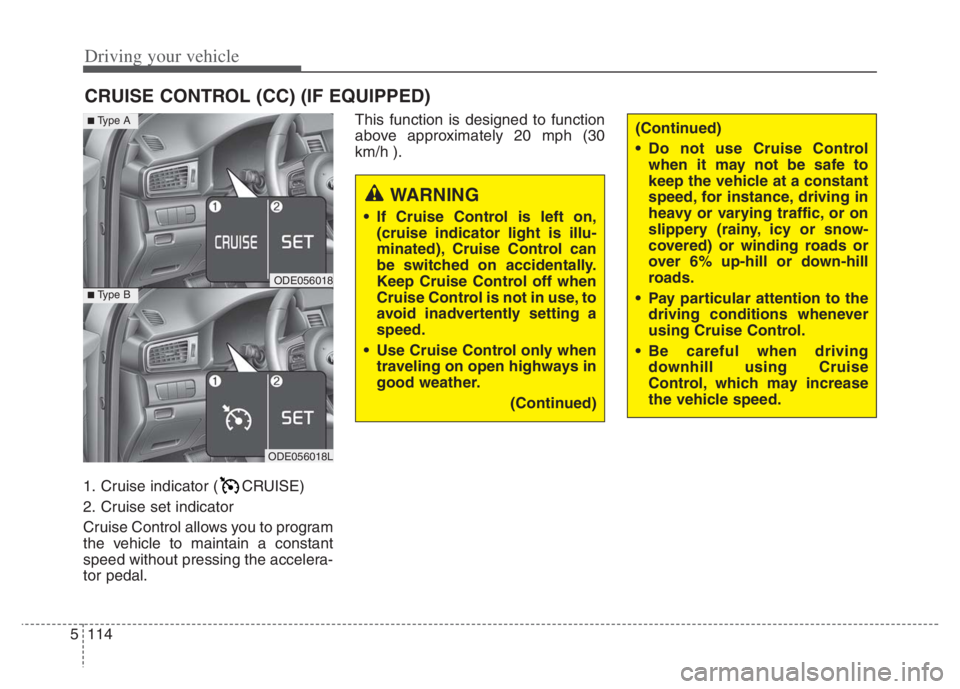
1. Cruise indicator ( CRUISE)
2. Cruise set indicator
Cruise Control allows you to program
the vehicle to maintain a constant
speed without pressing the accelera-
tor pedal.This function is designed to function
above approximately 20 mph (30
km/h ).
CRUISE CONTROL (CC) (IF EQUIPPED)
WARNING
If Cruise Control is left on,
(cruise indicator light is illu-
minated), Cruise Control can
be switched on accidentally.
Keep Cruise Control off when
Cruise Control is not in use, to
avoid inadvertently setting a
speed.
Use Cruise Control only when
traveling on open highways in
good weather.
(Continued)
(Continued)
Do not use Cruise Control
when it may not be safe to
keep the vehicle at a constant
speed, for instance, driving in
heavy or varying traffic, or on
slippery (rainy, icy or snow-
covered) or winding roads or
over 6% up-hill or down-hill
roads.
Pay particular attention to the
driving conditions whenever
using Cruise Control.
Be careful when driving
downhill using Cruise
Control, which may increase
the vehicle speed.
ODE056018
■Type A
■Type B
ODE056018L
Page 438 of 710
5115
Driving your vehicle
✽ ✽
NOTICE
• During normal Cruise Control
operation, when the SET switch is
activated or reactivated after apply-
ing the brakes, Cruise Control will
energize after approximately 3 sec-
onds. This delay is normal.
• To activate Cruise Control, depress
the brake pedal at least once after
placing the ignition switch or
ENGINE START/STOP button to
the ON position or starting the
engine. This is to check if the brake
switch which is important part to
cancel Cruise Control is in normal
condition.
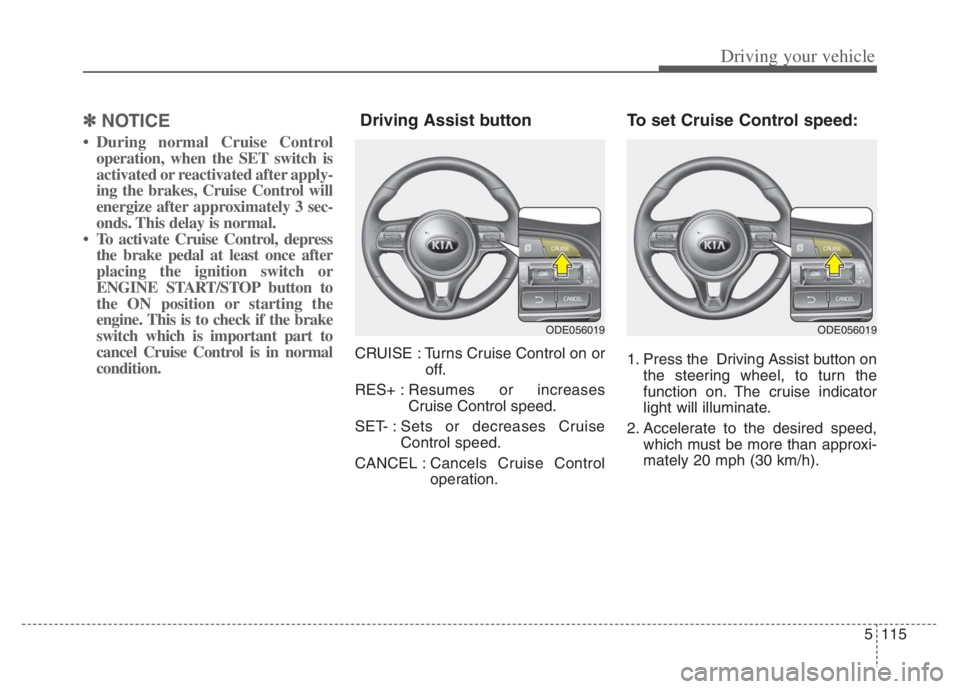
Driving Assist button
CRUISE : Turns Cruise Control on or
off.
RES+ :Resumes or increases
Cruise Control speed.
SET- : Sets or decreases Cruise
Control speed.
CANCEL :Cancels Cruise Control
operation.
To set Cruise Control speed:
1. Press the Driving Assist button on
the steering wheel, to turn the
function on. The cruise indicator
light will illuminate.
2. Accelerate to the desired speed,
which must be more than approxi-
mately 20 mph (30 km/h).
ODE056019ODE056019
Page 439 of 710
Driving your vehicle
116 5
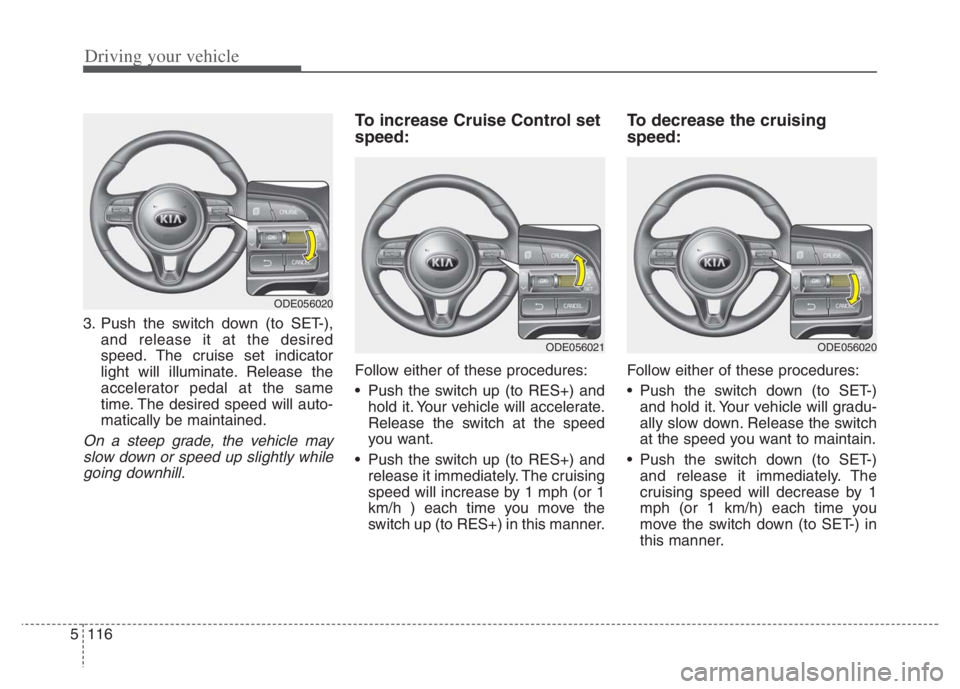
3. Push the switch down (to SET-),
and release it at the desired
speed. The cruise set indicator
light will illuminate. Release the
accelerator pedal at the same
time. The desired speed will auto-
matically be maintained.
On a steep grade, the vehicle may
slow down or speed up slightly while
going downhill.
To increase Cruise Control set
speed:
Follow either of these procedures:
Push the switch up (to RES+) and
hold it. Your vehicle will accelerate.
Release the switch at the speed
you want.
Push the switch up (to RES+) and
release it immediately. The cruising
speed will increase by 1 mph (or 1
km/h ) each time you move the
switch up (to RES+) in this manner.
To decrease the cruising
speed:
Follow either of these procedures:
Push the switch down (to SET-)
and hold it. Your vehicle will gradu-
ally slow down. Release the switch
at the speed you want to maintain.
Push the switch down (to SET-)
and release it immediately. The
cruising speed will decrease by 1
mph (or 1 km/h) each time you
move the switch down (to SET-) in
this manner.
ODE056020
ODE056021ODE056020
Page 440 of 710
5117
Driving your vehicle
To temporarily accelerate with
Cruise Control on:
If you want to speed up temporarily
when Cruise Control is on, depress
the accelerator pedal. Increased
speed will not interfere with Cruise
Control operation or change the set
speed.
To return to the set speed, take your
foot off the accelerator pedal.
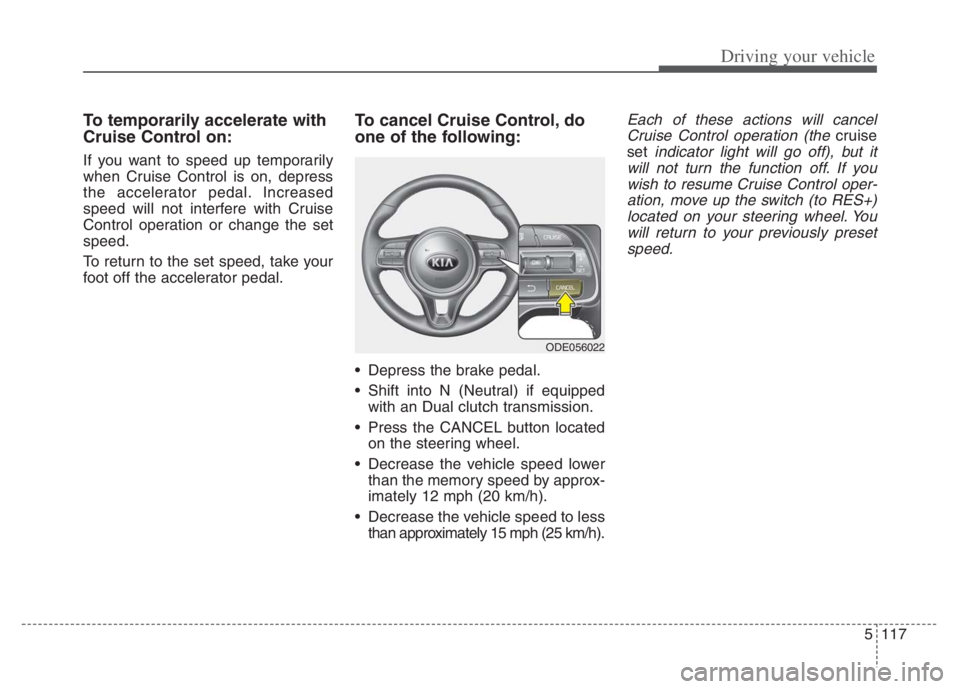
To cancel Cruise Control, do
one of the following:
Depress the brake pedal.
Shift into N (Neutral) if equipped
with an Dual clutch transmission.
Press the CANCEL button located
on the steering wheel.
Decrease the vehicle speed lower
than the memory speed by approx-
imately 12 mph (20 km/h).
Decrease the vehicle speed to less
than approximately 15 mph (25 km/h).
Each of these actions will cancel
Cruise Control operation (the
cruise
set
indicator light will go off), but it
will not turn the function off. If you
wish to resume Cruise Control oper-
ation, move up the switch (to RES+)
located on your steering wheel. You
will return to your previously preset
speed.
ODE056022