green KIA NIRO PHEV 2021 Owner's Manual
[x] Cancel search | Manufacturer: KIA, Model Year: 2021, Model line: NIRO PHEV, Model: KIA NIRO PHEV 2021Pages: 710, PDF Size: 14.77 MB
Page 467 of 710
Driving your vehicle
144 5
Function operating
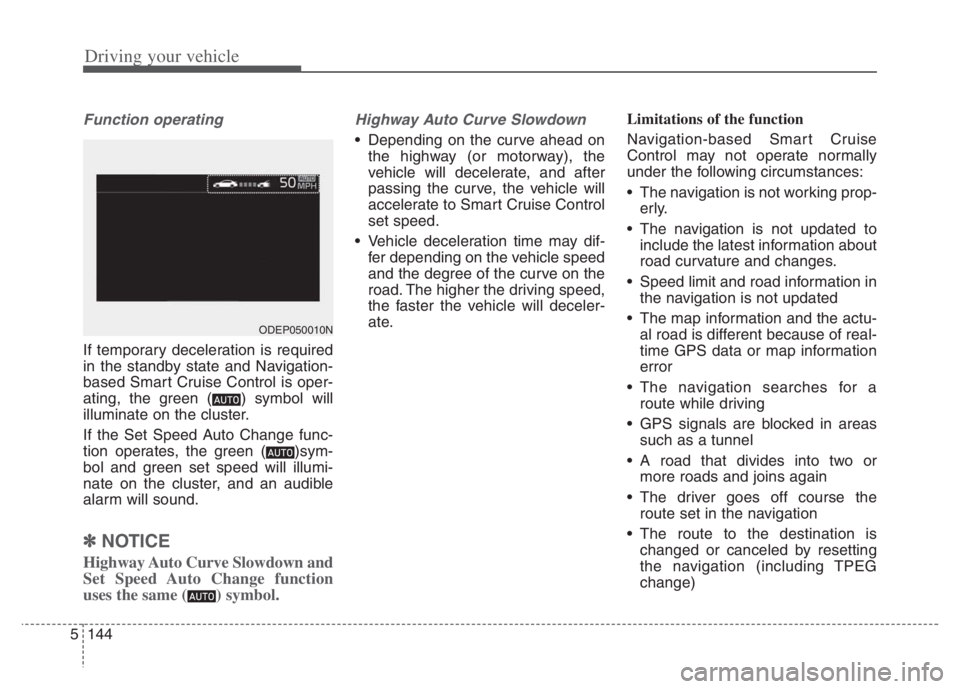
If temporary deceleration is required
in the standby state and Navigation-
based Smart Cruise Control is oper-
ating, the green ( ) symbol will
illuminate on the cluster.
If the Set Speed Auto Change func-
tion operates, the green ( )sym-
bol and green set speed will illumi-
nate on the cluster, and an audible
alarm will sound.
✽ ✽
NOTICE
Highway Auto Curve Slowdown and
Set Speed Auto Change function
uses the same ( ) symbol.
Highway Auto Curve Slowdown
Depending on the curve ahead on
the highway (or motorway), the
vehicle will decelerate, and after
passing the curve, the vehicle will
accelerate to Smart Cruise Control
set speed.
Vehicle deceleration time may dif-
fer depending on the vehicle speed
and the degree of the curve on the
road. The higher the driving speed,
the faster the vehicle will deceler-
ate.Limitations of the function
Navigation-based Smart Cruise
Control may not operate normally
under the following circumstances:
The navigation is not working prop-
erly.
The navigation is not updated to
include the latest information about
road curvature and changes.
Speed limit and road information in
the navigation is not updated
The map information and the actu-
al road is different because of real-
time GPS data or map information
error
The navigation searches for a
route while driving
GPS signals are blocked in areas
such as a tunnel
A road that divides into two or
more roads and joins again
The driver goes off course the
route set in the navigation
The route to the destination is
changed or canceled by resetting
the navigation (including TPEG
change)
ODEP050010N
Page 474 of 710
5151
Driving your vehicle
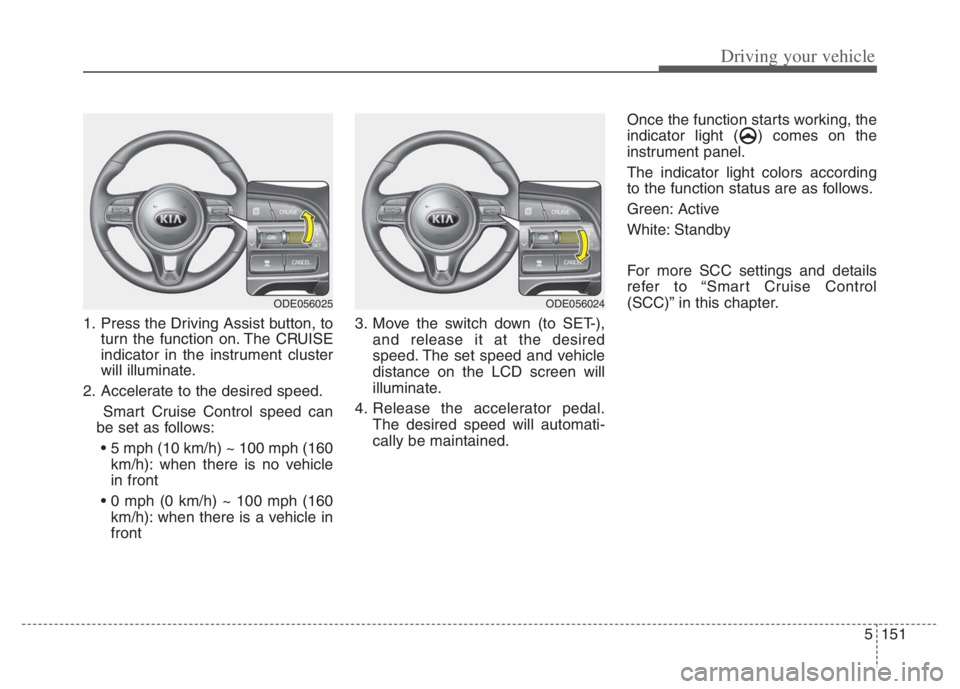
1. Press the Driving Assist button, to
turn the function on. The CRUISE
indicator in the instrument cluster
will illuminate.
2. Accelerate to the desired speed.
Smart Cruise Control speed can
be set as follows:
km/h): when there is no vehicle
in front
km/h): when there is a vehicle in
front3. Move the switch down (to SET-),
and release it at the desired
speed. The set speed and vehicle
distance on the LCD screen will
illuminate.
4. Release the accelerator pedal.
The desired speed will automati-
cally be maintained.Once the function starts working, the
indicator light ( ) comes on the
instrument panel.
The indicator light colors according
to the function status are as follows.
Green: Active
White: Standby
For more SCC settings and details
refer to “Smart Cruise Control
(SCC)” in this chapter.
ODE056025ODE056024
Page 475 of 710
Driving your vehicle
152 5
LFA activation
If the vehicle is inside the lane with
both lanes recognized by the func-
tion, and there is no steep steering
made by the driver, LFA changes into
steering assist mode. The indicator
light will come on green, and the
function helps the vehicle stay in line
by controlling the steering wheel.
When the steering wheel is not con-
trolled temporarily, the indicator light
will flash green and changes to
white.
When the both lanes are not recog-
nized by the function, the function
controls the steering wheel limitedly
whether there is a vehicle in front or
not.
Warning
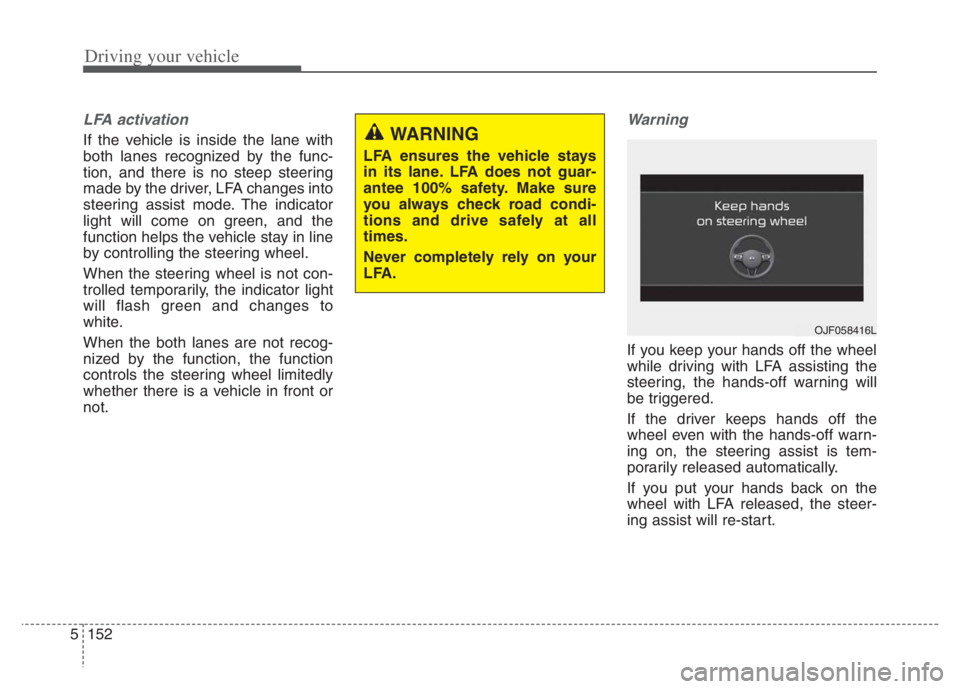
If you keep your hands off the wheel
while driving with LFA assisting the
steering, the hands-off warning will
be triggered.
If the driver keeps hands off the
wheel even with the hands-off warn-
ing on, the steering assist is tem-
porarily released automatically.
If you put your hands back on the
wheel with LFA released, the steer-
ing assist will re-start.
WARNING
LFA ensures the vehicle stays
in its lane. LFA does not guar-
antee 100% safety. Make sure
you always check road condi-
tions and drive safely at all
times.
Never completely rely on your
LFA.
OJF058416L
Page 480 of 710
![KIA NIRO PHEV 2021 Owners Manual 5157
Driving your vehicle
Setting and activating HDA
With the ignition switch or ENGINE
START/STOP button in the [ON],
select or release the setting from
“User Setting Driver Assistance
Drivi](/img/2/54749/w960_54749-479.png "KIA NIRO PHEV 2021 Owners Manual 5157
Driving your vehicle
Setting and activating HDA
With the ignition switch or ENGINE
START/STOP button in the [ON],
select or release the setting from
“User Setting Driver Assistance
Drivi")
5157
Driving your vehicle
Setting and activating HDA
With the ignition switch or ENGINE
START/STOP button in the [ON],
select or release the setting from
“User Setting Driver Assistance
Driving Assist Highway Driving
Assist”.
Select HDA in the User setting of the
instrument panel. and the function
will operate if the following conditions
are met :
If the engine is turned off then on
again, the function maintains the last
setting.
Operating conditions
If you activate HDA in the User set-
ting of the instrument panel. and the
following conditions are met, HDA
will be ready to operate, and the indi-
cator light ( ) will come on
green in the cluster.
When driving on the highway main
line.
When Smart Cruise Control is in
operation (Vehicle deceleration
and acceleration control)
- Refer to “Smart Cruise Control
(SCC)” in this chapter.
- If SCC is in standby mode (SCC
is on but speed is not set), HDA
will be in the same mode. The
white indicator ( ) light will
be turned on.
When the vehicle speed is below
95 mph (153 km/h)
HDA operation
The speed is automatically set in
accordance with the steering control
and the highway speed limit when all
the operating conditions are met.
Page 481 of 710
Driving your vehicle
158 5
Steering control
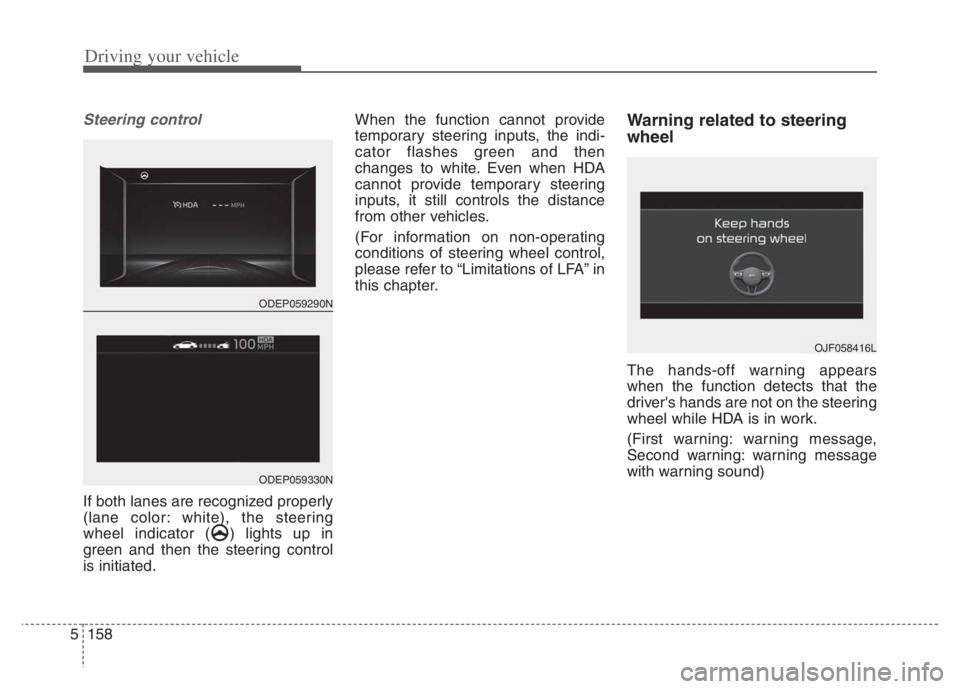
If both lanes are recognized properly
(lane color: white), the steering
wheel indicator ( ) lights up in
green and then the steering control
is initiated.When the function cannot provide
temporary steering inputs, the indi-
cator flashes green and then
changes to white. Even when HDA
cannot provide temporary steering
inputs, it still controls the distance
from other vehicles.
(For information on non-operating
conditions of steering wheel control,
please refer to “Limitations of LFA” in
this chapter.
Warning related to steering
wheel
The hands-off warning appears
when the function detects that the
driver's hands are not on the steering
wheel while HDA is in work.
(First warning: warning message,
Second warning: warning message
with warning sound)
OJF058416L
ODEP059290N
ODEP059330N
Page 483 of 710
Driving your vehicle
160 5
The vehicle brakes suddenly.
Only one lane marker is detected.
The lane is very wide or narrow.
There are more than two lane
markers on the road (e.g. construc-
tion area).
Radius of a curve is too small.
The vehicle is driven on a steep
incline.
The steering wheel is turned sud-
denly.Automatic speed setting
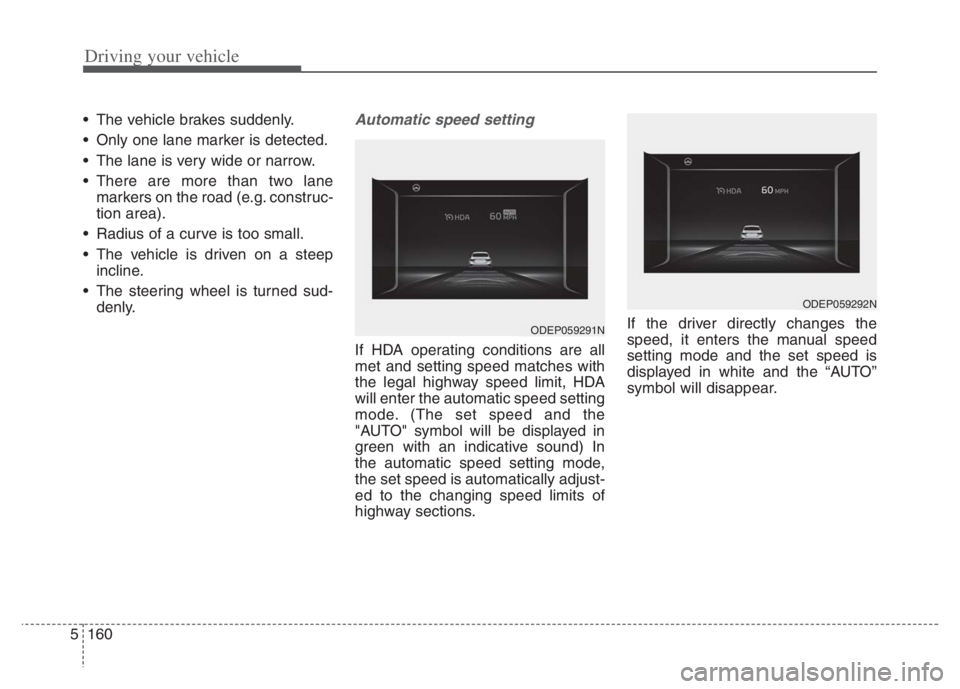
If HDA operating conditions are all
met and setting speed matches with
the legal highway speed limit, HDA
will enter the automatic speed setting
mode. (The set speed and the
"AUTO" symbol will be displayed in
green with an indicative sound) In
the automatic speed setting mode,
the set speed is automatically adjust-
ed to the changing speed limits of
highway sections.If the driver directly changes the
speed, it enters the manual speed
setting mode and the set speed is
displayed in white and the “AUTO”
symbol will disappear.
ODEP059291N
ODEP059292N