Driver only KIA NIRO PHEV 2022 User Guide
[x] Cancel search | Manufacturer: KIA, Model Year: 2022, Model line: NIRO PHEV, Model: KIA NIRO PHEV 2022Pages: 710, PDF Size: 10.35 MB
Page 97 of 710

Safety features of your vehicle
30
3
❈ The actual position of seat belt pre-
tensioner system components may dif-
fer from the illustration.
The seat belt pre-tensioner system
consists mainly of the following com-
ponents. Their locations are shown in
the illustration:
(1) SRS air bag warning light
(2) Retractor pre-tensioner assembly
(3) SRS control module
(4) Emergency fastening device (EFD)
✽ ✽ NOTICE
• Both the driver's and front pas-
senger's seat belt pre-tensioner sys-
tem may be activated not only in
certain frontal collisions but also in
certain side collisions or rollovers,
if the vehicle is equipped with a
side or curtain air bag.
• Because the sensor that activates the SRS air bag is connected with
the pre-tensioner seat belt, the
SRS air bag warning light on
the instrument panel will illumi-
nate for approximately 6 seconds
after engine start/stop button has
been changed to ON position, and
then it should turn off.WARNING - Skin Irritation
Wash all exposed skin areas
thoroughly after an accident in
which the pre-tensioner seat
belts were activated. The fine
dust from the pre-tensioner
activation may cause skin irrita-
tion and should not be breathed
for prolonged periods.
ODMESA2024
Page 118 of 710
351
Safety features of your vehicle
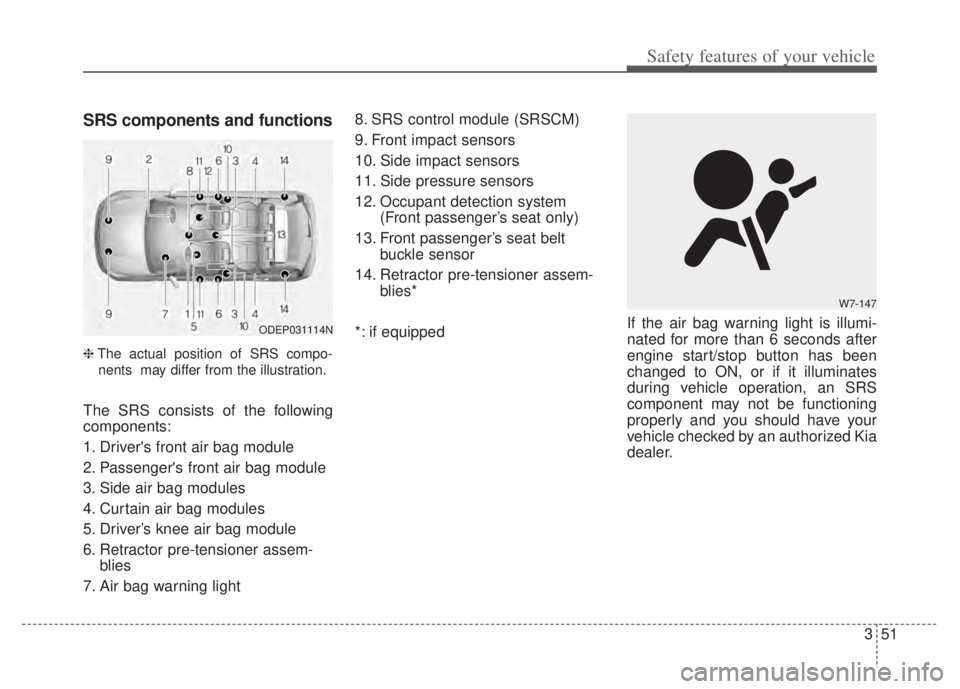
SRS components and functions
❈The actual position of SRS compo-
nents may differ from the illustration.
The SRS consists of the following
components:
1. Driver's front air bag module
2. Passenger's front air bag module
3. Side air bag modules
4. Curtain air bag modules
5. Driver’s knee air bag module
6. Retractor pre-tensioner assem- blies
7. Air bag warning light 8. SRS control module (SRSCM)
9. Front impact sensors
10. Side impact sensors
11. Side pressure sensors
12. Occupant detection system
(Front passenger’s seat only)
13. Front passenger’s seat belt buckle sensor
14. Retractor pre-tensioner assem- blies*
*: if equipped If the air bag warning light is illumi-
nated for more than 6 seconds after
engine start/stop button has been
changed to ON, or if it illuminates
during vehicle operation, an SRS
component may not be functioning
properly and you should have your
vehicle checked by an authorized Kia
dealer.
W7-147
ODEP031114N
Page 152 of 710
Features of your vehicle
12
4
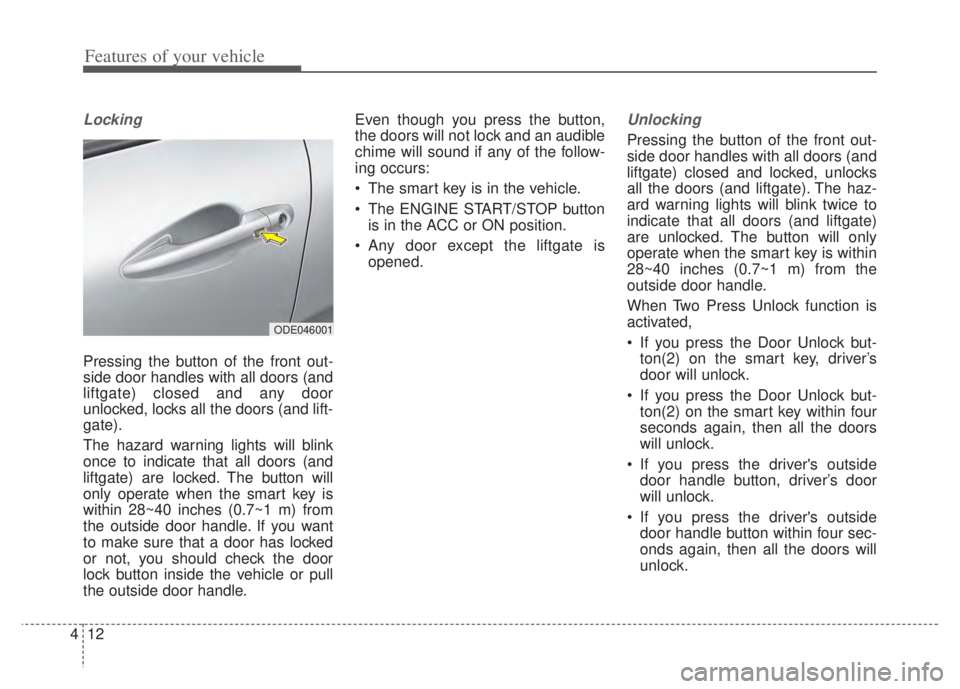
Locking
Pressing the button of the front out-
side door handles with all doors (and
liftgate) closed and any door
unlocked, locks all the doors (and lift-
gate).
The hazard warning lights will blink
once to indicate that all doors (and
liftgate) are locked. The button will
only operate when the smart key is
within 28~40 inches (0.7~1 m) from
the outside door handle. If you want
to make sure that a door has locked
or not, you should check the door
lock button inside the vehicle or pull
the outside door handle. Even though you press the button,
the doors will not lock and an audible
chime will sound if any of the follow-
ing occurs:
The smart key is in the vehicle.
The ENGINE START/STOP button
is in the ACC or ON position.
Any door except the liftgate is opened.
Unlocking
Pressing the button of the front out-
side door handles with all doors (and
liftgate) closed and locked, unlocks
all the doors (and liftgate). The haz-
ard warning lights will blink twice to
indicate that all doors (and liftgate)
are unlocked. The button will only
operate when the smart key is within
28~40 inches (0.7~1 m) from the
outside door handle.
When Two Press Unlock function is
activated,
If you press the Door Unlock but-ton(2) on the smart key, driver’s
door will unlock.
If you press the Door Unlock but- ton(2) on the smart key within four
seconds again, then all the doors
will unlock.
If you press the driver's outside door handle button, driver’s door
will unlock.
If you press the driver's outside door handle button within four sec-
onds again, then all the doors will
unlock.
ODE046001
Page 162 of 710

Features of your vehicle
22
4
DOOR LOCKS
Operating door locks from
outside the vehicle
Turn the key clockwise (1) to lock
and counterclockwise (2) to unlock.
If you lock the driver’s door with a key, if you lock/unlock the driver’s
door with a key, only the driver’s
door will lock/unlock.
Doors can also be locked and unlocked with the transmitter (or
smart key).
Once the doors are unlocked, they may be opened by pulling the door
handle. When closing the door, push the
door by hand. Make sure the doors
are closed securely.
✽ ✽ NOTICE
• In cold and wet climates, door lock
and door mechanisms may not
work properly due to freezing con-
ditions.
• If the door is locked/unlocked multiple times in rapid succession
with either the vehicle key or door
lock switch, the system may stop
operating temporarily in order to
protect the circuit and prevent
damage to system components.
ODEP049002N
WARNING
Securely close your door
before you begin driving.
Failure to fully close your door
may cause it to open during
vehicle operation.
Keep your body out of the way of the closing door to prevent
injuries.
CAUTION
Do not unnecessarily open andclose the door repeatedly orwith excessive force. Suchaction can damage the vehicledoor.
Page 174 of 710
Features of your vehicle
34
4
If the power window switch is pulled
up continuously again within 5 sec-
onds after the window is lowered by
the automatic window reversal fea-
ture, the automatic window reversal
will not operate.
The automatic reverse feature for the
driver’s window is only active when
the “auto up” feature is used by fully
pulling up the switch. The automatic
reverse feature will not operate if the
window is raised using the halfway
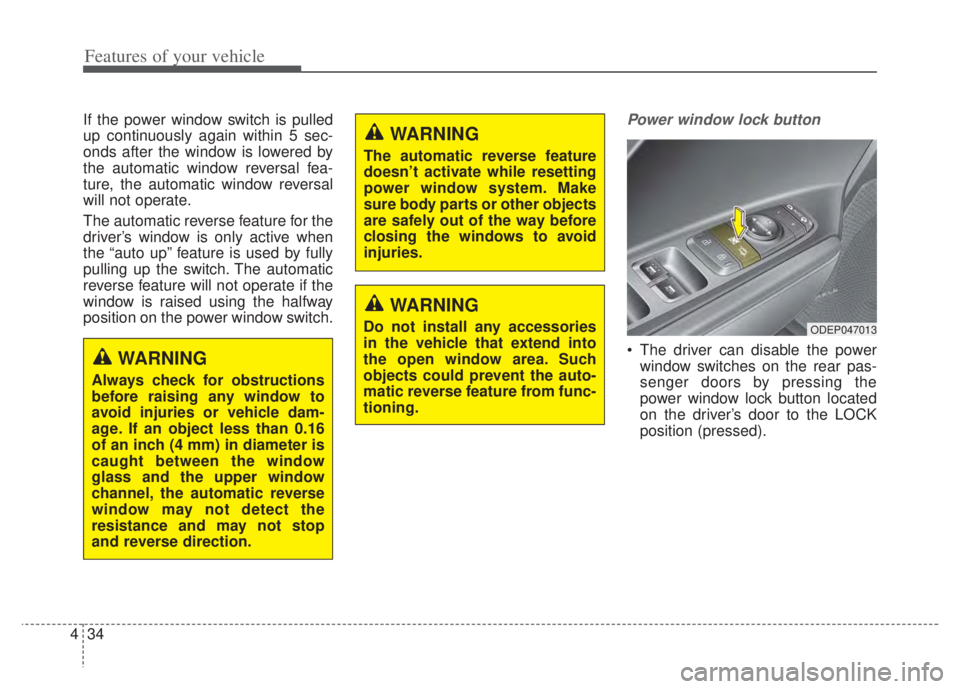
position on the power window switch.Power window lock button
The driver can disable the power
window switches on the rear pas-
senger doors by pressing the
power window lock button located
on the driver’s door to the LOCK
position (pressed).
ODEP047013
WARNING
Always check for obstructions
before raising any window to
avoid injuries or vehicle dam-
age. If an object less than 0.16
of an inch (4 mm) in diameter is
caught between the window
glass and the upper window
channel, the automatic reverse
window may not detect the
resistance and may not stop
and reverse direction.
WARNING
The automatic reverse feature
doesn’t activate while resetting
power window system. Make
sure body parts or other objects
are safely out of the way before
closing the windows to avoid
injuries.
WARNING
Do not install any accessories
in the vehicle that extend into
the open window area. Such
objects could prevent the auto-
matic reverse feature from func-
tioning.
Page 235 of 710
495
Features of your vehicle
Warning messages
Warning messages appear on the
LCD to warn the driver. It is located in
the center of the instrument cluster.
The warning message may appear
differently depending on the type of
instrument cluster and some may not
show the warning message at all.
The warning message is shown in
either symbol, symbol and text, or
text type only. You can choose the
preferred language by selecting the
User setting menu in LCD mode.
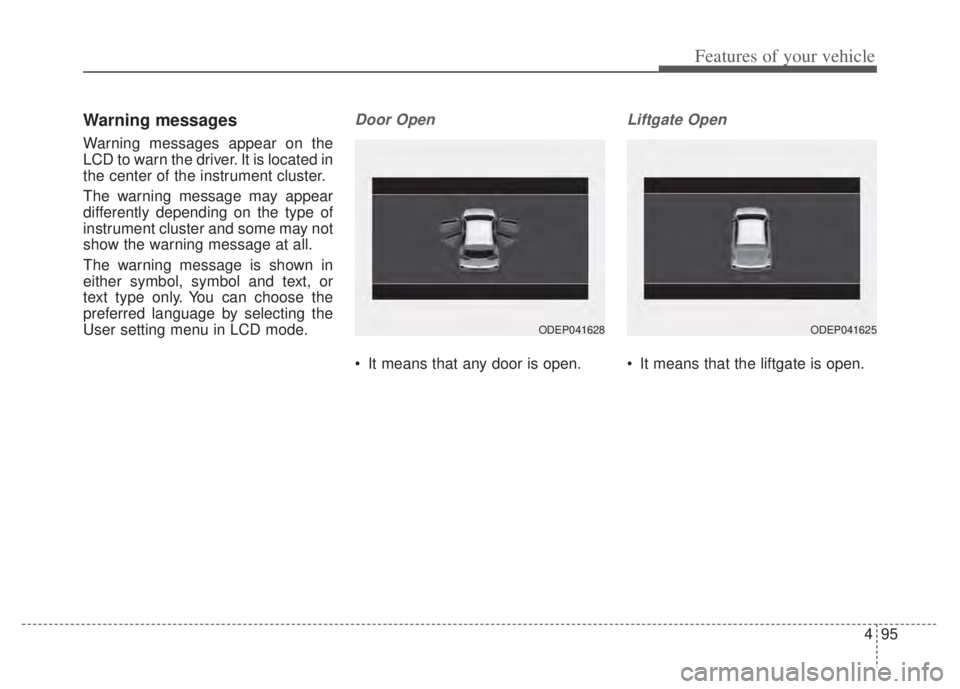
Door Open
It means that any door is open.
Liftgate Open
It means that the liftgate is open.
ODEP041628ODEP041625
Page 241 of 710

4101
Features of your vehicle
Park with engine On to chargebattery
This warning message illuminates
when the hybrid battery power
(SOC) level is low.
In this case, park the vehicle in a
safe location and wait until the hybrid
battery is charged.
Refuel to prevent Hybrid batterydamage
This warning message illuminates
when the fuel tank is nearly empty.
You should refill the fuel tank to pre-
vent hybrid battery damage.
Refill inverter coolant
This warning message illuminates
when the inverter coolant is nearly
empty.
You should refill the inverter coolant.
Check brake system
This warning message illuminates
when the brake performance is low
or the regenerative brake does not
work properly due to a failure in the
brake system.
In this case, it may take longer for the
brake pedal to operate and the brak-
ing distance may become longer.
Stop vehicle and check brakesystem
This warning message is displayed
when a failure occurs in the brake
system.
In this case, park the vehicle in a
safe location and tow your vehicle to
the nearest authorized Kia dealer
and have the vehicle inspected.
Coasting guide (if equipped)
A chime will sound and the coasting
guide indicator will blink four times to
inform the driver when to take the
foot off the accelerator by anticipat-
ing a decelerating event* based on
an analysis of driving routes and
road conditions based on the naviga-
tion. It encourages the driver to
remove foot from the pedal and allow
coasting down the road with EV
motor only. This helps prevent
unnecessary fuel consumption and
may increases fuel efficiency.
ODEP049583L
Page 261 of 710

4121
Features of your vehicle
Rear View Monitor will activate with
the ignition switch ON and the shift
lever in the R (Reverse) position. This function is a supplemental
function only. It is the responsibility
of the driver to always check the
inside/outside rearview mirrors and
the area behind the vehicle before
and while backing up because
there is a dead zone that can't be
seen by the camera.
If the camera lens is covered with foreign material, the Rear View
Monitor may not operate normally.
Always keep the camera lens
clean.
However, do not use chemical sol-
vents such as strong detergents
containing high alkaline or volatile
organic solvents (gasoline, ace-
tone etc.). This may damage the
camera lens.
REAR VIEW MONITOR (RVM)
WARNING - Backing &
using camera
Never rely solely on the rear view
camera when backing up. You
must always look over both
shoulders and continuously
check all three rear view mirrors.
Due to the difficulty of ensuring
that the area behind you remains
clear, always back up slowly and
stop immediately if you even
suspect that a person, and espe-
cially a child, might be behind
you.
ODEP041403
ODEP049404L
Page 264 of 710

Features of your vehicle
124
4
Reverse Parking Distance
Warning precautions
Reverse Parking Distance Warning
may not sound consistently
depending on the speed and
shapes of the objects detected.
Reverse Parking Distance Warning may malfunction if the vehicle
bumper height or sensor installa-
tion has been modified or dam-
aged. Any non-factory installed
equipment or accessories may also
interfere with the sensor perform-
ance.
The sensor may not recognize objects less than 12 in (30 cm)
from the sensor, or it may sense an
incorrect distance. Use caution.
When the sensor is frozen or cov- ered with snow, dirt, or water, the
sensor may be inoperative until the
material is removed using a soft
cloth.
To prevent damage, do not push, scratch or strike the sensor.
✽ ✽ NOTICE
This function can only sense objects
within the range and location of the
sensors. It cannot detect objects in
other areas where sensors are not
installed. Also, small or slim objects,
such as poles or objects located
between sensors may not be detected
by the sensors.
Always visually check behind the
vehicle when backing up.
Be sure to inform any drivers of the
vehicle that may be unfamiliar with
the function regarding the func-
tion’s capabilities and limitations.
Self-diagnosis
If you don’t hear an audible warning
sound or if the buzzer sounds inter-
mittently when shifting the gear to
the R (Reverse) position, this may
indicate a malfunction in Reverse
Parking Distance Warning. If this
occurs, have your vehicle checked by
an authorized Kia dealer as soon as
possible.
✽ ✽NOTICE
Your new vehicle warranty does not
cover any accidents or damage to
the vehicle or injuries to its occu-
pants due to a Reverse Parking
Distance Warning malfunction.
Always drive safely and cautiously.
Page 281 of 710

4141
Features of your vehicle
AUTOMATIC CLIMATE CONTROL SYSTEM
ODEP049300N
1. Driver’s temperature control knob
2. AUTO (automatic control) button
3. Front windshield defroster button
4. Rear window defroster button
5. Air conditioning button
6. Air intake control button
7. OFF button
8. Fan speed control button
9. Mode selection button
10. Passenger's temperature control knob
11. SYNC temperature control selection but-ton
12. Climate button
13. Driver only select button
✽ ✽ NOTICE
Operating the blower when the
ignition switch is in the ON posi-
tion could cause the battery to dis-
charge. Operate the blower when
the engine is running.