tow KIA Optima 2006 2.G User Guide
[x] Cancel search | Manufacturer: KIA, Model Year: 2006, Model line: Optima, Model: KIA Optima 2006 2.GPages: 225, PDF Size: 3.77 MB
Page 69 of 225
OUTSIDE REARVIEW
MIRROR HEATER
(IF EQUIPPED)The outside rearview mirror heater is
actuated in conjunction with the rear
window defroster. To heat the outside
rearview mirror glass, push the switch
for the rear window defroster.
The rearview mirror glass will be heated
for defrosting or defogging and will give
you improved rear vision in inclement
weather conditions. Push the switch
again to turn the heater off.
The outside rearview mirror heater
automatically turns itself off after 20
minutes.
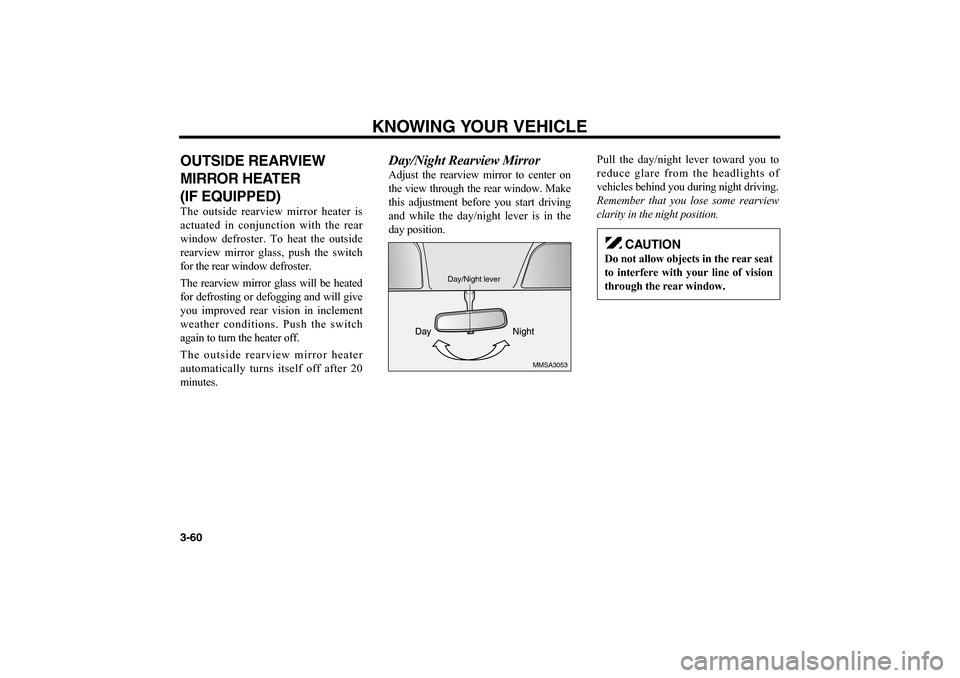
Day/Night Rearview MirrorAdjust the rearview mirror to center on
the view through the rear window. Make
this adjustment before you start driving
and while the day/night lever is in the
day position.Pull the day/night lever toward you to
reduce glare from the headlights of
vehicles behind you during night driving.
Remember that you lose some rearview
clarity in the night position.
KNOWING YOUR VEHICLE
3-60
MMSA3053
Day/Night lever
CAUTION
Do not allow objects in the rear seat
to interfere with your line of vision
through the rear window.
MS-CNA-Eng 3.QXD 7/25/2005 5:17 PM Page 60
Page 70 of 225
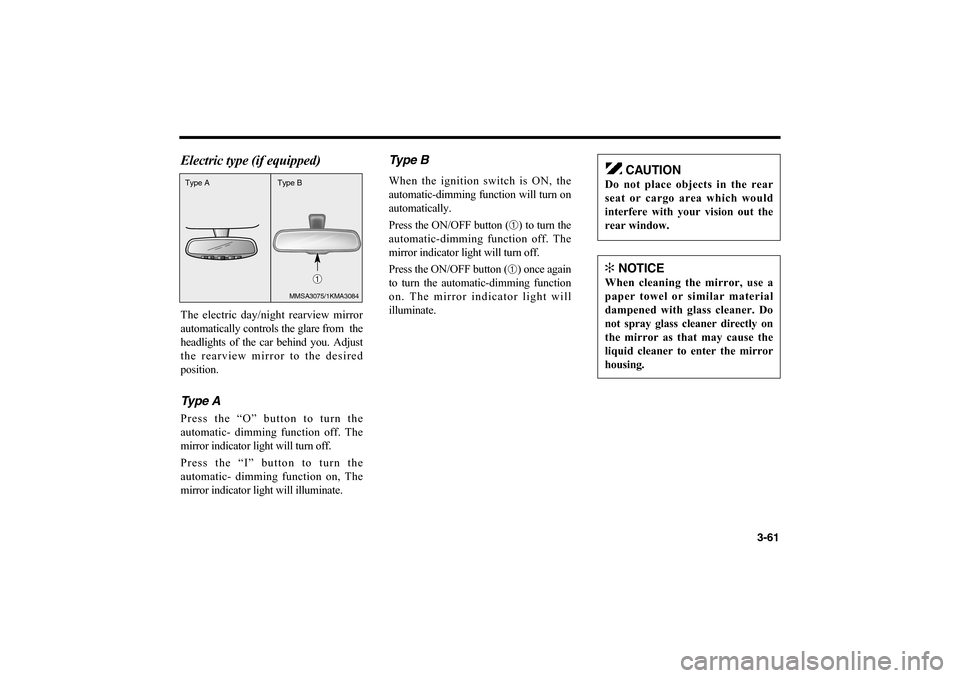
Electric type (if equipped)The electric day/night rearview mirror
automatically controls the glare from the
headlights of the car behind you. Adjust
the rearview mirror to the desired
position.Type APress the “O” button to turn the
automatic- dimming function off. The
mirror indicator light will turn off.
Press the “I” button to turn the
automatic- dimming function on, The
mirror indicator light will illuminate.
Type BWhen the ignition switch is ON, the
automatic-dimming function will turn on
automatically.
Press the ON/OFF button (
➀) to turn the
automatic-dimming function off. The
mirror indicator light will turn off.
Press the ON/OFF button (➀) once again
to turn the automatic-dimming function
on. The mirror indicator light will
illuminate.
3-61
CAUTION
Do not place objects in the rear
seat or cargo area which would
interfere with your vision out the
rear window.✻
NOTICE
When cleaning the mirror, use a
paper towel or similar material
dampened with glass cleaner. Do
not spray glass cleaner directly on
the mirror as that may cause the
liquid cleaner to enter the mirror
housing.
Type A
Type B
➀
MMSA3075/1KMA3084
MS-CNA-Eng 3.QXD 7/25/2005 5:17 PM Page 61
Page 82 of 225
STARTTurn the ignition key to the START
position to start the engine. The engine
will crank until you release the key, then
it returns to the ON position. Also, the
brake warning indicator illuminates to
check the bulb in this position.
Difficulty in turning the ignition key to
the START position can be caused by
pressure on the switch from the steering
column. To allow the ignition key to turn,
move the steering wheel right or left to
release the tension and then turn the key.
AUTOMATIC TRANSAXLEWhen turning the ignition switch to the
LOCK position, the shift lever must be
in the P (Park) position.MANUAL TRANSAXLEWhen turning the ignition switch to the
LOCK position, push the key inward at
the ACC position and turn the key
toward the LOCK position.
4-3
✻
NOTICE
For safety, the engine will not start
if the clutch pedal is not depressed
fully on manual transaxle equipped
models.
WARNING
• Never turn the ignition switch
to LOCK or ACC while the
vehicle is moving. This could
result in loss of directional
control and braking function,
which could cause an
immediate accident.
Never reach for the ignition
switch, or any other controls,
through the steering wheel
while the vehicle is in motion.
Failure to observe this
warning can result in loss of
vehicle steering and braking
control, which may result in
an accident.
MS-CNA-Eng 4(~39).QXD 7/25/2005 5:16 PM Page 3
Page 100 of 225
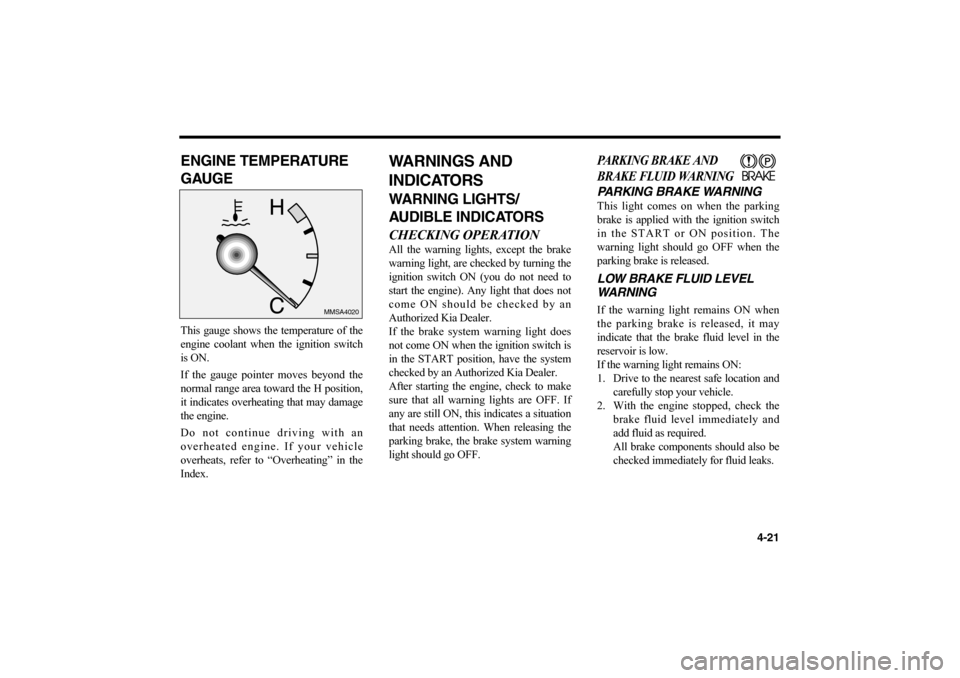
ENGINE TEMPERATURE
GAUGEThis gauge shows the temperature of the
engine coolant when the ignition switch
is ON.
If the gauge pointer moves beyond the
normal range area toward the H position,
it indicates overheating that may damage
the engine.
Do not continue driving with an
overheated engine. If your vehicle
overheats, refer to “Overheating” in the
Index.
WARNINGS AND
INDICATORSWARNING LIGHTS/
AUDIBLE INDICATORSCHECKING OPERATIONAll the warning lights, except the brake
warning light, are checked by turning the
ignition switch ON (you do not need to
start the engine). Any light that does not
come ON should be checked by an
Authorized Kia Dealer.
If the brake system warning light does
not come ON when the ignition switch is
in the START position, have the system
checked by an Authorized Kia Dealer.
After starting the engine, check to make
sure that all warning lights are OFF. If
any are still ON, this indicates a situation
that needs attention. When releasing the
parking brake, the brake system warning
light should go OFF.
PARKING BRAKE AND
BRAKE FLUID WARNINGPARKING BRAKE WARNINGThis light comes on when the parking
brake is applied with the ignition switch
in the START or ON position. The
warning light should go OFF when the
parking brake is released.LOW BRAKE FLUID LEVEL
WARNINGIf the warning light remains ON when
the parking brake is released, it may
indicate that the brake fluid level in the
reservoir is low.
If the warning light remains ON:
1. Drive to the nearest safe location and
carefully stop your vehicle.
2. With the engine stopped, check the
brake fluid level immediately and
add fluid as required.
All brake components should also be
checked immediately for fluid leaks.
4-21
MMSA4020
MS-CNA-Eng 4(~39).QXD 7/25/2005 5:16 PM Page 21
Page 101 of 225
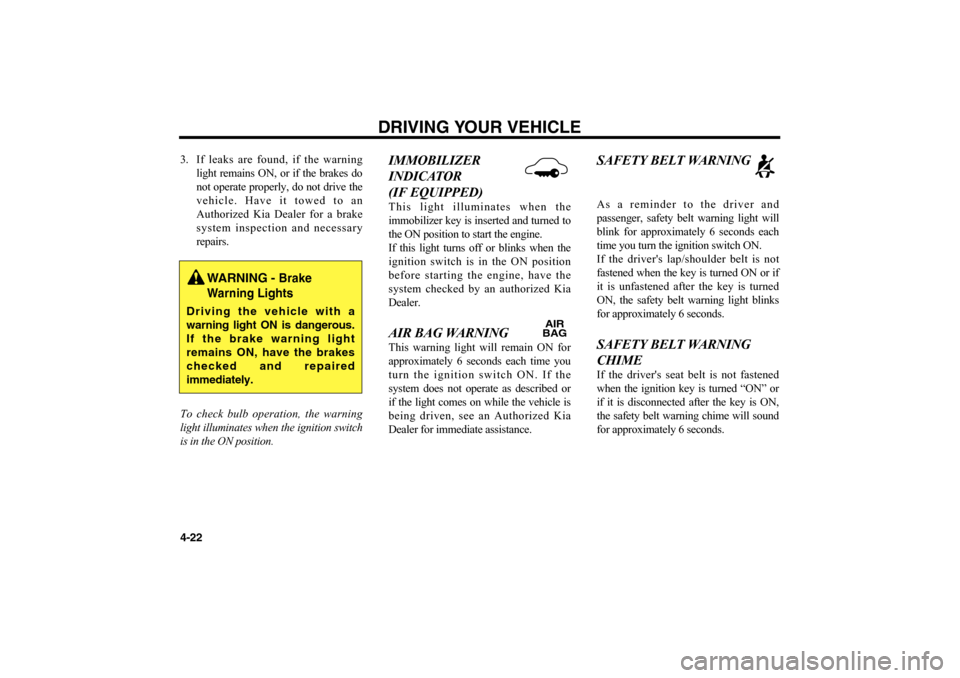
3. If leaks are found, if the warning
light remains ON, or if the brakes do
not operate properly, do not drive the
vehicle. Have it towed to an
Authorized Kia Dealer for a brake
system inspection and necessary
repairs.
To check bulb operation, the warning
light illuminates when the ignition switch
is in the ON position.
IMMOBILIZER
INDICATOR
(IF EQUIPPED)This light illuminates when the
immobilizer key is inserted and turned to
the ON position to start the engine.
If this light turns off or blinks when the
ignition switch is in the ON position
before starting the engine, have the
system checked by an authorized Kia
Dealer. AIR BAG WARNING This warning light will remain ON for
approximately 6 seconds each time you
turn the ignition switch ON. If the
system does not operate as described or
if the light comes on while the vehicle is
being driven, see an Authorized Kia
Dealer for immediate assistance.
SAFETY BELT WARNINGAs a reminder to the driver and
passenger, safety belt warning light will
blink for approximately 6 seconds each
time you turn the ignition switch ON.
If the driver's lap/shoulder belt is not
fastened when the key is turned ON or if
it is unfastened after the key is turned
ON, the safety belt warning light blinks
for approximately 6 seconds. SAFETY BELT WARNING
CHIME If the driver's seat belt is not fastened
when the ignition key is turned “ON” or
if it is disconnected after the key is ON,
the safety belt warning chime will sound
for approximately 6 seconds.
DRIVING YOUR VEHICLE
4-22
WARNING -
Brake
Warning Lights
Driving the vehicle with a
warning light ON is dangerous.
If the brake warning light
remains ON, have the brakes
checked and repaired
immediately.
AIR
BAG
MS-CNA-Eng 4(~39).QXD 7/25/2005 5:16 PM Page 22
Page 107 of 225
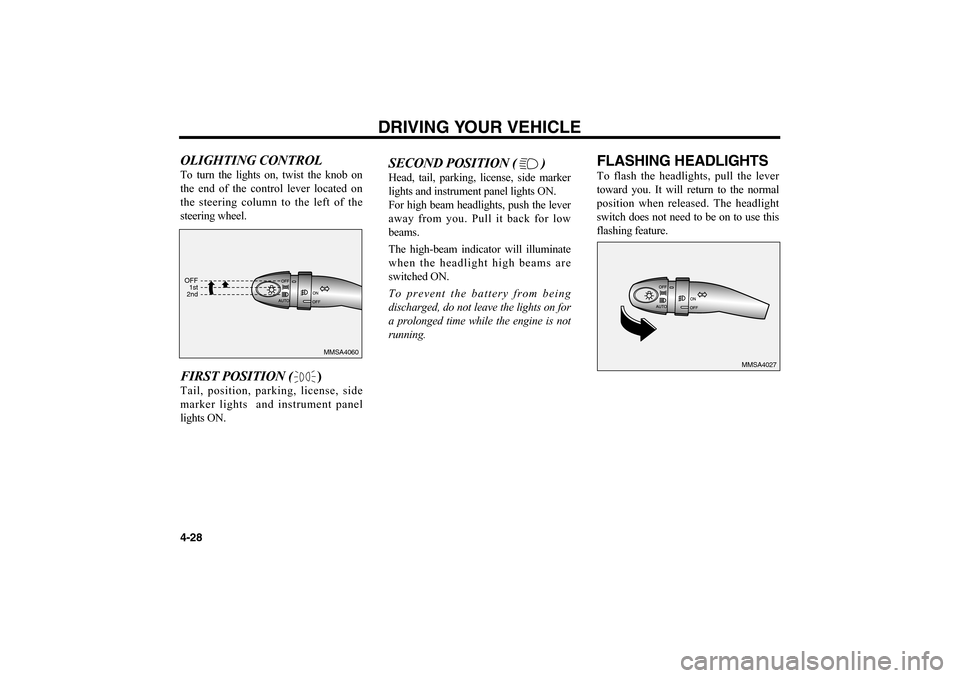
OLIGHTING CONTROLTo turn the lights on, twist the knob on
the end of the control lever located on
the steering column to the left of the
steering wheel.FIRST POSITION ()Tail, position, parking, license, side
marker lights and instrument panel
lights ON.
SECOND POSITION ( )Head, tail, parking, license, side marker
lights and instrument panel lights ON.
For high beam headlights, push the lever
away from you. Pull it back for low
beams.
The high-beam indicator will illuminate
when the headlight high beams are
switched ON.
To prevent the battery from being
discharged, do not leave the lights on for
a prolonged time while the engine is not
running.
FLASHING HEADLIGHTSTo flash the headlights, pull the lever
toward you. It will return to the normal
position when released. The headlight
switch does not need to be on to use this
flashing feature.
DRIVING YOUR VEHICLE
4-28
MMSA4060
MMSA4027 OFF
1st
2nd
MS-CNA-Eng 4(~39).QXD 7/25/2005 5:16 PM Page 28
Page 110 of 225
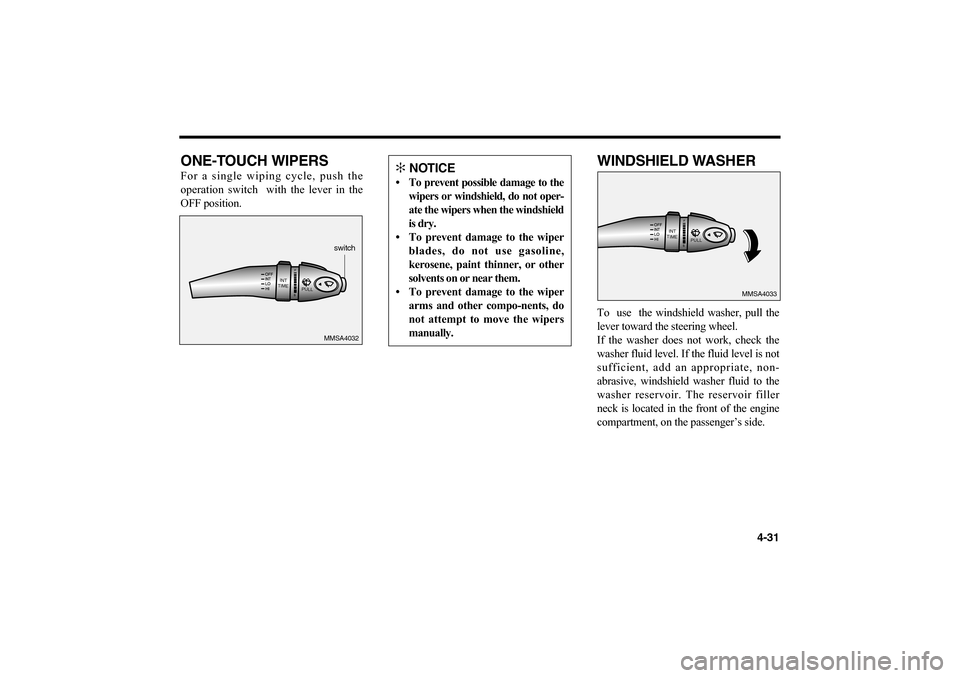
ONE-TOUCH WIPERSFor a single wiping cycle, push the
operation switch with the lever in the
OFF position.
WINDSHIELD WASHERTo use the windshield washer, pull the
lever toward the steering wheel.
If the washer does not work, check the
washer fluid level. If the fluid level is not
sufficient, add an appropriate, non-
abrasive, windshield washer fluid to the
washer reservoir. The reservoir filler
neck is located in the front of the engine
compartment, on the passenger’s side.
4-31
INT
TIME
PULL
MMSA4032switch
INT
TIME
PULL
MMSA4033
✻
NOTICE
• To prevent possible damage to the
wipers or windshield, do not oper-
ate the wipers when the windshield
is dry.
• To prevent damage to the wiper
blades, do not use gasoline,
kerosene, paint thinner, or other
solvents on or near them.
• To prevent damage to the wiper
arms and other compo-nents, do
not attempt to move the wipers
manually.
MS-CNA-Eng 4(~39).QXD 7/25/2005 5:16 PM Page 31
Page 122 of 225

4-43 Face position
Air flow is directed toward
the upper body and face.
Additionally, each outlet can
be controlled to direct the air
discharged from the outlet.
(outlet port: , )
Face - floor position
Air flow is directed towards
the face and the floor. The air
to the floor is warmer than
the air to the face
(except when the temperature
control is set to the extreme
cold position).
(outlet port: , , )
Floor position
Most of the air flow is
directed to the floor, with a
small amount of the air being
directed to the windshield
and side window defroster.
(outlet port: , )Floor - defrost position
Most of the air flow is
directed to the floor and the
windshield with a small
amount directed to the side
window defrosters.
(outlet port: , , )Defrost position
Most of the air flow is
directed to the windshield
with a small amount of air
directed to the side window
defrosters.
(outlet port: , )
B
D
BC
C
D
D
A
A
C
D
D
MS-CNA-Eng 4(40~).QXD 7/25/2005 5:15 PM Page 43
Page 128 of 225

4-49
AIR INTAKE CONTROLThis is used to select the recirculation of
inside air.RECIRCULATED AIR
POSITIONwhen the air intake control switch is
depressed (Switch indicator illuminates),
almost all outside air flow into the
vehicle is shut off and air inside the
vehicle is recirculated.
This position can be used temporarily for
maximum heating or cooling (if
equipped with air conditioning) and to
help prevent undesirable outside air flow
into the vehicle.Outside (Fresh) Air PositionWhen the air intake control switch is not
illuminated, air enters the ventilation
system from outside the vehicle. Use this
position for normal ventilation and
heating.
HEATING AND COOLING
SYSTEM OFFPress the "OFF" button to stop the
operation of the heating and cooling
system.AIR FLOW CONTROL
(MODE SWITCH)The mode selection button controls the
direction of the air flow through the
ventilation system.
The air flow outlet port is same as manual
climate control system.FACE POSITION
Air flow is directed toward
the upper body and face.
Additionally, each outlet can
be controlled to direct the air
discharged from the outlet.
(outlet port: , )
FACE-FLOOR
POSITION
Air flow is directed towards
the face and the floor. The
air to the floor is warmer
than the air to the face
(except when the
temperature control is set to
the extreme cold position).
(outlet port: , , )
FLOOR POSITION
Most of the air flow is
directed to the floor, with a
small amount of the air being
directed to the windshield
and side window defroster.
(outlet port: , )
B
D
B
C
D
C
D
MS-CNA-Eng 4(40~).QXD 7/25/2005 5:15 PM Page 49
Page 137 of 225
5-1
DRIVING TIPSFuel Requirements . . . . . . . . . . . . . . . . . . . . . . . . . . . . .5-2
Emission Control System . . . . . . . . . . . . . . . . . . . . . . . .5-3
Before Driving . . . . . . . . . . . . . . . . . . . . . . . . . . . . . . . . .5-4
Suggestions for Economical Operation . . . . . . . . . . . .5-5
Special Driving Conditions . . . . . . . . . . . . . . . . . . . . . . .5-7
Trailer Towing . . . . . . . . . . . . . . . . . . . . . . . . . . . . . . . .5-11
Overloading . . . . . . . . . . . . . . . . . . . . . . . . . . . . . . . . . .5-11
Label Information . . . . . . . . . . . . . . . . . . . . . . . . . . . . . .5-11
Homelink® Wireless Control System . . . . . . . . . . . . .5-12
5
MS-CNA-Eng 5 New.qxd 7/25/2005 5:21 PM Page 1