reset KIA Optima 2007 2.G User Guide
[x] Cancel search | Manufacturer: KIA, Model Year: 2007, Model line: Optima, Model: KIA Optima 2007 2.GPages: 294, PDF Size: 3.37 MB
Page 123 of 294
Knowing your vehicle114
3✽
✽
NOTICE• To assure proper operation of the unit,
keep the vehicle interior temperature
within a normal range by using the
vehicle's air conditioning or heating
system.
• When replacing the fuse, replace it with a fuse having the correct capaci-
ty.
• The preset station frequencies are all erased when the car battery is discon-
nected. Therefore, all data will have to
be set again if this should occur.
• Do not add any oil to the rotating parts. Keep magnets, screwdrivers
and other metallic objects away from
the tape mechanism and head.
• This equipment is designed to be used only in a 12 volt DC battery system
with negative ground.
• This unit is made of precision parts. Do not attempt to disassemble or
adjust any parts.
• When driving your vehicle, be sure to keep the volume of the unit set low
enough to allow you to hear sounds
coming from the outside.
• Do not expose this equipment (includ- ing the speakers and tape) to water or
excessive moisture.
✽ ✽ NOTICE• Do not insert anything like coins into
the player slot as damage to the unit
may occur.
• Do not place beverages close to the audio system. The playback mecha-
nism may be damaged if you spill
them.
• Do not strike or allow anything to impact the audio system, damage to
the system mechanisms could occur.
Page 127 of 294
Knowing your vehicle118
3✽
✽
NOTICE• To assure proper operation of the unit,
keep the vehicle interior temperature
within a normal range by using the
vehicle's air conditioning or heating
system.
• When replacing the fuse, replace it with a fuse having the correct capaci-
ty.
• All stored bookmarks are all erased when the car battery is disconnected
or power to the vehicle is lost. If this
occurs, the bookmarks will have to be
reset.
• This equipment is designed to be used only in a 12 volt DC battery system
with negative ground.
• This unit is made of precision parts. Do not attempt to disassemble or
adjust any parts.
• When driving your vehicle, be sure to keep the volume of the unit set low
enough to allow you to hear sounds
coming from the outside.
• Do not expose this equipment (includ- ing the speakers and tape) to water or
excessive moisture.
✽ ✽ NOTICE• Do not insert warped or poor quality
discs into the CD player as damage to
the unit may occur.
• Do not insert anything like coins into the player slot as damage to the unit
may occur.
• Do not place beverages close to the audio system. The playback mecha-
nism may be damaged if you spill
them.
• Do not strike or allow anything to impact the audio system, damage to
the system mechanisms could occur.
• Off-road or rough surface driving may cause the compact disc to skip.
Do not use the compact disc when
driving in such conditions as damage
to the compact disc face could occur.
• Do not attempt to grab or pull the compact disc out while the disc is
being pulled into the audio unit by the
self-loading mechanism. Damage to
the audio unit and compact disc could
occur.
• Avoid using recorded compact discs in your audio unit. Original compact
discs are recommended.
Page 128 of 294
3 119
Knowing your vehicle
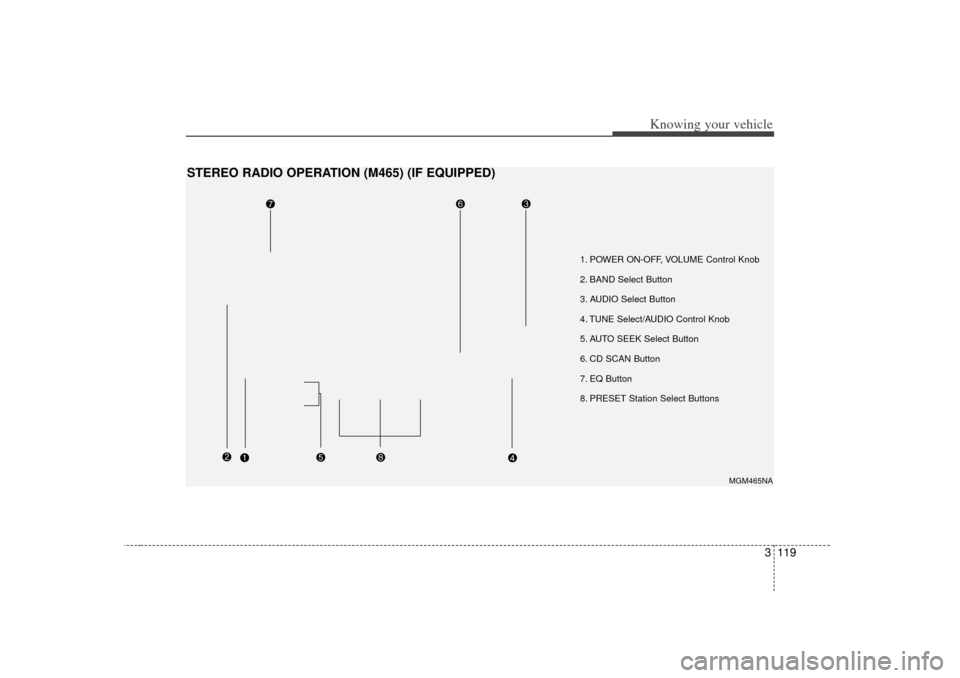
1. POWER ON-OFF, VOLUME Control Knob
2. BAND Select Button
3. AUDIO Select Button
4. TUNE Select/AUDIO Control Knob
5. AUTO SEEK Select Button
6. CD SCAN Button
7. EQ Button
8. PRESET Station Select Buttons
MGM465NA
STEREO RADIO OPERATION (M465) (IF EQUIPPED)
Page 130 of 294
3 121
Knowing your vehicle
7. EQ ButtonPress the EQ button to select the CLAS-
SIC, POPS, ROCK, JAZZ and OFF
MODE for the desired tone quality. Each
press of the button changes the display
as follows;8. PRESET STATION SelectButtonsSix stations for AM, FM1 and FM2
respectively can be preset in the elec-
tronic memory circuit.HOW TO PRESET STATIONSSix AM and twelve FM stations may be
programmed into the memory of the
radio. Then, by simply pressing the AM/
FM band select button and/or one of the
six station select buttons, you may recall
any of these stations instantly. To pro-
gram the stations, follow these steps:
Press AM/FM selector to set the band
for AM, FM1 and FM2.
Select the desired station to be stored by seek or manual tuning. Determine the preset station select
button you wish to use to access that
station.
Press and hold the station select but- ton for more than 0.8 seconds. A select
button indicator will show in the display
indicating which select button you have
depressed. The frequency display will
flash after it has been stored into the
memory. You should then release the
button, and proceed to program the
next desired station. A total of 18 sta-
tions can be programmed by selecting
one AM and two FM station per button.
When completed, any preset station may be recalled by selecting AM, FM1
or FM2 band and the appropriate sta-
tion button.
✽ ✽ NOTICE• Do not place beverages close to the
audio system. The audio system mech-
anism may be damaged if you spill
them.
• Do not strike or allow anything to impact the audio system, damage to
the system mechanisms could occur.
CLASSIC➟ POPS➟ROCK➟ JAZZ➟OFF
Page 133 of 294
Knowing your vehicle124
3✽
✽
NOTICE• To assure proper operation of the unit,
keep the vehicle interior temperature
within a normal range by using the
vehicle's air conditioning or heating
system.
• When replacing the fuse, replace it with a fuse having the correct capaci-
ty.
• The preset station frequencies are all erased when the car battery is discon-
nected. Therefore, all data will have to
be set again if this should occur.
• Do not add any oil to the rotating parts. Keep magnets, screwdrivers
and other metallic objects away from
the tape mechanism and head.
• This equipment is designed to be used only in a 12 volt DC battery system
with negative ground.
• This unit is made of precision parts. Do not attempt to disassemble or
adjust any parts.
• When driving your vehicle, be sure to keep the volume of the unit set low
enough to allow you to hear sounds
coming from the outside.
• Do not expose this equipment (includ- ing the speakers and tape) to water or
excessive moisture.
✽ ✽ NOTICE• Do not insert anything like coins into
the player slot as damage to the unit
may occur.
• Do not place beverages close to the audio system. The playback mecha-
nism may be damaged if you spill
them.
• Do not strike or allow anything to impact the audio system, damage to
the system mechanisms could occur.
Page 138 of 294
3 129
Knowing your vehicle
13. FILE SEARCH Knob (TUNE Select Knob) You can skip the track (file) by turning
the FILE SEARCH knob clockwise or
counterclockwise.
After selecting the desired track (file),
press the FILE SEARCH knob to play-
back the track (file).
If you do not press the FILE SEARCH
knob within five seconds, the search
will stop.14. DIRECTORY SEARCH (DIR) Button You can move through the folder by
pushing the DIR button to up ( ) and
down( ).
After moving the desired folder, press the FILE SEARCH knob to play back in
the selected folder. If you do not press
the FILE SEARCH knob within 5 sec-
onds, the folder searching function will
be released. It can not be operated in a
single folder.
✽ ✽ NOTICE• To assure proper operation of the unit,
keep the vehicle interior temperature
within a normal range by using the
vehicle's air conditioning or heating
system.
• When replacing the fuse, replace it with a fuse having the correct capaci-
ty.
• Stored bookmarks are all erased when the car battery is disconnected or
power to the vehicle is lost. If this
occurs, the bookmarks will have to be
reset.
• This equipment is designed to be used only in a 12 volt DC battery system
with negative ground.
• This unit is made of precision parts. Do not attempt to disassemble or
adjust any parts.
• When driving your vehicle, be sure to keep the volume of the unit set low
enough to allow you to hear sounds
coming from the outside.
• Do not expose this equipment (includ- ing the speakers and tape) to water or
excessive moisture.
✽ ✽ NOTICE• Do not insert warped or poor quality
discs into the CD player as damage to
the unit may occur.
• Do not insert anything like coins into the player slot as damage to the unit
may occur.
• Do not place beverages close to the audio system. The playback mecha-
nism may be damaged if you spill
them.
• Do not strike or allow anything to impact the audio system, damage to
the system mechanisms could occur.
• Off-road or rough surface driving may cause the compact disc to skip.
Do not use the compact disc when
driving in such conditions as damage
to the compact disc face could occur.
• Do not attempt to grab or pull the compact disc out while the disc is
being pulled into the audio unit by the
self-loading mechanism. Damage to
the audio unit and compact disc could
occur.
• Avoid using recorded compact discs in your audio unit. Original compact
discs are recommended.
Page 157 of 294
419
Driving your vehicle
To cancel cruise control, do one
of the following: Press the brake pedal.
Press the clutch pedal with a manualtransaxle or shift into N (Neutral) with an
automatic transaxle.
Press the CANCEL switch located on the steering wheel.
Press the COAST/SET and RES/ACCEL switches at the same
time.Each of these actions will cancel cruisecontrol operation (the “SET” indicatorlight in the instrument cluster will goOFF), but it will not turn the system off. Ifyou wish to resume cruise control opera- tion, press the RES/ACCEL switch locat-ed on your steering wheel. You will return to your previously preset speed.
To turn cruise control off, do one
of the following: Push the CRUISE ON/OFF button on the steering wheel (the CRUISE indi-
cator light in the instrument cluster will
go OFF).
Turn the ignition off.Both of these actions cancel cruise con- trol operation. If you want to resumecruise control operation, repeat the steps provided in “To Set Cruise ControlSpeed” on the previous page.
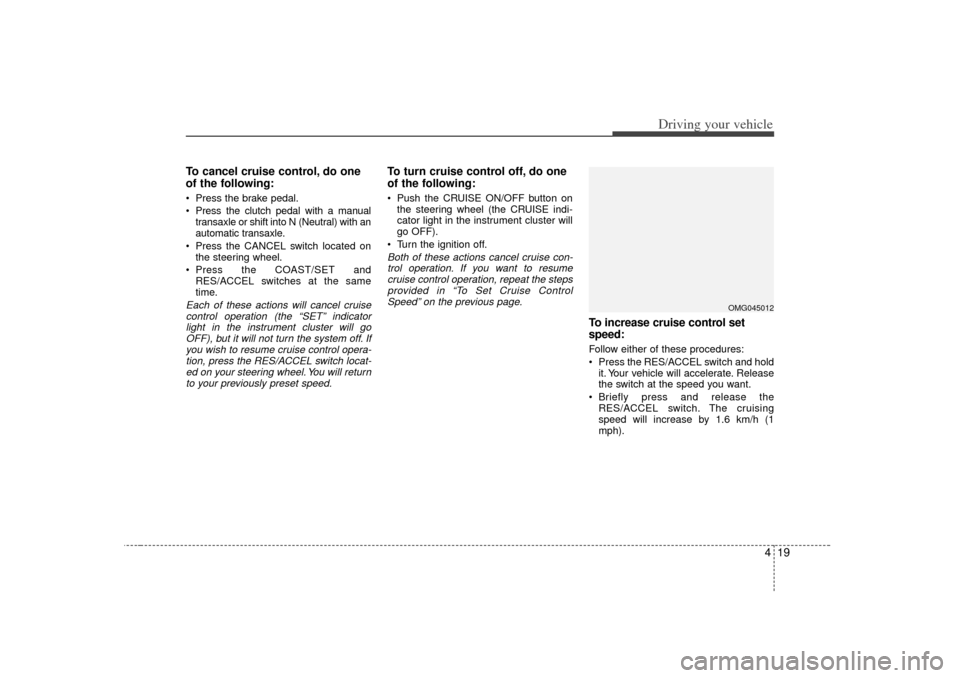
To increase cruise control set
speed:Follow either of these procedures:
Press the RES/ACCEL switch and hold it. Your vehicle will accelerate. Release
the switch at the speed you want.
Briefly press and release the RES/ACCEL switch. The cruising
speed will increase by 1.6 km/h (1
mph).
OMG045012
Page 163 of 294
425
Driving your vehicle
Speedometer The speedometer indicates the forward
speed of the vehicle.OdometerThe odometer indicates the total dis-
tance the vehicle has been driven.
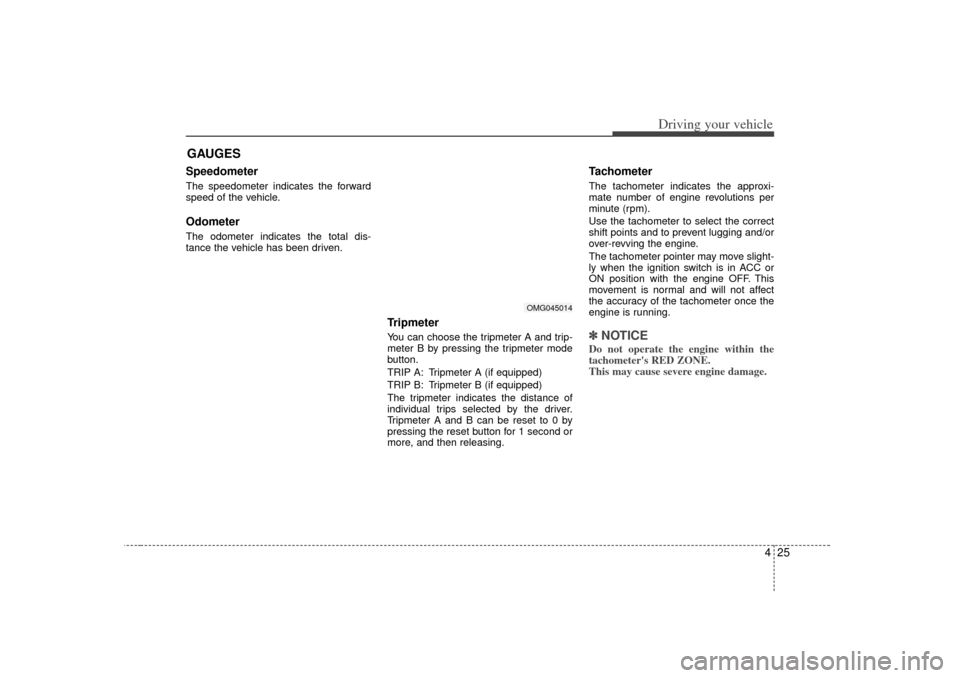
TripmeterYou can choose the tripmeter A and trip-
meter B by pressing the tripmeter mode
button.
TRIP A: Tripmeter A (if equipped)
TRIP B: Tripmeter B (if equipped)
The tripmeter indicates the distance of
individual trips selected by the driver.
Tripmeter A and B can be reset to 0 by
pressing the reset button for 1 second or
more, and then releasing.
Tachometer The tachometer indicates the approxi-
mate number of engine revolutions per
minute (rpm).
Use the tachometer to select the correct
shift points and to prevent lugging and/or
over-revving the engine.
The tachometer pointer may move slight-
ly when the ignition switch is in ACC or
ON position with the engine OFF. This
movement is normal and will not affect
the accuracy of the tachometer once the
engine is running.✽ ✽NOTICEDo not operate the engine within the
tachometer's RED ZONE.
This may cause severe engine damage.
GAUGES
OMG045014
Page 165 of 294
427
Driving your vehicle
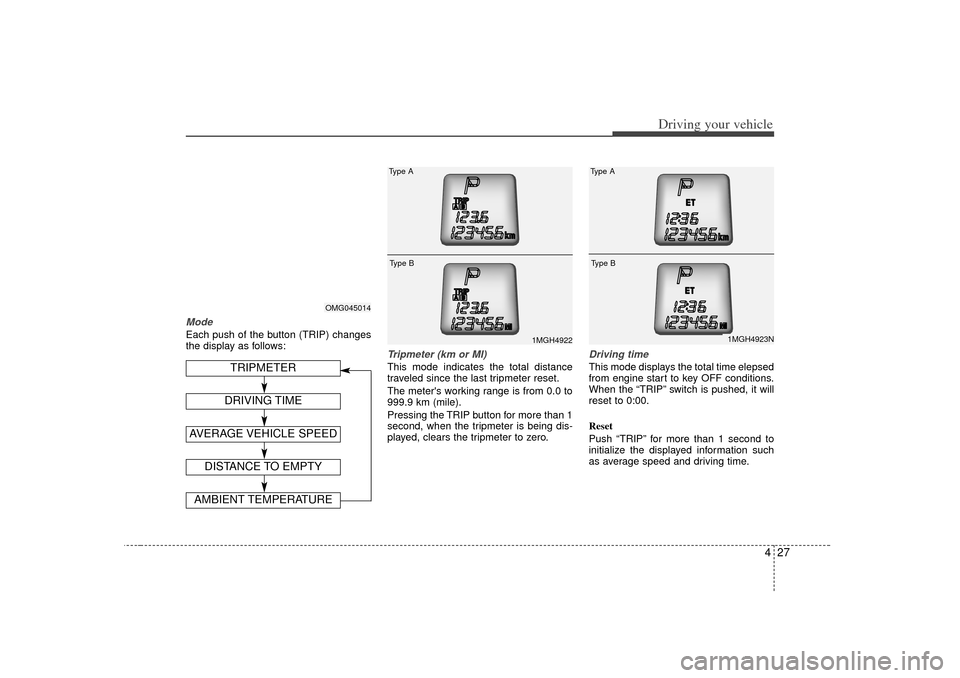
ModeEach push of the button (TRIP) changes
the display as follows:
Tripmeter (km or MI)This mode indicates the total distance
traveled since the last tripmeter reset.
The meter's working range is from 0.0 to
999.9 km (mile).
Pressing the TRIP button for more than 1
second, when the tripmeter is being dis-
played, clears the tripmeter to zero.
Driving timeThis mode displays the total time elepsed
from engine start to key OFF conditions.
When the “TRIP” switch is pushed, it will
reset to 0:00.
Reset
Push “TRIP” for more than 1 second to
initialize the displayed information such
as average speed and driving time.
OMG045014
1MGH4922
Type AType B
DISTANCE TO EMPTYAMBIENT TEMPERATURE
TRIPMETER
AVERAGE VEHICLE SPEED
DRIVING TIME
1MGH4923N
Type AType B
Page 166 of 294
Driving your vehicle28
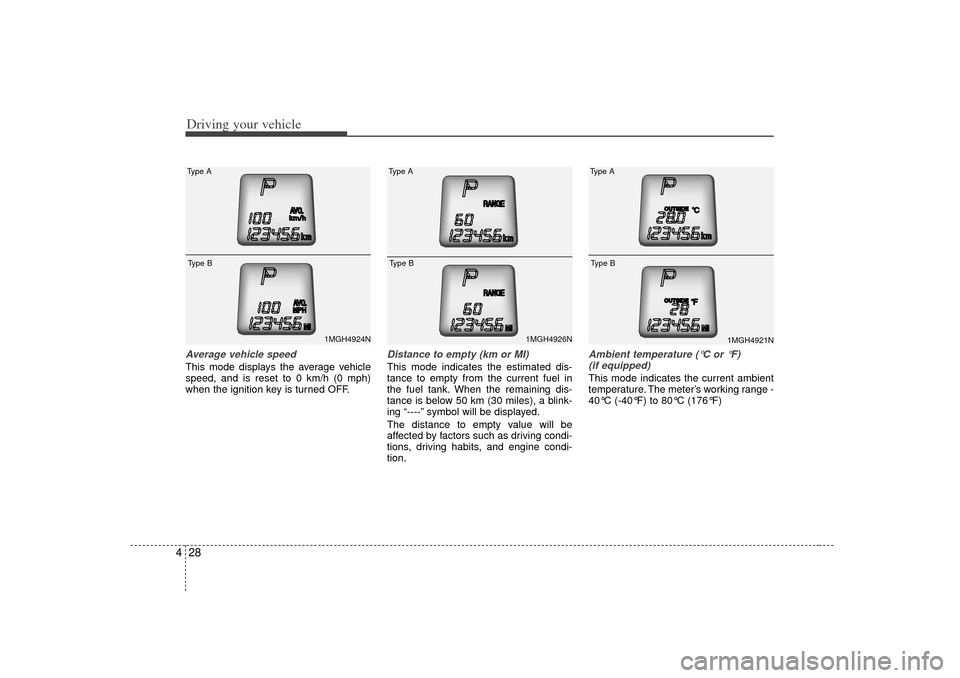
4Average vehicle speedThis mode displays the average vehicle
speed, and is reset to 0 km/h (0 mph)
when the ignition key is turned OFF.
Distance to empty (km or MI)This mode indicates the estimated dis-
tance to empty from the current fuel in
the fuel tank. When the remaining dis-
tance is below 50 km (30 miles), a blink-
ing “----” symbol will be displayed.
The distance to empty value will be
affected by factors such as driving condi-
tions, driving habits, and engine condi-
tion.
Ambient temperature ( °C or °F)
(if equipped)This mode indicates the current ambient
temperature. The meter’s working range -
40°C (-40°F) to 80°C (176°F)
1MGH4924N
Type AType B
1MGH4926N
Type AType B
1MGH4921N
Type AType B