release KIA Optima 2007 2.G Workshop Manual
[x] Cancel search | Manufacturer: KIA, Model Year: 2007, Model line: Optima, Model: KIA Optima 2007 2.GPages: 294, PDF Size: 3.37 MB
Page 156 of 294
Driving your vehicle18
4The cruise control system allows you to
program the vehicle to maintain a con-
stant speed without resting your foot on
the accelerator pedal.
With cruise control, you can set and
automatically maintain any speed of
between 40 km/h (24 mph) and
160 km/h (96 mph).
To set cruise control speed:1. Pull the CRUISE ON/OFF button on
the steering wheel, to turn the system
on. The CRUISE indicator light in the
instrument cluster will illuminate.
2. Accelerate to the desired speed, which must be more than 40 km/h (24 mph)
and less than 160 km/h (96 mph). 3. Press the COAST/SET switch, located
on the steering wheel, and release it at
the speed you want. Release the accel-
erator at the same time. The desired
speed will automatically be maintained.
The SET function cannot be activateduntil approximately 2 seconds after theCRUISE ON/OFF button has been engaged.
On a steep grade, the vehicle maymomentarily slow down while goingdownhill.
CRUISE CONTROL SYSTEM (IF EQUIPPED)
WARNING
- Cruise control
Do not use the cruise control fea-
ture under the following conditions:
Heavy or unsteady traffic
Slippery or winding roads
Situations that involve varying
speeds
WARNING
- Cruise control
If the cruise control is left on,
(CRUISE indicator light in the
instrument cluster illuminated) the
cruise control can be switched on
accidentally. Keep the cruise con-
trol system off (CRUISE indicator
light OFF) when cruise control is
not in use.
WARNING
- Cruise control
Do not exceed posted speed limits.
Do not set the cruise control at a
speed that is unsafe for the current
driving conditions.
OMG045010N
OMG045011
Page 157 of 294
419
Driving your vehicle
To cancel cruise control, do one
of the following: Press the brake pedal.
Press the clutch pedal with a manualtransaxle or shift into N (Neutral) with an
automatic transaxle.
Press the CANCEL switch located on the steering wheel.
Press the COAST/SET and RES/ACCEL switches at the same
time.Each of these actions will cancel cruisecontrol operation (the “SET” indicatorlight in the instrument cluster will goOFF), but it will not turn the system off. Ifyou wish to resume cruise control opera- tion, press the RES/ACCEL switch locat-ed on your steering wheel. You will return to your previously preset speed.
To turn cruise control off, do one
of the following: Push the CRUISE ON/OFF button on the steering wheel (the CRUISE indi-
cator light in the instrument cluster will
go OFF).
Turn the ignition off.Both of these actions cancel cruise con- trol operation. If you want to resumecruise control operation, repeat the steps provided in “To Set Cruise ControlSpeed” on the previous page.
To increase cruise control set
speed:Follow either of these procedures:
Press the RES/ACCEL switch and hold it. Your vehicle will accelerate. Release
the switch at the speed you want.
Briefly press and release the RES/ACCEL switch. The cruising
speed will increase by 1.6 km/h (1
mph).
OMG045012
Page 158 of 294
Driving your vehicle20
4To temporarily accelerate with the
cruise control onIf you want to speed up temporarily when
the cruise control is on, press the accel-
erator pedal. Increased speed will not
interfere with cruise control operation or
change the set speed.
To return to the set speed, take your foot
off the accelerator.
To decrease the cruising speed:Follow either of these procedures:
Press the COAST/SET switch and hold
it. Your vehicle will gradually slow
down. Release the switch at the speed
you want to maintain.
Briefly press and release the COAST/SET switch. The cruising
speed will decrease by 1.6 km/h (1
mph).
To resume cruising speed at
more than 40 km/h (24 mph):If something besides the CRUISE
ON/OFF switch was used to cancel cruis-
ing speed and the system is still activat-
ed, the most recent set speed will auto-
matically resume when the RES/ACCEL
switch is pressed.
It will not resume, however, if the vehicle
speed has dropped below 40 km/h (24
mph).
OMG045011
OMG045012
Page 170 of 294
Driving your vehicle32
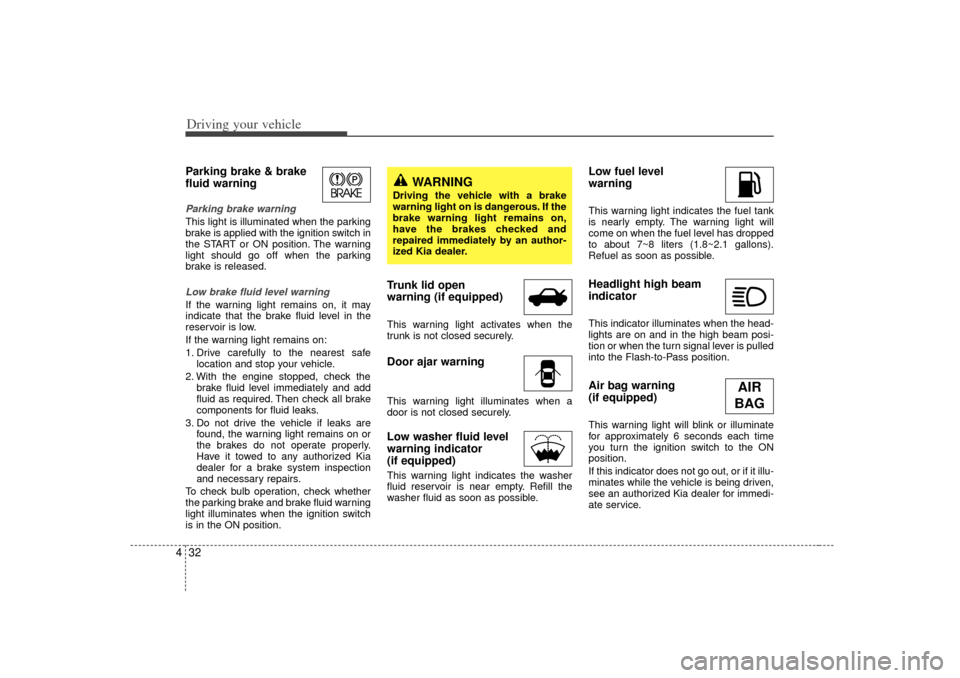
4Parking brake & brake
fluid warning Parking brake warning This light is illuminated when the parking
brake is applied with the ignition switch in
the START or ON position. The warning
light should go off when the parking
brake is released.Low brake fluid level warningIf the warning light remains on, it may
indicate that the brake fluid level in the
reservoir is low.
If the warning light remains on:
1. Drive carefully to the nearest safe
location and stop your vehicle.
2. With the engine stopped, check the brake fluid level immediately and add
fluid as required. Then check all brake
components for fluid leaks.
3. Do not drive the vehicle if leaks are found, the warning light remains on or
the brakes do not operate properly.
Have it towed to any authorized Kia
dealer for a brake system inspection
and necessary repairs.
To check bulb operation, check whether
the parking brake and brake fluid warning
light illuminates when the ignition switch
is in the ON position.
Trunk lid open
warning (if equipped)This warning light activates when the
trunk is not closed securely.Door ajar warningThis warning light illuminates when a
door is not closed securely.Low washer fluid level
warning indicator
(if equipped)This warning light indicates the washer
fluid reservoir is near empty. Refill the
washer fluid as soon as possible.
Low fuel level
warningThis warning light indicates the fuel tank
is nearly empty. The warning light will
come on when the fuel level has dropped
to about 7~8 liters (1.8~2.1 gallons).
Refuel as soon as possible.Headlight high beam
indicator This indicator illuminates when the head-
lights are on and in the high beam posi-
tion or when the turn signal lever is pulled
into the Flash-to-Pass position.Air bag warning
(if equipped) This warning light will blink or illuminate
for approximately 6 seconds each time
you turn the ignition switch to the ON
position.
If this indicator does not go out, or if it illu-
minates while the vehicle is being driven,
see an authorized Kia dealer for immedi-
ate service.
WARNING
Driving the vehicle with a brake
warning light on is dangerous. If the
brake warning light remains on,
have the brakes checked and
repaired immediately by an author-
ized Kia dealer.
AIR
BAG
Page 174 of 294
Driving your vehicle36
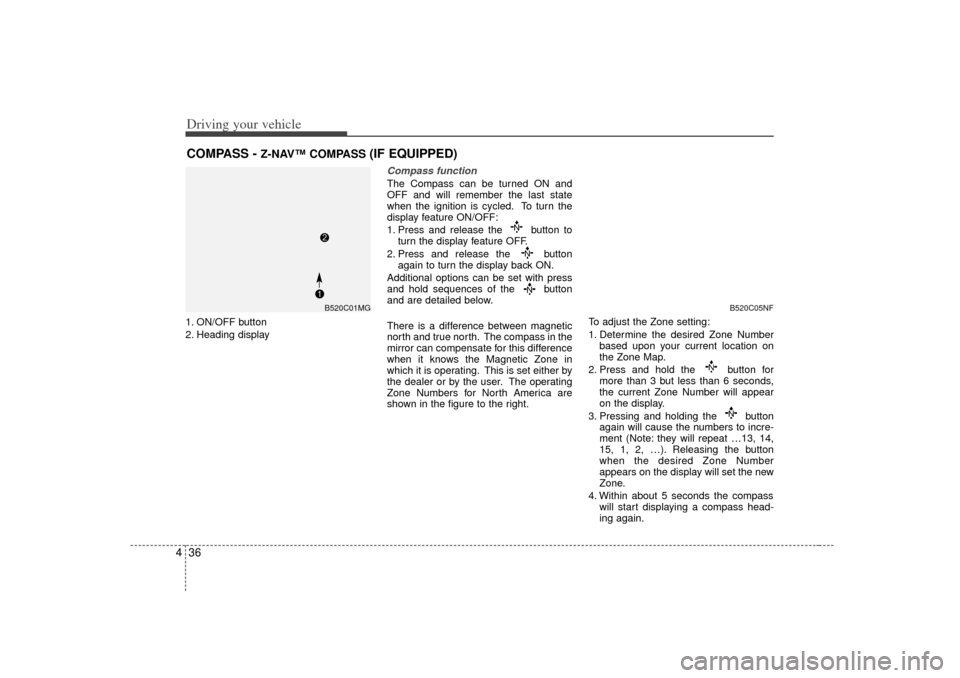
41. ON/OFF button
2. Heading display
Compass functionThe Compass can be turned ON and
OFF and will remember the last state
when the ignition is cycled. To turn the
display feature ON/OFF:
1. Press and release the button to
turn the display feature OFF.
2. Press and release the button again to turn the display back ON.
Additional options can be set with press
and hold sequences of the button
and are detailed below.
There is a difference between magnetic
north and true north. The compass in the
mirror can compensate for this difference
when it knows the Magnetic Zone in
which it is operating. This is set either by
the dealer or by the user. The operating
Zone Numbers for North America are
shown in the figure to the right. To adjust the Zone setting:
1. Determine the desired Zone Number
based upon your current location on
the Zone Map.
2. Press and hold the button for more than 3 but less than 6 seconds,
the current Zone Number will appear
on the display.
3. Pressing and holding the button again will cause the numbers to incre-
ment (Note: they will repeat …13, 14,
15, 1, 2, …). Releasing the button
when the desired Zone Number
appears on the display will set the new
Zone.
4. Within about 5 seconds the compass will start displaying a compass head-
ing again.
COMPASS -
Z-NAV™ COMPASS
(IF EQUIPPED)
B520C05NF
B520C01MG
Page 179 of 294
441
Driving your vehicle
Headlight position ( )When the light switch is in the headlight
position (2nd position) the head, tail,
position, license and instrument panel
lights are ON.
High - beam operation To turn on the high beam headlights,
push the lever away from you. Pull it back
for low beams.
The high-beam indicator will light when
the headlight high beams are switched
on.
To prevent the battery from being dis-
charged, do not leave the lights on for a
prolonged time while the engine is not
running.
Flashing headlights To flash the headlights, pull the lever
towards you. It will return to the normal
(low-beam) position when released. The
headlight switch does not need to be on
to use this flashing feature.
OMG045020
OMG045023
OMG045022
Page 180 of 294
Driving your vehicle42
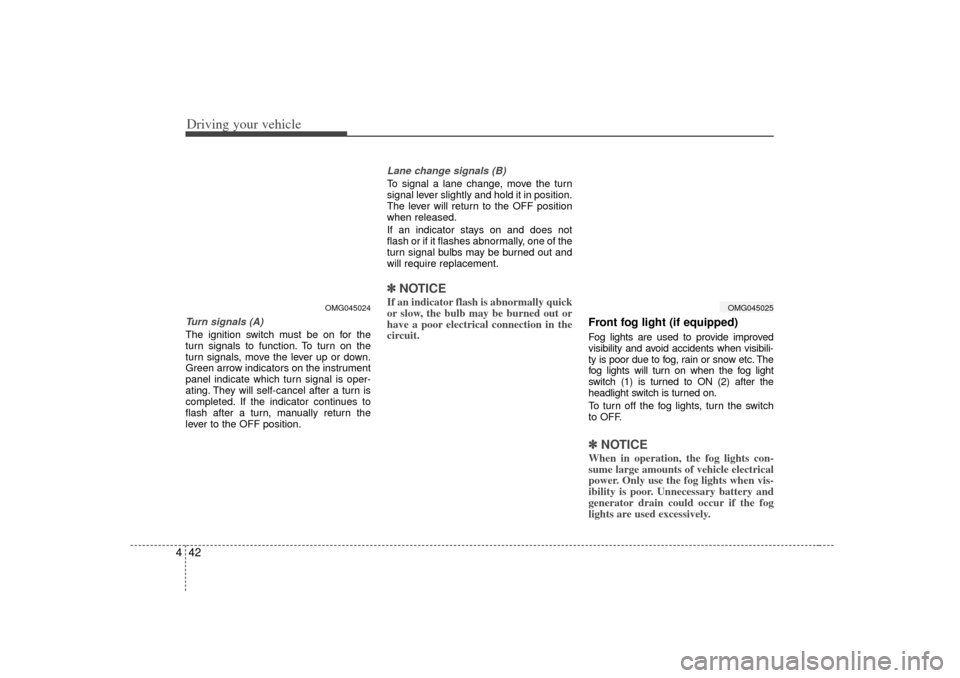
4Turn signals (A)The ignition switch must be on for the
turn signals to function. To turn on the
turn signals, move the lever up or down.
Green arrow indicators on the instrument
panel indicate which turn signal is oper-
ating. They will self-cancel after a turn is
completed. If the indicator continues to
flash after a turn, manually return the
lever to the OFF position.
Lane change signals (B)To signal a lane change, move the turn
signal lever slightly and hold it in position.
The lever will return to the OFF position
when released.
If an indicator stays on and does not
flash or if it flashes abnormally, one of the
turn signal bulbs may be burned out and
will require replacement.✽ ✽
NOTICEIf an indicator flash is abnormally quick
or slow, the bulb may be burned out or
have a poor electrical connection in the
circuit.
Front fog light (if equipped) Fog lights are used to provide improved
visibility and avoid accidents when visibili-
ty is poor due to fog, rain or snow etc. The
fog lights will turn on when the fog light
switch (1) is turned to ON (2) after the
headlight switch is turned on.
To turn off the fog lights, turn the switch
to OFF.✽ ✽NOTICEWhen in operation, the fog lights con-
sume large amounts of vehicle electrical
power. Only use the fog lights when vis-
ibility is poor. Unnecessary battery and
generator drain could occur if the fog
lights are used excessively.
OMG045024
OMG045025
Page 181 of 294
443
Driving your vehicle
Daytime running light
(if equipped)Daytime Running Lights (DRL) can make
it easier for others to see the front of your
vehicle during the day. DRL can be help-
ful in many different driving conditions,
and it is especially helpful after dawn and
before sunset.
The DRL system will make your high-
beam headlights turn OFF when:
1. The head light switch is ON.
2. The parking brake engaged.
3. Engine stops.
Windshield wipers Type AOperates as follows when the ignition
switch is turned ON.
OFF : Wiper is not in operation
INT : Wiper operates intermittently atthe same wiping intervals. Use
this mode in a light rain or mist. To
vary the speed setting, turn the
speed control knob ( 1). (S : slow
operation, F: fast operation)
LO : Normal wiper speed
HI : Fast wiper speed MIST : For a single wiping cycle, push
the lever forward and release it
with the lever in the OFF position.
The wipers will operate continu-
ously if the lever is pushed
upward and held.
✽ ✽NOTICEIf there is heavy accumulation of snow
or ice on the windshield, defrost the
windshield for about 10 minutes, or
until the snow and/or ice is removed
before using the windshield wipers to
ensure proper operation. ✽ ✽NOTICE• To prevent possible damage to the
wipers or windshield, do not operate
the wipers when the windshield is dry.
• To prevent damage to the wiper blades, do not use gasoline, kerosene,
paint thinner, or other solvents on or
near them.
• To prevent damage to the wiper arms and other components, do not attempt
to move the wipers manually.
WIPERS AND WASHERS
OMG045028
Page 183 of 294
445
Driving your vehicle
Windshield washers In the OFF position, pull the lever gently
toward you to spray washer fluid on the
windshield and to run the wipers 2-3
cycles.
Use this function when the windshield is
dirty.
The spray and wiper operation will con-
tinue until you release the lever.If the washer does not work, check the
washer fluid level. If the fluid level is not
sufficient, you will need to add appropri-
ate non-abrasive windshield washer fluid
to the washer reservoir.
The reservoir filler neck is located in the
front of the engine compartment on the
passenger side.
✽ ✽
NOTICETo prevent possible damage to the wash-
er pump, do not operate the washer
when the fluid reservoir is empty.
CAUTION
When the ignition switch is ON and
the windshield wiper switch isplaced in the AUTO mode, use cau-tion in the following situations toavoid any injury to the hands orother parts of the body:
Do not touch the upper end of the
windshield glass facing the rainsensor.
Do not wipe the upper end of the
windshield glass with a damp orwet cloth.
Do not put pressure on the wind-
shield glass.
WARNING
Do not use the washer in freezing
temperatures without first warming
the windshield with the defrosters;
the washer solution could freeze on
contact with the windshield and
obscure your vision.
OMG045032
Page 208 of 294
Driving tips45BEFORE DRIVING Before entering vehicle: Be sure that all windows, outside mir-ror(s), and outside lights are clean.
Check the condition of the tires.
Check under the vehicle for any sign of leaks.
Be sure there are no obstacles behind you if you intend to back up.Necessary inspections Fluid levels, such as engine oil, engine
coolant, brake fluid, and washer fluid
should be checked on a regular basis,
with the exact interval depending on the
fluid. Further details are provided in
Section 7, Maintenance.
Before starting Close and lock all doors.
Position the seat so that all controls areeasily reached.
Adjust the inside and outside rearview mirrors.
Be sure that all lights work.
Check all gauges.
Check the operation of warning lights when the ignition switch is turned to
the ON position.
Release the parking brake and make sure the brake warning light goes out.
For safe operation, be sure you are famil-
iar with your vehicle and its equipment.
WARNING
- Driving under
the influence of alcohol or
drugs
Drinking and driving is dangerous.
Drunk driving is the number one
contributor to the highway death
toll each year. Even a small amount
of alcohol will affect your reflexes,
perceptions and judgement. Driving
while under the influence of drugs
is as dangerous or more dangerous
than driving drunk.
You are much more likely to have a
serious accident if you drink or take
drugs and drive.
If you are drinking or taking drugs,
don’t drive. Do not ride with a driv-
er who has been drinking or taking
drugs. Choose a designated driver
or call a cab.