clock KIA Optima 2008 2.G User Guide
[x] Cancel search | Manufacturer: KIA, Model Year: 2008, Model line: Optima, Model: KIA Optima 2008 2.GPages: 289, PDF Size: 4.78 MB
Page 126 of 289
3117
Knowing your vehicle
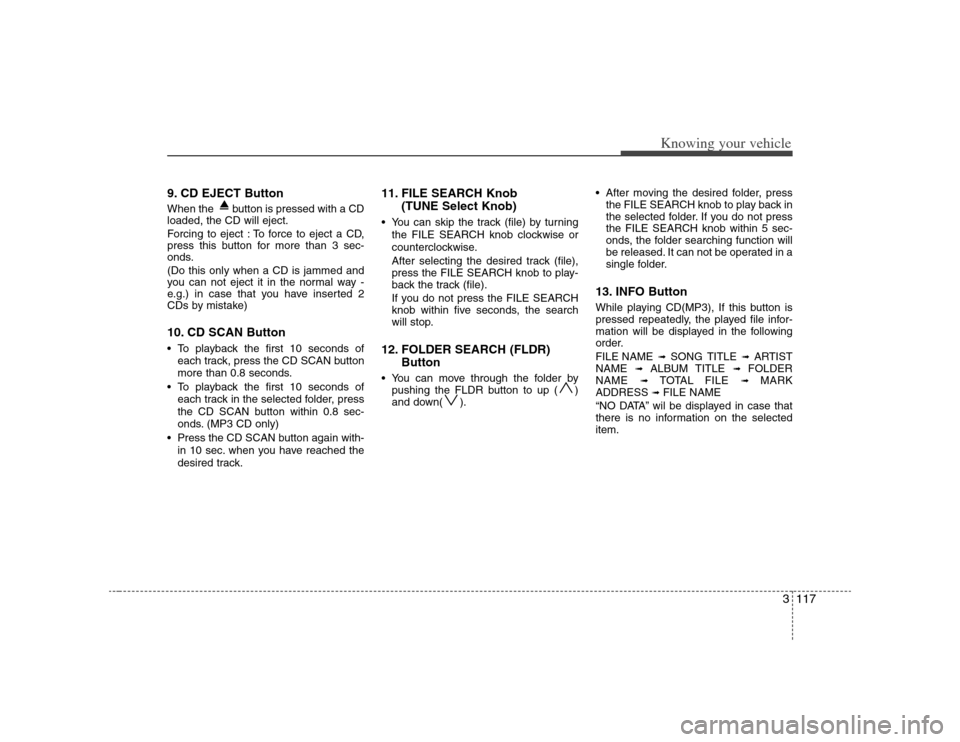
9. CD EJECT ButtonWhen the button is pressed with a CD
loaded, the CD will eject.
Forcing to eject : To force to eject a CD,
press this button for more than 3 sec-
onds.
(Do this only when a CD is jammed and
you can not eject it in the normal way -
e.g.) in case that you have inserted 2
CDs by mistake)10. CD SCAN Button To playback the first 10 seconds of
each track, press the CD SCAN button
more than 0.8 seconds.
To playback the first 10 seconds of
each track in the selected folder, press
the CD SCAN button within 0.8 sec-
onds. (MP3 CD only)
Press the CD SCAN button again with-
in 10 sec. when you have reached the
desired track.
11. FILE SEARCH Knob
(TUNE Select Knob) You can skip the track (file) by turning
the FILE SEARCH knob clockwise or
counterclockwise.
After selecting the desired track (file),
press the FILE SEARCH knob to play-
back the track (file).
If you do not press the FILE SEARCH
knob within five seconds, the search
will stop.12. FOLDER SEARCH (FLDR)
Button You can move through the folder by
pushing the FLDR button to up ( )
and down( ). After moving the desired folder, press
the FILE SEARCH knob to play back in
the selected folder. If you do not press
the FILE SEARCH knob within 5 sec-
onds, the folder searching function will
be released. It can not be operated in a
single folder.
13. INFO ButtonWhile playing CD(MP3), If this button is
pressed repeatedly, the played file infor-
mation will be displayed in the following
order.
FILE NAME
➟
SONG TITLE
➟
ARTIST
NAME
➟
ALBUM TITLE
➟
FOLDER
NAME
➟
TOTAL FILE
➟
MARK
ADDRESS
➟ FILE NAME
“NO DATA” wil be displayed in case that
there is no information on the selected
item.
Page 129 of 289
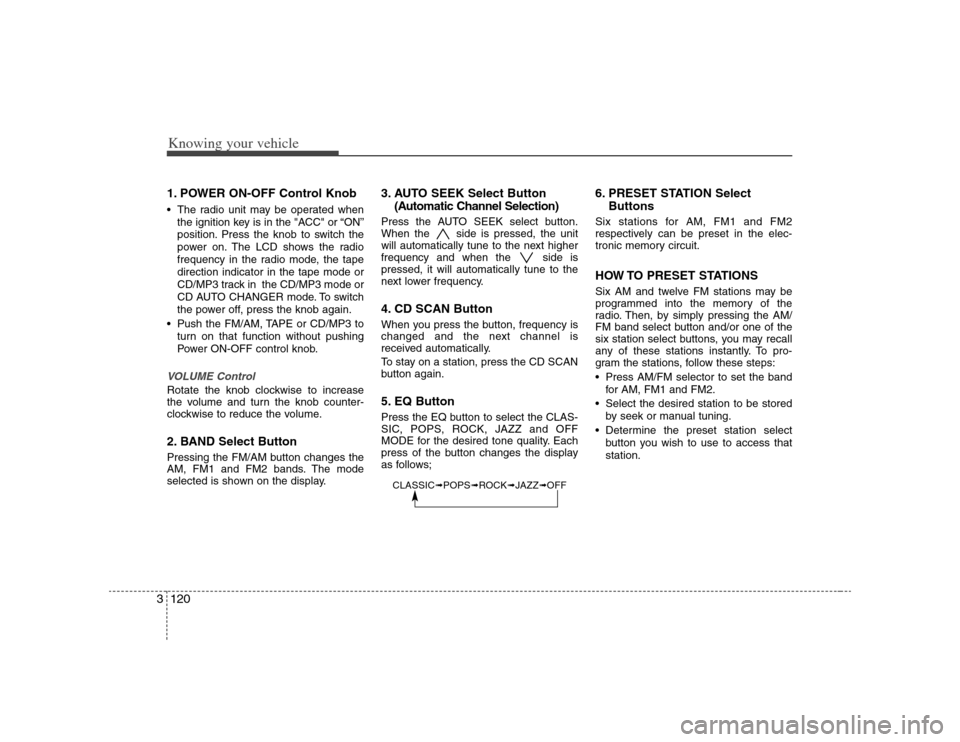
Knowing your vehicle120 31. POWER ON-OFF Control Knob The radio unit may be operated when
the ignition key is in the "ACC" or “ON”
position. Press the knob to switch the
power on. The LCD shows the radio
frequency in the radio mode, the tape
direction indicator in the tape mode or
CD/MP3 track in the CD/MP3 mode or
CD AUTO CHANGER mode. To switch
the power off, press the knob again.
Push the FM/AM, TAPE or CD/MP3 to
turn on that function without pushing
Power ON-OFF control knob.VOLUME ControlRotate the knob clockwise to increase
the volume and turn the knob counter-
clockwise to reduce the volume.2. BAND Select ButtonPressing the FM/AM button changes the
AM, FM1 and FM2 bands. The mode
selected is shown on the display.
3. AUTO SEEK Select Button
(Automatic Channel Selection)Press the AUTO SEEK select button.
When the side is pressed, the unit
will automatically tune to the next higher
frequency and when the side is
pressed, it will automatically tune to the
next lower frequency.4. CD SCAN ButtonWhen you press the button, frequency is
changed and the next channel is
received automatically.
To stay on a station, press the CD SCAN
button again.5. EQ ButtonPress the EQ button to select the CLAS-
SIC, POPS, ROCK, JAZZ and OFF
MODE for the desired tone quality. Each
press of the button changes the display
as follows;
6. PRESET STATION Select
ButtonsSix stations for AM, FM1 and FM2
respectively can be preset in the elec-
tronic memory circuit.HOW TO PRESET STATIONSSix AM and twelve FM stations may be
programmed into the memory of the
radio. Then, by simply pressing the AM/
FM band select button and/or one of the
six station select buttons, you may recall
any of these stations instantly. To pro-
gram the stations, follow these steps:
Press AM/FM selector to set the band
for AM, FM1 and FM2.
Select the desired station to be stored
by seek or manual tuning.
Determine the preset station select
button you wish to use to access that
station.
CLASSIC➟POPS➟ROCK➟JAZZ➟OFF
Page 130 of 289
3121
Knowing your vehicle
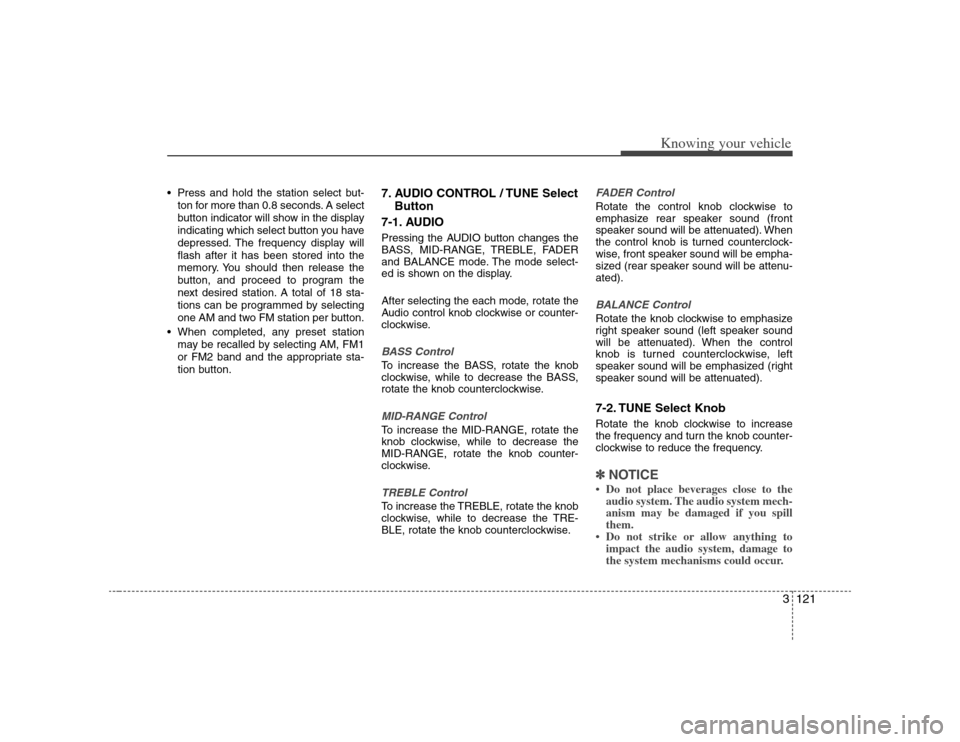
Press and hold the station select but-
ton for more than 0.8 seconds. A select
button indicator will show in the display
indicating which select button you have
depressed. The frequency display will
flash after it has been stored into the
memory. You should then release the
button, and proceed to program the
next desired station. A total of 18 sta-
tions can be programmed by selecting
one AM and two FM station per button.
When completed, any preset station
may be recalled by selecting AM, FM1
or FM2 band and the appropriate sta-
tion button.
7. AUDIO CONTROL / TUNE Select
Button
7-1. AUDIOPressing the AUDIO button changes the
BASS, MID-RANGE, TREBLE, FADER
and BALANCE mode. The mode select-
ed is shown on the display.
After selecting the each mode, rotate the
Audio control knob clockwise or counter-
clockwise.BASS ControlTo increase the BASS, rotate the knob
clockwise, while to decrease the BASS,
rotate the knob counterclockwise.MID-RANGE ControlTo increase the MID-RANGE, rotate the
knob clockwise, while to decrease the
MID-RANGE, rotate the knob counter-
clockwise.TREBLE ControlTo increase the TREBLE, rotate the knob
clockwise, while to decrease the TRE-
BLE, rotate the knob counterclockwise.
FADER ControlRotate the control knob clockwise to
emphasize rear speaker sound (front
speaker sound will be attenuated). When
the control knob is turned counterclock-
wise, front speaker sound will be empha-
sized (rear speaker sound will be attenu-
ated).BALANCE ControlRotate the knob clockwise to emphasize
right speaker sound (left speaker sound
will be attenuated). When the control
knob is turned counterclockwise, left
speaker sound will be emphasized (right
speaker sound will be attenuated).7-2. TUNE Select KnobRotate the knob clockwise to increase
the frequency and turn the knob counter-
clockwise to reduce the frequency.✽ ✽
NOTICE• Do not place beverages close to the
audio system. The audio system mech-
anism may be damaged if you spill
them.
• Do not strike or allow anything to
impact the audio system, damage to
the system mechanisms could occur.
Page 135 of 289
Knowing your vehicle126 3✽
✽
NOTICETracks stored on Mark Memory will be
automatically erased after you eject CDs
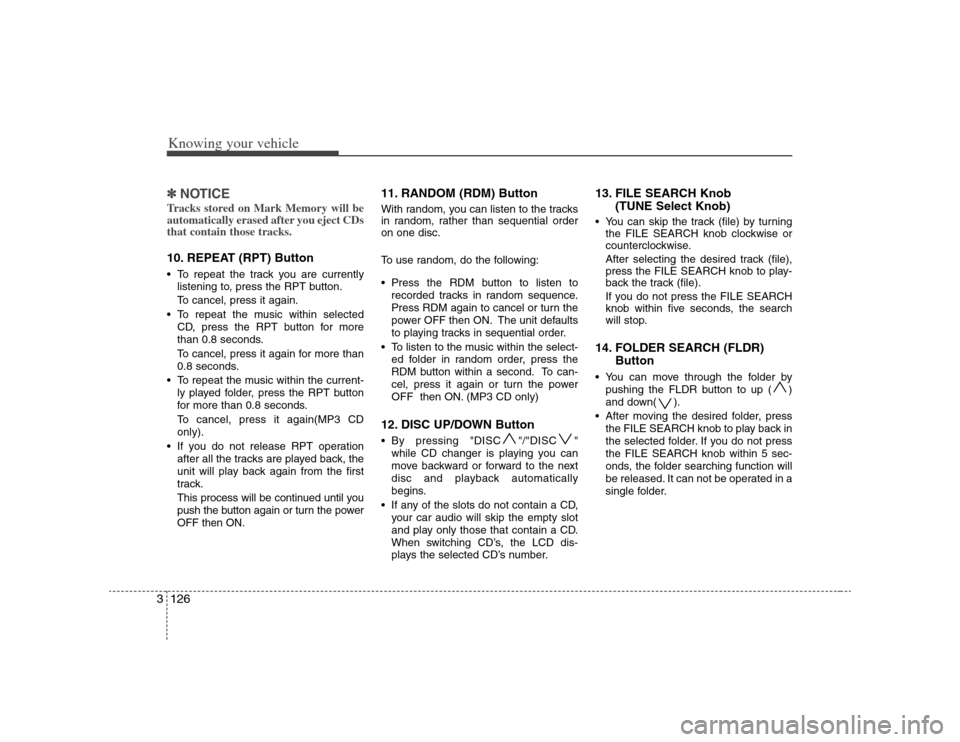
that contain those tracks. 10. REPEAT (RPT) Button To repeat the track you are currently
listening to, press the RPT button.
To cancel, press it again.
To repeat the music within selected
CD, press the RPT button for more
than 0.8 seconds.
To cancel, press it again for more than
0.8 seconds.
To repeat the music within the current-
ly played folder, press the RPT button
for more than 0.8 seconds.
To cancel, press it again(MP3 CD
only).
If you do not release RPT operation
after all the tracks are played back, the
unit will play back again from the first
track.
This process will be continued until you
push the button again or turn the power
OFF then ON.
11. RANDOM (RDM) ButtonWith random, you can listen to the tracks
in random, rather than sequential order
on one disc.
To use random, do the following:
Press the RDM button to listen to
recorded tracks in random sequence.
Press RDM again to cancel or turn the
power OFF then ON. The unit defaults
to playing tracks in sequential order.
To listen to the music within the select-
ed folder in random order, press the
RDM button within a second. To can-
cel, press it again or turn the power
OFF then ON. (MP3 CD only)12. DISC UP/DOWN Button By pressing "DISC "/"DISC "
while CD changer is playing you can
move backward or forward to the next
disc and playback automatically
begins.
If any of the slots do not contain a CD,
your car audio will skip the empty slot
and play only those that contain a CD.
When switching CD’s, the LCD dis-
plays the selected CD’s number.
13. FILE SEARCH Knob
(TUNE Select Knob) You can skip the track (file) by turning
the FILE SEARCH knob clockwise or
counterclockwise.
After selecting the desired track (file),
press the FILE SEARCH knob to play-
back the track (file).
If you do not press the FILE SEARCH
knob within five seconds, the search
will stop.14. FOLDER SEARCH (FLDR)
Button You can move through the folder by
pushing the FLDR button to up ( )
and down( ).
After moving the desired folder, press
the FILE SEARCH knob to play back in
the selected folder. If you do not press
the FILE SEARCH knob within 5 sec-
onds, the folder searching function will
be released. It can not be operated in a
single folder.
Page 229 of 289
611
In case of an emergency
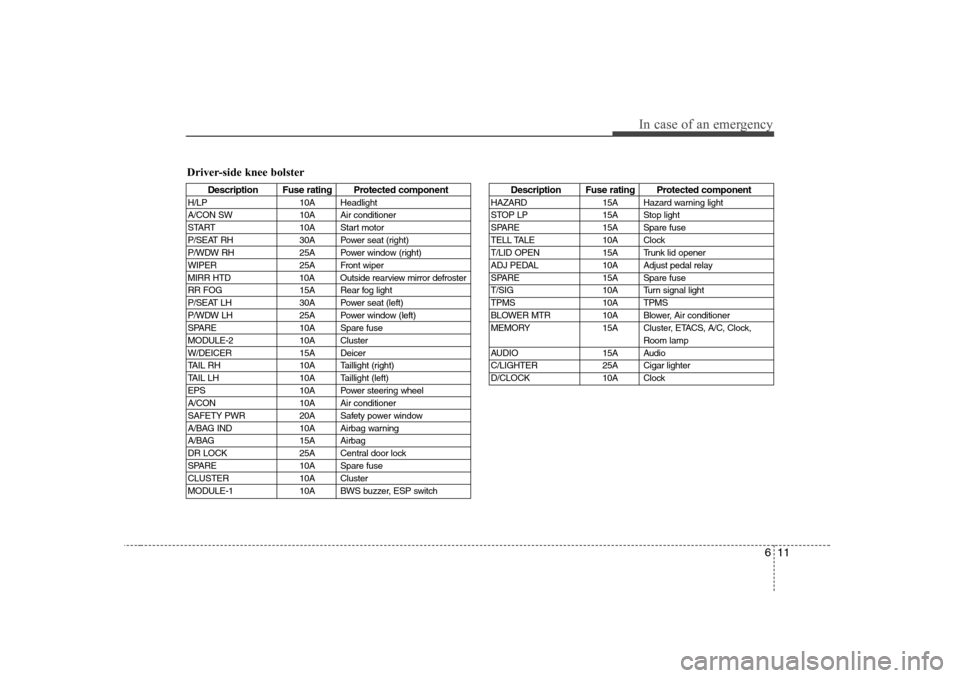
Driver-side knee bolster
Description Fuse rating Protected component
H/LP 10A Headlight
A/CON SW 10A Air conditioner
START 10A Start motor
P/SEAT RH 30A Power seat (right)
P/WDW RH 25A Power window (right)
WIPER 25A Front wiper
MIRR HTD 10A Outside rearview mirror defroster
RR FOG 15A Rear fog light
P/SEAT LH 30A Power seat (left)
P/WDW LH 25A Power window (left)
SPARE 10A Spare fuse
MODULE-2 10A Cluster
W/DEICER 15A Deicer
TAIL RH 10A Taillight (right)
TAIL LH 10A Taillight (left)
EPS 10A Power steering wheel
A/CON 10A Air conditioner
SAFETY PWR 20A Safety power window
A/BAG IND 10A Airbag warning
A/BAG 15A Airbag
DR LOCK 25A Central door lock
SPARE 10A Spare fuse
CLUSTER 10A Cluster
MODULE-1 10A BWS buzzer, ESP switch
Description Fuse rating Protected component
HAZARD 15A Hazard warning light
STOP LP 15A Stop light
SPARE 15A Spare fuse
TELL TALE 10A Clock
T/LID OPEN 15A Trunk lid opener
ADJ PEDAL 10A Adjust pedal relay
SPARE 15A Spare fuse
T/SIG 10A Turn signal light
TPMS 10A TPMS
BLOWER MTR 10A Blower, Air conditioner
MEMORY 15A Cluster, ETACS, A/C, Clock,
Room lamp
AUDIO 15A Audio
C/LIGHTER 25A Cigar lighter
D/CLOCK 10A Clock
Page 230 of 289
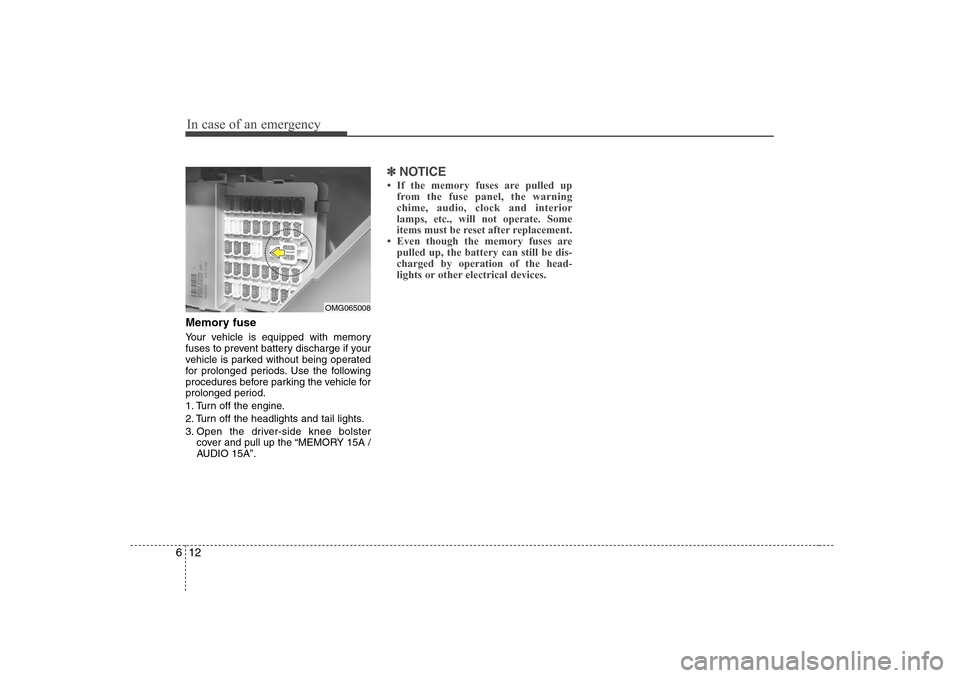
In case of an emergency12 6Memory fuseYour vehicle is equipped with memory
fuses to prevent battery discharge if your
vehicle is parked without being operated
for prolonged periods. Use the following
procedures before parking the vehicle for
prolonged period.
1. Turn off the engine.
2. Turn off the headlights and tail lights.
3. Open the driver-side knee bolster
cover and pull up the “MEMORY 15A /
AUDIO 15A”.
✽ ✽
NOTICE• If the memory fuses are pulled up
from the fuse panel, the warning
chime, audio, clock and interior
lamps, etc., will not operate. Some
items must be reset after replacement.
• Even though the memory fuses are
pulled up, the battery can still be dis-
charged by operation of the head-
lights or other electrical devices.
OMG065008
Page 233 of 289
615
In case of an emergency
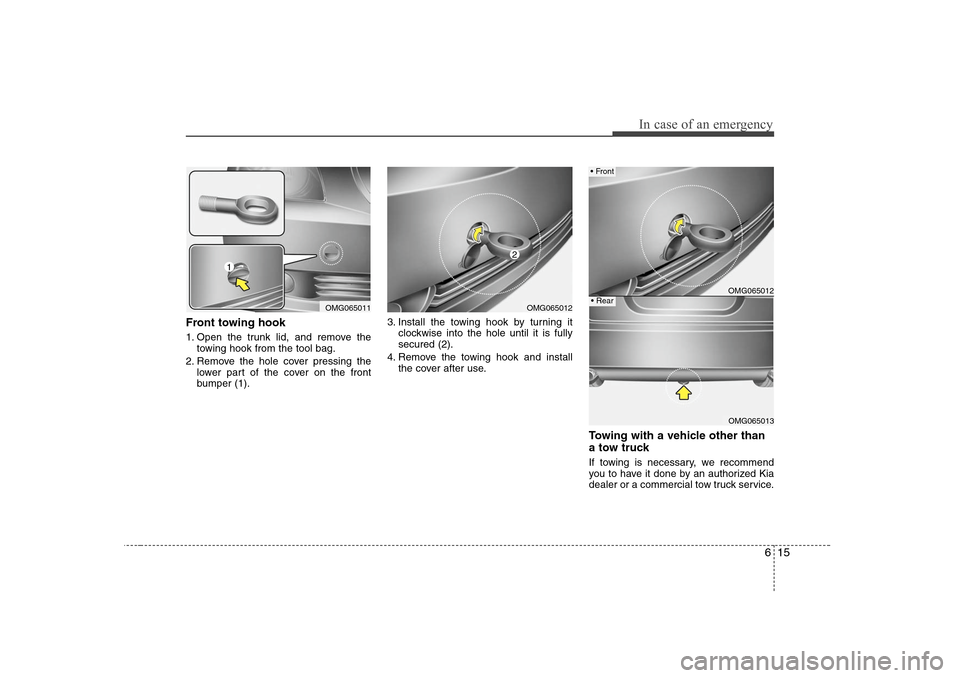
Front towing hook1. Open the trunk lid, and remove the
towing hook from the tool bag.
2. Remove the hole cover pressing the
lower part of the cover on the front
bumper (1).3. Install the towing hook by turning it
clockwise into the hole until it is fully
secured (2).
4. Remove the towing hook and install
the cover after use.
Towing with a vehicle other than
a tow truck If towing is necessary, we recommend
you to have it done by an authorized Kia
dealer or a commercial tow truck service.
OMG065011
1
OMG065012
2
OMG065012OMG065013
Front Rear
Page 236 of 289
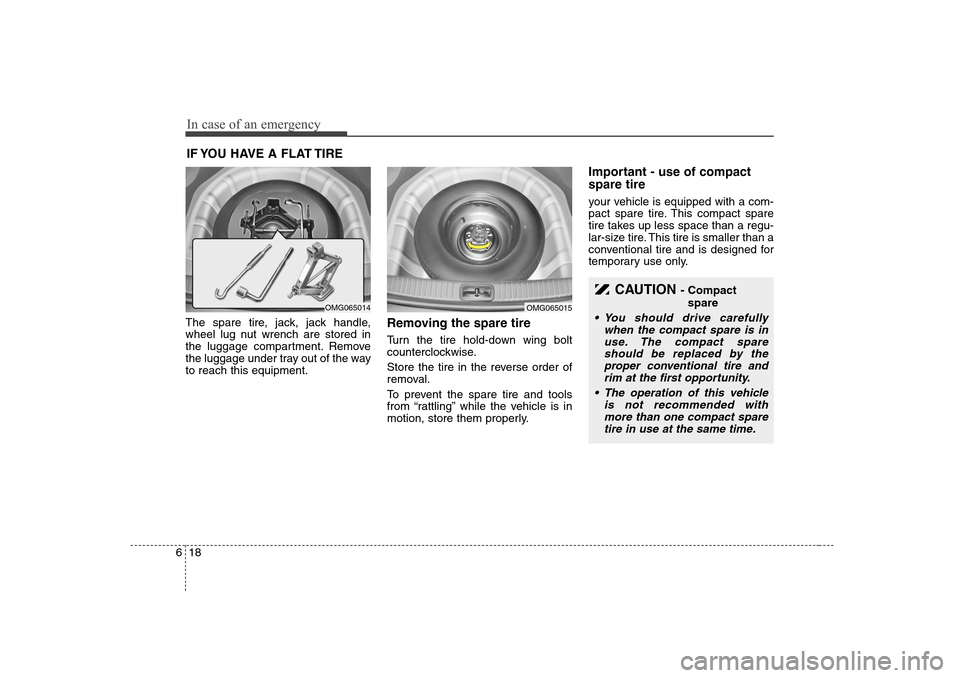
In case of an emergency18 6IF YOU HAVE A FLAT TIRE The spare tire, jack, jack handle,
wheel lug nut wrench are stored in
the luggage compartment. Remove
the luggage under tray out of the way
to reach this equipment.
Removing the spare tire Turn the tire hold-down wing bolt
counterclockwise.
Store the tire in the reverse order of
removal.
To prevent the spare tire and tools
from “rattling” while the vehicle is in
motion, store them properly.
Important - use of compact
spare tireyour vehicle is equipped with a com-
pact spare tire. This compact spare
tire takes up less space than a regu-
lar-size tire. This tire is smaller than a
conventional tire and is designed for
temporary use only.
CAUTION
- Compact
spare
• You should drive carefully
when the compact spare is in
use. The compact spare
should be replaced by the
proper conventional tire and
rim at the first opportunity.
The operation of this vehicle
is not recommended with
more than one compact spare
tire in use at the same time.
OMG065014
OMG065015
Page 239 of 289
621
In case of an emergency
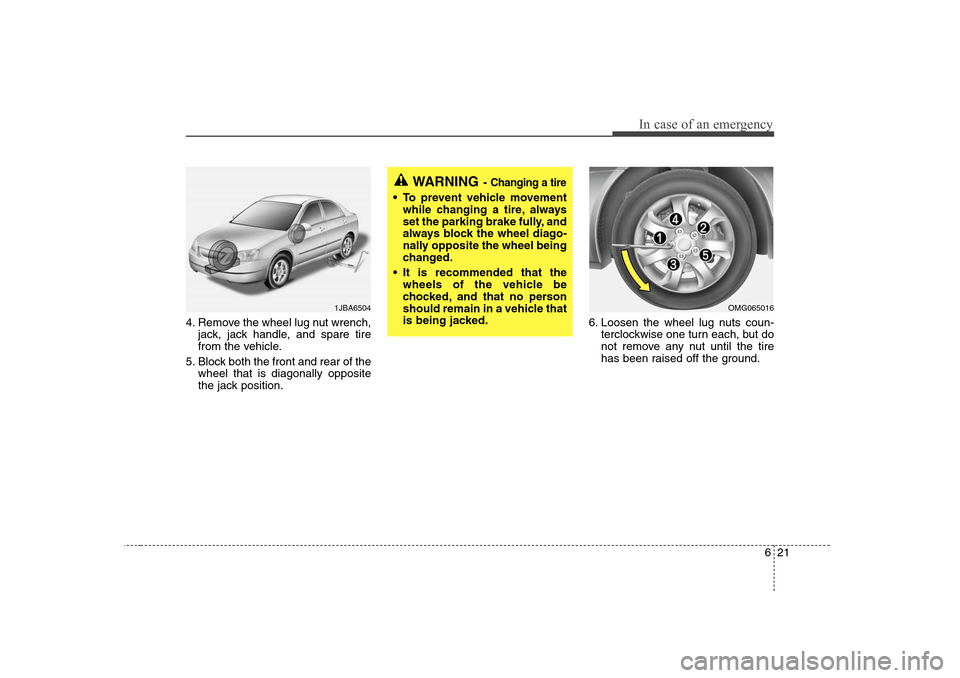
4. Remove the wheel lug nut wrench,
jack, jack handle, and spare tire
from the vehicle.
5. Block both the front and rear of the
wheel that is diagonally opposite
the jack position.6. Loosen the wheel lug nuts coun-
terclockwise one turn each, but do
not remove any nut until the tire
has been raised off the ground.
WARNING
- Changing a tire
To prevent vehicle movement
while changing a tire, always
set the parking brake fully, and
always block the wheel diago-
nally opposite the wheel being
changed.
It is recommended that the
wheels of the vehicle be
chocked, and that no person
should remain in a vehicle that
is being jacked.
1JBA6504
OMG065016
Page 240 of 289
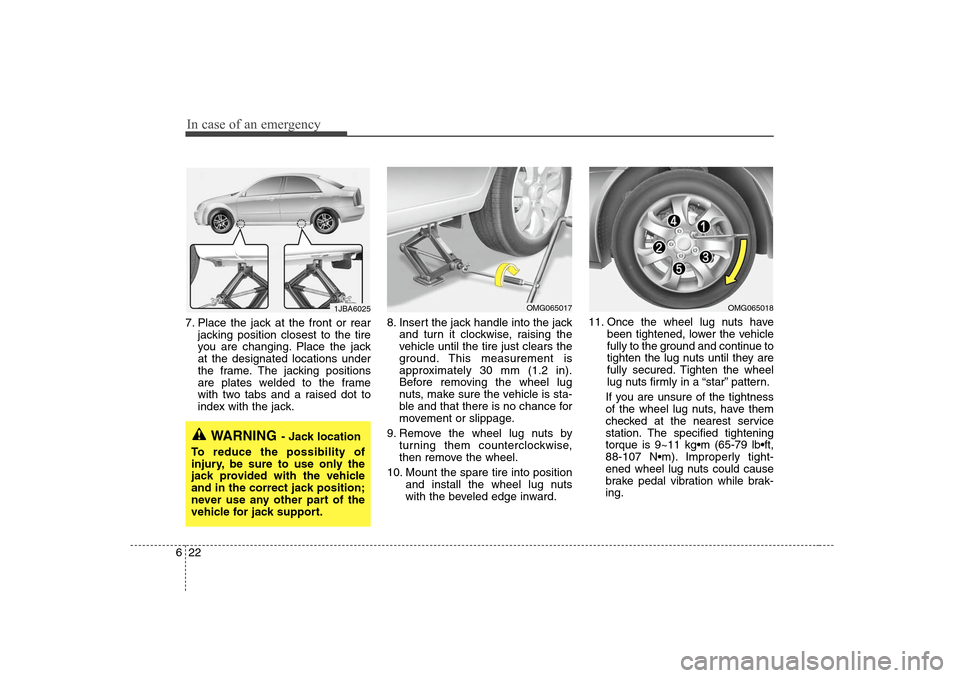
In case of an emergency22 67. Place the jack at the front or rear
jacking position closest to the tire
you are changing. Place the jack
at the designated locations under
the frame. The jacking positions
are plates welded to the frame
with two tabs and a raised dot to
index with the jack.8. Insert the jack handle into the jack
and turn it clockwise, raising the
vehicle until the tire just clears the
ground. This measurement is
approximately 30 mm (1.2 in).
Before removing the wheel lug
nuts, make sure the vehicle is sta-
ble and that there is no chance for
movement or slippage.
9. Remove the wheel lug nuts by
turning them counterclockwise,
then remove the wheel.
10. Mount the spare tire into position
and install the wheel lug nuts
with the beveled edge inward.11. Once the wheel lug nuts have
been tightened, lower the vehicle
fully to the ground and continue to
tighten the lug nuts until they are
fully secured. Tighten the wheel
lug nuts firmly in a “star” pattern.
If you are unsure of the tightness
of the wheel lug nuts, have them
checked at the nearest service
station. The specified tightening
torque is 9~11 kgm (65-79 lbft,
88-107 Nm). Improperly tight-
ened wheel lug nuts could cause
brake pedal vibration while brak-
ing.
WARNING
- Jack location
To reduce the possibility of
injury, be sure to use only the
jack provided with the vehicle
and in the correct jack position;
never use any other part of the
vehicle for jack support.
OMG065017
1JBA6025
OMG065018