clock KIA Optima 2008 2.G Owner's Manual
[x] Cancel search | Manufacturer: KIA, Model Year: 2008, Model line: Optima, Model: KIA Optima 2008 2.GPages: 289, PDF Size: 4.78 MB
Page 8 of 289
23
Your vehicle at a glance
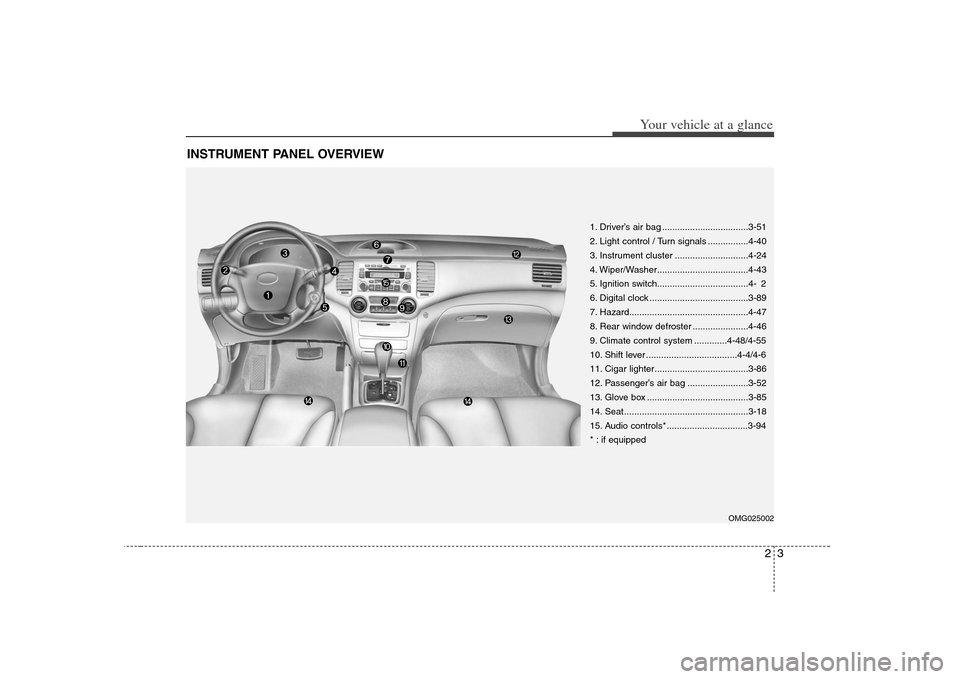
INSTRUMENT PANEL OVERVIEW
1. Driver’s air bag ..................................3-51
2. Light control / Turn signals ................4-40
3. Instrument cluster .............................4-24
4. Wiper/Washer....................................4-43
5. Ignition switch....................................4- 2
6. Digital clock .......................................3-89
7. Hazard...............................................4-47
8. Rear window defroster ......................4-46
9. Climate control system .............4-48/4-55
10. Shift lever ....................................4-4/4-6
11. Cigar lighter.....................................3-86
12. Passenger’s air bag ........................3-52
13. Glove box ........................................3-85
14. Seat .................................................3-18
15. Audio controls* ................................3-94
* : if equipped
OMG025002
Page 78 of 289
369
Knowing your vehicle
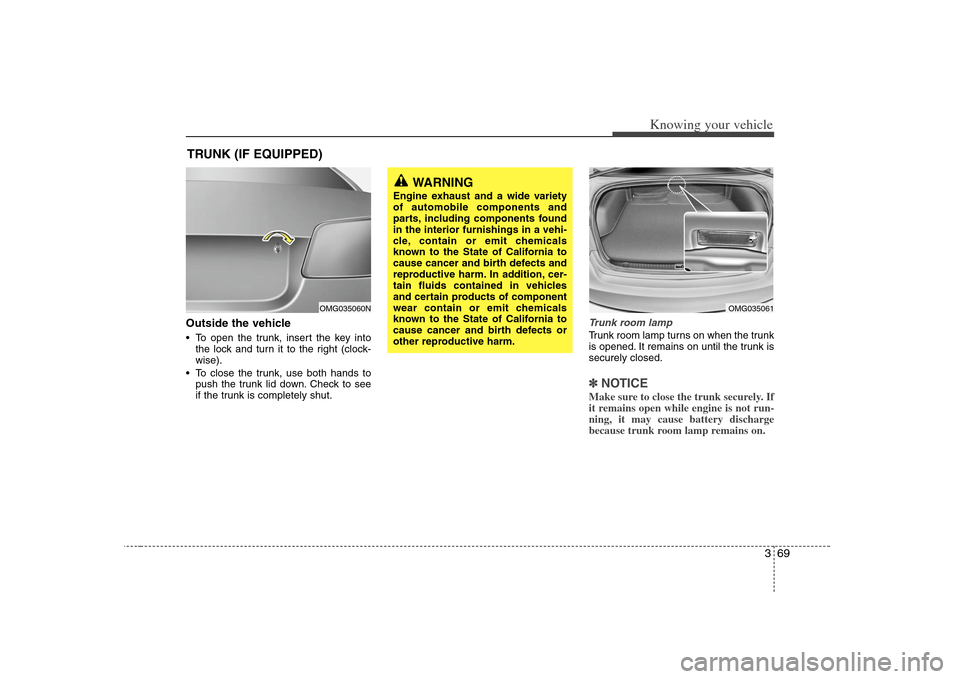
Outside the vehicle To open the trunk, insert the key into
the lock and turn it to the right (clock-
wise).
To close the trunk, use both hands to
push the trunk lid down. Check to see
if the trunk is completely shut.
Trunk room lampTrunk room lamp turns on when the trunk
is opened. It remains on until the trunk is
securely closed.✽ ✽
NOTICEMake sure to close the trunk securely. If
it remains open while engine is not run-
ning, it may cause battery discharge
because trunk room lamp remains on.
TRUNK (IF EQUIPPED)
WARNING
Engine exhaust and a wide variety
of automobile components and
parts, including components found
in the interior furnishings in a vehi-
cle, contain or emit chemicals
known to the State of California to
cause cancer and birth defects and
reproductive harm. In addition, cer-
tain fluids contained in vehicles
and certain products of component
wear contain or emit chemicals
known to the State of California to
cause cancer and birth defects or
other reproductive harm.
OMG035061
OMG035060N
Page 81 of 289
Knowing your vehicle72 3Closing the hood1. Before closing the hood, check the fol-
lowing:
must be correctly installed.
bustible material must be removed
from the engine compartment.
2. Lower the hood halfway and push
down to securely lock in place.
Make sure the hood is properly locked
before driving.
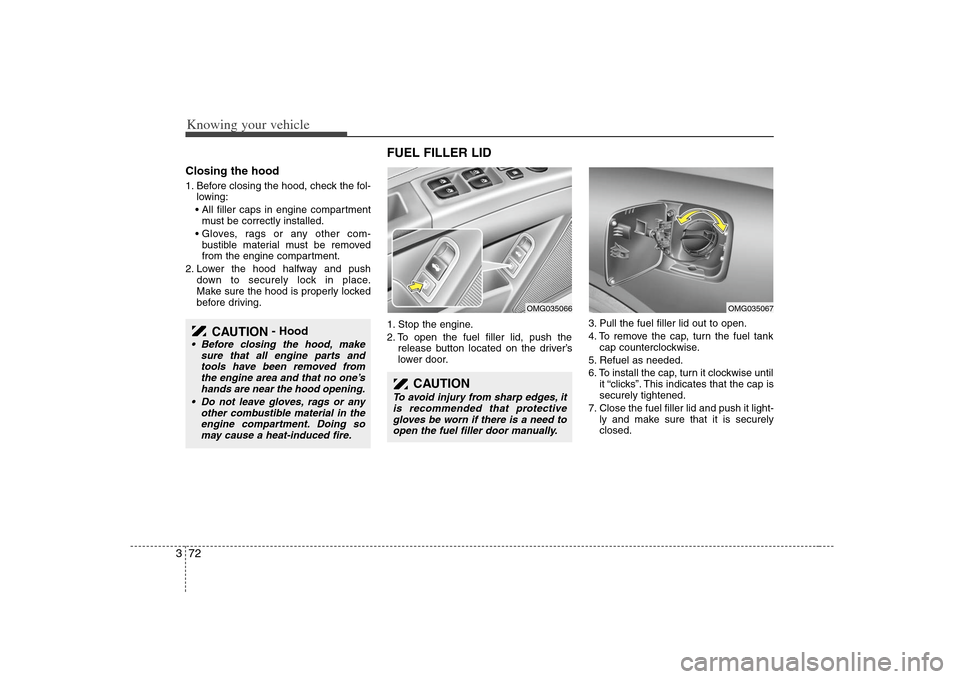
FUEL FILLER LID 1. Stop the engine.
2. To open the fuel filler lid, push the
release button located on the driver’s
lower door.3. Pull the fuel filler lid out to open.
4. To remove the cap, turn the fuel tank
cap counterclockwise.
5. Refuel as needed.
6. To install the cap, turn it clockwise until
it “clicks”. This indicates that the cap is
securely tightened.
7. Close the fuel filler lid and push it light-
ly and make sure that it is securely
closed.
CAUTION
- Hood
Before closing the hood, make
sure that all engine parts and
tools have been removed from
the engine area and that no one’s
hands are near the hood opening.
Do not leave gloves, rags or any
other combustible material in the
engine compartment. Doing so
may cause a heat-induced fire.
CAUTION
To avoid injury from sharp edges, it
is recommended that protective
gloves be worn if there is a need to
open the fuel filler door manually.
OMG035067
OMG035066
Page 98 of 289
389
Knowing your vehicle
✽ ✽
NOTICE• Use the power outlet when the engine
is running, and remove a plug from
the power outlet after using the elec-
tric appliance. Using the power outlet
excessively or while the engine is not
running or leaving appliances plugged
into the power outlet when not in use
will cause battery discharge
• Only use the electric appliances which
are less than 12V and 10A in electric
capacity.
• Adjust the air-conditioner or heater to
the lowest operation level when you
have to use the power socket while
using air-conditioner or heater.
• Close the cover when not in use.
• Some electronic devices can cause
electronic interference when plugged
into a vehicle’s power outlet. These
devices may cause excessive audio
static and malfunctions in other elec-
tronic systems or devices used in your
vehicle.
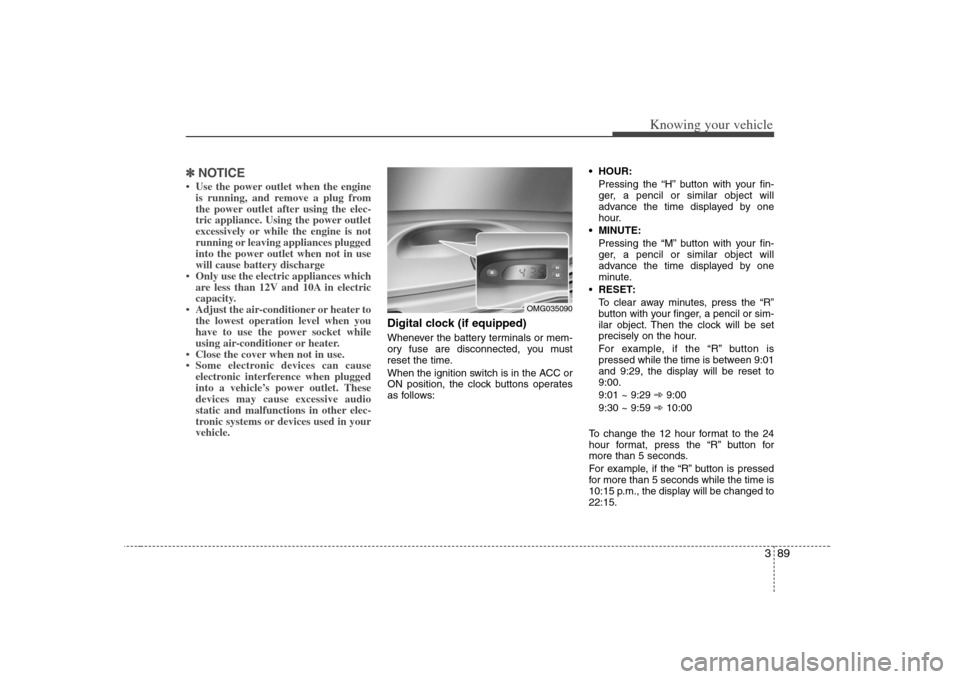
Digital clock (if equipped)Whenever the battery terminals or mem-
ory fuse are disconnected, you must
reset the time.
When the ignition switch is in the ACC or
ON position, the clock buttons operates
as follows: HOUR:
Pressing the “H” button with your fin-
ger, a pencil or similar object will
advance the time displayed by one
hour.
MINUTE:
Pressing the “M” button with your fin-
ger, a pencil or similar object will
advance the time displayed by one
minute.
RESET:
To clear away minutes, press the “R”
button with your finger, a pencil or sim-
ilar object. Then the clock will be set
precisely on the hour.
For example, if the “R” button is
pressed while the time is between 9:01
and 9:29, the display will be reset to
9:00.
9:01 ~ 9:29 ➾9:00
9:30 ~ 9:59 ➾10:00
To change the 12 hour format to the 24
hour format, press the “R” button for
more than 5 seconds.
For example, if the “R” button is pressed
for more than 5 seconds while the time is
10:15 p.m., the display will be changed to
22:15.
OMG035090
Page 101 of 289
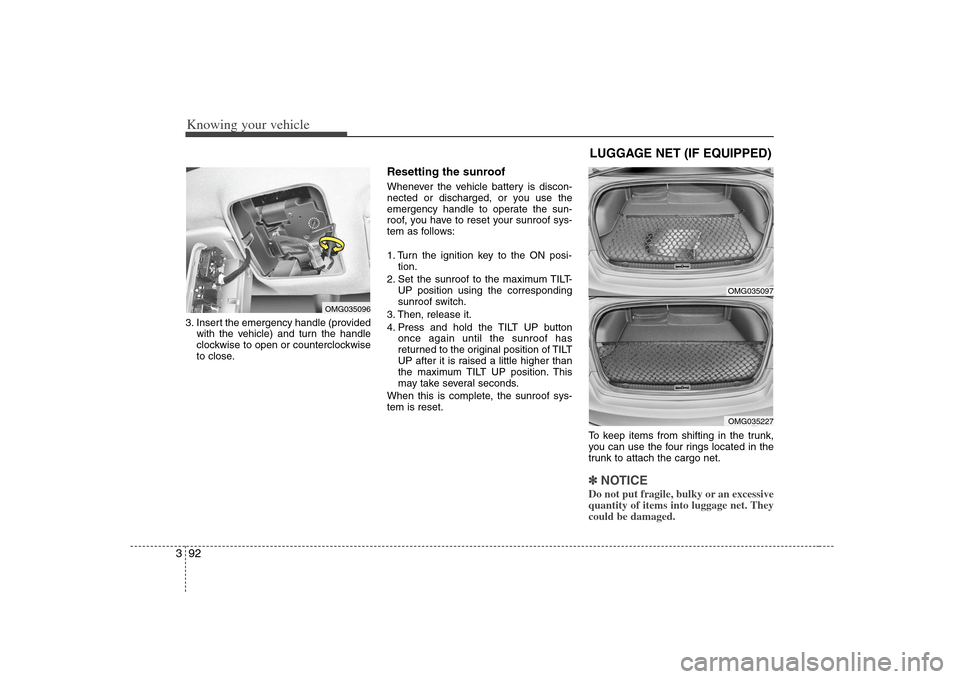
Knowing your vehicle92 33. Insert the emergency handle (provided
with the vehicle) and turn the handle
clockwise to open or counterclockwise
to close.
Resetting the sunroofWhenever the vehicle battery is discon-
nected or discharged, or you use the
emergency handle to operate the sun-
roof, you have to reset your sunroof sys-
tem as follows:
1. Turn the ignition key to the ON posi-
tion.
2. Set the sunroof to the maximum TILT-
UP position using the corresponding
sunroof switch.
3. Then, release it.
4. Press and hold the TILT UP button
once again until the sunroof has
returned to the original position of TILT
UP after it is raised a little higher than
the maximum TILT UP position. This
may take several seconds.
When this is complete, the sunroof sys-
tem is reset.
To keep items from shifting in the trunk,
you can use the four rings located in the
trunk to attach the cargo net.
✽ ✽
NOTICEDo not put fragile, bulky or an excessive
quantity of items into luggage net. They
could be damaged.
OMG035096
LUGGAGE NET (IF EQUIPPED)
OMG035097OMG035227
Page 102 of 289
393
Knowing your vehicle
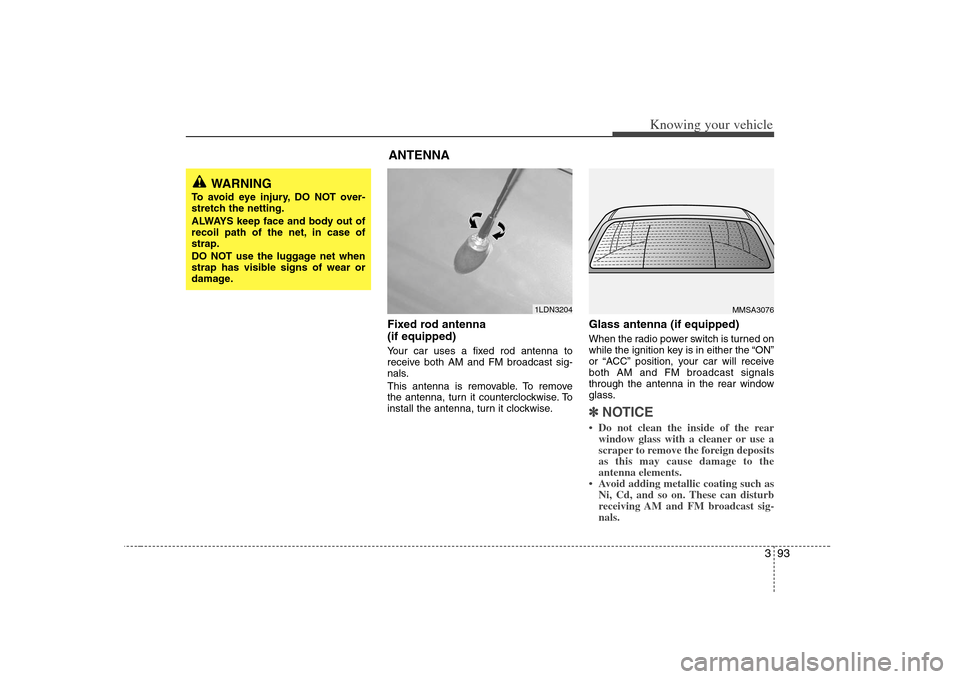
Fixed rod antenna
(if equipped)Your car uses a fixed rod antenna to
receive both AM and FM broadcast sig-
nals.
This antenna is removable. To remove
the antenna, turn it counterclockwise. To
install the antenna, turn it clockwise.
Glass antenna (if equipped)When the radio power switch is turned on
while the ignition key is in either the “ON”
or “ACC” position, your car will receive
both AM and FM broadcast signals
through the antenna in the rear window
glass.✽ ✽
NOTICE• Do not clean the inside of the rear
window glass with a cleaner or use a
scraper to remove the foreign deposits
as this may cause damage to the
antenna elements.
• Avoid adding metallic coating such as
Ni, Cd, and so on. These can disturb
receiving AM and FM broadcast sig-
nals.
MMSA3076
1LDN3204
WARNING
To avoid eye injury, DO NOT over-
stretch the netting.
ALWAYS keep face and body out of
recoil path of the net, in case of
strap.
DO NOT use the luggage net when
strap has visible signs of wear or
damage.
ANTENNA
Page 108 of 289
399
Knowing your vehicle
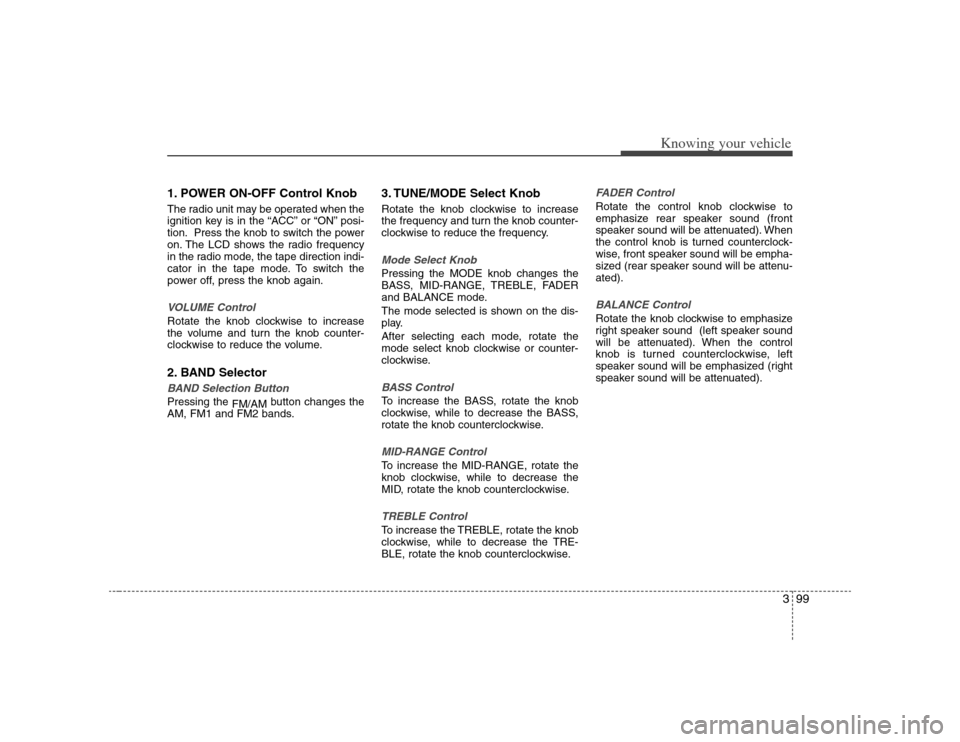
1. POWER ON-OFF Control KnobThe radio unit may be operated when the
ignition key is in the “ACC” or “ON” posi-
tion. Press the knob to switch the power
on. The LCD shows the radio frequency
in the radio mode, the tape direction indi-
cator in the tape mode. To switch the
power off, press the knob again.VOLUME ControlRotate the knob clockwise to increase
the volume and turn the knob counter-
clockwise to reduce the volume.2. BAND SelectorBAND Selection Button Pressing the
FM/AMbutton changes the
AM, FM1 and FM2 bands.
3. TUNE/MODE Select KnobRotate the knob clockwise to increase
the frequency and turn the knob counter-
clockwise to reduce the frequency.Mode Select KnobPressing the MODE knob changes the
BASS, MID-RANGE, TREBLE, FADER
and BALANCE mode.
The mode selected is shown on the dis-
play.
After selecting each mode, rotate the
mode select knob clockwise or counter-
clockwise.BASS ControlTo increase the BASS, rotate the knob
clockwise, while to decrease the BASS,
rotate the knob counterclockwise.MID-RANGE ControlTo increase the MID-RANGE, rotate the
knob clockwise, while to decrease the
MID, rotate the knob counterclockwise.TREBLE ControlTo increase the TREBLE, rotate the knob
clockwise, while to decrease the TRE-
BLE, rotate the knob counterclockwise.
FADER ControlRotate the control knob clockwise to
emphasize rear speaker sound (front
speaker sound will be attenuated). When
the control knob is turned counterclock-
wise, front speaker sound will be empha-
sized (rear speaker sound will be attenu-
ated).BALANCE ControlRotate the knob clockwise to emphasize
right speaker sound (left speaker sound
will be attenuated). When the control
knob is turned counterclockwise, left
speaker sound will be emphasized (right
speaker sound will be attenuated).
Page 114 of 289
3105
Knowing your vehicle
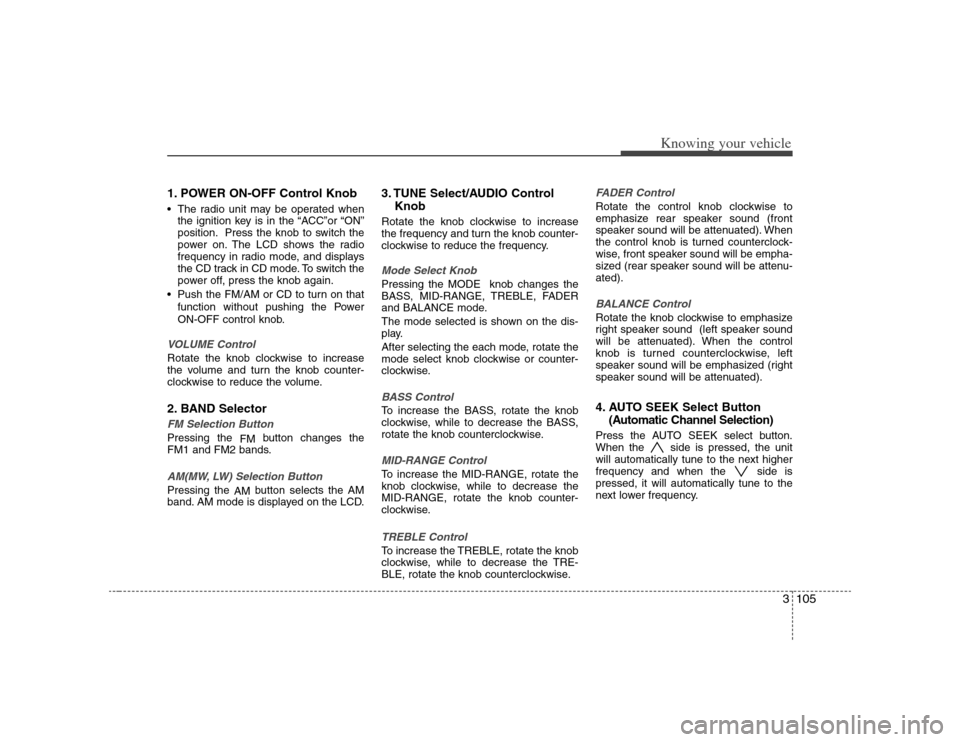
1. POWER ON-OFF Control Knob The radio unit may be operated when
the ignition key is in the “ACC”or “ON”
position. Press the knob to switch the
power on. The LCD shows the radio
frequency in radio mode, and displays
the CD track in CD mode. To switch the
power off, press the knob again.
Push the FM/AM or CD to turn on that
function without pushing the Power
ON-OFF control knob.VOLUME ControlRotate the knob clockwise to increase
the volume and turn the knob counter-
clockwise to reduce the volume.2. BAND SelectorFM Selection Button Pressing the
FMbutton changes the
FM1 and FM2 bands.AM(MW, LW) Selection Button Pressing the
AMbutton selects the AM
band. AM mode is displayed on the LCD.
3. TUNE Select/AUDIO Control
KnobRotate the knob clockwise to increase
the frequency and turn the knob counter-
clockwise to reduce the frequency.Mode Select KnobPressing the MODE knob changes the
BASS, MID-RANGE, TREBLE, FADER
and BALANCE mode.
The mode selected is shown on the dis-
play.
After selecting the each mode, rotate the
mode select knob clockwise or counter-
clockwise.BASS ControlTo increase the BASS, rotate the knob
clockwise, while to decrease the BASS,
rotate the knob counterclockwise.MID-RANGE ControlTo increase the MID-RANGE, rotate the
knob clockwise, while to decrease the
MID-RANGE, rotate the knob counter-
clockwise.TREBLE ControlTo increase the TREBLE, rotate the knob
clockwise, while to decrease the TRE-
BLE, rotate the knob counterclockwise.
FADER ControlRotate the control knob clockwise to
emphasize rear speaker sound (front
speaker sound will be attenuated). When
the control knob is turned counterclock-
wise, front speaker sound will be empha-
sized (rear speaker sound will be attenu-
ated).BALANCE ControlRotate the knob clockwise to emphasize
right speaker sound (left speaker sound
will be attenuated). When the control
knob is turned counterclockwise, left
speaker sound will be emphasized (right
speaker sound will be attenuated).4. AUTO SEEK Select Button
(Automatic Channel Selection)Press the AUTO SEEK select button.
When the side is pressed, the unit
will automatically tune to the next higher
frequency and when the side is
pressed, it will automatically tune to the
next lower frequency.
Page 121 of 289
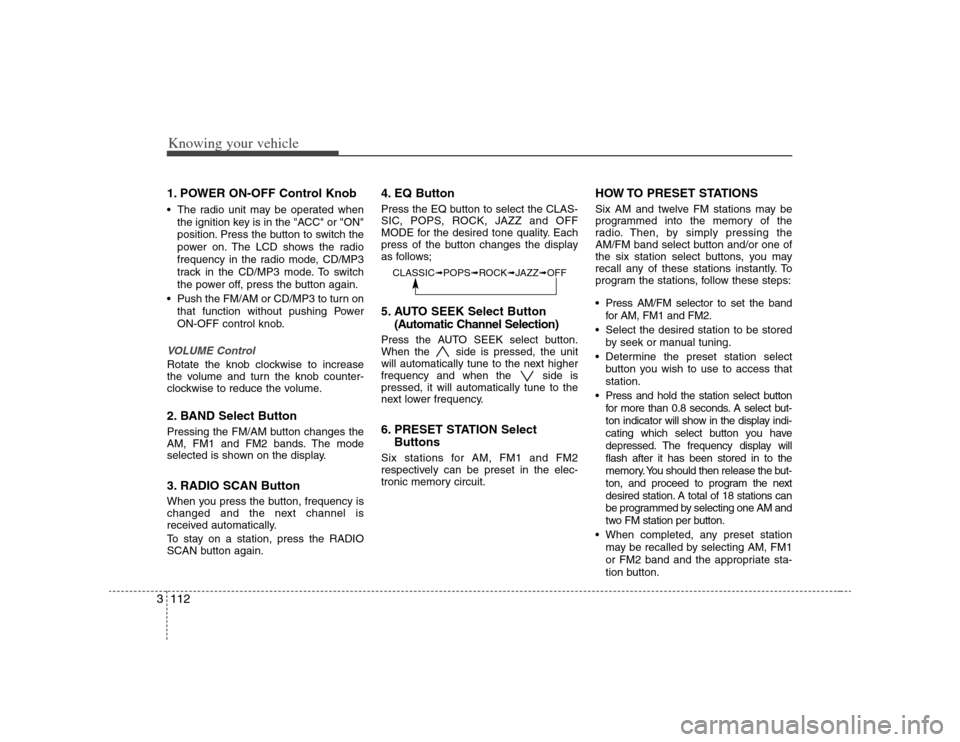
Knowing your vehicle112 31. POWER ON-OFF Control Knob The radio unit may be operated when
the ignition key is in the "ACC" or "ON"
position. Press the button to switch the
power on. The LCD shows the radio
frequency in the radio mode, CD/MP3
track in the CD/MP3 mode. To switch
the power off, press the button again.
Push the FM/AM or CD/MP3 to turn on
that function without pushing Power
ON-OFF control knob.VOLUME Control Rotate the knob clockwise to increase
the volume and turn the knob counter-
clockwise to reduce the volume.2. BAND Select ButtonPressing the FM/AM button changes the
AM, FM1 and FM2 bands. The mode
selected is shown on the display.3. RADIO SCAN ButtonWhen you press the button, frequency is
changed and the next channel is
received automatically.
To stay on a station, press the RADIO
SCAN button again.
4. EQ ButtonPress the EQ button to select the CLAS-
SIC, POPS, ROCK, JAZZ and OFF
MODE for the desired tone quality. Each
press of the button changes the display
as follows;5. AUTO SEEK Select Button
(Automatic Channel Selection)Press the AUTO SEEK select button.
When the side is pressed, the unit
will automatically tune to the next higher
frequency and when the side is
pressed, it will automatically tune to the
next lower frequency.6. PRESET STATION Select
ButtonsSix stations for AM, FM1 and FM2
respectively can be preset in the elec-
tronic memory circuit.
HOW TO PRESET STATIONSSix AM and twelve FM stations may be
programmed into the memory of the
radio. Then, by simply pressing the
AM/FM band select button and/or one of
the six station select buttons, you may
recall any of these stations instantly. To
program the stations, follow these steps:
Press AM/FM selector to set the band
for AM, FM1 and FM2.
Select the desired station to be stored
by seek or manual tuning.
Determine the preset station select
button you wish to use to access that
station.
Press and hold the station select button
for more than 0.8 seconds. A select but-
ton indicator will show in the display indi-
cating which select button you have
depressed. The frequency display will
flash after it has been stored in to the
memory. You should then release the but-
ton, and proceed to program the next
desired station. A total of 18 stations can
be programmed by selecting one AM and
two FM station per button.
When completed, any preset station
may be recalled by selecting AM, FM1
or FM2 band and the appropriate sta-
tion button.
CLASSIC➟POPS➟ROCK➟JAZZ➟OFF
Page 122 of 289
3113
Knowing your vehicle
7. AUDIO CONTROL / TUNE Select
Button
7-1. AUDIOPressing the AUDIO button changes the
BASS, MID-RANGE, TREBLE, FADER
and BALANCE mode.
The mode selected is shown on the dis-
play.
After selecting each mode, rotate the
Audio control knob clockwise or counter-
clockwise.BASS ControlTo increase the BASS, rotate the knob
clockwise, while to decrease the BASS,
rotate the knob counterclockwise.MID-RANGE ControlTo increase the MID-RANGE, rotate the
knob clockwise, while to decrease the
MID-RANGE, rotate the knob counter-
clockwise.TREBLE ControlTo increase the TREBLE, rotate the knob
clockwise, while to decrease the TRE-
BLE, rotate the knob counterclockwise.
FADER ControlTurn the control knob clockwise to
emphasize rear speaker sound (front
speaker sound will be attenuated). When
the control knob is turned counterclock-
wise, front speaker sound will be empha-
sized (rear speaker sound will be attenu-
ated).BALANCE ControlRotate the knob clockwise to emphasize
right speaker sound (left speaker sound
will be attenuated). When the control
knob is turned counter clockwise, left
speaker sound will be emphasized (right
speaker sound will be attenuated).
7-2. TUNE Select KnobRotate the knob clockwise to increase
the frequency and turn the knob counter-
clockwise to reduce the frequency.✽ ✽
NOTICE• Do not place beverages close to the
audio system. The playback mecha-
nism may be damaged if you spill
them.
• Do not strike or allow anything to
impact the audio system, damage to
the system mechanisms could occur.