tow KIA Optima 2008 2.G User Guide
[x] Cancel search | Manufacturer: KIA, Model Year: 2008, Model line: Optima, Model: KIA Optima 2008 2.GPages: 289, PDF Size: 4.78 MB
Page 87 of 289
Knowing your vehicle78 3Electric type (if equipped)When the engine is running, the glare is
automatically controlled by the sensor
mounted in the rearview mirror. The sen-
sor mounted in the mirror senses the light
level around the vehicle, and through a
chemical reaction, automatically controls
the headlight glare from vehicles behind
you.
Whenever the shift lever is shifted into
reverse (R), the mirror will automatically
go to the brightest setting in order to
improve the drivers view behind the vehi-
cle.
When the ignition switch is ON, the auto-
matic- dimming function will turn on auto-
matically.✽ ✽
NOTICEWhen cleaning the mirror, use a paper
towel or similar material dampened
with glass cleaner. Do not spray glass
cleaner directly on the mirror as that
may cause the liquid cleaner to enter the
mirror housing.
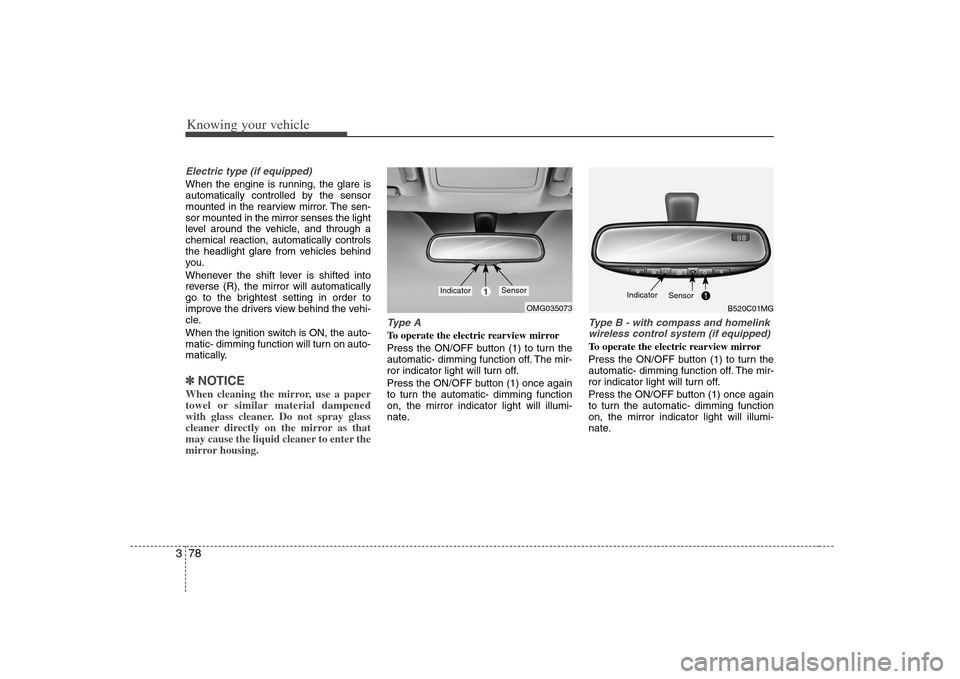
Type ATo operate the electric rearview mirror
Press the ON/OFF button (1) to turn the
automatic- dimming function off. The mir-
ror indicator light will turn off.
Press the ON/OFF button (1) once again
to turn the automatic- dimming function
on, the mirror indicator light will illumi-
nate.
Type B - with compass and homelink
wireless control system (if equipped)To operate the electric rearview mirror
Press the ON/OFF button (1) to turn the
automatic- dimming function off. The mir-
ror indicator light will turn off.
Press the ON/OFF button (1) once again
to turn the automatic- dimming function
on, the mirror indicator light will illumi-
nate.
OMG035073
1
Indicator
Sensor
B520C01MG
Indicator
Sensor
Page 104 of 289
395
Knowing your vehicle
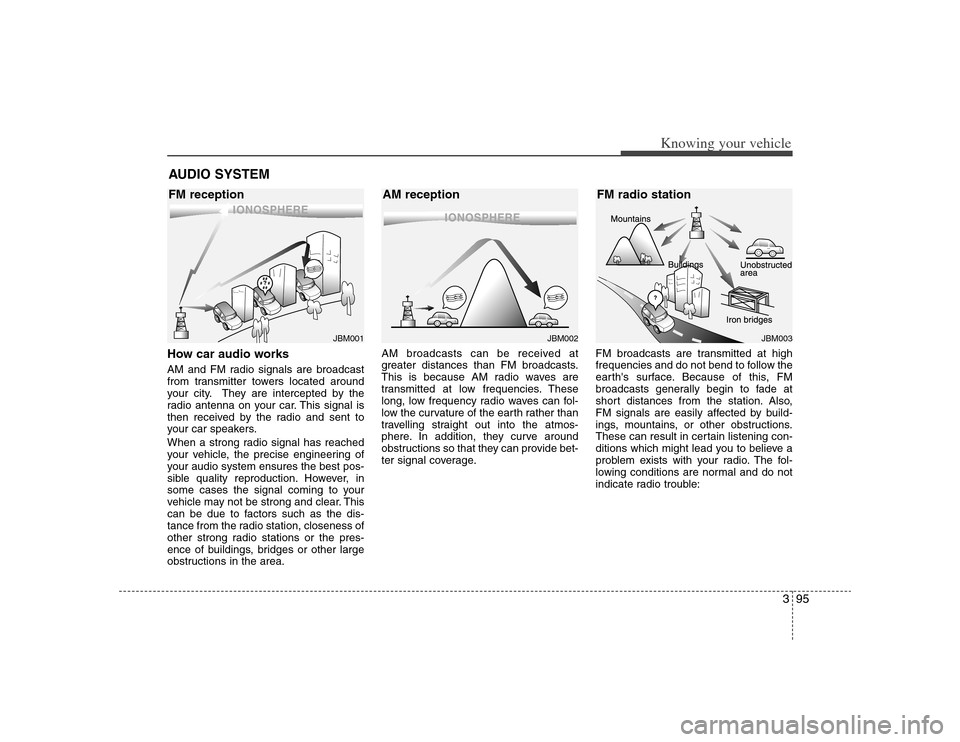
How car audio worksAM and FM radio signals are broadcast
from transmitter towers located around
your city. They are intercepted by the
radio antenna on your car. This signal is
then received by the radio and sent to
your car speakers.
When a strong radio signal has reached
your vehicle, the precise engineering of
your audio system ensures the best pos-
sible quality reproduction. However, in
some cases the signal coming to your
vehicle may not be strong and clear. This
can be due to factors such as the dis-
tance from the radio station, closeness of
other strong radio stations or the pres-
ence of buildings, bridges or other large
obstructions in the area.AM broadcasts can be received at
greater distances than FM broadcasts.
This is because AM radio waves are
transmitted at low frequencies. These
long, low frequency radio waves can fol-
low the curvature of the earth rather than
travelling straight out into the atmos-
phere. In addition, they curve around
obstructions so that they can provide bet-
ter signal coverage.FM broadcasts are transmitted at high
frequencies and do not bend to follow the
earth's surface. Because of this, FM
broadcasts generally begin to fade at
short distances from the station. Also,
FM signals are easily affected by build-
ings, mountains, or other obstructions.
These can result in certain listening con-
ditions which might lead you to believe a
problem exists with your radio. The fol-
lowing conditions are normal and do not
indicate radio trouble:AUDIO SYSTEM
¢¢¢
JBM001
¢¢¢
¢¢¢JBM002
JBM003
FM reception AM reception FM radio station
Page 138 of 289
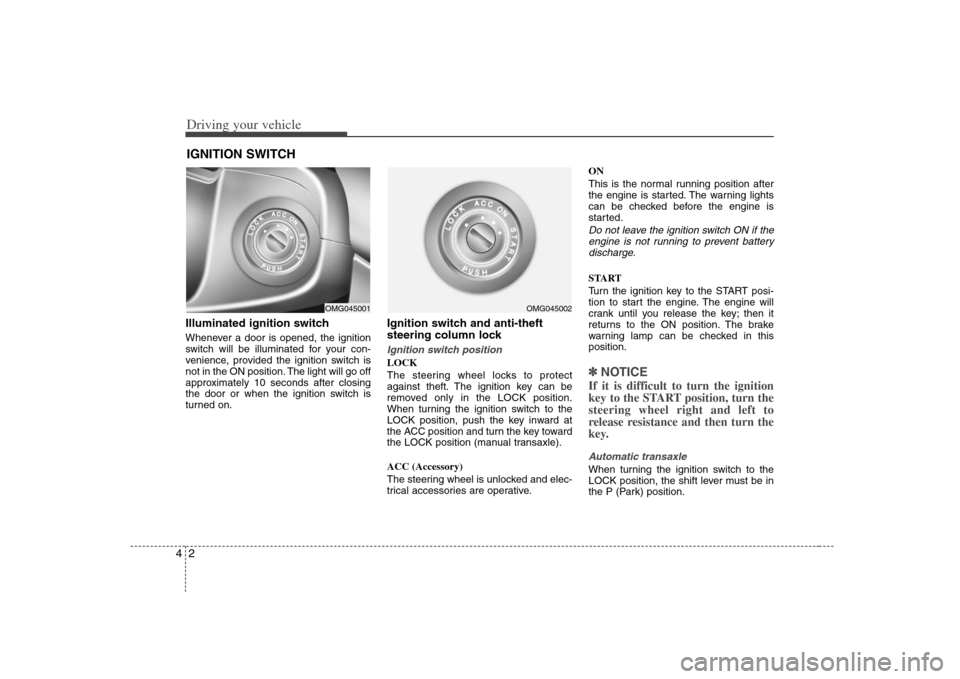
Driving your vehicle2 4Illuminated ignition switchWhenever a door is opened, the ignition
switch will be illuminated for your con-
venience, provided the ignition switch is
not in the ON position. The light will go off
approximately 10 seconds after closing
the door or when the ignition switch is
turned on.
Ignition switch and anti-theft
steering column lock Ignition switch positionLOCK
The steering wheel locks to protect
against theft. The ignition key can be
removed only in the LOCK position.
When turning the ignition switch to the
LOCK position, push the key inward at
the ACC position and turn the key toward
the LOCK position (manual transaxle).
ACC (Accessory)
The steering wheel is unlocked and elec-
trical accessories are operative.ON
This is the normal running position after
the engine is started. The warning lights
can be checked before the engine is
started.
Do not leave the ignition switch ON if the
engine is not running to prevent battery
discharge.START
Turn the ignition key to the START posi-
tion to start the engine. The engine will
crank until you release the key; then it
returns to the ON position. The brake
warning lamp can be checked in this
position.✽ ✽
NOTICEIf it is difficult to turn the ignition
key to the START position, turn the
steering wheel right and left to
release resistance and then turn the
key.Automatic transaxleWhen turning the ignition switch to the
LOCK position, the shift lever must be in
the P (Park) position.
IGNITION SWITCH
OMG045001
OMG045002
Page 148 of 289
Driving your vehicle12 4Setting the driver's position1. Be sure the parking brake is engaged.
2. Move the accelerator and brake ped-
als to the front most position by push-
ing the “▼” portion of the switch.
3. Adjust the seat position and the steer-
ing wheel angle properly.
4. Move the pedals toward you until you
can fully depress the brake pedal by
pushing the “▲” portion of the switch.
5. Depress the pedals a few times to get
used to the feel after adjusting.
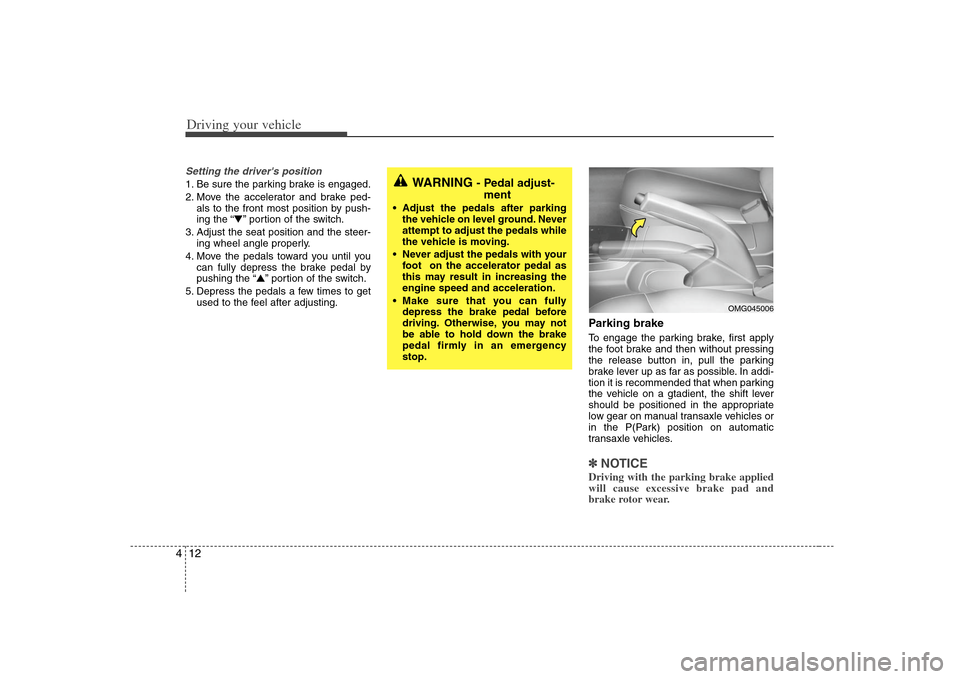
Parking brake To engage the parking brake, first apply
the foot brake and then without pressing
the release button in, pull the parking
brake lever up as far as possible. In addi-
tion it is recommended that when parking
the vehicle on a gtadient, the shift lever
should be positioned in the appropriate
low gear on manual transaxle vehicles or
in the P(Park) position on automatic
transaxle vehicles.✽ ✽
NOTICEDriving with the parking brake applied
will cause excessive brake pad and
brake rotor wear.
WARNING
- Pedal adjust-
ment
Adjust the pedals after parking
the vehicle on level ground. Never
attempt to adjust the pedals while
the vehicle is moving.
Never adjust the pedals with your
foot on the accelerator pedal as
this may result in increasing the
engine speed and acceleration.
Make sure that you can fully
depress the brake pedal before
driving. Otherwise, you may not
be able to hold down the brake
pedal firmly in an emergency
stop.
OMG045006
Page 150 of 289
Driving your vehicle14 4Parking on curbed streets When parking your vehicle on an uphill
grade, park as close to the curb as
possible and turn the front wheels
away from the curb so that the front
wheels will contact the curb if the vehi-
cle moves backward.
When parking your vehicle on a down-
hill grade, park as close to the curb as
possible and turn the front wheels
toward the curb so that the front
wheels will contact the curb if the vehi-
cle moves forward.
Anti-lock brake system (ABS)
(if equipped)
The ABS continuously senses the speed
of the wheels. If the wheels are going to
lock, the ABS repeatedly modulates the
hydraulic brake pressure to the wheels.
When you apply your brakes under con-
ditions which may lock the wheels, you
may hear a “tik-tik’’ sound from the
brakes, or feel a corresponding sensation
in the brake pedal. This is normal and it
means your ABS is active.
In order to obtain the maximum benefit
from your ABS in an emergency situation,
do not attempt to modulate your brake
pressure and do not try to pump your
brakes. Press your brake pedal as hard
as possible or as hard as the situation
warrants and allow the ABS to control the
force being delivered to the brakes.
Even with the anti-lock brake system,
your vehicle still requires sufficient
stopping distance. Always maintain a
safe distance from the vehicle in front
of you.
Always slow down when cornering.
The anti-lock brake system cannot pre-
vent accidents resulting from exces-
sive speeds.
On loose or uneven road surfaces,
operation of the anti-lock brake system
may result in a longer stopping dis-
tance than for vehicles equipped with a
conventional brake system.
WARNING
- ABS Brakes
Your ABS is not a substitute for
good driving judgement. You can
still have an accident. In fact, your
ABS will probably not be able to
prevent an accident in the following
driving conditions:
Dangerous driving, such as
neglecting safety precautions,
speeding, or driving too close to
the vehicle in front of you.
Driving at high speed in situa-
tions providing considerably less
traction, such as wet conditions
where hydroplaning could occur.
Driving too fast on poor road sur-
faces. The ABS is designed to
improve maximum braking effec-
tiveness on typical highways and
roads in good condition. On poor
road surfaces, the ABS may actu-
ally reduce braking effectiveness.
Page 162 of 289
Driving your vehicle26 4Fuel gaugeThe fuel gauge indicates the approxi-
mate amount of fuel remaining in the fuel
tank.
Fuel tank capacity - 62 liters
(16.38 gallons)
The fuel gauge is supplemented by a low
fuel warning light, which will illuminate
when the fuel level has dropped to about
7~8 liters (1.8~2.1 gallons).
Engine temperature gauge This gauge shows the temperature of the
engine coolant when the ignition switch
is ON.
Do not continue driving with an overheat-
ed engine. If your vehicle overheats, refer
to “Overheating” in the Index.✽ ✽
NOTICEIf the gauge pointer moves beyond the
normal range area toward the “H” posi-
tion, it indicates overheating that may
damage the engine.
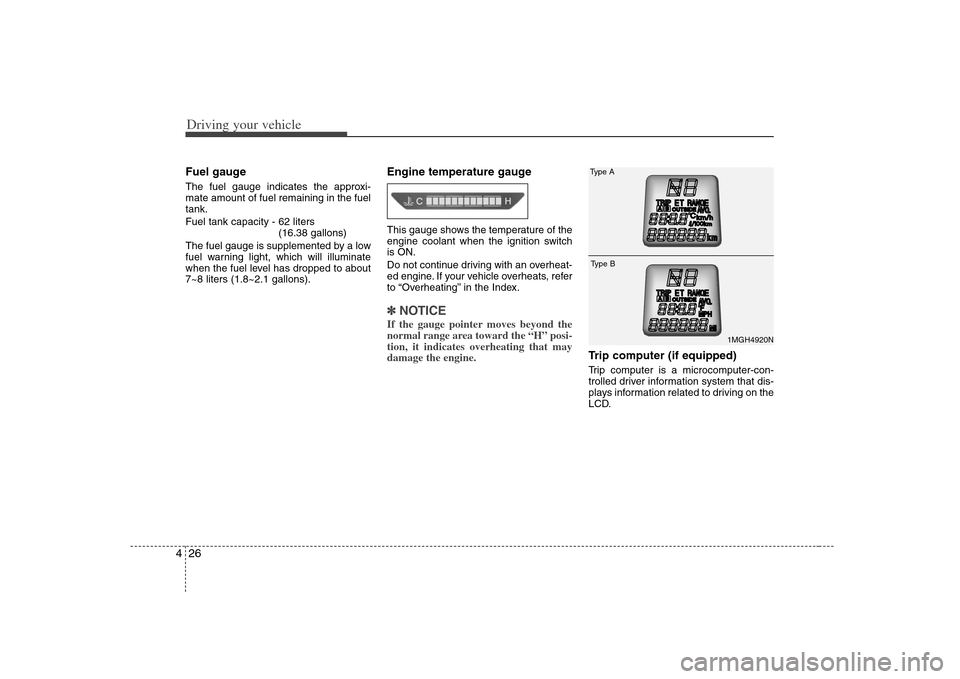
Trip computer (if equipped)Trip computer is a microcomputer-con-
trolled driver information system that dis-
plays information related to driving on the
LCD.
1MGH4920N
Type AType B
Page 168 of 289
Driving your vehicle32 4Immobilizer indicator
(if equipped)This light illuminates when the immobiliz-
er key is inserted and turned to the ON
position to start the engine.
At this time, you can start the engine. The
light goes out after the engine is running.
In case this light goes out before you
start the engine, you must turn to the
LOCK position and restart the engine.
If this light blinks when the ignition switch
is in the ON position before starting the
engine, have the system checked by an
authorized Kia dealer.
Parking brake & brake
fluid warning Parking brake warning This light is illuminated when the parking
brake is applied with the ignition switch in
the START or ON position. The warning
light should go off when the parking
brake is released.Low brake fluid level warningIf the warning light remains on, it may
indicate that the brake fluid level in the
reservoir is low.
If the warning light remains on:
1. Drive carefully to the nearest safe
location and stop your vehicle.
2. With the engine stopped, check the
brake fluid level immediately and add
fluid as required. Then check all brake
components for fluid leaks.
3. Do not drive the vehicle if leaks are
found, the warning light remains on or
the brakes do not operate properly.
Have it towed to any authorized Kia
dealer for a brake system inspection
and necessary repairs.To check bulb operation, check whether
the parking brake and brake fluid warning
light illuminates when the ignition switch
is in the ON position.
WARNING
Driving the vehicle with a brake
warning light on is dangerous. If the
brake warning light remains on,
have the brakes checked and
repaired immediately by an author-
ized Kia dealer.
Page 169 of 289
433
Driving your vehicle
Trunk lid open
warning (if equipped)This warning light activates when the
trunk is not closed securely.Door ajar warningThis warning light illuminates when a
door is not closed securely.Low fuel level
warningThis warning light indicates the fuel tank
is nearly empty. The warning light will
come on when the fuel level has dropped
to about 7~8 liters (1.8~2.1 gallons).
Refuel as soon as possible.
Headlight high beam
indicator This indicator illuminates when the head-
lights are on and in the high beam posi-
tion or when the turn signal lever is pulled
into the Flash-to-Pass position.Air bag warning
(if equipped) This warning light will blink or illuminate
for approximately 6 seconds each time
you turn the ignition switch to the ON
position.
If this indicator does not go out, or if it illu-
minates while the vehicle is being driven,
see an authorized Kia dealer for immedi-
ate service.
Malfunction indicator
(if equipped)This indicator light is part of the Engine
Control System which monitors various
emission control system components. If
this light illuminates while driving, it indi-
cates that a potential problem has been
detected somewhere in the emission
control system.
Generally, your vehicle will continue to be
drivable and will not need towing, but
have the system checked by an author-
ized Kia dealer as soon as possible.✽ ✽
NOTICEA loose fuel filler cap may cause the On
Board Diagnostic System Malfunction
Indicator Light ( ) in the instrument
panel to illuminate unnecessarily.
Always make sure that the fuel filler cap
is tight.
CHECKCHECK
AIR
BAG
Page 174 of 289
Driving your vehicle38 4Operation of the rear parking
assist systemOperating condition This system will activate when backing
up with the ignition key ON.
If the vehicle is moved at speed over
5 km/h (3 mph), the system may not
activated correctly.
The sensing distance while the rear
parking assist system is in operation is
approximately 120 cm (47 in.).
When more than two objects are
sensed at the same time, the closest
one will be recognized first.Types of warning sound When an object is 120 cm to 81 cm (47
in. to 32 in.) from the rear bumper :
Buzzer beeps intermittently
When an object is 80 cm to 41 cm (31
in. to 16 in.) from the rear bumper :
Buzzer beeps more frequently
When an object is within 40 cm (15 in.)
of the rear bumper : Buzzer sounds
continuously.
Non-operational conditions of
rear parking assist systemRear parking assist system may not
operate normally when:1. Moisture is frozen to the sensor. (It will
operate normally when moisture
melts.)
2. Sensor is covered with foreign matter,
such as snow or water, or the sensor
cover is blocked. (It will operate nor-
mally when the material is removed or
the sensor is no longer blocked.)
3. Driving on uneven road surfaces
(unpaved roads, gravel, bumps, gradi-
ent).
4. Objects generating excessive noise
(vehicle horns, loud motorcycle
engines, or truck air brakes) are within
range of the sensor.
5. Heavy rain or water spray exists.
6. Wireless transmitters or mobile phones
are within range of the sensor.
7. Sensor is covered with snow.
8. Trailer towing
Detecting range may decrease when:1. Sensor is stained with foreign matter
such as snow or water. (Sensing range
will return to normal when removed.)
2. Outside air temperature is extremely
hot or cold.Following objects may not be recog-
nized by the sensor:1. Sharp or slim objects such as ropes,
chains or small poles.
2. Objects which tend to absorb sensor
frequency such as clothes, spongy
material or snow.
3. Undetectable objects smaller than 1 m
(40 in.) and narrower than 14 cm (6 in.)
in diameter.
Page 177 of 289
441
Driving your vehicle
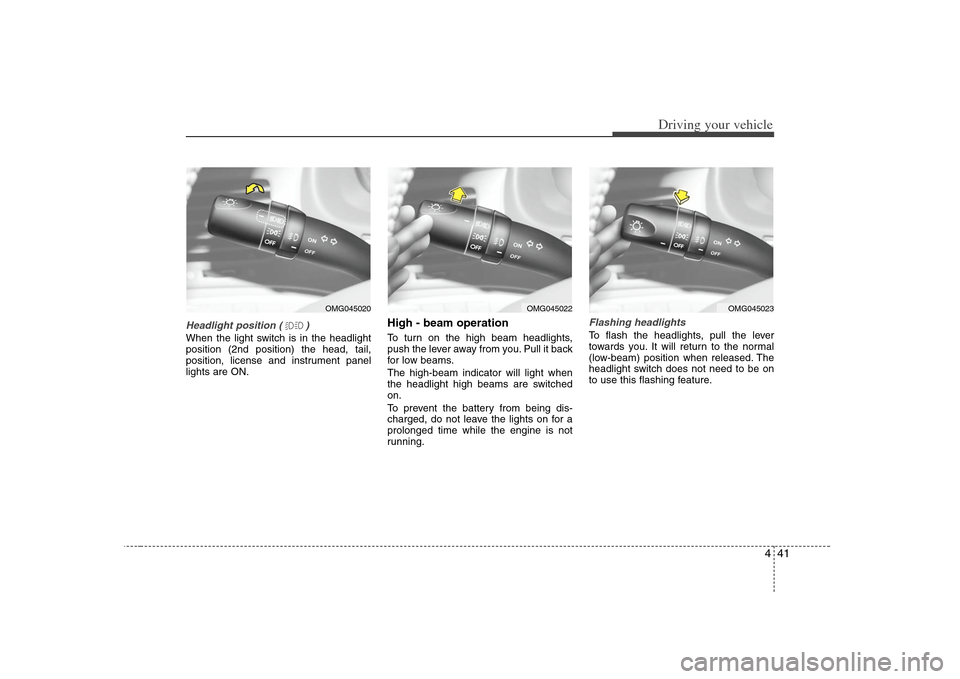
Headlight position ( )When the light switch is in the headlight
position (2nd position) the head, tail,
position, license and instrument panel
lights are ON.
High - beam operation To turn on the high beam headlights,
push the lever away from you. Pull it back
for low beams.
The high-beam indicator will light when
the headlight high beams are switched
on.
To prevent the battery from being dis-
charged, do not leave the lights on for a
prolonged time while the engine is not
running.
Flashing headlights To flash the headlights, pull the lever
towards you. It will return to the normal
(low-beam) position when released. The
headlight switch does not need to be on
to use this flashing feature.
OMG045020
OMG045023
OMG045022