warning KIA Optima 2009 2.G Repair Manual
[x] Cancel search | Manufacturer: KIA, Model Year: 2009, Model line: Optima, Model: KIA Optima 2009 2.GPages: 326, PDF Size: 4.37 MB
Page 93 of 326

427
Features of your vehicle
D110000AUNIf your vehicle is equipped with this fea-
ture, you can slide or tilt your sunroof
with the sunroof control buttons located
on the overhead console.
1. Slide button
2. Tilt button
3. Close button
The sunroof can only be opened, closed,
or tilted when the ignition switch is in the
ON position.
✽ ✽NOTICE• In cold and wet climates, sunroof may
not work properly due to freezing
conditions.
• After washing the car or after there is rain, be sure to wipe off any water
that is on the sunroof before operating
it.✽ ✽ NOTICEThe sunroof cannot slide when it is in
the tilt position nor can it be tilted while
in an open or slide position.
D110100AMGSliding the sunroof To open the sunroof (autoslide feature),
press the slide button ( ) on the over-
head console for more than 0.5 second.
The sunroof will slide all the way open. To
stop the sunroof sliding at any point,
press any sunroof control button.
To close the sunroof (autoslide feature),
press the close button ( ) on the over-
head console for more than 0.5 second.
The sunroof will slide all the way close.
To stop the sunroof sliding at any point,
press any sunroof control button.
SUNROOF (IF EQUIPPED)
OMG035092
CAUTION
Do not continue to press the sun-
roof control button(s) after the sun-roof is in the fully open, closed, ortilt position(s). Damage to the motoror system components could occur.
WARNING
Never adjust the sunshade while
driving. This could result in loss of
control and an accident that may
cause death, serious injury, or
property damage.
OMG037093OMG037218
Page 94 of 326

Features of your vehicle28
4D110101AUNAutomatic reversalIf an object or part of the body is detect-
ed while the sunroof is closing automati-
cally, it will reverse direction, and then
stop.
Auto reverse function does not work if a
tiny obstacle is between the sliding glass
and the sunroof sash. You should always
check that all passengers and objects
are away from the sunroof before closing
it.
D110200AMGTilting the sunroof To open the sunroof (autotilt feature),
press the tilt button ( ) on the over-
head console for more than 0.5 second.
The sunroof will tilt all the way open. To
stop the sunroof tilting at any point, press
any sunroof control button.
To close the sunroof, press the close but-
ton ( ) on the overhead console and
hold it until the sunroof is closed.
ONF048024
OMG035217OMG037219
WARNING -
Sunroof
Be careful that someone’s head,
hands and body are not trapped
by a closing sunroof.
Do not extend face, neck, arms or body outside through the sunroof
opening while driving.
Make sure hand and face are safely out of the way before clos-
ing a sunroof.
CAUTION
Periodically remove any dirt that may accumulate on the guide rail.
If you try to open the sunroof when the temperature is belowfreezing or when the sunroof is covered with snow or ice, theglass or the motor could be dam- aged.
The sunroof is made to slide together with sunshade. Do notleave the sunshade closed whilethe sunroof is open.
Page 96 of 326
Features of your vehicle30
4D130100AUNPower steeringPower steering uses energy from the
engine to assist you in steering the vehi-
cle. If the engine is off or if the power
steering system becomes inoperative,
the vehicle may still be steered, but it will
require increased steering effort.
Should you notice any change in the
effort required to steer during normal
vehicle operation, have the power steer-
ing checked by an authorized KIA dealer.
✽ ✽
NOTICEIf the power steering drive belt breaks
or if the power steering pump malfunc-
tions, the steering effort will greatly
increase.✽ ✽NOTICEIf the vehicle is parked for extended
periods outside in cold weather (below -
10°C/14°F), the power steering may
require increased effort when the engine
is first started. This is caused by
increased fluid viscosity due to the cold
weather and does not indicate a mal-
function.
When this happens, increase the engine
RPM by depressing accelerator until the
RPM reaches 1,500 rpm then release or
let the engine idle for two or three min-
utes to warm up the fluid.
D130300AFDTilt steering Tilt steering allows you to adjust the
steering wheel before you drive. You can
also raise it to give your legs more room
when you exit and enter the vehicle.
The steering wheel should be positioned
so that it is comfortable for you to drive,
while permitting you to see the instru-
ment panel warning lights and gauges.
STEERING WHEEL
CAUTION
Never hold the steering wheel
against a stop (extreme right or leftturn) for more than 5 seconds withthe engine running. Holding the steering wheel for more than 5 sec-onds in either position may causedamage to the power steeringpump.
WARNING
Never adjust the angle of the steering wheel while driving. You
may lose steering control and
cause severe personal injury,
death or accidents.
After adjusting, push the steering wheel both up and down to be
certain it is locked in position.
Page 98 of 326

Features of your vehicle32
4MIRRORS D140100AHMInside rearview mirrorAdjust the rearview mirror to center on
the view through the rear window. Make
this adjustment before you start driving.
D140101AHMDay/night rearview mirror Make this adjustment before you start
driving and while the day/night lever is in
the day position.
Pull the day/night lever toward you to
reduce the glare from the headlights of
the vehicles behind you during night driv-
ing.Remember that you lose some rearview
clarity in the night position.
D140102AUNElectric chromic mirror (ECM)(if equipped)The electric rearview mirror automatical-
ly controls the glare from the headlights
of the car behind you in nighttime or low
light driving conditions. The sensor
mounted in the mirror senses the light
level around the vehicle, and automati-
cally controls the headlight glare from
vehicles behind you.
When the engine is running, the glare is
automatically controlled by the sensor
mounted in the rearview mirror.
Whenever the shift lever is shifted into
reverse (R), the mirror will automatically
go to the brightest setting in order to
improve the drivers view behind the vehi-
cle.
WARNING -
Rear visibility
Do not place objects in the rear
seat or cargo area which would
interfere with your vision through
the rear window.
WARNING
Do not adjust the rearview mirror
while the vehicle is moving. This
could result in loss of control, and
an accident which could cause
death, serious injury or property
damage.
CAUTION
When cleaning the mirror, use a paper towel or similar materialdampened with glass cleaner. Donot spray glass cleaner directly onthe mirror as that may cause the liq- uid cleaner to enter the mirror hous-ing.
OMG035072
Page 105 of 326
439
Features of your vehicle
FCC ID: NZLZTVHL3
IC: 4112A-ZTVHL3
This device complies with Industry
Canada Standard RSS-210.
Operation is subject to the following two
conditions:
1. this device may not cause harmfulinterference, and
2. This device must accept any interfer- ence received, including interference
that may cause undesired operation.
NVS
®is a registered trademark and Z-
Nav™ is a trademark of the Gentex
Corporation, Zeeland, Michigan.
HomeLink
®is a registered trademark
owned by Johnson Controls,
Incorporated, Milwaukee, Wisconsin.
D140200AUN-EUOutside rearview mirror Be sure to adjust mirror angles before
driving.
Your vehicle is equipped with both left-
hand and right-hand outside rearview
mirrors. The mirrors can be adjusted
remotely with the remote switch. The mir-
ror heads can be folded back to prevent
damage during an automatic car wash or
when passing in a narrow street.
WARNING
The transceiver has been tested
and complies with FCC and
Industry Canada rules. Changes or
modifications not expressly
approved by the party responsible
for compliance could void the
user's authority to operate the
device.
WARNING -
Rearview mir-
rors
The right outside rearview mirror is convex. Objects seen in the
mirror are closer than they
appear.
Use your interior rearview mirror or direct observation to deter-
mine the actual distance of fol-
lowing vehicles when changing
lanes.
CAUTION
Do not scrape ice off the mirrorface; this may damage the surfaceof the glass. If ice should restrict movement of the mirror, do notforce the mirror for adjustment. To remove ice, use a deicer spray, or asponge or soft cloth with very warm water.
CAUTION
If the mirror is jammed with ice, donot adjust the mirror by force. Use an approved spray de-icer (not radi-ator antifreeze) to release the frozen mechanism or move thevehicle to a warm place and allowthe ice to melt.
WARNING
Do not adjust or fold the outside
rearview mirrors while the vehicle
is moving. This could result in loss
of control, and an accident which
could cause death, serious injury
or property damage.
Page 108 of 326
Features of your vehicle42
4INSTRUMENT CLUSTER
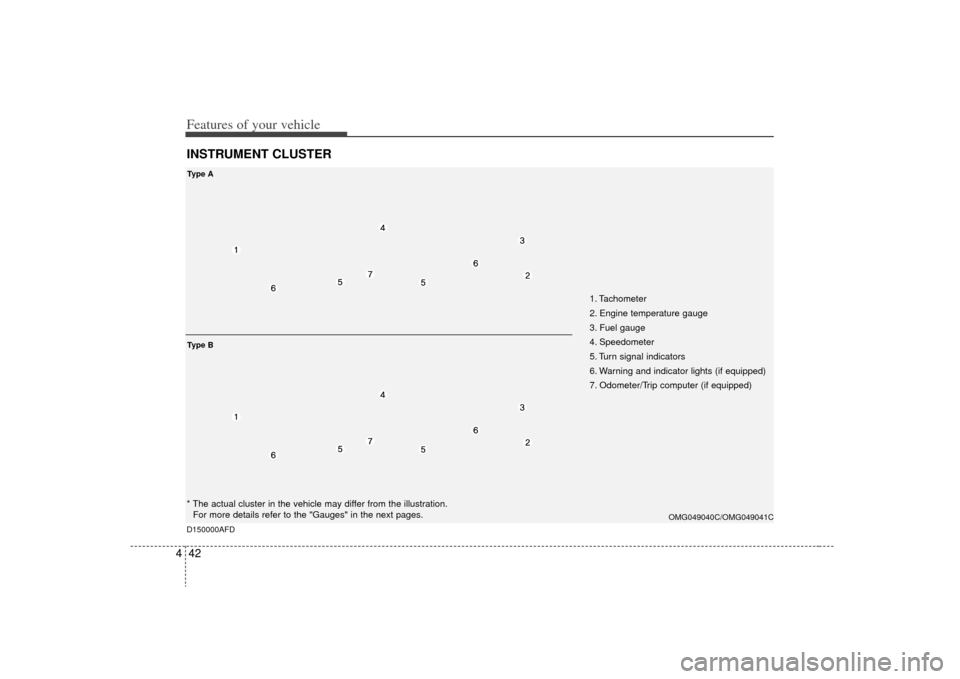
1. Tachometer
2. Engine temperature gauge
3. Fuel gauge
4. Speedometer
5. Turn signal indicators
6. Warning and indicator lights (if equipped)
7. Odometer/Trip computer (if equipped)
OMG049040C/OMG049041C
* The actual cluster in the vehicle may differ from the illustration.
For more details refer to the "Gauges" in the next pages.Ty p e ATy p e BD150000AFD
Page 110 of 326
Features of your vehicle44
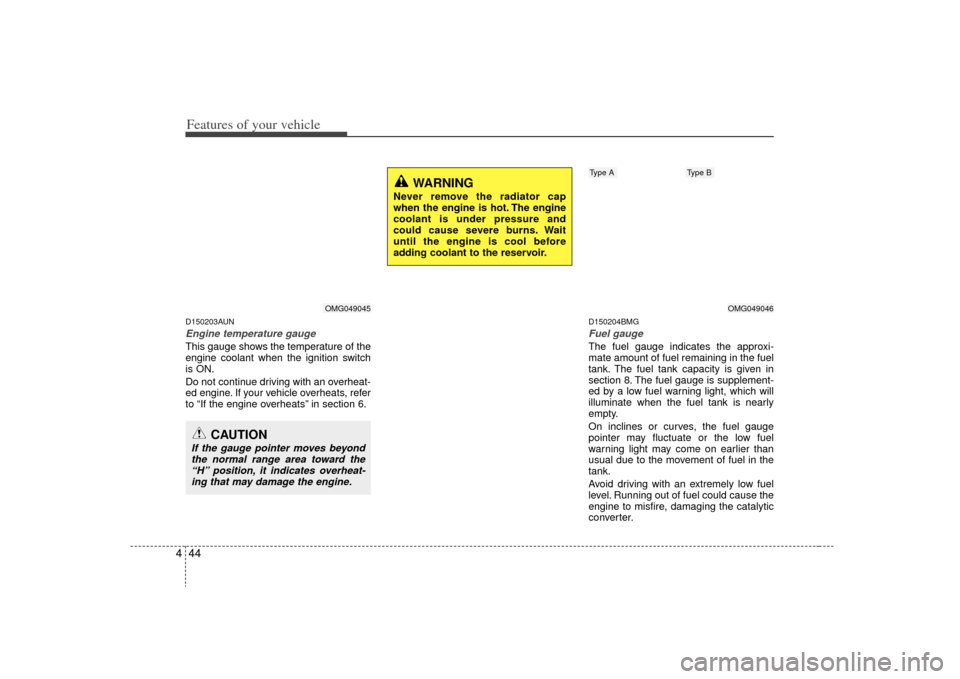
4D150203AUNEngine temperature gauge This gauge shows the temperature of the
engine coolant when the ignition switch
is ON.
Do not continue driving with an overheat-
ed engine. If your vehicle overheats, refer
to “If the engine overheats” in section 6.
D150204BMGFuel gaugeThe fuel gauge indicates the approxi-
mate amount of fuel remaining in the fuel
tank. The fuel tank capacity is given in
section 8. The fuel gauge is supplement-
ed by a low fuel warning light, which will
illuminate when the fuel tank is nearly
empty.
On inclines or curves, the fuel gauge
pointer may fluctuate or the low fuel
warning light may come on earlier than
usual due to the movement of fuel in the
tank.
Avoid driving with an extremely low fuel
level. Running out of fuel could cause the
engine to misfire, damaging the catalytic
converter.
CAUTION
If the gauge pointer moves beyond
the normal range area toward the“H” position, it indicates overheat-ing that may damage the engine.
WARNING
Never remove the radiator cap
when the engine is hot. The engine
coolant is under pressure and
could cause severe burns. Wait
until the engine is cool before
adding coolant to the reservoir.
OMG049045
OMG049046
Type A
Type B
Page 111 of 326

445
Features of your vehicle
D150205AFDOdometer/Tripmeter (if equipped)Odometer (km or MI)
The odometer indicates the total dis-
tance the vehicle has been driven.
You will also find the odometer useful to
determine when periodic maintenance
should be performed.
✽ ✽NOTICEIt is forbidden that alteration of the
odometer of any vehicle with the intent
to change the mileage registered on the
odometer. The alteration may void your
warranty coverage.Tripmeter (km or MI)
TRIP A: Tripmeter A
TRIP B: Tripmeter B
The tripmeter indicates the distance of
individual trip selected by the driver.
Tripmeter can be reset to 0 by pressing
the TRIP button for 1 second or more,
and then releasing.
WARNING
- Fuel gauge
Running out of fuel can expose
vehicle occupants to danger.
You must stop and obtain addition-
al fuel as soon as possible after the
warning light comes on or when the
gauge indicator comes close to the
E level.
OMG049348C/OMG049049
OMG049049L-1
Type AType B
CAUTION
Avoid driving with a very low fuel
level. If you run out of fuel, it couldcause the engine to misfire andresult in excessive loading of the catalytic converter.
Page 116 of 326
Features of your vehicle50
4To turn the ECO indicator OFF/ON
• Type A
Select the ECO mode by pressing the
TRIP button for less than 1 second.
Then, press the TRIP button for more
than 1 second.
• Type B
When the instantaneous fuel consump-
tion mode is displayed on the LCD moni-
tor or the system is not working properly,
the indicator turns off.
If the indicator turns off when the instan-
taneousant fuel consumption mode is not
selected, have the system checked by an
authorized KIA dealer as soon as possi-
ble.
D150300AUNWarnings and indicatorsAll warning lights are checked by turning
the ignition switch ON (do not start the
engine). Any light that does not illuminate
should be checked by an authorized KIA
dealer.
After starting the engine, check to make
sure that all warning lights are off. If any
are still on, this indicates a situation that
needs attention. When releasing the
parking brake, the brake system warning
light should go off. The fuel warning light
will stay on if the fuel level is low.
D150302AUNAir bag warning lightThis warning light will illuminate for
approximately 6 seconds each time you
turn the ignition switch to the ON posi-
tion.
This light also comes on when the
Supplemental Restraint System (SRS) is
not working properly. If the SRS air bag
warning light does not come on, or
continuously remains on after operating
for about 6 seconds when you turned the
ignition switch to the ON position or start-
ed the engine, or if it comes on while
driving, have the SRS inspected by an
authorized KIA dealer.
OMG049126
Page 117 of 326
451
Features of your vehicle
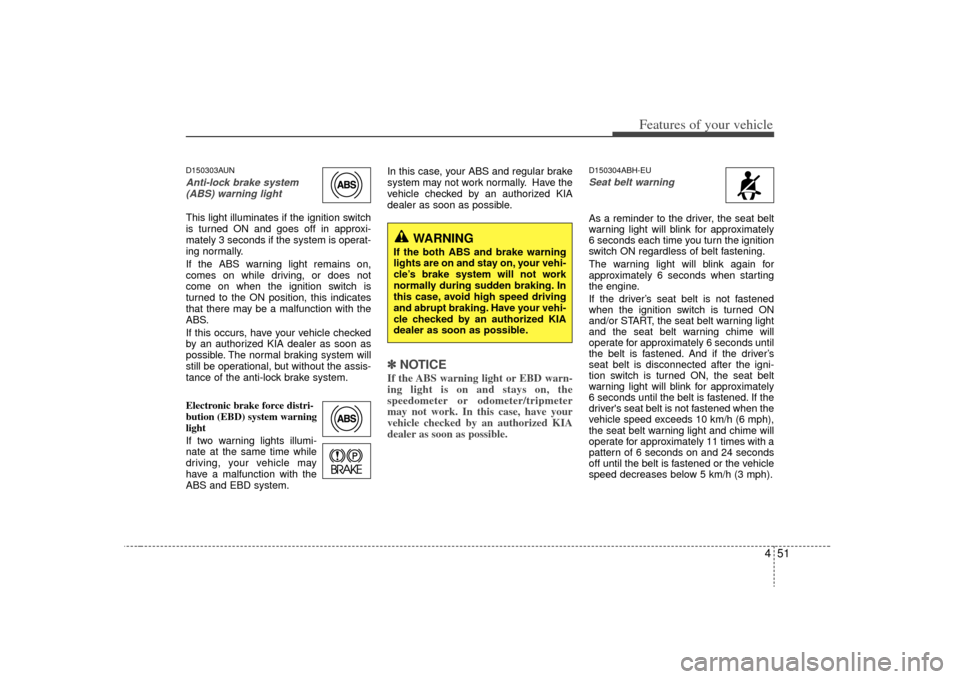
D150303AUNAnti-lock brake system(ABS) warning light This light illuminates if the ignition switch
is turned ON and goes off in approxi-
mately 3 seconds if the system is operat-
ing normally.
If the ABS warning light remains on,
comes on while driving, or does not
come on when the ignition switch is
turned to the ON position, this indicates
that there may be a malfunction with the
ABS.
If this occurs, have your vehicle checked
by an authorized KIA dealer as soon as
possible. The normal braking system will
still be operational, but without the assis-
tance of the anti-lock brake system.
Electronic brake force distri-
bution (EBD) system warning
light
If two warning lights illumi-
nate at the same time while
driving, your vehicle may
have a malfunction with the
ABS and EBD system. In this case, your ABS and regular brake
system may not work normally. Have the
vehicle checked by an authorized KIA
dealer as soon as possible.
✽ ✽
NOTICEIf the ABS warning light or EBD warn-
ing light is on and stays on, the
speedometer or odometer/tripmeter
may not work. In this case, have your
vehicle checked by an authorized KIA
dealer as soon as possible.
D150304ABH-EUSeat belt warning As a reminder to the driver, the seat belt
warning light will blink for approximately
6 seconds each time you turn the ignition
switch ON regardless of belt fastening.
The warning light will blink again for
approximately 6 seconds when starting
the engine.
If the driver’s seat belt is not fastened
when the ignition switch is turned ON
and/or START, the seat belt warning light
and the seat belt warning chime will
operate for approximately 6 seconds until
the belt is fastened. And if the driver’s
seat belt is disconnected after the igni-
tion switch is turned ON, the seat belt
warning light will blink for approximately
6 seconds until the belt is fastened. If the
driver's seat belt is not fastened when the
vehicle speed exceeds 10 km/h (6 mph),
the seat belt warning light and chime will
operate for approximately 11 times with a
pattern of 6 seconds on and 24 seconds
off until the belt is fastened or the vehicle
speed decreases below 5 km/h (3 mph).
WARNING
If the both ABS and brake warning
lights are on and stay on, your vehi-
cle’s brake system will not work
normally during sudden braking. In
this case, avoid high speed driving
and abrupt braking. Have your vehi-
cle checked by an authorized KIA
dealer as soon as possible.