climate control KIA Optima 2013 3.G User Guide
[x] Cancel search | Manufacturer: KIA, Model Year: 2013, Model line: Optima, Model: KIA Optima 2013 3.GPages: 382, PDF Size: 8.75 MB
Page 184 of 382
497
Features of your vehicle
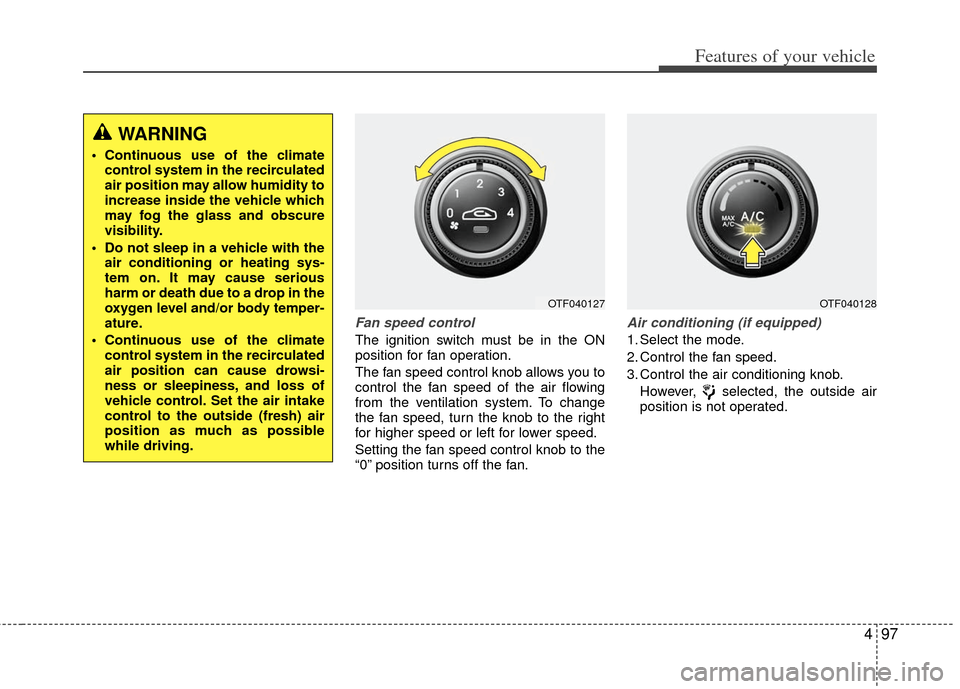
Fan speed control
The ignition switch must be in the ON
position for fan operation.
The fan speed control knob allows you to
control the fan speed of the air flowing
from the ventilation system. To change
the fan speed, turn the knob to the right
for higher speed or left for lower speed.
Setting the fan speed control knob to the
“0” position turns off the fan.
Air conditioning (if equipped)
1. Select the mode.
2. Control the fan speed.
3. Control the air conditioning knob.However, selected, the outside air
position is not operated.
OTF040127OTF040128
WARNING
Continuous use of the climatecontrol system in the recirculated
air position may allow humidity to
increase inside the vehicle which
may fog the glass and obscure
visibility.
Do not sleep in a vehicle with the air conditioning or heating sys-
tem on. It may cause serious
harm or death due to a drop in the
oxygen level and/or body temper-
ature.
Continuous use of the climate control system in the recirculated
air position can cause drowsi-
ness or sleepiness, and loss of
vehicle control. Set the air intake
control to the outside (fresh) air
position as much as possible
while driving.
Page 187 of 382
Features of your vehicle
100
4
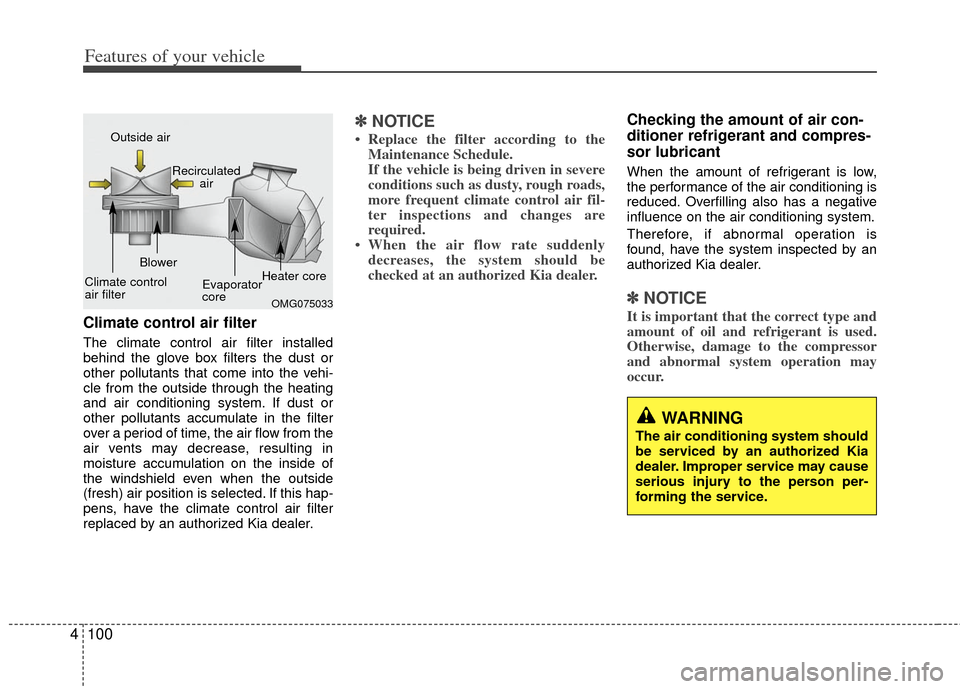
Climate control air filter
The climate control air filter installed
behind the glove box filters the dust or
other pollutants that come into the vehi-
cle from the outside through the heating
and air conditioning system. If dust or
other pollutants accumulate in the filter
over a period of time, the air flow from the
air vents may decrease, resulting in
moisture accumulation on the inside of
the windshield even when the outside
(fresh) air position is selected. If this hap-
pens, have the climate control air filter
replaced by an authorized Kia dealer.
✽ ✽
NOTICE
• Replace the filter according to the
Maintenance Schedule.
If the vehicle is being driven in severe
conditions such as dusty, rough roads,
more frequent climate control air fil-
ter inspections and changes are
required.
• When the air flow rate suddenly decreases, the system should be
checked at an authorized Kia dealer.
Checking the amount of air con-
ditioner refrigerant and compres-
sor lubricant
When the amount of refrigerant is low,
the performance of the air conditioning is
reduced. Overfilling also has a negative
influence on the air conditioning system.
Therefore, if abnormal operation is
found, have the system inspected by an
authorized Kia dealer.
✽ ✽ NOTICE
It is important that the correct type and
amount of oil and refrigerant is used.
Otherwise, damage to the compressor
and abnormal system operation may
occur.
WARNING
The air conditioning system should
be serviced by an authorized Kia
dealer. Improper service may cause
serious injury to the person per-
forming the service.
OMG075033
Outside air
Recirculatedair
Climate control
air filter Blower
Evaporator
coreHeater core
Page 188 of 382
4101
Features of your vehicle
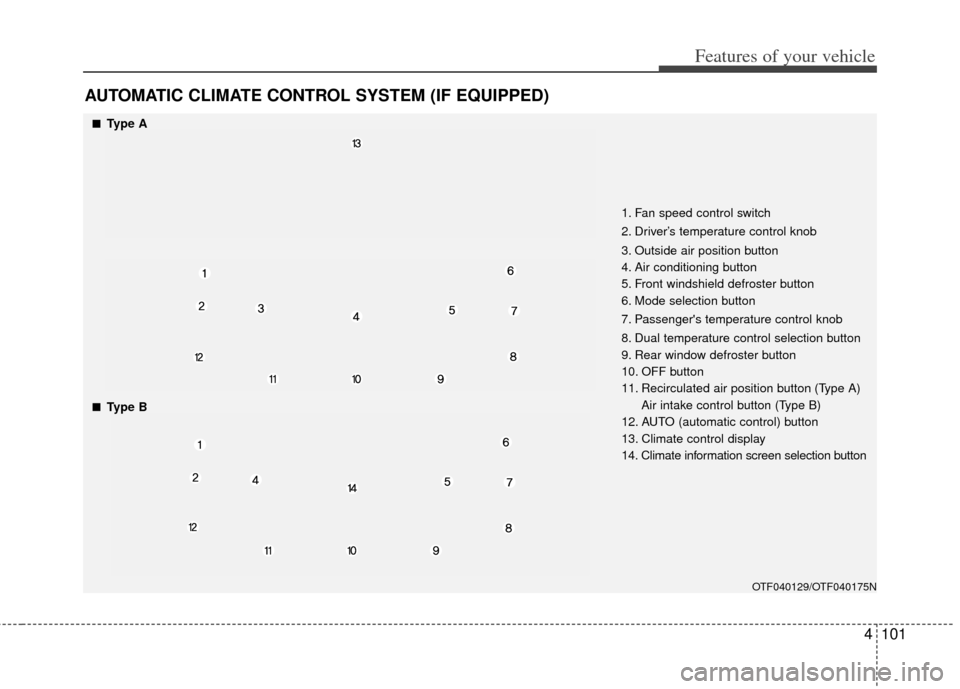
AUTOMATIC CLIMATE CONTROL SYSTEM (IF EQUIPPED)
OTF040129/OTF040175N
■
■Type A
■
■Type B1. Fan speed control switch
2. Driver’s temperature control knob
3. Outside air position button
4. Air conditioning button
5. Front windshield defroster button
6. Mode selection button
7. Passenger's temperature control knob
8. Dual temperature control selection button
9. Rear window defroster button
10. OFF button
11. Recirculated air position button (Type A)
Air intake control button (Type B)
12. AUTO (automatic control) button
13. Climate control display
14. Climate information screen selection button
Page 189 of 382
Features of your vehicle
102
4
Automatic heating and air condi-
tioning
The automatic climate control system is
controlled by simply setting the desired
temperature.
The Full Automatic Temperature Control
(FATC) system automatically controls the
heating and cooling system as follows;
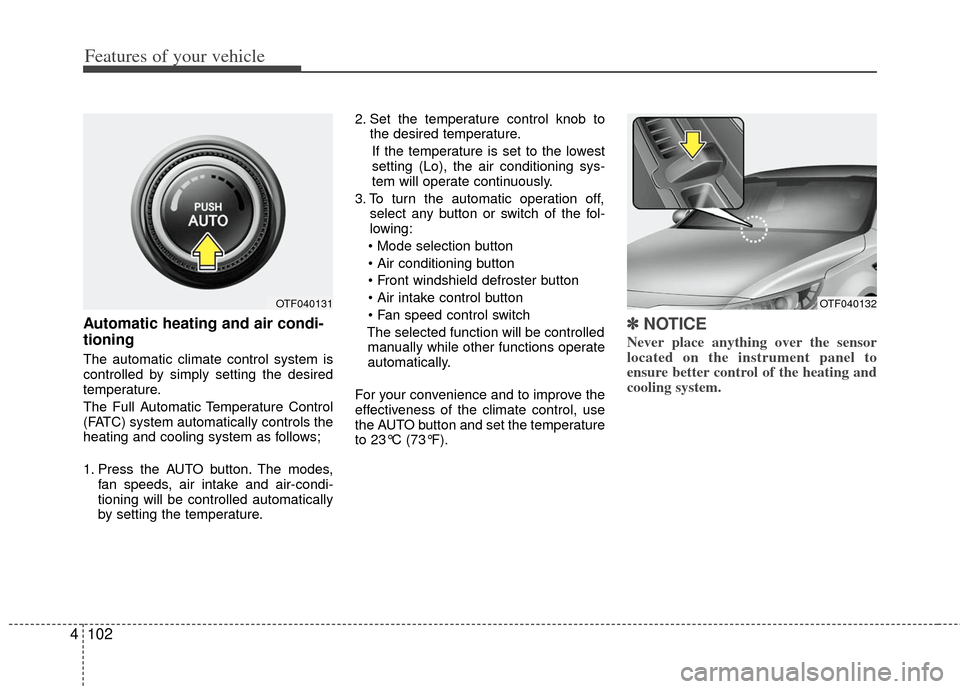
1. Press the AUTO button. The modes,
fan speeds, air intake and air-condi-
tioning will be controlled automatically
by setting the temperature. 2. Set the temperature control knob to
the desired temperature.
If the temperature is set to the lowest
setting (Lo), the air conditioning sys-
tem will operate continuously.
3. To turn the automatic operation off, select any button or switch of the fol-
lowing:
The selected function will be controlled manually while other functions operate
automatically.
For your convenience and to improve the
effectiveness of the climate control, use
the AUTO button and set the temperature
to 23°C (73°F).
✽ ✽ NOTICE
Never place anything over the sensor
located on the instrument panel to
ensure better control of the heating and
cooling system.
OTF040132OTF040131
Page 194 of 382
4107
Features of your vehicle
✽
✽NOTICE
Prolonged operation of the heating in
recirculated air position will cause fog-
ging of the windshield and side windows
and the air within the passenger com-
partment will become stale.
In addition, prolonged operation of the
air conditioning with the recirculated
air position selected, will result in exces-
sively dry air in the passenger compart-
ment.
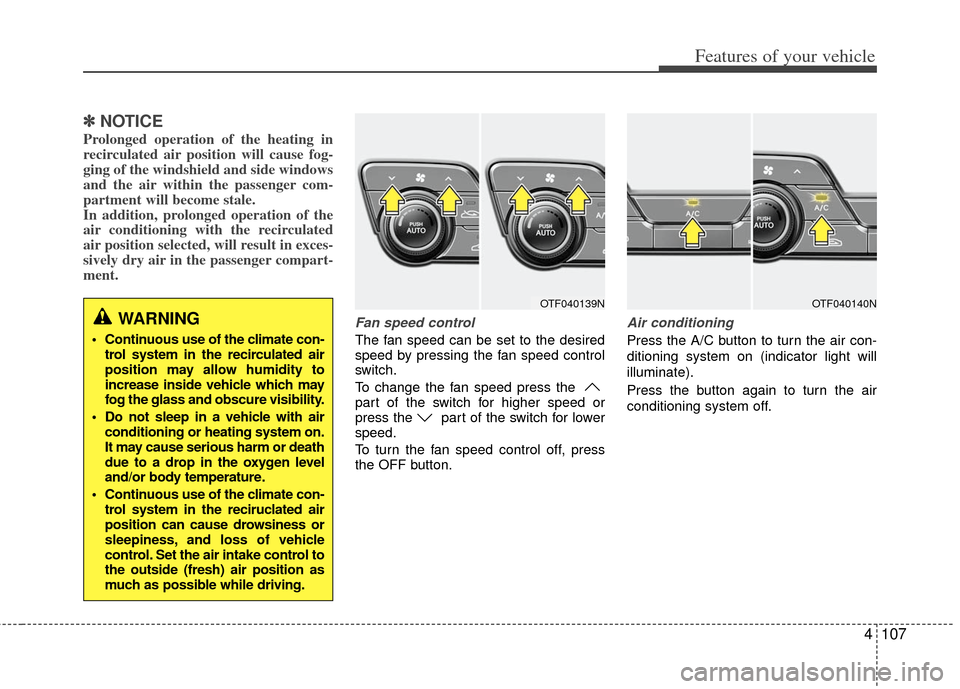
Fan speed control
The fan speed can be set to the desired
speed by pressing the fan speed control
switch.
To change the fan speed press the
part of the switch for higher speed or
press the part of the switch for lower
speed.
To turn the fan speed control off, press
the OFF button.
Air conditioning
Press the A/C button to turn the air con-
ditioning system on (indicator light will
illuminate).
Press the button again to turn the air
conditioning system off.
WARNING
Continuous use of the climate con-
trol system in the recirculated air
position may allow humidity to
increase inside vehicle which may
fog the glass and obscure visibility.
Do not sleep in a vehicle with air conditioning or heating system on.
It may cause serious harm or death
due to a drop in the oxygen level
and/or body temperature.
Continuous use of the climate con- trol system in the reciruclated air
position can cause drowsiness or
sleepiness, and loss of vehicle
control. Set the air intake control to
the outside (fresh) air position as
much as possible while driving.
OTF040140NOTF040139N
Page 195 of 382
Features of your vehicle
108
4
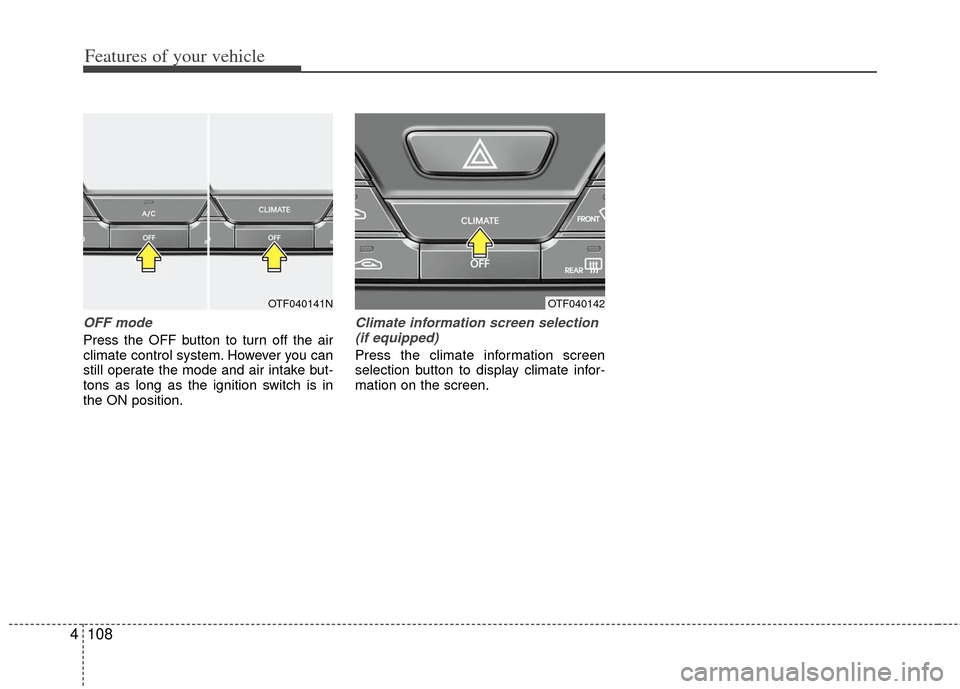
OFF mode
Press the OFF button to turn off the air
climate control system. However you can
still operate the mode and air intake but-
tons as long as the ignition switch is in
the ON position.
Climate information screen selection
(if equipped)
Press the climate information screen
selection button to display climate infor-
mation on the screen.
OTF040141NOTF040142
Page 196 of 382
4109
Features of your vehicle
WINDSHIELD DEFROSTING AND DEFOGGING
For maximum defrosting, set the tem-perature control to the extreme
right/hot position and the fan speed
control to the highest speed.
If warm air to the floor is desired while defrosting or defogging, set the mode
to the floor-defrost position.
Before driving, clear all snow and ice from the windshield, rear window, out-
side rear view mirrors, and all side win-
dows.
Clear all snow and ice from the hood and air inlet in the cowl grill to improve
heater and defroster efficiency and to
reduce the probability of fogging up
the inside of the windshield.
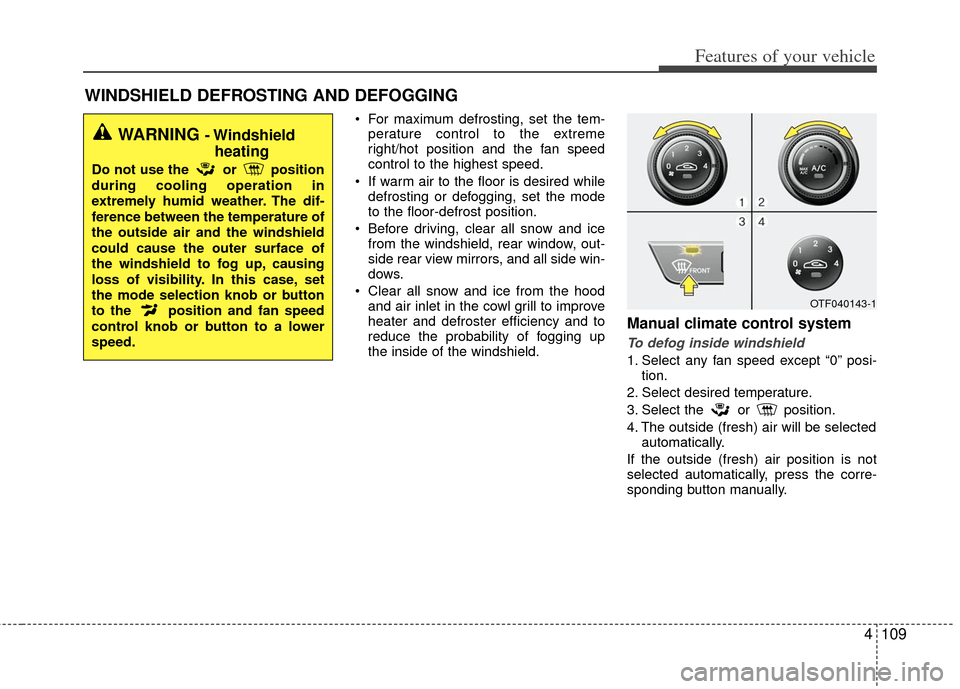
Manual climate control system
To defog inside windshield
1. Select any fan speed except “0” posi- tion.
2. Select desired temperature.
3. Select the or position.
4. The outside (fresh) air will be selected automatically.
If the outside (fresh) air position is not
selected automatically, press the corre-
sponding button manually.
OTF040143-1
WARNING - Windshield heating
Do not use the or position
during cooling operation in
extremely humid weather. The dif-
ference between the temperature of
the outside air and the windshield
could cause the outer surface of
the windshield to fog up, causing
loss of visibility. In this case, set
the mode selection knob or button
to the position and fan speed
control knob or button to a lower
speed.
Page 197 of 382
Features of your vehicle
110
4
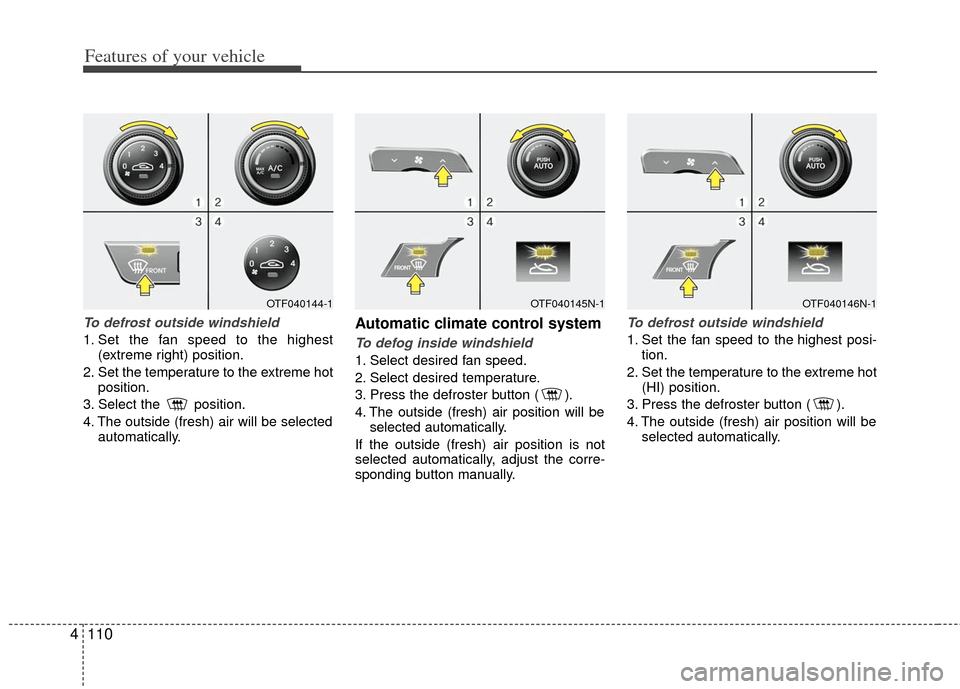
To defrost outside windshield
1. Set the fan speed to the highest
(extreme right) position.
2. Set the temperature to the extreme hot position.
3. Select the position.
4. The outside (fresh) air will be selected automatically.
Automatic climate control system
To defog inside windshield
1. Select desired fan speed.
2. Select desired temperature.
3. Press the defroster button ( ).
4. The outside (fresh) air position will beselected automatically.
If the outside (fresh) air position is not
selected automatically, adjust the corre-
sponding button manually.
To defrost outside windshield
1. Set the fan speed to the highest posi- tion.
2. Set the temperature to the extreme hot (HI) position.
3. Press the defroster button ( ).
4. The outside (fresh) air position will be selected automatically.
OTF040145N-1OTF040146N-1OTF040144-1
Page 198 of 382
4111
Features of your vehicle
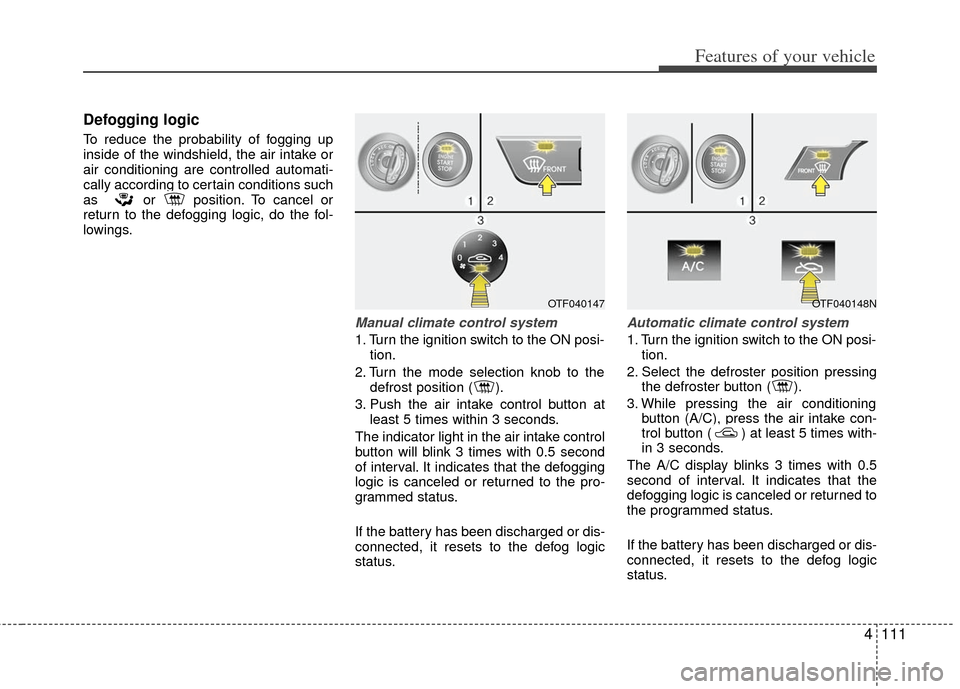
Defogging logic
To reduce the probability of fogging up
inside of the windshield, the air intake or
air conditioning are controlled automati-
cally according to certain conditions such
as or position. To cancel or
return to the defogging logic, do the fol-
lowings.
Manual climate control system
1. Turn the ignition switch to the ON posi-tion.
2. Turn the mode selection knob to the defrost position ( ).
3. Push the air intake control button at least 5 times within 3 seconds.
The indicator light in the air intake control
button will blink 3 times with 0.5 second
of interval. It indicates that the defogging
logic is canceled or returned to the pro-
grammed status.
If the battery has been discharged or dis-
connected, it resets to the defog logic
status.
Automatic climate control system
1. Turn the ignition switch to the ON posi- tion.
2. Select the defroster position pressing the defroster button ( ).
3. While pressing the air conditioning button (A/C), press the air intake con-
trol button ( ) at least 5 times with-
in 3 seconds.
The A/C display blinks 3 times with 0.5
second of interval. It indicates that the
defogging logic is canceled or returned to
the programmed status.
If the battery has been discharged or dis-
connected, it resets to the defog logic
status.
OTF040147OTF040148N
Page 199 of 382
Features of your vehicle
112
4
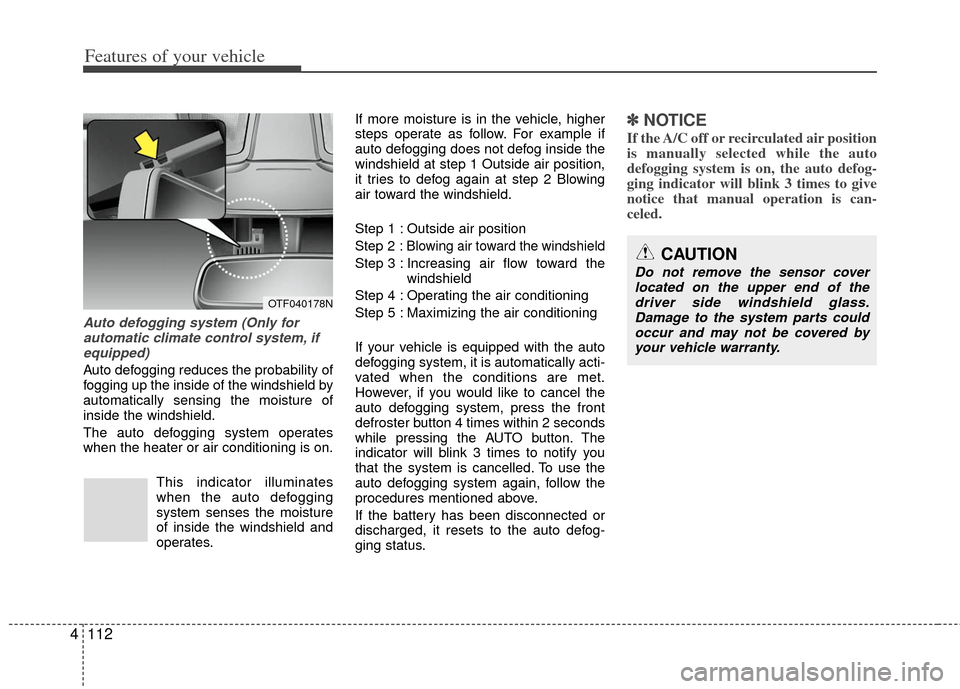
Auto defogging system (Only for
automatic climate control system, ifequipped)
Auto defogging reduces the probability of
fogging up the inside of the windshield by
automatically sensing the moisture of
inside the windshield.
The auto defogging system operates
when the heater or air conditioning is on.
This indicator illuminates
when the auto defogging
system senses the moisture
of inside the windshield and
operates. If more moisture is in the vehicle, higher
steps operate as follow. For example if
auto defogging does not defog inside the
windshield at step 1 Outside air position,
it tries to defog again at step 2 Blowing
air toward the windshield.
Step 1 : Outside air position
Step 2 :Blowing air toward the windshield
Step 3 : Increasing air flow toward the
windshield
Step 4 : Operating the air conditioning
Step 5 : Maximizing the air conditioning
If your vehicle is equipped with the auto
defogging system, it is automatically acti-
vated when the conditions are met.
However, if you would like to cancel the
auto defogging system, press the front
defroster button 4 times within 2 seconds
while pressing the AUTO button. The
indicator will blink 3 times to notify you
that the system is cancelled. To use the
auto defogging system again, follow the
procedures mentioned above.
If the battery has been disconnected or
discharged, it resets to the auto defog-
ging status.
✽ ✽ NOTICE
If the A/C off or recirculated air position
is manually selected while the auto
defogging system is on, the auto defog-
ging indicator will blink 3 times to give
notice that manual operation is can-
celed.
OTF040178N
CAUTION
Do not remove the sensor cover
located on the upper end of the driver side windshield glass.Damage to the system parts could occur and may not be covered byyour vehicle warranty.