display KIA Optima 2014 3.G User Guide
[x] Cancel search | Manufacturer: KIA, Model Year: 2014, Model line: Optima, Model: KIA Optima 2014 3.GPages: 479, PDF Size: 13.21 MB
Page 131 of 479
461
Features of your vehicle
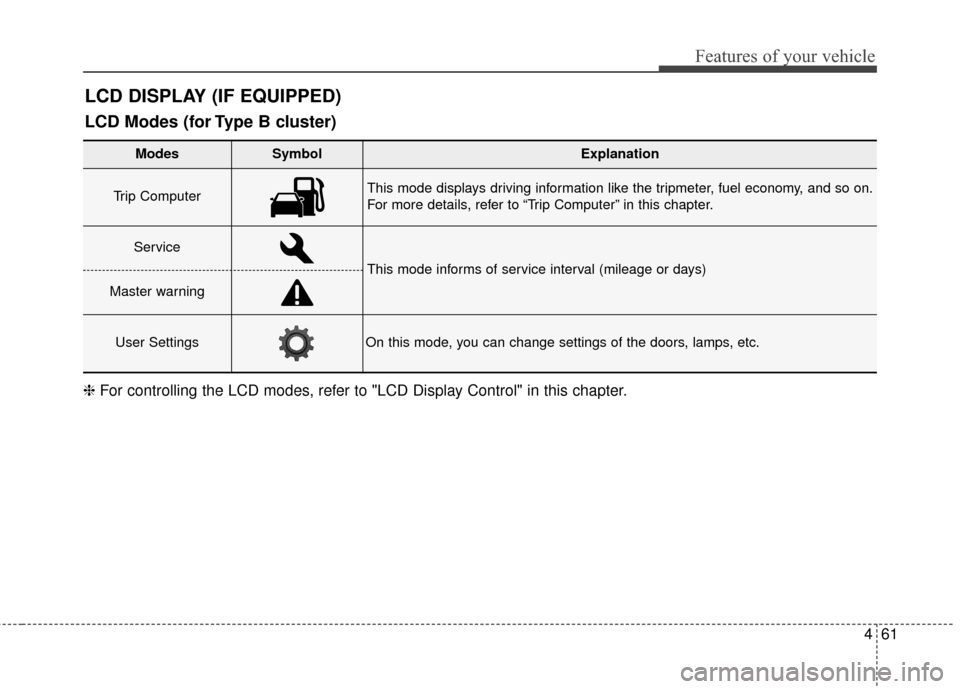
LCD DISPLAY (IF EQUIPPED)
Modes SymbolExplanation
Trip Computer This mode displays driving information like the tripmeter, fuel economy, and so on.
For more details, refer to “Trip Computer” in this chapter.
Service
This mode informs of service interval (mileage or days)
Master warning
User SettingsOn this mode, you can change settings of the doors, lamps, etc.
❈For controlling the LCD modes, refer to "LCD Display Control" in this chapter.
LCD Modes (for Type B cluster)
Page 132 of 479
Features of your vehicle
62
4
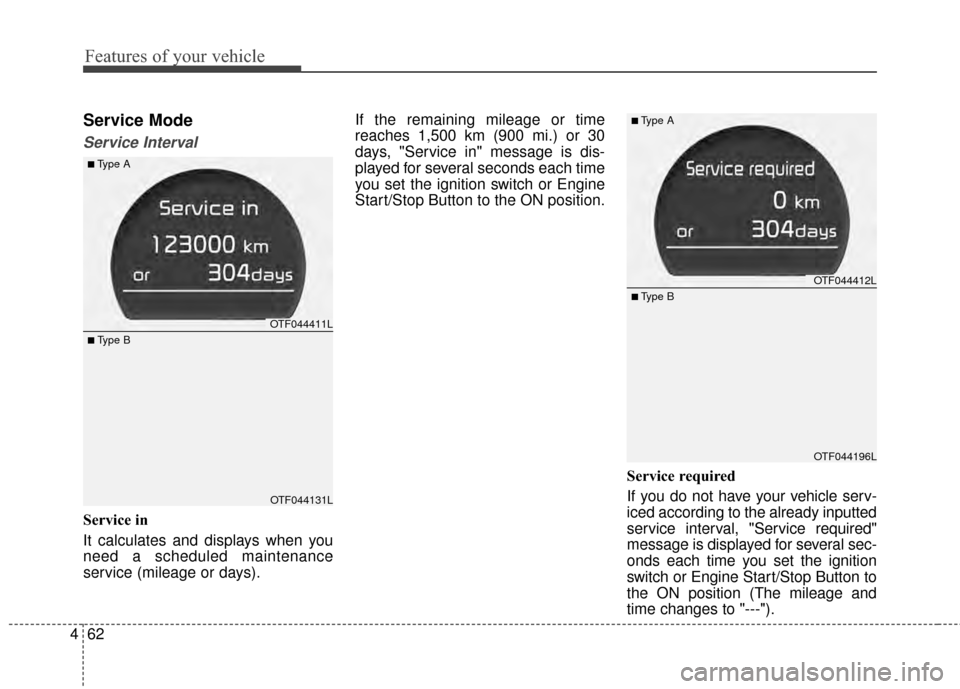
Service Mode
Service Interval
Service in
It calculates and displays when you
need a scheduled maintenance
service (mileage or days). If the remaining mileage or time
reaches 1,500 km (900 mi.) or 30
days, "Service in" message is dis-
played for several seconds each time
you set the ignition switch or Engine
Start/Stop Button to the ON position.
Service required
If you do not have your vehicle serv-
iced according to the already inputted
service interval, "Service required"
message is displayed for several sec-
onds each time you set the ignition
switch or Engine Start/Stop Button to
the ON position (The mileage and
time changes to "---").
OTF044411L
OTF044131L
■Type A
■ Type B
OTF044412L
OTF044196L
■Type A
■ Type B
Page 133 of 479
463
Features of your vehicle
To reset the service interval to the
mileage and days you inputted
before:
- Press the SELECT/RESET buttonOK for more than 1 second.
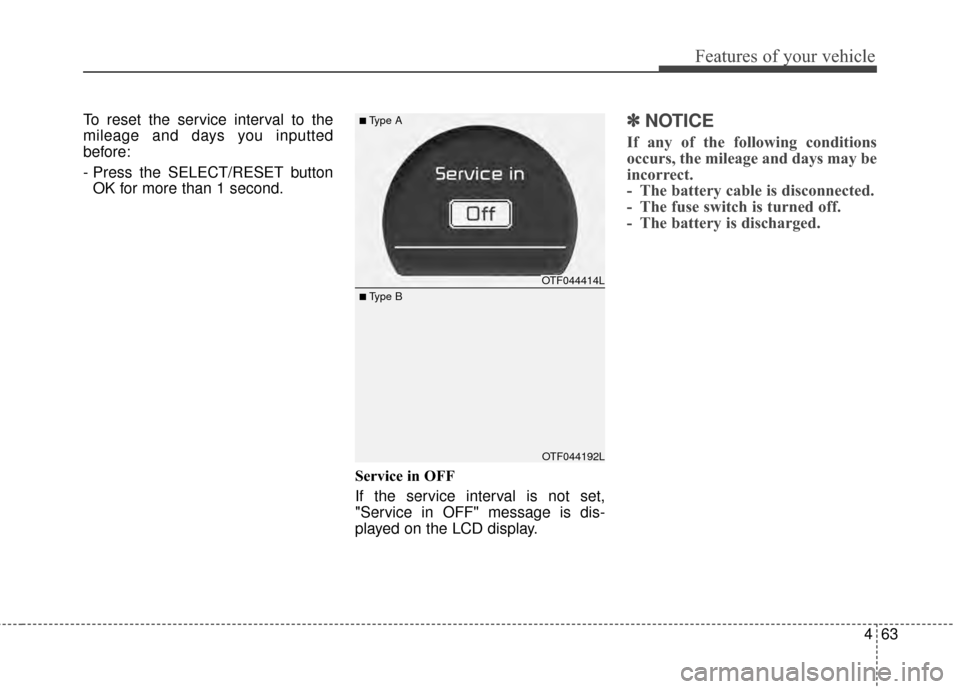
Service in OFF
If the service interval is not set,
"Service in OFF" message is dis-
played on the LCD display.✽ ✽NOTICE
If any of the following conditions
occurs, the mileage and days may be
incorrect.
- The battery cable is disconnected.
- The fuse switch is turned off.
- The battery is discharged.
OTF044414L
OTF044192L
■Type A
■ Type B
Page 146 of 479
Features of your vehicle
76
4
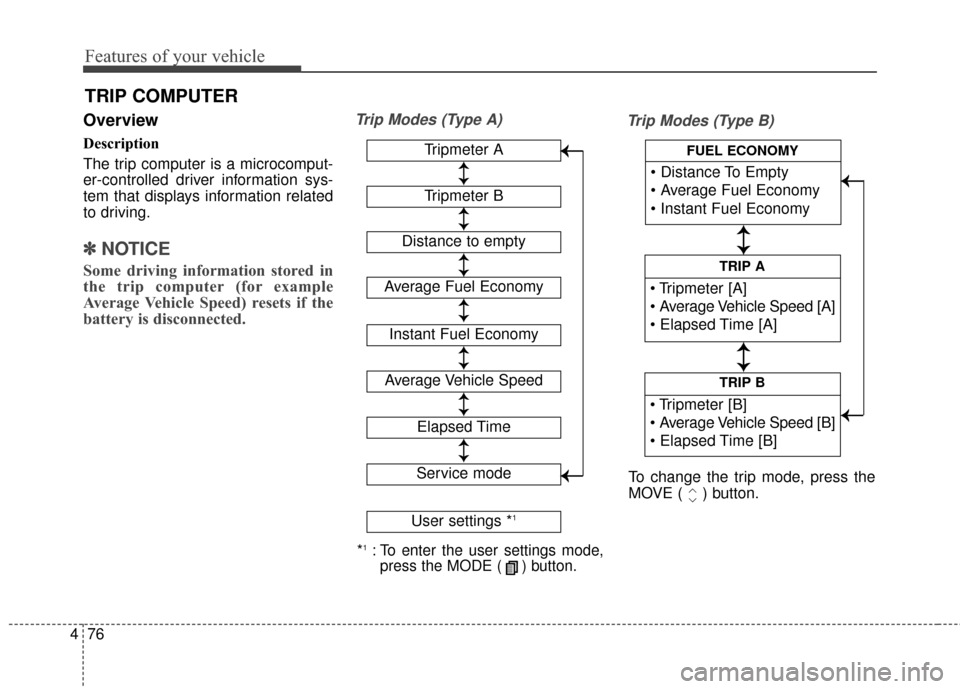
Overview
Description
The trip computer is a microcomput-
er-controlled driver information sys-
tem that displays information related
to driving.
✽ ✽
NOTICE
Some driving information stored in
the trip computer (for example
Average Vehicle Speed) resets if the
battery is disconnected.
Trip Modes (Type A)
Trip Modes (Type B)
TRIP COMPUTER
*1:To enter the user settings mode,
press the MODE ( ) button.
Tripmeter A
Average Fuel Economy
Instant Fuel Economy
Average Vehicle Speed
Elapsed Time
Service mode
User settings *1
↕
↕
→
→
→
→
Tripmeter B
Distance to empty
↕
↕
↕ ↕
↕ ↕
↕ ↕
↕ ↕
↕ ↕
TRIP B
TRIP A
FUEL ECONOMY
To change the trip mode, press the
MOVE ( ) button.
↕
↕
↕ ↕
→
→ → →
Page 147 of 479
477
Features of your vehicle
Fuel Economy
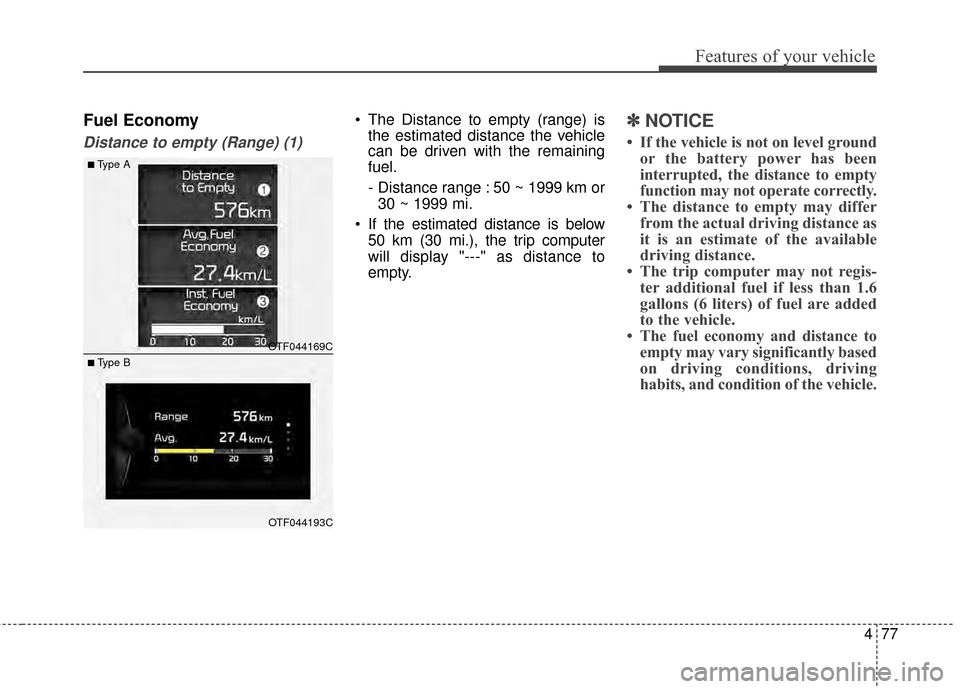
Distance to empty (Range) (1)
The Distance to empty (range) isthe estimated distance the vehicle
can be driven with the remaining
fuel.
- Distance range : 50 ~ 1999 km or
30 ~ 1999 mi.
If the estimated distance is below 50 km (30 mi.), the trip computer
will display "---" as distance to
empty.✽ ✽ NOTICE
• If the vehicle is not on level ground
or the battery power has been
interrupted, the distance to empty
function may not operate correctly.
• The distance to empty may differ from the actual driving distance as
it is an estimate of the available
driving distance.
• The trip computer may not regis- ter additional fuel if less than 1.6
gallons (6 liters) of fuel are added
to the vehicle.
• The fuel economy and distance to empty may vary significantly based
on driving conditions, driving
habits, and condition of the vehicle.
OTF044169C
OTF044193C
■Type A
■ Type B
Page 148 of 479
Features of your vehicle
78
4
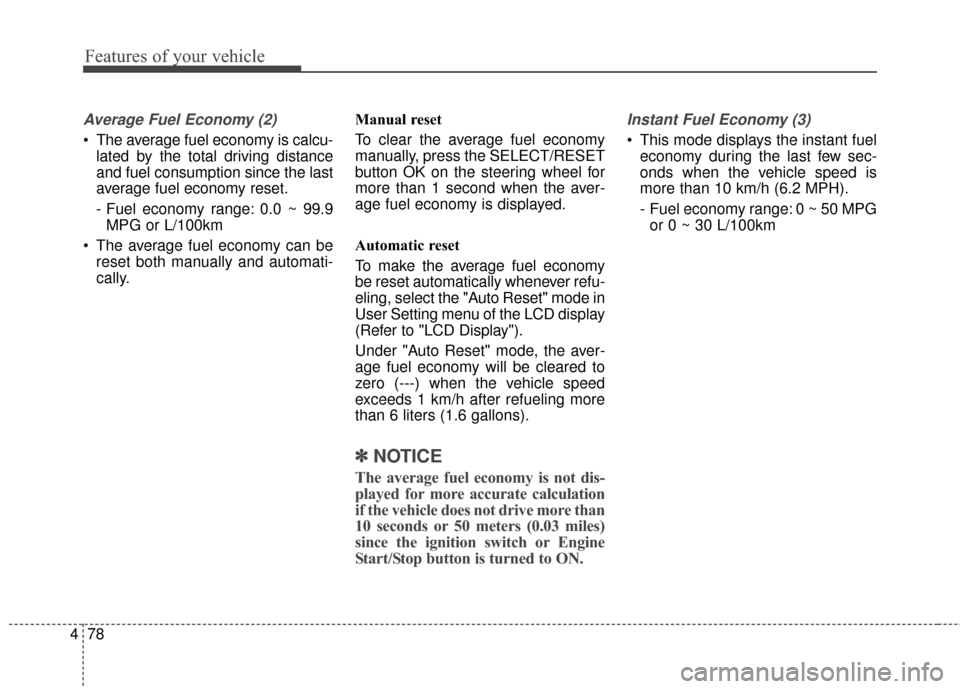
Average Fuel Economy (2)
The average fuel economy is calcu-
lated by the total driving distance
and fuel consumption since the last
average fuel economy reset.
- Fuel economy range: 0.0 ~ 99.9MPG or L/100km
The average fuel economy can be reset both manually and automati-
cally. Manual reset
To clear the average fuel economy
manually, press the SELECT/RESET
button OK on the steering wheel for
more than 1 second when the aver-
age fuel economy is displayed.
Automatic reset
To make the average fuel economy
be reset automatically whenever refu-
eling, select the "Auto Reset" mode in
User Setting menu of the LCD display
(Refer to "LCD Display").
Under "Auto Reset" mode, the aver-
age fuel economy will be cleared to
zero (---) when the vehicle speed
exceeds 1 km/h after refueling more
than 6 liters (1.6 gallons).
✽ ✽
NOTICE
The average fuel economy is not dis-
played for more accurate calculation
if the vehicle does not drive more than
10 seconds or 50 meters (0.03 miles)
since the ignition switch or Engine
Start/Stop button is turned to ON.
Instant Fuel Economy (3)
This mode displays the instant fuel
economy during the last few sec-
onds when the vehicle speed is
more than 10 km/h (6.2 MPH).
- Fuel economy range: 0 ~ 50 MPGor 0 ~ 30 L/100km
Page 149 of 479
479
Features of your vehicle
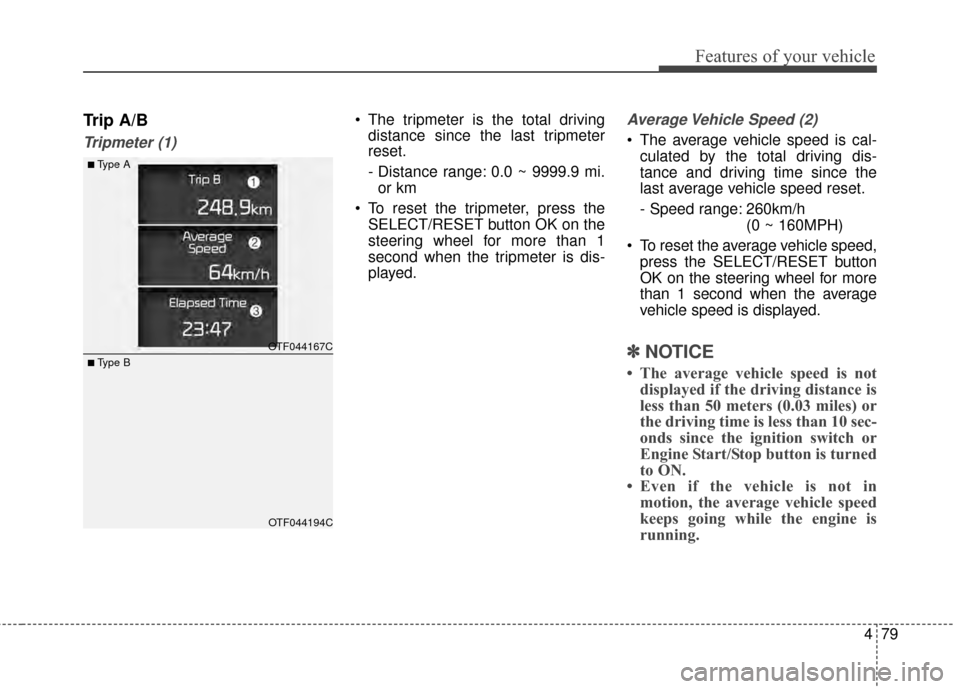
Trip A/B
Tripmeter (1)
The tripmeter is the total drivingdistance since the last tripmeter
reset.
- Distance range: 0.0 ~ 9999.9 mi.
or km
To reset the tripmeter, press the SELECT/RESET button OK on the
steering wheel for more than 1
second when the tripmeter is dis-
played.Average Vehicle Speed (2)
The average vehicle speed is cal-culated by the total driving dis-
tance and driving time since the
last average vehicle speed reset.
- Speed range: 260km/h (0 ~ 160MPH)
To reset the average vehicle speed, press the SELECT/RESET button
OK on the steering wheel for more
than 1 second when the average
vehicle speed is displayed.
✽ ✽ NOTICE
• The average vehicle speed is not
displayed if the driving distance is
less than 50 meters (0.03 miles) or
the driving time is less than 10 sec-
onds since the ignition switch or
Engine Start/Stop button is turned
to ON.
• Even if the vehicle is not in motion, the average vehicle speed
keeps going while the engine is
running.
OTF044167C
OTF044194C
■Type A
■ Type B
Page 150 of 479
Features of your vehicle
80
4
Elapsed Time (3)
The elapsed time is the total driv-
ing time since the last elapsed time
reset.
- Time range (hh:mm): 00:00 ~ 99:59
To reset the elapsed time, press the SELECT/RESET button OK on
the steering wheel for more than 1
second when the elapsed time is
displayed.
✽ ✽ NOTICE
Even if the vehicle is not in motion,
the elapsed time keeps going while
the engine is running.
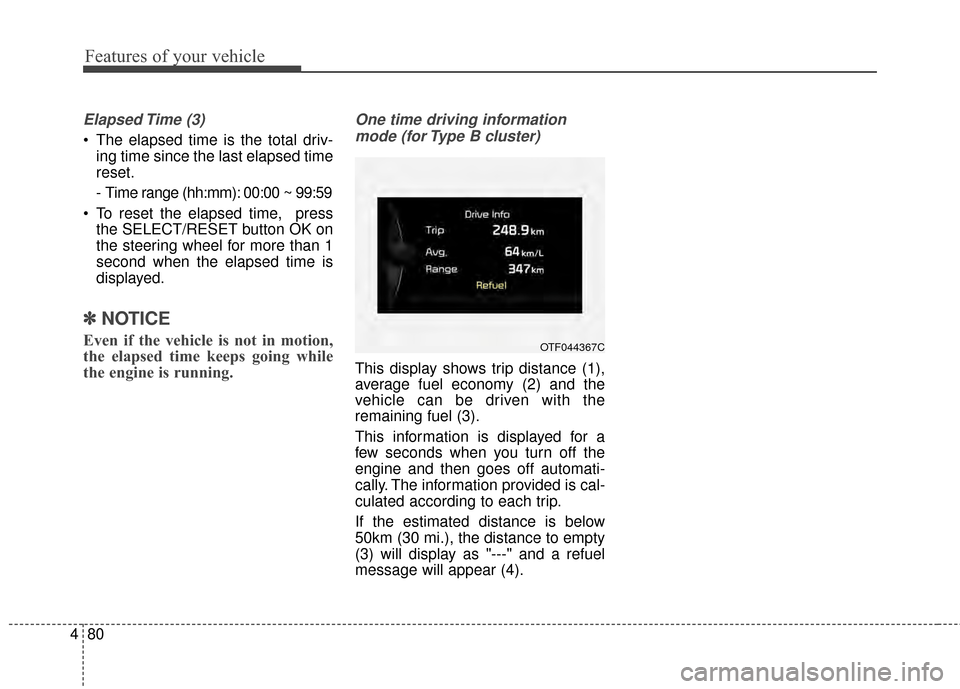
One time driving information
mode (for Type B cluster)
This display shows trip distance (1),
average fuel economy (2) and the
vehicle can be driven with the
remaining fuel (3).
This information is displayed for a
few seconds when you turn off the
engine and then goes off automati-
cally. The information provided is cal-
culated according to each trip.
If the estimated distance is below
50km (30 mi.), the distance to empty
(3) will display as "---" and a refuel
message will appear (4).
OTF044367C
Page 164 of 479
Features of your vehicle
94
4
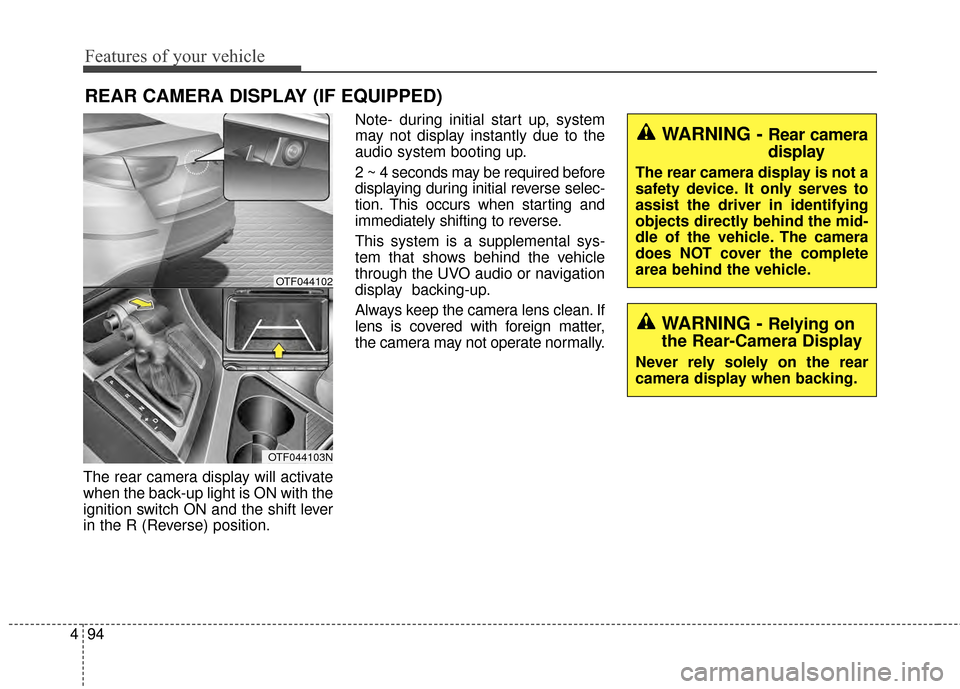
The rear camera display will activate
when the back-up light is ON with the
ignition switch ON and the shift lever
in the R (Reverse) position. Note- during initial start up, system
may not display instantly due to the
audio system booting up.
2 ~ 4 seconds may be required before
displaying during initial reverse selec-
tion. This occurs when starting and
immediately shifting to reverse.
This system is a supplemental sys-
tem that shows behind the vehicle
through the UVO audio or navigation
display backing-up.
Always keep the camera lens clean. If
lens is covered with foreign matter,
the camera may not operate normally.
REAR CAMERA DISPLAY (IF EQUIPPED)
WARNING - Rear camera
display
The rear camera display is not a
safety device. It only serves to
assist the driver in identifying
objects directly behind the mid-
dle of the vehicle. The camera
does NOT cover the complete
area behind the vehicle.
WARNING - Relying on
the Rear-Camera Display
Never rely solely on the rear
camera display when backing.
OTF044102
OTF044103N
Page 189 of 479
4119
Features of your vehicle
AUTOMATIC CLIMATE CONTROL SYSTEM (IF EQUIPPED)
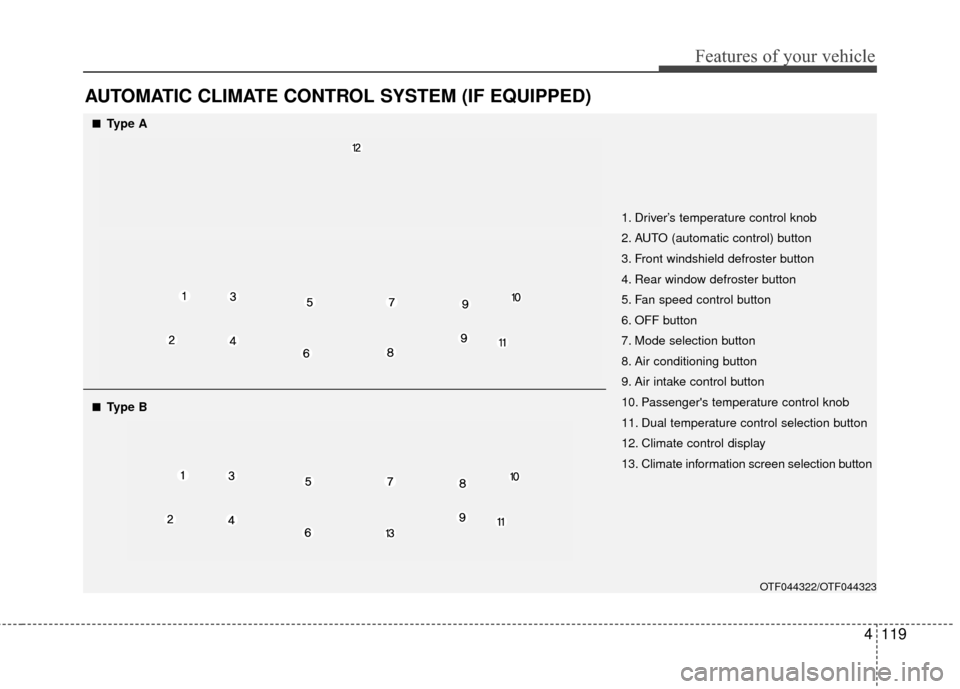
OTF044322/OTF044323
1. Driver’s temperature control knob
2. AUTO (automatic control) button
3. Front windshield defroster button
4. Rear window defroster button
5. Fan speed control button
6. OFF button
7. Mode selection button
8. Air conditioning button
9. Air intake control button
10. Passenger's temperature control knob
11. Dual temperature control selection button
12. Climate control display
13. Climate information screen selection button
■
■Type A
■
■Type B