warning KIA Optima 2014 3.G Manual PDF
[x] Cancel search | Manufacturer: KIA, Model Year: 2014, Model line: Optima, Model: KIA Optima 2014 3.GPages: 479, PDF Size: 13.21 MB
Page 131 of 479
461
Features of your vehicle
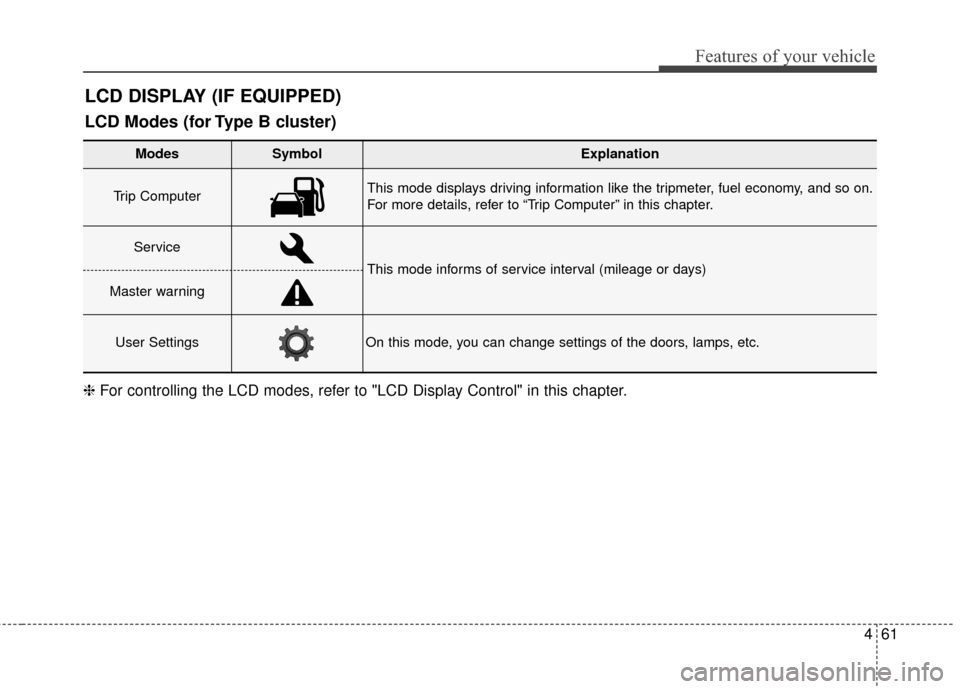
LCD DISPLAY (IF EQUIPPED)
Modes SymbolExplanation
Trip Computer This mode displays driving information like the tripmeter, fuel economy, and so on.
For more details, refer to “Trip Computer” in this chapter.
Service
This mode informs of service interval (mileage or days)
Master warning
User SettingsOn this mode, you can change settings of the doors, lamps, etc.
❈For controlling the LCD modes, refer to "LCD Display Control" in this chapter.
LCD Modes (for Type B cluster)
Page 134 of 479
Features of your vehicle
64
4
Master Warning Mode
(if equipped)
This warning light informs the driv- er the following situations
- Low washer fluid
- Service reminder
The Master Warning Light illumi-
nates when more than one of the
above warning situations occur. At
this time, the LCD Modes Icon will
change from ( ) to ( ).
If the warning situation is solved, the
master warning light will be turned off
and the LCD Modes Icon will be
changed back to its previous icon ( ).
(ex : refill the washer fluid)
User Settings Mode
Description
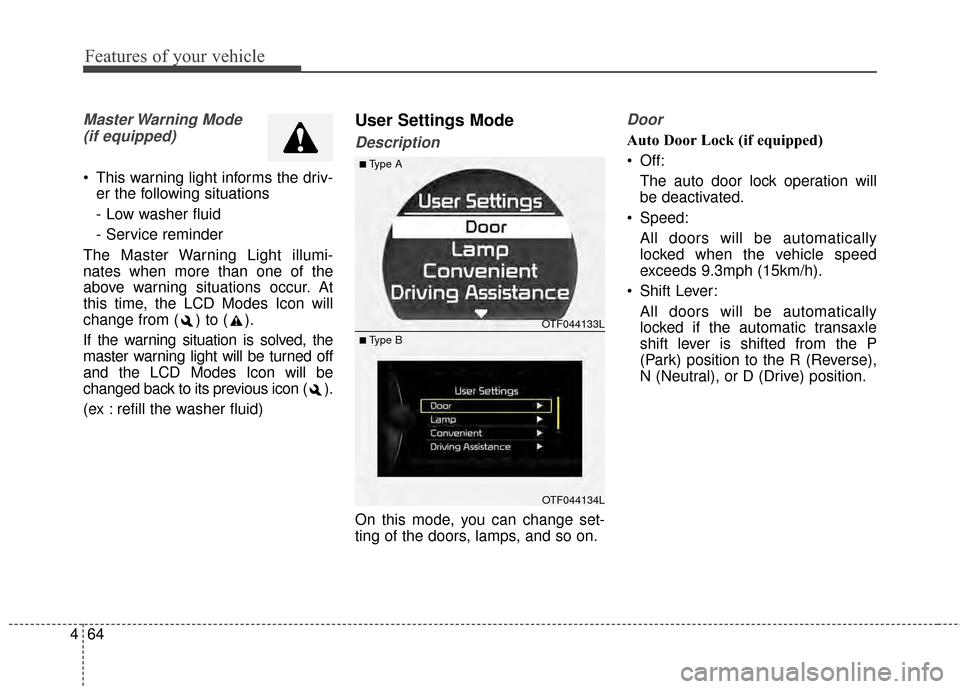
On this mode, you can change set-
ting of the doors, lamps, and so on.
Door
Auto Door Lock (if equipped)
Off: The auto door lock operation will
be deactivated.
Speed: All doors will be automatically
locked when the vehicle speed
exceeds 9.3mph (15km/h).
Shift Lever: All doors will be automatically
locked if the automatic transaxle
shift lever is shifted from the P
(Park) position to the R (Reverse),
N (Neutral), or D (Drive) position.
OTF044133L
OTF044134L
■Type A
■ Type B
Page 135 of 479
465
Features of your vehicle
Auto Door Unlock (if equipped)
Off:The auto door unlock operation will
be canceled.
Key Out or Power Off: All doors will be automatically
unlocked when the ignition key is
removed from ignition switch or
Engine Start/Stop Button is set to
the OFF position.
Shift Lever: All doors will be automatically
unlocked if the automatic transaxle
shift lever is shifted to the P (Park)
position. Two Press Unlock (if equipped)
Off:
The two press unlock function will
be deactivated. Therefore, all doors
will unlock if the door is unlocked.
On: The driver’s door will unlock if the
door is unlocked. When the door is
unlocked again within 4 seconds,
all doors will unlock.
Horn Feedback (if equipped)
Off: The Horn feedback operation will
be deactivated.
On: After locking the door by pressing
the lock button on the transmitter, if
you press the lock button again
within 4 seconds, the warning
sound will operate once to indicate
that all doors are locked.Lamp
One Touch Turn Lamp (if equipped)
If this item is checked, the lane
change signals will blink 3, 5 or 7
times when the turn signal lever is
moved slightly.
Head Lamp Delay (if equipped)
If this item is checked, the headlamp
delay and headlamp welcome func-
tion will be activated.
Welcome Light (if equipped)
If this item is checked, the welcome
light function of the puddle lamp will
be activated.
Page 136 of 479
Features of your vehicle
66
4
Convenience
Language
Choose the language you prefer
within the LCD.
Temperature Unit
Convert the temperature unit from °C
to °F or from °F to °C.
AVG Fuel Eco Reset
Auto Reset:
The average fuel economy will
reset automatically when refueling.
Manual Reset: The average fuel economy will not
reset automatically whenever refu-
eling.
For more details, refer to "Trip
Computer" in this chapter. Seat Easy Access (if equipped)
If this item is checked, the driver’s
seat will automatically move forward
or rearward for the driver to enter or
exit the vehicle comfortably.
Welcome Sound
If this item is checked, the welcome
sound function will be activated.
Steering Position (if equipped)
If this item is checked, the warning
function regarding the steering wheel
alignment will be activated.
For more details, refer to "Warning
Messages" in this chapter.
Driving Assist (if equipped)
RCTA
If this item is checked RCTA (Rear
cross traffic alert) function in BSD
(Blind spot detection) system will be
activated.
For more details, refer to Blind spot
detection system in chapter 5.
Page 137 of 479
467
Features of your vehicle
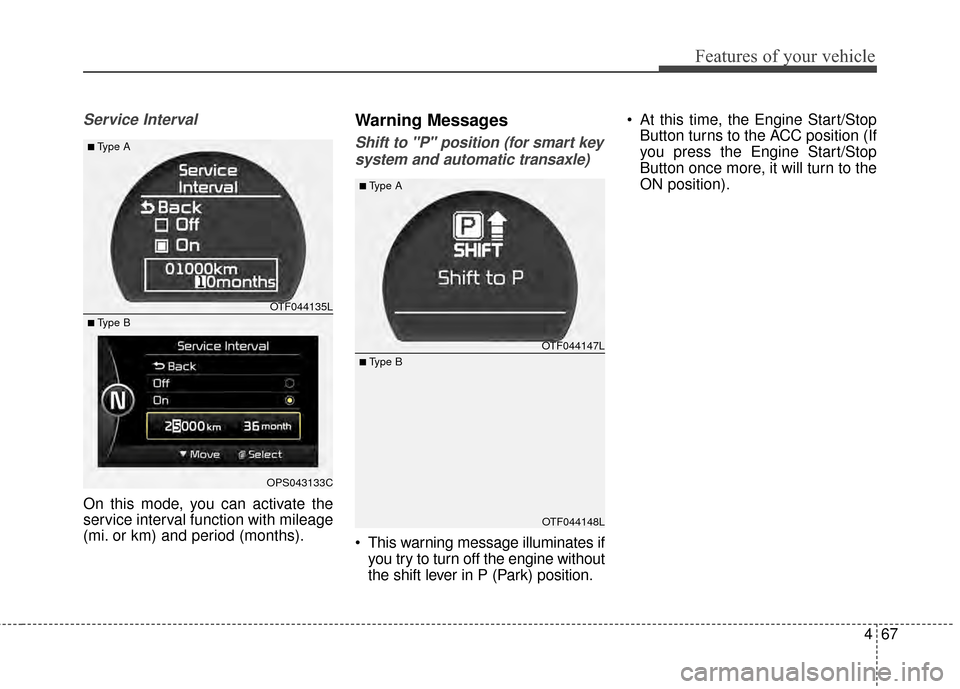
Service Interval
On this mode, you can activate the
service interval function with mileage
(mi. or km) and period (months).
Warning Messages
Shift to "P" position (for smart keysystem and automatic transaxle)
This warning message illuminates if you try to turn off the engine without
the shift lever in P (Park) position. At this time, the Engine Start/Stop
Button turns to the ACC position (If
you press the Engine Start/Stop
Button once more, it will turn to the
ON position).
OTF044147L
OTF044148L
■Type A
■ Type B
OTF044135L
OPS043133C
■Type A
■ Type B
Page 138 of 479
Features of your vehicle
68
4
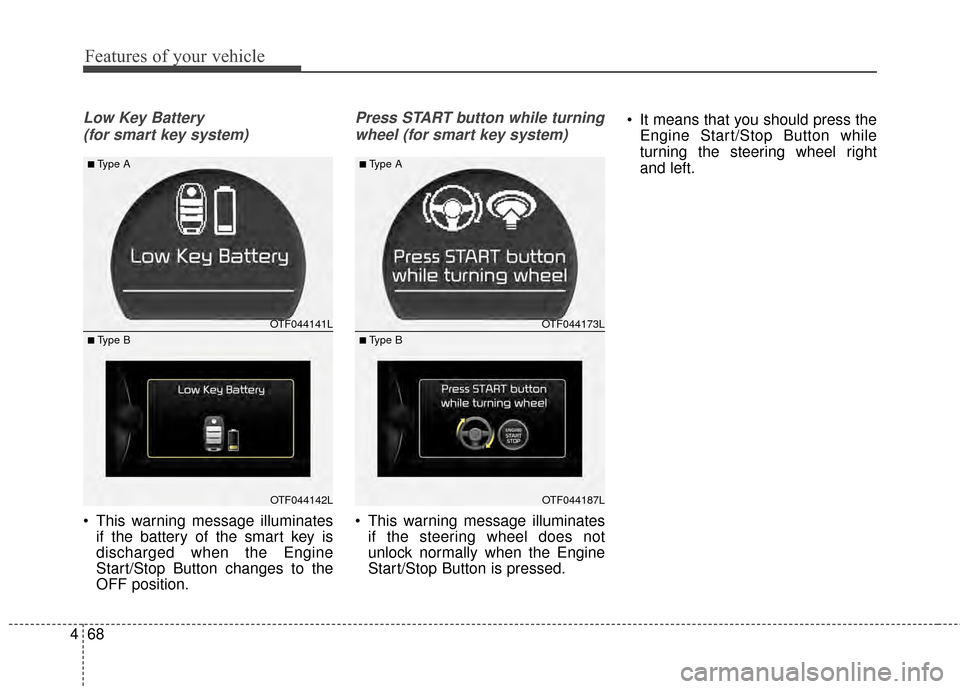
Low Key Battery
(for smart key system)
This warning message illuminates if the battery of the smart key is
discharged when the Engine
Start/Stop Button changes to the
OFF position.
Press START button while turning
wheel (for smart key system)
This warning message illuminates if the steering wheel does not
unlock normally when the Engine
Start/Stop Button is pressed. It means that you should press the
Engine Start/Stop Button while
turning the steering wheel right
and left.
OTF044141L
OTF044142L
■Type A
■ Type B
OTF044173L
OTF044187L
■Type A
■ Type B
Page 139 of 479
469
Features of your vehicle
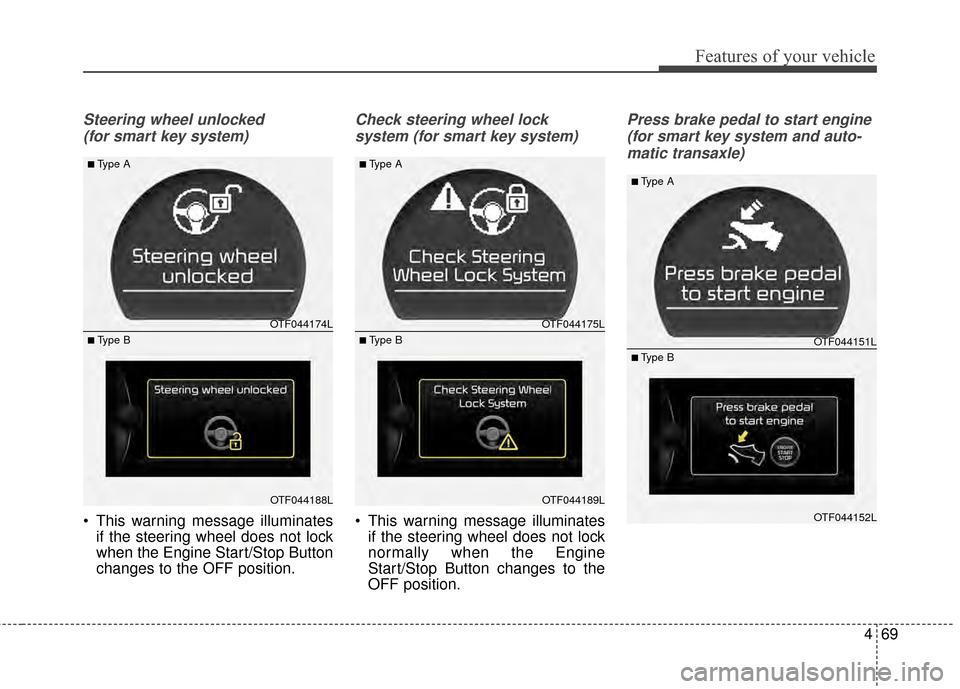
Steering wheel unlocked (for smart key system)
This warning message illuminates if the steering wheel does not lock
when the Engine Start/Stop Button
changes to the OFF position.
Check steering wheel lock
system (for smart key system)
This warning message illuminates if the steering wheel does not lock
normally when the Engine
Start/Stop Button changes to the
OFF position.
Press brake pedal to start engine
(for smart key system and auto-matic transaxle)
OTF044174L
OTF044188L
■Type A
■ Type B
OTF044175L
OTF044189L
■Type A
■ Type BOTF044151L
OTF044152L
■Type A
■ Type B
Page 140 of 479
Features of your vehicle
70
4
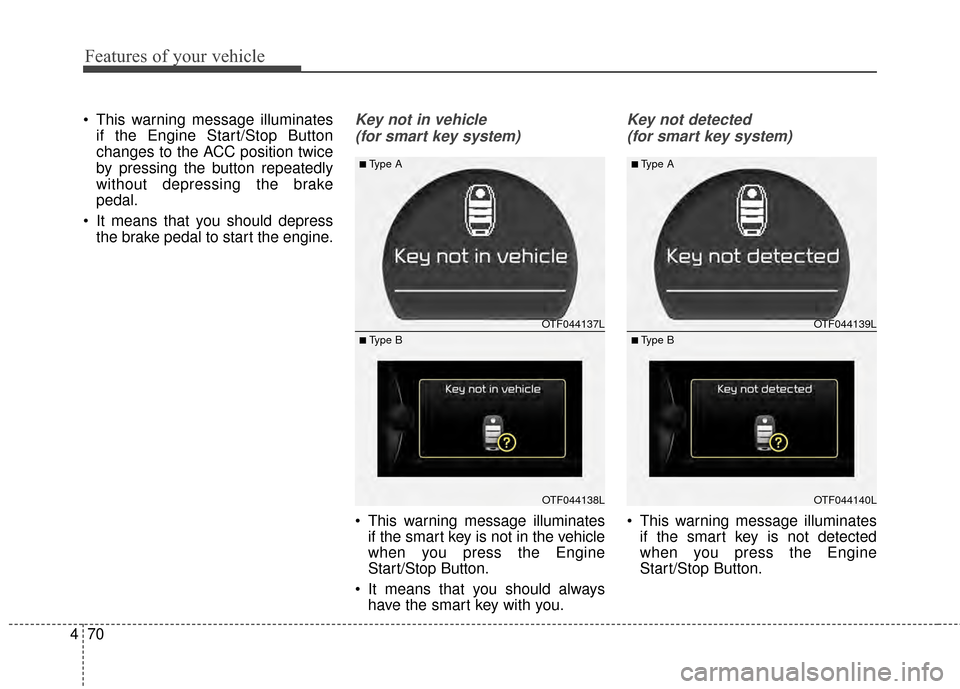
This warning message illuminates
if the Engine Start/Stop Button
changes to the ACC position twice
by pressing the button repeatedly
without depressing the brake
pedal.
It means that you should depress the brake pedal to start the engine.Key not in vehicle
(for smart key system)
This warning message illuminates if the smart key is not in the vehicle
when you press the Engine
Start/Stop Button.
It means that you should always have the smart key with you.
Key not detected
(for smart key system)
This warning message illuminates if the smart key is not detected
when you press the Engine
Start/Stop Button.
OTF044137L
OTF044138L
■Type A
■ Type B
OTF044139L
OTF044140L
■Type A
■ Type B
Page 141 of 479
471
Features of your vehicle
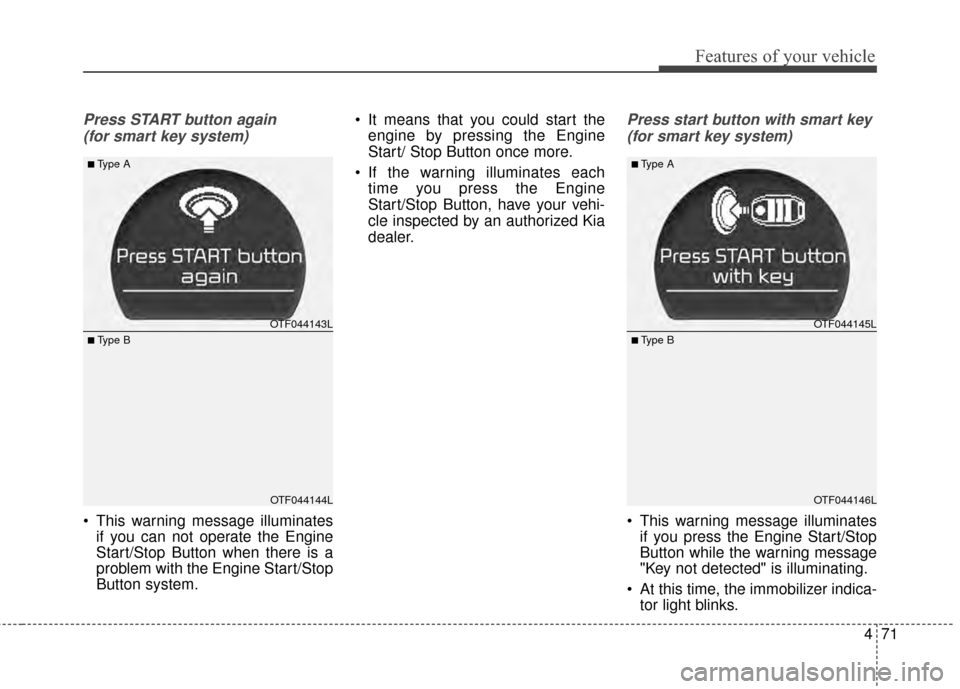
Press START button again (for smart key system)
This warning message illuminates if you can not operate the Engine
Start/Stop Button when there is a
problem with the Engine Start/Stop
Button system. It means that you could start the
engine by pressing the Engine
Start/ Stop Button once more.
If the warning illuminates each time you press the Engine
Start/Stop Button, have your vehi-
cle inspected by an authorized Kia
dealer.
Press start button with smart key
(for smart key system)
This warning message illuminates if you press the Engine Start/Stop
Button while the warning message
"Key not detected" is illuminating.
At this time, the immobilizer indica- tor light blinks.
OTF044143L
OTF044144L
■Type A
■ Type B
OTF044145L
OTF044146L
■Type A
■ Type B
Page 142 of 479
Features of your vehicle
72
4
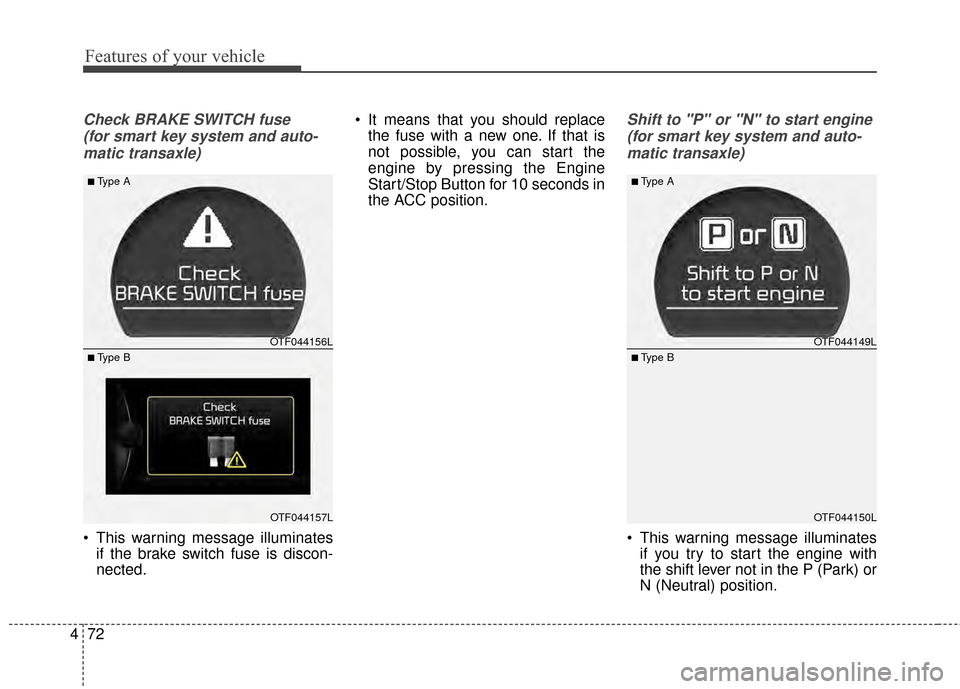
Check BRAKE SWITCH fuse
(for smart key system and auto-matic transaxle)
This warning message illuminates if the brake switch fuse is discon-
nected. It means that you should replace
the fuse with a new one. If that is
not possible, you can start the
engine by pressing the Engine
Start/Stop Button for 10 seconds in
the ACC position.
Shift to "P" or "N" to start engine
(for smart key system and auto-matic transaxle)
This warning message illuminates if you try to start the engine with
the shift lever not in the P (Park) or
N (Neutral) position.
OTF044156L
OTF044157L
■Type A
■ Type B
OTF044149L
OTF044150L
■Type A
■ Type B