brake KIA Optima 2016 4.G Manual PDF
[x] Cancel search | Manufacturer: KIA, Model Year: 2016, Model line: Optima, Model: KIA Optima 2016 4.GPages: 623, PDF Size: 15.4 MB
Page 418 of 623
Driving your vehicle
62
6
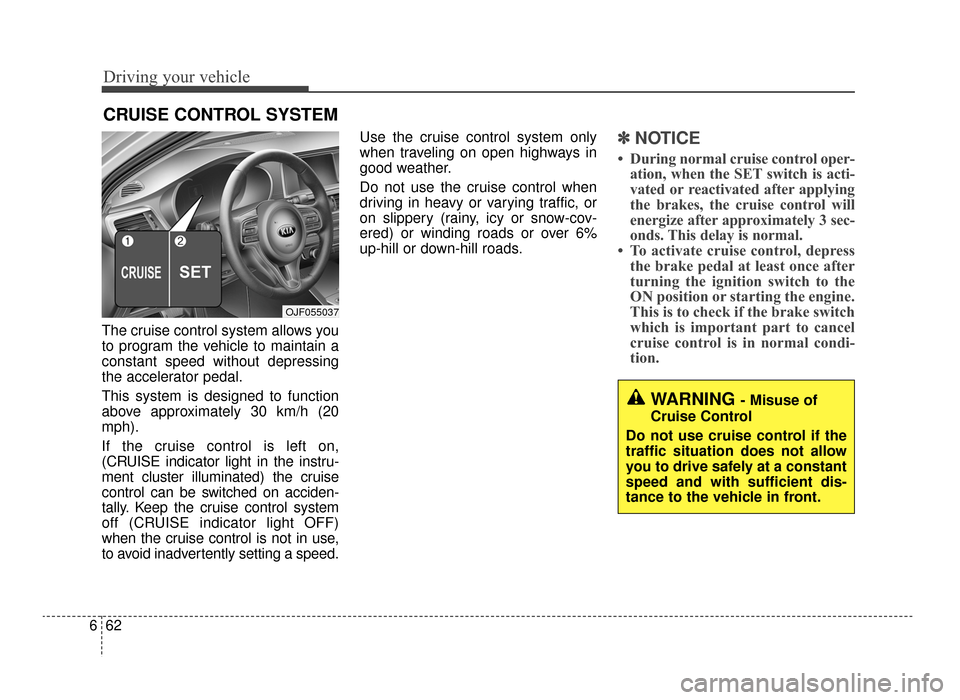
The cruise control system allows you
to program the vehicle to maintain a
constant speed without depressing
the accelerator pedal.
This system is designed to function
above approximately 30 km/h (20
mph).
If the cruise control is left on,
(CRUISE indicator light in the instru-
ment cluster illuminated) the cruise
control can be switched on acciden-
tally. Keep the cruise control system
off (CRUISE indicator light OFF)
when the cruise control is not in use,
to avoid inadvertently setting a speed. Use the cruise control system only
when traveling on open highways in
good weather.
Do not use the cruise control when
driving in heavy or varying traffic, or
on slippery (rainy, icy or snow-cov-
ered) or winding roads or over 6%
up-hill or down-hill roads.
✽ ✽
NOTICE
• During normal cruise control oper-
ation, when the SET switch is acti-
vated or reactivated after applying
the brakes, the cruise control will
energize after approximately 3 sec-
onds. This delay is normal.
• To activate cruise control, depress the brake pedal at least once after
turning the ignition switch to the
ON position or starting the engine.
This is to check if the brake switch
which is important part to cancel
cruise control is in normal condi-
tion.
CRUISE CONTROL SYSTEM
WARNING - Misuse of
Cruise Control
Do not use cruise control if the
traffic situation does not allow
you to drive safely at a constant
speed and with sufficient dis-
tance to the vehicle in front.
OJF055037
JF CAN (ENG) 6.qxp 11/5/2015 6:38 PM Page 62
Page 420 of 623
Driving your vehicle
64
6
To decrease the cruising
speed:
Follow either of these procedures:
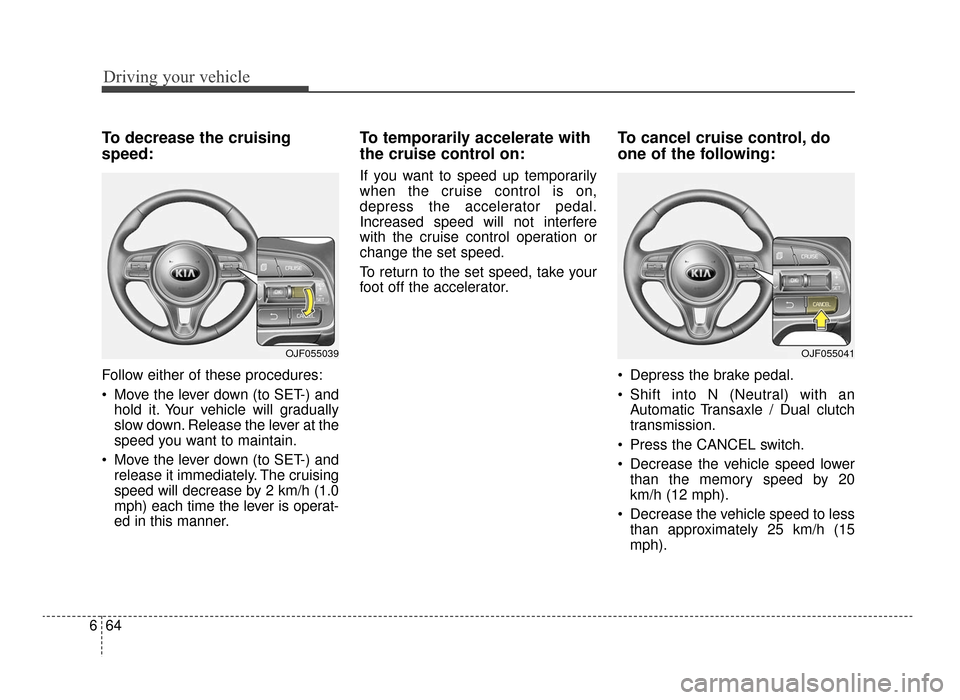
Move the lever down (to SET-) and
hold it. Your vehicle will gradually
slow down. Release the lever at the
speed you want to maintain.
Move the lever down (to SET-) and release it immediately. The cruising
speed will decrease by 2 km/h (1.0
mph) each time the lever is operat-
ed in this manner.
To temporarily accelerate with
the cruise control on:
If you want to speed up temporarily
when the cruise control is on,
depress the accelerator pedal.
Increased speed will not interfere
with the cruise control operation or
change the set speed.
To return to the set speed, take your
foot off the accelerator.
To cancel cruise control, do
one of the following:
Depress the brake pedal.
Shift into N (Neutral) with an Automatic Transaxle / Dual clutch
transmission.
Press the CANCEL switch.
Decrease the vehicle speed lower than the memory speed by 20
km/h (12 mph).
Decrease the vehicle speed to less than approximately 25 km/h (15
mph).
OJF055041OJF055039
JF CAN (ENG) 6.qxp 11/5/2015 6:38 PM Page 64
Page 422 of 623
Driving your vehicle
66
6
ADVANCED SMART CRUISE CONTROL SYSTEM (ASCC) (IF EQUIPPED)
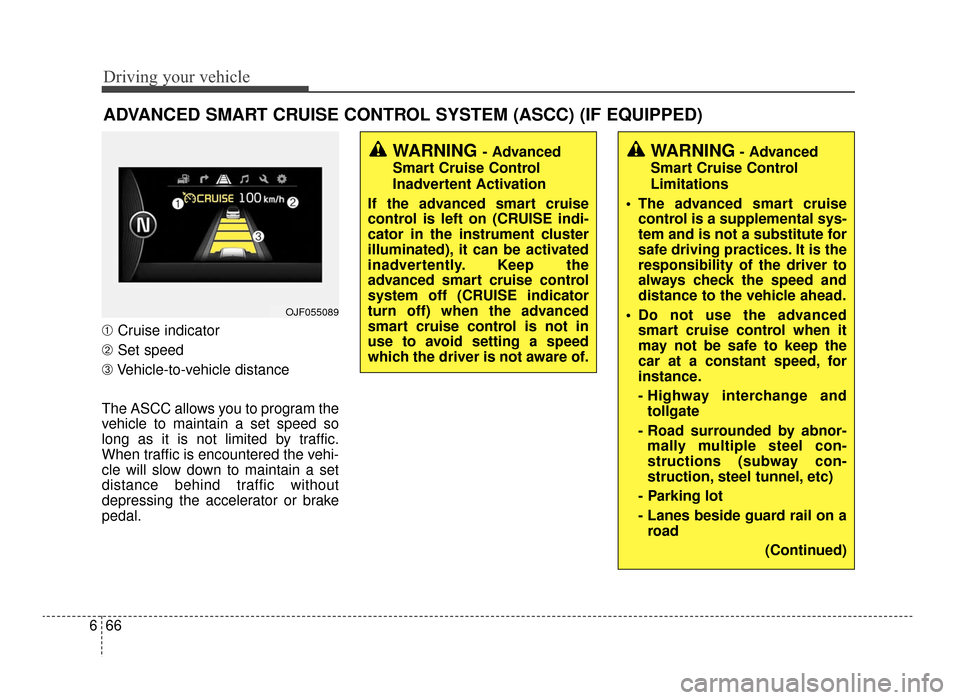
➀ Cruise indicator
➁ Set speed
➂ Vehicle-to-vehicle distance
The ASCC allows you to program the
vehicle to maintain a set speed so
long as it is not limited by traffic.
When traffic is encountered the vehi-
cle will slow down to maintain a set
distance behind traffic without
depressing the accelerator or brake
pedal.
WARNING - Advanced
Smart Cruise Control
Inadvertent Activation
If the advanced smart cruise
control is left on (CRUISE indi-
cator in the instrument cluster
illuminated), it can be activated
inadvertently. Keep the
advanced smart cruise control
system off (CRUISE indicator
turn off) when the advanced
smart cruise control is not in
use to avoid setting a speed
which the driver is not aware of.WARNING- Advanced
Smart Cruise Control
Limitations
The advanced smart cruise control is a supplemental sys-
tem and is not a substitute for
safe driving practices. It is the
responsibility of the driver to
always check the speed and
distance to the vehicle ahead.
Do not use the advanced smart cruise control when it
may not be safe to keep the
car at a constant speed, for
instance.
- Highway interchange andtollgate
- Road surrounded by abnor- mally multiple steel con-
structions (subway con-
struction, steel tunnel, etc)
- Parking lot
- Lanes beside guard rail on a road
(Continued)
OJF055089
JF CAN (ENG) 6.qxp 11/5/2015 6:38 PM Page 66
Page 425 of 623
669
Driving your vehicle
ASCC will be temporarily can-celed when:
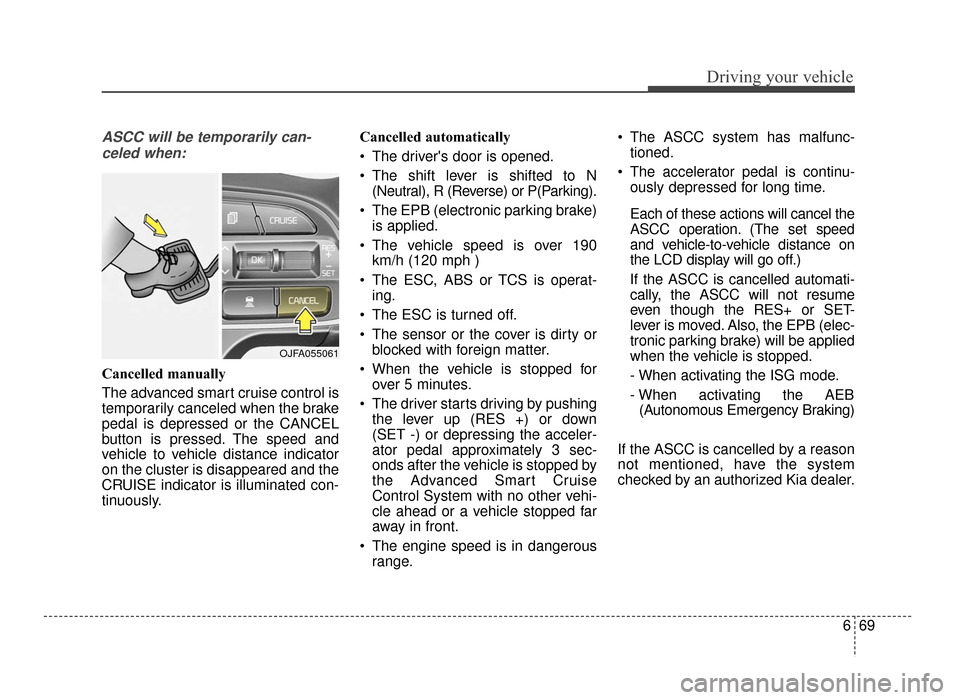
Cancelled manually
The advanced smart cruise control is
temporarily canceled when the brake
pedal is depressed or the CANCEL
button is pressed. The speed and
vehicle to vehicle distance indicator
on the cluster is disappeared and the
CRUISE indicator is illuminated con-
tinuously. Cancelled automatically
The driver's door is opened.
The shift lever is shifted to N
(Neutral), R (Reverse) or P(Parking).
The EPB (electronic parking brake) is applied.
The vehicle speed is over 190 km/h (120 mph )
The ESC, ABS or TCS is operat- ing.
The ESC is turned off.
The sensor or the cover is dirty or blocked with foreign matter.
When the vehicle is stopped for over 5 minutes.
The driver starts driving by pushing the lever up (RES +) or down
(SET -) or depressing the acceler-
ator pedal approximately 3 sec-
onds after the vehicle is stopped by
the Advanced Smart Cruise
Control System with no other vehi-
cle ahead or a vehicle stopped far
away in front.
The engine speed is in dangerous range. The ASCC system has malfunc-
tioned.
The accelerator pedal is continu- ously depressed for long time.
Each of these actions will cancel the
ASCC operation. (The set speed
and vehicle-to-vehicle distance on
the LCD display will go off.)
If the ASCC is cancelled automati-
cally, the ASCC will not resume
even though the RES+ or SET-
lever is moved. Also, the EPB (elec-
tronic parking brake) will be applied
when the vehicle is stopped.
- When activating the ISG mode.
- When activating the AEB(Autonomous Emergency Braking)
If the ASCC is cancelled by a reason
not mentioned, have the system
checked by an authorized Kia dealer.
OJFA055061
JF CAN (ENG) 6.qxp 11/5/2015 6:38 PM Page 69
Page 426 of 623
Driving your vehicle
70
6
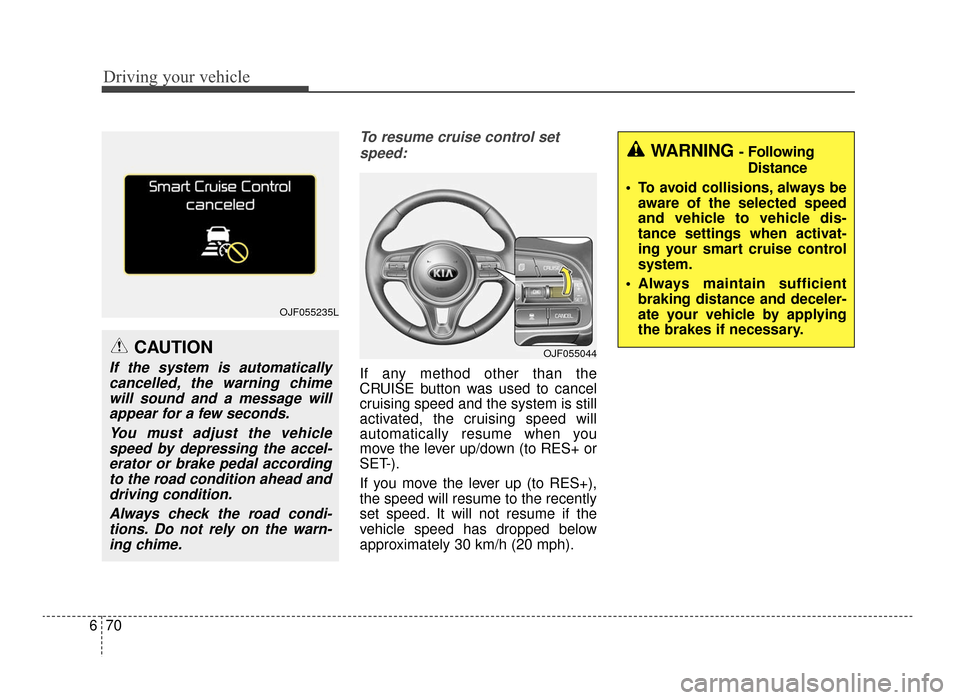
To resume cruise control set
speed:
If any method other than the
CRUISE button was used to cancel
cruising speed and the system is still
activated, the cruising speed will
automatically resume when you
move the lever up/down (to RES+ or
SET-).
If you move the lever up (to RES+),
the speed will resume to the recently
set speed. It will not resume if the
vehicle speed has dropped below
approximately 30 km/h (20 mph).
OJF055235L
WARNING - Following Distance
To avoid collisions, always be aware of the selected speed
and vehicle to vehicle dis-
tance settings when activat-
ing your smart cruise control
system.
Always maintain sufficient braking distance and deceler-
ate your vehicle by applying
the brakes if necessary.
OJF055044CAUTION
If the system is automaticallycancelled, the warning chimewill sound and a message willappear for a few seconds.
You must adjust the vehiclespeed by depressing the accel-erator or brake pedal accordingto the road condition ahead anddriving condition.
Always check the road condi-tions. Do not rely on the warn-ing chime.
JF CAN (ENG) 6.qxp 11/5/2015 6:39 PM Page 70
Page 427 of 623
671
Driving your vehicle
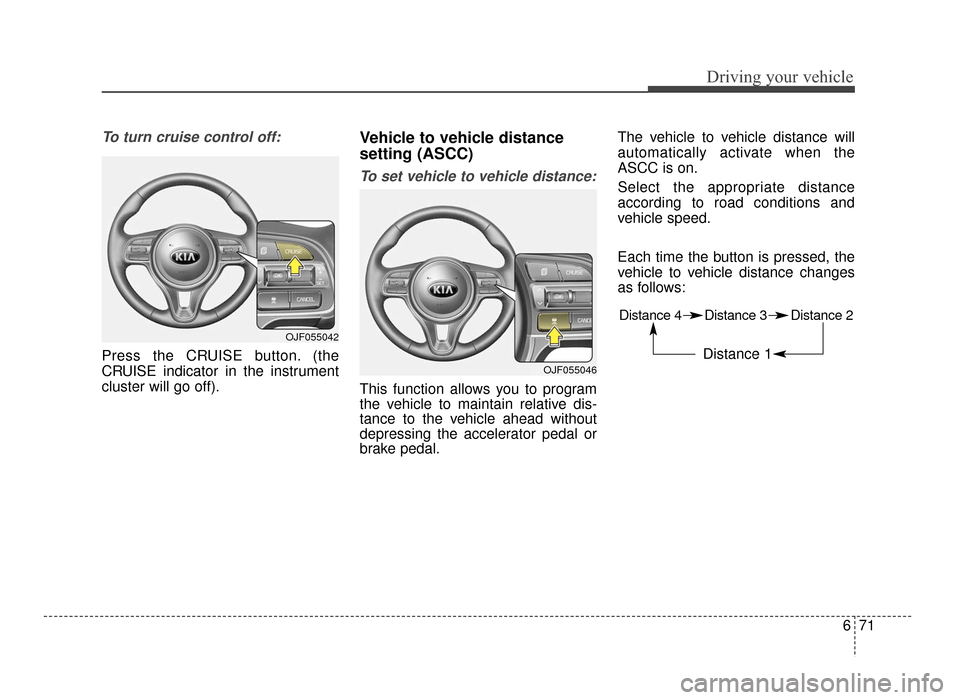
To turn cruise control off:
Press the CRUISE button. (the
CRUISE indicator in the instrument
cluster will go off).
Vehicle to vehicle distance
setting (ASCC)
To set vehicle to vehicle distance:
This function allows you to program
the vehicle to maintain relative dis-
tance to the vehicle ahead without
depressing the accelerator pedal or
brake pedal.The vehicle to vehicle distance will
automatically activate when the
ASCC is on.
Select the appropriate distance
according to road conditions and
vehicle speed.
Each time the button is pressed, the
vehicle to vehicle distance changes
as follows:
OJF055042
OJF055046
Distance 4 Distance 3 Distance 2
Distance 1
JF CAN (ENG) 6.qxp 11/5/2015 6:39 PM Page 71
Page 429 of 623

673
Driving your vehicle
If the vehicle ahead speeds up,your vehicle will travel at a steady
cruising speed after accelerating to
the selected speed.
The warning chime sounds and LCD display blinks if it is hard to
maintain the selected distance to
the vehicle ahead.
If the warning chime sounds, actively adjust the vehicle speed by
depressing the brake pedal
according to the road condition
ahead and driving condition.
Even if the warning chime is not activated, always pay attention to
the driving conditions to prevent
dangerous situations from occur-
ring. If the vehicle ahead (vehicle speed:
less than 30 km/h (20 mph)) moves
to the next lane, the warning chime
will sound and a message will
appear.
If a vehicle enters into your lane
moving less than the designated
speed, you can adjust your vehicle
speed by depressing the brake
pedal.In heavy traffic
In traffic, your vehicle will stop if the
vehicle ahead of you stops. Also, if
the vehicle ahead of you starts mov-
ing, your vehicle will start as well.
However, if the vehicle stops for
more than 3 seconds, you must
depress the accelerator pedal or
move up/down the lever (to RES+ or
SET-) to start driving.
OJFA055099C
OJFA055100C
JF CAN (ENG) 6.qxp 11/5/2015 6:39 PM Page 73
Page 432 of 623
Driving your vehicle
76
6
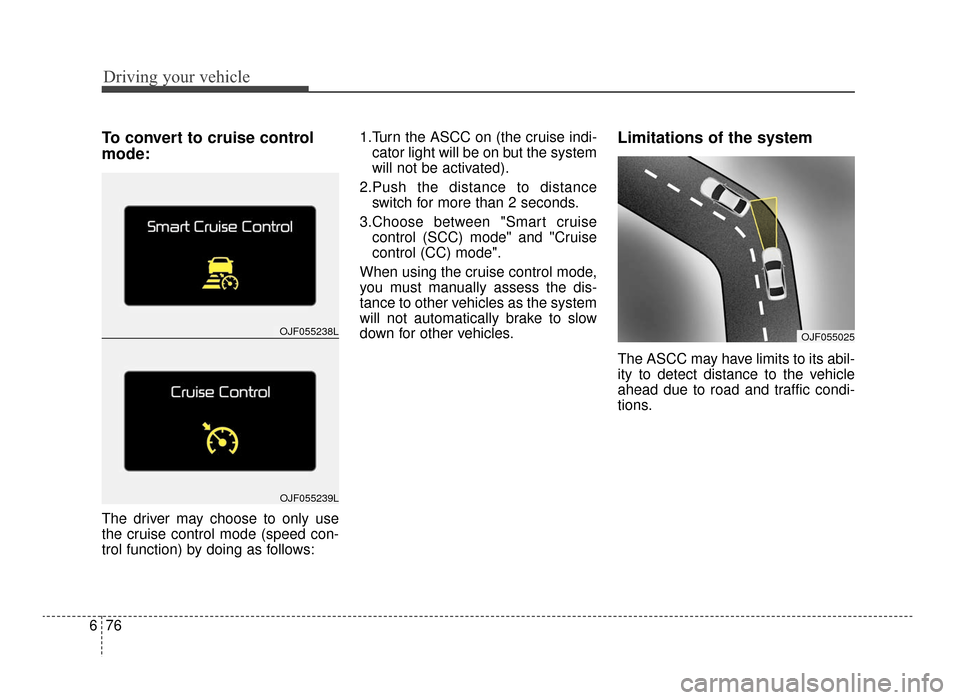
To convert to cruise control
mode:
The driver may choose to only use
the cruise control mode (speed con-
trol function) by doing as follows: 1.Turn the ASCC on (the cruise indi-
cator light will be on but the system
will not be activated).
2.Push the distance to distance switch for more than 2 seconds.
3.Choose between "Smart cruise control (SCC) mode" and "Cruise
control (CC) mode".
When using the cruise control mode,
you must manually assess the dis-
tance to other vehicles as the system
will not automatically brake to slow
down for other vehicles.
Limitations of the system
The ASCC may have limits to its abil-
ity to detect distance to the vehicle
ahead due to road and traffic condi-
tions.
OJF055238L
OJF055239L
OJF055025
JF CAN (ENG) 6.qxp 11/5/2015 6:39 PM Page 76
Page 433 of 623
677
Driving your vehicle
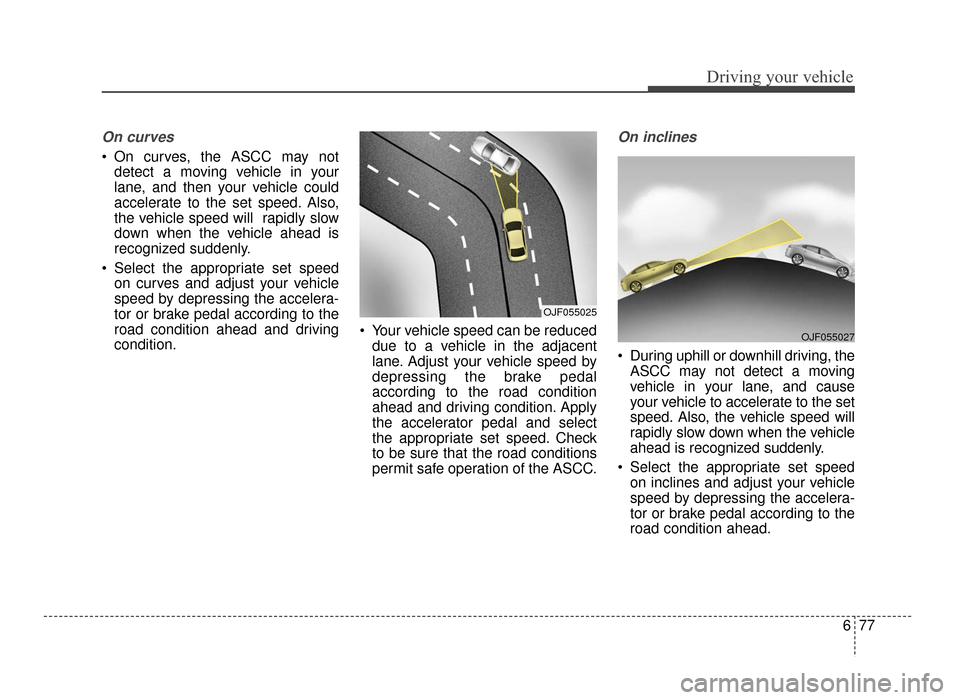
On curves
On curves, the ASCC may notdetect a moving vehicle in your
lane, and then your vehicle could
accelerate to the set speed. Also,
the vehicle speed will rapidly slow
down when the vehicle ahead is
recognized suddenly.
Select the appropriate set speed on curves and adjust your vehicle
speed by depressing the accelera-
tor or brake pedal according to the
road condition ahead and driving
condition. Your vehicle speed can be reduced
due to a vehicle in the adjacent
lane. Adjust your vehicle speed by
depressing the brake pedal
according to the road condition
ahead and driving condition. Apply
the accelerator pedal and select
the appropriate set speed. Check
to be sure that the road conditions
permit safe operation of the ASCC.
On inclines
During uphill or downhill driving, theASCC may not detect a moving
vehicle in your lane, and cause
your vehicle to accelerate to the set
speed. Also, the vehicle speed will
rapidly slow down when the vehicle
ahead is recognized suddenly.
Select the appropriate set speed on inclines and adjust your vehicle
speed by depressing the accelera-
tor or brake pedal according to the
road condition ahead.
OJF055025
OJF055027
JF CAN (ENG) 6.qxp 11/5/2015 6:39 PM Page 77
Page 435 of 623
679
Driving your vehicle
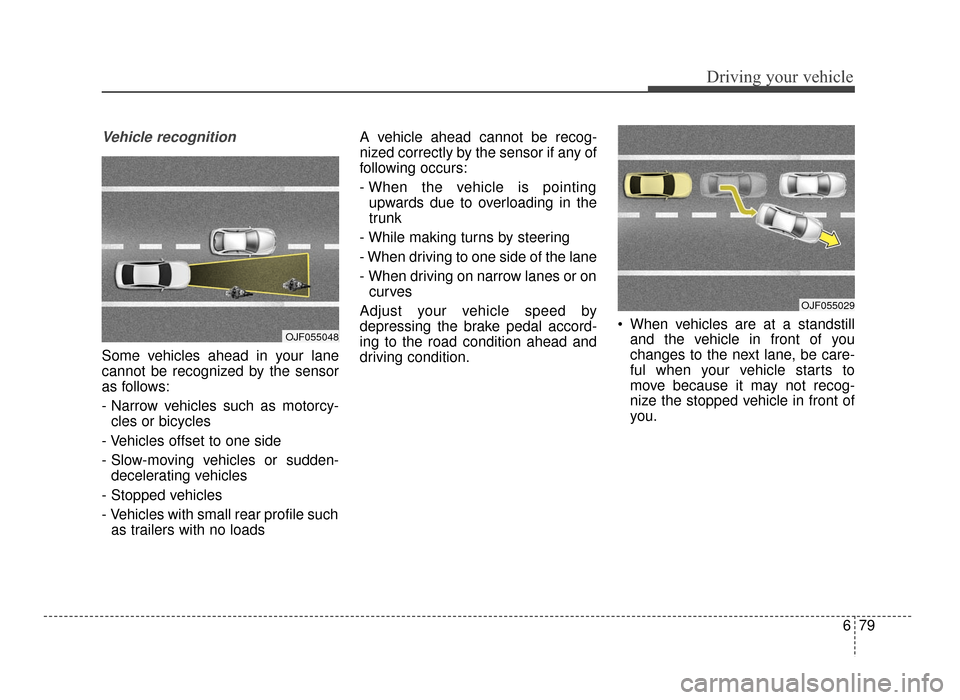
Vehicle recognition
Some vehicles ahead in your lane
cannot be recognized by the sensor
as follows:
- Narrow vehicles such as motorcy-cles or bicycles
- Vehicles offset to one side
- Slow-moving vehicles or sudden- decelerating vehicles
- Stopped vehicles
- Vehicles with small rear profile such as trailers with no loads A vehicle ahead cannot be recog-
nized correctly by the sensor if any of
following occurs:
- When the vehicle is pointing
upwards due to overloading in the
trunk
- While making turns by steering
- When driving to one side of the lane
- When driving on narrow lanes or on curves
Adjust your vehicle speed by
depressing the brake pedal accord-
ing to the road condition ahead and
driving condition. When vehicles are at a standstill
and the vehicle in front of you
changes to the next lane, be care-
ful when your vehicle starts to
move because it may not recog-
nize the stopped vehicle in front of
you.
OJF055048
OJF055029
JF CAN (ENG) 6.qxp 11/5/2015 6:39 PM Page 79