display KIA OPTIMA 2017 Owners Manual
[x] Cancel search | Manufacturer: KIA, Model Year: 2017, Model line: OPTIMA, Model: KIA OPTIMA 2017Pages: 629, PDF Size: 15.24 MB
Page 411 of 629
Driving your vehicle
54
6
AEB warning message and
system control
The AEB produces warning mes-
sages, warning alarms, and emer-
gency braking based on the level of
risk of a frontal collision, such as
when a vehicle ahead suddenly
brakes, when there is no following dis-
tance from the vehicle in front, or
when it detects a collision with a
pedestrian is imminent.
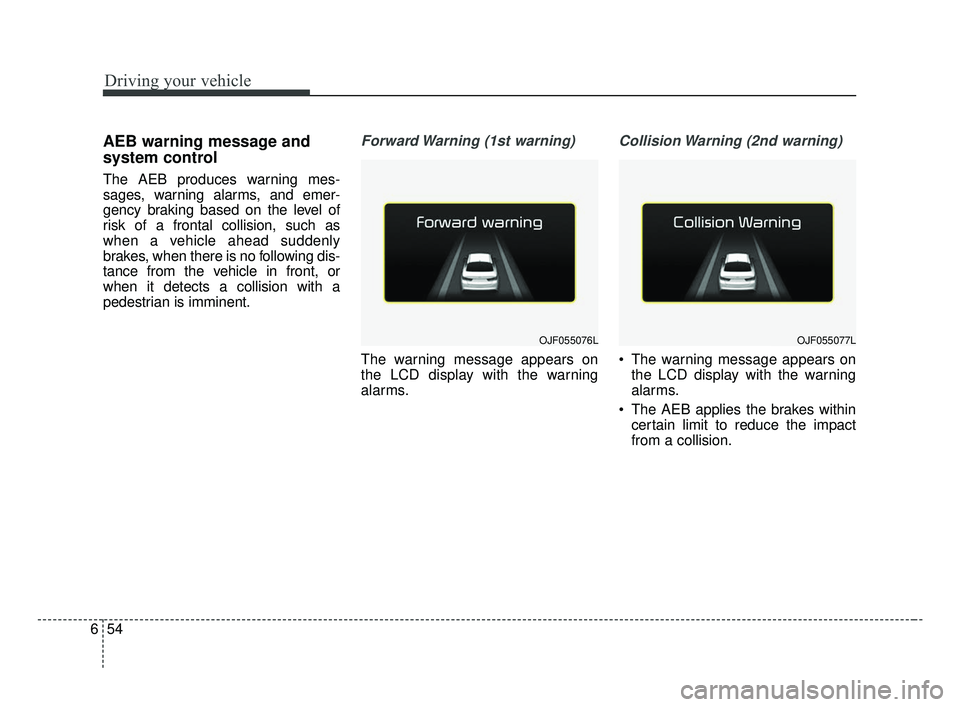
Forward Warning (1st warning)
The warning message appears on
the LCD display with the warning
alarms.
Collision Warning (2nd warning)
The warning message appears on
the LCD display with the warning
alarms.
The AEB applies the brakes within certain limit to reduce the impact
from a collision.
OJF055076LOJF055077L
JF CAN (ENG) 6.qxp 2016-09-21 11:25 Page 54
Page 412 of 629
655
Driving your vehicle
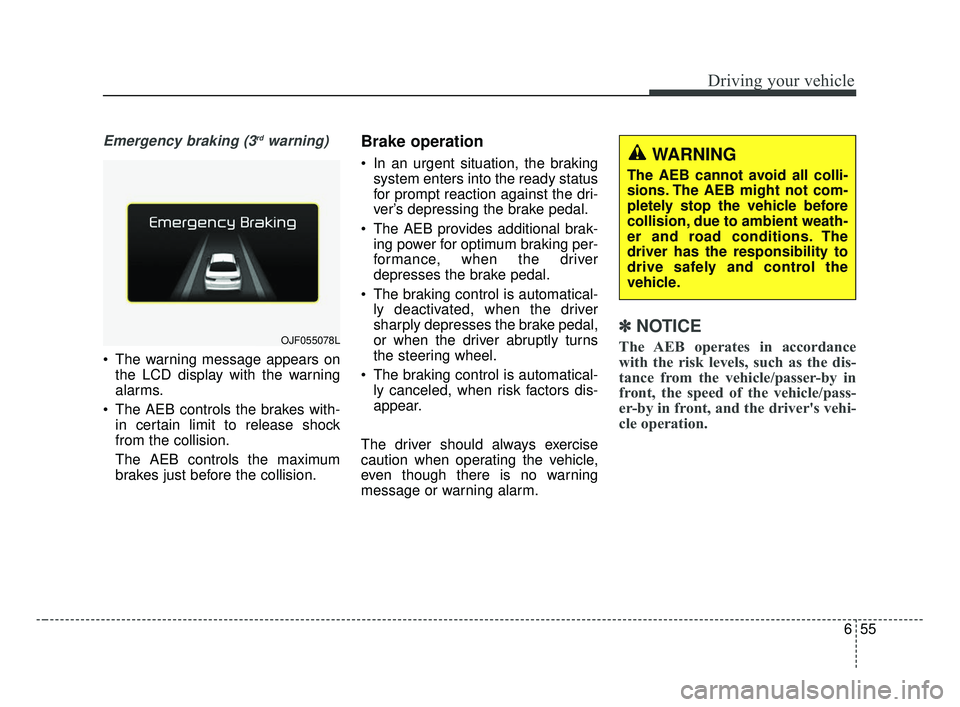
Emergency braking (3rdwarning)
The warning message appears onthe LCD display with the warning
alarms.
The AEB controls the brakes with- in certain limit to release shock
from the collision.
The AEB controls the maximum
brakes just before the collision.
Brake operation
In an urgent situation, the brakingsystem enters into the ready status
for prompt reaction against the dri-
ver’s depressing the brake pedal.
The AEB provides additional brak- ing power for optimum braking per-
formance, when the driver
depresses the brake pedal.
The braking control is automatical- ly deactivated, when the driver
sharply depresses the brake pedal,
or when the driver abruptly turns
the steering wheel.
The braking control is automatical- ly canceled, when risk factors dis-
appear.
The driver should always exercise
caution when operating the vehicle,
even though there is no warning
message or warning alarm.
✽ ✽ NOTICE
The AEB operates in accordance
with the risk levels, such as the dis-
tance from the vehicle/passer-by in
front, the speed of the vehicle/pass-
er-by in front, and the driver's vehi-
cle operation. OJF055078L
WARNING
The AEB cannot avoid all colli-
sions. The AEB might not com-
pletely stop the vehicle before
collision, due to ambient weath-
er and road conditions. The
driver has the responsibility to
drive safely and control the
vehicle.
JF CAN (ENG) 6.qxp 2016-09-21 11:25 Page 55
Page 418 of 629
661
Driving your vehicle
Recognizing pedestrians
- The pedestrian is not fully capturedby the camera sensor, or the
pedestrian does not walk in the
upright position.
- The pedestrian moves very fast.
- The pedestrian abruptly appears in front.
- The pedestrian wears clothes sim- ilar in color to the background.
- Conditions outside are too bright or too dark.
- The vehicle drives at night or in the darkness.
- There is an item similar in shape a person’s body structure.
- The pedestrian is small.
- The pedestrian has impaired mobility.
- The pedestrian blends in with their surroundings.
- Sensor recognition is limited by rain, snow, fog, etc.
- There is a group of pedestrians.
✽ ✽ NOTICE
The system may temporarily cancel
due to the strong electric waves.
Pay great caution to the vehicle in
front, when it has heavy loading
extended rearward, or when it has
higher ground clearance.
The sensor only detects pedestri- an, not carts, bicycles, motorcy-
cles, luggage bags, or strollers.
WARNING - Testing the
AEB
The AEB does not operate in
certain situations. Thus, never
test-operate the AEB against a
person or an object. It may
cause a severe injury or even
death.
WARNING - AEB and
Towing
Cancel the AEB in the User
Settings on the LCD display,
before towing another vehicle.
While towing, the brake applica-
tion may adversely affect your
vehicle safety.
JF CAN (ENG) 6.qxp 2016-09-21 11:26 Page 61
Page 427 of 629
Driving your vehicle
70
6
The ASCC system has malfunc-
tioned.
The accelerator pedal is continu- ously depressed for long time.
Pull over on steep uphill
When activating the AEB (Autonomous Emergency Braking)
Each of these actions will cancel the
ASCC operation. (The set speed
and vehicle-to-vehicle distance on
the LCD display will go off.)
If the ASCC is cancelled automati-
cally, the ASCC will not resume
even though the RES+ or SET-
lever is moved. Also, the EPB (elec-
tronic parking brake) will be applied
when the vehicle is stopped.
If the ASCC is cancelled by a reason
not mentioned, have the system
checked by an authorized Kia dealer.
✽ ✽ NOTICE
If the system is automatically can-
celled, the warning chime will sound
and a message will appear for a few
seconds.
You must adjust the vehicle speed by
depressing the accelerator or brake
pedal according to the road condi-
tion ahead and driving condition.
Always check the road conditions.
Do not rely on the warning chime.
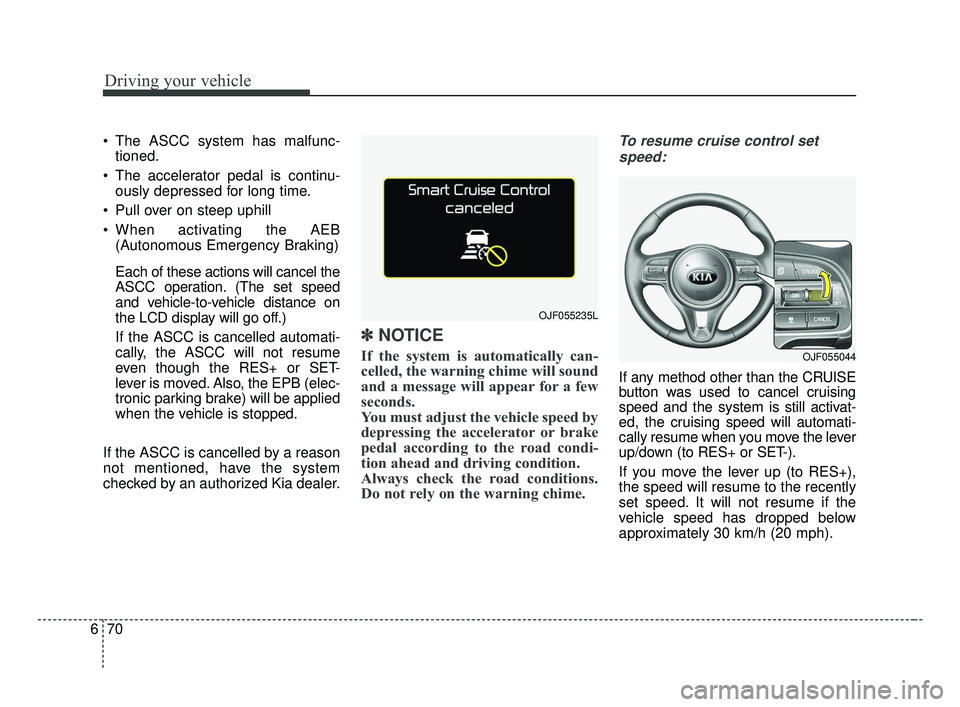
To resume cruise control set
speed:
If any method other than the CRUISE
button was used to cancel cruising
speed and the system is still activat-
ed, the cruising speed will automati-
cally resume when you move the lever
up/down (to RES+ or SET-).
If you move the lever up (to RES+),
the speed will resume to the recently
set speed. It will not resume if the
vehicle speed has dropped below
approximately 30 km/h (20 mph).
OJF055235L
OJF055044
JF CAN (ENG) 6.qxp 2016-09-21 11:26 Page 70
Page 430 of 629
673
Driving your vehicle
✽ ✽NOTICE
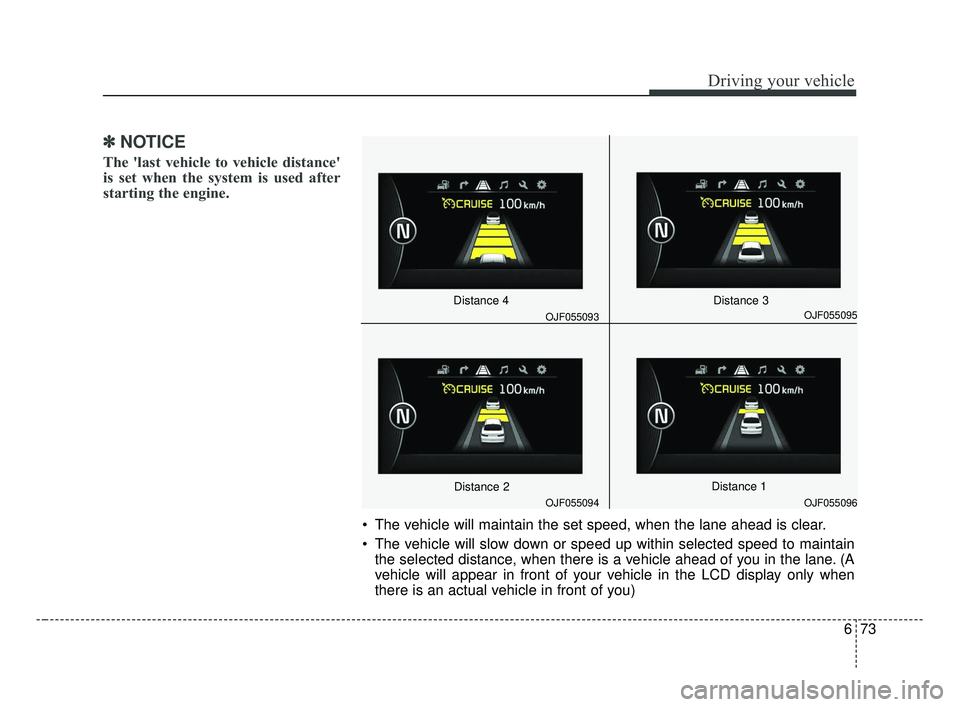
The 'last vehicle to vehicle distance'
is set when the system is used after
starting the engine.
The vehicle will maintain the set speed, when the lane ahead is clear.
The vehicle will slow down or speed up within selected speed to maintain
the selected distance, when there is a vehicle ahead of you in the lane. (A
vehicle will appear in front of your vehicle in the LCD display only when
there is an actual vehicle in front of you)
OJF055094
OJF055095
OJF055096
OJF055093
Distance 4
Distance 2
Distance 3
Distance 1
JF CAN (ENG) 6.qxp 2016-09-21 11:27 Page 73
Page 431 of 629
Driving your vehicle
74
6
If the vehicle ahead speeds up,
your vehicle will travel at a steady
cruising speed after accelerating to
the selected speed.
The warning chime sounds and LCD display blinks if it is hard to
maintain the selected distance to
the vehicle ahead.
If the warning chime sounds, actively adjust the vehicle speed by
depressing the brake pedal
according to the road condition
ahead and driving condition.
Even if the warning chime is not activated, always pay attention to
the driving conditions to prevent
dangerous situations from occur-
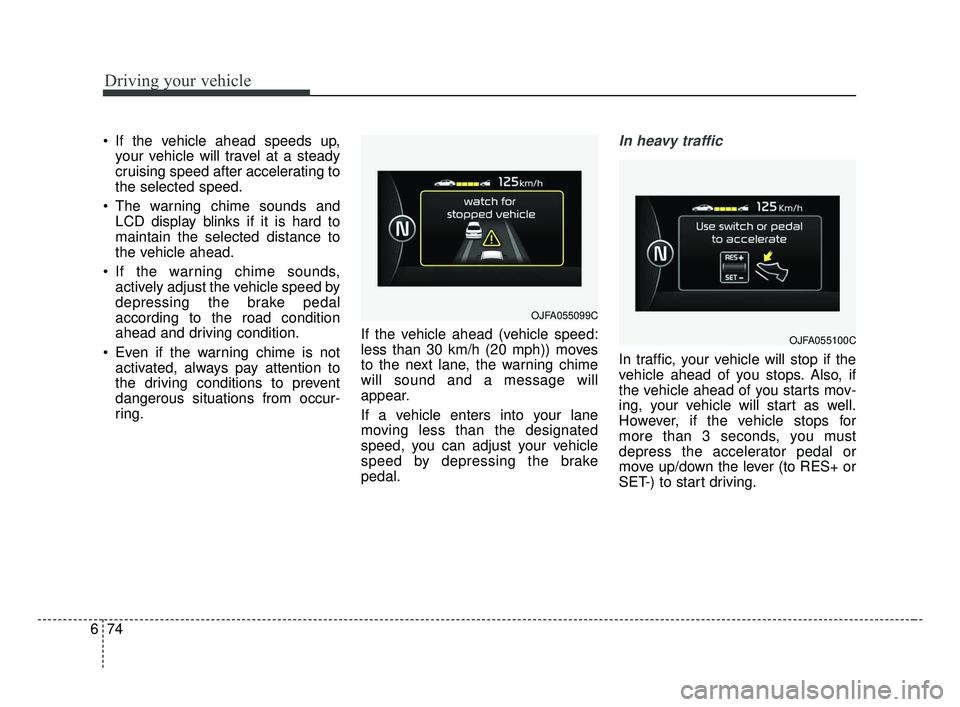
ring. If the vehicle ahead (vehicle speed:
less than 30 km/h (20 mph)) moves
to the next lane, the warning chime
will sound and a message will
appear.
If a vehicle enters into your lane
moving less than the designated
speed, you can adjust your vehicle
speed by depressing the brake
pedal.In heavy traffic
In traffic, your vehicle will stop if the
vehicle ahead of you stops. Also, if
the vehicle ahead of you starts mov-
ing, your vehicle will start as well.
However, if the vehicle stops for
more than 3 seconds, you must
depress the accelerator pedal or
move up/down the lever (to RES+ or
SET-) to start driving.
OJFA055099C
OJFA055100C
JF CAN (ENG) 6.qxp 2016-09-21 11:27 Page 74
Page 440 of 629
683
Driving your vehicle
DRIVE mode
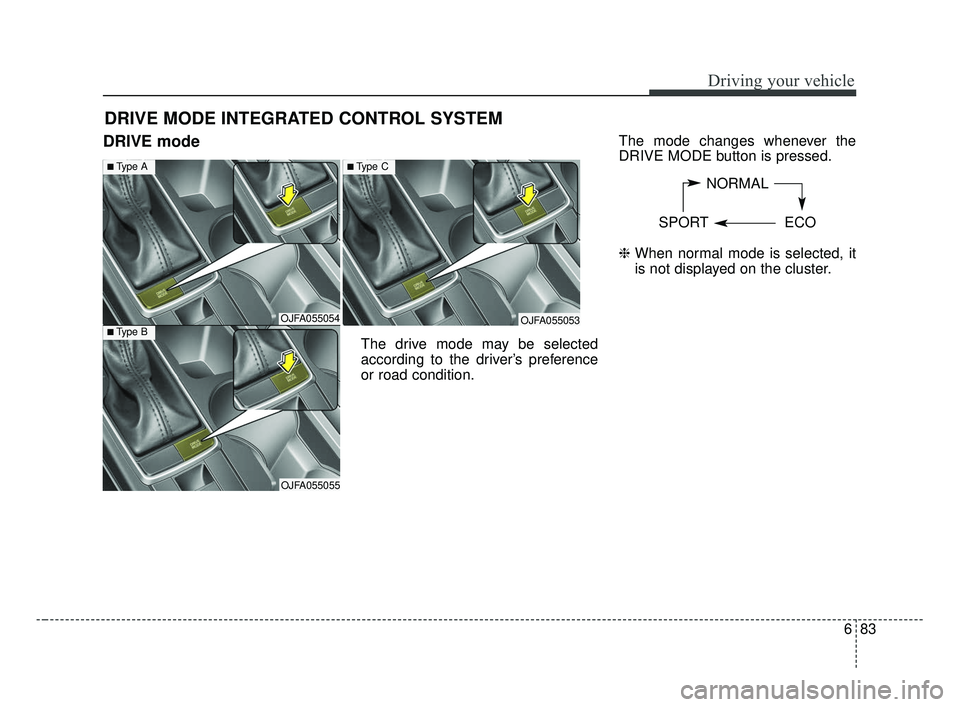
The drive mode may be selected
according to the driver’s preference
or road condition.The mode changes whenever the
DRIVE MODE button is pressed.
\b
When normal mode is selected, it
is not displayed on the cluster.
DRIVE MODE INTEGRATED CONTROL SYSTEM
NORMAL
SPORT ECO
OJFA055054
■Type A
■Type B
OJFA055055
OJFA055053
■Type C
JF CAN (ENG) 6.qxp 2016-09-21 11:27 Page 83
Page 445 of 629
Driving your vehicle
88
6
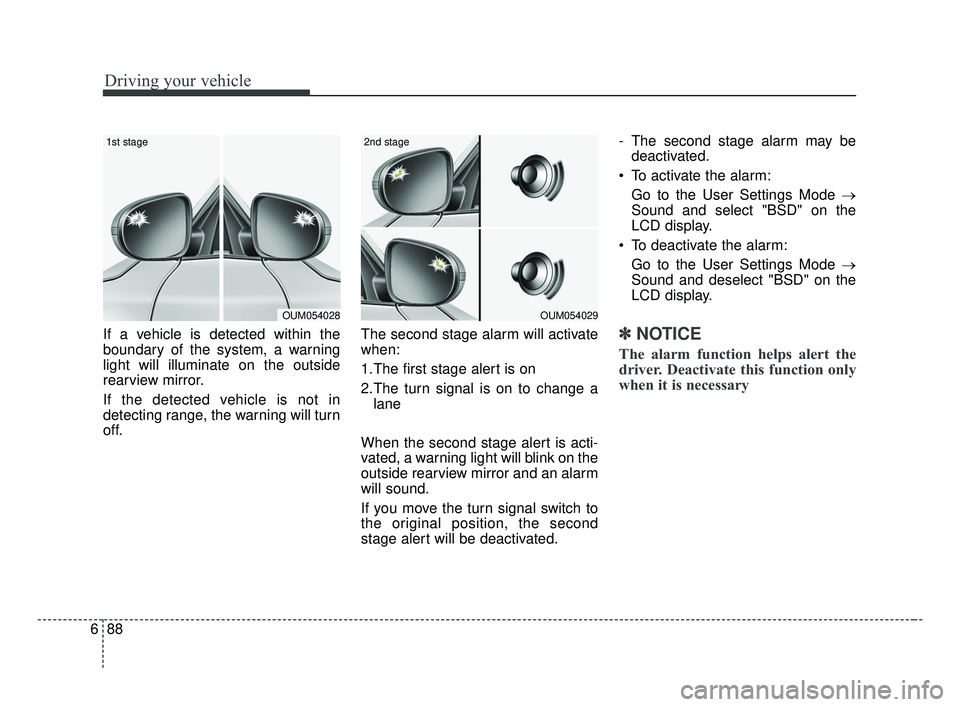
If a vehicle is detected within the
boundary of the system, a warning
light will illuminate on the outside
rearview mirror.
If the detected vehicle is not in
detecting range, the warning will turn
off. The second stage alarm will activate
when:
1.The first stage alert is on
2.The turn signal is on to change a
lane
When the second stage alert is acti-
vated, a warning light will blink on the
outside rearview mirror and an alarm
will sound.
If you move the turn signal switch to
the original position, the second
stage alert will be deactivated. - The second stage alarm may be
deactivated.
To activate the alarm: Go to the User Settings Mode →
Sound and select "BSD" on the
LCD display.
To deactivate the alarm: Go to the User Settings Mode →
Sound and deselect "BSD" on the
LCD display.✽ ✽
NOTICE
The alarm function helps alert the
driver. Deactivate this function only
when it is necessary
OUM054029
2nd stage
OUM054028
1st stage
JF CAN (ENG) 6.qxp 2016-09-21 11:28 Page 88
Page 477 of 629
What to do in an emergency
87
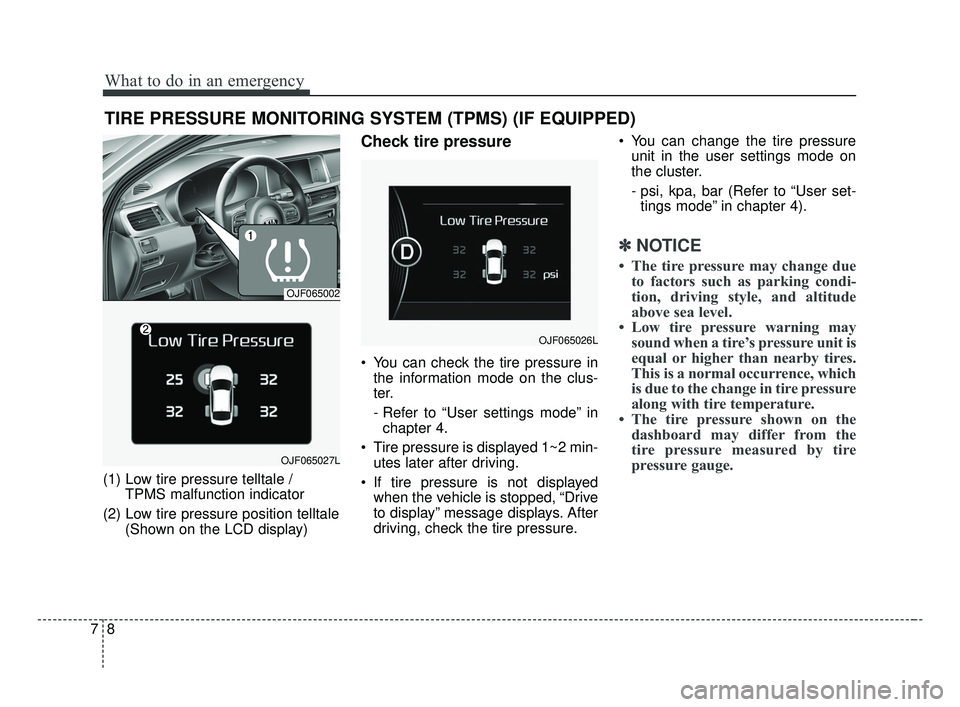
TIRE PRESSURE MONITORING SYSTEM (TPMS) (IF EQUIPPED)
(1) Low tire pressure telltale / TPMS malfunction indicator
(2) Low tire pressure position telltale (Shown on the LCD display)
Check tire pressure
You can check the tire pressure inthe information mode on the clus-
ter.
- Refer to “User settings mode” inchapter 4.
Tire pressure is displayed 1~2 min- utes later after driving.
If tire pressure is not displayed when the vehicle is stopped, “Drive
to display” message displays. After
driving, check the tire pressure. You can change the tire pressure
unit in the user settings mode on
the cluster.
- psi, kpa, bar (Refer to “User set-tings mode” in chapter 4).
✽ ✽ NOTICE
• The tire pressure may change due
to factors such as parking condi-
tion, driving style, and altitude
above sea level.
• Low tire pressure warning may sound when a tire’s pressure unit is
equal or higher than nearby tires.
This is a normal occurrence, which
is due to the change in tire pressure
along with tire temperature.
• The tire pressure shown on the dashboard may differ from the
tire pressure measured by tire
pressure gauge.
OJF065002
OJF065027L
OJF065026L
JF CAN (ENG) 7.qxp 8/25/2016 5:22 PM Page 8
Page 495 of 629
What to do in an emergency
26
7
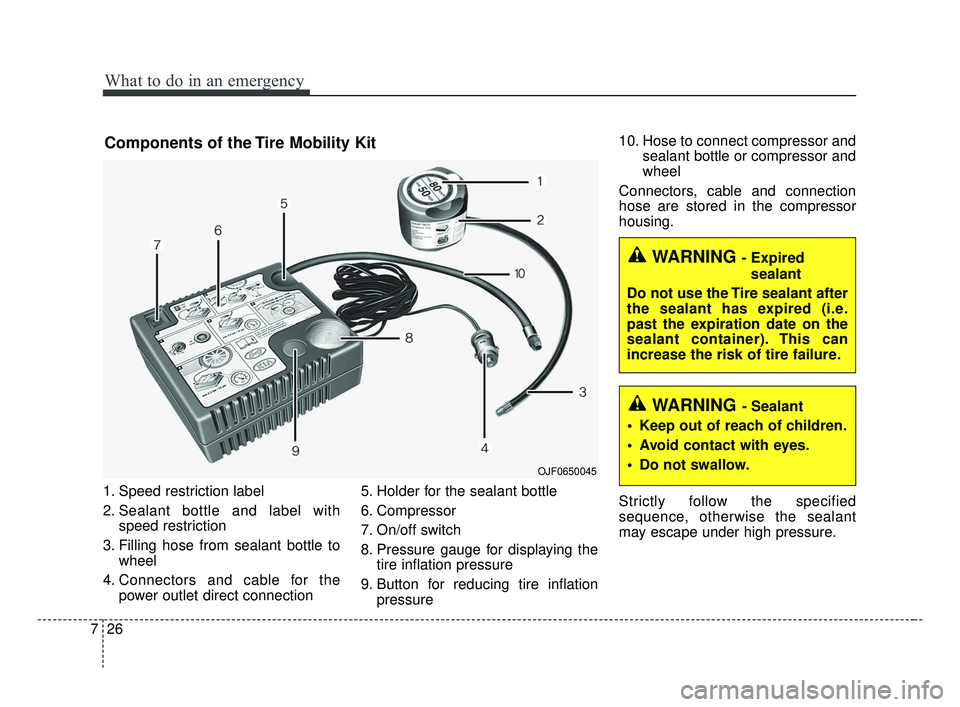
1. Speed restriction label
2. Sealant bottle and label with
speed restriction
3. Filling hose from sealant bottle to wheel
4. Connectors and cable for the power outlet direct connection 5. Holder for the sealant bottle
6. Compressor
7. On/off switch
8. Pressure gauge for displaying the
tire inflation pressure
9. Button for reducing tire inflation pressure 10. Hose to connect compressor and
sealant bottle or compressor and
wheel
Connectors, cable and connection
hose are stored in the compressor
housing.
Strictly follow the specified
sequence, otherwise the sealant
may escape under high pressure.
OJF0650045
WARNING - Sealant
Keep out of reach of children.
Avoid contact with eyes.
Do not swallow.
WARNING - Expired sealant
Do not use the Tire sealant after
the sealant has expired (i.e.
past the expiration date on the
sealant container). This can
increase the risk of tire failure.
Components of the Tire Mobility Kit
JF CAN (ENG) 7.qxp 8/25/2016 5:23 PM Page 26