phone KIA OPTIMA 2017 Owner's Manual
[x] Cancel search | Manufacturer: KIA, Model Year: 2017, Model line: OPTIMA, Model: KIA OPTIMA 2017Pages: 629, PDF Size: 15.24 MB
Page 256 of 629
Audio system
513
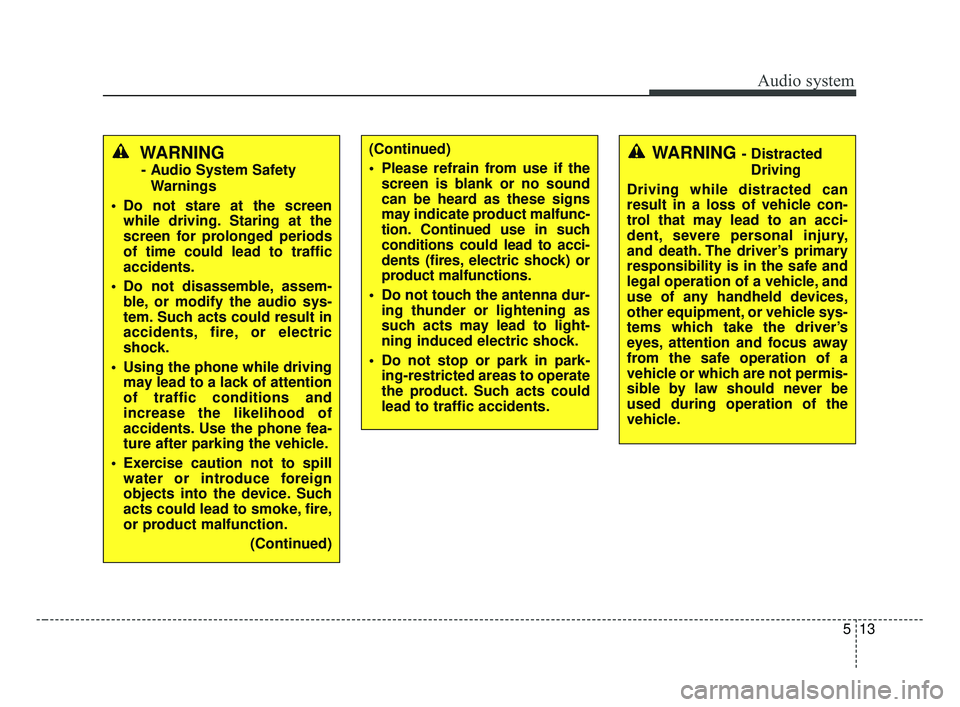
WARNING
- Audio System SafetyWarnings
Do not stare at the screen while driving. Staring at the
screen for prolonged periods
of time could lead to traffic
accidents.
Do not disassemble, assem- ble, or modify the audio sys-
tem. Such acts could result in
accidents, fire, or electric
shock.
Using the phone while driving may lead to a lack of attention
of traffic conditions and
increase the likelihood of
accidents. Use the phone fea-
ture after parking the vehicle.
Exercise caution not to spill water or introduce foreign
objects into the device. Such
acts could lead to smoke, fire,
or product malfunction.
(Continued)
(Continued)
Please refrain from use if thescreen is blank or no sound
can be heard as these signs
may indicate product mal func-
tion. Continued use in such
conditions could lead to acci-
dents (fires, electric shock) or
product malfunctions.
Do not touch the antenna dur- ing thunder or lightening as
such acts may lead to light-
ning induced electric shock.
Do not stop or park in park- ing-restricted areas to operate
the product. Such acts could
lead to traffic accidents.WARNING - Distracted
Driving
Driving while distracted can
result in a loss of vehicle con-
trol that may lead to an acci-
dent, severe personal injury,
and death. The driver’s primary
responsibility is in the safe and
legal operation of a vehicle, and
use of any handheld devices,
other equipment, or vehicle sys-
tems which take the driver’s
eyes, attention and focus away
from the safe operation of a
vehicle or which are not permis-
sible by law should never be
used during operation of the
vehicle.
JF CAN (ENG) 5 (Audio).qxp 2016-09-21 11:22 Page 13
Page 259 of 629
Audio system
16
5
(Continued)
• If you use devices such as a USB
hub purchased separately, the
vehicle’s audio system may not
recognize the USB device. In that
case, connect the USB device
directly to the multimedia termi-
nal of the vehicle.
• If the USB device is divided by log- ical drives, only the music files on
the highest-priority drive are rec-
ognized by car audio.
• Devices such as MP3 Player/ Cellular phone/Digital camera can
be unrecognizable by standard
USB I/F.
• Charging through the USB may not be supported in some mobile
devices.
• USB HDD or USB types liable to connection failures due to vehicle
vibrations are not supported. (i-
stick type)
• Some non-standard USB devices (METAL COVER TYPE USB)
can be unrecognizable. (Continued)(Continued)
• Some USB flash memory readers
(such as CF, SD, micro SD, etc.) or
external-HDD type devices can be
unrecognizable.
• Music files protected by DRM (DIG- ITAL RIGHTS MANAGEMENT)
are not recognizable.
• The data in the USB memory may be lost while using this audio.
Always back up important data on
a personal storage device.
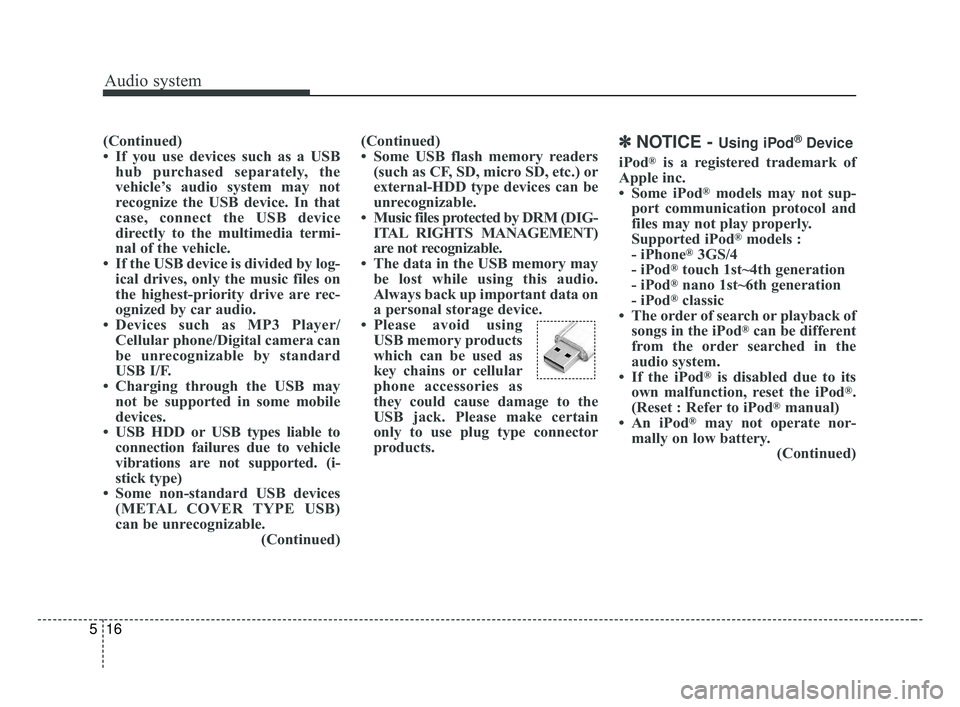
• Please avoid using USB memory products
which can be used as
key chains or cellular
phone accessories as
they could cause damage to the
USB jack. Please make certain
only to use plug type connector
products.✽ ✽ NOTICE - Using iPod®Device
iPod®is a registered trademark of
Apple inc.
• Some iPod
®models may not sup-
port communication protocol and
files may not play properly.
Supported iPod
®models :
- iPhone®3GS/4
- iPod®touch 1st~4th generation
- iPod®nano 1st~6th generation
- iPod®classic
• The order of search or playback of songs in the iPod
®can be different
from the order searched in the
audio system.
• If the iPod
®is disabled due to its
own malfunction, reset the iPod®.
(Reset : Refer to iPod®manual)
• An iPod®may not operate nor-
mally on low battery. (Continued)
JF CAN (ENG) 5 (Audio).qxp 2016-09-21 11:22 Page 16
Page 260 of 629
Audio system
517
(Continued)
• Some iPod®devices, such as the
iPhone®, can be connected
through the Bluetooth®Wireless
Technology interface. The device
must have audio Bluetooth
®
Wireless Technology capability
(such as for stereo headphone
Bluetooth
®Wireless Technology ).
The device can play, but it will not
be controlled by the audio system.
• To use iPod
®features within the
audio mode, use the cable provid-
ed upon purchasing an iPod
®
device.
• Skipping or improper operation may occur depending on the char-
acteristics of your iPod
®/iPhone®
device.
• If your iPhone®is connected to
both the Bluetooth®Wireless
Technology and USB, only iPod®
mode will be supported during
Bluetooth®Audio Streaming. To
use Bluetooth®Audio Streaming,
disconnect iPod®cable with
iPhone®. (Continued) (Continued)
• When connecting iPod
®with the
iPod®Power Cable, insert the con-
nector to the multimedia socket
completely. If not inserted com-
pletely, communications between
iPod
®and audio may be interrupt-
ed.
• When adjusting the sound effects of the iPod
®and the audio system,
the sound effects of both devices
will overlap and might reduce or
distort the quality of the sound.
• Deactivate (turn off) the equalizer function of an iPod
®when adjust-
ing the audio system’s volume, and
turn off the equalizer of the audio
system when using the equalizer of
an iPod
®.
• When not using iPod®with car
audio, detach the iPod®cable from
iPod®. Otherwise, iPod®may
remain in accessory mode, and
may not work properly.
• Use an iPod
®/iPhone®USB cable
shorter than 1 meter in length,
longer cables cannot be recog-
nized.
JF CAN (ENG) 5 (Audio).qxp 2016-09-21 11:22 Page 17
Page 261 of 629
Audio system
18
5
✽ ✽
NOTICE - Using the
Bluetooth®Wireless
Technology Cellular
Phone
• Bluetooth®Wireless Technology
Handsfree refers to a device which
allows the user to conveniently
make phone calls with Bluetooth
®
Wireless Technology mobile
phones through the audio system.
• Bluetooth
®Wireless Technology
allows devices to be connected in a
short distance, including hands-
free devices, stereo headsets, wire-
less remote controllers, etc. For
more information, visit the
Bluetooth
®Wireless Technology
website at www
.Bluetooth.com.
Before using Bluetooth®Wireless
Technology audio features.
• The Bluetooth
®word mark and
logos are registered trademarks
owned by Bluetooth
®SIG, Inc. and
any use of such marks by Kia is
under license. Other trademarks
and trade names are those of their
respective owners. A Bluetooth
®
enabled cell phone is required to
use Bluetooth®Wireless Technology.
(Continued) (Continued)
•
Bluetooth
®Wireless Technology
features supported within the
vehicle are as follows. Some fea-
tures may not be supported
depending on your Bluetooth
®
Wireless Technology device.
- Answering and placing
Bluetooth
®Wireless Technology
Handsfree calls
- Menu operation during call (Switch to Private, Switch to call
waiting, Outgoing volume)
- Download Call History
- Download Mobile Phone book
- Phone book/Call History Auto Download
- Bluetooth
®Wireless Technology
device auto connection
- Bluetooth
®Wireless Technology
Audio
• Before using Bluetooth
®Wireless
Technology related features of the
audio system, refer your phone’s
User’s Manual for phone-side
Bluetooth
®Wireless Technology
operations. (Continued)(Continued)
• The phone must be paired to the
audio system to use Bluetooth
®
Wireless Technology related fea-
tures.
• Pairing and connecting a Bluetooth
®Wireless Technology
enabled mobile phone will work
only when the Bluetooth
®Wireless
Technology option within your
mobile phone has been turned on.
(Methods of turning on the
Bluetooth
®Wireless Technology
enabled feature may differ
depending on the mobile phone.)
• Do not use a cellular phone or per- form Bluetooth
®Wireless
Technology settings (e.g. pairing a
phone) while driving.
• Even if the phone supports Bluetooth
®Wireless Technology,
the phone will not be found during
device searches if the phone has
been set to hidden state or the
Bluetooth
®Wireless Technology
power is turned off. Disable the
hidden state or turn on the
Bluetooth
®Wireless Technology
power prior to searching/connect-
ing with the car audio system. (Continued)
JF CAN (ENG) 5 (Audio).qxp 2016-09-21 11:22 Page 18
Page 262 of 629
Audio system
519
(Continued)
• You will not be able to use thehands-free feature when your
phone (in the car) is outside of the
cellular service area (e.g. in a tun-
nel, in an underground location, in
a mountainous area, etc.).
• If the cellular phone signal is poor or the vehicle’s interior noise is too
loud, it may be difficult to hear the
other person’s voice during a call.
• Do not place the phone near or inside metallic objects, otherwise
communications with Bluetooth
®
Wireless Technology system or cel-
lular service stations can be dis-
turbed.
• Placing the audio system within an electromagnetic environment may
result in noise interference.
• Some cellular phones or other devices may cause interference
noise or a malfunction to the audio
system. In this case, storing the
device in a different location may
resolve the condition. (Continued)(Continued)
• While a phone is connected
through Bluetooth
®Wireless
Technology your phone may dis-
charge quicker than usual for
additional Bluetooth
®Wireless
Technology-related operations.
• If Priority is set upon vehicle igni- tion (IGN/ACC ON), the
Bluetooth
®Wireless Technology
phone will be automatically con-
nected. Even if you are outside, the
Bluetooth
®Wireless Technology
phone will be automatically con-
nected once you are in the vicinity
of the vehicle. If you do not want
to automatically connect your
Bluetooth
®Wireless Technology
phone, try the following.
1) Turn off the Bluetooth
®Wireless
Technology feature in your
mobile phone.
2) Turn off the Bluetooth
®Wireless
Technology feature in your car
audio system. (Continued)(Continued)
- To turn off the Bluetooth
®
Wireless Technology feature in
your car audio system, go to
[SETUP/CLOCK] > [Phone]
and [turn off] the Bluetooth
®
Wireless Technology feature.
• Bluetooth®Wireless Technology
connection may become intermit-
tently disconnected in some
mobile phones. Follow these steps
to try again.
1) Turn the Bluetooth
®Wireless
Technology function within the
mobile phone off/on and try
again.
2) Turn the mobile phone power Off/On and try again.
3) Completely remove the mobile phone battery, reboot, and then
again.
4) Reboot the audio system and try again.
5) Delete all paired devices, pair and try again.
• It is possible to pair up to five Bluetooth
®Wireless Technology
devices to the car system. (Continued)
JF CAN (ENG) 5 (Audio).qxp 2016-09-21 11:22 Page 19
Page 263 of 629
Audio system
20
5
(Continued)
• Phone contact names should be
saved in English or they may not
be displayed correctly.
• The Handsfree call volume and quality may differ depending on
the mobile phone.
• Only one Bluetooth
®Wireless
Technology device can be connect-
ed at a time.
• In some mobile phones, starting the ignition while talking through
Bluetooth
®Wireless Technology
enabled handsfree call will result
in the call becoming disconnected.
(Switch the call back to your
mobile phone when starting the
ignition.)
• If the mobile phone is not paired or connected, it is not possible to
enter Phone mode. Once a phone
is paired or connected, the guid-
ance screen will be displayed.
• Bluetooth
®Handsfree may not be
supported in some mobile phones.
✽ ✽ NOTICE
•Bluetooth®Wireless Technology
Handsfree is a feature that enables
drivers to practice safe driving.
Connecting the car audio system
with a Bluetooth
®Wireless
Technology phone allows the user
to conveniently make calls, receive
calls, and manage the phone book.
Before using the Bluetooth
®
Wireless Technology, carefully
read the contents of this user’s
manual.
WARNING
Excessive use or operations
while driving may lead to neg-
ligent driving practices and be
the cause of accidents.
Do not operate the device excessively while driving.
Viewing the screen for pro- longed periods of time while
driving is dangerous and may
lead to accidents.
JF CAN (ENG) 5 (Audio).qxp 2016-09-21 11:22 Page 20
Page 264 of 629
Audio system
521
✽ ✽NOTICE - Using Voice
Recognition
• When using the voice recognition
feature, only commands listed
within the user's manual are sup-
ported.
• Be aware that during the opera- tion of the voice recognition sys-
tem, pressing any button other
than the button terminates
voice recognition mode.
• For optimal voice recognition per- formance, position your head
below the microphone above the
driver’s seat and maintain proper
position when speaking voice com-
mands.
• Within the following situations, voice recognition may not function
properly due to external sound.
- When the windows and sunroofare open
- When the blower AC/heater is set to high
- When entering and passing through tunnels
- When driving on rugged and uneven roads
- During severe rain (heavy rains, windstorms) (Continued)(Continued)
• Phone related voice commands can
be used only when a Bluetooth®
Wireless Technology device is con-
nected.
• When making calls by stating a name, the corresponding contact
must be downloaded and stored
within the audio system.
• After downloading the Bluetooth
®
Wireless Technology phone book,
it takes some times to convert the
phone book data into voice infor-
mation. During this time, voice
recognition may not properly
operate.
• Pronounce the voice commands naturally and clearly as if in a nor-
mal conversation.
JF CAN (ENG) 5 (Audio).qxp 2016-09-21 11:22 Page 21
Page 274 of 629
Audio system
531
✽ ✽NOTICE - Using the My Music
• Even if memory is available, a
maximum of 6,000 songs can be
stored.
• The same song can be copied up to 1,000 times.
• Memory info can be checked in the System menu of Setup.
MENU : Bluetooth® Wireless
Technology Audio
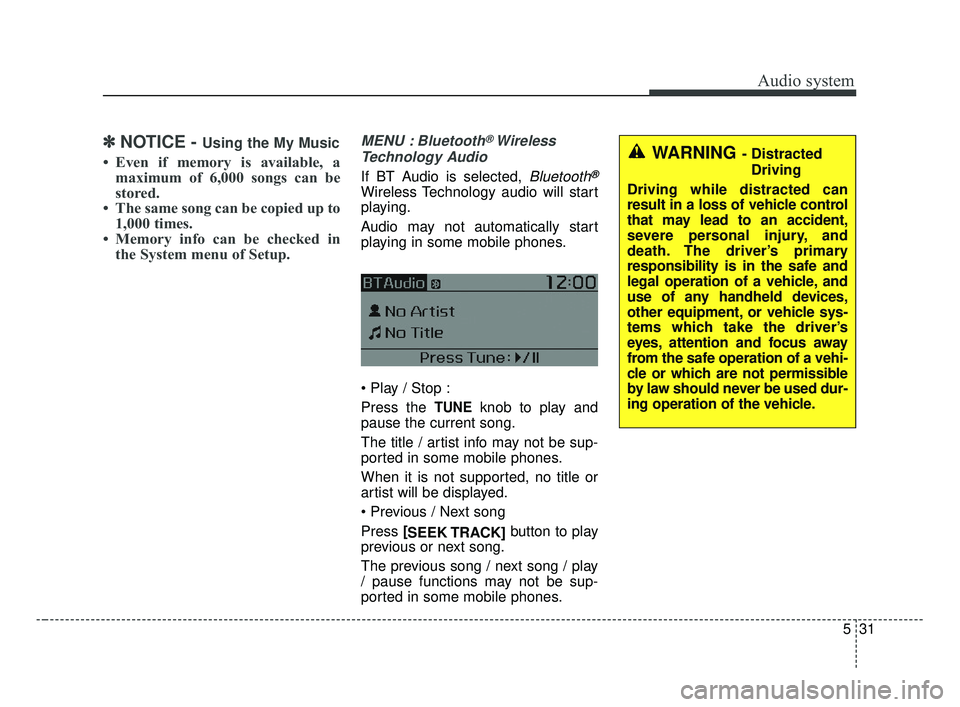
If BT Audio is selected, Bluetooth®
Wireless Technology audio will start
playing.
Audio may not automatically start
playing in some mobile phones.
Press the
TUNEknob to play and
pause the current song.
The title / artist info may not be sup-
ported in some mobile phones.
When it is not supported, no title or
artist will be displayed.
Press [
SEEK TRACK] button to play
previous or next song.
The previous song / next song / play
/ pause functions may not be sup-
ported in some mobile phones.
WARNING - Distracted
Driving
Driving while distracted can
result in a loss of vehicle control
that may lead to an accident,
severe personal injury, and
death. The driver’s primary
responsibility is in the safe and
legal operation of a vehicle, and
use of any handheld devices,
other equipment, or vehicle sys-
tems which take the driver’s
eyes, attention and focus away
from the safe operation of a vehi-
cle or which are not permissible
by law should never be used dur-
ing operation of the vehicle.
JF CAN (ENG) 5 (Audio).qxp 2016-09-21 11:22 Page 31
Page 275 of 629
Audio system
32
5
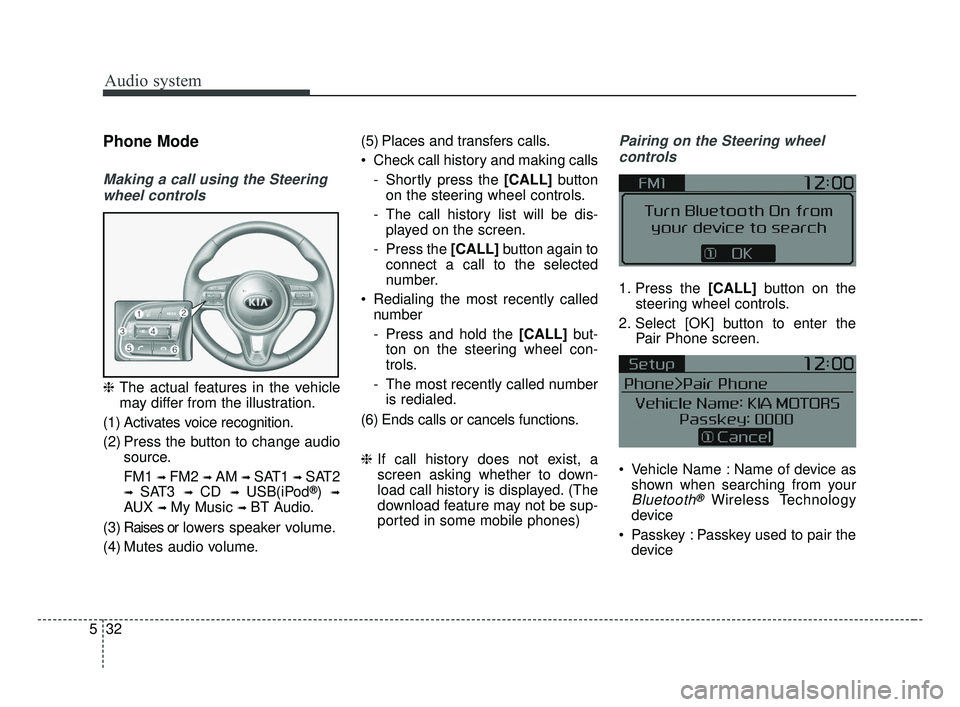
Phone Mode
Making a call using the Steering
wheel controls
❈ The actual features in the vehicle
may differ from the illustration.
(1) Activates voice recognition.
(2) Press the button to change audio source.
FM1
➟ FM2 ➟ AM ➟ SAT1 ➟ SAT2
➟ SAT3 ➟ CD ➟ USB(iPod®) ➟
AUX ➟ My Music ➟ BT Audio.
( 3 ) Raises or l ow ers speaker volume.
(4) Mutes audio volume. (5) Places and transfers calls.
Check call history and making calls
- Shortly press the [CALL] button
on the steering wheel controls.
- The call history list will be dis- played on the screen.
- Press the [CALL] button again to
connect a call to the selected
number.
Redialing the most recently called number
- Press and hold the [CALL] but-
ton on the steering wheel con-
trols.
- The most recently called number is redialed.
(6) Ends calls or cancels functions.
❈ If call history does not exist, a
screen asking whether to down-
load call history is displayed. (The
download feature may not be sup-
ported in some mobile phones)
Pairing on the Steering wheel
controls
1. Press the [CALL] button on the
steering wheel controls.
2. Select [OK] button to enter the Pair Phone screen.
Vehicle Name : Name of device as shown when searching from your
Bluetooth®Wireless Technology
device
Passkey : Passkey used to pair the device
JF CAN (ENG) 5 (Audio).qxp 2016-09-21 11:22 Page 32
Page 276 of 629
Audio system
533
3. From your Bluetooth®Wireless
Technology device (i.e. Mobile
Phone), search and select your
car audio system.
❈ SSP : Secure Simple Pairing
Non SSP supported device :
4. After a few moments, a screen is displayed where the passkey is
entered. Enter the passkey “0000”
to pair your
Bluetooth®Wireless
Technology device with the car
audio system.
SSP supported device :
4. After a few moments, a screen is displayed that has the 6 digit
passkey from any nearby SSP
device that is found. Check the
passkey on your
Bluetooth®
Wireless Technology. Some phones (i.e., iPhone
®, Android TM
and Blackberry®phones) may offer
an option to allow acceptance of all
future Bluetooth
®connection requests
by default.
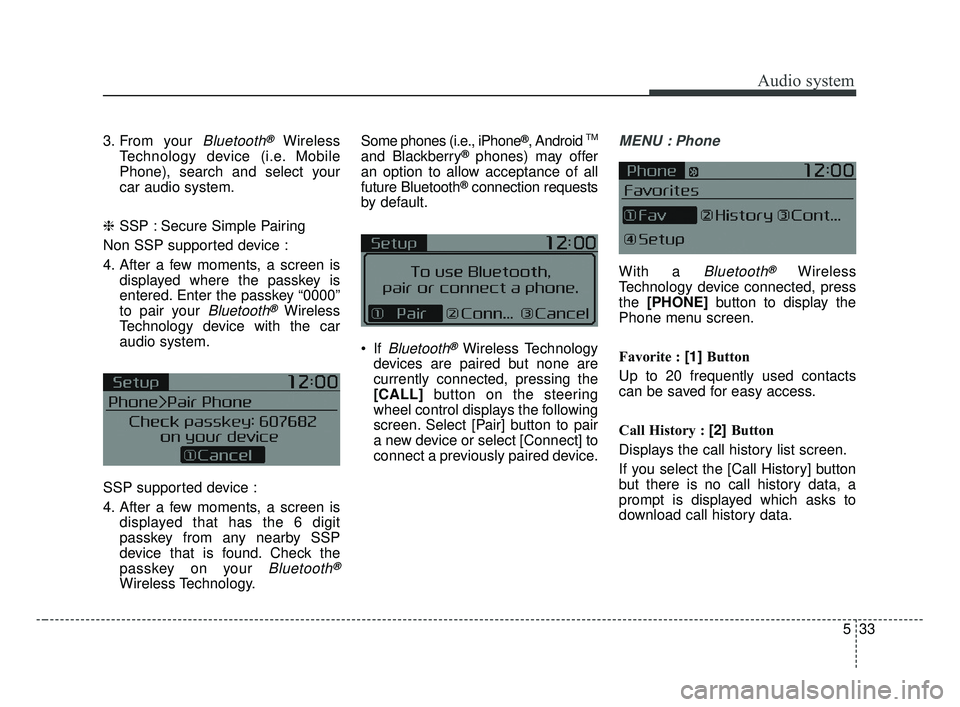
If
Bluetooth®Wireless Technology
devices are paired but none are
currently connected, pressing the
[CALL] button on the steering
wheel control displays the following
screen. Select [Pair] button to pair
a new device or select [Connect] to
connect a previously paired device.
MENU : Phone
With a Bluetooth®Wireless
Technology device connected, press
the [PHONE] button to display the
Phone menu screen.
Favorite : [1] Button
Up to 20 frequently used contacts
can be saved for easy access.
Call History : [2] Button
Displays the call history list screen.
If you select the [Call History] button
but there is no call history data, a
prompt is displayed which asks to
download call history data.
JF CAN (ENG) 5 (Audio).qxp 2016-09-21 11:22 Page 33