key KIA OPTIMA 2017 Owner's Guide
[x] Cancel search | Manufacturer: KIA, Model Year: 2017, Model line: OPTIMA, Model: KIA OPTIMA 2017Pages: 629, PDF Size: 15.24 MB
Page 155 of 629
Features of your vehicle
68
4
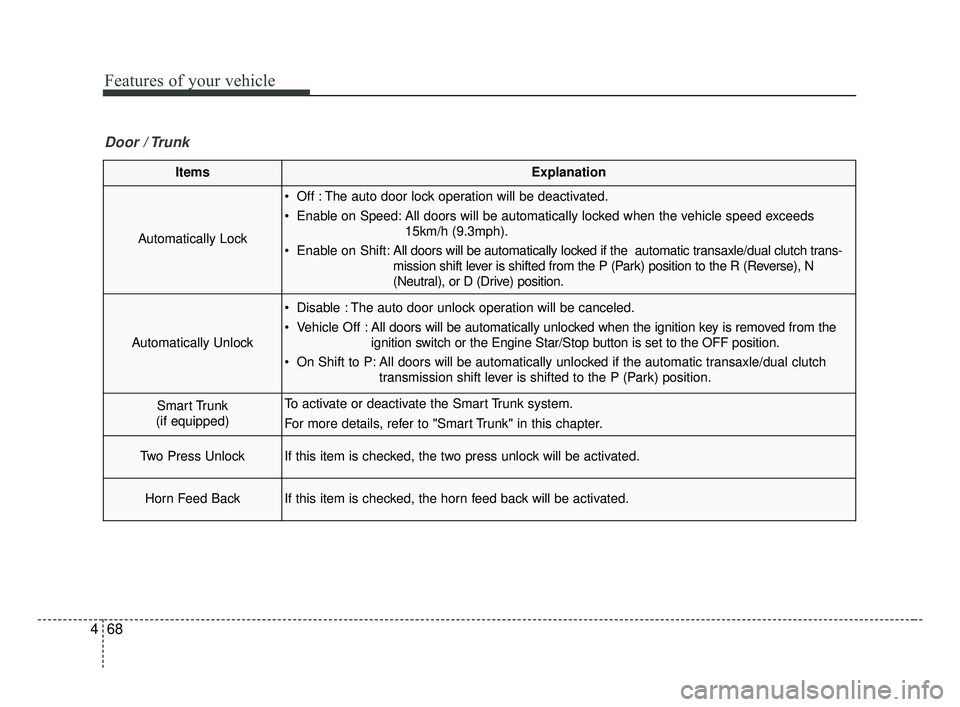
ItemsExplanation
Automatically Lock
Off : The auto door lock operation will be deactivated.
Enable on Speed: All doors will be automatically locked when the vehicle speed exceeds
15km/h (9.3mph).
Enable on Shift: All doors will be automatically locked if the automatic transaxle/dual clutch trans-
mission shift lever is shifted from the P (Park) position to the R (Reverse), N
(Neutral), or D (Drive) position.
Automatically Unlock
Disable : The auto door unlock operation will be canceled.
Vehicle Off :All doors will be automatically unlocked when the ignition key is removed from the
ignition switch or the Engine Star/Stop button is set to the OFF position.
On Shift to P: All doors will be automatically unlocked if the automatic transaxle/dual clutch transmission shift lever is shifted to the P (Park) position.
Smart Trunk
(if equipped)To activate or deactivate the Smart Trunk system.
For more details, refer to "Smart Trunk" in this chapter.
Two Press UnlockIf this item is checked, the two press unlock will be activated.
Horn Feed BackIf this item is checked, the horn feed back will be activated.
Door / Trunk
JF CAN (ENG) 4.qxp 2016-09-21 11:15 Page 68
Page 164 of 629
477
Features of your vehicle
Warning Messages
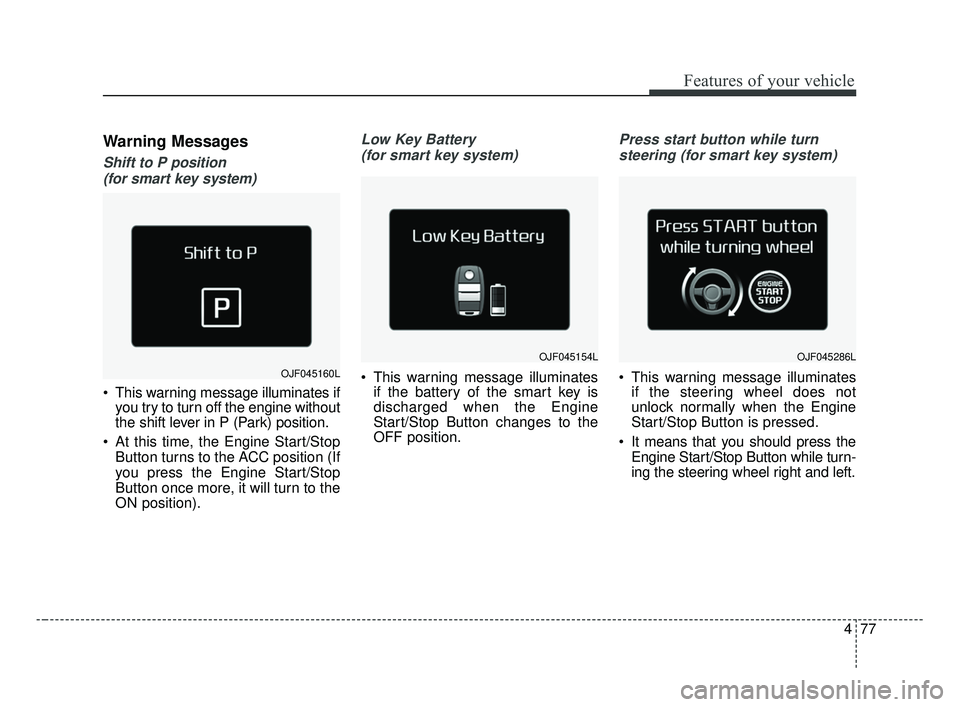
Shift to P position (for smart key system)
This warning message illuminates if you try to turn off the engine without
the shift lever in P (Park) position.
At this time, the Engine Start/Stop Button turns to the ACC position (If
you press the Engine Start/Stop
Button once more, it will turn to the
ON position).
Low Key Battery
(for smart key system)
This warning message illuminates if the battery of the smart key is
discharged when the Engine
Start/Stop Button changes to the
OFF position.
Press start button while turn
steering (for smart key system)
This warning message illuminates if the steering wheel does not
unlock normally when the Engine
Start/Stop Button is pressed.
It means that you should press the Engine Start/Stop Button while turn-
ing the steering wheel right and left.OJF045160L
OJF045154LOJF045286L
JF CAN (ENG) 4.qxp 2016-09-21 11:15 Page 77
Page 165 of 629
Features of your vehicle
78
4
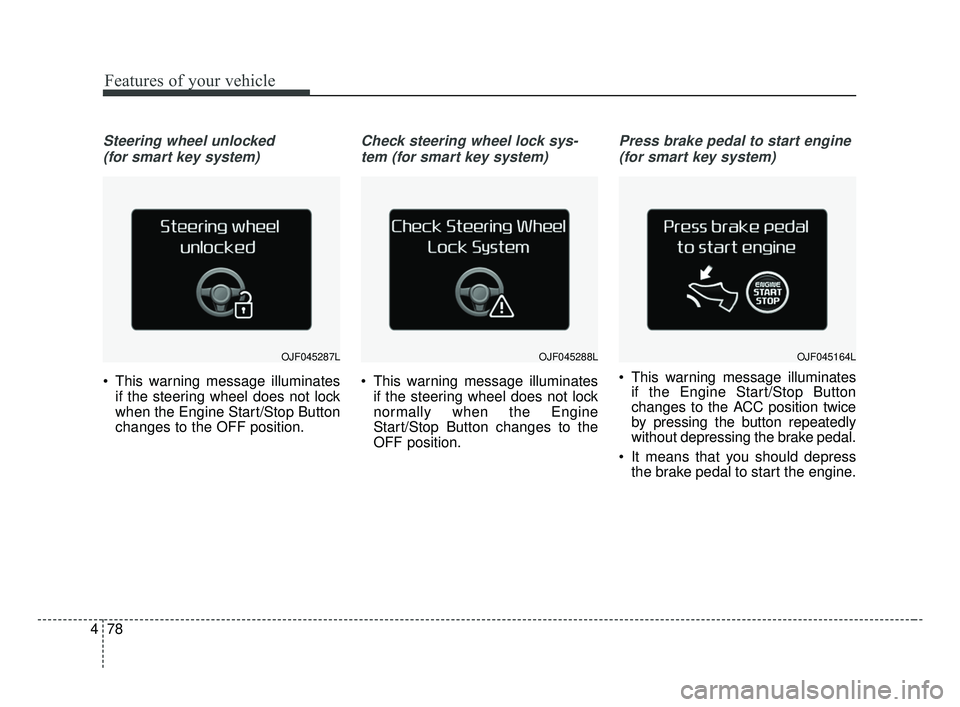
Steering wheel unlocked
(for smart key system)
This warning message illuminates if the steering wheel does not lock
when the Engine Start/Stop Button
changes to the OFF position.
Check steering wheel lock sys-
tem (for smart key system)
This warning message illuminates if the steering wheel does not lock
normally when the Engine
Start/Stop Button changes to the
OFF position.
Press brake pedal to start engine
(for smart key system)
This warning message illuminates if the Engine Start/Stop Button
changes to the ACC position twice
by pressing the button repeatedly
without depressing the brake pedal.
It means that you should depress the brake pedal to start the engine.
OJF045287LOJF045288LOJF045164L
JF CAN (ENG) 4.qxp 2016-09-21 11:16 Page 78
Page 166 of 629
479
Features of your vehicle
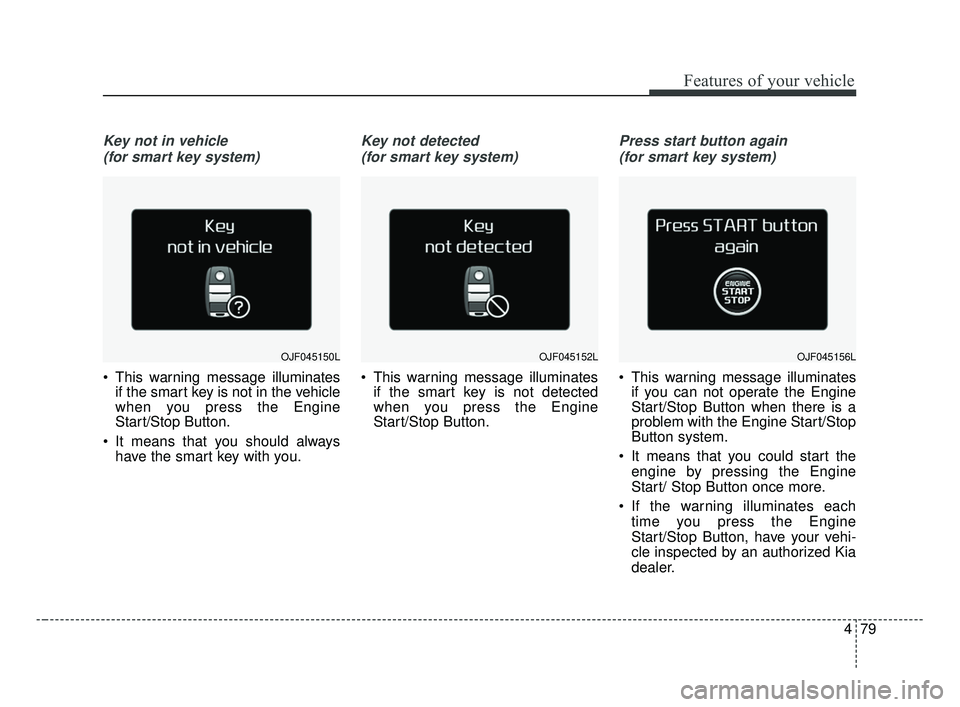
Key not in vehicle (for smart key system)
This warning message illuminates if the smart key is not in the vehicle
when you press the Engine
Start/Stop Button.
It means that you should always have the smart key with you.
Key not detected
(for smart key system)
This warning message illuminates if the smart key is not detected
when you press the Engine
Start/Stop Button.
Press start button again
(for smart key system)
This warning message illuminates if you can not operate the Engine
Start/Stop Button when there is a
problem with the Engine Start/Stop
Button system.
It means that you could start the engine by pressing the Engine
Start/ Stop Button once more.
If the warning illuminates each time you press the Engine
Start/Stop Button, have your vehi-
cle inspected by an authorized Kia
dealer.
OJF045150LOJF045152LOJF045156L
JF CAN (ENG) 4.qxp 2016-09-21 11:16 Page 79
Page 167 of 629
Features of your vehicle
80
4
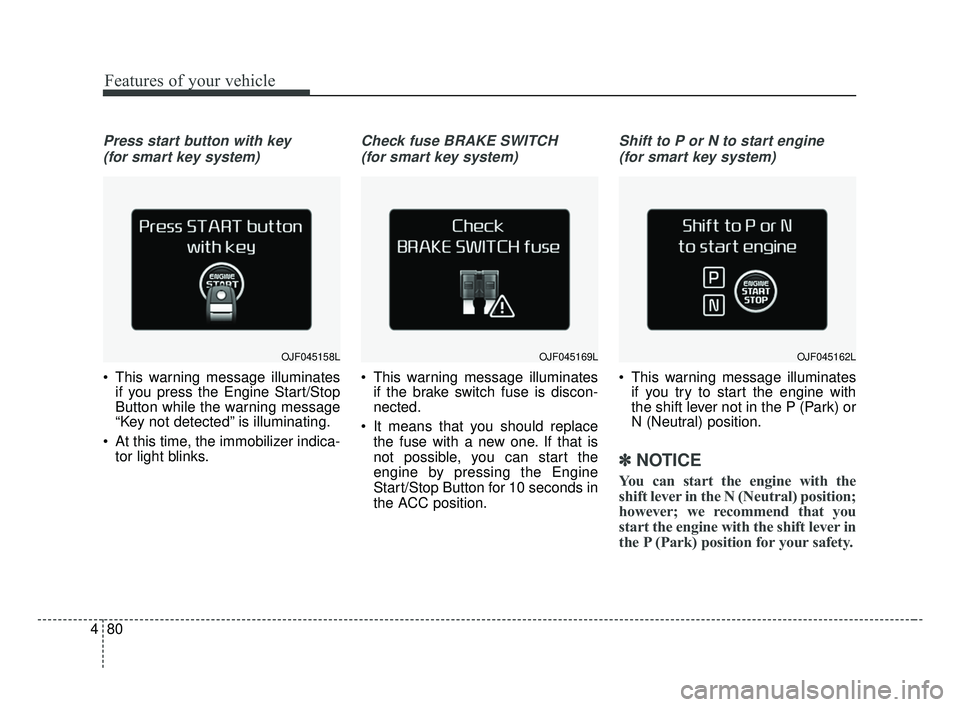
Press start button with key
(for smart key system)
This warning message illuminates if you press the Engine Start/Stop
Button while the warning message
“Key not detected” is illuminating.
At this time, the immobilizer indica- tor light blinks.
Check fuse BRAKE SWITCH
(for smart key system)
This warning message illuminates if the brake switch fuse is discon-
nected.
It means that you should replace the fuse with a new one. If that is
not possible, you can start the
engine by pressing the Engine
Start/Stop Button for 10 seconds in
the ACC position.
Shift to P or N to start engine
(for smart key system)
This warning message illuminates if you try to start the engine with
the shift lever not in the P (Park) or
N (Neutral) position.
✽ ✽ NOTICE
You can start the engine with the
shift lever in the N (Neutral) position;
however; we recommend that you
start the engine with the shift lever in
the P (Park) position for your safety.
OJF045162LOJF045158LOJF045169L
JF CAN (ENG) 4.qxp 2016-09-21 11:16 Page 80
Page 180 of 629
493
Features of your vehicle
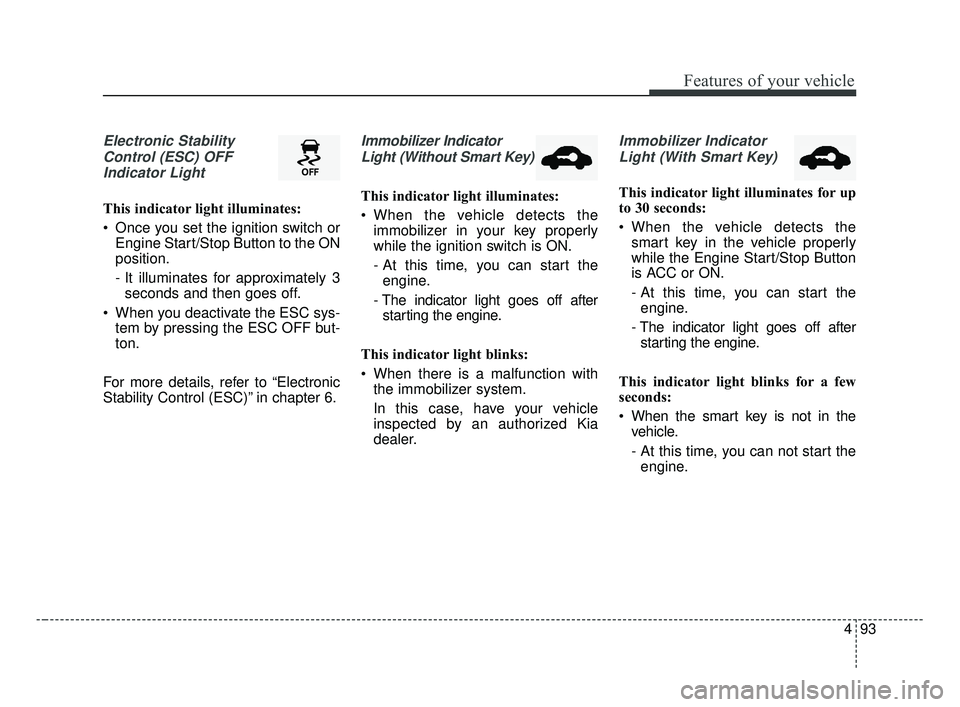
Electronic StabilityControl (ESC) OFFIndicator Light
This indicator light illuminates:
Once you set the ignition switch or Engine Start/Stop Button to the ON
position.
- It illuminates for approximately 3seconds and then goes off.
When you deactivate the ESC sys- tem by pressing the ESC OFF but-
ton.
For more details, refer to “Electronic
Stability Control (ESC)” in chapter 6.
Immobilizer Indicator Light (Without Smart Key)
This indicator light illuminates:
When the vehicle detects the immobilizer in your key properly
while the ignition switch is ON.
- At this time, you can start theengine.
- The indicator light goes off after starting the engine.
This indicator light blinks:
When there is a malfunction with the immobilizer system.
In this case, have your vehicle
inspected by an authorized Kia
dealer.
Immobilizer Indicator
Light (With Smart Key)
This indicator light illuminates for up
to 30 seconds:
When the vehicle detects the smart key in the vehicle properly
while the Engine Start/Stop Button
is ACC or ON.
- At this time, you can start theengine.
- The indicator light goes off after starting the engine.
This indicator light blinks for a few
seconds:
When the smart key is not in the vehicle.
- At this time, you can not start theengine.
JF CAN (ENG) 4.qxp 2016-09-21 11:16 Page 93
Page 181 of 629
Features of your vehicle
94
4
This indicator light illuminates for 2
seconds and goes off:
When the vehicle can not detect
the smart key which is in the vehi-
cle while the Engine Start/Stop
Button is ON.
In this case, have your vehicle
inspected by an authorized Kia
dealer.
This indicator light blinks:
When the battery of the smart key is weak.
- At this time, you can not start theengine. However, you can start the
engine if you press the Engine
Start/Stop Button with the smart
key. (For more details, refer to
“Starting the Engine” in chapter 6).
When there is a malfunction with the immobilizer system.
In this case, have your vehicle
inspected by an authorized Kia
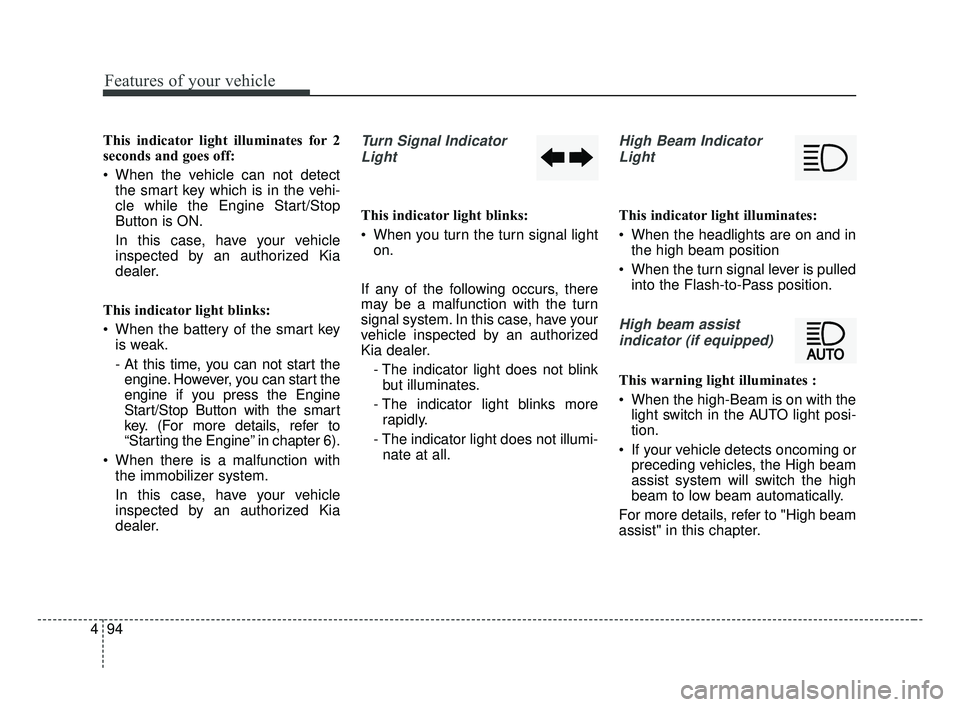
dealer.Turn Signal Indicator
Light
This indicator light blinks:
When you turn the turn signal light on.
If any of the following occurs, there
may be a malfunction with the turn
signal system. In this case, have your
vehicle inspected by an authorized
Kia dealer. - The indicator light does not blinkbut illuminates.
- The indicator light blinks more rapidly.
- The indicator light does not illumi- nate at all.
High Beam Indicator
Light
This indicator light illuminates:
When the headlights are on and in the high beam position
When the turn signal lever is pulled into the Flash-to-Pass position.
High beam assist
indicator (if equipped)
This warning light illuminates :
When the high-Beam is on with the light switch in the AUTO light posi-
tion.
If your vehicle detects oncoming or preceding vehicles, the High beam
assist system will switch the high
beam to low beam automatically.
For more details, refer to "High beam
assist" in this chapter.
JF CAN (ENG) 4.qxp 2016-09-21 11:16 Page 94
Page 190 of 629
4103
Features of your vehicle
Battery saver function
The purpose of this feature is toprevent the battery from being dis-
charged if the lights are left in the
ON position. The system automati-
cally shuts off the parking lights 30
seconds after the ignition key is
removed and the driver’s door is
opened and closed.
With this feature, the parking lights will turn off automatically if the driver
parks on the side of the road at night
and opens the driver’s side door.
If necessary, to keep the parking
lights on when the ignition key is
removed, perform the following:
1) Open the driver-side door.
2) Turn the parking lights OFF and ON again using the light switch
on the steering column.
Daytime running light
The Daytime Running Lights (DRL)
can make it easier for others to see the
front of your vehicle during the day.
DRL can be helpful in many different
driving conditions, and it is especially
helpful after dawn and before sunset.
The DRL system will turn the dedi-
cated lamp OFF when:
1. The headlight switch is ON.
2. The engine is OFF.
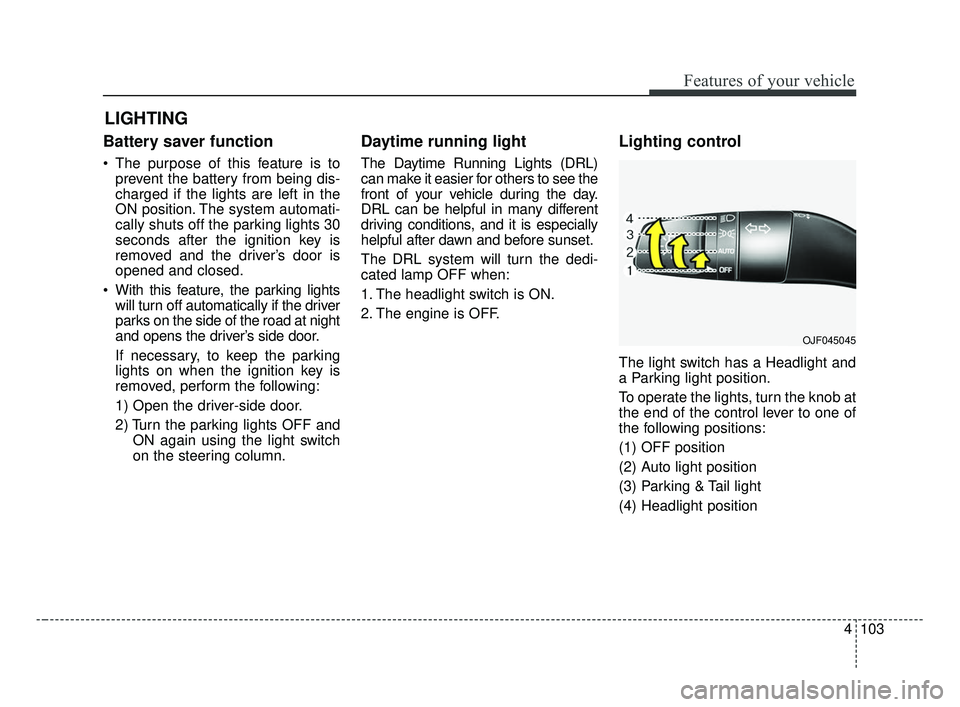
Lighting control
The light switch has a Headlight and
a Parking light position.
To operate the lights, turn the knob at
the end of the control lever to one of
the following positions:
(1) OFF position
(2) Auto light position
(3) Parking & Tail light
(4) Headlight position
LIGHTING
OJF045045
JF CAN (ENG) 4.qxp 2016-09-21 11:16 Page 103
Page 201 of 629
Features of your vehicle
114
4
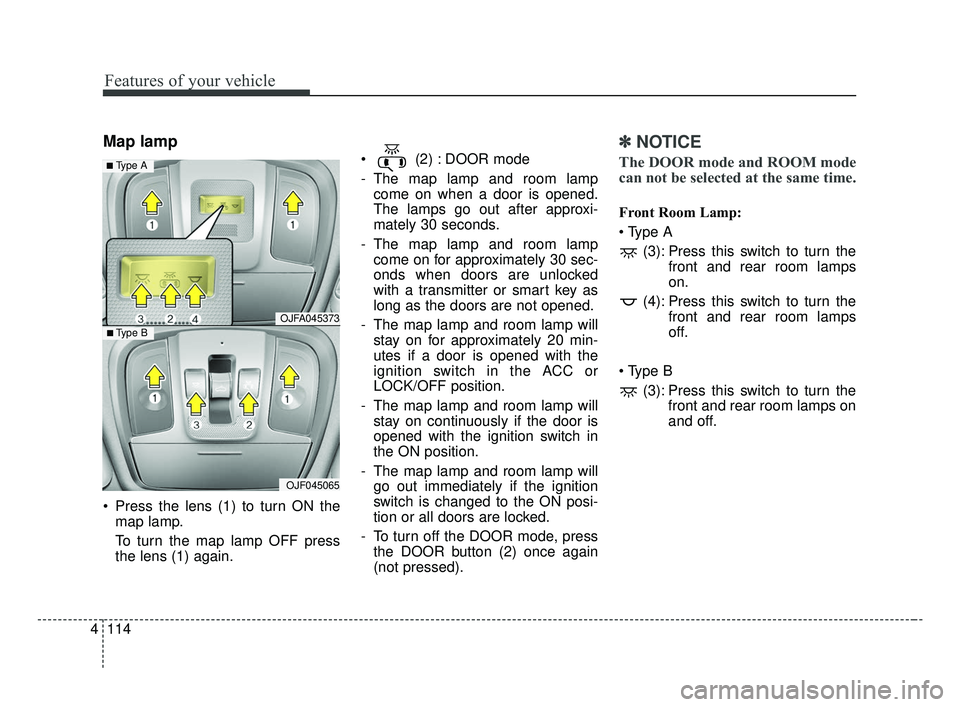
Map lamp
Press the lens (1) to turn ON the
map lamp.
To turn the map lamp OFF press
the lens (1) again. (2) : DOOR mode
- The map lamp and room lamp
come on when a door is opened.
The lamps go out after approxi-
mately 30 seconds.
- The map lamp and room lamp come on for approximately 30 sec-
onds when doors are unlocked
with a transmitter or smart key as
long as the doors are not opened.
- The map lamp and room lamp will stay on for approximately 20 min-
utes if a door is opened with the
ignition switch in the ACC or
LOCK/OFF position.
- The map lamp and room lamp will stay on continuously if the door is
opened with the ignition switch in
the ON position.
- The map lamp and room lamp will go out immediately if the ignition
switch is changed to the ON posi-
tion or all doors are locked.
- To turn off the DOOR mode, press the DOOR button (2) once again
(not pressed).
✽ ✽ NOTICE
The DOOR mode and ROOM mode
can not be selected at the same time.
Front Room Lamp:
(3): Press this switch to turn the front and rear room lamps
on.
(4): Press this switch to turn the front and rear room lamps
off.
(3): Press this switch to turn the front and rear room lamps on
and off.
OJFA045373
OJF045065
■ Type B
■ Type A
JF CAN (ENG) 4.qxp 2016-09-21 11:17 Page 114
Page 203 of 629
Features of your vehicle
116
4
WELCOME SYSTEM (IF EQUIPPED)
Headlight (Headlamp) escort
function
The headlights (and/or taillights)
remain on for approximately 5 min-
utes after the ignition key is removed
or turned to the ACC or LOCK posi-
tion. However, if the driver’s door is
opened and closed, the headlights
are turned off after 15 seconds.
The headlights can be turned off by
pressing the lock button on the trans-
mitter or smart key twice or turning
off the light switch from the headlight
or Auto light position.
Interior light
When the interior light switch is in the
DOOR position and all doors (and
trunk) are locked and closed, the
room lamp will come on for 30 sec-
onds if any of the below is performed.
Without smart key system
- When the door unlock button ispressed on the transmitter.
With the smart key system - When the door unlock button ispressed on the smart key.
- When the button of the outside door handle is pressed.
At this time, if you press the door lock
button, the lamps will turn off imme-
diately.
Pocket lamp (if equipped)
When all doors are locked and
closed, the pocket lamp will come on
for 15 seconds if any of the below is
performed.
With the smart key system - When the door unlock button ispressed on the smart key.
- When the button of the outside door handle is pressed.
At this time, if you press the door lock
button, the lamps will turn off imme-
diately.
JF CAN (ENG) 4.qxp 2016-09-21 11:17 Page 116