change time KIA OPTIMA 2017 Service Manual
[x] Cancel search | Manufacturer: KIA, Model Year: 2017, Model line: OPTIMA, Model: KIA OPTIMA 2017Pages: 629, PDF Size: 15.24 MB
Page 396 of 629
639
Driving your vehicle
4. If you press the accelerator pedalwith the shift lever in D (Drive) or
manual mode, the Auto Hold will
be released automatically and the
vehicle will start to move. The indi-
cator changes from green to white
indicating the Auto Hold is in
standby and the EPB is released.
When driving off from Auto Hold by
depressing the accelerator pedal,
always check the surrounding area
near your vehicle.
Slowly depress the accelerator pedal
for a smooth launch.Cancel
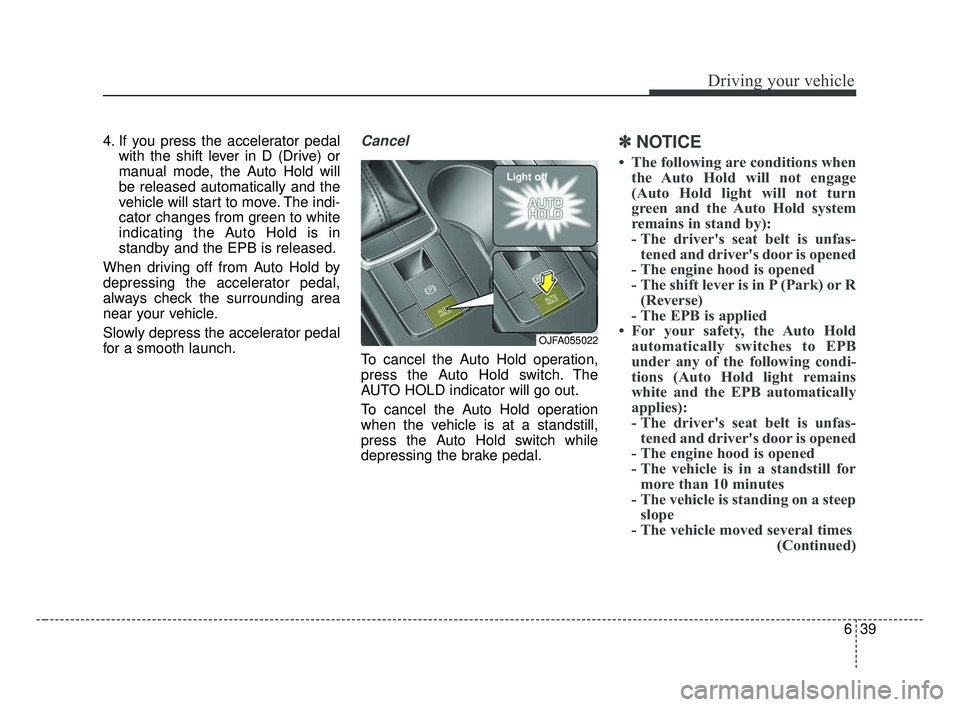
To cancel the Auto Hold operation,
press the Auto Hold switch. The
AUTO HOLD indicator will go out.
To cancel the Auto Hold operation
when the vehicle is at a standstill,
press the Auto Hold switch while
depressing the brake pedal.
✽ ✽ NOTICE
• The following are conditions when
the Auto Hold will not engage
(Auto Hold light will not turn
green and the Auto Hold system
remains in stand by):
- The driver's seat belt is unfas-tened and driver's door is opened
- The engine hood is opened
- The shift lever is in P (Park) or R (Reverse)
- The EPB is applied
• For your safety, the Auto Hold automatically switches to EPB
under any of the following condi-
tions (Auto Hold light remains
white and the EPB automatically
applies):
- The driver's seat belt is unfas-tened and driver's door is opened
- The engine hood is opened
- The vehicle is in a standstill for more than 10 minutes
- The vehicle is standing on a steep slope
- The vehicle moved several times (Continued)
OJFA055022
Light off
JF CAN (ENG) 6.qxp 2016-09-21 11:25 Page 39
Page 421 of 629
Driving your vehicle
64
6
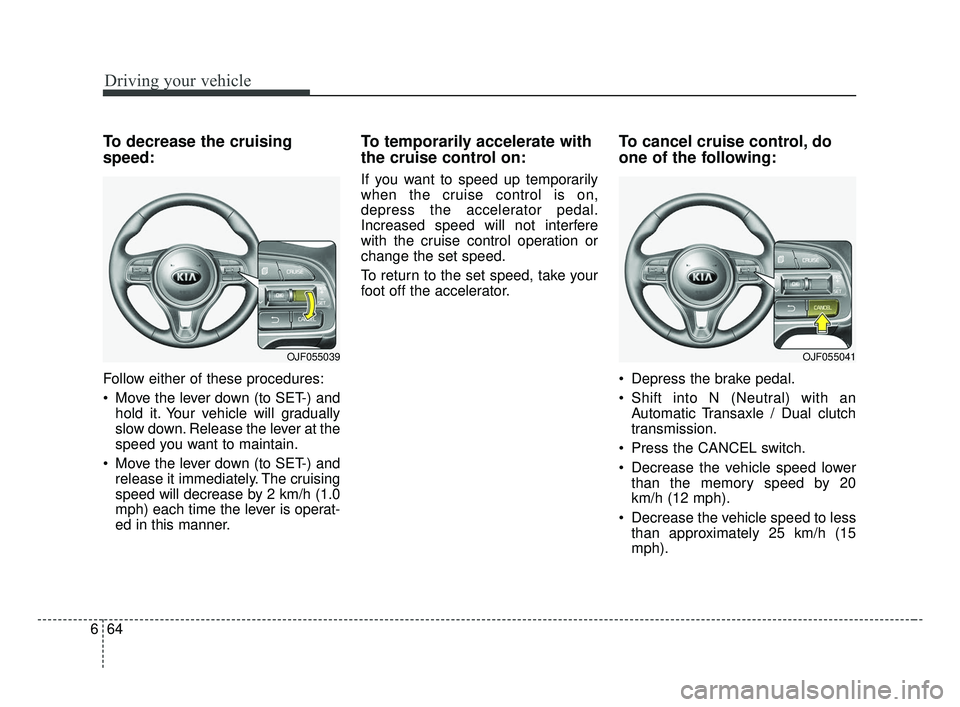
To decrease the cruising
speed:
Follow either of these procedures:
Move the lever down (to SET-) and
hold it. Your vehicle will gradually
slow down. Release the lever at the
speed you want to maintain.
Move the lever down (to SET-) and release it immediately. The cruising
speed will decrease by 2 km/h (1.0
mph) each time the lever is operat-
ed in this manner.
To temporarily accelerate with
the cruise control on:
If you want to speed up temporarily
when the cruise control is on,
depress the accelerator pedal.
Increased speed will not interfere
with the cruise control operation or
change the set speed.
To return to the set speed, take your
foot off the accelerator.
To cancel cruise control, do
one of the following:
Depress the brake pedal.
Shift into N (Neutral) with an Automatic Transaxle / Dual clutch
transmission.
Press the CANCEL switch.
Decrease the vehicle speed lower than the memory speed by 20
km/h (12 mph).
Decrease the vehicle speed to less than approximately 25 km/h (15
mph).
OJF055041OJF055039
JF CAN (ENG) 6.qxp 2016-09-21 11:26 Page 64
Page 426 of 629
669
Driving your vehicle
To temporarily accelerate with thecruise control on:
If you want to speed up temporarily
when the cruise control is on,
depress the accelerator pedal.
Increased speed will not interfere
with cruise control operation or
change the set speed.
To return to the set speed, take your
foot off the accelerator.
If you move the lever down (to SET-)
at increased speed, the cruising
speed will be set again.
✽ ✽ NOTICE
Be careful when accelerating tem-
porarily, because the speed is not reg-
ulated automatically at this time even
if there is a vehicle in front of you.
ASCC will be temporarily can-
celed when:
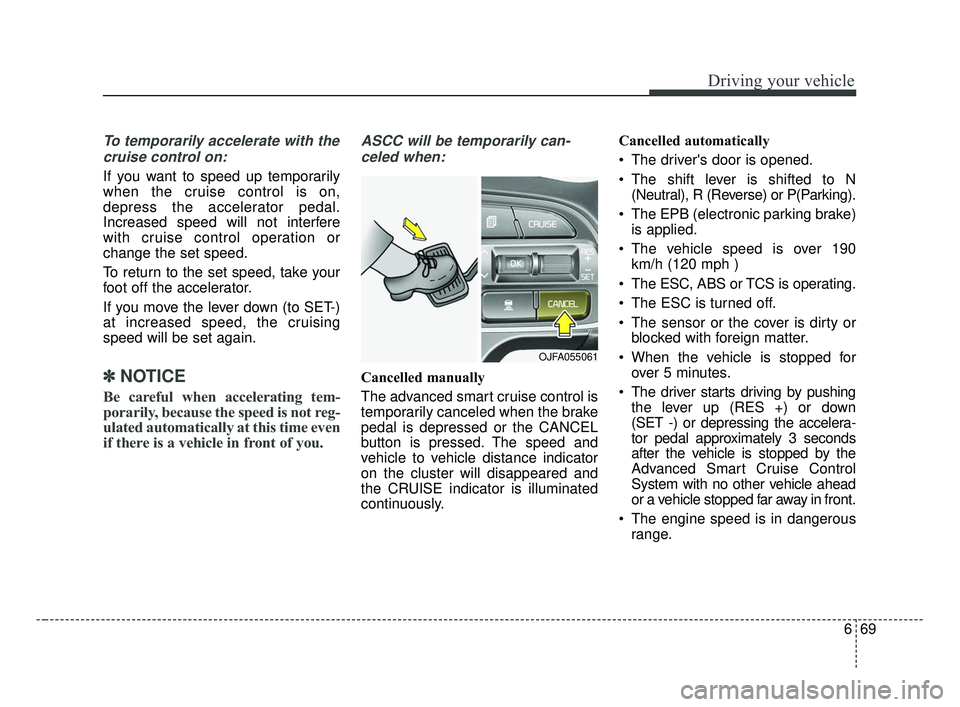
Cancelled manually
The advanced smart cruise control is
temporarily canceled when the brake
pedal is depressed or the CANCEL
button is pressed. The speed and
vehicle to vehicle distance indicator
on the cluster will disappeared and
the CRUISE indicator is illuminated
continuously. Cancelled automatically
The driver's door is opened.
The shift lever is shifted to N
(Neutral), R (Reverse) or P(Parking).
The EPB (electronic parking brake) is applied.
The vehicle speed is over 190 km/h (120 mph )
The ESC, ABS or TCS is operating.
The ESC is turned off.
The sensor or the cover is dirty or blocked with foreign matter.
When the vehicle is stopped for over 5 minutes.
The driver starts driving by pushing the lever up (RES +) or down
(SET -) or depressing the accelera-
tor pedal approximately 3 seconds
after the vehicle is stopped by the
Advanced Smart Cruise Control
System with no other vehicle ahead
or a vehicle stopped far away in front.
The engine speed is in dangerous range.
OJFA055061
JF CAN (ENG) 6.qxp 2016-09-21 11:26 Page 69
Page 429 of 629
Driving your vehicle
72
6
Vehicle to vehicle distance
setting (ASCC)
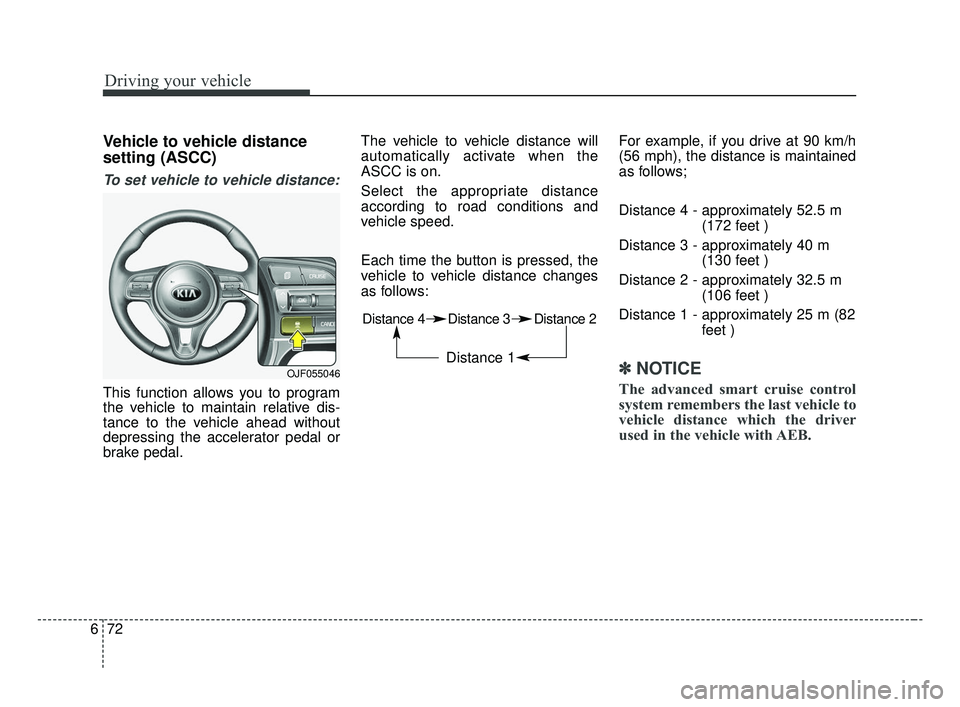
To set vehicle to vehicle distance:
This function allows you to program
the vehicle to maintain relative dis-
tance to the vehicle ahead without
depressing the accelerator pedal or
brake pedal. The vehicle to vehicle distance will
automatically activate when the
ASCC is on.
Select the appropriate distance
according to road conditions and
vehicle speed.
Each time the button is pressed, the
vehicle to vehicle distance changes
as follows:
For example, if you drive at 90 km/h
(56 mph), the distance is maintained
as follows;
Distance 4 - approximately 52.5 m
(172 feet )
Distance 3 - approximately 40 m (130 feet )
Distance 2 - approximately 32.5 m (106 feet )
Distance 1 - approximately 25 m (82 feet )
✽ ✽NOTICE
The advanced smart cruise control
system remembers the last vehicle to
vehicle distance which the driver
used in the vehicle with AEB.
OJF055046
Distance 4 Distance 3 Distance 2
Distance 1
JF CAN (ENG) 6.qxp 2016-09-21 11:27 Page 72
Page 442 of 629
685
Driving your vehicle
SPORT mode
SPORT mode focuses on
dynamic driving by auto-
matically adjusting the
steering wheel, engine
and transaxle system.
button is pressed and
the SPORT mode is
selected, the SPORT
indicator (yellow) will illu-
minate.
is activated, and the
engine start/stop button
is turned off and on it will
change to NORMAL
mode. To turn on the
SPORT mode press
DRIVE MODE button
again.
ed:
- While holding vehicle speed, it maintains the
gear and RPM for some
time even though the
accelerator pedal is not
depressed.
- Up-shifting is delayed.
✽ ✽
NOTICE
In Sport drive mode, the fuel effi-
ciency may decrease.
SPORT
JF CAN (ENG) 6.qxp 2016-09-21 11:27 Page 85
Page 451 of 629
Driving your vehicle
94
6
LANE DEPARTURE WARNING SYSTEM (LDWS) (IF EQUIPPED)
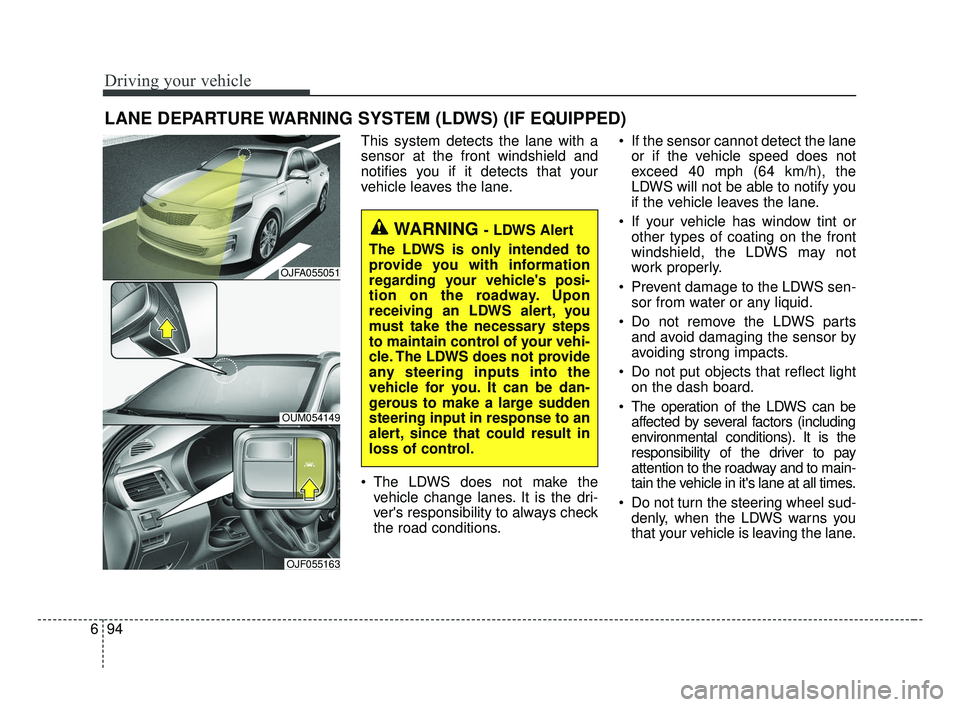
This system detects the lane with a
sensor at the front windshield and
notifies you if it detects that your
vehicle leaves the lane.
The LDWS does not make the
vehicle change lanes. It is the dri-
ver's responsibility to always check
the road conditions. If the sensor cannot detect the lane
or if the vehicle speed does not
exceed 40 mph (64 km/h), the
LDWS will not be able to notify you
if the vehicle leaves the lane.
If your vehicle has window tint or other types of coating on the front
windshield, the LDWS may not
work properly.
Prevent damage to the LDWS sen- sor from water or any liquid.
Do not remove the LDWS parts and avoid damaging the sensor by
avoiding strong impacts.
Do not put objects that reflect light on the dash board.
The operation of the LDWS can be affected by several factors (including
environmental conditions). It is the
responsibility of the driver to pay
attention to the roadway and to main-
tain the vehicle in it's lane at all times.
Do not turn the steering wheel sud- denly, when the LDWS warns you
that your vehicle is leaving the lane.
WARNING - LDWS Alert
The LDWS is only intended to
provide you with information
regarding your vehicle's posi-
tion on the roadway. Upon
receiving an LDWS alert, you
must take the necessary steps
to maintain control of your vehi-
cle. The LDWS does not provide
any steering inputs into the
vehicle for you. It can be dan-
gerous to make a large sudden
steering input in response to an
alert, since that could result in
loss of control.
OJFA055051
OUM054149
OJF055163
JF CAN (ENG) 6.qxp 2016-09-21 11:28 Page 94
Page 526 of 629
823
Maintenance
EXPLANATION OF SCHEDULED MAINTENANCE ITEMS
Engine oil and filter
The engine oil and filter should be
changed at the intervals specified in
the maintenance schedule. If the
vehicle is being driven in severe con-
ditions, more frequent oil and filter
changes are required.
Drive belts
Inspect all drive belts for evidence of
cuts, cracks, excessive wear or oil
saturation and replace if necessary.
Drive belts should be checked peri-
odically for proper tension and
adjusted as necessary.
Fuel filter (cartridge)
A clogged filter can limit the speed at
which the vehicle may be driven,
damage the emission system and
cause multiple issues such as hard
starting. If an excessive amount of
foreign matter accumulates in the
fuel tank, the filter may require
replacement more frequently.
After installing a new filter, run the
engine for several minutes, and
check for leaks at the connections.
Fuel filters should be installed by an
authorized Kia dealer.
Fuel filter (for gasoline)
Kia gasoline vehicle is equipped a
lifetime fuel filter that integrated with
the fuel tank. Regular maintenance
or replacement is not needed but
depends on fuel quality. If there are
some important safety matters like
fuel flow restriction, surging, loss of
power, hard starting problem etc, fuel
filter inspection or replace is needed.
The fuel filter be Inspected or
replaced by an authorized Kia dealer.
Fuel lines, fuel hoses and con-
nections
Check the fuel lines, fuel hoses and
connections for leakage and dam-
age. Have an authorized Kia dealer
replace any damaged or leaking
parts immediately.
Vapor hose and fuel filler cap
The vapor hose and fuel filler cap
should be inspected at those inter-
vals specified in the maintenance
schedule. Make sure that a new
vapor hose or fuel filler cap is cor-
rectly replaced.
JF CAN (ENG) 8.qxp 2016-09-23 10:23 Page 23
Page 531 of 629
Maintenance
28
8
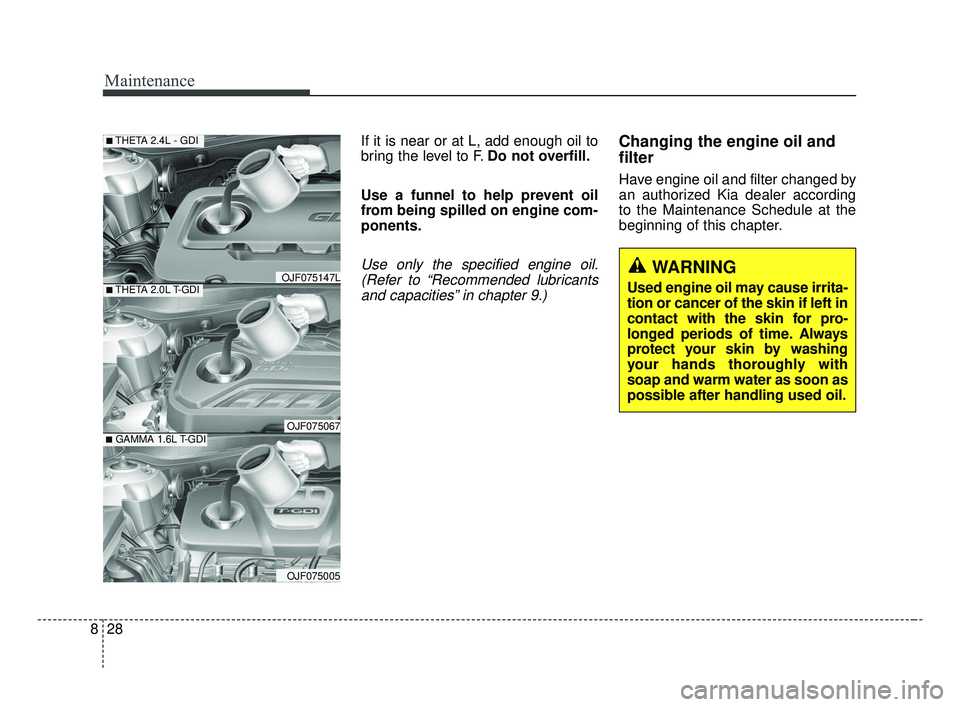
If it is near or at L, add enough oil to
bring the level to F. Do not overfill.
Use a funnel to help prevent oil
from being spilled on engine com-
ponents.
Use only the specified engine oil. (Refer to “Recommended lubricantsand capacities” in chapter 9.)
Changing the engine oil and
filter
Have engine oil and filter changed by
an authorized Kia dealer according
to the Maintenance Schedule at the
beginning of this chapter.
WARNING
Used engine oil may cause irrita-
tion or cancer of the skin if left in
contact with the skin for pro-
longed periods of time. Always
protect your skin by washing
your hands thoroughly with
soap and warm water as soon as
possible after handling used oil.■THETA 2.0L T-GDI
■THETA 2.4L - GDI
OJF075067■GAMMA 1.6L T-GDI
OJF075005
OJF075147L
JF CAN (ENG) 8.qxp 2016-09-23 10:23 Page 28
Page 625 of 629
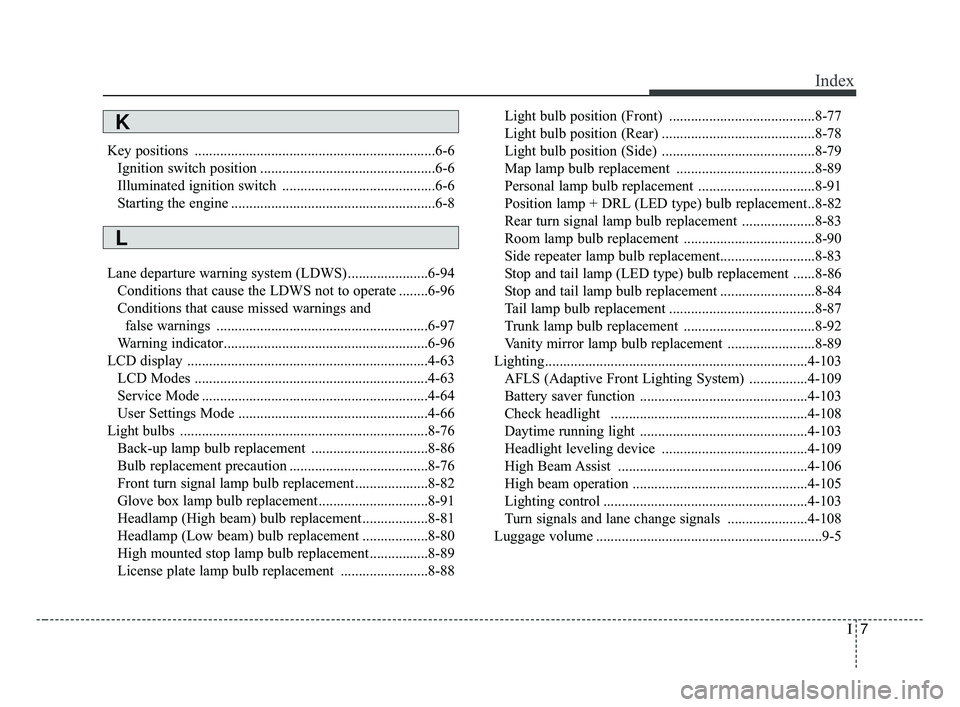
I7
Index
Key positions ..................................................................6-6Ignition switch position ................................................6-6
Illuminated ignition switch ..........................................6-6
Starting the engine ........................................................6-8
Lane departure warning system (LDWS) ......................6-94 Conditions that cause the LDWS not to operate ........6-96
Conditions that cause missed warnings and false warnings ..........................................................6-97
Warning indicator........................................................6-96
LCD display ..................................................................4-63 LCD Modes ................................................................4-63
Service Mode ..............................................................4-64
User Settings Mode ....................................................4-66
Light bulbs ....................................................................8-76\
Back-up lamp bulb replacement ................................8-86
Bulb replacement precaution ......................................8-76
Front turn signal lamp bulb replacement ....................8-82
Glove box lamp bulb replacement ..............................8-91
Headlamp (High beam) bulb replacement ..................8-81
Headlamp (Low beam) bulb replacement ..................8-80
High mounted stop lamp bulb replacement ................8-89
License plate lamp bulb replacement ........................8-88 Light bulb position (Front) ........................................8-77
Light bulb position (Rear) ..........................................8-78
Light bulb position (Side) ..........................................8-79
Map lamp bulb replacement ......................................8-89
Personal lamp bulb replacement ................................8-91
Position lamp + DRL (LED type) bulb replacement..8-82
Rear turn signal lamp bulb replacement ....................8-83
Room lamp bulb replacement ....................................8-90
Side repeater lamp bulb replacement..........................8-83
Stop and tail lamp (LED type) bulb replacement ......8-86
Stop and tail lamp bulb replacement ..........................8-84
Tail lamp bulb replacement ........................................8-87
Trunk lamp bulb replacement ....................................8-92
Vanity mirror lamp bulb replacement ........................8-89
Lighting........................................................................\
4-103 AFLS (Adaptive Front Lighting System) ................4-109
Battery saver function ..............................................4-103
Check headlight ......................................................4-108
Daytime running light ..............................................4-103
Headlight leveling device ........................................4-109
High Beam Assist ....................................................4-106
High beam operation ................................................4-105
Lighting control ........................................................4-103
Turn signals and lane change signals ......................4-108
Luggage volume ..............................................................9-5
K
L
JF CAN (ENG) Index.qxp 8/30/2016 6:11 PM Page 7