Tire KIA OPTIMA 2017 Owners Manual
[x] Cancel search | Manufacturer: KIA, Model Year: 2017, Model line: OPTIMA, Model: KIA OPTIMA 2017Pages: 629, PDF Size: 15.24 MB
Page 6 of 629
Introduction
2 1
HOW TO USE THIS MANUAL
We want to help you get the greatest
possible driving pleasure from your
vehicle. Your Owner’s Manual can
assist you in many ways. We strong-
ly recommend that you read the
entire manual. In order to minimize
the chance of death or injury, you
must read the WARNING and CAU-
TION sections in the manual.
Illustrations complement the words
in this manual to best explain how to
enjoy your vehicle. By reading your
manual, you will learn about fea-
tures, important safety information,
and driving tips under various road
conditions.
The general layout of the manual is
provided in the Table of Contents.
Use the index when looking for a
specific area or subject; it has an
alphabetical listing of all information
in your manual.
Sections: This manual has nine sec-
tions plus an index. Each section
begins with a brief list of contents so
you can tell at a glance if that section
has the information you want.You will find various WARNINGs,
CAUTIONs, and NOTICEs in this
manual. These WARNINGs were pre-
pared to enhance your personal safe-
ty. You should carefully read and follow
ALL procedures and recommenda-
tions provided in these WARNINGs,
CAUTIONs and NOTICEs.
✽ ✽
NOTICE
A NOTICE indicates interesting or
helpful information is being provided.
Your new vehicle is designed to use
only unleaded fuel having a pump
octane number ((R+M)/2) of 87
(Research Octane Number 91) or
higher. (Do not use methanol blend-
ed fuels.)
Your new vehicle is designed to
obtain maximum performance with
UNLEADED FUEL, as well as mini-
mize exhaust emissions and spark
plug fouling.
Never add any fuel system cleaning
agents to the fuel tank other than
what has been specified. (Consult an
authorized Kia dealer for details.)
Tighten the cap until it clicks one
time, otherwise the Check Engine
light will illuminate.
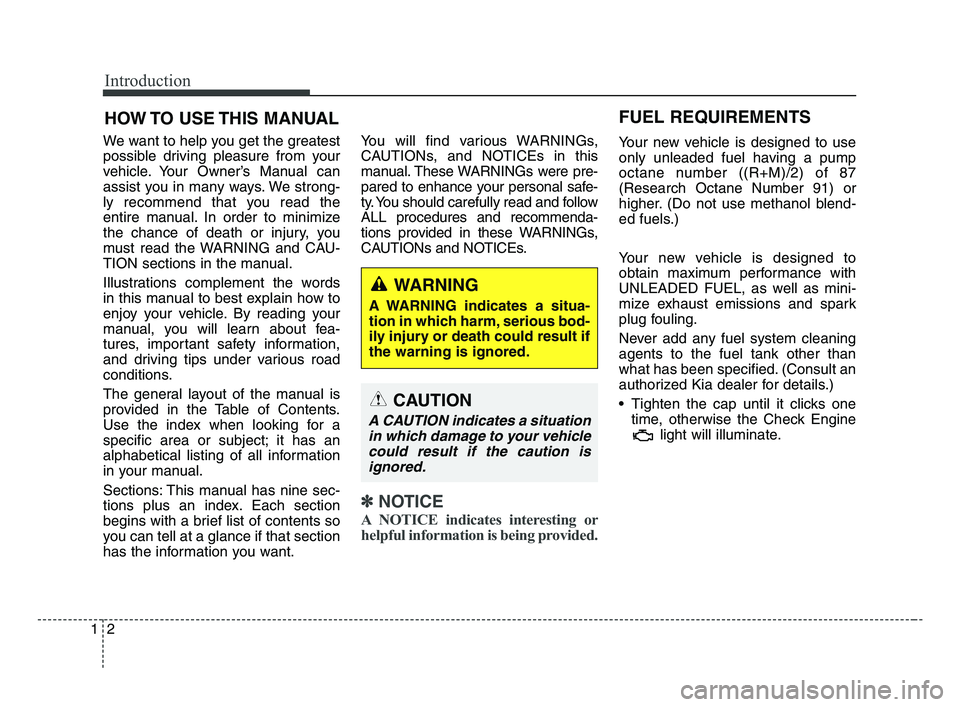
WARNING
A WARNING indicates a situa-
tion in which harm, serious bod-
ily injury or death could result if
the warning is ignored.
CAUTION
A CAUTION indicates a situation
in which damage to your vehicle
could result if the caution is
ignored.
FUEL REQUIREMENTS
JF CAN (ENG) 1.qxp 8/25/2016 5:05 PM Page 2
Page 12 of 629
Your vehicle at a glance
22
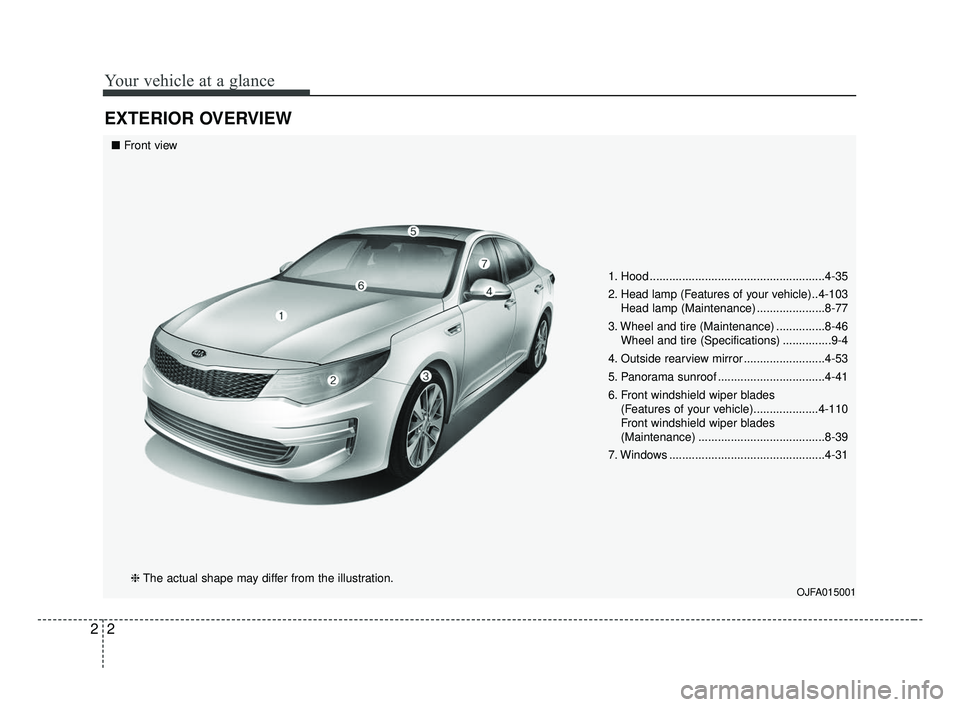
EXTERIOR OVERVIEW
1. Hood ......................................................4-35
2. Head lamp (Features of your vehicle) ..4-103Head lamp (Maintenance) .....................8-77
3. Wheel and tire (Maintenance) ...............8-46 Wheel and tire (Specifications) ...............9-4
4. Outside rearview mirror .........................4-53
5. Panorama sunroof .................................4-41
6. Front windshield wiper blades (Features of your vehicle)....................4-110
Front windshield wiper blades
(Maintenance) .......................................8-39
7. Windows ................................................4-31
OJFA015001
■ Front view
❈ The actual shape may differ from the illustration.
JF CAN (ENG) 2.qxp 8/25/2016 5:06 PM Page 2
Page 20 of 629
33
Safety features of your vehicle
ONLY use your mobile devicewhen allowed by laws and when
conditions permit safe use. NEVER
text or email while driving. Most
countries have laws prohibiting
drivers from texting. Some coun-
tries and cities also prohibit drivers
from using handheld phones.
NEVER let the use of a mobile device distract you from driving.
You have a responsibility to your
passengers and others on the road
to always drive safely, with your
hands on the wheel as well as your
eyes and attention on the road.Control your speed
Excessive speed is a major factor in
crash injuries and deaths. Generally,
the higher the speed, the greater the
risk, but serious injuries can also
occur at lower speeds. Never drive
faster than is safe for current condi-
tions, regardless of the maximum
speed posted.
Keep your vehicle in safe con-
dition
Having a tire blowout or a mechani-
cal failure can be extremely haz-
ardous. To reduce the possibility of
such problems, check your tire pres-
sures and condition frequently, and
perform all regularly scheduled
maintenance.
JF CAN (ENG) 3.qxp 2016-09-21 11:03 Page 3
Page 38 of 629
321
Safety features of your vehicle
SEAT BELTS
Seat belt restraint system
For maximum restraint system pro-tection, the seat belts must always
be used whenever the vehicle is
moving. A properly positioned
shoulder belt should be positioned
midway over your shoulder across
your collarbone.
Never allow children to ride in the front passenger seat. See child
restraint system section for further
discussion. Seat belts are designed to bear upon
the bony structure of the body, and
should be worn low across the front
of the pelvis, chest and shoulders, as
applicable; wearing the lap section of
the belt across the abdominal area
must be avoided.
Seat belts should be adjusted as
firmly as possible, consistent with
comfort, to provide the protection for
which they have been designed.
A slack belt will greatly reduce the
protection afforded to the wearer.
Care should be taken to avoid con-
tamination of the webbing with pol-
ishes, oils and chemicals, and partic-
ularly battery acid. Cleaning may
safely be carried out using mild soap
and water. The belt should be
replaced if webbing becomes frayed,
contaminated or damaged.
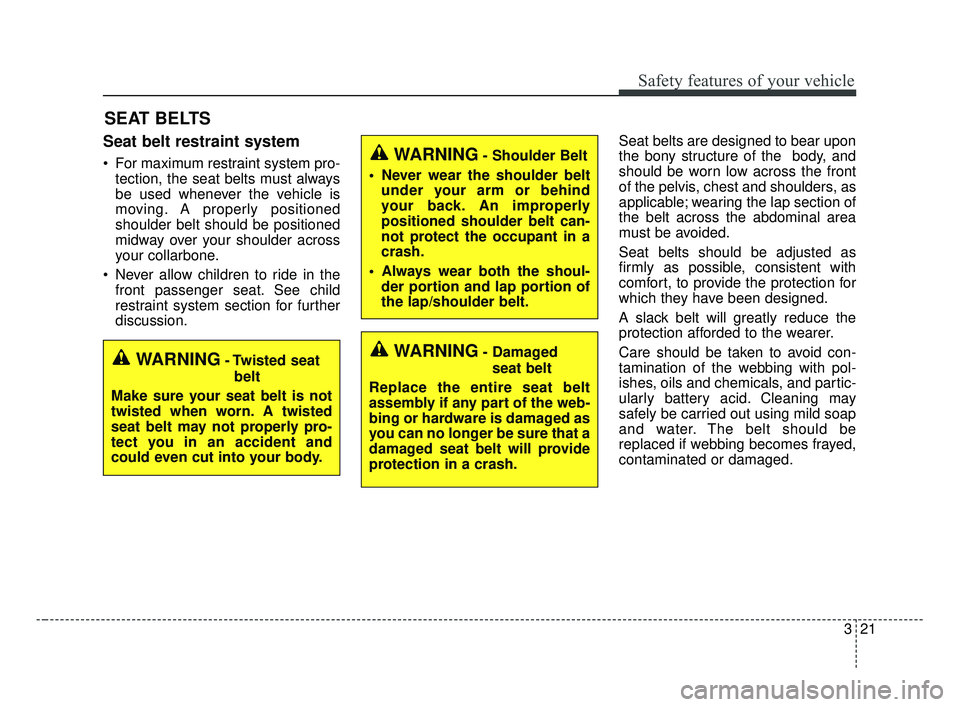
WARNING- Damaged
seat belt
Replace the entire seat belt
assembly if any part of the web-
bing or hardware is damaged as
you can no longer be sure that a
damaged seat belt will provide
protection in a crash.WARNING- Twisted seat belt
Make sure your seat belt is not
twisted when worn. A twisted
seat belt may not properly pro-
tect you in an accident and
could even cut into your body.
WARNING- Shoulder Belt
Never wear the shoulder belt under your arm or behind
your back. An improperly
positioned shoulder belt can-
not protect the occupant in a
crash.
Always wear both the shoul- der portion and lap portion of
the lap/shoulder belt.
JF CAN (ENG) 3.qxp 2016-09-21 11:04 Page 21
Page 48 of 629
331
Safety features of your vehicle
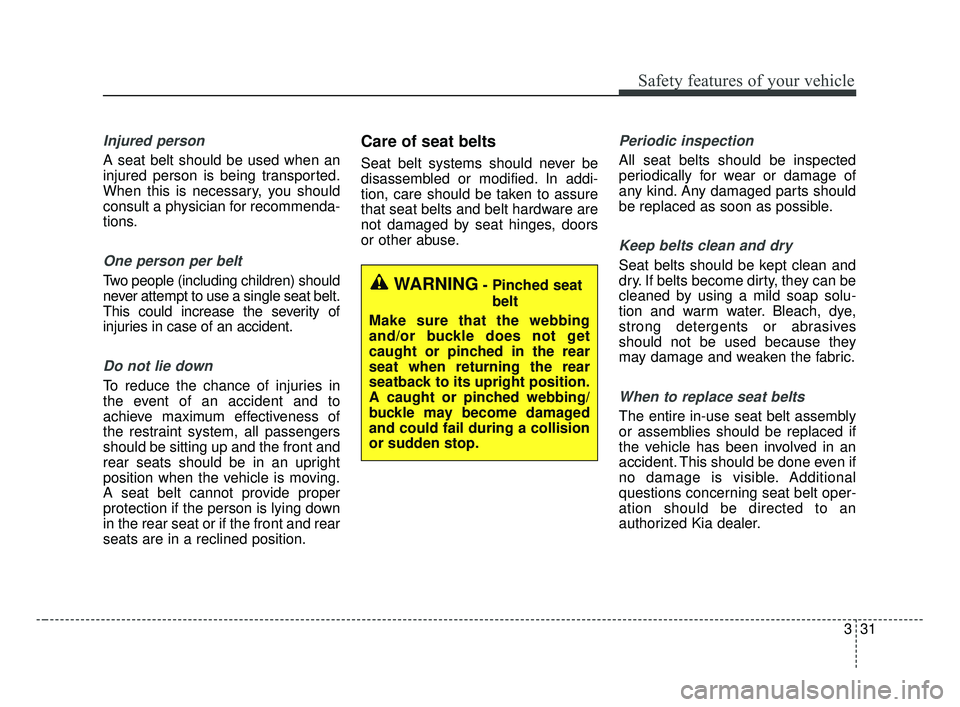
Injured person
A seat belt should be used when an
injured person is being transported.
When this is necessary, you should
consult a physician for recommenda-
tions.
One person per belt
Two people (including children) should
never attempt to use a single seat belt.
This could increase the severity of
injuries in case of an accident.
Do not lie down
To reduce the chance of injuries in
the event of an accident and to
achieve maximum effectiveness of
the restraint system, all passengers
should be sitting up and the front and
rear seats should be in an upright
position when the vehicle is moving.
A seat belt cannot provide proper
protection if the person is lying down
in the rear seat or if the front and rear
seats are in a reclined position.
Care of seat belts
Seat belt systems should never be
disassembled or modified. In addi-
tion, care should be taken to assure
that seat belts and belt hardware are
not damaged by seat hinges, doors
or other abuse.
Periodic inspection
All seat belts should be inspected
periodically for wear or damage of
any kind. Any damaged parts should
be replaced as soon as possible.
Keep belts clean and dry
Seat belts should be kept clean and
dry. If belts become dirty, they can be
cleaned by using a mild soap solu-
tion and warm water. Bleach, dye,
strong detergents or abrasives
should not be used because they
may damage and weaken the fabric.
When to replace seat belts
The entire in-use seat belt assembly
or assemblies should be replaced if
the vehicle has been involved in an
accident. This should be done even if
no damage is visible. Additional
questions concerning seat belt oper-
ation should be directed to an
authorized Kia dealer.
WARNING- Pinched seatbelt
Make sure that the webbing
and/or buckle does not get
caught or pinched in the rear
seat when returning the rear
seatback to its upright position.
A caught or pinched webbing/
buckle may become damaged
and could fail during a collision
or sudden stop.
JF CAN (ENG) 3.qxp 2016-09-21 11:05 Page 31
Page 50 of 629
333
Safety features of your vehicle
Child restraint system (CRS)
Infants and younger children must be
restrained in an appropriate rear-fac-
ing or forward-facing CRS that has
first been properly secured to the
rear seat of the vehicle. Read and
comply with the instructions for
installation and use provided by the
manufacturer of the child restraint.
✽ ✽NOTICE
After an accident, have a Kia dealer
check the child restraint system, seat
belts, tether anchors and lower
anchors.
Selecting a Child Restraint
System (CRS)
When selecting a CRS for your child,
always:
Make sure the CRS has a label
certifying that it meets applicable
Safety Standards of your country.
Select a child restraint based on your child’s height and weight. The
required label or the instructions
for use typically provide this infor-
mation.
Select a child restraint that fits the vehicle seating position where it
will be used.
Read and comply with the warn- ings and instructions for installation
and use provided instructions with
the child restraint system.
WARNING
-
Child Restraint Installation
An improperly secured child
restraint can increase the risk
of serious injury or death in an
accident. Always take the fol-
lowing precautions when using
a child restraint system:
Always follow the child restraint system manufactur-
er’s instructions for installa-
tion and use.
(Continued)
(Continued)
Always properly restrain yourchild in the child restraint.
If the vehicle head restraint prevents proper installation of
a child seat (as described in
the child restraint system
manual), the head restraint of
the respective seating posi-
tion shall be readjusted or
entirely removed.
Do not use an infant carrier or a child safety seat that
"hooks" over a seatback, it
may not provide adequate
protection in an accident.
JF CAN (ENG) 3.qxp 2016-09-21 11:05 Page 33
Page 117 of 629
Features of your vehicle
30
4
✽ ✽
NOTICE
• If you press the door unlock but-
ton (2), the Smart Trunk function
will be deactivated temporarily.
But, if you do not open any door
for 30 seconds, the smart trunk
function will be activated again.
• If you press the trunk open button (3) for more than 1 second, the
trunk opens.
• If you press the door lock button (1) or trunk open button (3) when
the Smart Trunk function is not in
the Detect and Alert stage, the
smart trunk function will not be
deactivated.
• In case you have deactivated the Smart Trunk function by pressing
the smart key button and opened a
door, the smart trunk function can
be activated again by closing and
locking all doors.
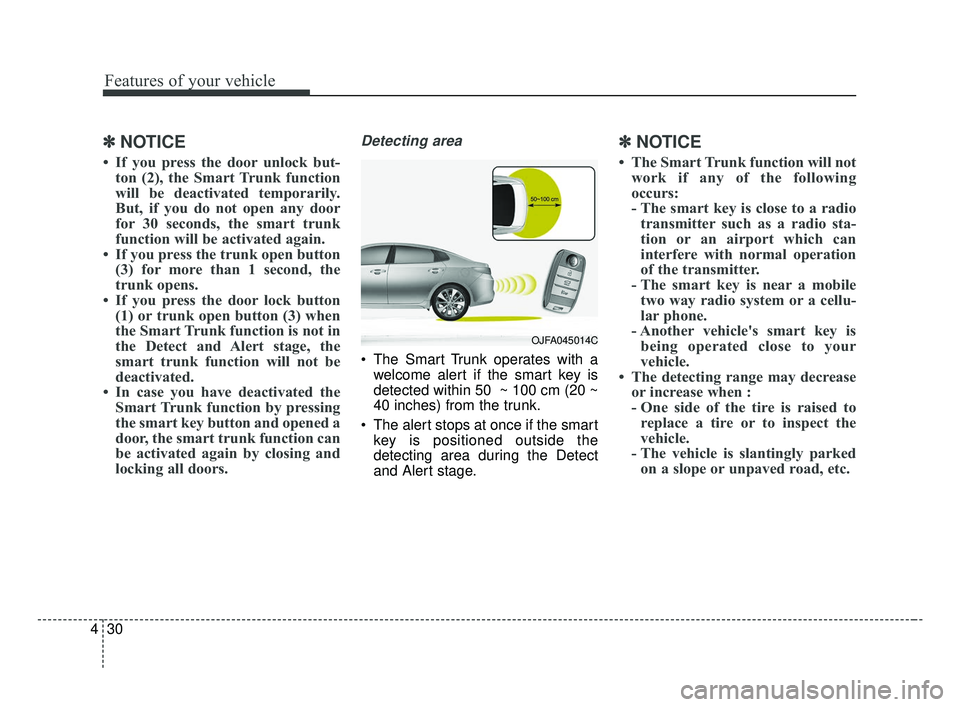
Detecting area
The Smart Trunk operates with a
welcome alert if the smart key is
detected within 50 ~ 100 cm (20 ~
40 inches) from the trunk.
The alert stops at once if the smart key is positioned outside the
detecting area during the Detect
and Alert stage.
✽ ✽ NOTICE
• The Smart Trunk function will not
work if any of the following
occurs:
- The smart key is close to a radiotransmitter such as a radio sta-
tion or an airport which can
interfere with normal operation
of the transmitter.
- The smart key is near a mobile two way radio system or a cellu-
lar phone.
- Another vehicle's smart key is being operated close to your
vehicle.
• The detecting range may decrease or increase when :
- One side of the tire is raised toreplace a tire or to inspect the
vehicle.
- The vehicle is slantingly parked on a slope or unpaved road, etc.
OJFA045014C
JF CAN (ENG) 4.qxp 2016-09-21 11:13 Page 30
Page 150 of 629
463
Features of your vehicle
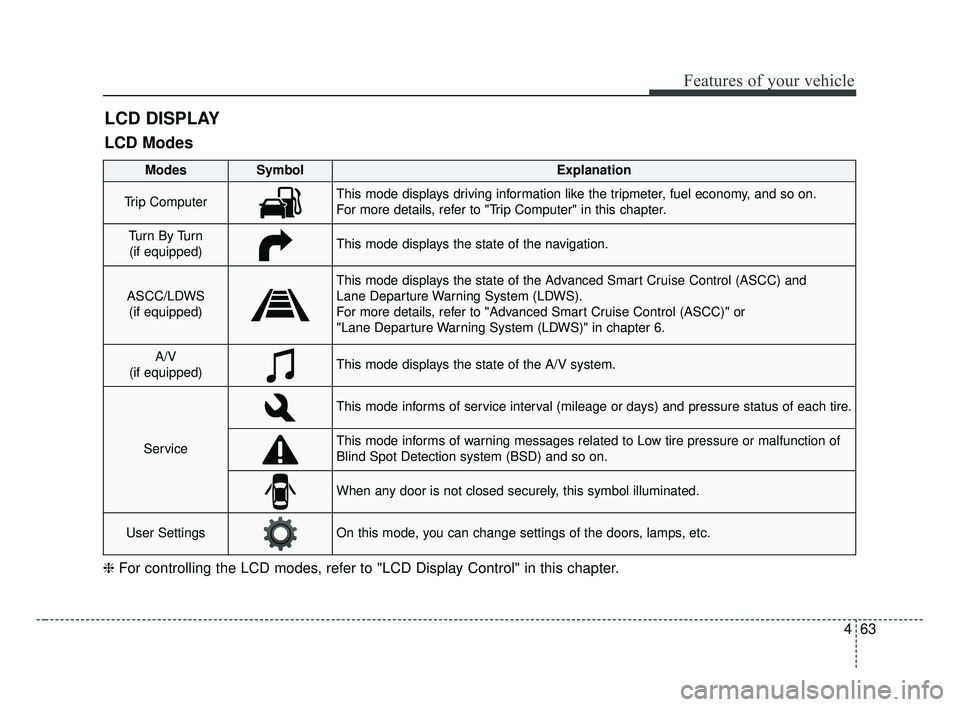
LCD DISPLAY
❈For controlling the LCD modes, refer to "LCD Display Control" in this chapter.
LCD Modes
Modes SymbolExplanation
Trip ComputerThis mode displays driving information like the tripmeter, fuel economy, and so on.
For more details, refer to "Trip Computer" in this chapter.
Tu r n B y Tu r n
(if equipped)This mode displays the state of the navigation.
ASCC/LDWS (if equipped)
This mode displays the state of the Advanced Smart Cruise Control (ASCC) and
Lane Departure Warning System (LDWS).
For more details, refer to "Advanced Smart Cruise Control (ASCC)" or
"Lane Departure Warning System (LDWS)" in chapter 6.
A/V
(if equipped)This mode displays the state of the A/V system.
Service
This mode informs of service interval (mileage or days) and pressure status of each tire.
This mode informs of warning messages related to Low tire pressure or malfunction of
Blind Spot Detection system (BSD) and so on.
When any door is not closed securely, this symbol illuminated.
User SettingsOn this mode, you can change settings of the doors, lamps, etc.
JF CAN (ENG) 4.qxp 2016-09-21 11:15 Page 63
Page 151 of 629
Features of your vehicle
64
4
Service Mode
Tire Pressure (if equipped)
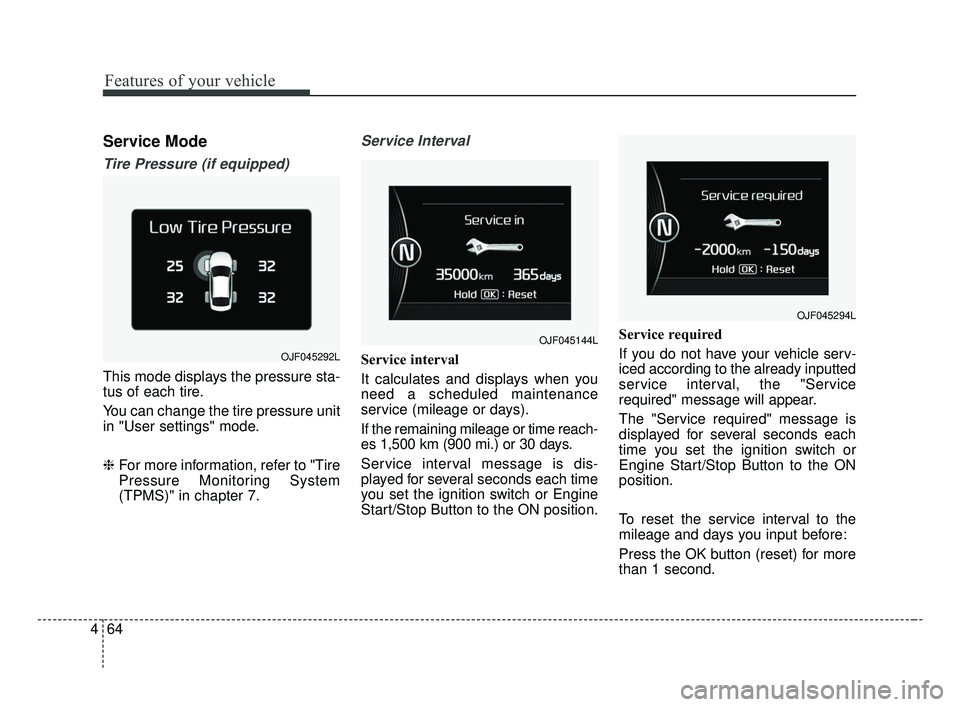
This mode displays the pressure sta-
tus of each tire.
You can change the tire pressure unit
in "User settings" mode.
❈ For more information, refer to "Tire
Pressure Monitoring System
(TPMS)" in chapter 7.
Service Interval
Service interval
It calculates and displays when you
need a scheduled maintenance
service (mileage or days).
If the remaining mileage or time reach-
es 1,500 km (900 mi.) or 30 days.
Service interval message is dis-
played for several seconds each time
you set the ignition switch or Engine
Start/Stop Button to the ON position. Service required
If you do not have your vehicle serv-
iced according to the already inputted
service interval, the "Service
required" message will appear.
The "Service required" message is
displayed for several seconds each
time you set the ignition switch or
Engine Start/Stop Button to the ON
position.
To reset the service interval to the
mileage and days you input before:
Press the OK button (reset) for more
than 1 second.
OJF045144L
OJF045294L
OJF045292L
JF CAN (ENG) 4.qxp 2016-09-21 11:15 Page 64
Page 152 of 629
465
Features of your vehicle
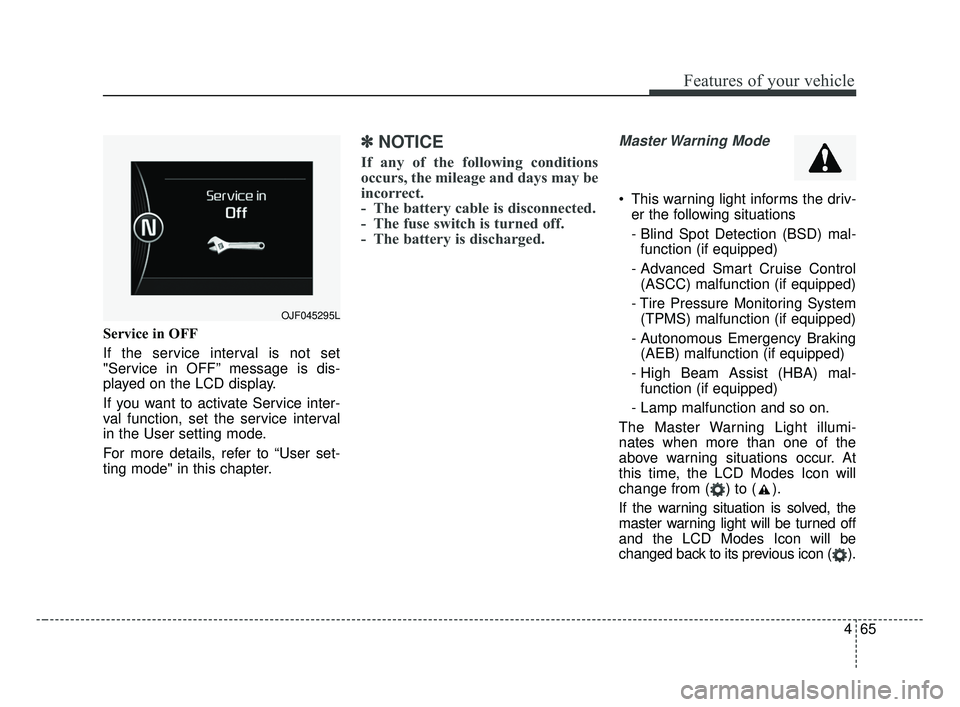
Service in OFF
If the service interval is not set
"Service in OFF” message is dis-
played on the LCD display.
If you want to activate Service inter-
val function, set the service interval
in the User setting mode.
For more details, refer to “User set-
ting mode" in this chapter.
✽ ✽NOTICE
If any of the following conditions
occurs, the mileage and days may be
incorrect.
- The battery cable is disconnected.
- The fuse switch is turned off.
- The battery is discharged.
Master Warning Mode
This warning light informs the driv-
er the following situations
- Blind Spot Detection (BSD) mal-function (if equipped)
- Advanced Smart Cruise Control (ASCC) malfunction (if equipped)
- Tire Pressure Monitoring System (TPMS) malfunction (if equipped)
- Autonomous Emergency Braking (AEB) malfunction (if equipped)
- High Beam Assist (HBA) mal- function (if equipped)
- Lamp malfunction and so on.
The Master Warning Light illumi-
nates when more than one of the
above warning situations occur. At
this time, the LCD Modes Icon will
change from ( ) to ( ).
If the warning situation is solved, the
master warning light will be turned off
and the LCD Modes Icon will be
changed back to its previous icon ( ).
OJF045295L
JF CAN (ENG) 4.qxp 2016-09-21 11:15 Page 65