front KIA OPTIMA 2019 Owners Manual
[x] Cancel search | Manufacturer: KIA, Model Year: 2019, Model line: OPTIMA, Model: KIA OPTIMA 2019Pages: 577, PDF Size: 13.79 MB
Page 243 of 577
4153
Features of your vehicle
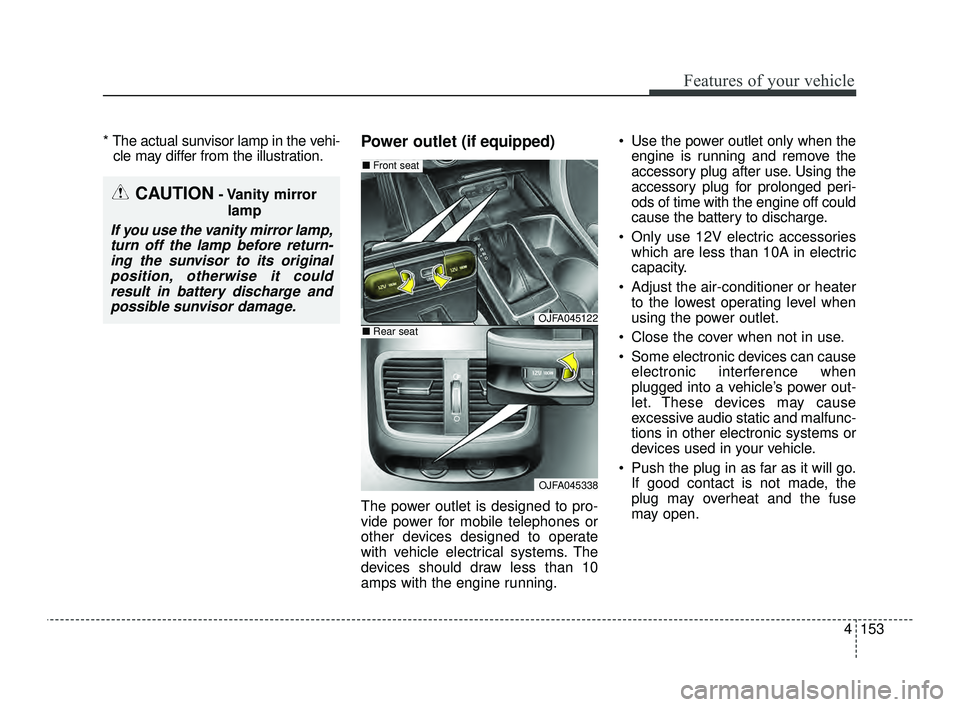
* The actual sunvisor lamp in the vehi-cle may differ from the illustration.Power outlet (if equipped)
The power outlet is designed to pro-
vide power for mobile telephones or
other devices designed to operate
with vehicle electrical systems. The
devices should draw less than 10
amps with the engine running. Use the power outlet only when the
engine is running and remove the
accessory plug after use. Using the
accessory plug for prolonged peri-
ods of time with the engine off could
cause the battery to discharge.
Only use 12V electric accessories which are less than 10A in electric
capacity.
Adjust the air-conditioner or heater to the lowest operating level when
using the power outlet.
Close the cover when not in use.
Some electronic devices can cause electronic interference when
plugged into a vehicle’s power out-
let. These devices may cause
excessive audio static and malfunc-
tions in other electronic systems or
devices used in your vehicle.
Push the plug in as far as it will go. If good contact is not made, the
plug may overheat and the fuse
may open.
CAUTION- Vanity mirror
lamp
If you use the vanity mirror lamp,turn off the lamp before return-ing the sunvisor to its originalposition, otherwise it couldresult in battery discharge andpossible sunvisor damage.
OJFA045122
OJFA045338
■ Front seat
■Rear seat
JFa PE USA 4.qxp 5/18/2018 7:26 PM Page 153
Page 244 of 577
Features of your vehicle
154
4
Plug in battery equipped electronic
devices with reverse current protec-
tion. The current from the battery
may flow into the vehicle’s electri
cal/electronic system and cause
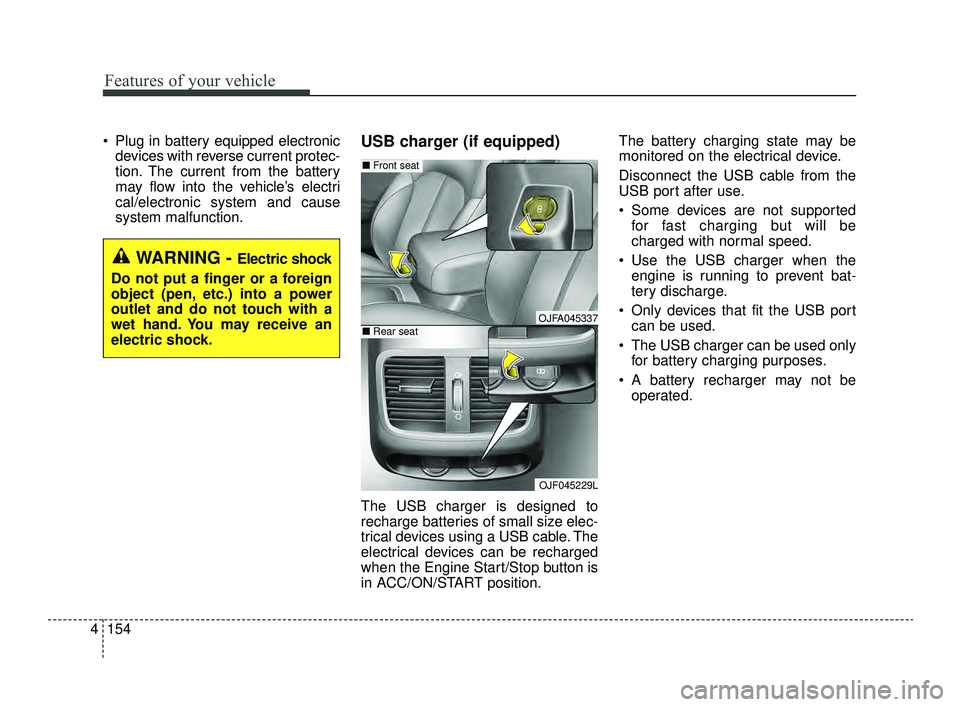
system malfunction.USB charger (if equipped)
The USB charger is designed to
recharge batteries of small size elec-
trical devices using a USB cable. The
electrical devices can be recharged
when the Engine Start/Stop button is
in ACC/ON/START position. The battery charging state may be
monitored on the electrical device.
Disconnect the USB cable from the
USB port after use.
Some devices are not supported
for fast charging but will be
charged with normal speed.
Use the USB charger when the engine is running to prevent bat-
tery discharge.
Only devices that fit the USB port can be used.
The USB charger can be used only for battery charging purposes.
A battery recharger may not be operated.
WARNING - Electric shock
Do not put a finger or a foreign
object (pen, etc.) into a power
outlet and do not touch with a
wet hand. You may receive an
electric shock.
OJFA045337
OJF045229L
■ Front seat
■Rear seat
JFa PE USA 4.qxp 5/18/2018 7:26 PM Page 154
Page 245 of 577
4155
Features of your vehicle
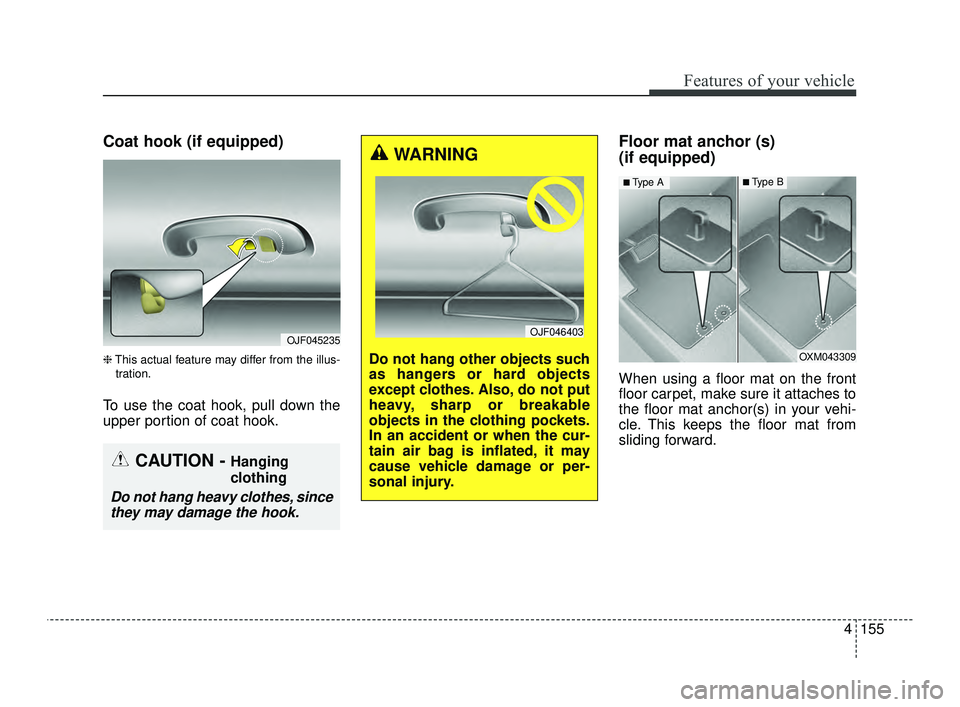
Coat hook (if equipped)
❈This actual feature may differ from the illus-
tration.
To use the coat hook, pull down the
upper portion of coat hook.
Floor mat anchor (s)
(if equipped)
When using a floor mat on the front
floor carpet, make sure it attaches to
the floor mat anchor(s) in your vehi-
cle. This keeps the floor mat from
sliding forward.
OJF045235
CAUTION - Hanging
clothing
Do not hang heavy clothes, since they may damage the hook.
OXM043309
■Type A■Type B
WARNING
Do not hang other objects such
as hangers or hard objects
except clothes. Also, do not put
heavy, sharp or breakable
objects in the clothing pockets.
In an accident or when the cur-
tain air bag is inflated, it may
cause vehicle damage or per-
sonal injury.
OJF046403
JFa PE USA 4.qxp 5/18/2018 7:26 PM Page 155
Page 253 of 577
Driving your vehicle
Before driving . . . . . . . . . . . . . . . . . . . . . . . . . . . . . . 5-5
• Before entering vehicle . . . . . . . . . . . . . . . . . . . . . . . . . 5-5
• Necessary inspections . . . . . . . . . . . . . . . . . . . . . . . . . . 5-5
• Before starting . . . . . . . . . . . . . . . . . . . . . . . . . . . . . . . . 5-5
key positions . . . . . . . . . . . . . . . . . . . . . . . . . . . . . . . 5-7
• Illuminated ignition switch . . . . . . . . . . . . . . . . . . . . . . 5-7
• Ignition switch position . . . . . . . . . . . . . . . . . . . . . . . . . 5-7
• Starting the engine. . . . . . . . . . . . . . . . . . . . . . . . . . . . . 5-9
Engine start/stop button . . . . . . . . . . . . . . . . . . . . 5-10
• Illuminated engine start/stop button . . . . . . . . . . . . . 5-10
• Engine start/stop button position. . . . . . . . . . . . . . . . 5-10
• Starting the engine with a smart key. . . . . . . . . . . . . 5-12
Automatic transaxle . . . . . . . . . . . . . . . . . . . . . . . . 5-14
• Automatic transaxle operation. . . . . . . . . . . . . . . . . . 5-14
• Good driving practices . . . . . . . . . . . . . . . . . . . . . . . . 5-21
Dual Clutch Transmission (DCT) . . . . . . . . . . . . . 5-22
• Dual clutch transmission operation . . . . . . . . . . . . . 5-22
• LCD display for transmission temperature and warning message . . . . . . . . . . . . . . . . . . . . . . . . . . . . 5-24
• Good driving practices . . . . . . . . . . . . . . . . . . . . . . . . 5-33
Brake system . . . . . . . . . . . . . . . . . . . . . . . . . . . . . . 5-36
• Power brakes . . . . . . . . . . . . . . . . . . . . . . . . . . . . . . . . 5-36
• Parking brake – Foot type . . . . . . . . . . . . . . . . . . . . . 5-38
• Electronic Parking Brake (EPB) . . . . . . . . . . . . . . . . 5-39 • Auto hold . . . . . . . . . . . . . . . . . . . . . . . . . . . . . . . . . . . 5-\
46
• Anti-lock Brake System (ABS). . . . . . . . . . . . . . . . . . 5-50
• Electronic Stability Control (ESC) . . . . . . . . . . . . . . 5-52
• Vehicle Stability Management (VSM) . . . . . . . . . . . . 5-56
• Hill-start Assist Control (HAC) . . . . . . . . . . . . . . . . . 5-58
• Good braking practices. . . . . . . . . . . . . . . . . . . . . . . . 5-58
Forward Collision-avoidance Assist (FCA)
(Camera type) . . . . . . . . . . . . . . . . . . . . . . . . . . . . 5-60
• System setting and activation . . . . . . . . . . . . . . . . . . . 5-60
• FCA warning message and system control . . . . . . . . 5-62
• Brake operation . . . . . . . . . . . . . . . . . . . . . . . . . . . . . . 5-63
• FCA front radar/Camera sensor . . . . . . . . . . . . . . . . 5-64
• System malfunction . . . . . . . . . . . . . . . . . . . . . . . . . . . 5-65
• Limitation of the system . . . . . . . . . . . . . . . . . . . . . . . 5-67
Forward Collision-avoidance Assist (FCA) (Smart cruise control system equipped) . . . . . . 5-72
• System setting and activation . . . . . . . . . . . . . . . . . . . 5-72
• FCA warning message and system control . . . . . . . . 5-74
• Brake operation . . . . . . . . . . . . . . . . . . . . . . . . . . . . . . 5-75
• FCA front radar/Camera sensor . . . . . . . . . . . . . . . . 5-76
• System malfunction . . . . . . . . . . . . . . . . . . . . . . . . . . . 5-78
• Limitation of the system . . . . . . . . . . . . . . . . . . . . . . . 5-80
• Recognizing pedestrians . . . . . . . . . . . . . . . . . . . . . . . 5-84
5
JFa PE USA 5.QXP 5/17/2018 6:09 PM Page 1
Page 259 of 577
57
Driving your vehicle
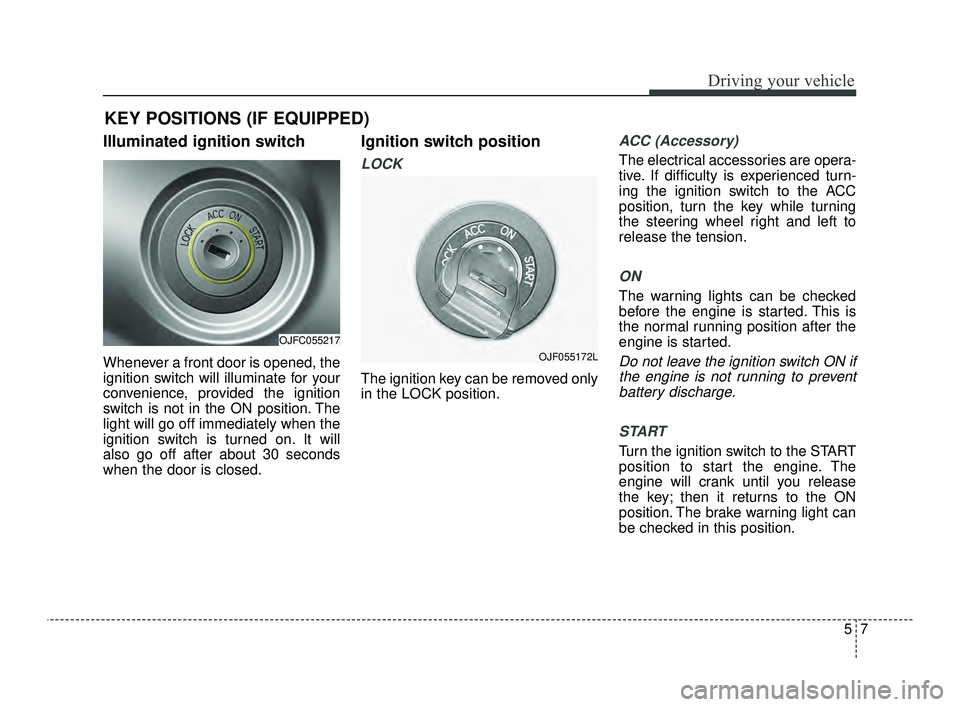
Illuminated ignition switch
Whenever a front door is opened, the
ignition switch will illuminate for your
convenience, provided the ignition
switch is not in the ON position. The
light will go off immediately when the
ignition switch is turned on. It will
also go off after about 30 seconds
when the door is closed.
Ignition switch position
LOCK
The ignition key can be removed only
in the LOCK position.
ACC (Accessory)
The electrical accessories are opera-
tive. If difficulty is experienced turn-
ing the ignition switch to the ACC
position, turn the key while turning
the steering wheel right and left to
release the tension.
ON
The warning lights can be checked
before the engine is started. This is
the normal running position after the
engine is started.
Do not leave the ignition switch ON ifthe engine is not running to preventbattery discharge.
START
Turn the ignition switch to the START
position to start the engine. The
engine will crank until you release
the key; then it returns to the ON
position. The brake warning light can
be checked in this position.
KEY POSITIONS (IF EQUIPPED)
OJFC055217
OJF055172L
JFa PE USA 5.QXP 5/17/2018 6:09 PM Page 7
Page 262 of 577
Driving your vehicle
10
5
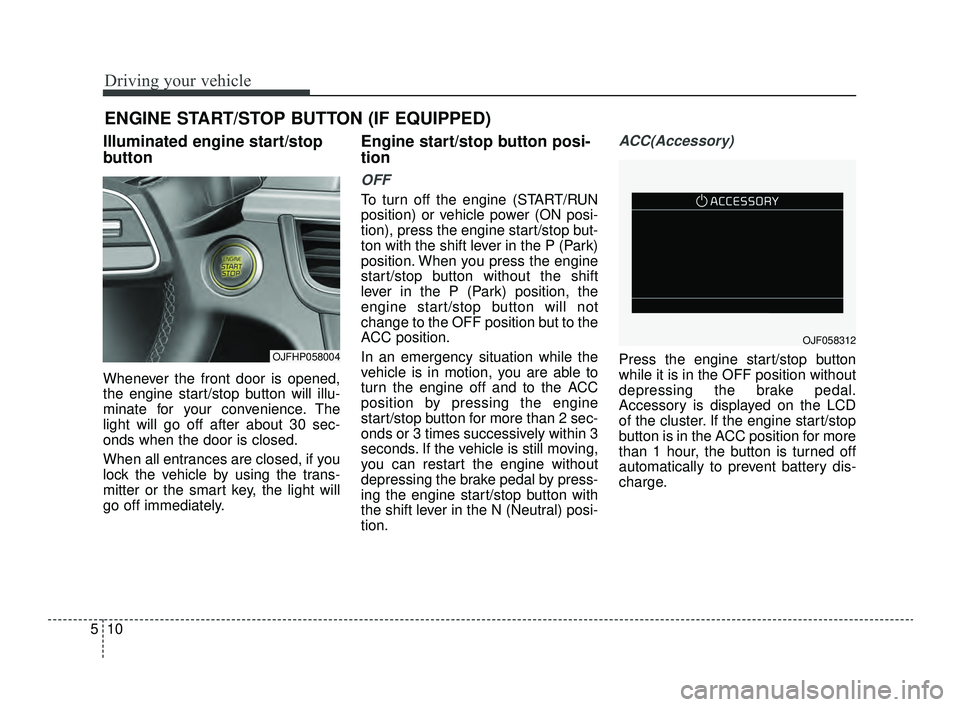
Illuminated engine start/stop
button
Whenever the front door is opened,
the engine start/stop button will illu-
minate for your convenience. The
light will go off after about 30 sec-
onds when the door is closed.
When all entrances are closed, if you
lock the vehicle by using the trans-
mitter or the smart key, the light will
go off immediately.
Engine start/stop button posi-
tion
OFF
To turn off the engine (START/RUN
position) or vehicle power (ON posi-
tion), press the engine start/stop but-
ton with the shift lever in the P (Park)
position. When you press the engine
start/stop button without the shift
lever in the P (Park) position, the
engine start/stop button will not
change to the OFF position but to the
ACC position.
In an emergency situation while the
vehicle is in motion, you are able to
turn the engine off and to the ACC
position by pressing the engine
start/stop button for more than 2 sec-
onds or 3 times successively within 3
seconds. If the vehicle is still moving,
you can restart the engine without
depressing the brake pedal by press-
ing the engine start/stop button with
the shift lever in the N (Neutral) posi-
tion.
ACC(Accessory)
Press the engine start/stop button
while it is in the OFF position without
depressing the brake pedal.
Accessory is displayed on the LCD
of the cluster. If the engine start/stop
button is in the ACC position for more
than 1 hour, the button is turned off
automatically to prevent battery dis-
charge.
ENGINE START/STOP BUTTON (IF EQUIPPED)
OJFHP058004
OJF058312
JFa PE USA 5.QXP 5/17/2018 6:09 PM Page 10
Page 289 of 577
537
Driving your vehicle
In the event of brake failure
If service brakes fail to operate while
the vehicle is in motion, you can
make an emergency stop with the
parking brake. The stopping dis-
tance, however, will be much greater
than normal.
Disc brakes wear indicator
When your brake pads are worn and
new pads are required, you will hear
a high-pitched warning sound from
your front brakes or rear brakes. You
may hear this sound come and go or
it may occur whenever you depress
the brake pedal.
Please remember that some driving
conditions or climates may cause a
brake squeal when you first apply (or
lightly apply) the brakes. This is nor-
mal and does not indicate a problem
with your brakes.
Always replace the front or rear
brake pads as pairs.
WARNING- Parking
brake
Avoid applying the parking
brake to stop the vehicle while it
is moving except in an emer-
gency situation. Applying the
parking brake while the vehicle
is moving at normal speeds can
cause a sudden loss of control
of the vehicle. If you must use
the parking brake to stop the
vehicle, use great caution in
applying the brake.
WARNING- Brake wear
Do not ignore high pitched wear
sounds from your brakes. If you
ignore this audible warning, you
will eventually lose braking per-
formance, which could lead to a
serious accident.
CAUTION- Replace brake pads
Do not continue to drive withworn brake pads. Continuing todrive with worn brake pads candamage the braking system andresult in costly brake repairs.
JFa PE USA 5.QXP 5/17/2018 6:10 PM Page 37
Page 303 of 577
551
Driving your vehicle
Even with the anti-lock brake sys-tem, your vehicle still requires suf-
ficient stopping distance. Always
maintain a safe distance from the
vehicle in front of you.
Always slow down when cornering. The anti-lock brake system cannot
prevent accidents resulting from
excessive speeds.
On loose or uneven road surfaces, operation of the anti-lock brake
system may result in a longer stop-
ping distance than for vehicles
equipped with a conventional
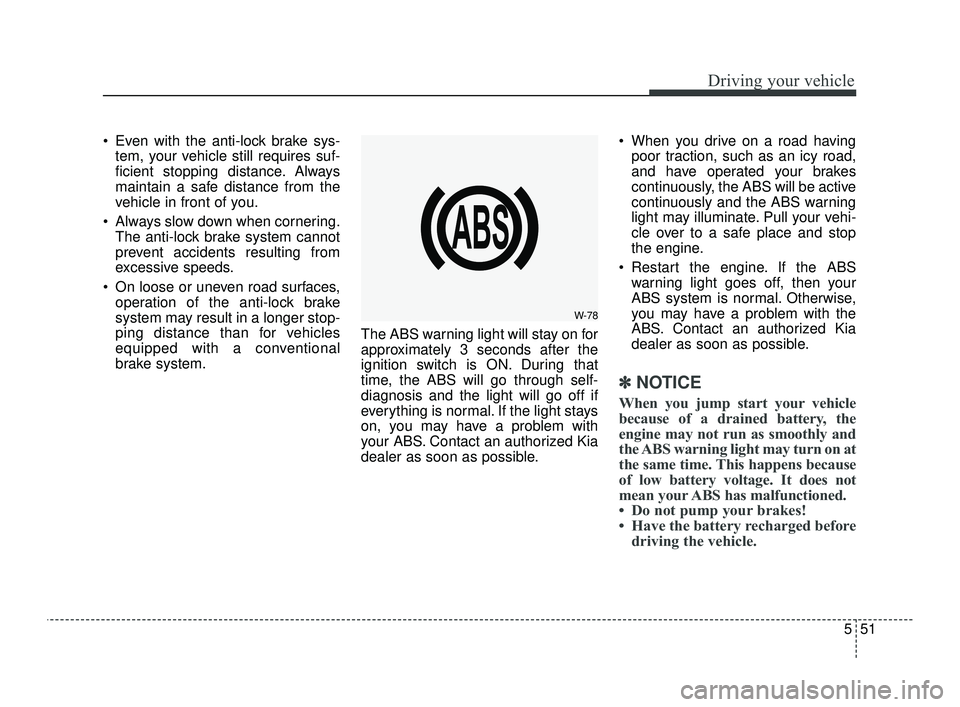
brake system. The ABS warning light will stay on for
approximately 3 seconds after the
ignition switch is ON. During that
time, the ABS will go through self-
diagnosis and the light will go off if
everything is normal. If the light stays
on, you may have a problem with
your ABS. Contact an authorized Kia
dealer as soon as possible. When you drive on a road having
poor traction, such as an icy road,
and have operated your brakes
continuously, the ABS will be active
continuously and the ABS warning
light may illuminate. Pull your vehi-
cle over to a safe place and stop
the engine.
Restart the engine. If the ABS warning light goes off, then your
ABS system is normal. Otherwise,
you may have a problem with the
ABS. Contact an authorized Kia
dealer as soon as possible.
✽ ✽ NOTICE
When you jump start your vehicle
because of a drained battery, the
engine may not run as smoothly and
the ABS warning light may turn on at
the same time. This happens because
of low battery voltage. It does not
mean your ABS has malfunctioned.
• Do not pump your brakes!
• Have the battery recharged before
driving the vehicle.
W-78
JFa PE USA 5.QXP 5/17/2018 6:11 PM Page 51
Page 311 of 577
559
Driving your vehicle
Don't "ride" the brake pedal.Resting your foot on the brake
pedal while driving can be danger-
ous because the brakes might
overheat and lose their effective-
ness. It also increases the wear of
the brake components.
If a tire goes flat while you are driv- ing, apply the brakes gently and
keep the vehicle pointed straight
ahead while you slow down. When
you are moving slowly enough for it
to be safe to do so, pull off the road
and stop in a safe place.
If your vehicle is equipped with an Automatic Transaxle / Dual clutch
transmission, don't let your vehicle
creep forward. To avoid creeping
forward, keep your foot firmly on
the brake pedal when the vehicle is
stopped.
Be cautious when parking on a hill. Firmly engage the parking brake
and place the shift lever in P (auto-
matic transaxle). If your vehicle is
facing downhill, turn the front
wheels into the curb to help keep
the vehicle from rolling. If your vehicle is facing uphill, turn
the front wheels away from the
curb to help keep the vehicle from
rolling. If there is no curb or if it is
required by other conditions to
keep the vehicle from rolling, block
the wheels.
Under some conditions your park- ing brake can freeze in the
engaged position. This is most like-
ly to happen when there is an
accumulation of snow or ice
around or near the rear brakes or if
the brakes are wet. If there is a risk
that the parking brake may freeze,
apply it only temporarily while you
put the shift lever in P (automatic
transaxle) and block the rear
wheels so the vehicle cannot roll.
Then release the parking brake.
Do not hold the vehicle on an incline with the accelerator pedal.
This can cause the transaxle to
overheat. Always use the brake
pedal or parking brake.
JFa PE USA 5.QXP 5/17/2018 6:11 PM Page 59
Page 312 of 577
Driving your vehicle
60
5
The FCA system is designed to
detect and monitor the vehicle ahead
in the roadway through camera
recognition to warn the driver that a
collision is imminent, and if neces-
sary, apply emergency braking.
❈ Camera type FCA system does
not operate for pedestrians in front.System setting and activation
System setting
The driver can activate the FCA by
placing the ignition switch to the ON
position and by selecting:
"User Settings → Driver assistance
→ Forward safety"
- If you select "Active assist", the FCA system activates. The FCA
produces warning messages and
warning alarms in accordance with
the collision risk levels. Also, it con-
trols the brakes in accordance with
the collision risk levels.
- If you select "Warning only", the FCA system activates and pro-
duces only warning alarms in
accordance with the collision risk
levels. You should control the brake
directly because the FCA system
do not control the brake.
- If you select "Off", the FCA system deactivates.
FORWARD COLLISION-AVOIDANCE ASSIST (FCA) (CAMERA TYPE) (IF EQUIPPED)
WARNING
Take the following precautions
when using the forward colli-
sion-avoidance assist (FCA):
This system is only a supple-mental system and it is not
intended to, nor does it replace
the need for extreme care and
attention of the driver. The
sensing range and objects
detectable by the sensors are
limited. Pay attention to the
road conditions at all times.
NEVER drive too fast in accor- dance with the road condi-
tions or while cornering.
Always drive cautiously to prevent unexpected and sud-
den situations from occur-
ring. FCA does not stop the
vehicle completely and does
not avoid collisions.
JFa PE USA 5.QXP 5/17/2018 6:11 PM Page 60