display KIA OPTIMA 2019 Workshop Manual
[x] Cancel search | Manufacturer: KIA, Model Year: 2019, Model line: OPTIMA, Model: KIA OPTIMA 2019Pages: 577, PDF Size: 13.79 MB
Page 355 of 577
5103
Driving your vehicle
When the sensor lens cover is blocked
with dirt, snow, or debris, the Smart
Cruise Control System operation may
stop temporarily. If this occurs, a warn-
ing message will appear on the LCD
display. Remove any dirt, snow, or
debris and clean the radar sensor lens
cover before operating the Smart
Cruise Control System. The Smart
Cruise Control system may not prop-
erly activate, if the radar is totally con-
taminated, or if any substance is not
detected after turning ON the engine
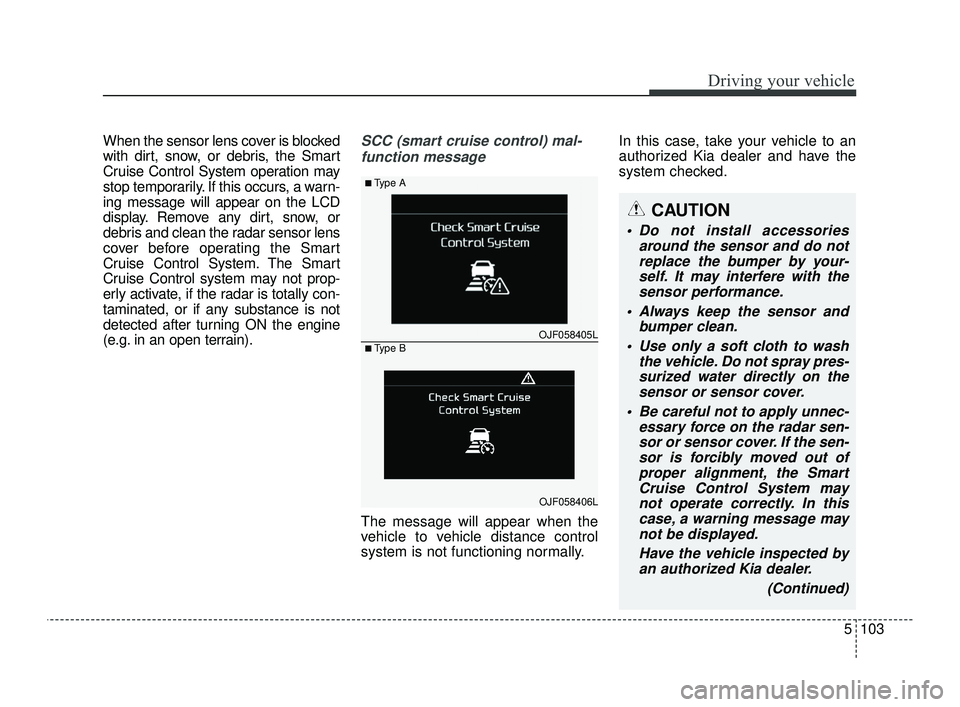
(e.g. in an open terrain).SCC (smart cruise control) mal-function message
The message will appear when the
vehicle to vehicle distance control
system is not functioning normally. In this case, take your vehicle to an
authorized Kia dealer and have the
system checked.
OJF058405L
■Type A
■Type B
OJF058406L
CAUTION
Do not install accessories
around the sensor and do notreplace the bumper by your-self. It may interfere with thesensor performance.
Always keep the sensor and bumper clean.
Use only a soft cloth to wash the vehicle. Do not spray pres-surized water directly on thesensor or sensor cover.
Be careful not to apply unnec- essary force on the radar sen-sor or sensor cover. If the sen-sor is forcibly moved out ofproper alignment, the SmartCruise Control System maynot operate correctly. In thiscase, a warning message maynot be displayed.
Have the vehicle inspected byan authorized Kia dealer.
(Continued)
JFa PE USA 5.QXP 5/17/2018 6:14 PM Page 103
Page 370 of 577
Driving your vehicle
118
5
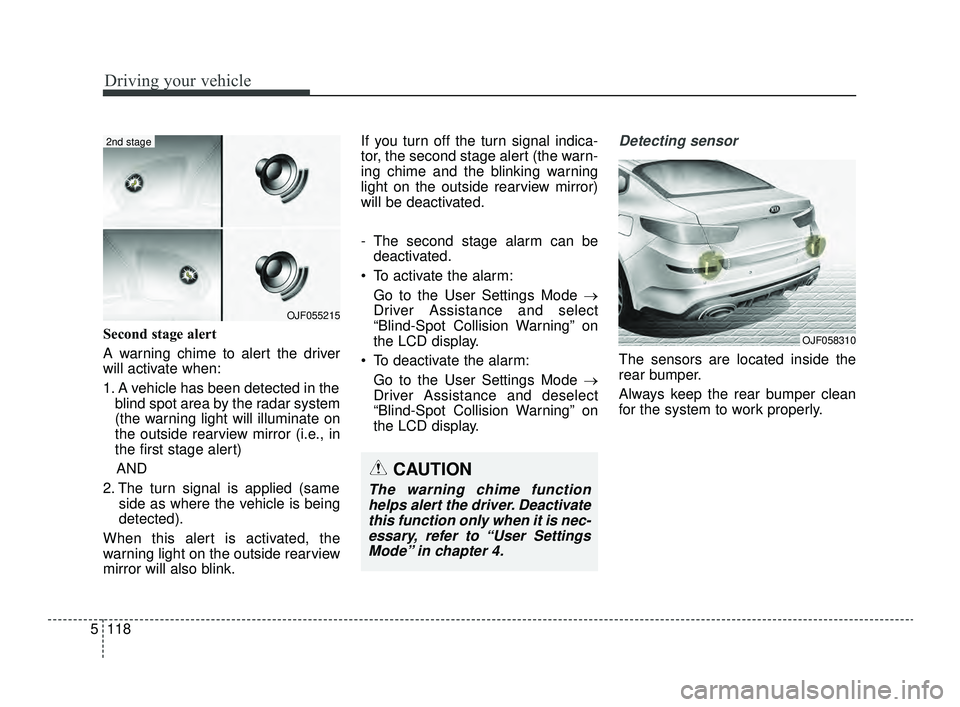
Second stage alert
A warning chime to alert the driver
will activate when:
1. A vehicle has been detected in the
blind spot area by the radar system
(the warning light will illuminate on
the outside rearview mirror (i.e., in
the first stage alert)
AND
2. The turn signal is applied (same side as where the vehicle is being
detected).
When this alert is activated, the
warning light on the outside rearview
mirror will also blink. If you turn off the turn signal indica-
tor, the second stage alert (the warn-
ing chime and the blinking warning
light on the outside rearview mirror)
will be deactivated.
- The second stage alarm can be
deactivated.
To activate the alarm: Go to the User Settings Mode →
Driver Assistance and select
“Blind-Spot Collision Warning” on
the LCD display.
To deactivate the alarm: Go to the User Settings Mode →
Driver Assistance and deselect
“Blind-Spot Collision Warning” on
the LCD display.
Detecting sensor
The sensors are located inside the
rear bumper.
Always keep the rear bumper clean
for the system to work properly.
OJF055215
2nd stage
CAUTION
The warning chime functionhelps alert the driver. Deactivatethis function only when it is nec-essary, refer to “User SettingsMode” in chapter 4.
OJF058310
JFa PE USA 5.QXP 5/17/2018 6:14 PM Page 118
Page 371 of 577
5119
Driving your vehicle
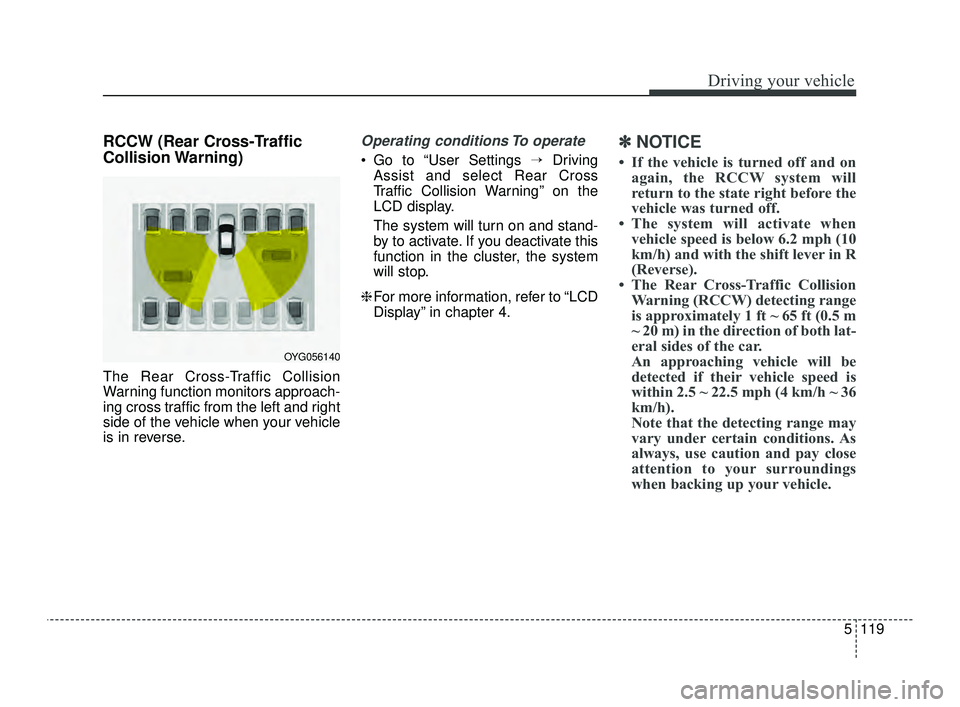
RCCW (Rear Cross-Traffic
Collision Warning)
The Rear Cross-Traffic Collision
Warning function monitors approach-
ing cross traffic from the left and right
side of the vehicle when your vehicle
is in reverse.
Operating conditions To operate
Go to “User Settings →Driving
Assist and select Rear Cross
Traffic Collision Warning” on the
LCD display.
The system will turn on and stand-
by to activate. If you deactivate this
function in the cluster, the system
will stop.
❈ For more information, refer to “LCD
Display” in chapter 4.
✽ ✽
NOTICE
• If the vehicle is turned off and on
again, the RCCW system will
return to the state right before the
vehicle was turned off.
• The system will activate when vehicle speed is below 6.2 mph (10
km/h) and with the shift lever in R
(Reverse).
• The Rear Cross-Traffic Collision Warning (RCCW) detecting range
is approximately 1 ft ~ 65 ft (0.5 m
~ 20 m) in the direction of both lat-
eral sides of the car.
An approaching vehicle will be
detected if their vehicle speed is
within 2.5 ~ 22.5 mph (4 km/h ~ 36
km/h).
Note that the detecting range may
vary under certain conditions. As
always, use caution and pay close
attention to your surroundings
when backing up your vehicle.
OYG056140
JFa PE USA 5.QXP 5/17/2018 6:15 PM Page 119
Page 372 of 577
Driving your vehicle
120
5
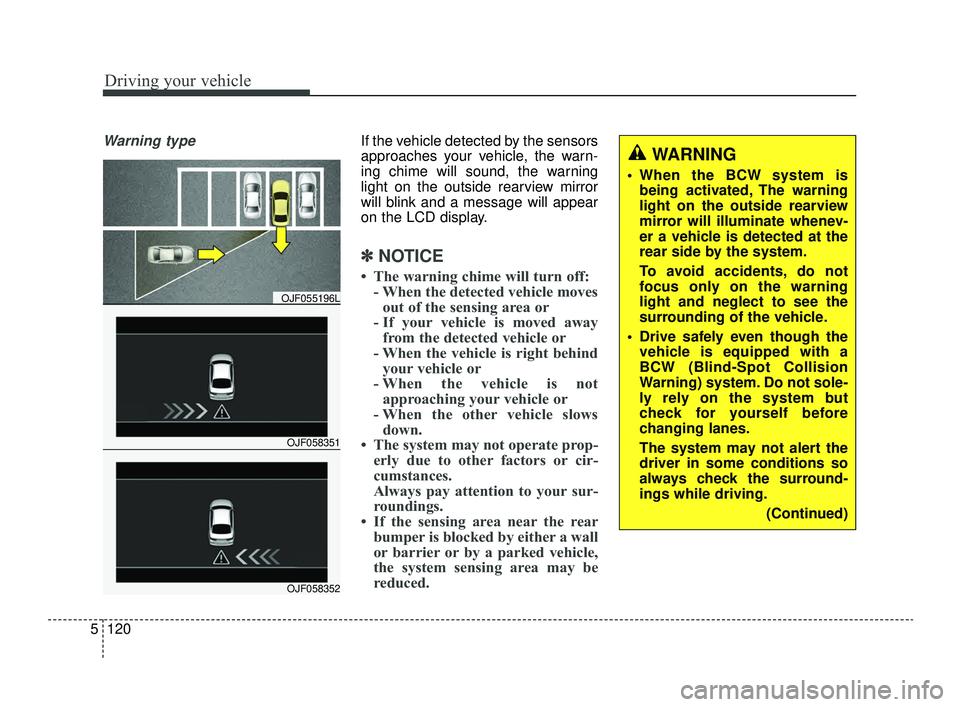
Warning typeIf the vehicle detected by the sensors
approaches your vehicle, the warn-
ing chime will sound, the warning
light on the outside rearview mirror
will blink and a message will appear
on the LCD display.
✽ ✽
NOTICE
• The warning chime will turn off:
- When the detected vehicle movesout of the sensing area or
- If your vehicle is moved away from the detected vehicle or
- When the vehicle is right behind your vehicle or
- When the vehicle is not approaching your vehicle or
- When the other vehicle slows down.
• The system may not operate prop- erly due to other factors or cir-
cumstances.
Always pay attention to your sur-
roundings.
• If the sensing area near the rear bumper is blocked by either a wall
or barrier or by a parked vehicle,
the system sensing area may be
reduced.
WARNING
When the BCW system is
being activated, The warning
light on the outside rearview
mirror will illuminate whenev-
er a vehicle is detected at the
rear side by the system.
To avoid accidents, do not
focus only on the warning
light and neglect to see the
surrounding of the vehicle.
Drive safely even though the vehicle is equipped with a
BCW (Blind-Spot Collision
Warning) system. Do not sole-
ly rely on the system but
check for yourself before
changing lanes.
The system may not alert the
driver in some conditions so
always check the surround-
ings while driving.
(Continued)
OJF058351
OJF055196L
OJF058352
JFa PE USA 5.QXP 5/17/2018 6:15 PM Page 120
Page 374 of 577
Driving your vehicle
122
5
When there is inclement weather
such as heavy snow or rain.
(To use the BCW system, remove the
trailer or carrier from your vehicle.)
Turn off the system by pressing the
BCW switch and deselecting Rear
Cross-Traffic Collision Warning
(RCCW) from the User Settings
mode on the cluster, when using a
trailer or carrier behind your vehicle. If any of these conditions occur, the
light on the BCW switch and the sys-
tem will turn off automatically.
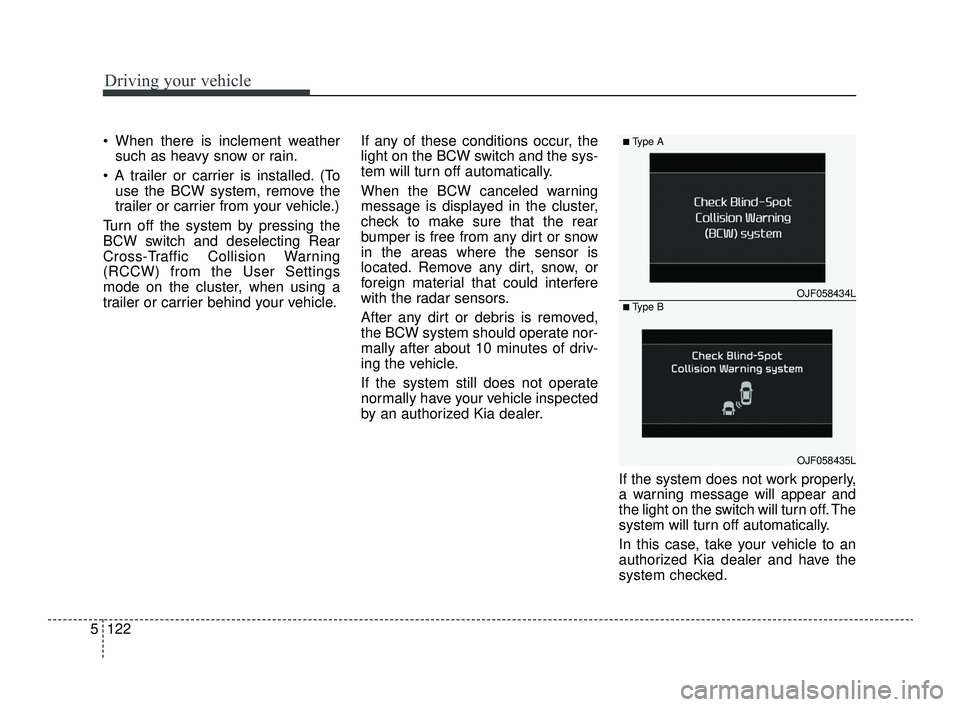
When the BCW canceled warning
message is displayed in the cluster,
check to make sure that the rear
bumper is free from any dirt or snow
in the areas where the sensor is
located. Remove any dirt, snow, or
foreign material that could interfere
with the radar sensors.
After any dirt or debris is removed,
the BCW system should operate nor-
mally after about 10 minutes of driv-
ing the vehicle.
If the system still does not operate
normally have your vehicle inspected
by an authorized Kia dealer.
If the system does not work properly,
a warning message will appear and
the light on the switch will turn off. The
system will turn off automatically.
In this case, take your vehicle to an
authorized Kia dealer and have the
system checked.
OJF058434L
■Type A
■Type B
OJF058435L
JFa PE USA 5.QXP 5/17/2018 6:15 PM Page 122
Page 378 of 577
Driving your vehicle
126
5
(Continued)
• When you replace the windshield
glass, front view camera or related
parts of the steering, take your
vehicle to an authorized Kia deal-
er and have the system checked to
need a calibration.
• The system detects lane markers and controls the steering wheel by
a front view camera, therefore, if
the lane markers are hard to
detect, the system may not work
properly. Always be cautious when
using the system.
• When the lane markers are hard to detect, please refer to “Driver’s
Attention”.
• Do not remove or damage the related parts of LKA.
• Do not place objects on the crash pad that reflects light such as mir-
rors, white paper, etc. it may cause
malfunction of LKA if the sunlight
is reflected. (Continued)(Continued)
• You may not hear warning sound
of LKA because of the excessive
audio sound.
• If you continue to drive with your hands off the steering wheel, the
LKA will stop controlling the
steering wheel after the hands off
alarm. After then, if you drive
with your hands on the steering
wheel, the control will be activated
again.
• If the vehicle speed is high, steer- ing torque for assistance will not
be enough to keep your vehicle
within the lane. If so, the vehicle
may move out of its lane. Obey
speed limit when using LKA.
• If you attach objects to the steer- ing wheel, the system may not
assist steering.
• If you attach objects to the steer- ing wheel, hands off alarm may
not work properly.LKA operation
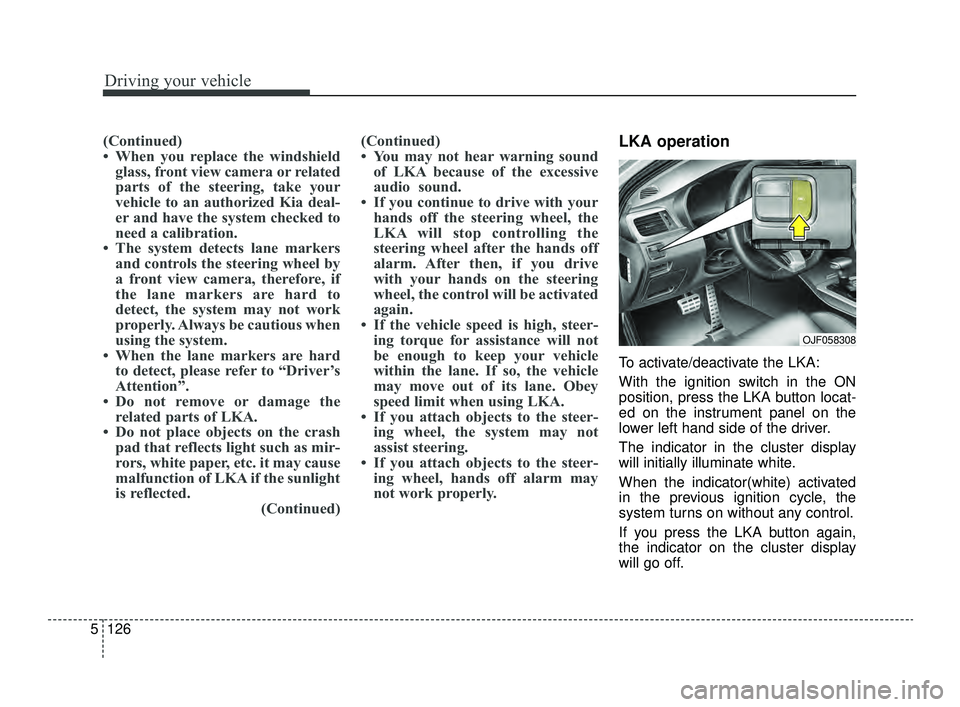
To activate/deactivate the LKA:
With the ignition switch in the ON
position, press the LKA button locat-
ed on the instrument panel on the
lower left hand side of the driver.
The indicator in the cluster display
will initially illuminate white.
When the indicator(white) activated
in the previous ignition cycle, the
system turns on without any control.
If you press the LKA button again,
the indicator on the cluster display
will go off.
OJF058308
JFa PE USA 5.QXP 5/17/2018 6:15 PM Page 126
Page 379 of 577
5127
Driving your vehicle
The color of indicator will change
depend on the condition of LKA.- White : Sensor does not detect the lane marker or vehicle
speed is less than 40 mph
(64 km/h).
- Green : Sensor detects the lane
marker and system is able
to control the steering.LKA activation
To see the LKA screen on the LCD
display in the cluster, Tab to the
ASSIST mode ( ).
For further details, refer to [menu settings] in chapter 4.
After LKA is activated, if both lane markers are detected, vehicle
speed is over 40 mph (64 km/h)
and all the activation conditions are
satisfied, a green steering wheel
indicator will illuminate and the
steering wheel will be controlled.WARNING
The Lane Keeping Assist system
is a system to help prevent the
driver from leaving the lane.
However, the driver should not
solely rely on the system but
always check the road condi-
tions when driving.
JFa PE USA 5.QXP 5/17/2018 6:15 PM Page 127
Page 380 of 577
Driving your vehicle
128
5
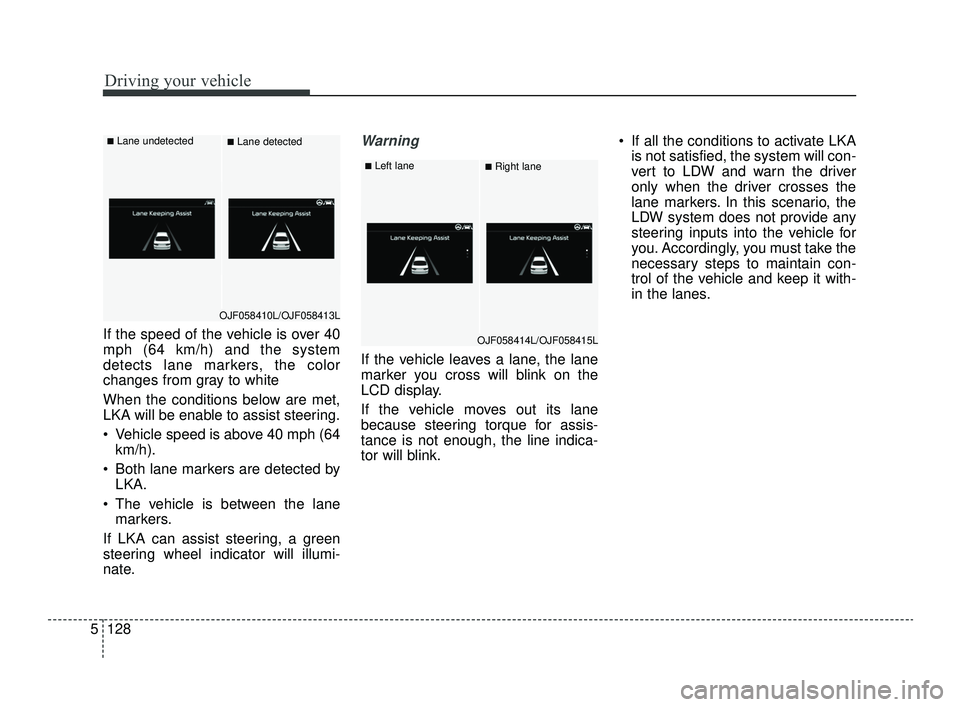
If the speed of the vehicle is over 40
mph (64 km/h) and the system
detects lane markers, the color
changes from gray to white
When the conditions below are met,
LKA will be enable to assist steering.
Vehicle speed is above 40 mph (64
km/h).
Both lane markers are detected by LKA.
The vehicle is between the lane markers.
If LKA can assist steering, a green
steering wheel indicator will illumi-
nate.
Warning
If the vehicle leaves a lane, the lane
marker you cross will blink on the
LCD display.
If the vehicle moves out its lane
because steering torque for assis-
tance is not enough, the line indica-
tor will blink. If all the conditions to activate LKA
is not satisfied, the system will con-
vert to LDW and warn the driver
only when the driver crosses the
lane markers. In this scenario, the
LDW system does not provide any
steering inputs into the vehicle for
you. Accordingly, you must take the
necessary steps to maintain con-
trol of the vehicle and keep it with-
in the lanes.
OJF058410L/OJF058413L
■Lane undetected■Lane detected
OJF058414L/OJF058415L
■Left lane■Right lane
JFa PE USA 5.QXP 5/17/2018 6:15 PM Page 128
Page 385 of 577
5133
Driving your vehicle
When there is a problem with the sys-
tem do one of the following:
Turn the system on after turningthe engine off and on again.
Check if the ignition switch is in the ON position.
Check if the system is affected by the weather. (ex: fog, heavy rain,
etc.)
Check if there is foreign matter on the camera lens
If the problem is not solved, take your
vehicle to an authorized Kia dealer
and have the system checked.LKA function change
The driver can change LKA to Lane
Departure Warning (LDW) system or
change the LKA mode between
Standard LKA and Active LKA from
the User Settings Mode on the LCD
display. The driver can choose them by plac-
ing the ignition switch to the ON posi-
tion and by selecting ‘User Settings’,
‘Driver Assistance’, and ‘Lane
Safety’.
The system is automatically set to
Standard LKA when your vehicle is
first delivered from the factory.
Lane Departure
LDW alerts the driver with a visual
and acoustic warning when the sys-
tem detects the vehicle leaving the
lane. In this mode, the steering wheel
will not be controlled. When the vehi-
cle’s front wheel contacts the inside
edge of lane line, LKA issues the
lane departure warning.
Standard LKA
The Standard LKA mode guides the
driver to keep the vehicle within the
lanes. It rarely controls the steering
wheel, when the vehicle drives well
inside the lanes. However, it starts to
control the steering wheel, when the
vehicle is about to deviate from the
lanes.
Active LKA
The active LKA mode provides more
frequent steering wheel control in
comparison with the Standard LKA
mode. Active LKA can reduce the dri-
ver’s fatigue to assist the steering for
maintaining the vehicle in the middle
of the lane.
JFa PE USA 5.QXP 5/17/2018 6:15 PM Page 133
Page 386 of 577
Driving your vehicle
134
5
The Driver Attention Warning (DAW)
system is designed to warn the driv-
er of potentially hazardous driving
situations if it detects inattentive
driving practices.System setting and activation
System setting
The Driver Attention Warning sys-
tem is set to be in the Normal posi-
tion, when your vehicle is first
delivered to you from the factory.
To turn ON the Driver Attention Warning system, turn on the
engine, and then select 'User
Settings →Driver Assistance →
DAW (Driver Attention Warning) →
High sensitivity/Normal sensitivi-
ty/Off' on the LCD display. The driver can select the Driver
Attention Warning system mode.
- Off : The Driver Attention Warningsystem is deactivated.
- Normal sensitivity : The Driver Attention Warning system alerts
the driver of his/her fatigue level
or inattentive driving practices.
- High sensitivity : The Driver Attention Warning system alerts
the driver of his/her fatigue level
or inattentive driving practices
faster than Normal mode.
The set-up of the Driver Attention Warning system will be main-
tained, as selected, when the
engine is re-started.
DRIVER ATTENTION WARNING (DAW, IF EQUIPPED)
JFa PE USA 5.QXP 5/17/2018 6:15 PM Page 134