key KIA OPTIMA HYBRID 2015 Owner's Manual
[x] Cancel search | Manufacturer: KIA, Model Year: 2015, Model line: OPTIMA HYBRID, Model: KIA OPTIMA HYBRID 2015Pages: 495, PDF Size: 13.38 MB
Page 148 of 495
457
Features of your vehicle
Auto Door Unlock (if equipped)
Off:The auto door unlock operation will
be canceled.
Key Out or Power Off: All doors will be automatically
unlocked when the ignition key is
removed from ignition switch or
Engine Start/Stop Button is set to
the OFF position.
Shift Lever: All doors will be automatically
unlocked if the automatic transaxle
shift lever is shifted to the P (Park)
position. Two Press Unlock (if equipped)
Off:
The two press unlock function will
be deactivated. Therefore, all doors
will unlock if the door is unlocked.
On: The driver’s door will unlock if the
door is unlocked. When the door is
unlocked again within 4 seconds,
all doors will unlock.
Horn Feedback (if equipped)
Off: The Horn feedback operation will
be deactivated.
On: After locking the door by pressing
the lock button on the transmitter, if
you press the lock button again
within 4 seconds, the warning
sound will operate once to indicate
that all doors are locked.Lamp
One Touch Turn Lamp (if equipped)
If this item is checked, the lane
change signals will blink 3, 5 or 7
times when the turn signal lever is
moved slightly.
Head Lamp Delay (if equipped)
If this item is checked, the headlamp
delay function will be activated.
Welcome Light (if equipped)
If this item is checked, the welcome
light function will be activated.
Page 150 of 495
459
Features of your vehicle
Warning Messages
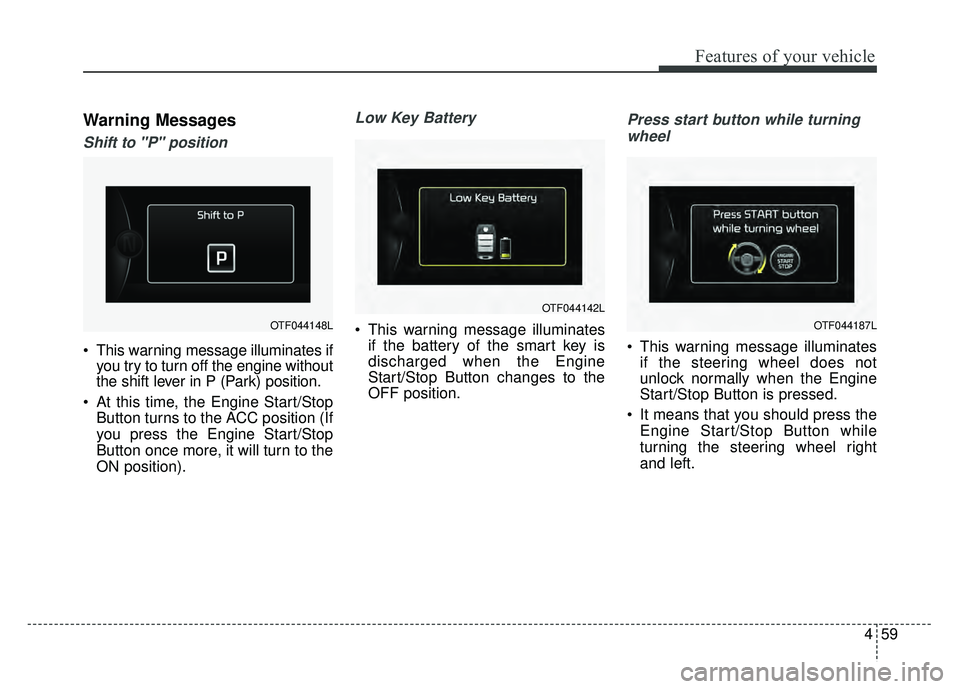
Shift to "P" position
This warning message illuminates ifyou try to turn off the engine without
the shift lever in P (Park) position.
At this time, the Engine Start/Stop Button turns to the ACC position (If
you press the Engine Start/Stop
Button once more, it will turn to the
ON position).
Low Key Battery
This warning message illuminatesif the battery of the smart key is
discharged when the Engine
Start/Stop Button changes to the
OFF position.
Press start button while turning
wheel
This warning message illuminates if the steering wheel does not
unlock normally when the Engine
Start/Stop Button is pressed.
It means that you should press the Engine Start/Stop Button while
turning the steering wheel right
and left.
OTF044148L
OTF044142L
OTF044187L
Page 151 of 495
Features of your vehicle
60
4
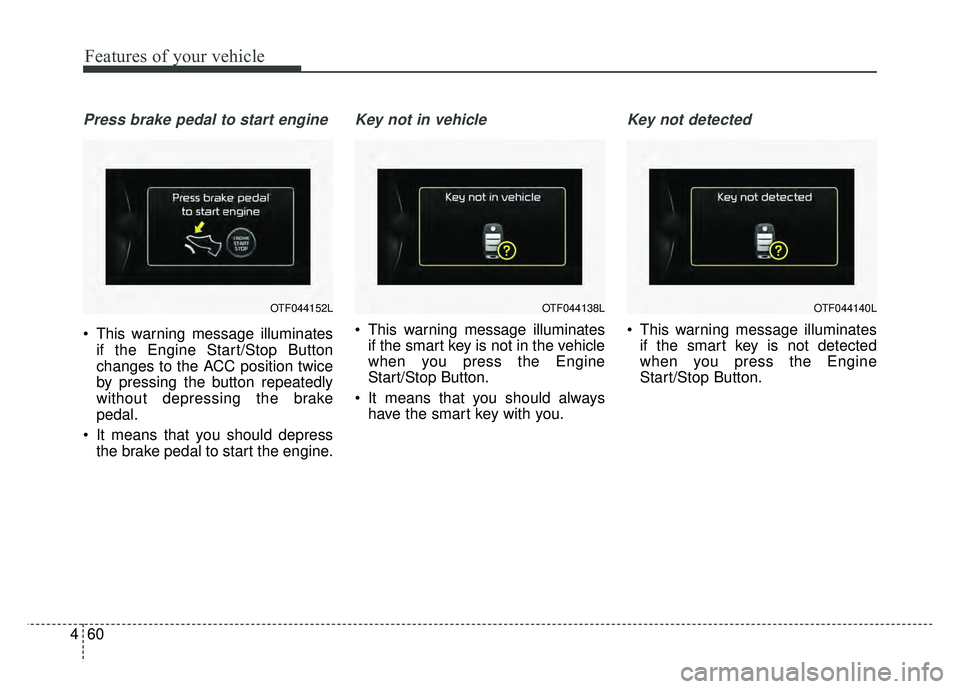
Press brake pedal to start engine
This warning message illuminates
if the Engine Start/Stop Button
changes to the ACC position twice
by pressing the button repeatedly
without depressing the brake
pedal.
It means that you should depress the brake pedal to start the engine.
Key not in vehicle
This warning message illuminatesif the smart key is not in the vehicle
when you press the Engine
Start/Stop Button.
It means that you should always have the smart key with you.
Key not detected
This warning message illuminatesif the smart key is not detected
when you press the Engine
Start/Stop Button.
OTF044152LOTF044138LOTF044140L
Page 152 of 495
461
Features of your vehicle
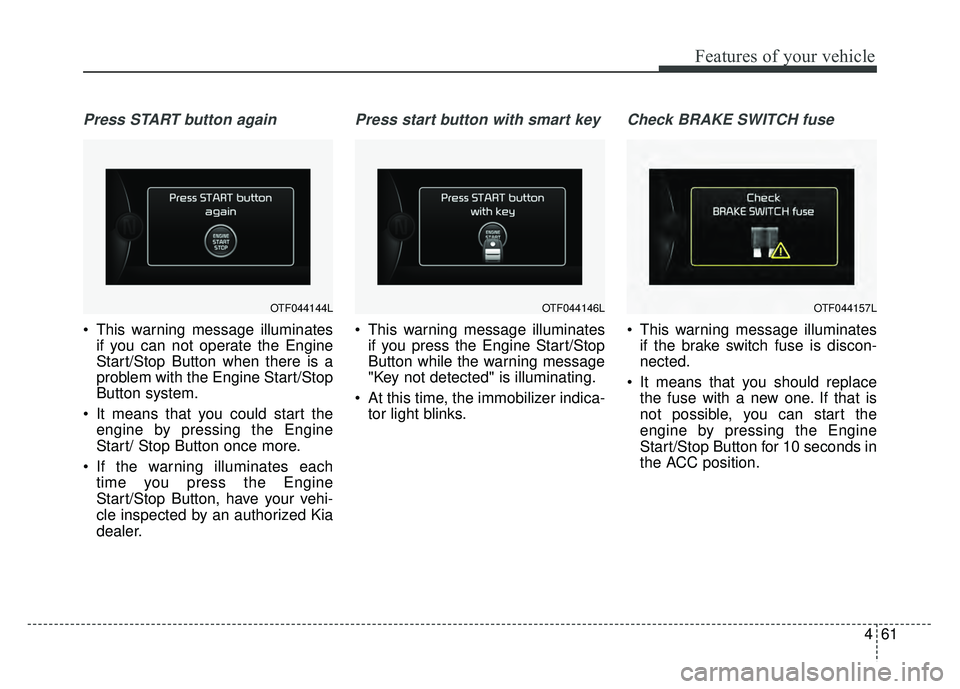
Press START button again
This warning message illuminatesif you can not operate the Engine
Start/Stop Button when there is a
problem with the Engine Start/Stop
Button system.
It means that you could start the engine by pressing the Engine
Start/ Stop Button once more.
If the warning illuminates each time you press the Engine
Start/Stop Button, have your vehi-
cle inspected by an authorized Kia
dealer.
Press start button with smart key
This warning message illuminatesif you press the Engine Start/Stop
Button while the warning message
"Key not detected" is illuminating.
At this time, the immobilizer indica- tor light blinks.
Check BRAKE SWITCH fuse
This warning message illuminatesif the brake switch fuse is discon-
nected.
It means that you should replace the fuse with a new one. If that is
not possible, you can start the
engine by pressing the Engine
Start/Stop Button for 10 seconds in
the ACC position.
OTF044144LOTF044146LOTF044157L
Page 171 of 495
Features of your vehicle
80
4
Electronic Stability
Control (ESC) OFFIndicator Light
This indicator light illuminates:
Once you set the ignition switch or Engine Start/Stop Button to the ON
position.
- It illuminates for approximately 3seconds and then goes off.
When you deactivate the ESC sys- tem by pressing the ESC OFF but-
ton.
For more details, refer to "Electronic
Stability Control (ESC)" in chapter 5.
ECOMINDER®indicator
Active ECO system
This indicator light illuminates:
When the Active ECO button is
pressed the ECOMINDER
®indicator
(green) will illuminate to show that
the Active ECO is operating.
For more detailed information, refer
to "Active ECO" or "Drive mode" in
chapter 5.
Immobilizer Indicator
Light (Without Smart Key)
This indicator light illuminates:
When the vehicle detects the immobilizer in your key properly
while the ignition switch is ON.
- At this time, you can start theengine.
- The indicator light goes off after starting the engine.
This indicator light blinks:
When there is a malfunction with the immobilizer system.
In this case, have your vehicle
inspected by an authorized Kia
dealer.
ECO
Page 172 of 495
481
Features of your vehicle
Immobilizer IndicatorLight (With Smart Key)
This indicator light illuminates for up
to 30 seconds:
When the vehicle detects the smart key in the vehicle properly
while the Engine Start/Stop Button
is ACC or ON.
- At this time, you can start theengine.
- The indicator light goes off after starting the engine.
This indicator light blinks for a few
seconds:
When the smart key is not in the vehicle.
- At this time, you can not start theengine. This indicator light illuminates for 2
seconds and goes off:
When the vehicle can not detect
the smart key which is in the vehi-
cle while the Engine Start/Stop
Button is ON.
In this case, have your vehicle
inspected by an authorized Kia
dealer.
This indicator light blinks:
When the battery of the smart key is weak.
- At this time, you can not start theengine. However, you can start the
engine if you press the Engine
Start/Stop Button with the smart
key. (For more details, refer to
"Starting the Engine" in section 5).
When there is a malfunction with the immobilizer system.
In this case, have your vehicle
inspected by an authorized Kia
dealer.
Turn Signal Indicator
Light
This indicator light blinks:
When you turn the turn signal light on.
If any of the following occurs, there
may be a malfunction with the turn
signal system. In this case, have your
vehicle inspected by an authorized
Kia dealer. - The indicator light does not blinkbut illuminates.
- The indicator light blinks more rapidly.
- The indicator light does not illumi- nate at all.
Page 178 of 495
487
Features of your vehicle
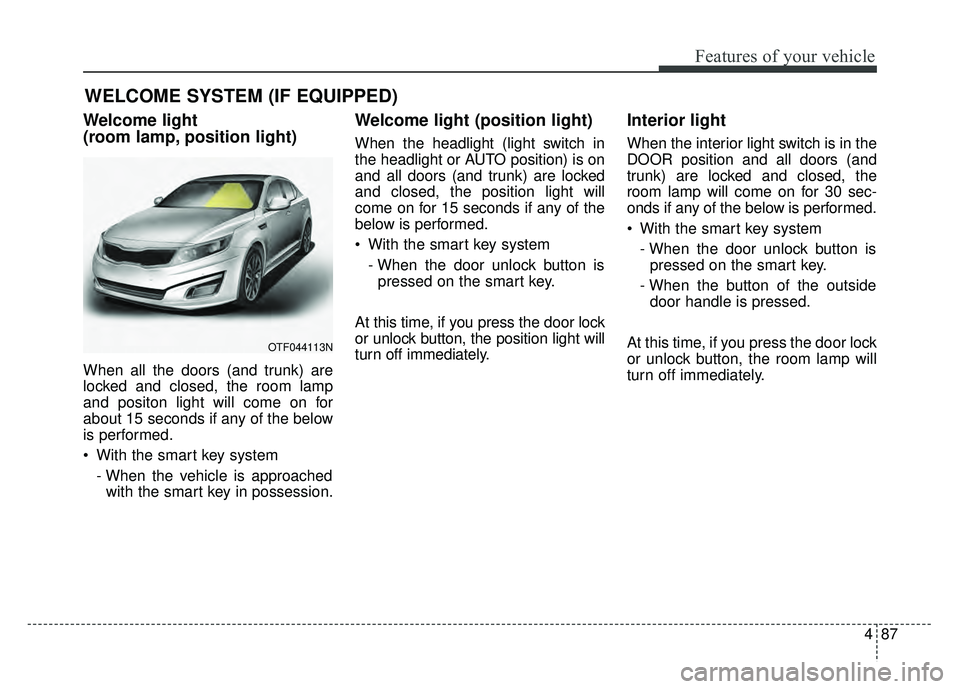
Welcome light
(room lamp, position light)
When all the doors (and trunk) are
locked and closed, the room lamp
and positon light will come on for
about 15 seconds if any of the below
is performed.
With the smart key system- When the vehicle is approachedwith the smart key in possession.
Welcome light (position light)
When the headlight (light switch in
the headlight or AUTO position) is on
and all doors (and trunk) are locked
and closed, the position light will
come on for 15 seconds if any of the
below is performed.
With the smart key system
- When the door unlock button ispressed on the smart key.
At this time, if you press the door lock
or unlock button, the position light will
turn off immediately.
Interior light
When the interior light switch is in the
DOOR position and all doors (and
trunk) are locked and closed, the
room lamp will come on for 30 sec-
onds if any of the below is performed.
With the smart key system - When the door unlock button ispressed on the smart key.
- When the button of the outside door handle is pressed.
At this time, if you press the door lock
or unlock button, the room lamp will
turn off immediately.
WELCOME SYSTEM (IF EQUIPPED)
OTF044113N
Page 179 of 495
Features of your vehicle
88
4
Battery saver function
The purpose of this feature is to
prevent the battery from being dis-
charged. The system automatically
turns off the parking lights when
the driver removes the ignition key
and opens the driver-side door.
With this feature, the parking lights will turn off automatically if the driv-
er parks on the side of the road at
night.
If necessary, to keep the lights on
when the ignition key is removed,
perform the following:
1) Open the driver-side door.
2) Turn the parking lights OFF and ON again using the light switch
on the steering column.
Headlight delay function
(if equipped)
The headlights (and/or taillights) will
remain on for approximately 5 min-
utes after the ignition key is removed
or turned to the ACC or LOCK posi-
tion. However, if the driver’s door is
opened and closed, the headlights
are turned off after 15 seconds.
The headlights can be turned off by
pressing the lock button on the trans-
mitter (or smart key) twice or turning
off the light switch from the headlight
or Auto light position.
If the driver gets out of the vehicle
through other doors (except driver's
door), the battery saver function
does not operate and the headlight
escort function does not turn off
automatically. Therefore, causing the
battery to be discharged. In this
case, make sure to turn off the head-
light before getting out of the vehicle.
Headlight leveling device
(if equipped)
Automatic type
It automatically adjusts the headlight
beam level according to the number
of passengers and the loading
weight in the luggage area.
And it offers the proper headlight
beam under various conditions.
LIGHTING
Page 189 of 495
Features of your vehicle
98
4
DOOR (2) :
In the DOOR position, the map lamp
and the room lamp come on when any
door is opened regardless of the igni-
tion switch position. When doors are
unlocked by the transmitter (or smart
key), the map lamp and the room lamp
come on for approximately 30 sec-
onds as long as any door is not open.
The map lamp and the room lamp go
out gradually after approximately 30
seconds if the door is closed.
However, if the ignition switch is ON
or all doors are locked, the map lamp
and the room lamp will turn off imme-
diately. If a door is opened with the
ignition switch in the ACC or LOCK
position, the map lamp and the room
lamp stays on for about 20 minutes.
However, if a door is opened with the
ignition switch in the ON position, the
map lamp and the room lamp stays
on continuously. If the type B room
lamp switch is OFF, it doesn't work. OFF (2) : The lights turn off even if
a door is opened.
When the lamp is
turned ON by pressing
the lens (1), the lamp
does not turn off even
if the switch (2) is in the
OFF position.
ON (2) : The map lamp and the room lamp stay on at all
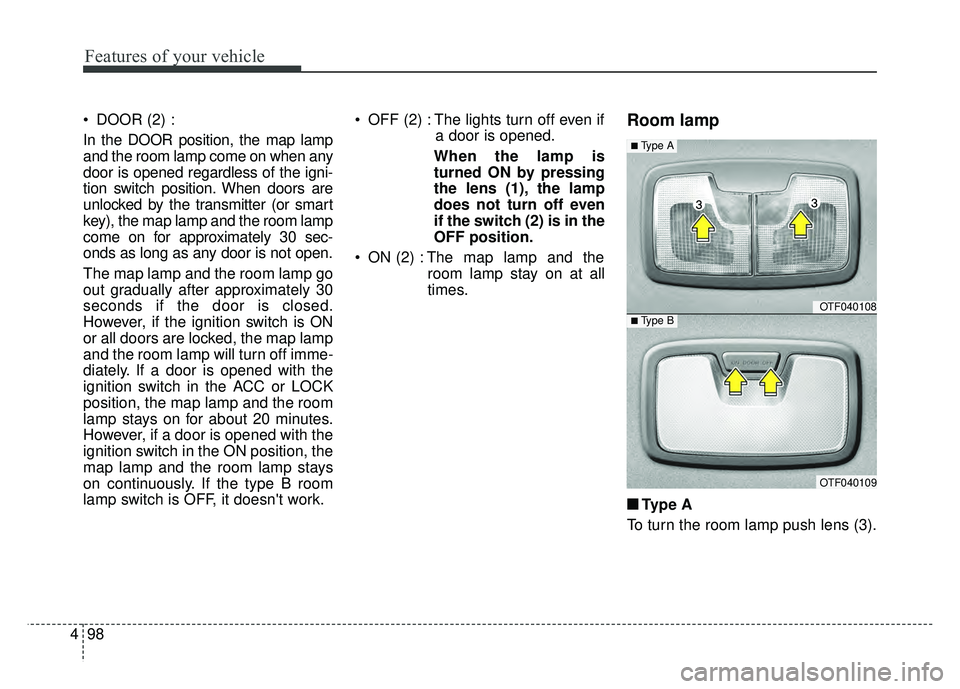
times.Room lamp
■ ■Type A
To turn the room lamp push lens (3).
OTF040108
OTF040109
■Type A
■Type B
Page 190 of 495
499
Features of your vehicle
■
■Ty p e B
DOOR :
In the DOOR position, the map lamp
and the room lamp come on when any
door is opened regardless of the igni-
tion switch position. When doors are
unlocked by the transmitter (or smart
key), the map lamp and the room lamp
come on for approximately 30 sec-
onds as long as any door is not open.
The map lamp and the room lamp go
out gradually after approximately 30
seconds if the door is closed.
However, if the ignition switch is ON
or all doors are locked, the map lamp
and the room lamp will turn off imme-
diately. If a door is opened with the
ignition switch in the ACC or LOCK
position, the map lamp and the room
lamp stay on for about 20 minutes.
However, if a door is opened with the
ignition switch in the ON position, the
map lamp and the room lamp stay on
continuously. OFF : The lights turn off even if a
door is opened.
ON : The room lamp stays on at all times.Trunk room lamp (if equipped)
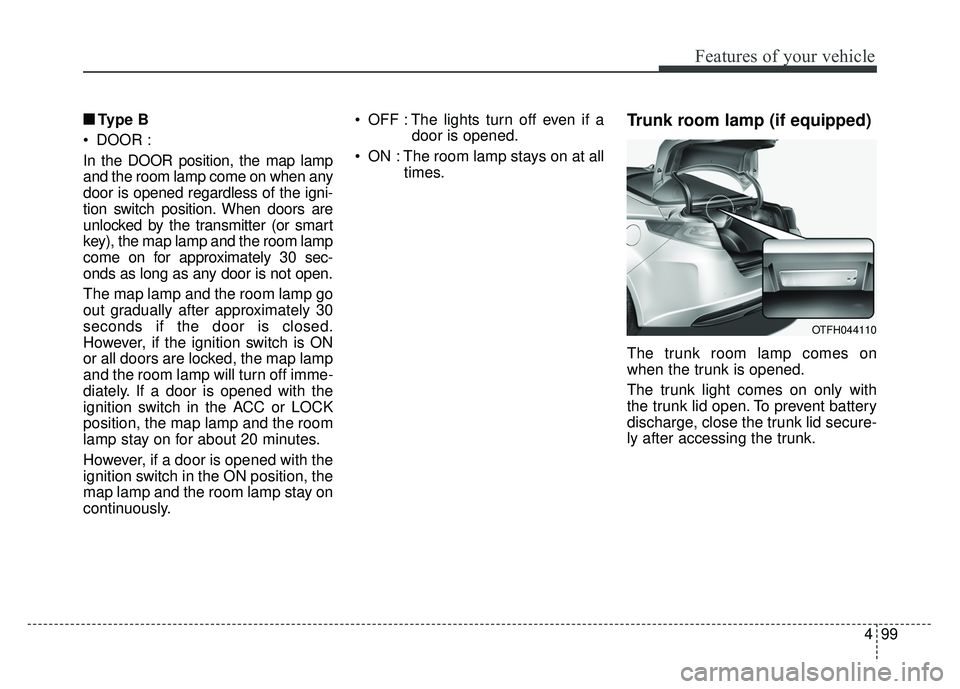
The trunk room lamp comes on
when the trunk is opened.
The trunk light comes on only with
the trunk lid open. To prevent battery
discharge, close the trunk lid secure-
ly after accessing the trunk.
OTFH044110