mirror KIA OPTIMA PHEV 2020 Owner's Manual
[x] Cancel search | Manufacturer: KIA, Model Year: 2020, Model line: OPTIMA PHEV, Model: KIA OPTIMA PHEV 2020Pages: 597, PDF Size: 14.2 MB
Page 343 of 597
Driving your vehicle
48
5
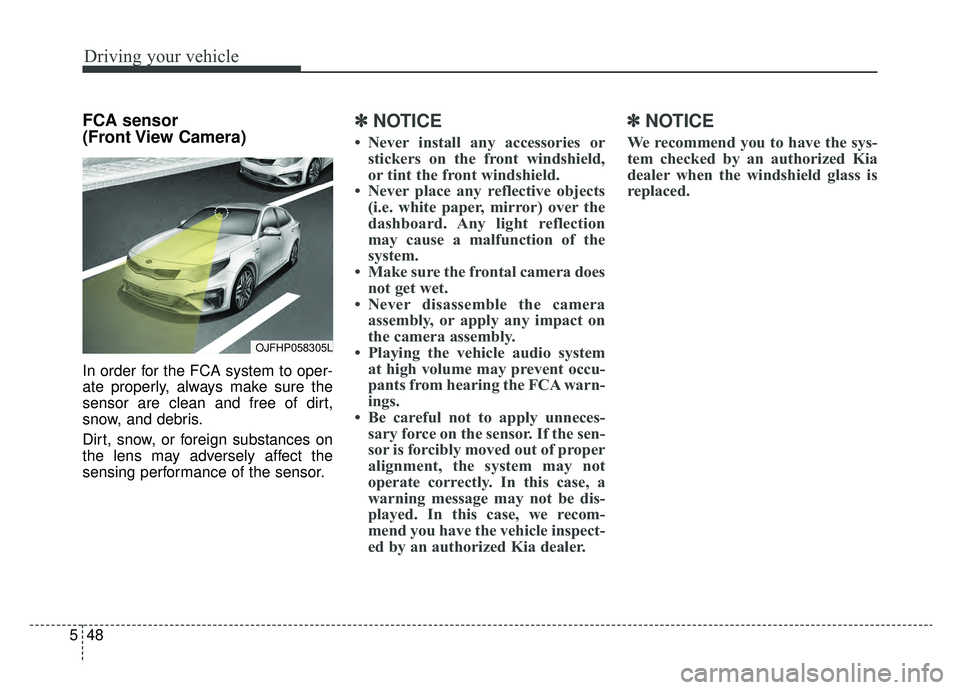
FCA sensor
(Front View Camera)
In order for the FCA system to oper-
ate properly, always make sure the
sensor are clean and free of dirt,
snow, and debris.
Dirt, snow, or foreign substances on
the lens may adversely affect the
sensing performance of the sensor.
✽ ✽
NOTICE
• Never install any accessories or
stickers on the front windshield,
or tint the front windshield.
• Never place any reflective objects (i.e. white paper, mirror) over the
dashboard. Any light reflection
may cause a malfunction of the
system.
• Make sure the frontal camera does not get wet.
• Never disassemble the camera assembly, or apply any impact on
the camera assembly.
• Playing the vehicle audio system at high volume may prevent occu-
pants from hearing the FCA warn-
ings.
• Be careful not to apply unneces- sary force on the sensor. If the sen-
sor is forcibly moved out of proper
alignment, the system may not
operate correctly. In this case, a
warning message may not be dis-
played. In this case, we recom-
mend you have the vehicle inspect-
ed by an authorized Kia dealer.
✽ ✽ NOTICE
We recommend you to have the sys-
tem checked by an authorized Kia
dealer when the windshield glass is
replaced.
OJFHP058305L
Page 358 of 597
563
Driving your vehicle
(Continued)
• If the front bumper becomes dam-aged in the area around the radar
sensor, the FCA system may not
operate properly. In this case, we
recommend you have the vehicle
inspected by an authorized Kia
dealer.
• Use only genuine parts to repair or replace a damaged sensor or sen-
sor cover. Do not paint to the sen-
sor cover.
• Never install any accessories or stickers on the front windshield,
or tint the front windshield.
• Never place any reflective objects (i.e. white paper, mirror) over the
dashboard. Any light reflection
may cause a malfunction of the
system.
• Make sure the frontal camera does not get wet.
• Never disassemble the camera assembly, or apply any impact on
the camera assembly.
• Playing the vehicle audio system at high volume may prevent occu-
pants from hearing the FCA warn-
ings. (Continued)(Continued)
• Be careful not to apply unneces-
sary force on the sensor. If the sen-
sor is forcibly moved out of proper
alignment, the system may not
operate correctly. In this case, a
warning message may not be dis-
played. In this case, we recom-
mend you have the vehicle inspect-
ed by an authorized Kia dealer.Warning message and warning
light
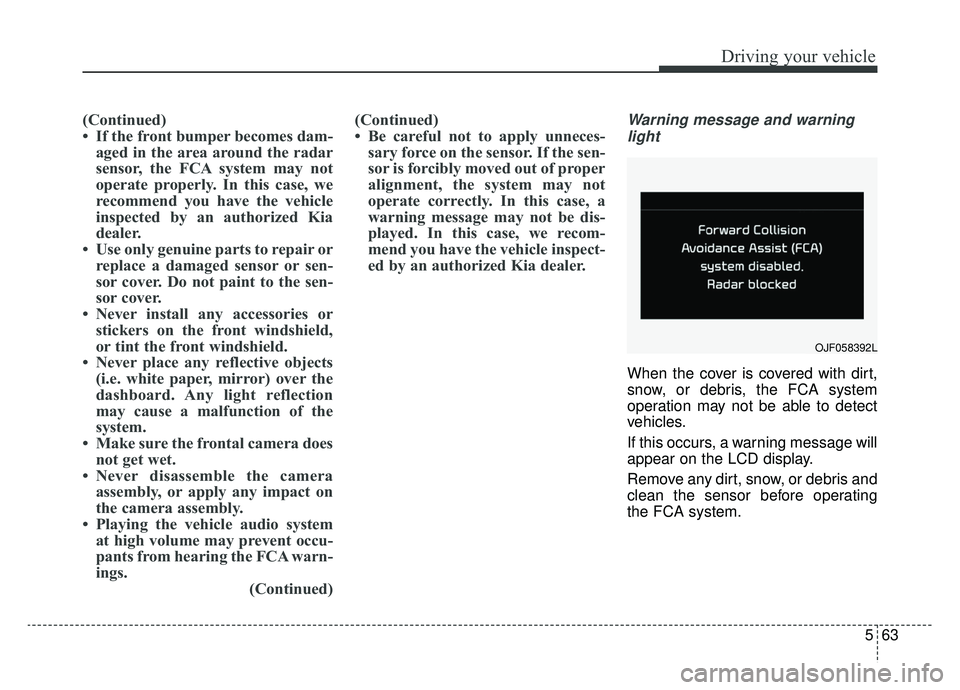
When the cover is covered with dirt,
snow, or debris, the FCA system
operation may not be able to detect
vehicles.
If this occurs, a warning message will
appear on the LCD display.
Remove any dirt, snow, or debris and
clean the sensor before operating
the FCA system.
OJF058392L
Page 396 of 597
5101
Driving your vehicle
System setting and activation
System setting
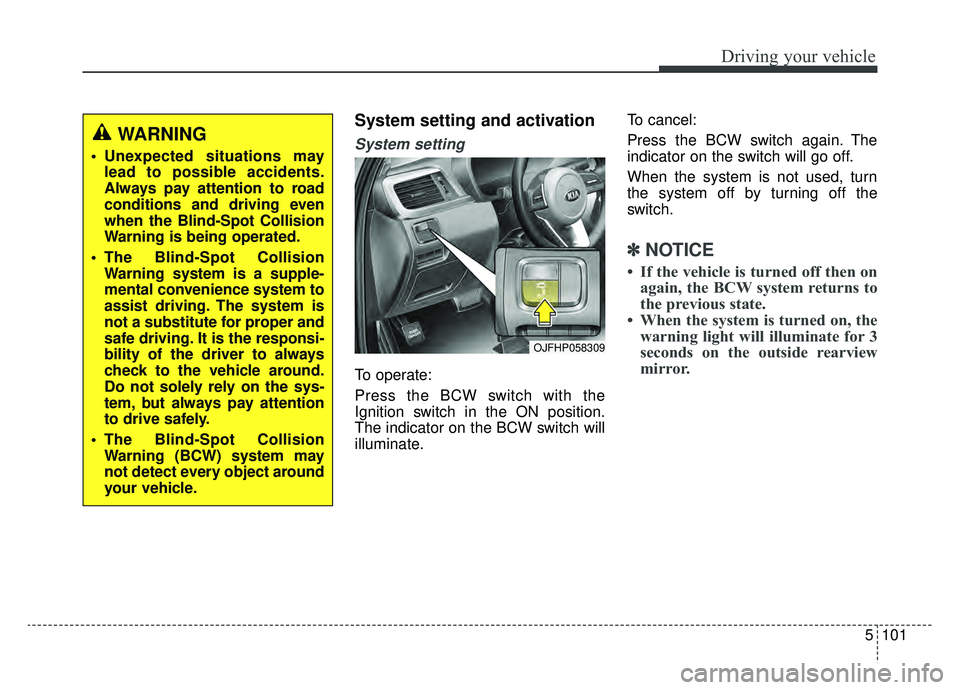
To operate:
Press the BCW switch with the
Ignition switch in the ON position.
The indicator on the BCW switch will
illuminate.To cancel:
Press the BCW switch again. The
indicator on the switch will go off.
When the system is not used, turn
the system off by turning off the
switch.
✽ ✽
NOTICE
• If the vehicle is turned off then on
again, the BCW system returns to
the previous state.
• When the system is turned on, the warning light will illuminate for 3
seconds on the outside rearview
mirror.
OJFHP058309
WARNING
Unexpected situations may
lead to possible accidents.
Always pay attention to road
conditions and driving even
when the Blind-Spot Collision
Warning is being operated.
The Blind-Spot Collision Warning system is a supple-
mental convenience system to
assist driving. The system is
not a substitute for proper and
safe driving. It is the responsi-
bility of the driver to always
check to the vehicle around.
Do not solely rely on the sys-
tem, but always pay attention
to drive safely.
The Blind-Spot Collision Warning (BCW) system may
not detect every object around
your vehicle.
Page 397 of 597
Driving your vehicle
102
5
The system will activate when:
1. The BCW system is on.
2. The vehicle speed is above about
20 mph (30 km/h).
3. Other vehicles are detected in blind spot.Warning indicator and sound
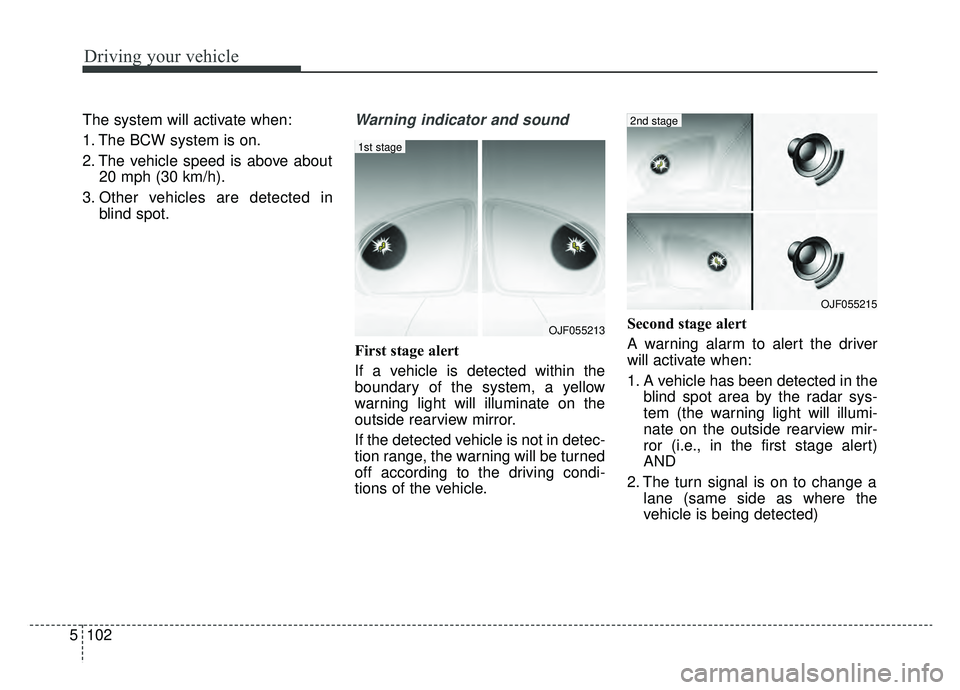
First stage alert
If a vehicle is detected within the
boundary of the system, a yellow
warning light will illuminate on the
outside rearview mirror.
If the detected vehicle is not in detec-
tion range, the warning will be turned
off according to the driving condi-
tions of the vehicle. Second stage alert
A warning alarm to alert the driver
will activate when:
1. A vehicle has been detected in the
blind spot area by the radar sys-
tem (the warning light will illumi-
nate on the outside rearview mir-
ror (i.e., in the first stage alert)
AND
2. The turn signal is on to change a lane (same side as where the
vehicle is being detected)
OJF055213
1st stage
OJF055215
2nd stage
Page 398 of 597
5103
Driving your vehicle
When the second stage alert is acti-
vated, the warning light on the out-
side rearview mirror will also blink.
If you turn off the turn signal switch,
the second stage alert (the warning
chime and the blinking warning light
on the outside rearview mirror) will
be deactivated.
If the detected vehicle is not in detec-
tion range, the warning will be turned
off according to the driving condi-
tions of the vehicle.CAUTION
The driver should always useextreme caution while operat-ing the vehicle, whether or notthe warning light on the out-side rearview mirror illumi-nates or there is a warningalarm.
Playing the vehicle audio sys- tem at high volume may pre-vent occupants from hearingthe Blind-Spot CollisionWarning System warningsounds.
The warning of the Blind-Spot Collision Warning System maynot sound if warning soundsfrom other systems are acti-vated.
WARNING
The warning light on the out-
side rearview mirror will illu-
minate whenever a vehicle is
detected at the rear side by
the system. To avoid acci-
dents, do not focus only on
the warning light and neglect
to see the surrounding of the
vehicle.
Drive safely even though the
vehicle is equipped with a
Blind-Spot Collision Warning
System (BCW). Do not solely
rely on the system but check
your surroundings before
changing lanes or backing the
vehicle up. The Blind-Spot
Collision Warning system
(BCW) may not detect every
object alongside the vehicle.
The system may not alert the
driver in some situations due
to system limitations so
always check your surround-
ings while driving.
Page 400 of 597
5105
Driving your vehicle
✽ ✽NOTICE
• If the vehicle is turned off then on
again, the RCCW system returns
to the previous state.
• When the system is turned on, the warning light will illuminate for 3
seconds on the outside rearview
mirror.
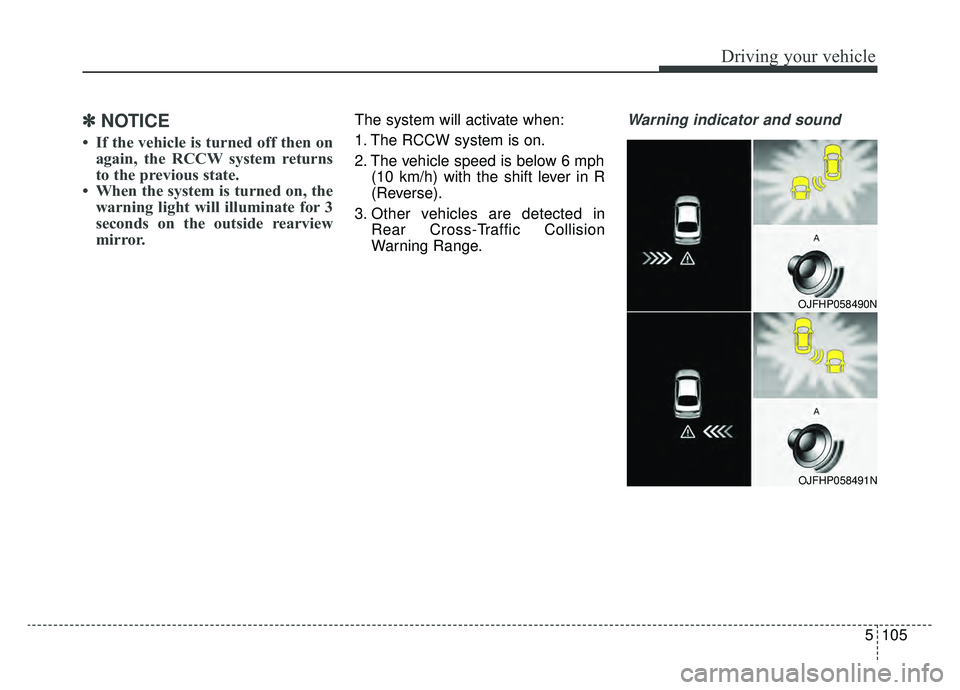
The system will activate when:
1. The RCCW system is on.
2. The vehicle speed is below 6 mph
(10 km/h) with the shift lever in R
(Reverse).
3. Other vehicles are detected in Rear Cross-Traffic Collision
Warning Range.Warning indicator and sound
OJFHP058490N
OJFHP058491N
Page 401 of 597
Driving your vehicle
106
5
If the vehicle detected by the sensors
approaches from the rear left/right
side of your vehicle, the warning
chime will sound, the warning light
on the outside rearview mirror will
blink and a message will appear on
the LCD display.
The warning will stop when:
- The vehicle moving at the rear
left/right side of your vehicle is not
in the detection range.
- The vehicle is right behind your vehicle.
- The vehicle is not driving towards your vehicle.
- The vehicle’s approaching speed is decreased.
WARNING
Drive safely even though thevehicle is equipped with a
Rear Cross-Traffic Collision
Warning (RCCW) System. Do
not solely rely on the system
but check your surrounding
when backing the vehicle up.
The RCCW system may not
detect every object alongside
the vehicle.
The driver is responsible for accurate brake control.
Always pay extreme caution while driving. The Rear Cross-
Traffic Collision Warning
System may not operate prop-
erly or unnecessarily operate
in accordance with your driv-
ing situations.
CAUTION
If the operating conditions of RCCW are satisfied, a warningis issued every time a vehiclecomes to the rear side, even ifyour vehicle is stopped (vehi-cle speed 0 mph (0 km/h)).
The system's warning may not operate properly if theleft/right of your vehicle's rearbumper is blocked by a vehi-cle or obstacle.
The driver should always use extreme caution while operat-ing the vehicle, whether or notthe warning light on the out-side rearview mirror illumi-nates or there is a warningalarm.
Playing the vehicle audio sys- tem at high volume may pre-vent occupants from hearingthe system's warning sounds.
The warning of the Rear Cross- Traffic Collision WarningSystem may not sound if warn-ing sounds from other systemsare activated.
Page 405 of 597
Driving your vehicle
110
5
A big vehicle is near such as a bus
or truck.
When the other vehicle approach- es very close.
When the other vehicle passes at a very fast speed.
While changing lanes.
If the vehicle has started at the same time as the vehicle next to
you and has accelerated.
When the vehicle in the next lane moves two lanes away from you OR
when the vehicle two lanes away
moves to the next lane from you.
A motorcycle or bicycle is near.
A flat trailer is near.
If there are small objects in the detecting area such as a shopping
cart or a baby stroller.
If there is a low height vehicle such as a sports car.
The vehicle abruptly changes driv- ing direction. The vehicle makes sharp lane
changes.
The vehicle sharply stops.
Temperature is extremely low around the vehicle.
The vehicle severely vibrates while driving over a an uneven/bumpy
road, or concrete patch.
The vehicle drives on a slippery surface due to snow, water puddle,
or ice.
The vehicle is driven near areas containing metal substances such
as a construction zone, railroad, etc.
When the surrounding vehicle or structure is driving in a wide area
(desert, field, suburb etc.) The BCW indicator on the outer side
view mirror may not illuminate prop-
erly when:
The outside rearview mirror hous-
ing is damaged
The mirror is covered with dirt, snow, or debris.
The window is covered with dirt, snow, or debris.
The window is tinted.
Page 412 of 597
5117
Driving your vehicle
LKA operation
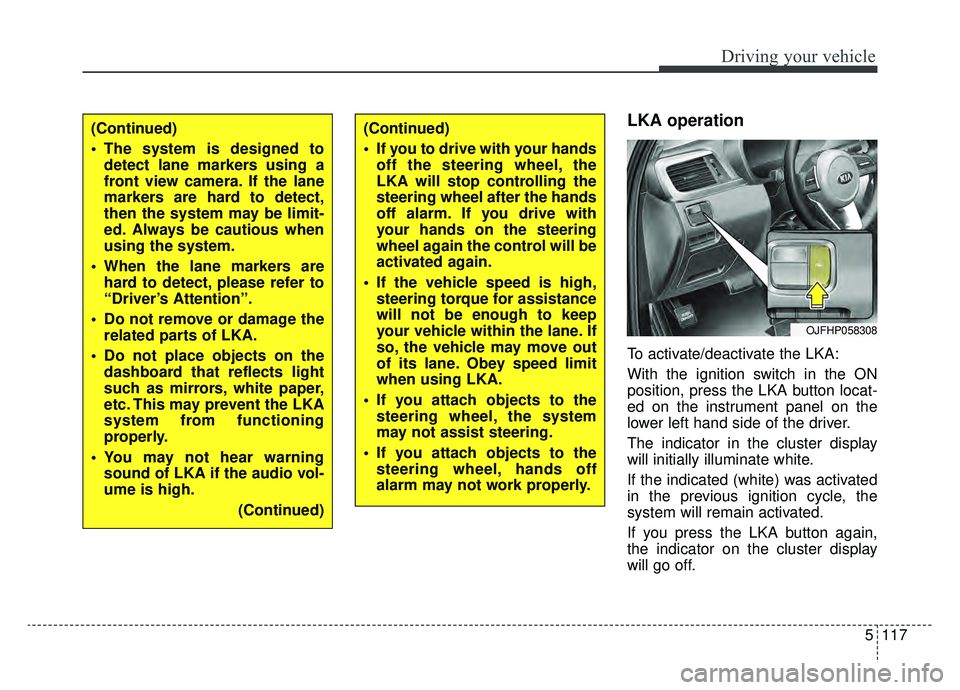
To activate/deactivate the LKA:
With the ignition switch in the ON
position, press the LKA button locat-
ed on the instrument panel on the
lower left hand side of the driver.
The indicator in the cluster display
will initially illuminate white.
If the indicated (white) was activated
in the previous ignition cycle, the
system will remain activated.
If you press the LKA button again,
the indicator on the cluster display
will go off.
OJFHP058308
(Continued)
The system is designed todetect lane markers using a
front view camera. If the lane
markers are hard to detect,
then the system may be limit-
ed. Always be cautious when
using the system.
When the lane markers are hard to detect, please refer to
“Driver’s Attention”.
Do not remove or damage the related parts of LKA.
Do not place objects on the dashboard that reflects light
such as mirrors, white paper,
etc. This may prevent the LKA
system from functioning
properly.
You may not hear warning sound of LKA if the audio vol-
ume is high.
(Continued)(Continued)
If you to drive with your handsoff the steering wheel, the
LKA will stop controlling the
steering wheel after the hands
off alarm. If you drive with
your hands on the steering
wheel again the control will be
activated again.
If the vehicle speed is high, steering torque for assistance
will not be enough to keep
your vehicle within the lane. If
so, the vehicle may move out
of its lane. Obey speed limit
when using LKA.
If you attach objects to the steering wheel, the system
may not assist steering.
If you attach objects to the steering wheel, hands off
alarm may not work properly.
Page 423 of 597
Driving your vehicle
128
5
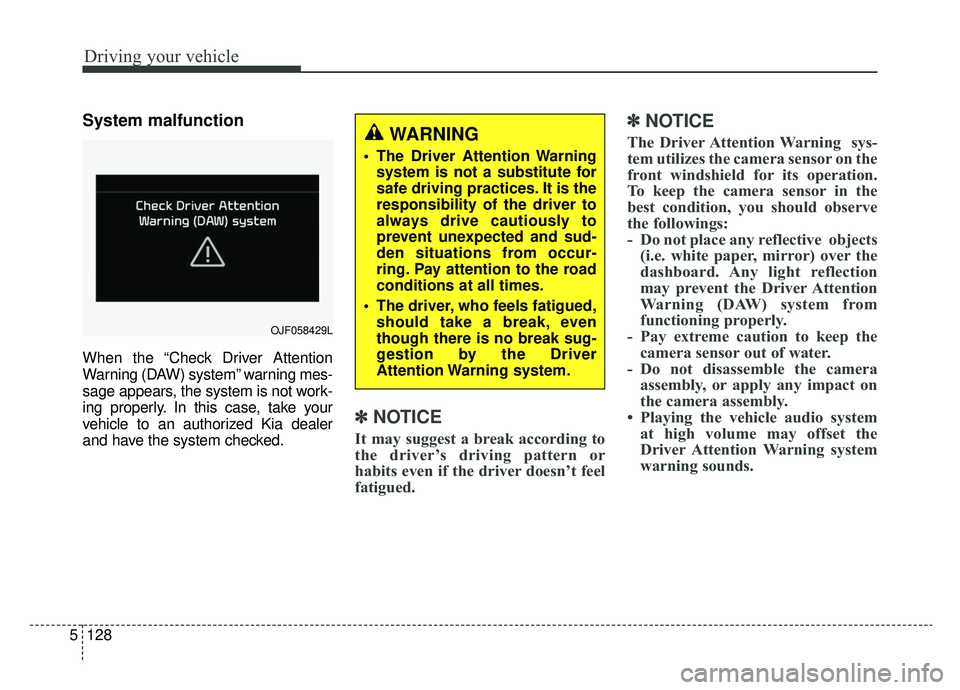
System malfunction
When the “Check Driver Attention
Warning (DAW) system” warning mes-
sage appears, the system is not work-
ing properly. In this case, take your
vehicle to an authorized Kia dealer
and have the system checked.
✽ ✽
NOTICE
It may suggest a break according to
the driver’s driving pattern or
habits even if the driver doesn’t feel
fatigued.
✽ ✽NOTICE
The Driver Attention Warning sys-
tem utilizes the camera sensor on the
front windshield for its operation.
To keep the camera sensor in the
best condition, you should observe
the followings:
- Do not place any reflective objects
(i.e. white paper, mirror) over the
dashboard. Any light reflection
may prevent the Driver Attention
Warning (DAW) system from
functioning properly.
- Pay extreme caution to keep the camera sensor out of water.
- Do not disassemble the camera assembly, or apply any impact on
the camera assembly.
• Playing the vehicle audio system at high volume may offset the
Driver Attention Warning system
warning sounds.WARNING
The Driver Attention Warning
system is not a substitute for
safe driving practices. It is the
responsibility of the driver to
always drive cautiously to
prevent unexpected and sud-
den situations from occur-
ring. Pay attention to the road
conditions at all times.
The driver, who feels fatigued, should take a break, even
though there is no break sug-
gestion by the Driver
Attention Warning system.
OJF058429L