call KIA PICANTO 2012 Owners Manual
[x] Cancel search | Manufacturer: KIA, Model Year: 2012, Model line: PICANTO, Model: KIA PICANTO 2012Pages: 840, PDF Size: 41.16 MB
Page 670 of 840
53
Driving your vehicle
Before entering vehicle
• Be sure that all windows, outside mir-ror(s), and outside lights are clean.
Check the condition of the tyres.
Check under the vehicle for any sign of leaks.
Be sure there are no obstacles behind you if you intend to back up.
Necessary inspections
Fluid levels, such as engine oil, engine
coolant, brake fluid, and washer fluid
should be checked on a regular basis,
with the exact interval depending on the
fluid. Further details are provided in sec-
tion 7, “Maintenance”. Before starting
Close and lock all doors.
Position the seat so that all controls are
easily reached.
Adjust the inside and outside rearview mirrors.
Be sure that all lights work.
Check all gauges.
Check the operation of warning lights when the ignition switch is turned to the ON position.
Release the parking brake and make sure the brake warning light goes out.
For safe operation, be sure you are famil-
iar with your vehicle and its equipment.
BEFORE DRIVING
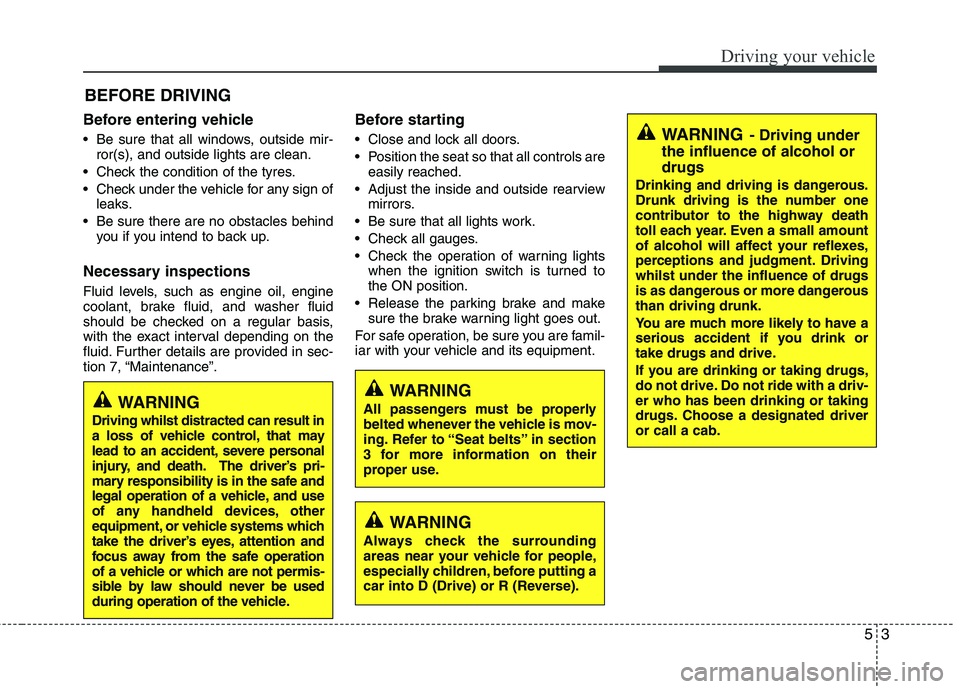
WARNING
All passengers must be properly
belted whenever the vehicle is mov-
ing. Refer to “Seat belts” in section
3 for more information on their
proper use.
WARNING
Always check the surrounding
areas near your vehicle for people,
especially children, before putting a
car into D (Drive) or R (Reverse).
WARNING - Driving under
the influence of alcohol or drugs
Drinking and driving is dangerous.
Drunk driving is the number one
contributor to the highway death
toll each year. Even a small amount
of alcohol will affect your reflexes,
perceptions and judgment. Drivingwhilst under the influence of drugs
is as dangerous or more dangerousthan driving drunk.
You are much more likely to have a
serious accident if you drink or
take drugs and drive.
If you are drinking or taking drugs,
do not drive. Do not ride with a driv-er who has been drinking or taking
drugs. Choose a designated driveror call a cab.
WARNING
Driving whilst distracted can result in
a loss of vehicle control, that may
lead to an accident, severe personal
injury, and death. The driver’s pri-
mary responsibility is in the safe and
legal operation of a vehicle, and use
of any handheld devices, other
equipment, or vehicle systems which
take the driver’s eyes, attention and
focus away from the safe operation
of a vehicle or which are not permis-
sible by law should never be used
during operation of the vehicle.
Page 674 of 840
57
Driving your vehicle
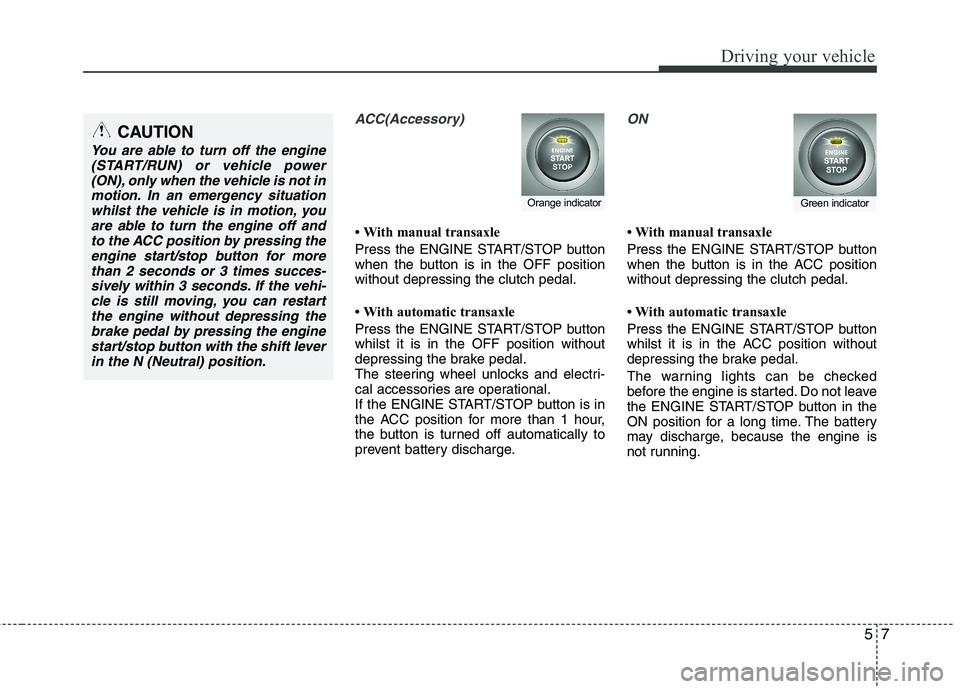
ACC(Accessory)
With manual transaxle
Press the ENGINE START/STOP button
when the button is in the OFF positionwithout depressing the clutch pedal.
With automatic transaxle
Press the ENGINE START/STOP button whilst it is in the OFF position without
depressing the brake pedal.
The steering wheel unlocks and electri-
cal accessories are operational.
If the ENGINE START/STOP button is in
the ACC position for more than 1 hour,
the button is turned off automatically to
prevent battery discharge.
ON
With manual transaxle
Press the ENGINE START/STOP button
when the button is in the ACC positionwithout depressing the clutch pedal.
With automatic transaxle
Press the ENGINE START/STOP button
whilst it is in the ACC position without
depressing the brake pedal.
The warning lights can be checked
before the engine is started. Do not leave
the ENGINE START/STOP button in the
ON position for a long time. The battery
may discharge, because the engine is
not running.
Orange indicatorGreen indicator
CAUTION
You are able to turn off the engine(START/RUN) or vehicle power
(ON), only when the vehicle is not inmotion. In an emergency situationwhilst the vehicle is in motion, you are able to turn the engine off and
to the ACC position by pressing theengine start/stop button for morethan 2 seconds or 3 times succes-
sively within 3 seconds. If the vehi- cle is still moving, you can restartthe engine without depressing thebrake pedal by pressing the engine
start/stop button with the shift leverin the N (Neutral) position.
Page 679 of 840
Driving your vehicle
12
5
Your vehicle may be equipped with the ISG system, which reduces fuel con-
sumption by automatically shutting down
the engine, when the vehicle is at a
standstill. (For example : red light, stop
sign and traffic jam)
The engine starts automatically as soon
as the starting conditions are met.
The ISG system is ON whenever the
engine is running.
✽✽
NOTICE
When the engine automatically starts by
the ISG system, some warning lights
(ABS, ESP, ESP OFF, EPS or Parking
brake warning light) may turn on for a
few seconds.
This happens because of low battery
voltage. It does not mean the system has
malfunctioned.
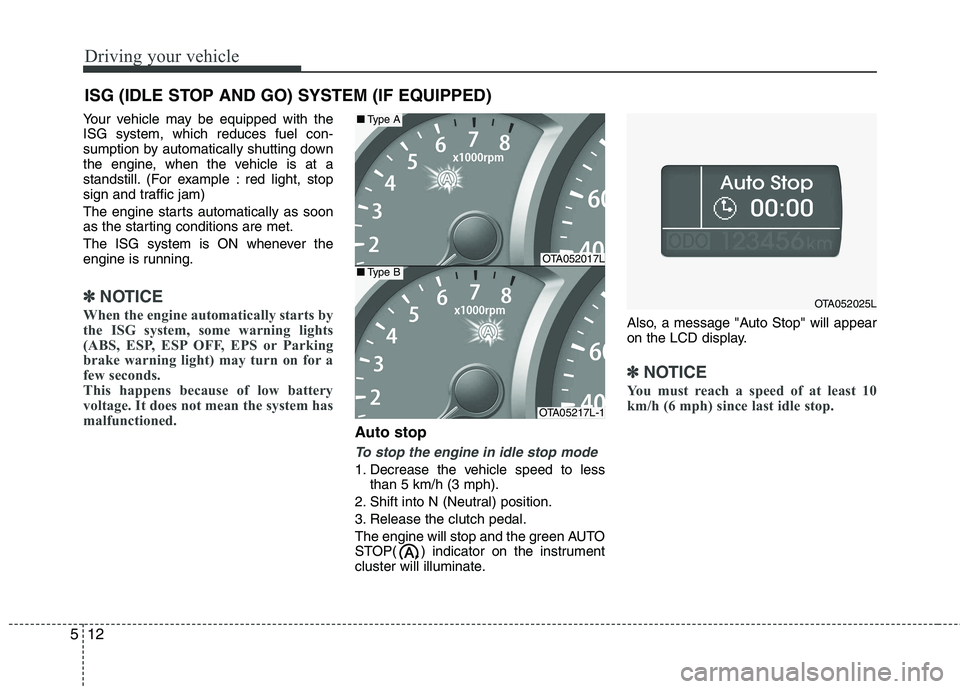
Auto stop
To stop the engine in idle stop mode
1. Decrease the vehicle speed to less than 5 km/h (3 mph).
2. Shift into N (Neutral) position.
3. Release the clutch pedal.
The engine will stop and the green AUTO
STOP( ) indicator on the instrument
cluster will illuminate. Also, a message "Auto Stop" will appear
on the LCD display.
✽✽
NOTICE
You must reach a speed of at least 10
km/h (6 mph) since last idle stop.
ISG (IDLE STOP AND GO) SYSTEM (IF EQUIPPED)
OTA052017L
OTA05217L-1
■ Type A
■Type B
OTA052025L
Page 680 of 840
513
Driving your vehicle
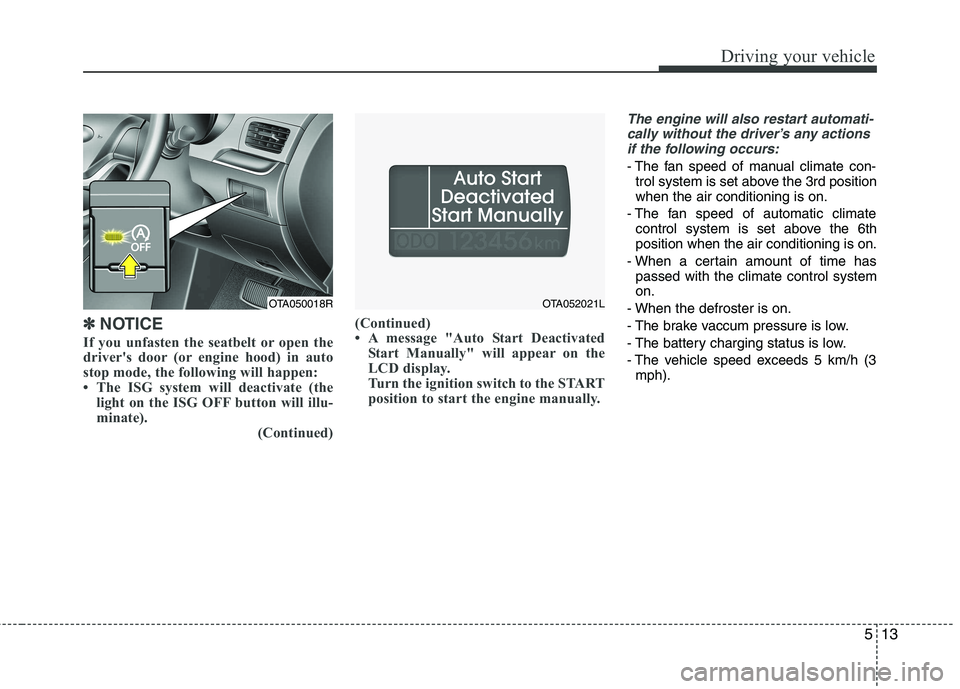
✽✽NOTICE
If you unfasten the seatbelt or open the
driver's door (or engine hood) in auto
stop mode, the following will happen:
The ISG system will deactivate (the light on the ISG OFF button will illu-
minate).
(Continued)(Continued)
A message "Auto Start Deactivated
Start Manually" will appear on the
LCD display.
Turn the ignition switch to the START
position to start the engine manually.
The engine will also restart automati-
cally without the driver’s any actions
if the following occurs:
- The fan speed of manual climate con- trol system is set above the 3rd position when the air conditioning is on.
- The fan speed of automatic climate control system is set above the 6thposition when the air conditioning is on.
- When a certain amount of time has passed with the climate control systemon.
- When the defroster is on.
- The brake vaccum pressure is low.
- The battery charging status is low.
- The vehicle speed exceeds 5 km/h (3 mph).
OTA050018ROTA052021L
Page 686 of 840
519
Driving your vehicle
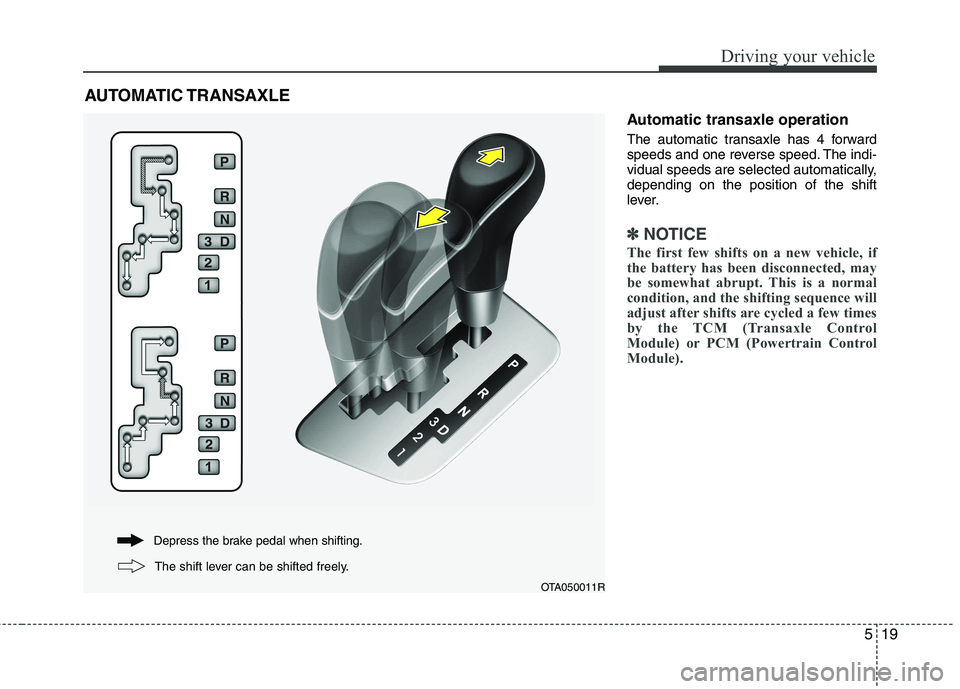
Automatic transaxle operation
The automatic transaxle has 4 forward
speeds and one reverse speed. The indi-
vidual speeds are selected automatically,depending on the position of the shift
lever.
✽✽NOTICE
The first few shifts on a new vehicle, if
the battery has been disconnected, may
be somewhat abrupt. This is a normal
condition, and the shifting sequence will
adjust after shifts are cycled a few times
by the TCM (Transaxle Control
Module) or PCM (Powertrain Control
Module).
AUTOMATIC TRANSAXLE
OTA050011R
Depress the brake pedal when shifting.
The shift lever can be shifted freely.
Page 688 of 840
521
Driving your vehicle
R (Reverse)
Use this position to drive the vehicle
backward.N (Neutral)
The wheels and transaxle are not
engaged. The vehicle will roll freely even
on the slightest incline unless the parking
brake or service brakes are applied.
D (Drive)
This is the normal forward driving posi-
tion. The transaxle will automatically shift
through a 4-gear sequence, providing the
best fuel economy and power.
For extra power when passing another
vehicle or climbing grades, depress the
accelerator fully, at which time the
transaxle will automatically downshift to
the lower gear.
✽✽
NOTICE
Always come to a complete stop before
shifting into D (Drive).
3 (Third gear)
Use for towing a trailer during hill climb-
ing or to use engine braking downhill.
"3" automatically shifts between 1st, 2nd
and 3rd gears. This means that no shift-
up to 4th gear is performed. However, theshift-up to 4th gear is done when the car
speed exceeds a certain value to prevent
the engine from over-revving. Manually
move the selector to "D" when returning
to normal driving condition.
2 (Second gear)
Use for driving on a slippery road, hill
climbing or engine braking downhill. "2"
automatically shifts between first and
second gears. This means that no shift-up to 3rd gear is
performed. However, the shift-up to thirdgear is done when the car speed
exceeds a certain value to prevent the
engine from over-revving. Manually move
the selector to "D" returning to normal
driving condition.
CAUTION
Always come to a complete stop before shifting into or out of R(Reverse); you may damage thetransaxle if you shift into R(Reverse) whilst the vehicle is in
motion, except as explained in“Rocking the vehicle” in this sec- tion.
Page 692 of 840
525
Driving your vehicle
Power brakes
Your vehicle has power-assisted brakes
that adjust automatically through normal
usage.
In the event that the power-assisted
brakes lose power because of a stalled
engine or some other reason, you can
still stop your vehicle by applying greater
force to the brake pedal than you nor-
mally would. The stopping distance, how-
ever, will be longer.
When the engine is not running, the
reserve brake power is partially depleted
each time the brake pedal is applied. Do
not pump the brake pedal when the
power assist has been interrupted.
Pump the brake pedal only when neces-
sary to maintain steering control on slip-
pery surfaces.In the event of brake failure
If service brakes fail to operate whilst the
vehicle is in motion, you can make an
emergency stop with the parking brake.
The stopping distance, however, will be
much greater than normal.
BRAKE SYSTEM (Continued)
When descending a long or steep
hill, shift to a lower gear and
avoid continuous application of
the brakes. Continuous brakeapplication will cause the brakes
to overheat and could result in a
temporary loss of braking per-
formance.
Wet brakes may impair the vehi- cle’s ability to safely slow down;
the vehicle may also pull to oneside when the brakes are applied.
Applying the brakes lightly will
indicate whether they have been
affected in this way. Always test
your brakes in this fashion after
driving through deep water. To
dry the brakes, apply them lightly
whilst maintaining a safe forward
speed until brake performancereturns to normal.
Always, confirm the position of the brake and accelerator pedal
before driving. If you don't checkthe position of the accelerator
and brake pedal before driving,
you may depress the accelerator
instead of the brake pedal. It maycause a serious accident.
WARNING - Brakes
Do not drive with your foot rest- ing on the brake pedal. This will create abnormal high brake tem-
peratures, excessive brake lining
and pad wear, and increasedstopping distances.
(Continued)
WARNING- Parking brake
Applying the parking brake whilst
the vehicle is moving at normal
speeds can cause a sudden loss of
control of the vehicle. If you mustuse the parking brake to stop the
vehicle, use great caution in apply-
ing the brake.
Page 699 of 840
Driving your vehicle
32
5
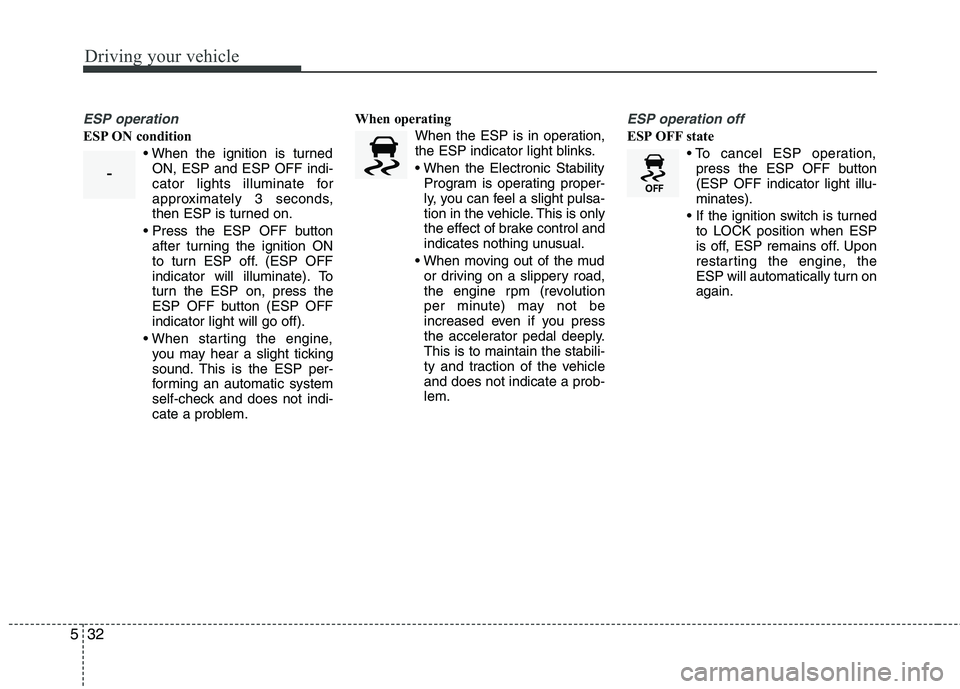
ESP operation
ESP ON condition
ON, ESP and ESP OFF indi-
cator lights illuminate for
approximately 3 seconds,
then ESP is turned on.
after turning the ignition ON
to turn ESP off. (ESP OFF
indicator will illuminate). To
turn the ESP on, press the
ESP OFF button (ESP OFFindicator light will go off).
you may hear a slight ticking
sound. This is the ESP per-
forming an automatic system
self-check and does not indi-
cate a problem. When operating
When the ESP is in operation,
the ESP indicator light blinks.
Program is operating proper-
ly, you can feel a slight pulsa-
tion in the vehicle. This is only
the effect of brake control and
indicates nothing unusual.
or driving on a slippery road,
the engine rpm (revolution
per minute) may not be
increased even if you press
the accelerator pedal deeply.This is to maintain the stabili-
ty and traction of the vehicleand does not indicate a prob-lem.
ESP operation off
ESP OFF state
press the ESP OFF button (ESP OFF indicator light illu-minates).
to LOCK position when ESP
is off, ESP remains off. Upon
restarting the engine, the
ESP will automatically turn onagain.
-
Page 703 of 840
Driving your vehicle
36
5
Good braking practices
After parking the vehicle, check to be
sure the parking brake is not engaged
and that the parking brake indicator
light is out before driving away.
Driving through water may get the brakes wet. They can also get wet
when the car is washed. Wet brakes
can be dangerous! Your car will not
stop as quickly if the brakes are wet.
Wet brakes may cause the car to pull
to one side. To dry the brakes, apply the brakes
lightly until the braking action returns to
normal, taking care to keep the car
under control at all times. If the braking
action does not return to normal, stop
as soon as it is safe to do so and call
an authorised KIA dealer for assis-
tance.
Don't coast down hills with the car out of gear. This is extremely hazardous.
Keep the car in gear at all times, use
the brakes to slow down, then shift to a
lower gear so that engine braking will
help you maintain a safe speed.
Don't "ride" the brake pedal. Resting your foot on the brake pedal whilst driv-ing can be dangerous because it can
result in the brakes overheating and
losing their effectiveness. It also
increases the wear of the brake com-
ponents.
If a tyre goes flat whilst you are driving, apply the brakes gently and keep the
car pointed straight ahead whilst you
slow down. When you are moving
slowly enough for it to be safe to do so,
pull off the road and stop in a safe
place. If your car is equipped with an auto-
matic transaxle, don't let your car
creep forward. To avoid creeping for-
ward, keep your foot firmly on the
brake pedal when the car is stopped.
Be cautious when parking on a hill. Firmly engage the parking brake and
place the shift lever in P (Park). If your
car is facing downhill, turn the front
wheels into the kerb to help keep the
car from rolling. If your car is facing
uphill, turn the front wheels away from
the kerb to help keep the car from
rolling. If there is no kerb or if it is
required by other conditions to keep
the car from rolling, block the wheels.
Under some conditions your parking brake can freeze in the engaged posi-
tion. This is most likely to happen when
there is an accumulation of snow or ice
around or near the rear brakes or if the
brakes are wet. If there is a risk that the
parking brake may freeze, apply it only
temporarily whilst you put the shift lever
in P (Park) and block the rear wheels so
the car cannot roll. Then release the
parking brake.
Do not hold the vehicle on the upgrade with the accelerator pedal. This can
cause the transaxle to overheat.
Always use the brake pedal or parking
brake.
WARNING
Whenever leaving vehicle or parking, always set the parking
brake as far as possible and fully
engage the vehicle's transaxle
into the park position. Vehicles
not fully engaged in park with the
parking brake set are at risk for
moving inadvertently and injur-
ing yourself or others.
All vehicles should always have the parking brake fully engaged
when parking to avoid inadver-
tent movement of the car whichcan injure occupants or pedestri-ans.
Page 704 of 840
537
Driving your vehicle
Your vehicle's fuel economy depends
mainly on your style of driving, where you
drive and when you drive.
Each of these factors affects how many
kilometers (miles) you can get from a
litre (gallon) of fuel. To operate your vehi-
cle as economically as possible, use the
following driving suggestions to help
save money in both fuel and repairs:
Drive smoothly. Accelerate at a moder-ate rate. Don't make "jack-rabbit" startsor full-throttle shifts and maintain a
steady cruising speed. Don't race
between stoplights. Try to adjust your
speed to the traffic so you don't have to
change speeds unnecessarily. Avoid
heavy traffic whenever possible.
Always maintain a safe distance from
other vehicles so you can avoid unnec-
essary braking. This also reduces
brake wear.
Drive at a moderate speed. The faster you drive, the more fuel your vehicle
uses. Driving at a moderate speed,
especially on the highway, is one of the
most effective ways to reduce fuel con-sumption. Don't "ride" the brake pedal. This can
increase fuel consumption and also
increase wear on these components.
In addition, driving with your foot rest-
ing on the brake pedal may cause the
brakes to overheat, which reduces
their effectiveness and may lead to
more serious consequences.
Take care of your tyres. Keep them inflated to the recommended pressure.
Incorrect inflation, either too much or
too little, results in unnecessary tyre
wear. Check the tyre pressures at leastonce a month.
Be sure that the wheels are aligned correctly. Improper alignment can
result from hitting kerbs or driving too
fast over irregular surfaces. Poor align-
ment causes faster tyre wear and may
also result in other problems as well as
greater fuel consumption. Keep your car in good condition. For
better fuel economy and reduced
maintenance costs, maintain your carin accordance with the maintenance
schedule in section 7. If you drive your
car in severe conditions, more frequentmaintenance is required (see section 7
for details).
Keep your car clean. For maximum service, your vehicle should be kept
clean and free of corrosive materials. It
is especially important that mud, dirt,
ice, etc. not be allowed to accumulate
on the underside of the car. This extra
weight can result in increased fuel con-
sumption and also contribute to corro-sion.
Travel lightly. Don't carry unnecessary weight in your car. Weight reduces fuel
economy.
Don't let the engine idle longer than necessary. If you are waiting (and not
in traffic), turn off your engine and
restart only when you're ready to go.
ECONOMICAL OPERATION