tow KIA PICANTO 2014 Owners Manual
[x] Cancel search | Manufacturer: KIA, Model Year: 2014, Model line: PICANTO, Model: KIA PICANTO 2014Pages: 1003, PDF Size: 44.67 MB
Page 844 of 1003
411
Features of your vehicle
Smart key precautions
✽✽NOTICE
If, for some reason, you happen to lose your smart key, you will not be able to
start the engine. Tow the vehicle, if
necessary, we recommend that you
contact an authorized Kia dealer.
A maximum of 2 smart keys can be
registered to a single vehicle. If you
lose a smart key, we recommend that
you contact an authorized Kia dealer.
The smart key will not work if any of
the following occurs:
- The smart key is close to a radiotransmitter such as a radio station or
an airport which can interfere with
normal operation of the smart key.
- The smart key is near a mobile two-
way radio system or a cellular phone.
- Another vehicle’s smart key is being
operated close to your vehicle.
When the smart key does not work
properly, open and close the door with
the mechanical key. If you have a
problem with the smart key, we rec-
ommend that you contact an author-
ized Kia dealer.
(Continued)(Continued)
If the transmitter (or smart key) is in
close proximity to your cell phone or
smart phone, the signal from the
transmitter (or smart key) could be
blocked by normal operation of your
cell phone or smart phone. This is
especially important when the phone
is active such as making call, receiving
calls, text messaging, and/or send-
ing/receiving emails. Avoid placing
the transmitter (or smart key) and
your cell phone or smart phone in the
same pants or jacket pocket and
maintain adequate distance between
the two devices. CAUTION
Keep the smart key away from
water or any liquid. If the keyless
entry system is inoperative due to exposure to water or liquids, it willnot be covered by your manufactur-er’s vehicle warranty.
Page 848 of 1003
415
Features of your vehicle
Operating door locks from out-
side the vehicle
Mechanical key
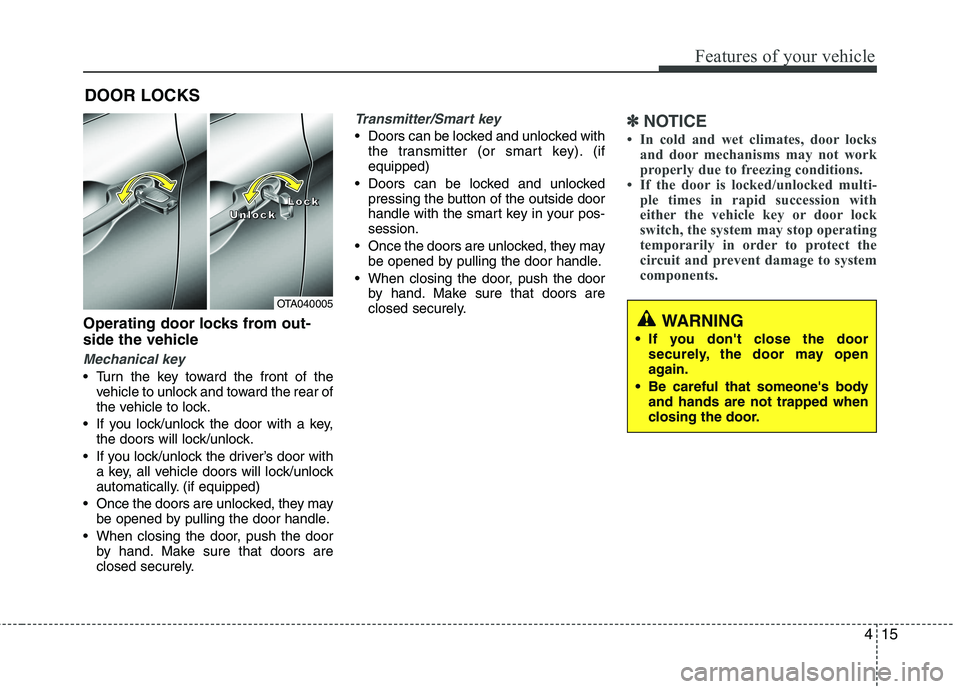
Turn the key toward the front of thevehicle to unlock and toward the rear of
the vehicle to lock.
If you lock/unlock the door with a key, the doors will lock/unlock.
If you lock/unlock the driver’s door with a key, all vehicle doors will lock/unlock
automatically. (if equipped)
Once the doors are unlocked, they may be opened by pulling the door handle.
When closing the door, push the door by hand. Make sure that doors are
closed securely.
Transmitter/Smart key
Doors can be locked and unlocked withthe transmitter (or smart key). (if equipped)
Doors can be locked and unlocked pressing the button of the outside door
handle with the smart key in your pos-session.
Once the doors are unlocked, they may be opened by pulling the door handle.
When closing the door, push the door by hand. Make sure that doors are
closed securely.✽✽ NOTICE
In cold and wet climates, door locks and door mechanisms may not work
properly due to freezing conditions.
If the door is locked/unlocked multi-
ple times in rapid succession with
either the vehicle key or door lock
switch, the system may stop operating
temporarily in order to protect the
circuit and prevent damage to system
components.
DOOR LOCKS
OTA040005
LLLLoooocccckkkkUUUUnnnnlllloooocccckkkk
WARNING
If you don't close the door securely, the door may open
again.
Be careful that someone's body and hands are not trapped when
closing the door.
Page 871 of 1003
Features of your vehicle
38
4
Inside rearview mirror
Adjust the rearview mirror to center on
the view through the rear window. Make
this adjustment before you start driving.
Day/night rearview mirror
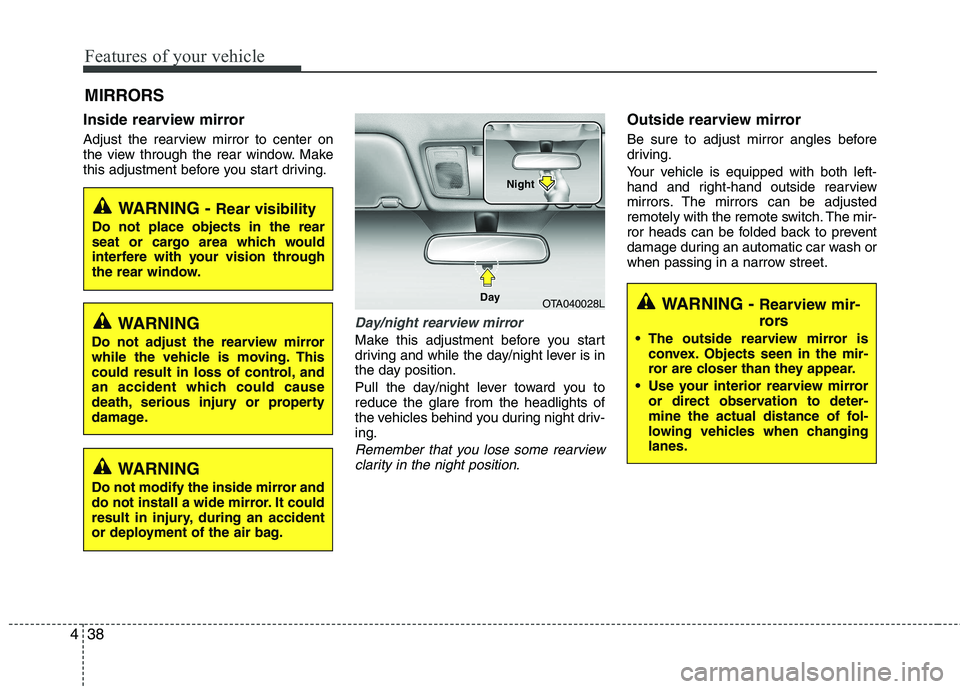
Make this adjustment before you start
driving and while the day/night lever is in
the day position.
Pull the day/night lever toward you to reduce the glare from the headlights of
the vehicles behind you during night driv-ing.
Remember that you lose some rearview
clarity in the night position.
Outside rearview mirror
Be sure to adjust mirror angles before
driving.
Your vehicle is equipped with both left-
hand and right-hand outside rearview
mirrors. The mirrors can be adjusted
remotely with the remote switch. The mir-
ror heads can be folded back to prevent
damage during an automatic car wash or
when passing in a narrow street.
MIRRORS
WARNING -
Rear visibility
Do not place objects in the rear
seat or cargo area which would
interfere with your vision through
the rear window.
OTA040028L
Day Night
WARNING
Do not adjust the rearview mirror
while the vehicle is moving. This
could result in loss of control, and
an accident which could cause
death, serious injury or property
damage.
WARNING
Do not modify the inside mirror and
do not install a wide mirror. It could
result in injury, during an accident
or deployment of the air bag.
WARNING - Rearview mir-
rors
The outside rearview mirror is convex. Objects seen in the mir-
ror are closer than they appear.
Use your interior rearview mirror or direct observation to deter-
mine the actual distance of fol-
lowing vehicles when changinglanes.
Page 874 of 1003
441
Features of your vehicle
Manual type
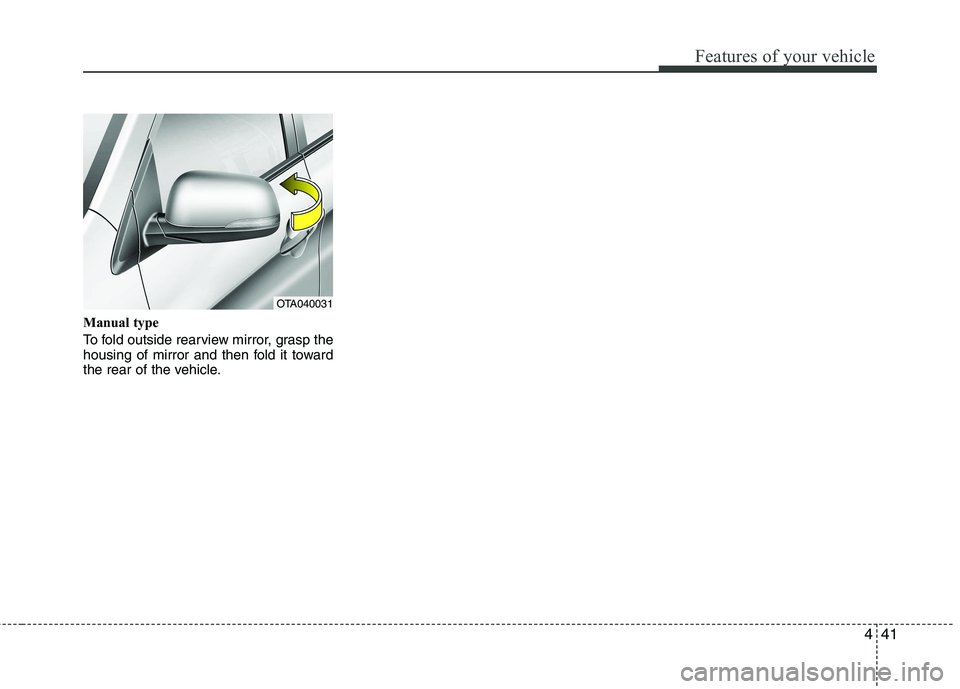
To fold outside rearview mirror, grasp the
housing of mirror and then fold it toward
the rear of the vehicle.
OTA040031
Page 881 of 1003
Features of your vehicle
48
4
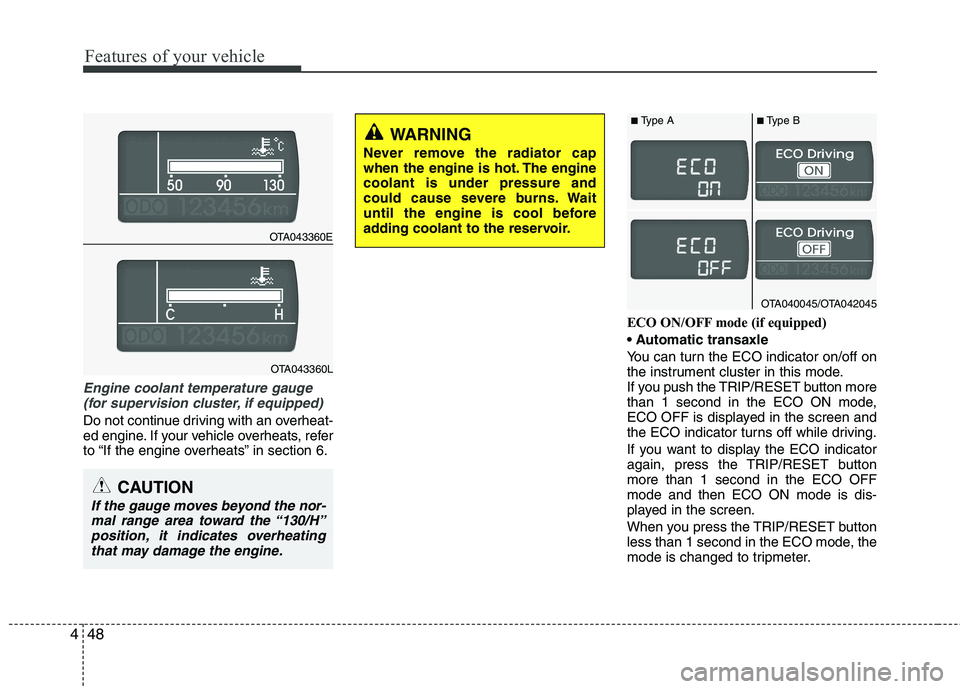
Engine coolant temperature gauge
(for supervision cluster, if equipped)
Do not continue driving with an overheat-
ed engine. If your vehicle overheats, refer
to “If the engine overheats” in section 6. ECO ON/OFF mode (if equipped)
You can turn the ECO indicator on/off on
the instrument cluster in this mode.
If you push the TRIP/RESET button more
than 1 second in the ECO ON mode,
ECO OFF is displayed in the screen and
the ECO indicator turns off while driving.
If you want to display the ECO indicator
again, press the TRIP/RESET buttonmore than 1 second in the ECO OFFmode and then ECO ON mode is dis-
played in the screen.
When you press the TRIP/RESET button
less than 1 second in the ECO mode, the
mode is changed to tripmeter.
CAUTION
If the gauge moves beyond the nor-
mal range area toward the “130/H”
position, it indicates overheatingthat may damage the engine.
WARNING
Never remove the radiator cap
when the engine is hot. The enginecoolant is under pressure and
could cause severe burns. Wait
until the engine is cool before
adding coolant to the reservoir.
OTA043360E
OTA043360L
OTA040045/OTA042045
■ Type A ■Type B
Page 890 of 1003
457
Features of your vehicle
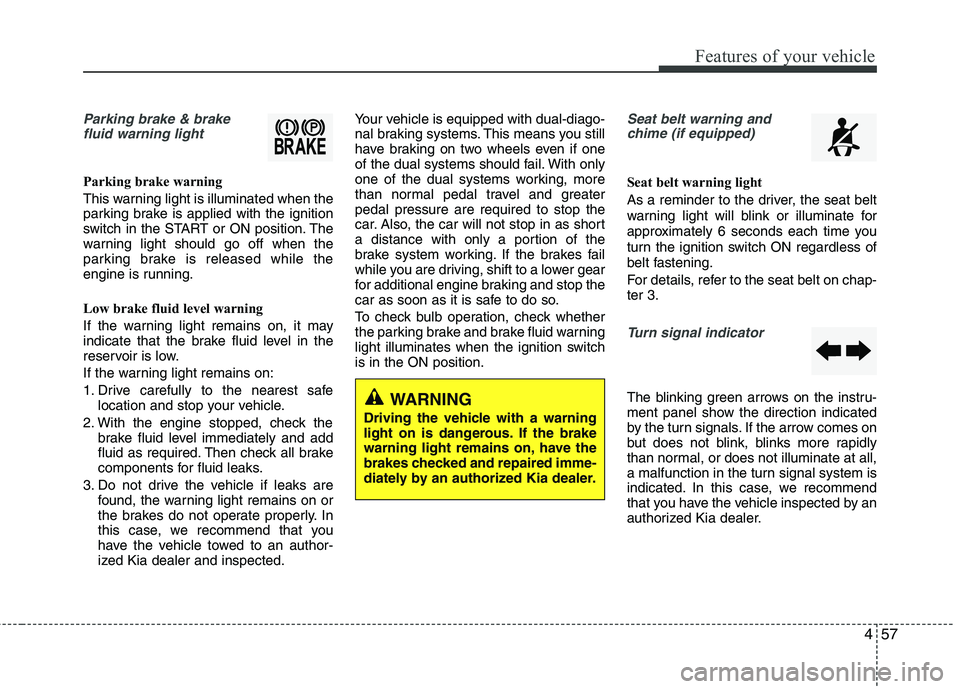
Parking brake & brakefluid warning light
Parking brake warning
This warning light is illuminated when the
parking brake is applied with the ignition
switch in the START or ON position. The
warning light should go off when the
parking brake is released while the
engine is running.
Low brake fluid level warning
If the warning light remains on, it may
indicate that the brake fluid level in the
reservoir is low.
If the warning light remains on:
1. Drive carefully to the nearest safe location and stop your vehicle.
2. With the engine stopped, check the brake fluid level immediately and add
fluid as required. Then check all brake
components for fluid leaks.
3. Do not drive the vehicle if leaks are found, the warning light remains on or
the brakes do not operate properly. In
this case, we recommend that you
have the vehicle towed to an author-
ized Kia dealer and inspected. Your vehicle is equipped with dual-diago-
nal braking systems. This means you still
have braking on two wheels even if one
of the dual systems should fail. With only
one of the dual systems working, more
than normal pedal travel and greaterpedal pressure are required to stop the
car. Also, the car will not stop in as short
a distance with only a portion of the
brake system working. If the brakes fail
while you are driving, shift to a lower gear
for additional engine braking and stop the
car as soon as it is safe to do so.
To check bulb operation, check whether
the parking brake and brake fluid warning
light illuminates when the ignition switchis in the ON position.
Seat belt warning and
chime (if equipped)
Seat belt warning light
As a reminder to the driver, the seat belt
warning light will blink or illuminate for
approximately 6 seconds each time you
turn the ignition switch ON regardless of
belt fastening.
For details, refer to the seat belt on chap- ter 3.
Turn signal indicator
The blinking green arrows on the instru-
ment panel show the direction indicated
by the turn signals. If the arrow comes on
but does not blink, blinks more rapidly
than normal, or does not illuminate at all,
a malfunction in the turn signal system is
indicated. In this case, we recommend
that you have the vehicle inspected by an
authorized Kia dealer.WARNING
Driving the vehicle with a warning
light on is dangerous. If the brake
warning light remains on, have the
brakes checked and repaired imme-
diately by an authorized Kia dealer.
Page 899 of 1003
Features of your vehicle
66
4
Non-operational conditions of rear parking assist system
The rear parking assist system may
not operate properly when:
1. Moisture is frozen to the sensor. (It will
operate normally when the moisture has been cleared.)
2. The sensor is covered with foreign matter, such as snow or water, or the
sensor cover is blocked. (It will operate
normally when the material is removed
or the sensor is no longer blocked.)
3. Driving on uneven road surfaces (unpaved roads, gravel, bumps, gradi-ent).
4. Objects generating excessive noise (vehicle horns, loud motorcycle
engines, or truck air brakes) are within
range of the sensor.
5. Heavy rain or water spray exists.
6. Wireless transmitters or mobile phones are within range of the sensor.
7. The sensor is covered with snow.
8. Trailer towing The detecting range may decrease when:
1. The sensor is stained with foreign mat-
ter such as snow or water. (The sens-
ing range will return to normal when
removed.)
2. Outside air temperature is extremely hot or cold.
The following objects may not be rec-
ognized by the sensor:
1. Sharp or slim objects such as ropes, chains or small poles.
2. Objects which tend to absorb the sen- sor frequency such as clothes, spongy
material or snow.
3. Undetectable objects smaller than 1 m (40 in.) in height and narrower than 14
cm (6 in.) in diameter. Rear parking assist system pre- cautions
The rear parking assist system may
not sound sequentially depending on the speed and shapes of the objectsdetected.
The rear parking assist system may malfunction if the vehicle bumperheight or sensor installation has been
modified or damaged. Any non-factory
installed equipment or accessories
may also interfere with the sensor per-
formance.
The sensor may not recognize objects less than 40 cm (15 in.) from the sen-
sor, or it may sense an incorrect dis-
tance. Use caution.
When the sensor is frozen or stained with snow, dirt, or water, the sensor
may be inoperative until the stains are
removed using a soft cloth.
Do not push, scratch or strike the sen- sor. Sensor damage could occur.
Page 905 of 1003
Features of your vehicle
72
4
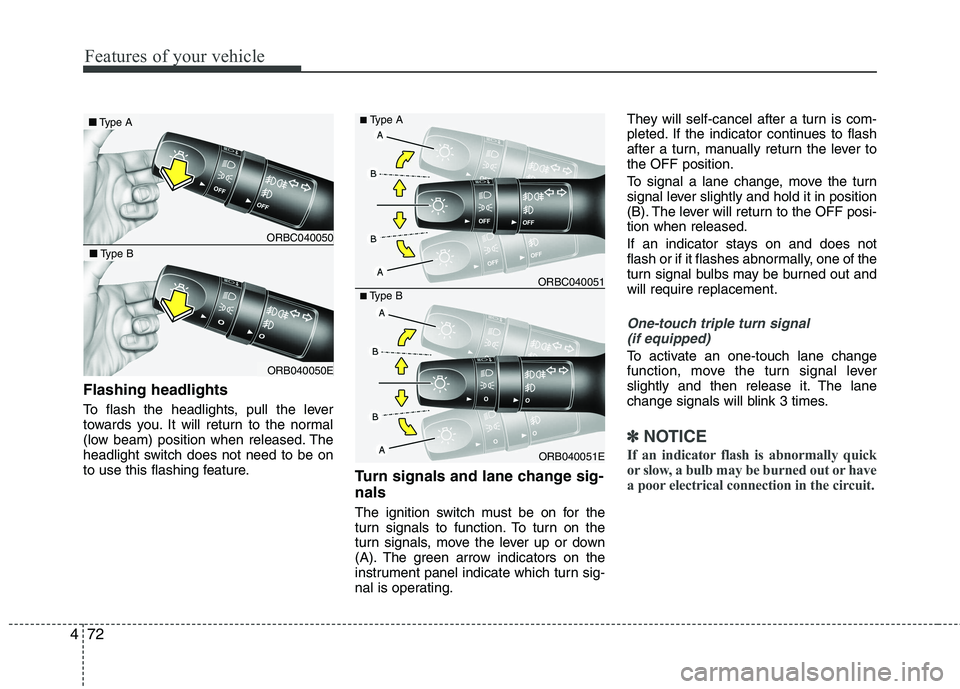
Flashing headlights
To flash the headlights, pull the lever
towards you. It will return to the normal
(low beam) position when released. The
headlight switch does not need to be on
to use this flashing feature.
Turn signals and lane change sig- nals
The ignition switch must be on for the
turn signals to function. To turn on the
turn signals, move the lever up or down
(A). The green arrow indicators on the
instrument panel indicate which turn sig-
nal is operating.They will self-cancel after a turn is com-
pleted. If the indicator continues to flash
after a turn, manually return the lever tothe OFF position.
To signal a lane change, move the turn
signal lever slightly and hold it in position
(B). The lever will return to the OFF posi-tion when released.
If an indicator stays on and does not
flash or if it flashes abnormally, one of the
turn signal bulbs may be burned out andwill require replacement.
One-touch triple turn signal
(if equipped)
To activate an one-touch lane change
function, move the turn signal lever
slightly and then release it. The lane
change signals will blink 3 times.
✽✽ NOTICE
If an indicator flash is abnormally quick
or slow, a bulb may be burned out or have
a poor electrical connection in the circuit.
ORB040051E
■
Type B ORBC040051
■
Type A
ORBC040050
■ Type A
ORB040050E
■Type B
Page 911 of 1003
Features of your vehicle
78
4
ORB040056E
■
Type B
ORBC040056E
■
Type A
ORB041408
■
Type D
OTA040056
■
Type C
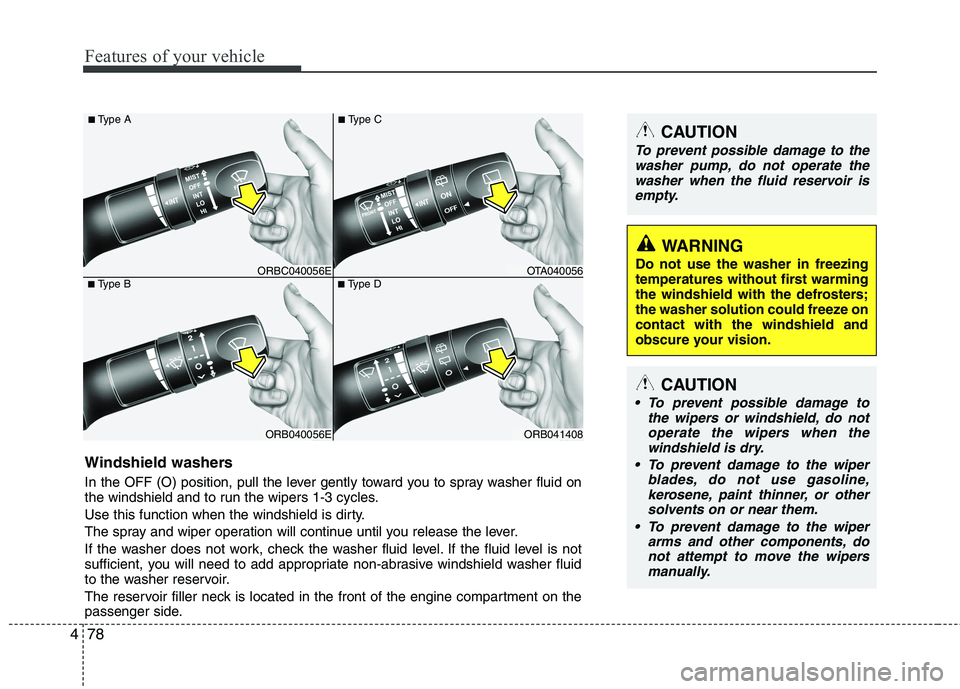
Windshield washers
In the OFF (O) position, pull the lever gently toward you to spray washer fluid on
the windshield and to run the wipers 1-3 cycles.
Use this function when the windshield is dirty.
The spray and wiper operation will continue until you release the lever.
If the washer does not work, check the washer fluid level. If the fluid level is not
sufficient, you will need to add appropriate non-abrasive windshield washer fluid
to the washer reservoir.
The reservoir filler neck is located in the front of the engine compartment on the
passenger side.
CAUTION
To prevent possible damage to the
washer pump, do not operate the
washer when the fluid reservoir is empty.
WARNING
Do not use the washer in freezing
temperatures without first warming
the windshield with the defrosters;
the washer solution could freeze oncontact with the windshield and
obscure your vision.
CAUTION
To prevent possible damage to the wipers or windshield, do not
operate the wipers when the windshield is dry.
To prevent damage to the wiper blades, do not use gasoline,
kerosene, paint thinner, or othersolvents on or near them.
To prevent damage to the wiper arms and other components, do
not attempt to move the wipersmanually.
Page 918 of 1003
485
Features of your vehicle
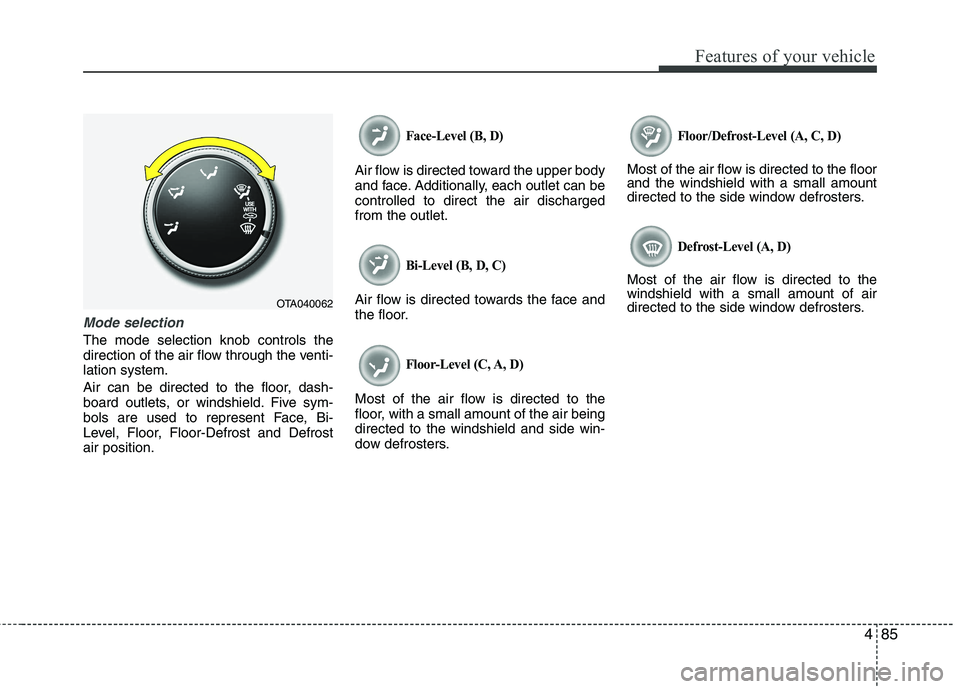
Mode selection
The mode selection knob controls the
direction of the air flow through the venti-lation system.
Air can be directed to the floor, dash-
board outlets, or windshield. Five sym-
bols are used to represent Face, Bi-
Level, Floor, Floor-Defrost and Defrostair position.
Face-Level (B, D)
Air flow is directed toward the upper body
and face. Additionally, each outlet can becontrolled to direct the air dischargedfrom the outlet.
Bi-Level (B, D, C)
Air flow is directed towards the face and
the floor.
Floor-Level (C, A, D)
Most of the air flow is directed to the
floor, with a small amount of the air beingdirected to the windshield and side win-
dow defrosters.
Floor/Defrost-Level (A, C, D)
Most of the air flow is directed to the floor and the windshield with a small amount
directed to the side window defrosters.
Defrost-Level (A, D)
Most of the air flow is directed to thewindshield with a small amount of air
directed to the side window defrosters.
OTA040062