Section KIA PICANTO 2014 User Guide
[x] Cancel search | Manufacturer: KIA, Model Year: 2014, Model line: PICANTO, Model: KIA PICANTO 2014Pages: 1003, PDF Size: 44.67 MB
Page 135 of 1003
Features of your vehicle
62
4
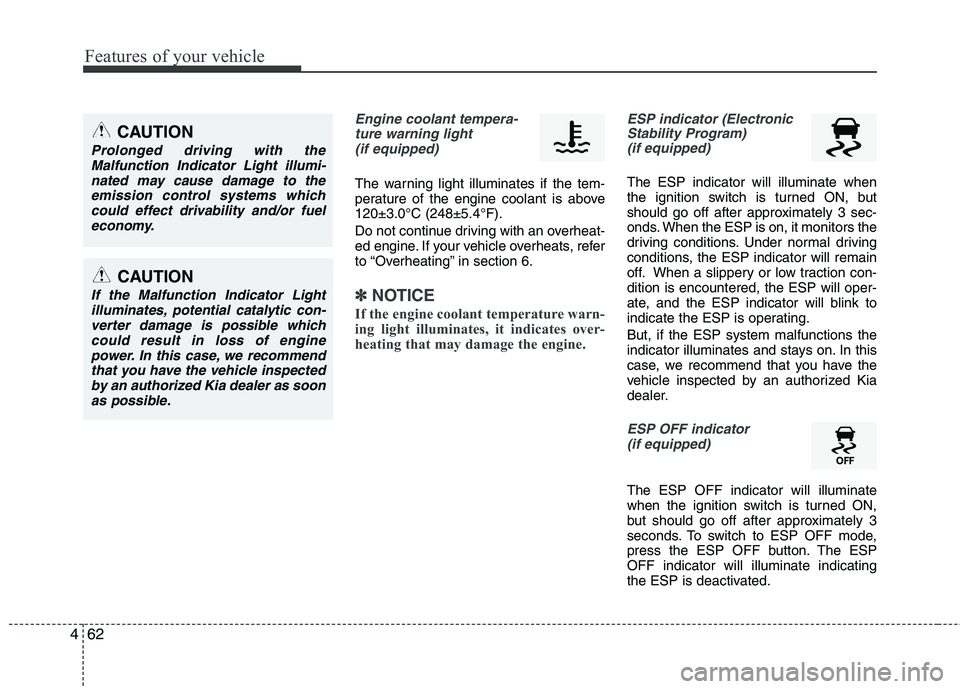
Engine coolant tempera-
ture warning light (if equipped)
The warning light illuminates if the tem-
perature of the engine coolant is above120±3.0°C (248±5.4°F).
Do not continue driving with an overheat-
ed engine. If your vehicle overheats, refer
to “Overheating” in section 6.
✽✽ NOTICE
If the engine coolant temperature warn-
ing light illuminates, it indicates over-
heating that may damage the engine.
ESP indicator (Electronic Stability Program) (if equipped)
The ESP indicator will illuminate when
the ignition switch is turned ON, but
should go off after approximately 3 sec-
onds. When the ESP is on, it monitors the
driving conditions. Under normal driving
conditions, the ESP indicator will remain
off. When a slippery or low traction con-dition is encountered, the ESP will oper-
ate, and the ESP indicator will blink to
indicate the ESP is operating. But, if the ESP system malfunctions the
indicator illuminates and stays on. In this
case, we recommend that you have the
vehicle inspected by an authorized Kia
dealer.
ESP OFF indicator
(if equipped)
The ESP OFF indicator will illuminate
when the ignition switch is turned ON,
but should go off after approximately 3
seconds. To switch to ESP OFF mode,
press the ESP OFF button. The ESPOFF indicator will illuminate indicating
the ESP is deactivated.
CAUTION
Prolonged driving with the Malfunction Indicator Light illumi-
nated may cause damage to theemission control systems whichcould effect drivability and/or fuel economy.
CAUTION
If the Malfunction Indicator Lightilluminates, potential catalytic con-verter damage is possible whichcould result in loss of enginepower. In this case, we recommend
that you have the vehicle inspectedby an authorized Kia dealer as soon as possible.
Page 184 of 1003
4111
Features of your vehicle
MODE ( ) (3)
Press the button to change audio source. FM(1~2) ➟ AM ➟ CD ➟ USB AUX(iPod)
➟ FM...
In addition to mode change, Power on/off
can be made by pressing this button
when the ignition switch is on ACC orON.
- Power ON : Press the button when the audio is off
- Power OFF : Press the button for more than 0.8 seconds when the audio is on.
MUTE ( ) (4, if equipped)
Press the button to mute the sound.
Press the button to turn off the micro- phone during a telephone call.
Detailed information for audio control
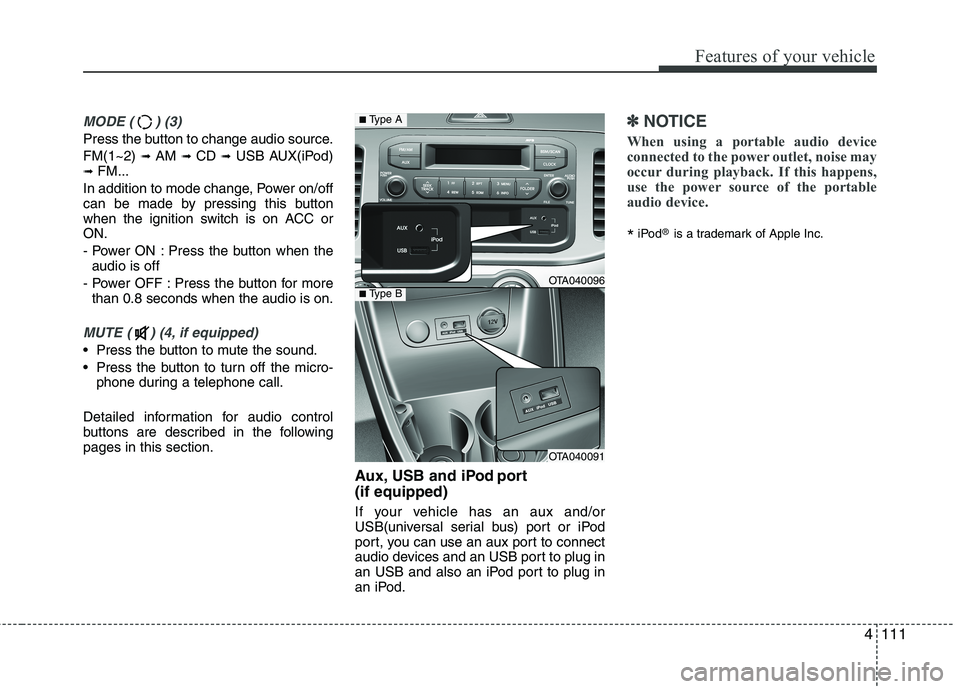
buttons are described in the followingpages in this section. Aux, USB and iPod port (if equipped)
If your vehicle has an aux and/or
USB(universal serial bus) port or iPod
port, you can use an aux port to connect
audio devices and an USB port to plug in
an USB and also an iPod port to plug in
an iPod.
✽✽NOTICE
When using a portable audio device
connected to the power outlet, noise may
occur during playback. If this happens,
use the power source of the portable
audio device.
* iPod
®
is a trademark of Apple Inc.
OTA040096
OTA040091
■Type A
■Type B
Page 201 of 1003
Features of your vehicle
128
4
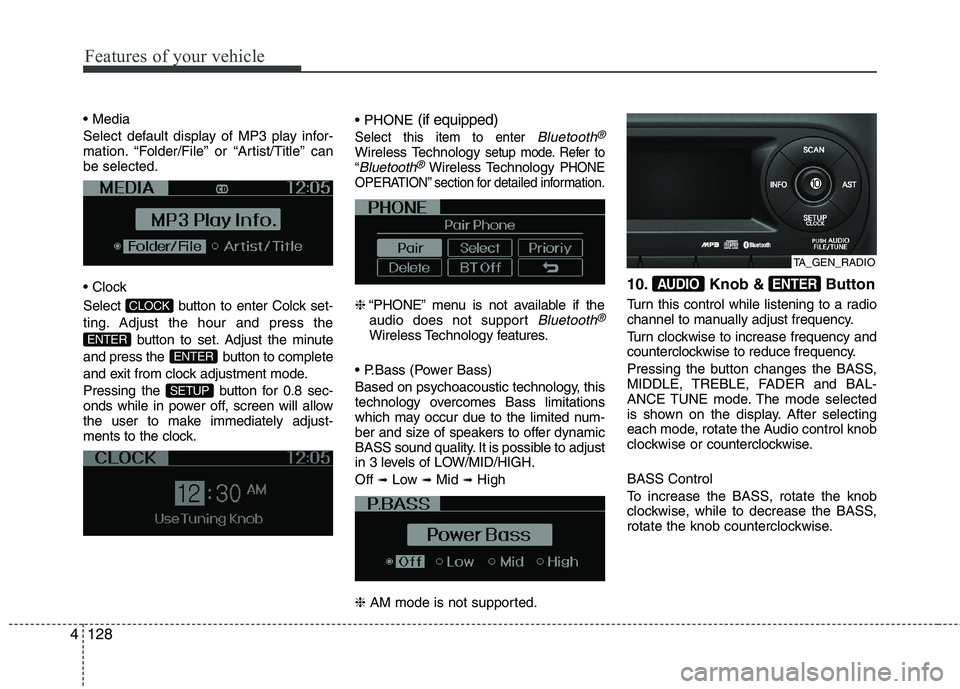
Select default display of MP3 play infor-
mation. “Folder/File” or “Artist/Title” canbe selected.
Select button to enter Colck set-
ting. Adjust the hour and press the
button to set. Adjust the minute
and press the button to complete
and exit from clock adjustment mode.
Pressing the button for 0.8 sec-
onds while in power off, screen will allow
the user to make immediately adjust-
ments to the clock.
(if equipped)
Select this item to enter Bluetooth®
Wireless Technologysetup mode. Refer to
“Bluetooth®Wireless TechnologyPHONE
OPERATION” section for detailed information.
❈ “PHONE” menu is not available if the
audio does not support Bluetooth®
Wireless Technology features.
Based on psychoacoustic technology, this
technology overcomes Bass limitations
which may occur due to the limited num-
ber and size of speakers to offer dynamic
BASS sound quality. It is possible to adjust
in 3 levels of LOW/MID/HIGH. Off ➟
Low ➟Mid ➟High
❈ AM mode is not supported. 10. Knob & Button
Turn this control while listening to a radio
channel to manually adjust frequency.
Turn clockwise to increase frequency and
counterclockwise to reduce frequency.
Pressing the button changes the BASS,
MIDDLE, TREBLE, FADER and BAL-
ANCE TUNE mode. The mode selected
is shown on the display. After selecting
each mode, rotate the Audio control knob
clockwise or
counterclockwise.
BASS Control
To increase the BASS, rotate the knob
clockwise, while to decrease the BASS,
rotate the knob counterclockwise.
ENTERAUDIO
SETUP
ENTER
ENTER
CLOCK
TA_GEN_RADIO
Page 214 of 1003
4141
Features of your vehicle
Before using Bluetooth®Wireless
Technology f eatures, the phone must be
paired (registered) with the audio sys-
tem. Up to 5 phones can be paired withthe system.
NOTE:
The pairing procedure of the phone
varies according to each phone
model. Before attempting to pair
phone, please see your phone’s
User’s Guide for instructions.
Once pairing with the phone is com-
pleted, there is no need to pair with
that phone again unless the phone
is deleted manually from the audio
system (refer “Deleting a Phone”
section) or the vehicle’s information
is removed from the phone.
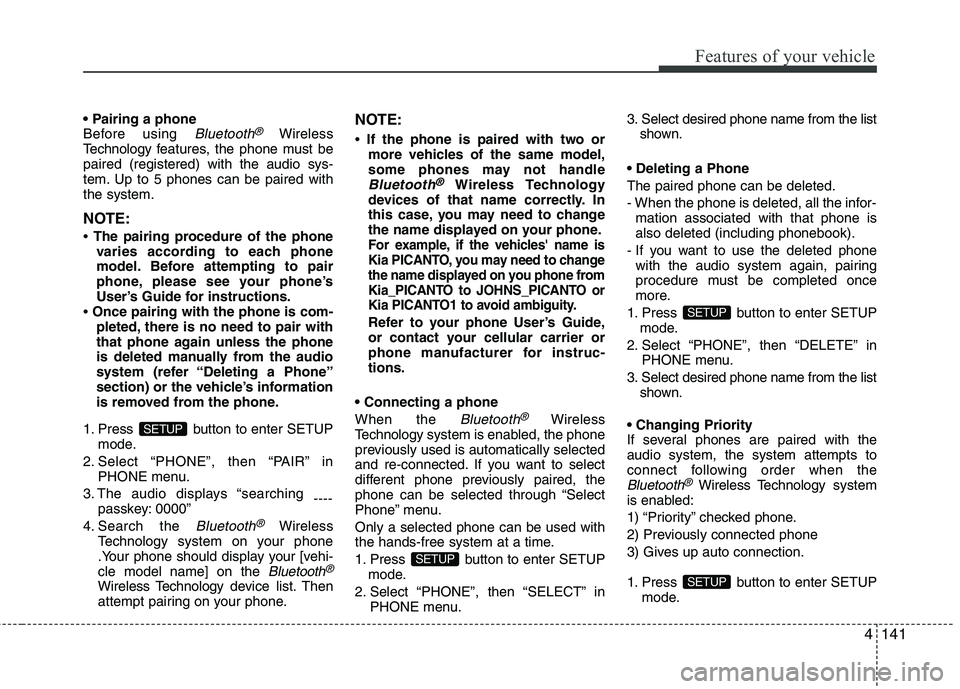
1. Press button to enter SETUP mode.
2. Select “PHONE”, then “PAIR” in PHONE menu.
3. The audio displays “searching ----
passkey: 0000”
4. Search the
Bluetooth®Wireless
Technology system on your phone
.Your phone should display your [vehi-cle model name] on the
Bluetooth®
Wireless Technology de vice list. Then
attempt pairing on your phone. NOTE:
If the phone is paired with two or
more vehicles of the same model,
some phones may not handle
Bluetooth®Wireless Technology
devices of that name correctly. In
this case, you may need to change
the name displayed on your phone.
For example, if the vehicles' name is
Kia PICANTO, you may need to change
the name displayed on you phone from
Kia_PICANTO to JOHNS_PICANTO or
Kia PICANTO1 to avoid ambiguity.
Refer to your phone User’s Guide,
or contact your cellular carrier or
phone manufacturer for instruc-tions.
When the
Bluetooth®Wireless
Technology system is enabled, the phone
previously used is automatically selected
and re-connected. If you want to select
different phone previously paired, the
phone can be selected through “Select
Phone” menu. Only a selected phone can be used with
the hands-free system at a time.
1. Press button to enter SETUP
mode.
2. Select “PHONE”, then “SELECT” in PHONE menu. 3. Select desired phone name from the list
shown.
The paired phone can be deleted.
- When the phone is deleted, all the infor- mation associated with that phone is also deleted (including phonebook).
- If you want to use the deleted phone with the audio system again, pairing
procedure must be completed once
more.
1. Press button to enter SETUP mode.
2. Select “PHONE”, then “DELETE” in PHONE menu.
3. Select desired phone name from the list shown.
If several phones are paired with theaudio system, the system attempts to
connect following order when the
Bluetooth®Wireless Technology system
is enabled:
1) “Priority” checked phone.
2) Previously connected phone
3) Gives up auto connection.
1. Press button to enter SETUP mode.
SETUP
SETUP
SETUP
SETUP
Page 221 of 1003
Features of your vehicle
148
4
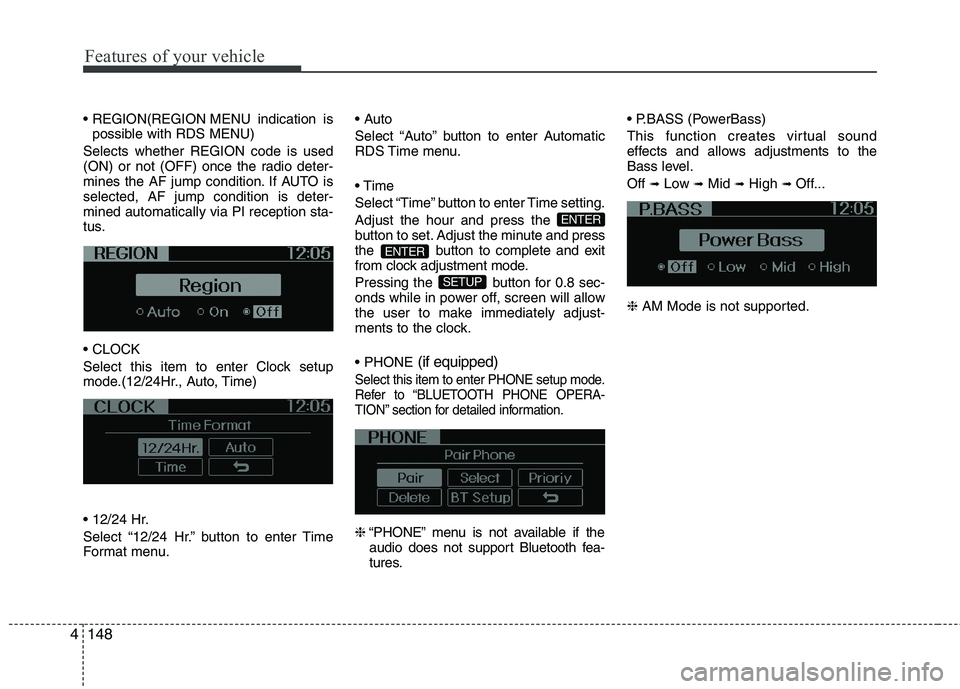
MENU indication is
possible with RDS MENU)
Selects whether REGION code is used
(ON) or not (OFF) once the radio deter-
mines the AF jump condition. If AUTO isselected, AF jump condition is deter-mined automatically via PI reception sta-
tus.
Select this item to enter Clock setup
mode.(12/24Hr., Auto, Time)
Select “12/24 Hr.” button to enter Time
Format menu.
Select “Auto” button to enter Automatic
RDS Time menu.
Select “Time” button to enter Time setting.Adjust the hour and press the
button to set. Adjust the minute
and press
the button to complete and exit
from clock adjustment mode.
Pressing the button for 0.8 sec-
onds while in power off, screen will allow
the user to make immediately adjust-
ments to the clock. (if equipped)
Select this item to enter PHONE setup mode.
Refer to “BLUETOOTH PHONE OPERA-
TION” section for detailed information.
❈
“PHONE” menu is not available if the
audio does not support Bluetooth fea-
tures. (PowerBass)
This function creates virtual sound
effects and allows adjustments to the
Bass level. Off
➟Low ➟Mid ➟High ➟ Off...
❈ AM Mode is not supported.
SETUP
ENTER
ENTER
Page 237 of 1003
Features of your vehicle
164
4
NOTE: Once pairing with the phone is com-
pleted, there is no need to pair with
that phone again unless the phone is
deleted manually from the audio sys-
tem (refer “Deleting Phone” section)
or the vehicle’s information is
removed from the phone.
1. Press button.
2. Say “Set Up”.
- The system replies with availablecommands.
- To skip the information message, press again and then a beep is heard.
3. Say “Pair Phone”
4. Proceed at next step.
5. Say the name of your phone when prompted.
- Use any name to uniquely describe your phone.
- Use Full name to voice tag.
- Not use to short name or similar to voice command.
6. Bluetooth ®
system will repeat the
name you stated.
7. Say “Yes” to confirm.
8. The audio displays “searching ----
passkey: 0000” and asks you to initiate
pairing procedure from the phone. 9. Search the Bluetooth
®
system on your
phone .Your phone should display your
[vehicle model name] on theBluetooth ®
device list. Then attempt
pairing on your phone
10. After Pairing is completed, your phone will start to transfer phone/con-tact list to the audio system.
- This process may take from a few minutes to over 10 minutes depend-
ing on the phone model and number
of entries in the phone/contact list.
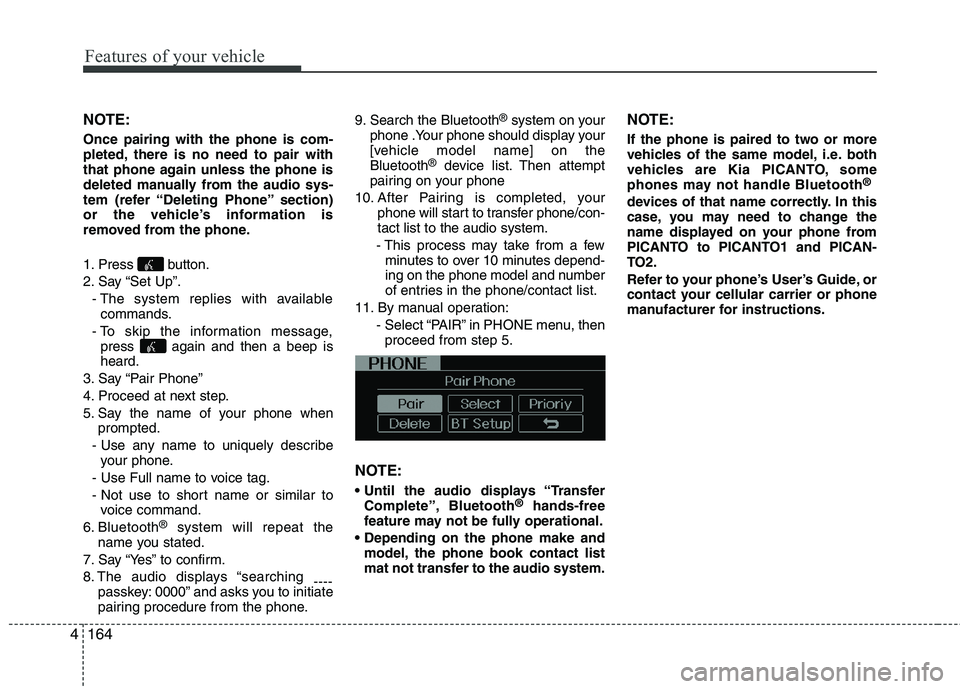
11. By manual operation: - Select “PAIR” in PHONE menu, thenproceed from step 5.
NOTE:
Complete”, Bluetooth ®
hands-free
feature may not be fully operational.
model, the phone book contact list
mat not transfer to the audio system. NOTE:
If the phone is paired to two or more
vehicles of the same model, i.e. both
vehicles are Kia PICANTO, some
phones may not handle Bluetooth
®
devices of that name correctly. In this
case, you may need to change the
name displayed on your phone from
PICANTO to PICANTO1 and PICAN-
TO2.
Refer to your phone’s User’s Guide, or
contact your cellular carrier or phone
manufacturer for instructions.
Page 246 of 1003
53
Driving your vehicle
Before entering vehicle
• Be sure that all windows, outside mir-ror(s), and outside lights are clean.
Check the condition of the tires.
Check under the vehicle for any sign of leaks.
Be sure there are no obstacles behind you if you intend to back up.
Necessary inspections
Fluid levels, such as engine oil, engine
coolant, brake fluid, and washer fluid
should be checked on a regular basis,
with the exact interval depending on the
fluid. Further details are provided in sec-
tion 7, “Maintenance”. Before starting
Close and lock all doors.
Position the seat so that all controls are
easily reached.
Adjust the inside and outside rearview mirrors.
Be sure that all lights work.
Check all gauges.
Check the operation of warning lights when the ignition switch is turned to the ON position.
Release the parking brake and make sure the brake warning light goes out.
For safe operation, be sure you are famil-
iar with your vehicle and its equipment.
BEFORE DRIVING
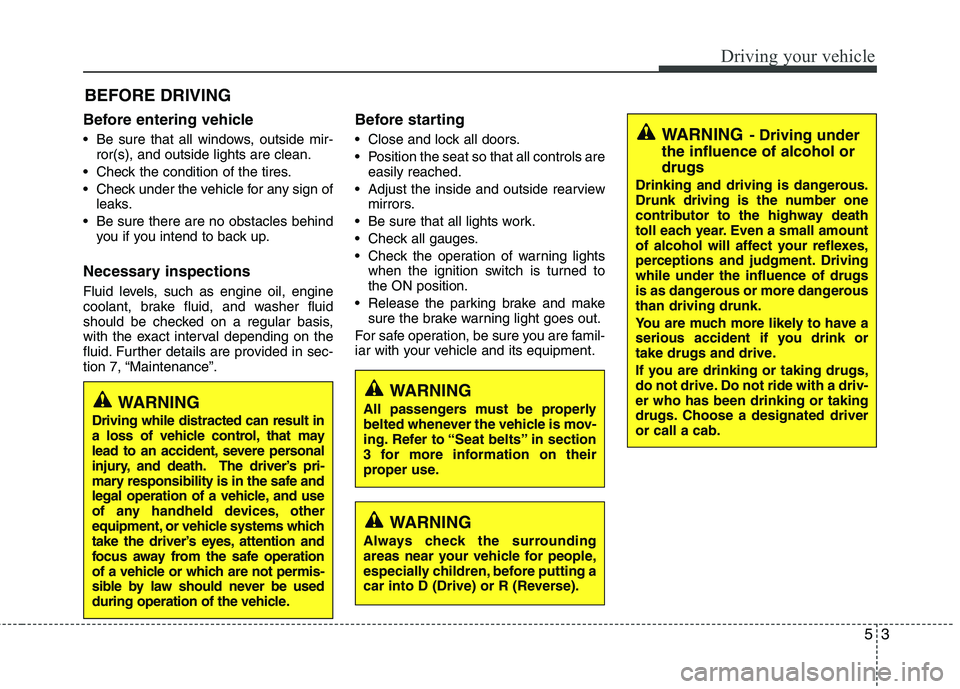
WARNING
All passengers must be properly
belted whenever the vehicle is mov-
ing. Refer to “Seat belts” in section
3 for more information on their
proper use.
WARNING
Always check the surrounding
areas near your vehicle for people,
especially children, before putting a
car into D (Drive) or R (Reverse).
WARNING - Driving under
the influence of alcohol or drugs
Drinking and driving is dangerous.
Drunk driving is the number one
contributor to the highway death
toll each year. Even a small amount
of alcohol will affect your reflexes,
perceptions and judgment. Drivingwhile under the influence of drugs
is as dangerous or more dangerousthan driving drunk.
You are much more likely to have a
serious accident if you drink or
take drugs and drive.
If you are drinking or taking drugs,
do not drive. Do not ride with a driv-er who has been drinking or taking
drugs. Choose a designated driveror call a cab.
WARNING
Driving while distracted can result in
a loss of vehicle control, that may
lead to an accident, severe personal
injury, and death. The driver’s pri-
mary responsibility is in the safe and
legal operation of a vehicle, and use
of any handheld devices, other
equipment, or vehicle systems which
take the driver’s eyes, attention and
focus away from the safe operation
of a vehicle or which are not permis-
sible by law should never be used
during operation of the vehicle.
Page 265 of 1003
Driving your vehicle
22
5
R (Reverse)
Use this position to drive the vehicle
backward. N (Neutral)
The wheels and transaxle are not
engaged. The vehicle will roll freely even
on the slightest incline unless the parking
brake or service brakes are applied.
D (Drive)
This is the normal forward driving posi-
tion. The transaxle will automatically shift
through a 4-gear sequence, providing the
best fuel economy and power.
For extra power when passing another
vehicle or climbing grades, depress the
accelerator fully, at which time the
transaxle will automatically downshift to
the lower gear.
✽✽
NOTICE
Always come to a complete stop before
shifting into D (Drive).
3 (Third gear)
Use for towing a trailer during hill climb-
ing or to use engine braking downhill.
"3" automatically shifts between 1st, 2nd
and 3rd gears. This means that no shift-
up to 4th gear is performed. However, theshift-up to 4th gear is done when the car
speed exceeds a certain value to prevent
the engine from over-revving. Manually
move the selector to "D" when returning
to normal driving condition.
2 (Second gear)
Use for driving on a slippery road, hill
climbing or engine braking downhill. "2"
automatically shifts between first and
second gears. This means that no shift-up to 3rd gear is
performed. However, the shift-up to thirdgear is done when the car speed
exceeds a certain value to prevent the
engine from over-revving. Manually move
the selector to "D" returning to normal
driving condition.
CAUTION
Always come to a complete stop before shifting into or out of R(Reverse); you may damage thetransaxle if you shift into R(Reverse) while the vehicle is in
motion, except as explained in“Rocking the vehicle” in this section.
Page 281 of 1003
Driving your vehicle
38
5
Your vehicle's fuel economy depends
mainly on your style of driving, where you
drive and when you drive.
Each of these factors affects how many
kilometers (miles) you can get from a
liter (gallon) of fuel. To operate your vehi-
cle as economically as possible, use the
following driving suggestions to help
save money in both fuel and repairs:
Drive smoothly. Accelerate at a moder-
ate rate. Don't make "jack-rabbit" startsor full-throttle shifts and maintain a
steady cruising speed. Don't race
between stoplights. Try to adjust your
speed to the traffic so you don't have to
change speeds unnecessarily. Avoid
heavy traffic whenever possible.
Always maintain a safe distance from
other vehicles so you can avoid unnec-
essary braking. This also reduces
brake wear.
Drive at a moderate speed. The faster you drive, the more fuel your vehicle
uses. Driving at a moderate speed,
especially on the highway, is one of the
most effective ways to reduce fuel con-sumption. Don't "ride" the brake pedal. This can
increase fuel consumption and also
increase wear on these components.
In addition, driving with your foot rest-
ing on the brake pedal may cause the
brakes to overheat, which reduces
their effectiveness and may lead to
more serious consequences.
Take care of your tires. Keep them inflated to the recommended pressure.
Incorrect inflation, either too much or
too little, results in unnecessary tire
wear. Check the tire pressures at leastonce a month.
Be sure that the wheels are aligned correctly. Improper alignment can
result from hitting curbs or driving too
fast over irregular surfaces. Poor align-
ment causes faster tire wear and may
also result in other problems as well as
greater fuel consumption. Keep your car in good condition. For
better fuel economy and reduced
maintenance costs, maintain your carin accordance with the maintenance
schedule in section 7. If you drive your
car in severe conditions, more frequentmaintenance is required (see section 7
for details).
Keep your car clean. For maximum serv- ice, your vehicle should be kept clean
and free of corrosive materials. It is
especially important that mud, dirt, ice,
etc. not be allowed to accumulate on the
underside of the car. This extra weightcan result in increased fuel consumption
and also contribute to corrosion.
Travel lightly. Don't carry unnecessary weight in your car. Weight reduces fuel
economy.
Don't let the engine idle longer than necessary. If you are waiting (and not
in traffic), turn off your engine and
restart only when you're ready to go.
ECONOMICAL OPERATION
Page 286 of 1003
543
Driving your vehicle
Driving in flooded areas
Avoid driving through flooded areas
unless you are sure the water is no high-
er than the bottom of the wheel hub.
Drive through any water slowly. Allowadequate stopping distance because
brake performance may be affected.
After driving through water, dry the
brakes by gently applying them several
times while the vehicle is moving slowly.
Driving off-road
Drive carefully off-road because your
vehicle may be damaged by rocks or
roots of trees. Become familiar with the
off-road conditions where you are going
to drive before you begin driving.Highway driving
Tires
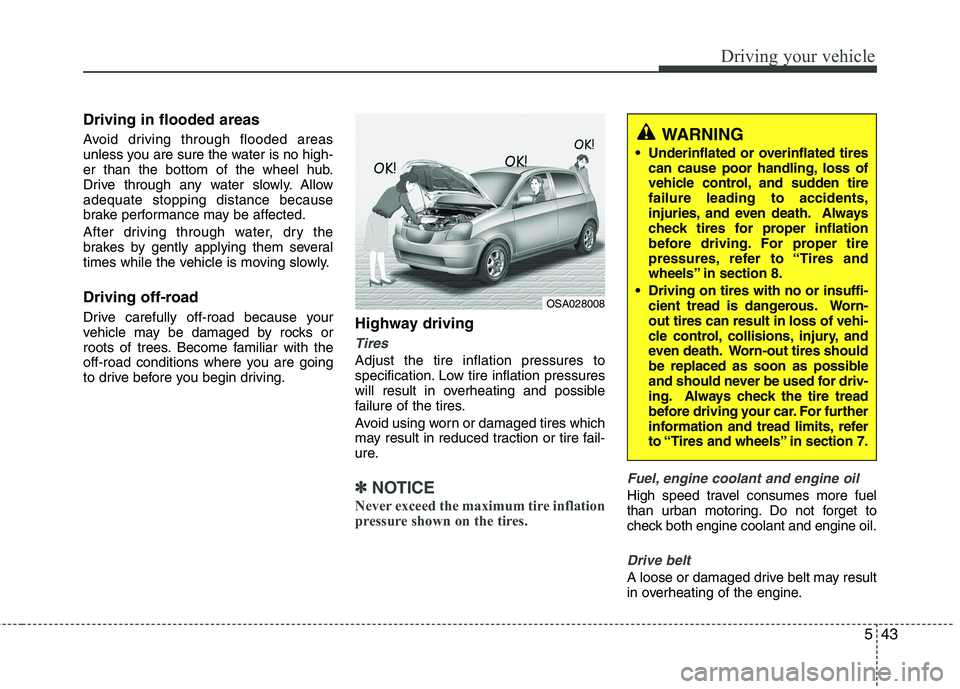
Adjust the tire inflation pressures to
specification. Low tire inflation pressures
will result in overheating and possible
failure of the tires.
Avoid using worn or damaged tires which
may result in reduced traction or tire fail-
ure.
✽✽
NOTICE
Never exceed the maximum tire inflation
pressure shown on the tires.Fuel, engine coolant and engine oil
High speed travel consumes more fuel
than urban motoring. Do not forget to
check both engine coolant and engine oil.
Drive belt
A loose or damaged drive belt may result
in overheating of the engine.
WARNING
Underinflated or overinflated tires can cause poor handling, loss of
vehicle control, and sudden tirefailure leading to accidents,
injuries, and even death. Always
check tires for proper inflation
before driving. For proper tire
pressures, refer to “Tires and
wheels” in section 8.
Driving on tires with no or insuffi- cient tread is dangerous. Worn-out tires can result in loss of vehi-
cle control, collisions, injury, and
even death. Worn-out tires should
be replaced as soon as possible
and should never be used for driv-
ing. Always check the tire tread
before driving your car. For further
information and tread limits, refer
to “Tires and wheels” in section 7.
OSA028008