phone KIA PICANTO 2014 Service Manual
[x] Cancel search | Manufacturer: KIA, Model Year: 2014, Model line: PICANTO, Model: KIA PICANTO 2014Pages: 1003, PDF Size: 44.67 MB
Page 618 of 1003
Features of your vehicle
126
4
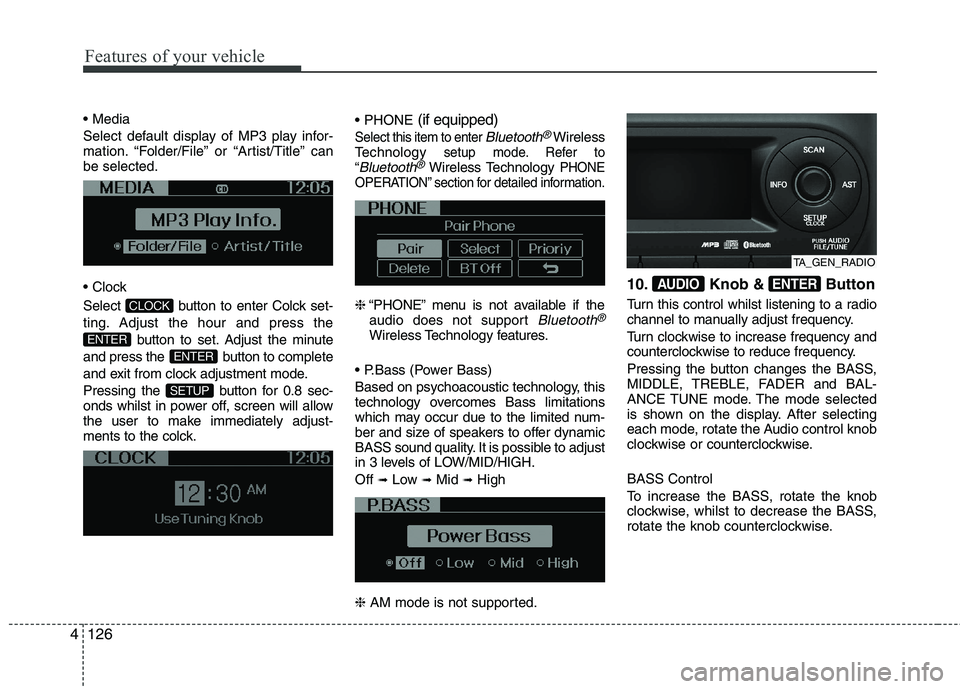
Select default display of MP3 play infor-
mation. “Folder/File” or “Artist/Title” canbe selected.
Select button to enter Colck set-
ting. Adjust the hour and press the
button to set. Adjust the minute
and press the button to complete
and exit from clock adjustment mode.
Pressing the button for 0.8 sec-
onds whilst in power off, screen will allow
the user to make immediately adjust-
ments to the colck.
(if equipped)
Select this item to enter Bluetooth®Wireless
Technologysetup mode. Refer to
“Bluetooth®Wireless TechnologyPHONE
OPERATION” section for detailed information.
❈ “PHONE” menu is not available if the
audio does not support Bluetooth®
Wireless Technology features.
Based on psychoacoustic technology, this
technology overcomes Bass limitations
which may occur due to the limited num-
ber and size of speakers to offer dynamic
BASS sound quality. It is possible to adjust
in 3 levels of LOW/MID/HIGH. Off ➟
Low ➟Mid ➟High
❈ AM mode is not supported. 10. Knob & Button
Turn this control whilst listening to a radio
channel to manually adjust frequency.
Turn clockwise to increase frequency and
counterclockwise to reduce frequency.
Pressing the button changes the BASS,
MIDDLE, TREBLE, FADER and BAL-
ANCE TUNE mode. The mode selected
is shown on the display. After selecting
each mode, rotate the Audio control knob
clockwise or
counterclockwise.
BASS Control
To increase the BASS, rotate the knob
clockwise, whilst to decrease the BASS,
rotate the knob counterclockwise.
ENTERAUDIO
SETUP
ENTER
ENTER
CLOCK
TA_GEN_RADIO
Page 623 of 1003
4131
Features of your vehicle
(Continued) If the USB device is divided by logical drives, only the music fileson the highest-priority drive arerecognized by car audio.
Devices such as MP3 Player/ Mobile phone/Digital camera canbe unrecognizable by standardUSB I/F can be unrecognizable.
Charging through the USB may not be supported in some mobiledevices.
❋ A car exclusive cable (Provided orsold separately : USB / AUX detach-able cable only) is required to use
the iPod.
Some non-standard USB devices
(METAL COVER TYPE USB) can beunrecognizable.
Some USB flash memory readers (such as CF, SD, microSD, etc.) orexternal-HDD type devices can beunrecognizable.
Music files protected by DRM (DIGITAL RIGHTS MANAGEMENT)are not recognizable.
(Continued)
(Continued) The data in the USB memory may be lost whilst using this audio.Always back up important data on
a personal storage device.
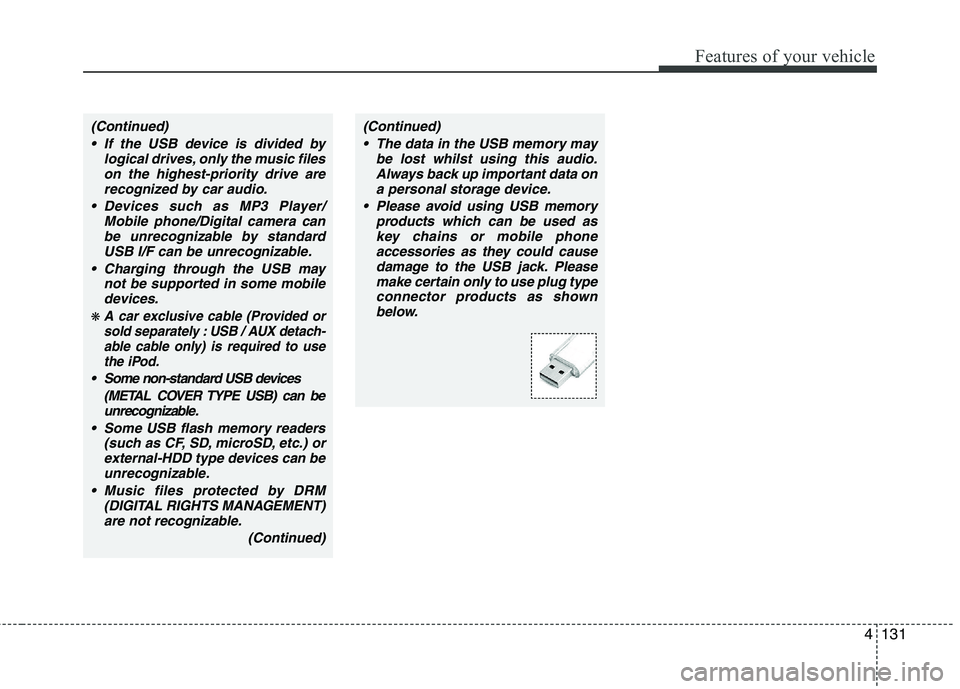
Please avoid using USB memory products which can be used askey chains or mobile phone
accessories as they could causedamage to the USB jack. Please make certain only to use plug typeconnector products as shown
below.
Page 626 of 1003
Features of your vehicle
134
4
CAUTION IN USING THE
iPod DEVICE
The Kia iPod Power Cable is needed in order to operate iPodwith the audio buttons on the audio system. The USB cable pro-
vided by Apple may cause mal-function and should not be usedfor Kia vehicles.
❋ The Kia iPod Power Cable maybe purchased through your KiaDealership.
When connecting iPod with the iPod Power Cable, insert the con-
nector to the multimedia socket completely. If not inserted com-pletely, communications betweeniPod and audio may be interrupted.
When adjusting the sound effects of the iPod and the audio system, thesound effects of both devices willoverlap and might reduce or distort the quality of the sound.
Deactivate (turn off) the equalizer function of an iPod when adjust-ing the audio system’s volume,and turn off the equalizer of the
audio system when using theequalizer of an iPod.
(Continued)
(Continued) When the iPod cable is connected, the system can be switched to AUXmode even without iPod deviceand may cause noise. Disconnect
the iPod cable when you are not using the iPod device.
When not using iPod with car audio, detach the iPod cable from
iPod. Otherwise, iPod may remainin accessory mode, and may not work properly.
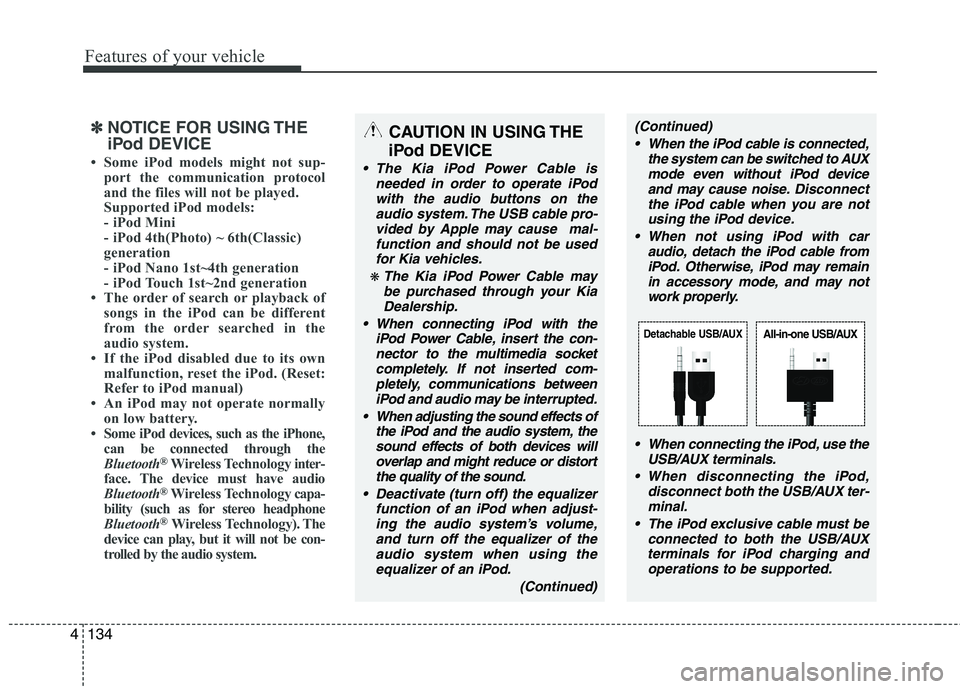
When connecting the iPod, use theUSB/AUX terminals.
When disconnecting the iPod, disconnect both the USB/AUX ter-minal.
The iPod exclusive cable must be connected to both the USB/AUXterminals for iPod charging and
operations to be supported.
Detachable USB/AUXAll-in-one USB/AUX
✽✽ NOTICE FOR USING THE
iPod DEVICE
Some iPod models might not sup- port the communication protocol
and the files will not be played.
Supported iPod models:
- iPod Mini
- iPod 4th(Photo) ~ 6th(Classic)
generation
- iPod Nano 1st~4th generation
- iPod Touch 1st~2nd generation
The order of search or playback of songs in the iPod can be different
from the order searched in the
audio system.
If the iPod disabled due to its own malfunction, reset the iPod. (Reset:
Refer to iPod manual)
An iPod may not operate normally
on low battery.
Some iPod devices, such as the iPhone,
can be connected through the
Bluetooth ®
Wireless Technology inter-
face. The device must have audio
Bluetooth ®
Wireless Technology capa-
bility (such as for stereo headphone
Bluetooth ®
Wireless Technology). The
device can play, but it will not be con-
trolled by the audio system.
Page 629 of 1003
4137
Features of your vehicle
(continued) If the mobile phone signal is poor or the vehicles interior noise istoo loud, it may be difficult to hearthe other person’s voice during a
call.
Do not place the phone near or inside metallic objects, otherwise
communications with Bluetooth
®
Wireless Technology system ormobile service stations can be disturbed.
While a phone is connected through Bluetooth
®your phone
may discharge quicker than usual for additional Bluetooth
®-related
operations.
Some mobile phones or other devices may cause interferencenoise or malfunction to audio
system. In this case, store thedevice in a different location mayresolve the situation.
Please save your phone name in English, or your phone name may
not be displayed correctly.
CAUTION IN USING
Bluetooth®Wireless
Technology MOBILE PHONE
Do not use a mobile phone or per- form Bluetooth®Wireless
Technology settings (e.g. pairing
a phone) whilst driving.
Some Bluetooth
®Wireless
Technology-enab led phones may
not be recognized by the system or fully compatible with the sys-tem.
Before using Bluetooth
®Wireless
Technology related features of the audio system, refer yourphone’s User’s Manual for phone-side Bluetooth
®Wireless
Technology operations.
The phone must be paired to the audio system to use Bluetooth®
Wireless Technologyrelated fea-
tures.
You will not be able to use the
hands-free feature when yourphone (in the car) is outside of
the mobile service area (e.g. in atunnel, in a underground, in amountainous area, etc.).
(Continued)
Page 630 of 1003
Features of your vehicle
138
4
BLUETOOTH®WIRELESS
TECHNOLOGY PHONE OPERA-
TION (if equipped)
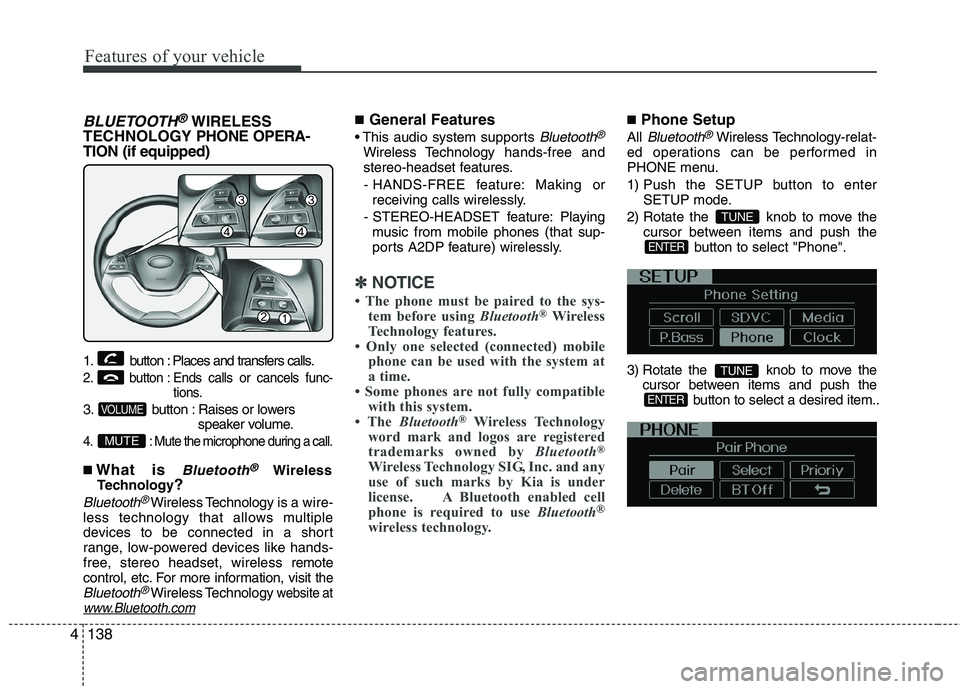
1. button : Places and transfers calls.
2. button : Ends calls or cancels func- tions.
3. button : Raises or lowers speaker volume.
4. : Mute the microphone during a call.
■What is Bluetooth®Wireless
Technology ?
Bluetooth®Wireless Technology is a wire-
less technology that allows multiple
devices to be connected in a short
range, low-powered devices like hands-
free, stereo headset, wireless r emote
control, etc. For more information, visit
theBluetooth®Wireless Technologywebsite atwww.Bluetooth.com
■ General Features
Bluetooth®
Wireless Technology hands-free and
stereo-headset features.
- HANDS-FREE feature: Making or receiving calls wirelessly.
- STEREO-HEADSET feature: Playing music from mobile phones (that sup-
ports A2DP feature) wirelessly.
✽✽ NOTICE
The phone must be paired to the sys- tem before using Bluetooth®
Wireless
Technology features.
Only one selected (connected) mobile
phone can be used with the system at
a time.
Some phones are not fully compatible with this system.
The Bluetooth ®
Wireless Technology
word mark and logos are registered
trademarks owned by Bluetooth®
Wireless Technology SIG, Inc. and any
use of such marks by Kia is under
license. A Bluetooth enabled cell
phone is required to use Bluetooth®
wireless technology.
■ Phone Setup
All
Bluetooth®Wireless Technology -relat-
ed operations can be performed in
PHONE menu.
1) Push the SETUP button to enter SETUP mode.
2) Rotate the knob to move the cursor between items and push the button to select "Phone".
3) Rotate the knob to move the cursor between items and push the button to select a desired item..
ENTER
TUNE
ENTER
TUNE
MUTE
VOLUME
Page 631 of 1003
4139
Features of your vehicle
Before using Bluetooth®Wireless
Technology f eatures, the phone must be
paired (registered) with the audio sys-
tem. Up to 5 phones can be paired withthe system.
NOTE:
The pairing procedure of the phone
varies according to each phone
model. Before attempting to pair
phone, please see your phone’s
User’s Guide for instructions.
Once pairing with the phone is com-
pleted, there is no need to pair with
that phone again unless the phone
is deleted manually from the audio
system (refer “Deleting a Phone”
section) or the vehicle’s information
is removed from the phone.
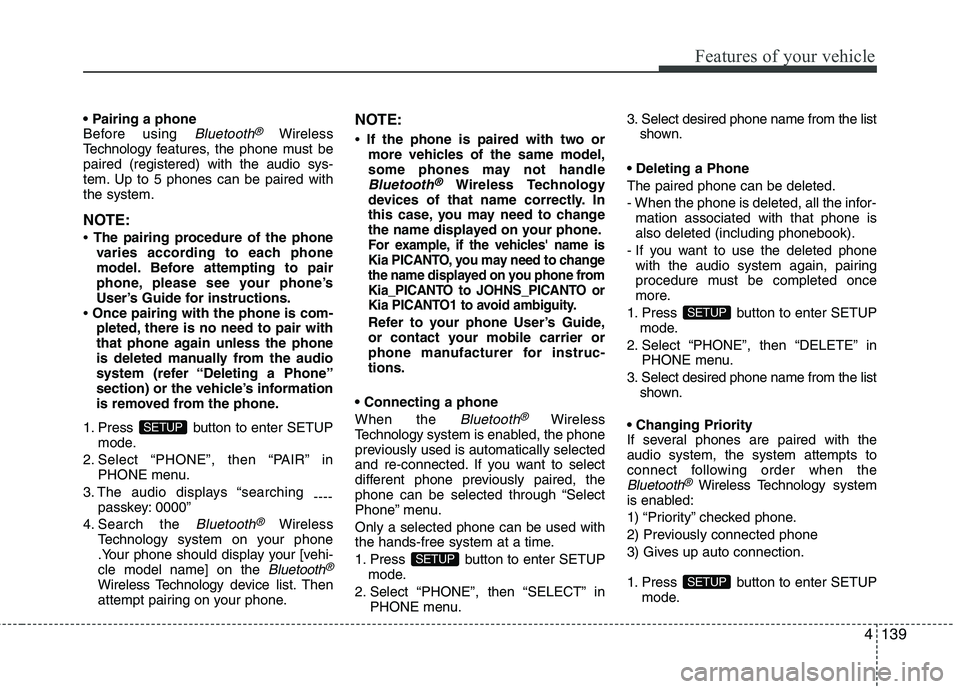
1. Press button to enter SETUP mode.
2. Select “PHONE”, then “PAIR” in PHONE menu.
3. The audio displays “searching ----
passkey: 0000”
4. Search the
Bluetooth®Wireless
Technology system on your phone
.Your phone should display your [vehi-cle model name] on the
Bluetooth®
Wireless Technology de vice list. Then
attempt pairing on your phone. NOTE:
If the phone is paired with two or
more vehicles of the same model,
some phones may not handle
Bluetooth®Wireless Technology
devices of that name correctly. In
this case, you may need to change
the name displayed on your phone.
For example, if the vehicles' name is
Kia PICANTO, you may need to change
the name displayed on you phone from
Kia_PICANTO to JOHNS_PICANTO or
Kia PICANTO1 to avoid ambiguity.
Refer to your phone User’s Guide,
or contact your mobile carrier or
phone manufacturer for instruc-tions.
When the
Bluetooth®Wireless
Technology system is enabled, the phone
previously used is automatically selected
and re-connected. If you want to select
different phone previously paired, the
phone can be selected through “Select
Phone” menu. Only a selected phone can be used with
the hands-free system at a time.
1. Press button to enter SETUP
mode.
2. Select “PHONE”, then “SELECT” in PHONE menu. 3. Select desired phone name from the list
shown.
The paired phone can be deleted.
- When the phone is deleted, all the infor- mation associated with that phone is also deleted (including phonebook).
- If you want to use the deleted phone with the audio system again, pairing
procedure must be completed once
more.
1. Press button to enter SETUP mode.
2. Select “PHONE”, then “DELETE” in PHONE menu.
3. Select desired phone name from the list shown.
If several phones are paired with theaudio system, the system attempts to
connect following order when the
Bluetooth®Wireless Technology system
is enabled:
1) “Priority” checked phone.
2) Previously connected phone
3) Gives up auto connection.
1. Press button to enter SETUP mode.
SETUP
SETUP
SETUP
SETUP
Page 632 of 1003
Features of your vehicle
140
4
2. Select “PHONE”, then “PRIORITY” in
PHONE menu.
3. Select desired phone name from the list shown.
Bluetooth®Wireless
Technology Volume
Bluetooth®Wireless Technology system
volume can be adjusted separately from
main volume of the audio system.
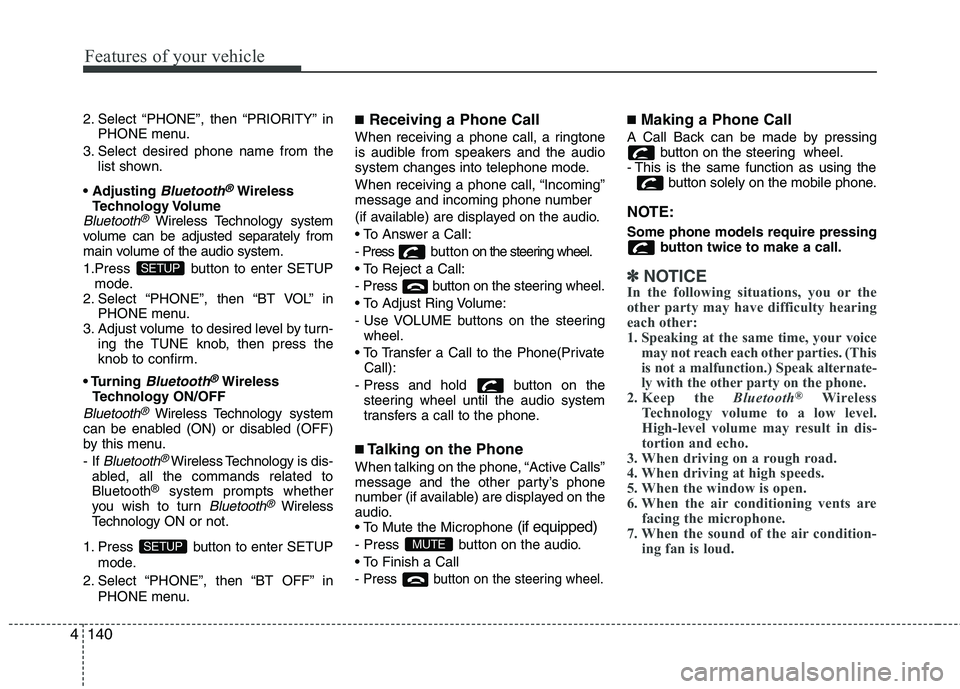
1.Press button to enter SETUP mode.
2. Select “PHONE”, then “BT VOL” in PHONE menu.
3. Adjust volume to desired level by turn- ing the TUNE knob, then press the
knob to confirm.
Bluetooth®Wireless
Technology ON/OFF
Bluetooth®Wireless Technology system
can be enabled (ON) or disabled (OFF)
by this menu. - If
Bluetooth®Wireless Technology is dis-
abled, all the commands related to Bluetooth ®
system prompts whether
you wish to turn
Bluetooth®Wireless
Technology ON or not.
1. Press button to enter SETUP mode.
2. Select “PHONE”, then “BT OFF” in PHONE menu. ■
Receiving a Phone Call
When receiving a phone call, a ringtone
is audible from speakers and the audio
system changes into telephone mode.
When receiving a phone call, “Incoming”
message and incoming phone number
(if available) are displayed on the audio.
- Press bu t t o n on the steering wheel.
- Press button on the steering wheel.
- Use VOLUME buttons on the steering wheel.
Call):
- Press and hold button on the steering wheel until the audio system
transfers a call to the phone.
■ Talking on the Phone
When talking on the phone, “Active Calls”
message and the other party’s phone
number (if available) are displayed on the
audio.
(if equipped)
- Press button on the audio.
- Press button on the steering wheel.
■ Making a Phone Call
A Call Back can be made by pressing button on the steering wheel.
- This is the same function as using the button solely on the mobile phone.
NOTE: Some phone models require pressing button twice to make a call.
✽✽NOTICE
In the following situations, you or the
other party may have difficulty hearing
each other:
1. Speaking at the same time, your voice may not reach each other parties. (This
is not a malfunction.) Speak alternate-
ly with the other party on the phone.
2. Keep the Bluetooth®
Wireless
Technology volume to a low level.
High-level volume may result in dis-
tortion and echo.
3. When driving on a rough road.
4. When driving at high speeds.
5. When the window is open.
6. When the air conditioning vents are facing the microphone.
7. When the sound of the air condition-
ing fan is loud.
MUTESETUP
SETUP
Page 633 of 1003
4141
Features of your vehicle
■Using the head unit as Bluetooth®
Wireless Technology music
This audio system supports A2DP (Audio
Advanced Distribution Profile) and
AVRCP(Audio Video Remote ControlProfile).
Both profiles are available for listening to
the MP3 music via
Bluetooth®Wireless
Technology mobile phone supporting
above
Bluetooth®Wireless Technology
profiles.
To play MP3 music from the
Bluetooth®
Wireless Technology mobile phone, press
the button until “MP3 Play” is
displayed on the LCD.
Then try playing music by phone.
When playing music from the
Bluetooth®
Wireless Technology mobile phone, the
head unit displays MP3 MODE. NOTE:
all the sounds that the phone supports can be
heard by the audio system.
The
Bluetooth®Wireless Technology
mobile phones shall feature A2DP
and AVRCP functions.
Bluetooth®
Wireless Technology mobile phones
may not play music through the head
unit on first try. Please try the below;
i.e : Menu ➟Filemanager ➟Music ➟
Option ➟Play via Bluetooth
phone for more.
To stop music, try stop playing
music from the phone then change
the audio mode to other than “MP3
Play” mode (e.g. FM, AM, CD, etc.)
AUX
Page 638 of 1003
Features of your vehicle
146
4
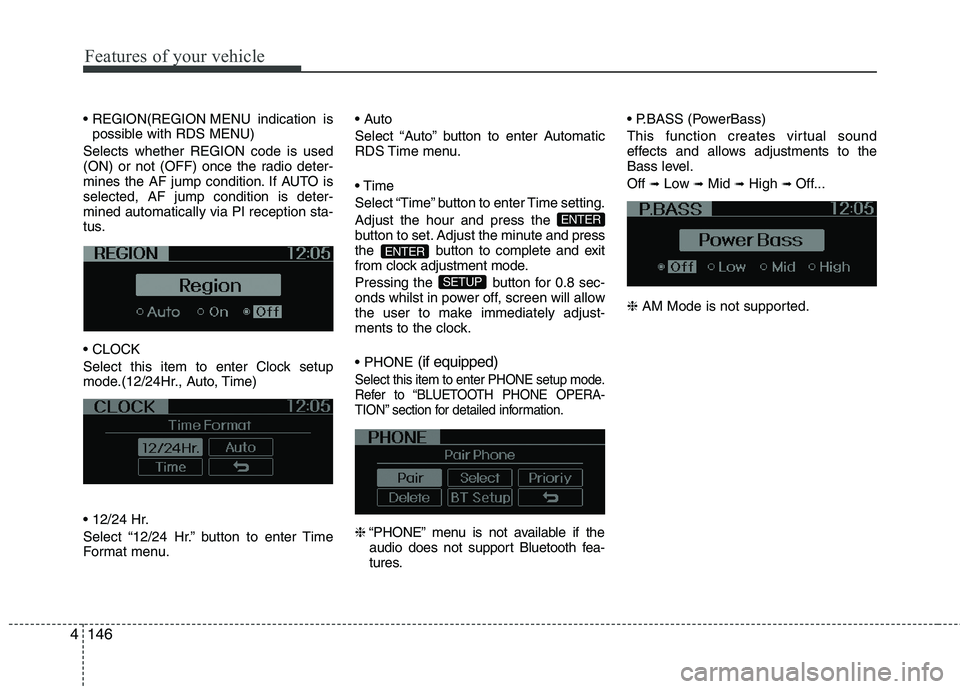
MENU indication is
possible with RDS MENU)
Selects whether REGION code is used
(ON) or not (OFF) once the radio deter-
mines the AF jump condition. If AUTO isselected, AF jump condition is deter-mined automatically via PI reception sta-
tus.
Select this item to enter Clock setup
mode.(12/24Hr., Auto, Time)
Select “12/24 Hr.” button to enter Time
Format menu.
Select “Auto” button to enter Automatic
RDS Time menu.
Select “Time” button to enter Time setting.Adjust the hour and press the
button to set. Adjust the minute
and press
the button to complete and exit
from clock adjustment mode.
Pressing the button for 0.8 sec-
onds whilst in power off, screen will allow
the user to make immediately adjust-
ments to the clock. (if equipped)
Select this item to enter PHONE setup mode.
Refer to “BLUETOOTH PHONE OPERA-
TION” section for detailed information.
❈
“PHONE” menu is not available if the
audio does not support Bluetooth fea-
tures. (PowerBass)
This function creates virtual sound
effects and allows adjustments to the
Bass level. Off
➟Low ➟Mid ➟High ➟ Off...
❈ AM Mode is not supported.
SETUP
ENTER
ENTER
Page 644 of 1003
Features of your vehicle
152
4
(Continued)
If the USB device is divided by logical drives, only the music fileson the highest-priority drive arerecognized by car audio.
Devices such as MP3 Player/ Mobile phone/Digital camera canbe unrecognizable by standardUSB I/F can be unrecognizable.
Charging through the USB may not be supported in some mobiledevices.
❋ A car exclusive cable is requiredto use the iPod.
Some non-standard USB devices (METAL COVER TYPE USB) can beunrecognizable.
Some USB flash memory readers (such as CF, SD, microSD, etc.) orexternal-HDD type devices can be unrecognizable.
Music files protected by DRM (DIGITAL RIGHTS MANAGEMENT)are not recognizable.
The data in the USB memory may be lost whilst using this audio.Always back up important data on
a personal storage device.
(Continued)
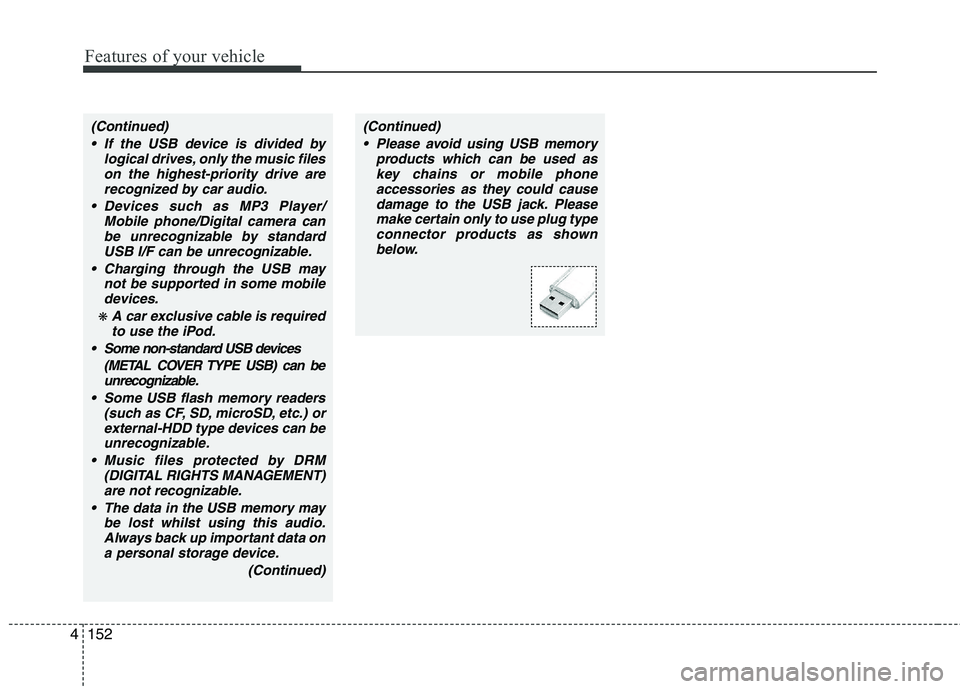
(Continued) Please avoid using USB memory products which can be used askey chains or mobile phone
accessories as they could causedamage to the USB jack. Pleasemake certain only to use plug type
connector products as shown below.