pairing KIA PICANTO 2015 Owners Manual
[x] Cancel search | Manufacturer: KIA, Model Year: 2015, Model line: PICANTO, Model: KIA PICANTO 2015Pages: 846, PDF Size: 49.67 MB
Page 212 of 846
4139
Features of your vehicle
(continued) If the cellular phone signal is poor or the vehicles interior noise istoo loud, it may be difficult to hearthe other person’s voice during a
call.
Do not place the phone near or inside metallic objects, otherwise
communications with Bluetooth
®
Wireless Technology system orcellular service stations can be disturbed.
While a phone is connected through Bluetooth
®Wireless
Technology your phone may dis- charge quicker than usual for
additional Bluetooth
®Wireless
Technology-related operations.
Some cellular phones or other devices may cause interferencenoise or malfunction to audio
system. In this case, store thedevice in a different location mayresolve the situation.
Please save your phone name in English, or your phone name may
not be displayed correctly.
CAUTION IN USING
BLUETOOTH®WIRELESS
TECHNOLOGY CELLULAR PHONE
Do not use a cellular phone or perform Bluetooth®Wireless
Technology settings (e.g. pairing
a phone) while driving.
Some Bluetooth
®Wireless
Technology-enab led phones may
not be recognized by the system or fully compatible with the sys-tem.
Before using Bluetooth
®Wireless
Technology related features of the audio system, refer yourphone’s User’s Manual for phone-side Bluetooth
®Wireless
Technology operations.
The phone must be paired to the audio system to use Bluetooth®
Wireless Technologyrelated fea-
tures.
You will not be able to use the
hands-free feature when yourphone (in the car) is outside of
the cellular service area (e.g. in atunnel, in a underground, in amountainous area, etc.).
(Continued)
Page 214 of 846
4141
Features of your vehicle
Before using Bluetooth®Wireless
Technology f eatures, the phone must be
paired (registered) with the audio sys-
tem. Up to 5 phones can be paired withthe system.
NOTE:
The pairing procedure of the phone
varies according to each phone
model. Before attempting to pair
phone, please see your phone’s
User’s Guide for instructions.
Once pairing with the phone is com-
pleted, there is no need to pair with
that phone again unless the phone
is deleted manually from the audio
system (refer “Deleting a Phone”
section) or the vehicle’s information
is removed from the phone.
1. Press button to enter SETUP mode.
2. Select “PHONE”, then “PAIR” in PHONE menu.
3. The audio displays “searching ----
passkey: 0000”
4. Search the
Bluetooth®Wireless
Technology system on your phone
.Your phone should display your [vehi-cle model name] on the
Bluetooth®
Wireless Technology de vice list. Then
attempt pairing on your phone. NOTE:
If the phone is paired with two or
more vehicles of the same model,
some phones may not handle
Bluetooth®Wireless Technology
devices of that name correctly. In
this case, you may need to change
the name displayed on your phone.
For example, if the vehicles' name is
Kia PICANTO, you may need to change
the name displayed on you phone from
Kia_PICANTO to JOHNS_PICANTO or
Kia PICANTO1 to avoid ambiguity.
Refer to your phone User’s Guide,
or contact your cellular carrier or
phone manufacturer for instruc-tions.
When the
Bluetooth®Wireless
Technology system is enabled, the phone
previously used is automatically selected
and re-connected. If you want to select
different phone previously paired, the
phone can be selected through “Select
Phone” menu. Only a selected phone can be used with
the hands-free system at a time.
1. Press button to enter SETUP
mode.
2. Select “PHONE”, then “SELECT” in PHONE menu. 3. Select desired phone name from the list
shown.
The paired phone can be deleted.
- When the phone is deleted, all the infor- mation associated with that phone is also deleted (including phonebook).
- If you want to use the deleted phone with the audio system again, pairing
procedure must be completed once
more.
1. Press button to enter SETUP mode.
2. Select “PHONE”, then “DELETE” in PHONE menu.
3. Select desired phone name from the list shown.
If several phones are paired with theaudio system, the system attempts to
connect following order when the
Bluetooth®Wireless Technology system
is enabled:
1) “Priority” checked phone.
2) Previously connected phone
3) Gives up auto connection.
1. Press button to enter SETUP mode.
SETUP
SETUP
SETUP
SETUP
Page 233 of 846
Features of your vehicle
160
4
CAUTION IN USING
BLUETOOTH ®
CELLULAR
PHONE
Do not use a cellular phone or perform Bluetooth®settings (e.g.
pairing a phone) while driving.
Some Bluetooth
®-enabled phones
may not be recognized by the system or fully compatible withthe system.
Before using Bluetooth
®related
features of the audio system, refer your phone’s User’s Manual for phone-side Bluetooth
®opera-
tions.
The phone must be paired to the audio system to use Bluetooth®
related features.
You will not be able to use the
hands-free feature when yourphone (in the car) is outside of
the cellular service area (e.g. in atunnel, in a underground, in a mountainous area, etc.).
If the cellular phone signal is poor or the vehicles interior noise is
too loud, it may be difficult to hearthe other person’s voice during a call.
(Continued)
(continued) Do not place the phone near or inside metallic objects, otherwise
communications with Bluetooth
®
system or cellular service sta-tions can be disturbed.
While a phone is connected through Bluetooth
®your phone
may discharge quicker than usual for additional Bluetooth
®-related
operations.
Some cellular phones or other devices may cause interferencenoise or malfunction to audio
system. In this case, store thedevice in a different location mayresolve the situation.
Please save your phone name in English, or your phone name may
not be displayed correctly.
Page 236 of 846
4163
Features of your vehicle
■Voice Operation Tip
To get the best performance out of the
Voice Recognition System, observe the
followings:
- Keep the interior of the vehicle as quiet as possible. Close the window to elim-
inate surrounding noise (traffic noise,
vibration sounds, etc), which may dis-
turb recognizing the voice command
correctly.
- Speak a command after a beep sound within 5 seconds. Otherwise the com-
mand will not be received properly.
- Speak in a natural voice without paus- ing between words.
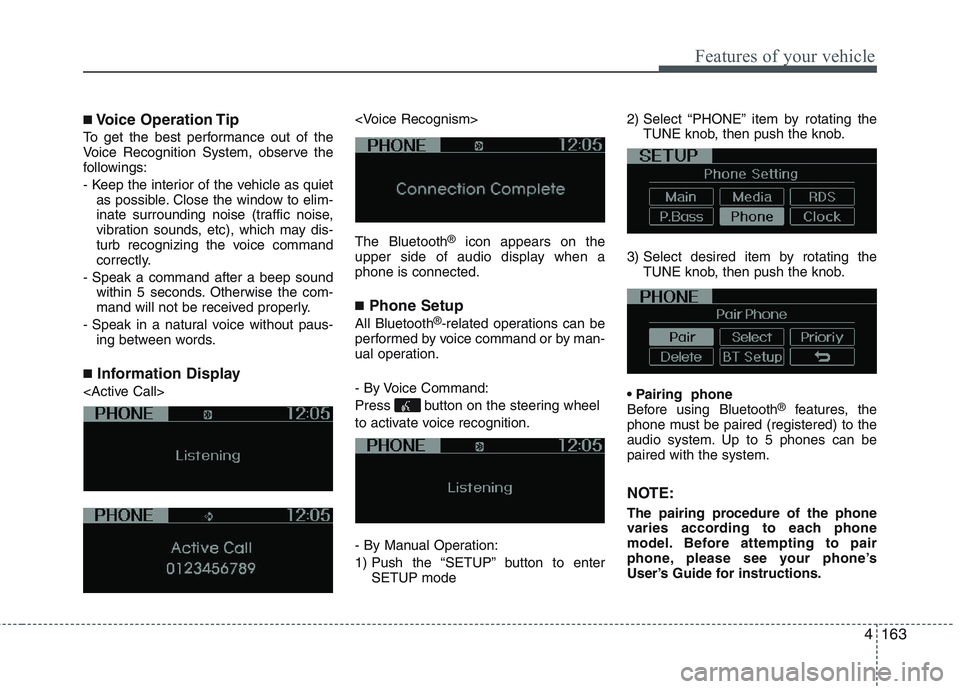
■ Information Display
®
icon appears on the
upper side of audio display when a phone is connected. ■ Phone Setup
All Bluetooth ®
-related operations can be
performed by voice command or by man-
ual operation.
- By Voice Command:
Press button on the steering wheel
to activate voice recognition.
- By Manual Operation:
1) Push the “SETUP” button to enter SETUP mode 2) Select “PHONE” item by rotating the
TUNE knob, then push the knob.
3) Select desired item by rotating the TUNE knob, then push the knob.
Before using Bluetooth ®
features, the
phone must be paired (registered) to the
audio system. Up to 5 phones can bepaired with the system.
NOTE:
The pairing procedure of the phone
varies according to each phone
model. Before attempting to pair
phone, please see your phone’s
User’s Guide for instructions.
Page 237 of 846
Features of your vehicle
164
4
NOTE: Once pairing with the phone is com-
pleted, there is no need to pair with
that phone again unless the phone is
deleted manually from the audio sys-
tem (refer “Deleting Phone” section)
or the vehicle’s information is
removed from the phone.
1. Press button.
2. Say “Set Up”.
- The system replies with availablecommands.
- To skip the information message, press again and then a beep is heard.
3. Say “Pair Phone”
4. Proceed at next step.
5. Say the name of your phone when prompted.
- Use any name to uniquely describe your phone.
- Use Full name to voice tag.
- Not use to short name or similar to voice command.
6. Bluetooth ®
system will repeat the
name you stated.
7. Say “Yes” to confirm.
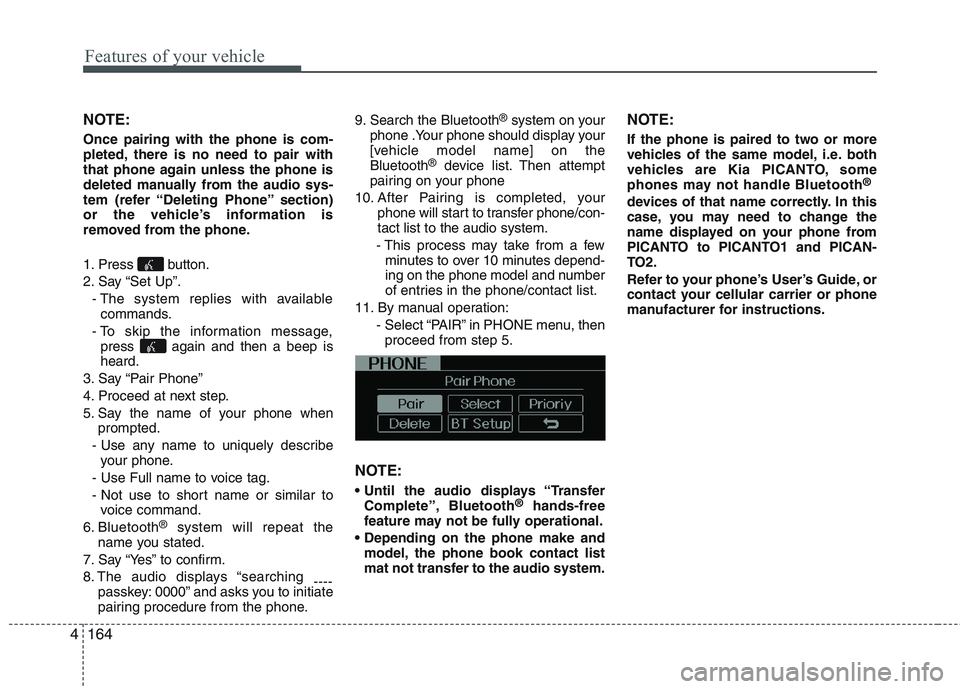
8. The audio displays “searching ----
passkey: 0000” and asks you to initiate
pairing procedure from the phone. 9. Search the Bluetooth
®
system on your
phone .Your phone should display your
[vehicle model name] on theBluetooth ®
device list. Then attempt
pairing on your phone
10. After Pairing is completed, your phone will start to transfer phone/con-tact list to the audio system.
- This process may take from a few minutes to over 10 minutes depend-
ing on the phone model and number
of entries in the phone/contact list.
11. By manual operation: - Select “PAIR” in PHONE menu, thenproceed from step 5.
NOTE:
Complete”, Bluetooth ®
hands-free
feature may not be fully operational.
model, the phone book contact list
mat not transfer to the audio system. NOTE:
If the phone is paired to two or more
vehicles of the same model, i.e. both
vehicles are Kia PICANTO, some
phones may not handle Bluetooth
®
devices of that name correctly. In this
case, you may need to change the
name displayed on your phone from
PICANTO to PICANTO1 and PICAN-
TO2.
Refer to your phone’s User’s Guide, or
contact your cellular carrier or phone
manufacturer for instructions.
Page 238 of 846
4165
Features of your vehicle
When the Bluetooth®
system is enabled,
the phone previously used is automati-
cally selected and re-connected. If you
want to select different phone previouslypaired, the phone can be selected
through “Select Phone” menu. Only a selected phone can be used with
the hands-free system at a time.
1. Press button.
2. Say “Set Up”.
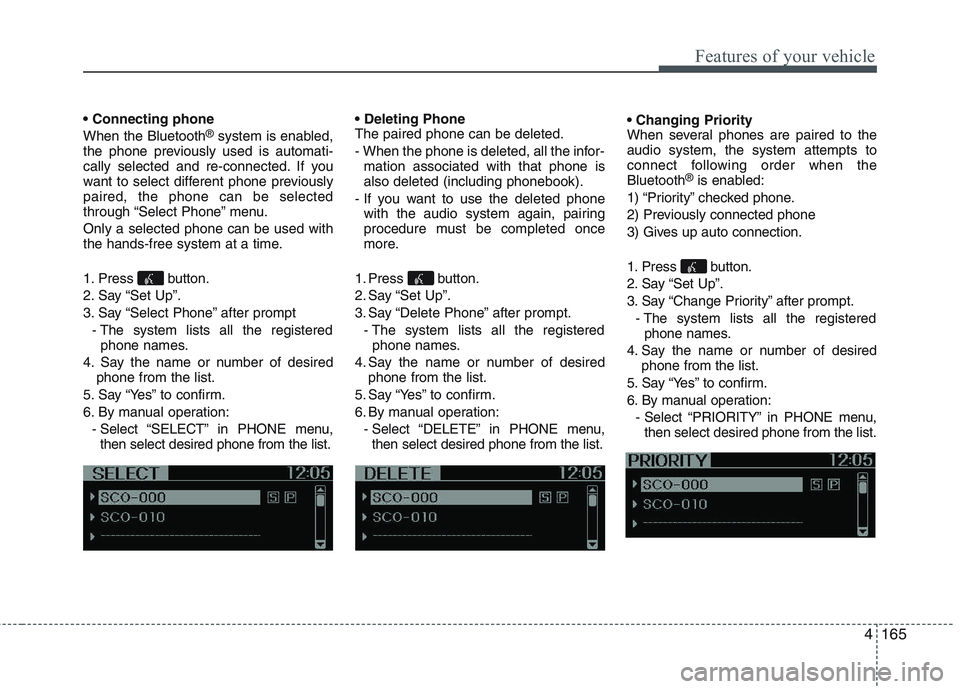
3. Say “Select Phone” after prompt
- The system lists all the registeredphone names.
4. Say the name or number of desired phone from the list.
5. Say “Yes” to confirm.
6. By manual operation: - Select “SELECT” in PHONE menu,then select desired phone from the list. The paired phone can be deleted.
- When the phone is deleted, all the infor-
mation associated with that phone is also deleted (including phonebook).
- If you want to use the deleted phone with the audio system again, pairing
procedure must be completed once
more.
1. Press button.
2. Say “Set Up”.
3. Say “Delete Phone” after prompt. - The system lists all the registeredphone names.
4. Say the name or number of desired phone from the list.
5. Say “Yes” to confirm.
6. By manual operation: - Select “DELETE” in PHONE menu,then select desired phone from the list.
When several phones are paired to theaudio system, the system attempts to
connect following order when theBluetooth
®
is enabled:
1) “Priority” checked phone.
2) Previously connected phone
3) Gives up auto connection.
1. Press button.
2. Say “Set Up”.
3. Say “Change Priority” after prompt. - The system lists all the registeredphone names.
4. Say the name or number of desired phone from the list.
5. Say “Yes” to confirm.
6. By manual operation: - Select “PRIORITY” in PHONE menu,then select desired phone from the list.
Page 326 of 846
627
What to do in an emergency
Changing a tire with TPMS
If you have a flat tire, the Low Tire
Pressure will come on. We recom-
mend that the flat tire be checked by
an authorized Kia dealer.Each wheel is equipped with a tirepressure sensor mounted inside the
tire behind the valve stem. You must
use TPMS specific wheels. It is rec-
ommended that you have your tires
serviced by an authorized Kia dealer.
Even if you replace the low pressure
tire with the spare tire, the Low Tire
Pressure Telltale will blink or remain
on until the low pressure tire is
repaired and placed on the vehicle.
After you replace the low pressure
tire with the spare tire, the Low Tire
Pressure Telltale may blink or illumi-
nate after a few minutes because theTPMS sensor mounted on the sparewheel is not initiated.
Once the low pressure tire is reinflat- ed to the recommended pressure
and installed on the vehicle or we
recommend that the TPMS sensormounted on the replaced spare
wheel be initiated by an authorized
Kia dealer, the TPMS malfunction
indicator and the low tire pressure
telltale will extinguish within a few
minutes of driving.If the indicator is not extinguished
after a few minutes of driving, Werecommend that the system be
checked by an authorized Kia dealer.
CAUTION
If original mounted tire is
replaced with the spare tire, theTPMS sensor on the replacedspare wheel should be initiated and we recommend that theTPMS sensor on the originalmounted wheel be deactivated by a Kia dealer. If the TPMS sen-sor on the original mountedwheel located in the spare tire carrier still activates, the tirepressure monitoring systemmay not operate properly. We recommend that the system beserviced by an authorized Kiadealer.CAUTION
We recommend that you use apuncture-repairing agentapproved by Kia.
The sealant on the tire pressuresensor and wheel shall be elim- inated when you replace the tirewith a new one.
Page 497 of 846
359
Safety features of your vehicle
SRS Care
The SRS is virtually maintenance-free
and so there are no parts you can safely
service by yourself. If the SRS air bag
warning light does not illuminate
when you turn the ignition ON, or if it con-
tinuously remains on, have your vehicle
immediately inspected by an authorised
Kia dealer.
Any work on the SRS system, such as
removing, installing, repairing, or any
work on the steering wheel must be per-
formed by an authorised Kia dealer.Improper handling of the SRS system
may result in serious personal injury.
WARNING
Modification to SRS components or wiring, including the addition
of any kind of badges to the pad
covers or modifications to the
body structure, can adversely
affect SRS performance and lead
to possible injury.
For cleaning the air bag pad cov- ers, use only a soft, dry cloth or
one which has been moistened
with plain water. Solvents or
cleaners could adversely affect
the air bag covers and proper
deployment of the system.
No objects should be placed over
or near the air bag modules on the
steering wheel, instrument panel,
and the front passenger's panel
above the glove box, because any
such object could cause harm if the
vehicle is in a crash severe enough
to cause the air bags to inflate.
(Continued)
(Continued)
If the air bags inflate, they must be replaced by an authorised Kia
dealer.
Do not tamper with or disconnect SRS wiring, or other components
of the SRS system. Doing so
could result in injury, due to acci-
dental inflation of the air bags or
by rendering the SRS inopera-
tive.
If components of the air bag sys- tem must be discarded, or if the
vehicle must be scrapped, certain
safety precautions must be
observed. An authorised Kia
dealer knows these precautions
and can give you the necessary
information. Failure to follow
these precautions and proce-dures could increase the risk of
personal injury.
If your car was flooded and has soaked carpeting or water on the
flooring, you shouldn't try to start
the engine; have the car towed to
an authorised Kia dealer.
Page 636 of 846
4137
Features of your vehicle
(continued) If the mobile phone signal is poor or the vehicles interior noise istoo loud, it may be difficult to hearthe other person’s voice during a
call.
Do not place the phone near or inside metallic objects, otherwise
communications with Bluetooth
®
Wireless Technology system ormobile service stations can be disturbed.
While a phone is connected through Bluetooth
®your phone
may discharge quicker than usual for additional Bluetooth
®-related
operations.
Some mobile phones or other devices may cause interferencenoise or malfunction to audio
system. In this case, store thedevice in a different location mayresolve the situation.
Please save your phone name in English, or your phone name may
not be displayed correctly.
CAUTION IN USING
Bluetooth®Wireless
Technology MOBILE PHONE
Do not use a mobile phone or per- form Bluetooth®Wireless
Technology settings (e.g. pairing
a phone) whilst driving.
Some Bluetooth
®Wireless
Technology-enab led phones may
not be recognized by the system or fully compatible with the sys-tem.
Before using Bluetooth
®Wireless
Technology related features of the audio system, refer yourphone’s User’s Manual for phone-side Bluetooth
®Wireless
Technology operations.
The phone must be paired to the audio system to use Bluetooth®
Wireless Technologyrelated fea-
tures.
You will not be able to use the
hands-free feature when yourphone (in the car) is outside of
the mobile service area (e.g. in atunnel, in a underground, in amountainous area, etc.).
(Continued)
Page 638 of 846
4139
Features of your vehicle
Before using Bluetooth®Wireless
Technology f eatures, the phone must be
paired (registered) with the audio sys-
tem. Up to 5 phones can be paired withthe system.
NOTE:
The pairing procedure of the phone
varies according to each phone
model. Before attempting to pair
phone, please see your phone’s
User’s Guide for instructions.
Once pairing with the phone is com-
pleted, there is no need to pair with
that phone again unless the phone
is deleted manually from the audio
system (refer “Deleting a Phone”
section) or the vehicle’s information
is removed from the phone.
1. Press button to enter SETUP mode.
2. Select “PHONE”, then “PAIR” in PHONE menu.
3. The audio displays “searching ----
passkey: 0000”
4. Search the
Bluetooth®Wireless
Technology system on your phone
.Your phone should display your [vehi-cle model name] on the
Bluetooth®
Wireless Technology de vice list. Then
attempt pairing on your phone. NOTE:
If the phone is paired with two or
more vehicles of the same model,
some phones may not handle
Bluetooth®Wireless Technology
devices of that name correctly. In
this case, you may need to change
the name displayed on your phone.
For example, if the vehicles' name is
Kia PICANTO, you may need to change
the name displayed on you phone from
Kia_PICANTO to JOHNS_PICANTO or
Kia PICANTO1 to avoid ambiguity.
Refer to your phone User’s Guide,
or contact your mobile carrier or
phone manufacturer for instruc-tions.
When the
Bluetooth®Wireless
Technology system is enabled, the phone
previously used is automatically selected
and re-connected. If you want to select
different phone previously paired, the
phone can be selected through “Select
Phone” menu. Only a selected phone can be used with
the hands-free system at a time.
1. Press button to enter SETUP
mode.
2. Select “PHONE”, then “SELECT” in PHONE menu. 3. Select desired phone name from the list
shown.
The paired phone can be deleted.
- When the phone is deleted, all the infor- mation associated with that phone is also deleted (including phonebook).
- If you want to use the deleted phone with the audio system again, pairing
procedure must be completed once
more.
1. Press button to enter SETUP mode.
2. Select “PHONE”, then “DELETE” in PHONE menu.
3. Select desired phone name from the list shown.
If several phones are paired with theaudio system, the system attempts to
connect following order when the
Bluetooth®Wireless Technology system
is enabled:
1) “Priority” checked phone.
2) Previously connected phone
3) Gives up auto connection.
1. Press button to enter SETUP mode.
SETUP
SETUP
SETUP
SETUP