starting KIA PICANTO 2016 User Guide
[x] Cancel search | Manufacturer: KIA, Model Year: 2016, Model line: PICANTO, Model: KIA PICANTO 2016Pages: 488, PDF Size: 31.22 MB
Page 209 of 488
Features of your vehicle
1344
CAUTION IN USING
USB DEVICE
To use an external USB device, make sure the device is not con-nected when starting up the vehi-cle. Connect the device afterstarting up.
If you start the engine when the USB device is connected, it maydamage the USB device. (USBflashdrives are very sensitive to
electric shock.)
If the engine is started up or turned off while the external USBdevice is connected, the externalUSB device may not work.
It may not play inauthentic MP3 or WMA files.
1) It can only play MP3 files with the compression rate between8Kbps~320Kbps.
2) It can only play WMA music files with the compression ratebetween 8Kbps~320Kbps.
Take precautions for static electrici- ty when connecting or disconnect-ing the external USB device.
(Continued)
(Continued) An encrypted MP3 PLAYER is not recognizable.
Depending on the condition of the external USB device, the con-
nected external USB device can be unrecognizable.
When the formatted byte/sector setting of External USB device isnot either 512BYTE or 2048BYTE,
then the device will not be recog-nized.
Use only a USB device formatted to FAT 12/16/32.
USB devices without USB I/F authentication may not be recog-nizable.
Make sure the USB connection terminal does not come in contactwith the human body or other
objects.
If you repeatedly connect or dis- connect the USB device in a shortperiod of time, it may break thedevice.
You may hear a strange noise when connecting or disconnect-ing a USB device.
(Continued)(Continued) If you disconnect the external USB device during playback inUSB mode, the external USBdevice can be damaged or may
malfunction. Therefore, discon-nect the external USB device when the audio is turned off or in
another mode. (e.g, Radio or CD)
Depending on the type and capaci- ty of the external USB device or thetype of the files stored in the device,there is a difference in the time
taken for recognition of the device.
Do not use the USB device for purposes other than playingmusic files.
Use of USB accessories such as rechargers or heaters using USBI/F may lower performance orcause trouble.
If you use devices such as a USB hub purchased separately, the
vehicle’s audio system may notrecognize the USB device. In that case, connect the USB devicedirectly to the multimedia termi-
nal of the vehicle.
(Continued)
Page 231 of 488
![KIA PICANTO 2016 User Guide Features of your vehicle
1564 Changing connection sequence
(Priority)
This is used to change the order (priori-
ty) of automatic connection for the paired
mobile phones.
Select [Phone List] Select [](/img/2/40383/w960_40383-230.png "KIA PICANTO 2016 User Guide Features of your vehicle
1564 Changing connection sequence
(Priority)
This is used to change the order (priori-
ty) of automatic connection for the paired
mobile phones.
Select [Phone List] Select [")
Features of your vehicle
1564 Changing connection sequence
(Priority)
This is used to change the order (priori-
ty) of automatic connection for the paired
mobile phones.
Select [Phone List] Select [Priority]
through TUNE knob Select No. 1
Priority mobile phone ➀ Select [Priority].
➁ From the paired phones, select the
phone desired for No.1 priority.
➂ The changed priority sequence is dis-
played.
❈ Once the connection sequence (priori-
ty) is changed, the new no. 1 priority mobile phone will be connected.
- When the no. 1 priority cannot be connected: Automatically attempts to connect the most recently connected
phone.
- Cases when the most recently con- nected phone cannot be connected:Attempts to connect in the order inwhich paired phones are listed.
Delete
Select [Phone List] Select mobile phone
through TUNE knob Select [Delete] ➀ Select the desired mobile phone.
➁ Delete the selected mobile phone.
➂ Deletion completion is displayed.
❈ When attempting to delete a currently
connected phone, the phone is first disconnected. Phone book Download
This feature is used to download phone
book and call histories into the audio sys-tem.
Select [Phone book Download] Select
through TUNE knob
CAUTION
The download feature may not be
supported in some mobile phones.
If a different operation is per- formed while phone book is beingdownloaded, downloading will be
discontinued. Phone book alreadydownloaded will be saved.
When downloading new phone book, delete all previously savedphone book before starting down-
load.
CAUTION
When you delete a mobile phone, the mobile phone phone book will
also be erased.
For stable Bluetooth ®
Wireless
Technology communication, delete the mobile phone from theaudio and also delete the audiofrom your mobile phone.
Page 241 of 488
![KIA PICANTO 2016 User Guide Features of your vehicle
1664
Select [Phone List] Select mobile phone
through TUNE knob Select [Delete] ➀
Select the desired mobile phone.
➁ Delete the selected mobile phone.
➂ Deletion co](/img/2/40383/w960_40383-240.png "KIA PICANTO 2016 User Guide Features of your vehicle
1664
Select [Phone List] Select mobile phone
through TUNE knob Select [Delete] ➀
Select the desired mobile phone.
➁ Delete the selected mobile phone.
➂ Deletion co")
Features of your vehicle
1664
Select [Phone List] Select mobile phone
through TUNE knob Select [Delete] ➀
Select the desired mobile phone.
➁ Delete the selected mobile phone.
➂ Deletion completion is displayed.
❈ When attempting to delete a currently
connected phone, the phone is first disconnected. Contacts Download
This feature is used to download contacts
and call histories into the audio system.
Select [Contacts Download] Select
through TUNE knob
Outgoing Volume
This is used to set the volume of your
voice as heard by the other party whileon a
Bluetooth®Wireless Technology
enabled handsfree call.
Select [Outgoing Volume] Set volume
through TUNE knob ❈ While on a call, the volume can be
changed by using the key.
SEEK
TRACK
CAUTION
The Bluetooth®Wireless Technology
audio streaming feature may not be
supported in some mobile phones.
CAUTION
The download feature may not be supported in some mobile phones.
If a different operation is per- formed while Contacts are beingdownloaded, downloading will be
discontinued. Contacts alreadydownloaded will be saved.
When downloading new Contacts, delete all previously savedContacts before starting download.
CAUTION
When you delete a mobile phone, the mobile phone contacts willalso be erased.
For stable Bluetooth ®
Wireless
Technology communication, delete the mobile phone from the
audio and also delete the audiofrom your mobile phone.
Page 249 of 488
![KIA PICANTO 2016 User Guide Features of your vehicle
1744 Changing connection sequence
(Priority)
This is used to change the order (priori-
ty) of automatic connection for the paired
mobile phones.
Select [Phone List] Select [](/img/2/40383/w960_40383-248.png "KIA PICANTO 2016 User Guide Features of your vehicle
1744 Changing connection sequence
(Priority)
This is used to change the order (priori-
ty) of automatic connection for the paired
mobile phones.
Select [Phone List] Select [")
Features of your vehicle
1744 Changing connection sequence
(Priority)
This is used to change the order (priori-
ty) of automatic connection for the paired
mobile phones.
Select [Phone List] Select [Priority]
through TUNE knob Select No. 1
Priority mobile phone ➀ Select [Priority].
➁ From the paired phones, select the
phone desired for No.1 priority.
➂ The changed priority sequence is dis-
played.
❈ Once the connection sequence (priori-
ty) is changed, the new no. 1 priority mobile phone will be connected.
- When the no. 1 priority cannot be
connected: Automatically attempts to connect the most recently connected
phone.
- Cases when the most recently con- nected phone cannot be connected:Attempts to connect in the order inwhich paired phones are listed.
- The connected phone will automati- cally be changed to No. 1 priority.
Select [Phone List] Select mobile phone
through TUNE knob Select [Delete] ➀
Select the desired mobile phone.
➁ Delete the selected mobile phone.
➂ Deletion completion is displayed.
❈ When attempting to delete a currently
connected phone, the phone is first disconnected. Contacts Download
This feature is used to download contacts
and call histories into the audio system.
Select [Contacts Download] Select
through TUNE knob
CAUTION
The download feature may not be
supported in some mobile phones.
If a different operation is per- formed while Contacts are beingdownloaded, downloading will be
discontinued. Contacts alreadydownloaded will be saved.
When downloading new Contacts, delete all previously
saved Contacts before starting download.
CAUTION
When you delete a mobile phone, the mobile phone contacts willalso be erased.
For stable Bluetooth ®
Wireless
Technology communication,
delete the mobile phone from theaudio and also delete the audiofrom your mobile phone.
Page 256 of 488
181
Features of your vehicle
4
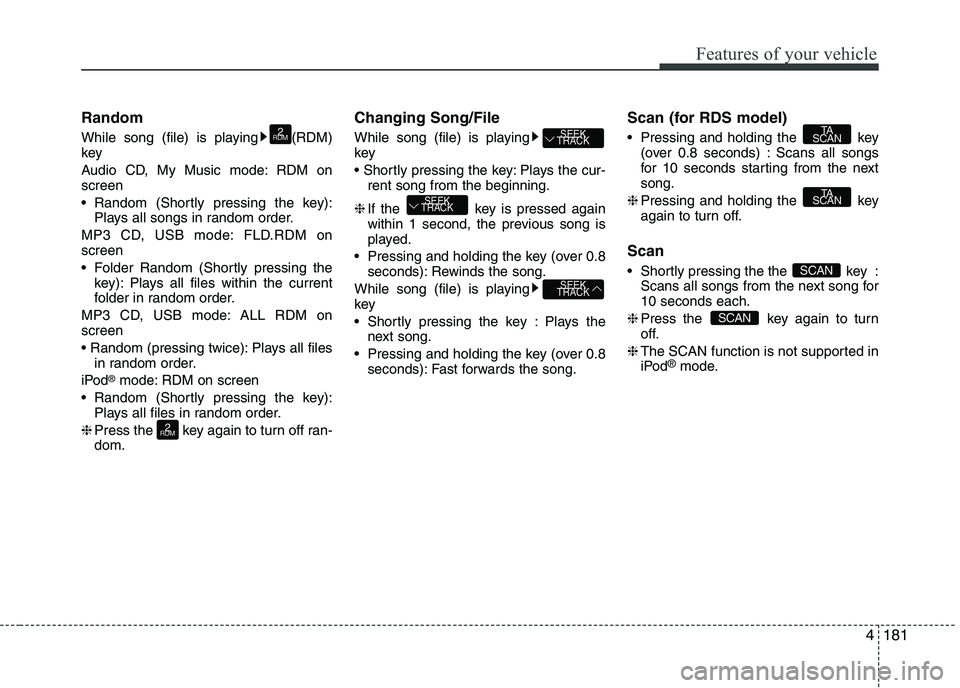
Random
While song (file) is playing (RDM) key
Audio CD, My Music mode: RDM on screen
Random (Shortly pressing the key):
Plays all songs in random order.
MP3 CD, USB mode: FLD.RDM on screen
Folder Random (Shortly pressing the key): Plays all files within the current
folder in random order.
MP3 CD, USB mode: ALL RDM onscreen
Plays all files in random order.
iPod ®
mode: RDM on screen
Random (Shortly pressing the key): Plays all files in random order.
❈ Press the key again to turn off ran- dom. Changing Song/File
While song (file) is playing key
Plays the cur-
rent song from the beginning.
❈ If the key is pressed again
within 1 second, the previous song is
played.
Pressing and holding the key (over 0.8 seconds): Rewinds the song.
While song (file) is playingkey
Shortly pressing the key : Plays the next song.
Pressing and holding the key (over 0.8 seconds): Fast forwards the song. Scan (for RDS model)
Pressing and holding the key
(over 0.8 seconds) : Scans all songs
for 10 seconds starting from the nextsong.
❈ Pressing and holding the key
again to turn off.
Scan
Shortly pressing the the key : Scans all songs from the next song for 10 seconds each.
❈ Press the key again to turn
off.
❈ The SCAN function is not supported in
iPod ®
mode.
SCAN
SCAN
TA
SCAN
TA
SCAN
SEEK
TRACK
SEEK
TRACK
SEEK
TRACK
2
RDM
2
RDM
Page 263 of 488
![KIA PICANTO 2016 User Guide Features of your vehicle
1884
Bluetooth®Wireless Technology audio
can be used only when the [Audio
Streaming] of Phone is turned On.
❈ Setting
Bluetooth®Wireless
Technology Audio Streaming : Pre](/img/2/40383/w960_40383-262.png "KIA PICANTO 2016 User Guide Features of your vehicle
1884
Bluetooth®Wireless Technology audio
can be used only when the [Audio
Streaming] of Phone is turned On.
❈ Setting
Bluetooth®Wireless
Technology Audio Streaming : Pre")
Features of your vehicle
1884
Bluetooth®Wireless Technology audio
can be used only when the [Audio
Streaming] of Phone is turned On.
❈ Setting
Bluetooth®Wireless
Technology Audio Streaming : Press the /key Select
[Phone] through the tune knob
Select [Audio Streaming] through the TUNE knob Set / Starting
Bluetooth®Wireless
Technology Audio
Press the key to change the mode in order of CD ➟USB ➟AUX ➟
My Music ➟BT Audio.
If BT Audio is selected,
Bluetooth®
Wireless Technology audio will start
playing.
❈ Audio may not automatically start play-
ing in some mobile phones. Using the
Bluetooth®Wireless
Technology audio features
Press the TUNE knob to play and pause the current song. ❈ The previous song / next song / play /
pause functions may not be supported
in some mobile phones.
MEDIA
OFFON
SETUP CLOCK
Page 270 of 488
195
Features of your vehicle
4
(Continued)
When a Bluetooth®
Wireless
Technology mobile phone is connect-
ed, a ( ) icon will appear at the top of
the screen. If a ( ) icon is not dis-
played, this indicates that a
Bluetooth ®
Wireless Technology
enabled device has not been connect-
ed. You must connect the device
before use. For more information on
Bluetooth ®
Wireless Technology
mobile phones, refer to the “Phone
Setup” section.
Pairing and connecting a Bluetooth® Wireless Technology enabled mobile
phone will work only when the
Bluetooth ®
Wireless Technology
option within your mobile phone has
been turned on. (Methods of turning
on the Bluetooth®
Wireless
Technology enabled feature may dif-
fer depending on the mobile phone.) (Continued)(Continued)
In some mobile phones, starting the
ignition while talking through
Bluetooth ®
Wireless Technology
enabled handsfree call will result in
the call becoming disconnected.
(Switch the call back to your mobile
phone when starting the ignition.)
Some features may not be supported
in some Bluetooth®
Wireless
Technology mobile phone and devices.
Bluetooth ®
Wireless Technology
enabled operation may be unstable
depending on the communication
state.
Placing the audio system within an
electromagnetic environment may
result in noise interference.
Page 272 of 488
197
Features of your vehicle
4
VOICE COMMAND (if equipped)
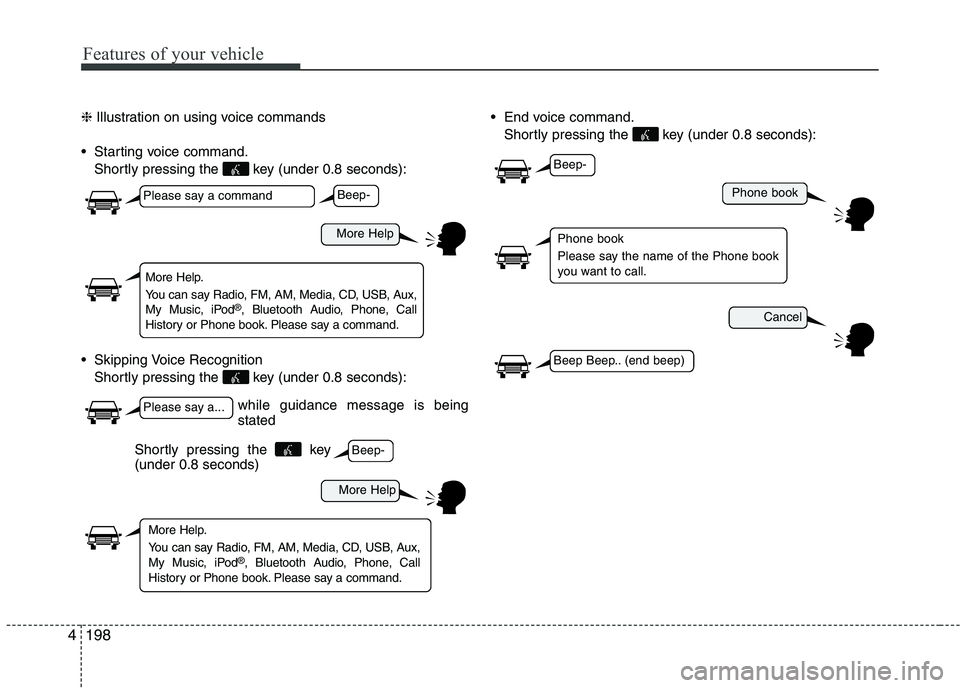
Starting Voice Command
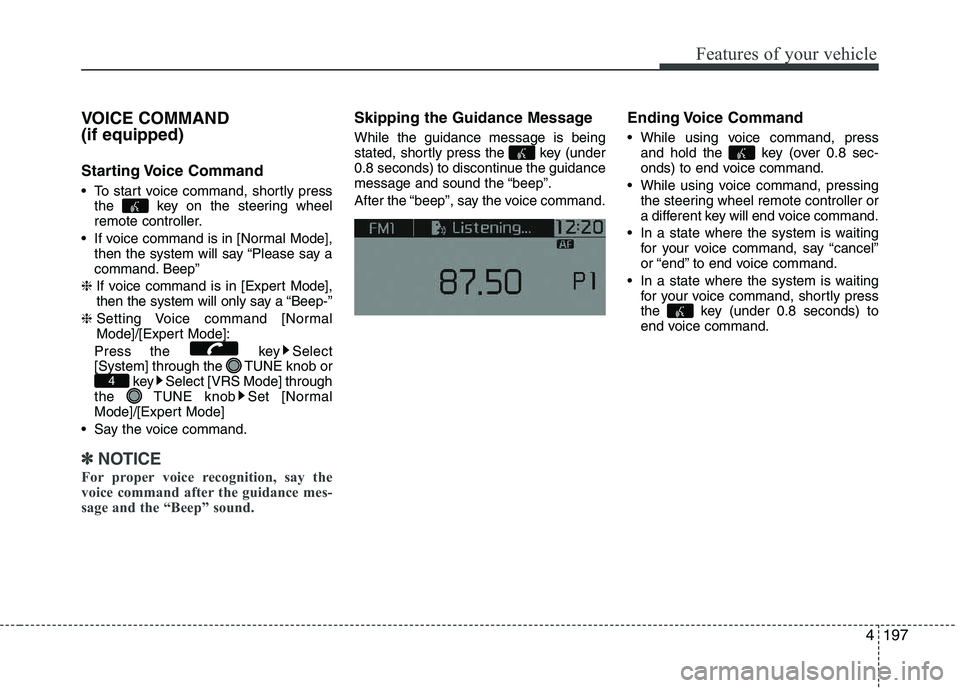
To start voice command, shortly press
the key on the steering wheel
remote controller.
If voice command is in [Normal Mode], then the system will say “Please say a
command. Beep”
❈ If voice command is in [Expert Mode],
then the system will only say a “Beep-”
❈ Setting Voice command [Normal
Mode]/[Expert Mode]:
Press the key Select
[System] through the TUNE knob or key Select [VRS Mode] through
the TUNE knob Set [Normal
Mode]/[Expert Mode]
Say the voice command.
✽✽ NOTICE
For proper voice recognition, say the
voice command after the guidance mes-
sage and the “Beep” sound.
Skipping the Guidance Message While the guidance message is being
stated, shortly press the key (under
0.8 seconds) to discontinue the guidance
message and sound the “beep”.
After the “beep”, say the voice command. Ending Voice Command
While using voice command, press
and hold the key (over 0.8 sec-
onds) to end voice command.
While using voice command, pressing the steering wheel remote controller or
a different key will end voice command.
In a state where the system is waiting for your voice command, say “cancel”
or “end” to end voice command.
In a state where the system is waiting for your voice command, shortly press
the key (under 0.8 seconds) to
end voice command.
4
Page 273 of 488
Features of your vehicle
1984❈
Illustration on using voice commands
Starting voice command. Shortly pressing the key (under 0.8 seconds):
Skipping Voice Recognition Shortly pressing the key (under 0.8 seconds): End voice command.
Shortly pressing the key (under 0.8 seconds):
while guidance message is being stated
More Help
Phone book
Cancel
More Help
Please say a command
Please say a...
More Help.
You can say Radio, FM, AM, Media, CD, USB, Aux,
My Music, iPod ®
, Bluetooth Audio, Phone, Call
History or Phone book. Please say a command.
Phone book
Please say the name of the Phone book
you want to call.
More Help.
You can say Radio, FM, AM, Media, CD, USB, Aux,
My Music, iPod ®
, Bluetooth Audio, Phone, Call
History or Phone book. Please say a command.
Beep-
Beep-
Beep-
Beep Beep.. (end beep)
Shortly pressing the key (under 0.8 seconds)
Page 283 of 488
5
Before driving / 5-3
Key positions / 5-5
Engine start/stop button / 5-6
Starting the engine / 5-9
LPG system / 5-12
Manual transaxle / 5-18
Automatic transaxle / 5-21
Brake system / 5-27
ISG (Idle Stop and Go) system / 5-39
Cruise control system / 5-44
Speed limit control system / 5-49
Economical operation / 5-52
Special driving conditions / 5-54
Winter driving / 5-58
Vehicle weight / 5-62
Driving your vehicle