light KIA PICANTO 2017 Owners Manual
[x] Cancel search | Manufacturer: KIA, Model Year: 2017, Model line: PICANTO, Model: KIA PICANTO 2017Pages: 488, PDF Size: 31.26 MB
Page 319 of 488
537
Driving your vehicle
VSM operation off
If you press the ESC OFF button to turn off
the ESC, the VSM will also cancel and the
ESC OFF indicator light ( ) illuminates.
To turn on the VSM, press the button
again. The ESC OFF indicator light goesout.
Malfunction indicator
The VSM can be deactivated even if you
don’t cancel the VSM operation by press-
ing the ESC OFF button. It indicates thata malfunction has been detected some-
where in the Electric Power Steering sys-
tem or VSM system. If the ESC indicator
light ( ) or EPS warning light remains
on, we recommend that you contact an
authorized Kia dealer.
✽✽NOTICE
The VSM is designed to function above approximately 15 km/h (9 mph)
on curves.
The VSM is designed to function above approximately 30 km/h (18
mph) when a vehicle is braking on a
split-mu road. The split-mu road is
made of surfaces which have different
friction forces.
ESS : Emergency Stop Signal (if equipped) The Emergency Stop Signal system
alerts the driver behind by blinking the
stop light when the vehicle suddenly
stops or when the ABS activates in a
stop. (The system activates when the
vehicle speed is over 55km/h and the
vehicle deceleration is over 7m/s² or the
ABS activates when the vehicle emer-
gency braking.)
When the vehicle speed is under 40 km/h
and the ABS deactivates or the sudden
stop situation is over, the stop light blink-
ing will stop.
WARNING
The Vehicle Stability Management system is not a substitute for
safe driving practices but a sup-
plementary function only. It is theresponsibility of the driver to
always check the speed and the
distance to the vehicle ahead.
Always hold the steering wheel
firmly while driving.
Your vehicle is designed to acti- vate according to the driver’s
intention, even with installed
VSM. Always follow all the normal
precautions for driving at safe
speeds for the conditions –
including driving inclement
weather and on a slippery road.
Driving with varying tire or wheel sizes may cause the VSM system
to malfunction. When replacing
tires, make sure they are the
same size as your original tires.
CAUTION
The Emergency Stop Signal system
will not work if the hazard warningflasher is already on.
Page 320 of 488
Driving your vehicle
38
5
Good braking practices
After parking the vehicle, check to be
sure the parking brake is not engaged
and that the parking brake indicator
light is out before driving away.
Driving through water may get the brakes wet. They can also get wet when
the car is washed. Wet brakes can be
dangerous! Your car will not stop as
quickly if the brakes are wet. Wet brakes
may cause the car to pull to one side. To dry the brakes, apply the brakes
lightly until the braking action returns to
normal, taking care to keep the car
under control at all times. If the braking
action does not return to normal, stop
as soon as it is safe to do so and we
recommend that you call an authorized
Kia dealer.
Don't coast down hills with the car out of gear. This is extremely hazardous.
Keep the car in gear at all times, use
the brakes to slow down, then shift to a
lower gear so that engine braking will
help you maintain a safe speed.
Don't "ride" the brake pedal. Resting your foot on the brake pedal while driv-ing can be dangerous because it can
result in the brakes overheating and los-
ing their effectiveness. It also increases
the wear of the brake components.
If a tire goes flat while you are driving, apply the brakes gently and keep the
car pointed straight ahead while you
slow down. When you are moving slow-
ly enough for it to be safe to do so, pull
off the road and stop in a safe place.
If your car is equipped with an auto- matic transaxle, don't let your car
creep forward. To avoid creeping for-
ward, keep your foot firmly on the
brake pedal when the car is stopped. Be cautious when parking on a hill.
Firmly engage the parking brake and
place the shift lever in P (Park). If your
car is facing downhill, turn the front
wheels into the curb to help keep the
car from rolling. If your car is facing
uphill, turn the front wheels away from
the curb to help keep the car from
rolling. If there is no curb or if it is
required by other conditions to keep
the car from rolling, block the wheels.
Under some conditions your parking brake can freeze in the engaged posi-
tion. This is most likely to happen when
there is an accumulation of snow or ice
around or near the rear brakes or if the
brakes are wet. If there is a risk that the
parking brake may freeze, apply it only
temporarily while y ou put the shift lever
in P (Park) and block the rear wheels so
the car cannot roll. Then release the
parking brake.
Do not hold the vehicle on the upgrade with the accelerator pedal. This can
cause the transaxle to overheat. Always
use the brake pedal or parking brake.
WARNING
Whenever leaving vehicle or parking, always set the parking
brake as far as possible and fully
engage the vehicle's transaxle
into the park position. Vehicles
not fully engaged in park with the
parking brake set are at risk for
moving inadvertently and injur-
ing yourself or others.
All vehicles should always have the parking brake fully engaged
when parking to avoid inadvertent
movement of the car which caninjure occupants or pedestrians.
Page 321 of 488
539
Driving your vehicle
Your vehicle may be equipped with the ISG system, which reduces fuel con-
sumption by automatically shutting down
the engine, when the vehicle is at a
standstill. (For example : red light, stop
sign and traffic jam)
The engine starts automatically as soon
as the starting conditions are met.
The ISG system is ON whenever the
engine is running.
✽✽NOTICE
When the engine automatically starts by
the ISG system, some warning lights
(ABS, ESC, ESC OFF, EPS or Parking
brake warning light) may turn on for a
few seconds.
This happens because of low battery
voltage. It does not mean the system has
malfunctioned.
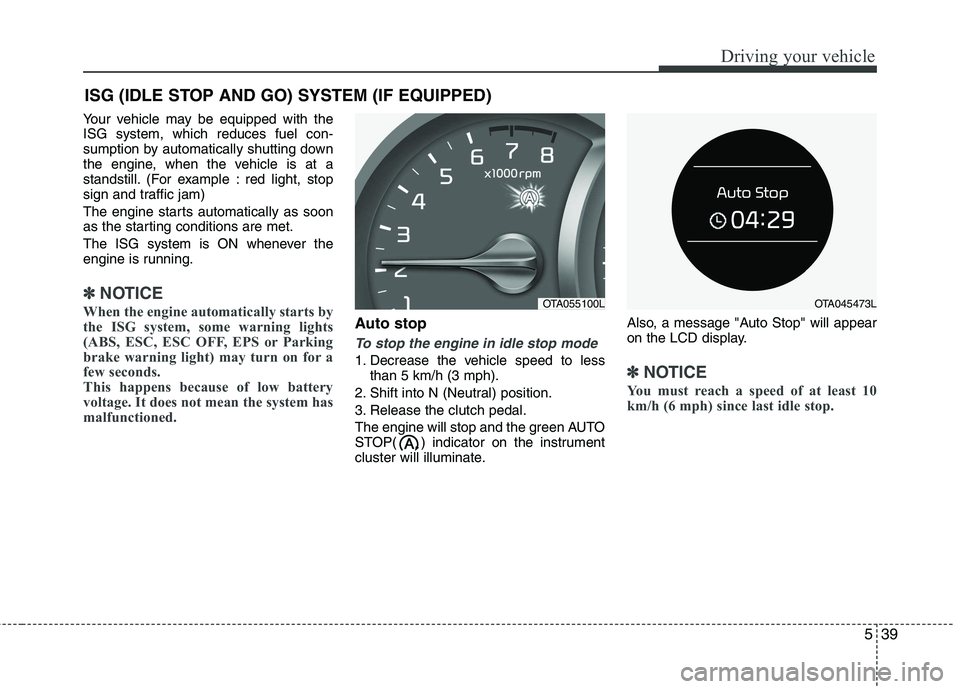
Auto stop
To stop the engine in idle stop mode
1. Decrease the vehicle speed to less than 5 km/h (3 mph).
2. Shift into N (Neutral) position.
3. Release the clutch pedal.
The engine will stop and the green AUTO
STOP( ) indicator on the instrument
cluster will illuminate. Also, a message "Auto Stop" will appear
on the LCD display.✽✽
NOTICE
You must reach a speed of at least 10
km/h (6 mph) since last idle stop.
ISG (IDLE STOP AND GO) SYSTEM (IF EQUIPPED)
OTA055100LOTA045473L
Page 322 of 488
Driving your vehicle
40
5
✽✽
NOTICE
If you unfasten the seatbelt or open the
driver's door (or engine hood) in auto
stop mode, the following will happen:
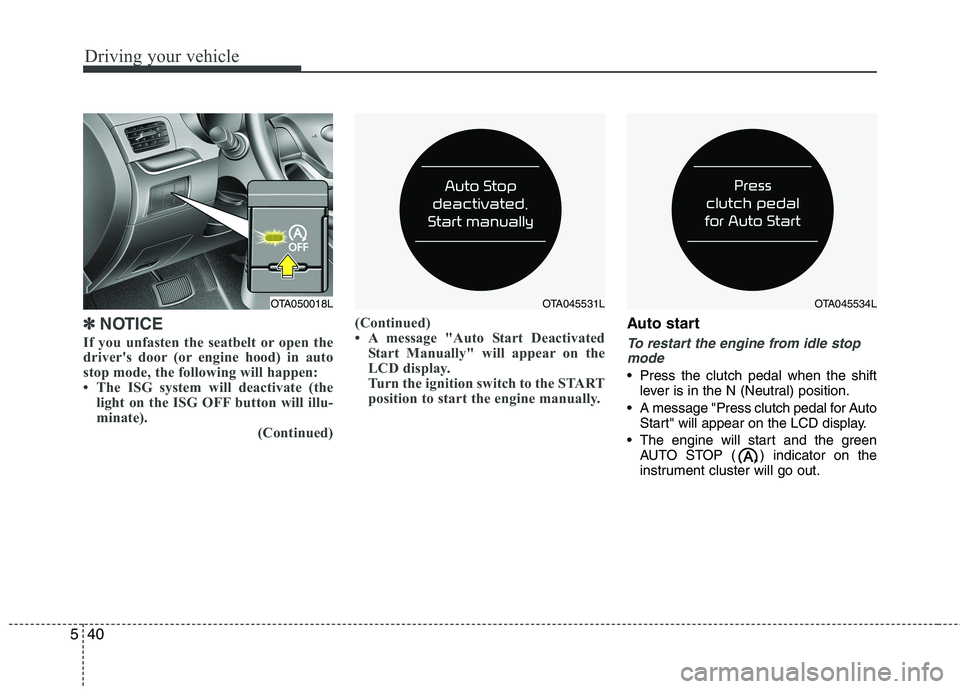
The ISG system will deactivate (the light on the ISG OFF button will illu-
minate). (Continued)(Continued)
A message "Auto Start Deactivated
Start Manually" will appear on the
LCD display.
Turn the ignition switch to the START
position to start the engine manually.Auto start
To restart the engine from idle stop
mode
Press the clutch pedal when the shift lever is in the N (Neutral) position.
A message "Press clutch pedal for Auto Start" will appear on the LCD display.
The engine will start and the green AUTO STOP ( ) indicator on the
instrument cluster will go out.
OTA050018LOTA045531LOTA045534L
Page 324 of 488
Driving your vehicle
42
5
✽✽
NOTICE
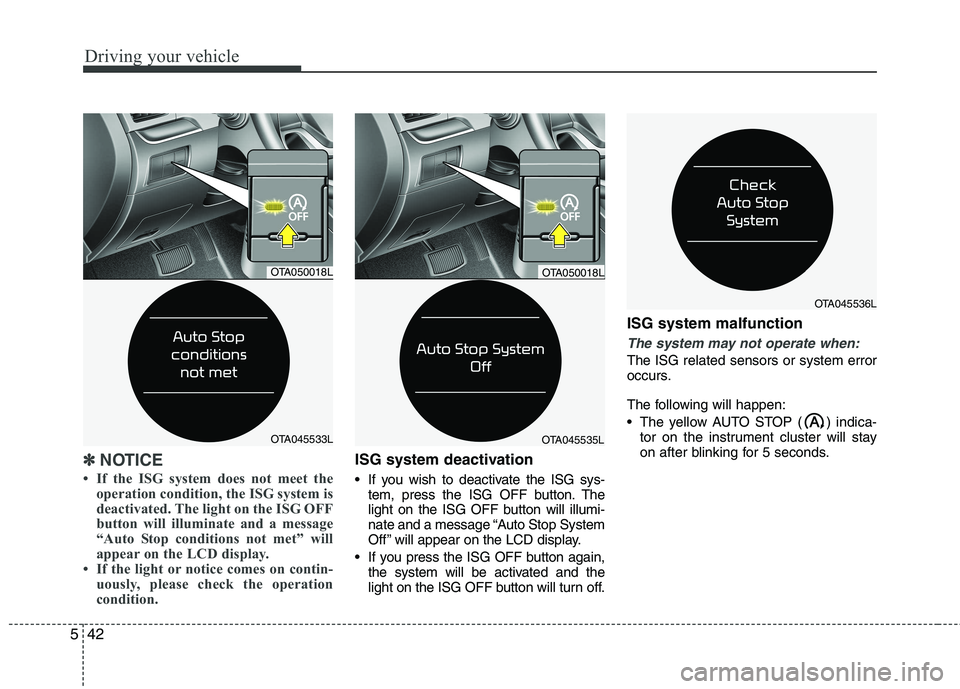
If the ISG system does not meet the operation condition, the ISG system is
deactivated. The light on the ISG OFF
button will illuminate and a message
“Auto Stop conditions not met” will
appear on the LCD display.
If the light or notice comes on contin- uously, please check the operation
condition.ISG system deactivation
If you wish to deactivate the ISG sys-tem, press the ISG OFF button. The
light on the ISG OFF button will illumi-
nate and a message “Auto Stop System
Off ” will appear on the LCD display.
If you press the ISG OFF button again, the system will be activated and the
light on the ISG OFF button will turn off. ISG system malfunction
The system may not operate when:
The ISG related sensors or system error
occurs.
The following will happen:
The yellow AUTO STOP ( ) indica-
tor on the instrument cluster will stay
on after blinking for 5 seconds.
OTA045535L
OTA050018L
OTA045536L
OTA050018L
OTA045533L
Page 325 of 488
543
Driving your vehicle
✽✽NOTICE
If the ISG OFF button light is not turned off by pressing the ISG OFF
button again or if the ISG system con-
tinuously does not work correctly, we
recommend that you contact an
authorized Kia dealer as soon as pos-
sible.
When the ISG OFF button light comes on, it may stop illuminating after driv-
ing your vehicle at approximately 80
km/h for a maximum of two hours and
setting the fan speed control knob
below the 2nd position. If the ISG OFF
button light continues to be illuminat-
ed in spite of the procedure, we recom-
mend that you contact an authorized
Kia dealer as soon as possible.WARNING
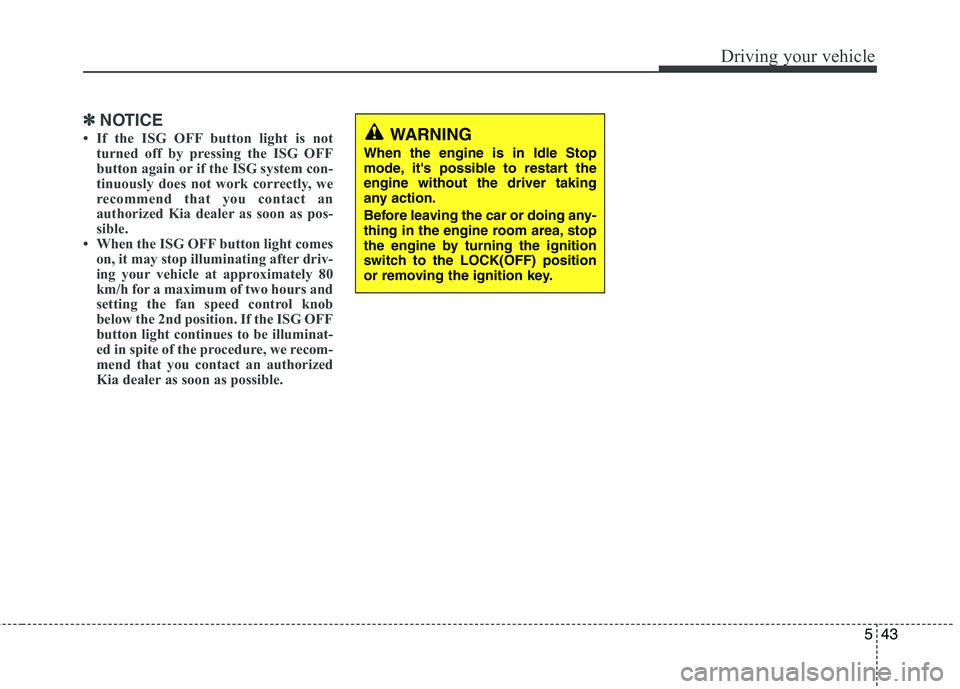
When the engine is in Idle Stop
mode, it's possible to restart theengine without the driver taking
any action.
Before leaving the car or doing any-
thing in the engine room area, stop
the engine by turning the ignition
switch to the LOCK(OFF) position
or removing the ignition key.
Page 326 of 488
Driving your vehicle
44
5
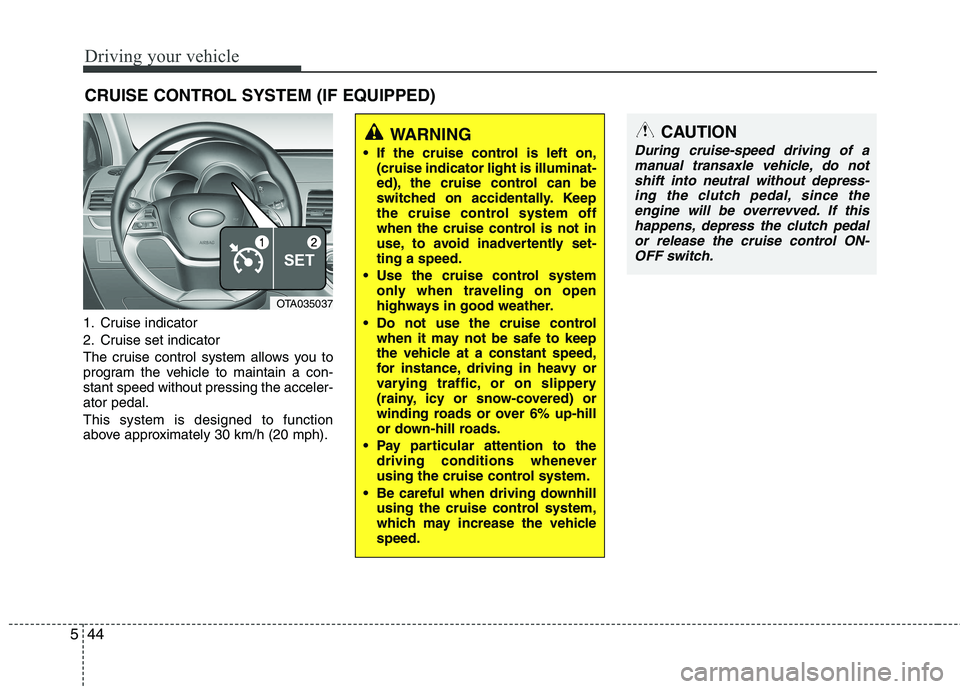
1. Cruise indicator
2. Cruise set indicator
The cruise control system allows you to
program the vehicle to maintain a con-stant speed without pressing the acceler-ator pedal. This system is designed to function
above approximately 30 km/h (20 mph). CRUISE CONTROL SYSTEM (IF EQUIPPED)
WARNING
If the cruise control is left on, (cruise indicator light is illuminat-
ed), the cruise control can be
switched on accidentally. Keep
the cruise control system off
when the cruise control is not in
use, to avoid inadvertently set-ting a speed.
Use the cruise control system only when traveling on open
highways in good weather.
Do not use the cruise control when it may not be safe to keep
the vehicle at a constant speed,
for instance, driving in heavy or
varying traffic, or on slippery
(rainy, icy or snow-covered) or
winding roads or over 6% up-hill
or down-hill roads.
Pay particular attention to the driving conditions whenever
using the cruise control system.
Be careful when driving downhill using the cruise control system,
which may increase the vehiclespeed.CAUTION
During cruise-speed driving of a
manual transaxle vehicle, do not
shift into neutral without depress- ing the clutch pedal, since theengine will be overrevved. If this happens, depress the clutch pedal
or release the cruise control ON-OFF switch.
OTA035037
Page 327 of 488
545
Driving your vehicle
✽✽NOTICE
During normal cruise control opera- tion, when the SET switch is activated
or reactivated after applying the
brakes, the cruise control will ener-
gize after approximately 3 seconds.
This delay is normal.
To activate cruise control, depress the
brake pedal at least once after turning
the ignition switch to the ON position
or starting the engine. This is to check
if the brake switch which is important
part to cancel cruise control is in nor-
mal condition.
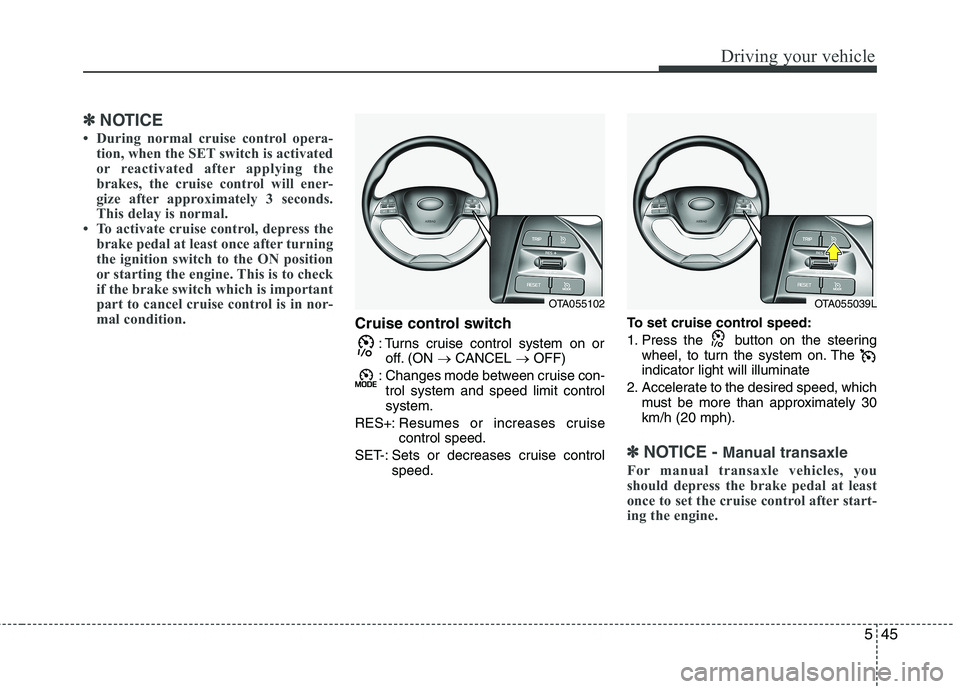
Cruise control switch
: Turns cruise control system on oroff. (ON CANCEL OFF)
: Changes mode between cruise con- trol system and speed limit control system.
RES+: Resumes or increases cruisecontrol speed.
SET-: Sets or decreases cruise control speed. To set cruise control speed:
1. Press the button on the steering
wheel, to turn the system on. The indicator light will illuminate
2. Accelerate to the desired speed, which must be more than approximately 30km/h (20 mph).
✽✽ NOTICE - Manual transaxle
For manual transaxle vehicles, you
should depress the brake pedal at least
once to set the cruise control after start-
ing the engine.
OTA055102OTA055039L
Page 328 of 488
Driving your vehicle
46
5
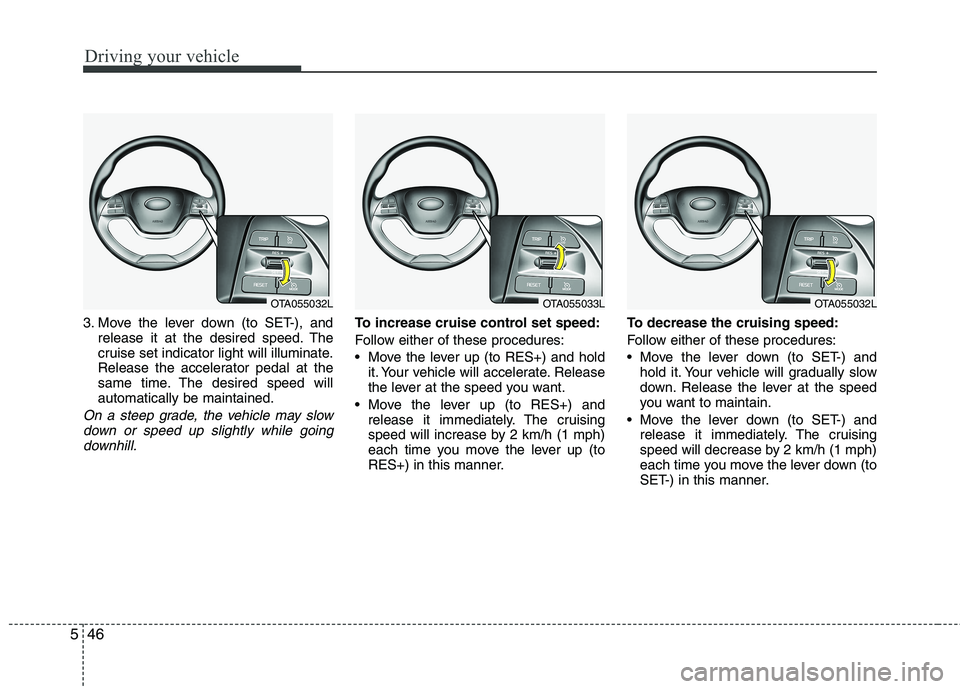
3. Move the lever down (to SET-), and
release it at the desired speed. The
cruise set indicator light will illuminate.
Release the accelerator pedal at the
same time. The desired speed willautomatically be maintained.
On a steep grade, the vehicle may slow
down or speed up slightly while goingdownhill.
To increase cruise control set speed:
Follow either of these procedures:
Move the lever up (to RES+) and hold it. Your vehicle will accelerate. Release
the lever at the speed you want.
Move the lever up (to RES+) and release it immediately. The cruising
speed will increase by 2 km/h (1 mph)
each time you move the lever up (to
RES+) in this manner. To decrease the cruising speed:
Follow either of these procedures:
Move the lever down (to SET-) and
hold it. Your vehicle will gradually slow
down. Release the lever at the speed
you want to maintain.
Move the lever down (to SET-) and release it immediately. The cruising
speed will decrease by 2 km/h (1 mph)
each time you move the lever down (to
SET-) in this manner.
OTA055032LOTA055033LOTA055032L
Page 329 of 488
547
Driving your vehicle
To temporarily accelerate with the
cruise control on:
If you want to speed up temporarily when
the cruise control is on, depress the
accelerator pedal. Increased speed will
not interfere with cruise control operationor change the set speed.
To return to the set speed, take your foot
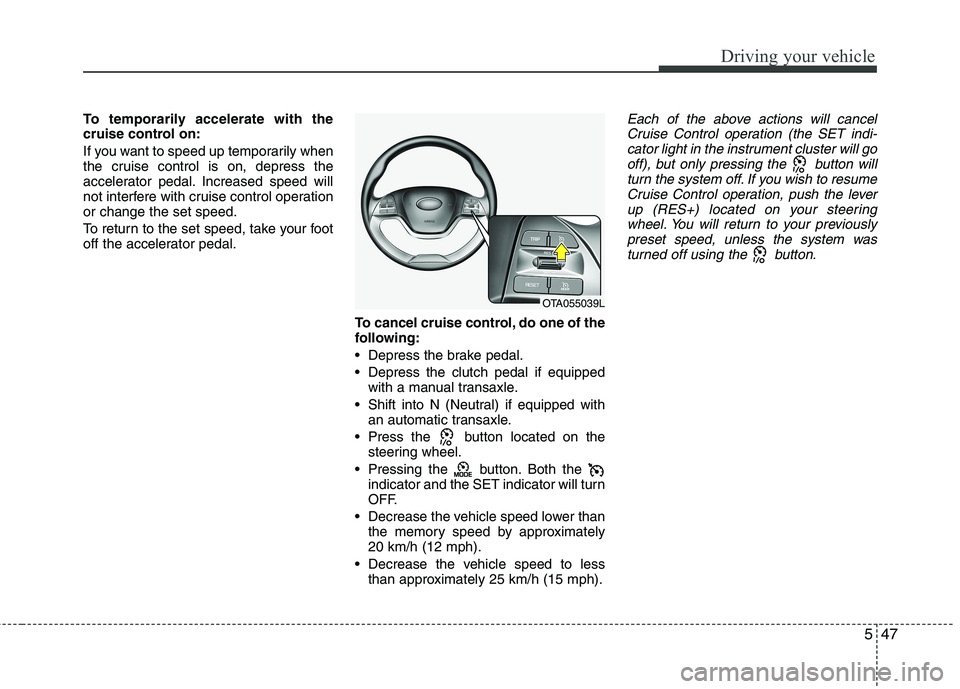
off the accelerator pedal.To cancel cruise control, do one of the
following:
Depress the brake pedal.
Depress the clutch pedal if equippedwith a manual transaxle.
Shift into N (Neutral) if equipped with an automatic transaxle.
Press the button located on the steering wheel.
Pressing the button. Both the indicator and the SET indicator will turn
OFF.
Decrease the vehicle speed lower than the memory speed by approximately20 km/h (12 mph).
Decrease the vehicle speed to less than approximately 25 km/h (15 mph).Each of the above actions will cancel
Cruise Control operation (the SET indi- cator light in the instrument cluster will gooff), but only pressing the button will
turn the system off. If you wish to resumeCruise Control operation, push the leverup (RES+) located on your steering
wheel. You will return to your previously preset speed, unless the system wasturned off using the button.
OTA055039L