audio KIA PICANTO 2017 Owner's Guide
[x] Cancel search | Manufacturer: KIA, Model Year: 2017, Model line: PICANTO, Model: KIA PICANTO 2017Pages: 488, PDF Size: 31.26 MB
Page 227 of 488
![KIA PICANTO 2017 Owners Guide Features of your vehicle
1524CLOCK SETTINGS
Press the key Select [Clock]
through TUNE knob or key
Select menu through TUNE knob
❈
Display and settings may differ
depending on the selected audio](/img/2/57964/w960_57964-226.png "KIA PICANTO 2017 Owners Guide Features of your vehicle
1524CLOCK SETTINGS
Press the key Select [Clock]
through TUNE knob or key
Select menu through TUNE knob
❈
Display and settings may differ
depending on the selected audio")
Features of your vehicle
1524CLOCK SETTINGS
Press the key Select [Clock]
through TUNE knob or key
Select menu through TUNE knob
❈
Display and settings may differ
depending on the selected audio. Clock Settings
This menu is used to set the time.
Select [Clock Settings] Set through
TUNE knob Press TUNE knob
❈
Adjust the number currently in focus to set the [hour] and press the tune knob
to set the [minute]. Day/Calendar Settings
This menu is used to set the date (DD/MM/YYYY).
Select [Day Settings] Set through
TUNE knob Press TUNE knob
❈Display and settings may differ
depending on the selected audio.
❈ Adjust the number currently in focus to
make the settings and press the tune
knob to move to the next setting. (Set
in order of Year/Month/Day)
3
Page 228 of 488
![KIA PICANTO 2017 Owners Guide 153
Features of your vehicle
4
Time Format This function is used to set the 12/24
hour time format of the audio system.
Select [Time Format] Set 12Hr / 24Hr
through TUNE knob
Clock Display when Powe](/img/2/57964/w960_57964-227.png "KIA PICANTO 2017 Owners Guide 153
Features of your vehicle
4
Time Format This function is used to set the 12/24
hour time format of the audio system.
Select [Time Format] Set 12Hr / 24Hr
through TUNE knob
Clock Display when Powe")
153
Features of your vehicle
4
Time Format This function is used to set the 12/24
hour time format of the audio system.
Select [Time Format] Set 12Hr / 24Hr
through TUNE knob
Clock Display when Power is OFF
Select [Clock Disp.(Pwr Off) Set
/through TUNEknob
: Displays time/date on screen
: Turn off. Automatic RDS Time
(for RDS model) This option is used to automatically set
the time by synchronizing with RDS.
Select [Automatic RDS Time] Set
/ through TUNE knob
: Turn on Automatic Time
Turn off.✽✽
NOTICE
Because some local radio stations do not
support an automatic RDS time func-
tion, some RDS Transmitters may not
provide correct time.
If incorrect time is displayed, set it man-
ually following the Step "Clock Setting"
in previous page.
Off
On
OffOn
Off
On
Off
On
Page 231 of 488
![KIA PICANTO 2017 Owners Guide Features of your vehicle
1564 Changing connection sequence
(Priority)
This is used to change the order (priori-
ty) of automatic connection for the paired
mobile phones.
Select [Phone List] Select [](/img/2/57964/w960_57964-230.png "KIA PICANTO 2017 Owners Guide Features of your vehicle
1564 Changing connection sequence
(Priority)
This is used to change the order (priori-
ty) of automatic connection for the paired
mobile phones.
Select [Phone List] Select [")
Features of your vehicle
1564 Changing connection sequence
(Priority)
This is used to change the order (priori-
ty) of automatic connection for the paired
mobile phones.
Select [Phone List] Select [Priority]
through TUNE knob Select No. 1
Priority mobile phone ➀ Select [Priority].
➁ From the paired phones, select the
phone desired for No.1 priority.
➂ The changed priority sequence is dis-
played.
❈ Once the connection sequence (priori-
ty) is changed, the new no. 1 priority mobile phone will be connected.
- When the no. 1 priority cannot be connected: Automatically attempts to connect the most recently connected
phone.
- Cases when the most recently con- nected phone cannot be connected:Attempts to connect in the order inwhich paired phones are listed.
Delete
Select [Phone List] Select mobile phone
through TUNE knob Select [Delete] ➀ Select the desired mobile phone.
➁ Delete the selected mobile phone.
➂ Deletion completion is displayed.
❈ When attempting to delete a currently
connected phone, the phone is first disconnected. Phone book Download
This feature is used to download phone
book and call histories into the audio sys-tem.
Select [Phone book Download] Select
through TUNE knob
CAUTION
The download feature may not be
supported in some mobile phones.
If a different operation is per- formed while phone book is beingdownloaded, downloading will be
discontinued. Phone book alreadydownloaded will be saved.
When downloading new phone book, delete all previously savedphone book before starting down-
load.
CAUTION
When you delete a mobile phone, the mobile phone phone book will
also be erased.
For stable Bluetooth ®
Wireless
Technology communication, delete the mobile phone from theaudio and also delete the audiofrom your mobile phone.
Page 232 of 488
![KIA PICANTO 2017 Owners Guide 157
Features of your vehicle
4
Auto Download
When connecting a mobile phone, it is
possible to automatically download new
phone book and Call Histories.
Select [Auto Download] Set /
through TUNE k](/img/2/57964/w960_57964-231.png "KIA PICANTO 2017 Owners Guide 157
Features of your vehicle
4
Auto Download
When connecting a mobile phone, it is
possible to automatically download new
phone book and Call Histories.
Select [Auto Download] Set /
through TUNE k")
157
Features of your vehicle
4
Auto Download
When connecting a mobile phone, it is
possible to automatically download new
phone book and Call Histories.
Select [Auto Download] Set /
through TUNE knob
Audio Streaming
Songs (files) saved in your
Bluetooth®
Wireless Technology enabled mobile
phone can be played through the audiosystem.
Select [Audio Streaming] Set / through TUNE knob Outgoing Volume
This is used to set the volume of your
voice as heard by the other party whileon a
Bluetooth®Wireless Technology
enabled handsfree call.
Select [Outgoing Volume] Set volume
through TUNE knob ❈ Even while on a call, the volume can be
changed by using the key.
Bluetooth®Wireless Technology
System Off
This feature is used when you do not wish to use the
Bluetooth®Wireless
Technology system.
Select [Bluetooth System Off] Set
through TUNE knob ❈ If a phone is already connected, dis- connect the currently connected
phone and turn the
Bluetooth®
Wireless Technology system off.
SEEK
TRACK
OFFON
OFFON
CAUTION
The Bluetooth ®
Wireless Technology
audio streaming feature may not be supported in some mobile phones.
Page 233 of 488
Features of your vehicle
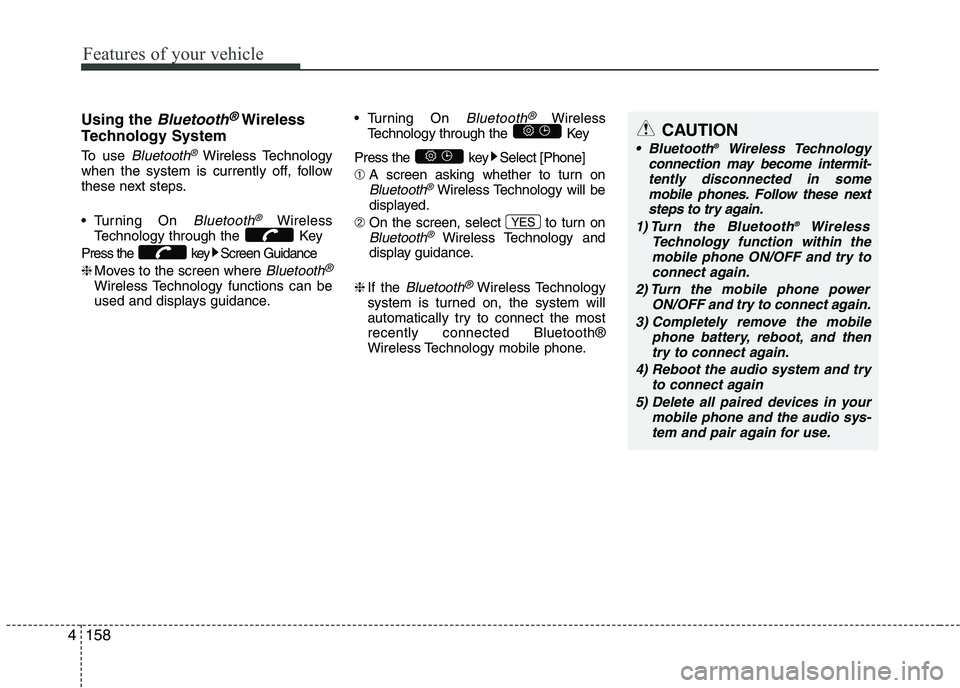
1584Using the
Bluetooth®Wireless
Technology System
To use
Bluetooth®Wireless Technology
when the system is currently off, follow
these next steps.
Turning On
Bluetooth®Wireless
Technology through the Key
Press the key Screen Guidance ❈ Moves to the screen where
Bluetooth®
Wireless Technology functions can be
used and displays guidance. Turning On
Bluetooth®Wireless
Technology through the Key
Press the key Select [Phone] ➀ A screen asking whether to turn on
Bluetooth®Wireless Technology will be
displayed.
➁ On the screen, select to turn on
Bluetooth®Wireless Technology and
display guidance.
❈ If the
Bluetooth®Wireless Technology
system is turned on, the system will
automatically try to connect the mostrecently connected Bluetooth®
Wireless Technology mobile phone. YES
CAUTION
Bluetooth
®
Wireless Technology
connection may become intermit-
tently disconnected in some mobile phones. Follow these nextsteps to try again.
1) Turn the Bluetooth ®
Wireless
Technology function within the mobile phone ON/OFF and try toconnect again.
2) Turn the mobile phone power ON/OFF and try to connect again.
3) Completely remove the mobile phone battery, reboot, and thentry to connect again.
4) Reboot the audio system and try to connect again
5) Delete all paired devices in your mobile phone and the audio sys-tem and pair again for use.
Page 234 of 488
![KIA PICANTO 2017 Owners Guide 159
Features of your vehicle
4
System Settings
Press the key Select [System]
Memory Information (if equipped)
Displays currently used memory and
total system memory.
Select [Memory Information]](/img/2/57964/w960_57964-233.png "KIA PICANTO 2017 Owners Guide 159
Features of your vehicle
4
System Settings
Press the key Select [System]
Memory Information (if equipped)
Displays currently used memory and
total system memory.
Select [Memory Information]")
159
Features of your vehicle
4
System Settings
Press the key Select [System]
Memory Information (if equipped)
Displays currently used memory and
total system memory.
Select [Memory Information] OK
The currently used memory is displayed on the left side while the total system
memory is displayed on the right side.VRS Mode (if equipped)
This feature is used to change voice
command feedback between Normal and
Expert modes.
Select [VRS Mode] Set through TUNE knob
Normal : This mode is for beginner
users and provides detailed instruc-
tions during voice command operation.
Expert : This mode is for expert users and omits some information during
voice command operation. (When
using Expert mode, guidance instruc-tions can be heard through the [Help]
or [Menu] commands.
❈ May differ depending on the selected
audio.
Page 238 of 488
![KIA PICANTO 2017 Owners Guide 163
Features of your vehicle
4
Time Format This function is used to set the 12/24
hour time format of the audio system.
Select [Time Format] Set 12Hr / 24Hr
through TUNE knob.
Clock Display when P](/img/2/57964/w960_57964-237.png "KIA PICANTO 2017 Owners Guide 163
Features of your vehicle
4
Time Format This function is used to set the 12/24
hour time format of the audio system.
Select [Time Format] Set 12Hr / 24Hr
through TUNE knob.
Clock Display when P")
163
Features of your vehicle
4
Time Format This function is used to set the 12/24
hour time format of the audio system.
Select [Time Format] Set 12Hr / 24Hr
through TUNE knob.
Clock Display when Power is OFF
Select [Clock Disp.(Pwr Off) Set
/through TUNEknob
: Displays time/date on screen
: Turn off. Phone Setup (
Bluetooth®Wireless Technology
equipped model)
Press the key Select [Phone] Pair Phone
Select [Pair Phone] Set through TUNE knob ➀
Search for device names as displayed
on your mobile phone and connect.
SETUP CLOCK
Off
On
Off
On
CAUTION
To pair a Bluetooth ®
Wireless
Technology enabled mobile phone, authentication and connection
processes are first required. As aresult, you cannot pair your mobile phone while driving the vehicle.First park your vehicle before use.
Page 239 of 488
![KIA PICANTO 2017 Owners Guide Features of your vehicle
1644[Non SSP supported device]
(SSP: Secure Simple Pairing)
➁ After a few moments, a screen is dis-
played where the passkey is entered.
Hear, enter the passkey “0000”](/img/2/57964/w960_57964-238.png "KIA PICANTO 2017 Owners Guide Features of your vehicle
1644[Non SSP supported device]
(SSP: Secure Simple Pairing)
➁ After a few moments, a screen is dis-
played where the passkey is entered.
Hear, enter the passkey “0000”")
Features of your vehicle
1644[Non SSP supported device]
(SSP: Secure Simple Pairing)
➁ After a few moments, a screen is dis-
played where the passkey is entered.
Hear, enter the passkey “0000” to pair
your
Bluetooth®Wireless Technology
device with the car audio system. [SSP supported device] ➁
After a few moments, a screen is dis-
played 6 digits passkey. Hear, check the
passkey on your
Bluetooth®Wireless
Technology device and confirm.
❈ The device name and passkey will be
displayed on the screen for up to 3 min-
utes. If pairing is not completed within
the 3 minutes, the mobile phone pairingprocess will automatically be canceled.
➂ Pairing completion is displayed.
❈ In some mobile phones, pairing will
automatically be followed by connection.
❈ It is possible to pair up to five
Bluetooth®Wireless Technology
enabled mobile phones. Phone List The names of up to 5 paired phones will
be displayed.
A [ ] is displayed in front of the currently
connected phone. Select the desired name to setup the
selected phone.
Page 241 of 488
![KIA PICANTO 2017 Owners Guide Features of your vehicle
1664
Select [Phone List] Select mobile phone
through TUNE knob Select [Delete] ➀
Select the desired mobile phone.
➁ Delete the selected mobile phone.
➂ Deletion co](/img/2/57964/w960_57964-240.png "KIA PICANTO 2017 Owners Guide Features of your vehicle
1664
Select [Phone List] Select mobile phone
through TUNE knob Select [Delete] ➀
Select the desired mobile phone.
➁ Delete the selected mobile phone.
➂ Deletion co")
Features of your vehicle
1664
Select [Phone List] Select mobile phone
through TUNE knob Select [Delete] ➀
Select the desired mobile phone.
➁ Delete the selected mobile phone.
➂ Deletion completion is displayed.
❈ When attempting to delete a currently
connected phone, the phone is first disconnected. Contacts Download
This feature is used to download contacts
and call histories into the audio system.
Select [Contacts Download] Select
through TUNE knob
Outgoing Volume
This is used to set the volume of your
voice as heard by the other party whileon a
Bluetooth®Wireless Technology
enabled handsfree call.
Select [Outgoing Volume] Set volume
through TUNE knob ❈ While on a call, the volume can be
changed by using the key.
SEEK
TRACK
CAUTION
The Bluetooth®Wireless Technology
audio streaming feature may not be
supported in some mobile phones.
CAUTION
The download feature may not be supported in some mobile phones.
If a different operation is per- formed while Contacts are beingdownloaded, downloading will be
discontinued. Contacts alreadydownloaded will be saved.
When downloading new Contacts, delete all previously savedContacts before starting download.
CAUTION
When you delete a mobile phone, the mobile phone contacts willalso be erased.
For stable Bluetooth ®
Wireless
Technology communication, delete the mobile phone from the
audio and also delete the audiofrom your mobile phone.
Page 242 of 488
![KIA PICANTO 2017 Owners Guide 167
Features of your vehicle
4
Bluetooth®Wireless Technology
System Off
This feature is used when you do not wish to use the
Bluetooth®Wireless
Technology system.
Select [Bluetooth System Off] Se](/img/2/57964/w960_57964-241.png "KIA PICANTO 2017 Owners Guide 167
Features of your vehicle
4
Bluetooth®Wireless Technology
System Off
This feature is used when you do not wish to use the
Bluetooth®Wireless
Technology system.
Select [Bluetooth System Off] Se")
167
Features of your vehicle
4
Bluetooth®Wireless Technology
System Off
This feature is used when you do not wish to use the
Bluetooth®Wireless
Technology system.
Select [Bluetooth System Off] Set
through TUNE knob ❈ If a phone is already connected, dis-
connect the currently connected phone
and turn the
Bluetooth®Wireless
Technology system off.
Using the
Bluetooth®Wireless
Technology System
To use
Bluetooth®Wireless Technology
when the system is currently off, follow
these next steps.
Turning On
Bluetooth®Wireless
Technology through the Key
Press the key Screen Guidance ❈ Moves to the screen where
Bluetooth®
Wireless Technology functions can be
used and displays guidance. Turning On
Bluetooth®Wireless
Technology through the Key
Press the key Select [Phone] ➀ A screen asking whether to turn on
Bluetooth®Wireless Technology will be
displayed.
➁ On the screen, select to turn on
Bluetooth®Wireless Technology and
display guidance.
❈ If the
Bluetooth®Wireless Technology
system is turned on, the system will
automatically try to connect the mostrecently connected
Bluetooth®
Wireless Technology mobile phone. YES
SETUP
CLOCK
SETUP
CLOCK
PHONE
PHONE
CAUTION
Bluetooth®Wireless Technology
connection may become intermit-
tently disconnected in some mobile phones. Follow these nextsteps to try again.
1) Turn the Bluetooth
®Wireless
Technology function within the mobile phone ON/OFF and try toconnect again.
2) Turn the mobile phone power ON/OFF and try to connect again.
3) Completely remove the mobile phone battery, reboot, and thentry to connect again.
4) Reboot the audio system and try to connect again
5) Delete all paired devices in your mobile phone and the audio sys-tem and pair again for use.