door lock KIA QUORIS 2013 Owner's Manual
[x] Cancel search | Manufacturer: KIA, Model Year: 2013, Model line: QUORIS, Model: KIA QUORIS 2013Pages: 485, PDF Size: 31.55 MB
Page 103 of 485
Features of your vehicle
24
4
Closing the trunk
To close the power trunk, do one of
the following:
Press the close button of the power
trunk main switch until the power
trunk is closed securely (Type A).
The chime will sound twice.
Press the power trunk main switch until the power trunk is closed
securely (Type B). The chime will
sound twice.
Press the power trunk close button.
Press the power trunk lock button when all doors and engine hood
are closed with the smart key in
your possession. After closing, all
doors and trunk lock automatically.
✽✽ NOTICE
The chime sound will operate if you
press the power trunk lock button
when:
- Any door is open.
- The engine start/stop button is not in the OFF position.
- The smart key is in the vehicle.
Power trunk non-opening condi-
tions
The power trunk will not open or
close automatically, when the vehicle
is moving more than 3 km/h (2 mph).
✽✽ NOTICE
If there are obstacles such as snow
on the power trunk, it may not open
automatically. After remove the
obstacle, try to open it again. ✽
✽
NOTICE
The power trunk can be operated when the engine is not running.
However the power trunk opera-
tion consumes large amounts of
vehicle electric power. To prevent
the battery from being discharged,
do not operate it excessively e.g.:
more than approximately 10 times
repeatedly.
To prevent the battery from being discharged, do not leave the power
trunk in the open position for a
long lime.
Do not apply excessive force while operating the power trunk. This
could cause damage to the power
trunk.
Do not modify or repair any part of the power trunk by yourself. We
recommend that the system be
serviced by an authorized Kia
dealer.
When jacking up the vehicle to change a tire or repair the vehicle,
do not operate the power trunk.
This could cause the power trunk
to operate improperly.
CAUTION
The chime will sound 10 times if
you drive over 3km/h(2mph)with the trunk opened. Stop your vehicle immediately at asafe place and check if yourtrunk is opened.
Page 107 of 485
Features of your vehicle
28
4
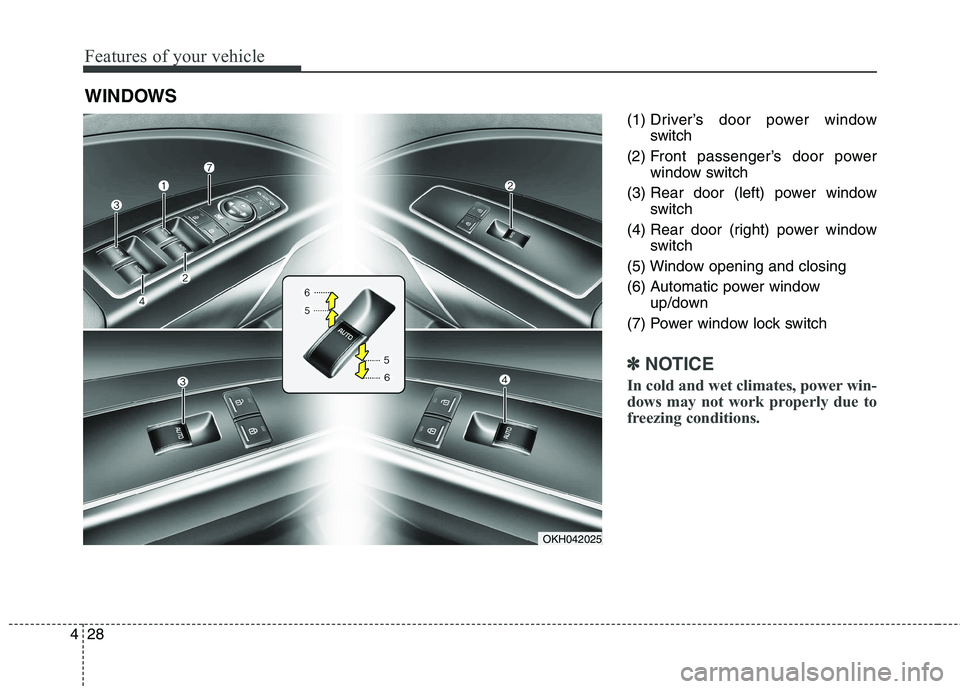
(1) Driver’s door power window
switch
(2) Front passenger’s door power window switch
(3) Rear door (left) power window switch
(4) Rear door (right) power window switch
(5) Window opening and closing
(6) Automatic power window up/down
(7) Power window lock switch
✽✽ NOTICE
In cold and wet climates, power win-
dows may not work properly due to
freezing conditions.
WINDOWS
OKH042025
Page 108 of 485
429
Features of your vehicle
Power windows
The engine start/stop button must be
in the ON position for power windows
to operate.
Each door has a power window
switch that controls the door's win-
dow. The driver has a power window
lock switch which can block the oper-
ation of rear passenger windows.
The power windows can be operated
for approximately 30 seconds after
engine is turned off. However, if the
front doors open, the power windows
cannot be operated within the 30
second period.✽✽NOTICE
While driving with the rear windows
down or with the sunroof (if
equipped) in an open (or partially
open position), your vehicle may
demonstrate a wind buffeting or
pulsation noise. This noise is a nor-
mal occurrence and can be reduced
or eliminated by taking the follow-
ing actions. If the noise occurs with
one or both of the rear windows
down, partially lower both front
windows approximately one inch. If
you experience the noise with the
sunroof open, slightly reduce the
size of the sunroof opening.Window opening and closing
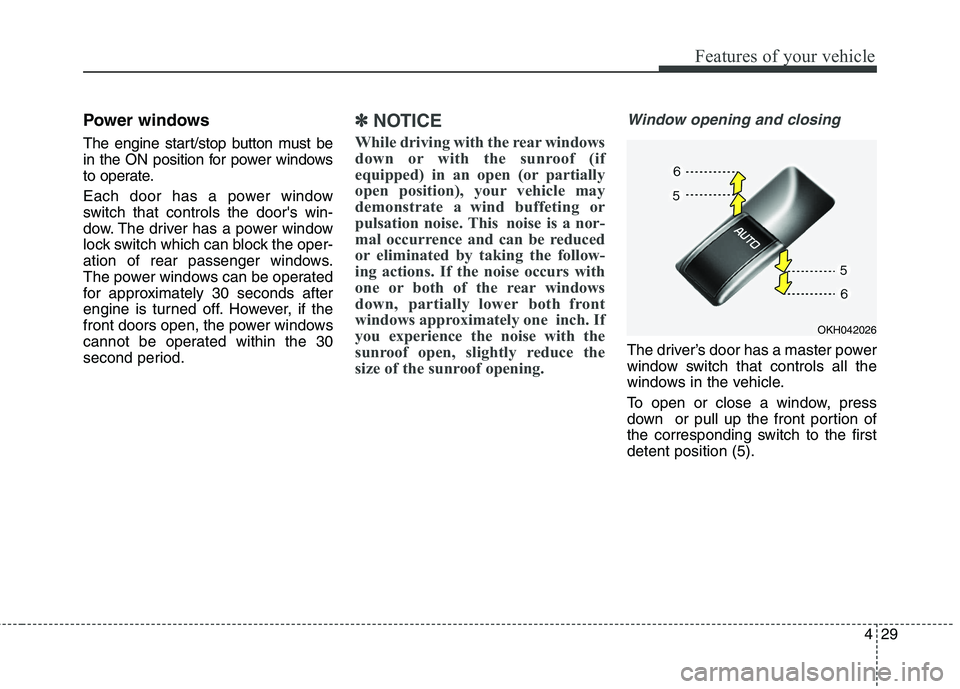
The driver’s door has a master power
window switch that controls all the
windows in the vehicle.
To open or close a window, press
down or pull up the front portion of
the corresponding switch to the firstdetent position (5).
OKH042026
Page 110 of 485
431
Features of your vehicle
Power window lock button
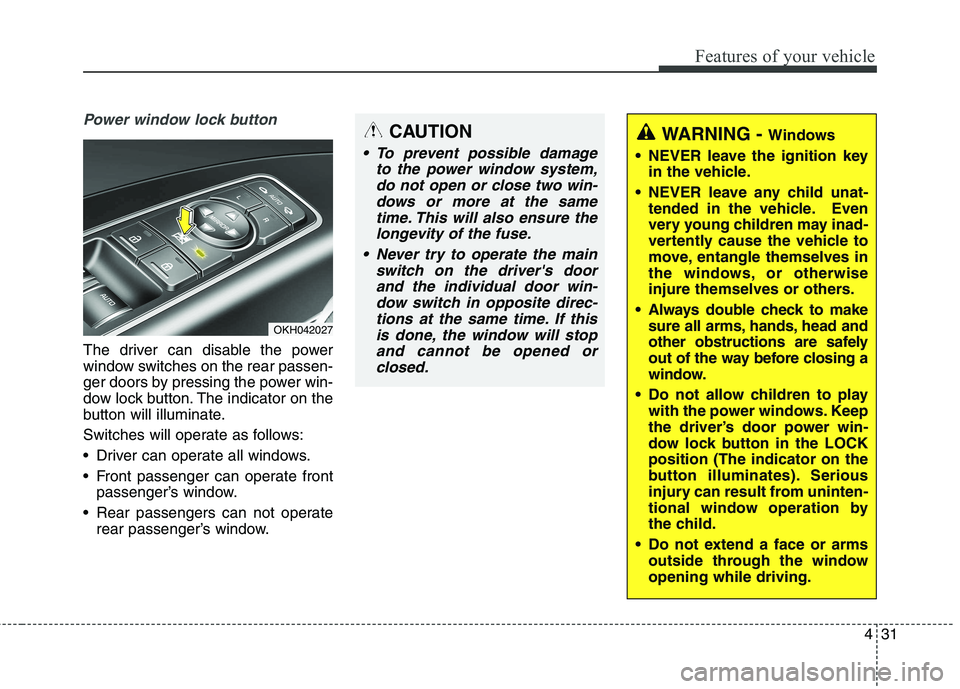
The driver can disable the power
window switches on the rear passen-
ger doors by pressing the power win-
dow lock button. The indicator on the
button will illuminate.
Switches will operate as follows:
Driver can operate all windows.
Front passenger can operate frontpassenger’s window.
Rear passengers can not operate rear passenger’s window.
OKH042027
CAUTION
To prevent possible damage
to the power window system,do not open or close two win-dows or more at the sametime. This will also ensure the longevity of the fuse.
Never try to operate the main switch on the driver's doorand the individual door win-dow switch in opposite direc- tions at the same time. If thisis done, the window will stopand cannot be opened orclosed.
WARNING - Windows
NEVER leave the ignition key in the vehicle.
NEVER leave any child unat- tended in the vehicle. Even
very young children may inad-
vertently cause the vehicle to
move, entangle themselves in
the windows, or otherwise
injure themselves or others.
Always double check to make sure all arms, hands, head and
other obstructions are safely
out of the way before closing a
window.
Do not allow children to play with the power windows. Keep
the driver’s door power win-
dow lock button in the LOCKposition (The indicator on the
button illuminates). Serious
injury can result from uninten-
tional window operation by
the child.
Do not extend a face or arms outside through the windowopening while driving.
Page 127 of 485
Features of your vehicle
48
4
Center (AUTO) :
The mirror will fold or unfold auto-
matically as follows:
- The mirror will fold or unfold when the door is locked or unlocked by
the smart key.
- The mirror will fold or unfold when the door is locked or unlocked by
the button on the outside door han-
dle.
- The mirror will unfold when you approach the vehicle (all doors
closed and locked) with a smart
key in possession.
CAUTION
In case it is an electric type out-
side rearview mirror, don’t fold itby hand. It could cause motor failure.
CAUTION
The electric type outsiderearview mirror operates eventhough the ignition switch is in the OFF position. However, toprevent unnecessary batterydischarge, do not adjust themirrors longer than necessary while the engine is not running.
Page 136 of 485
457
Features of your vehicle
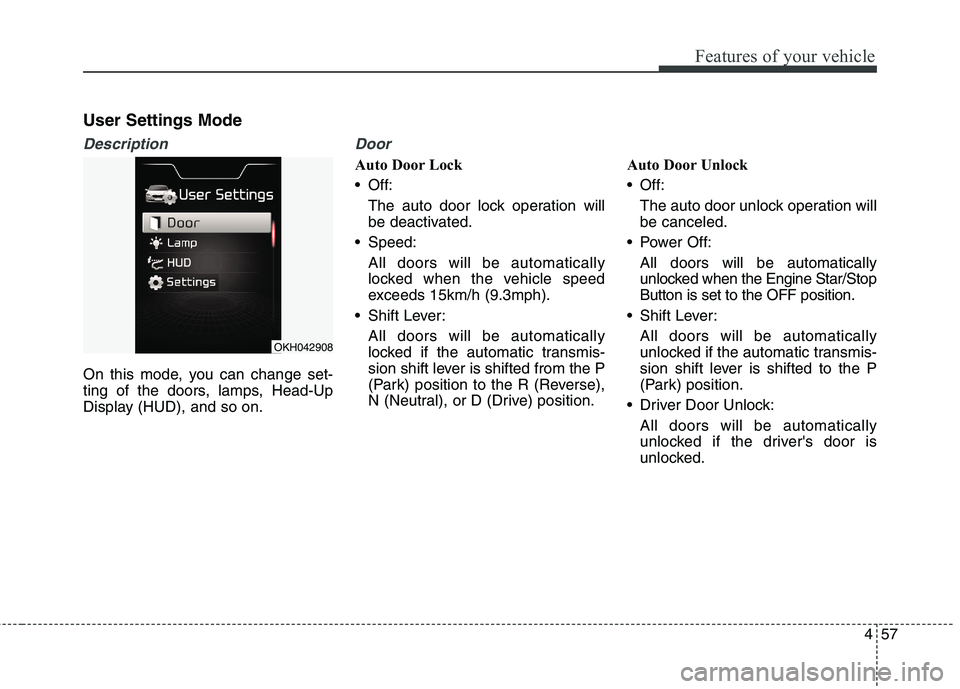
User Settings Mode
Description
On this mode, you can change set-
ting of the doors, lamps, Head-Up
Display (HUD), and so on.
Door
Auto Door Lock
Off:The auto door lock operation willbe deactivated.
Speed:
All doors will be automaticallylocked when the vehicle speed
exceeds 15km/h (9.3mph).
Shift Lever:
All doors will be automaticallylocked if the automatic transmis-
sion shift lever is shifted from the P
(Park) position to the R (Reverse),
N (Neutral), or D (Drive) position. Auto Door Unlock
Off:
The auto door unlock operation willbe canceled.
Power Off:
All doors will be automaticallyunlocked when the Engine Star/Stop Button is set to the OFF position.
Shift Lever: All doors will be automatically
unlocked if the automatic transmis-
sion shift lever is shifted to the P
(Park) position.
Driver Door Unlock: All doors will be automatically
unlocked if the driver's door is
unlocked.
OKH042908
Page 140 of 485
461
Features of your vehicle
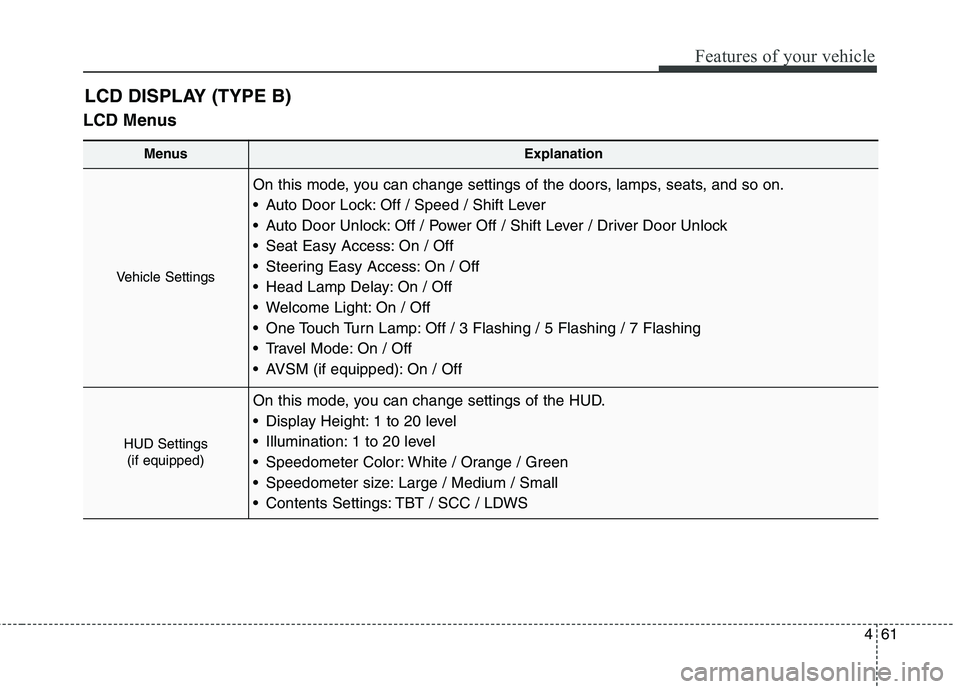
LCD MenusLCD DISPLAY (TYPE B)
MenusExplanation
Vehicle Settings
On this mode, you can change settings of the doors, lamps, seats, and so on.
Auto Door Lock: Off / Speed / Shift Lever
Auto Door Unlock: Off / Power Off / Shift Lever / Driver Door Unlock
Seat Easy Access: On / Off
Steering Easy Access: On / Off
Head Lamp Delay: On / Off
Welcome Light: On / Off
One Touch Turn Lamp: Off / 3 Flashing / 5 Flashing / 7 Flashing
Travel Mode: On / Off
AVSM (if equipped): On / Off
HUD Settings
(if equipped)
On this mode, you can change settings of the HUD.
Display Height: 1 to 20 level
Illumination: 1 to 20 level
Speedometer Color: White / Orange / Green
Speedometer size: Large / Medium / Small
Contents Settings: TBT / SCC / LDWS
Page 142 of 485
463
Features of your vehicle
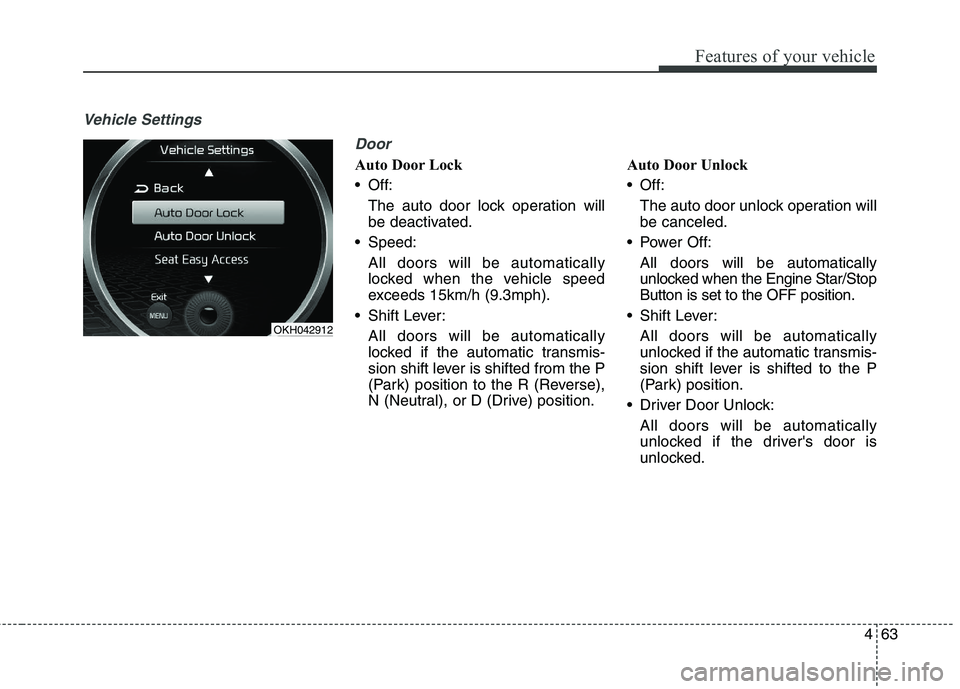
Vehicle SettingsDoor
Auto Door Lock
Off:The auto door lock operation willbe deactivated.
Speed:
All doors will be automaticallylocked when the vehicle speed
exceeds 15km/h (9.3mph).
Shift Lever:
All doors will be automaticallylocked if the automatic transmis-
sion shift lever is shifted from the P
(Park) position to the R (Reverse),
N (Neutral), or D (Drive) position. Auto Door Unlock
Off:
The auto door unlock operation willbe canceled.
Power Off:
All doors will be automaticallyunlocked when the Engine Star/Stop Button is set to the OFF position.
Shift Lever: All doors will be automatically
unlocked if the automatic transmis-
sion shift lever is shifted to the P
(Park) position.
Driver Door Unlock: All doors will be automatically
unlocked if the driver's door is
unlocked.
OKH042912
Page 189 of 485
Features of your vehicle
110
4
Battery saver function
The purpose of this feature is to
prevent the battery from being dis-
charged. The system automatically
turns off the parking lights when
the driver turns off the engine and
opens the driver-side door.
With this feature, the parking lights will be turned off automatically if
the driver parks on the side of roadat night.
If necessary, to keep the lights on
when the engine is turned off per-
form the following:
1) Open the driver-side door.
2) Turn the parking lights OFF and ON again. Headlight escort function
The headlights (and/or parking
lights) will remain on for approxi-
mately 5 minutes after the engine
start/stop button is turned to the ACC
or OFF position. However, if the dri-
ver’s door is opened and closed, the
headlights are turned off after 15
seconds.
The headlights can be turned off by
pressing the lock button on the smart
key twice or turning off the light
switch from the headlight or Autolight position.
Daytime running light (if equipped)
The Daytime Running Lights (DRL)
can make it easier for others to see
the front of your vehicle during the
day. DRL can be helpful in many dif-
ferent driving conditions, and it is
especially helpful after dawn and
before sunset.
The DRL system will turn the dedi- cated lamp OFF when:
1. The headlight switch is ON.
2. The engine is OFF.
LIGHTING
CAUTION
If the driver gets out of the vehi-
cle through other doors (exceptdriver's door), the battery saver function does not operate andthe headlight escort functiondoes not turn off automatically.Therefore, It causes the battery to be discharged. In this case,make sure to turn off the lampbefore getting out of the vehicle.
Page 201 of 485
Features of your vehicle
122
4
Press the button to
turn the rear lamp
on. To turn the lamp
off, press the but-ton again.
Press the button to operate the door
mode. The indicator on the button will
illuminate and lamps will turn on or off
as follows: - The front and rear lamp comeson when a door is opened. The
lamps go out after approximately
30 seconds.
- The front and rear lamp comes on for approximately 30 seconds
when doors are unlocked with the
smart key as long as the doorsare not opened.
- The front and rear lamp will stay on for approximately 20 minutes ifa door is opened with the engine
start/stop button in the ACC orOFF position.
- The front and rear lamp will stay on continuously if the door is
opened with the engine start/stop
button in the ON position. - The front and rear lamp will go out
immediately if the engine start/stop
button is changed to the ON posi-
tion or all doors are locked.
To turn off the door mode, press the
button again. The indicator on the
button will turn off.
Press the button to operate the pri-
vacy mode. The indicator on the but-
ton will illuminate and lamps will turn
on or off as follows:
- If you open any door, the lamp for the open door will illuminate.
To turn off the privacy mode, press
the button again. The indicator on the
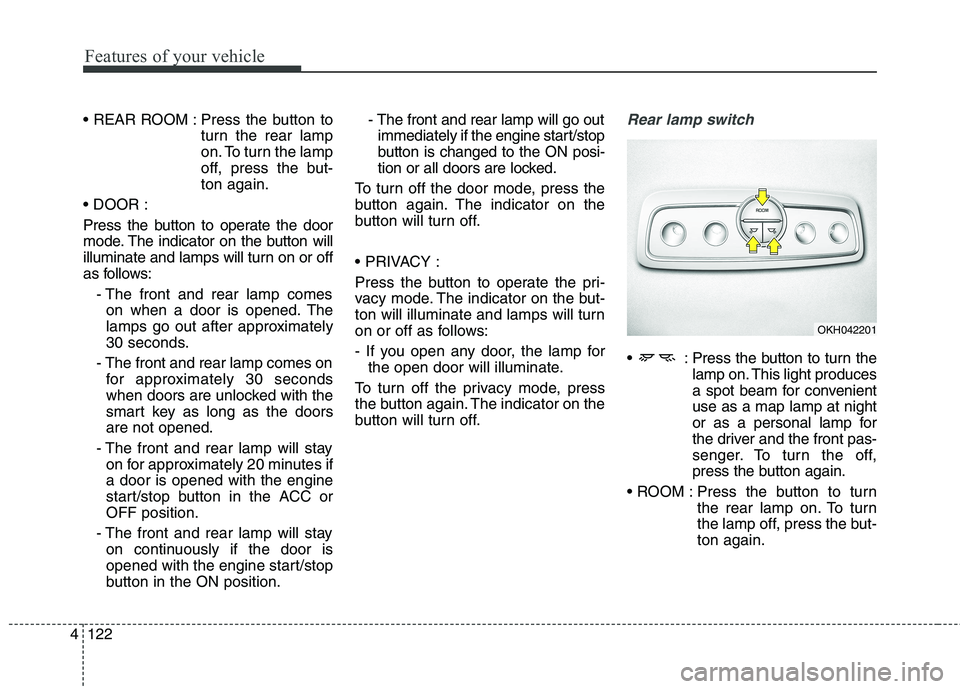
button will turn off.Rear lamp switch
: Press the button to turn the lamp on. This light produces
a spot beam for convenientuse as a map lamp at night
or as a personal lamp for
the driver and the front pas-
senger. To turn the off,
press the button again.
Press the button to turn the rear lamp on. To turn
the lamp off, press the but-ton again.
OKH042201