engine KIA QUORIS 2015 Owners Manual
[x] Cancel search | Manufacturer: KIA, Model Year: 2015, Model line: QUORIS, Model: KIA QUORIS 2015Pages: 486, PDF Size: 35.55 MB
Page 263 of 486
519
Driving your vehicle
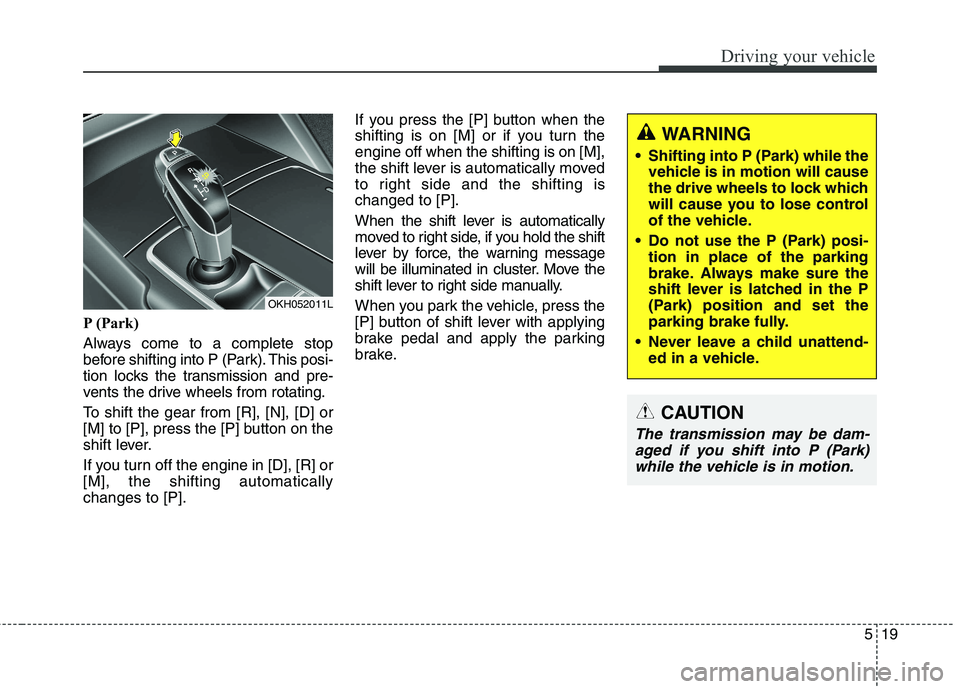
P (Park)
Always come to a complete stop
before shifting into P (Park). This posi-
tion locks the transmission and pre-
vents the drive wheels from rotating.
To shift the gear from [R], [N], [D] or
[M] to [P], press the [P] button on the
shift lever.
If you turn off the engine in [D], [R] or [M], the shifting automaticallychanges to [P].If you press the [P] button when the
shifting is on [M] or if you turn theengine off when the shifting is on [M],
the shift lever is automatically moved
to right side and the shifting ischanged to [P].
When the shift lever is automatically
moved to right side, if you hold the shift
lever by force, the warning message
will be illuminated in cluster. Move the
shift lever to right side manually.
When you park the vehicle, press the
[P] button of shift lever with applying
brake pedal and apply the parking
brake.
WARNING
Shifting into P (Park) while the vehicle is in motion will cause
the drive wheels to lock which
will cause you to lose control
of the vehicle.
Do not use the P (Park) posi- tion in place of the parking
brake. Always make sure the
shift lever is latched in the P
(Park) position and set the
parking brake fully.
Never leave a child unattend- ed in a vehicle.
CAUTION
The transmission may be dam-
aged if you shift into P (Park)while the vehicle is in motion.
OKH052011L
Page 264 of 486
![KIA QUORIS 2015 Owners Manual Driving your vehicle
20
5
R (Reverse)
Use this position to drive the vehicle
backward.
To shift the gear to [R] press the
[UNLOCK] button of shift lever with
depressing brake pedal and move
the sh](/img/2/57972/w960_57972-263.png "KIA QUORIS 2015 Owners Manual Driving your vehicle
20
5
R (Reverse)
Use this position to drive the vehicle
backward.
To shift the gear to [R] press the
[UNLOCK] button of shift lever with
depressing brake pedal and move
the sh")
Driving your vehicle
20
5
R (Reverse)
Use this position to drive the vehicle
backward.
To shift the gear to [R] press the
[UNLOCK] button of shift lever with
depressing brake pedal and move
the shift lever forward. N (Neutral)
The wheels and transmission are not
engaged. The vehicle will roll freely
even on the slightest incline unless
the parking brake or service brakesare applied.
In neutral range if you turn off the
engine, the range will be on [N] and
the engine start/stop button position
will be on ACC.
CAUTION
Always come to a complete stop
before shifting into or out of R (Reverse); you may damage thetransmission if you shift into R(Reverse) while the vehicle is in motion, except as explained in“Rocking the vehicle” in thissection.
OKH052013L
OKH052014L
OKH052015L
Page 265 of 486
![KIA QUORIS 2015 Owners Manual 521
Driving your vehicle
To turn off engine :
1. Press the engine start/stop buttonagain to the ON position.
2. Press the [P] button on the shift lever.
3. Press the engine start/stop button again, t](/img/2/57972/w960_57972-264.png "KIA QUORIS 2015 Owners Manual 521
Driving your vehicle
To turn off engine :
1. Press the engine start/stop buttonagain to the ON position.
2. Press the [P] button on the shift lever.
3. Press the engine start/stop button again, t")
521
Driving your vehicle
To turn off engine :
1. Press the engine start/stop buttonagain to the ON position.
2. Press the [P] button on the shift lever.
3. Press the engine start/stop button again, the engine start/stop button will change to the OFF position.
However, when you open the door
with the shift lever in N (Neutral) and
the engine start/stop button in the
ACC position, the shift lever will auto-
matically move to P (Park) and the
engine start/stop button will changeto the OFF position. D (Drive)
This is the normal forward driving
position. The shift lever will automat-ically shift through a 8-gear
sequence, providing the best fuel
economy and power.
For extra power when passing anoth-
er vehicle or climbing grades,
depress the accelerator fully, at
which time the shift lever will auto-
matically downshift to the lower gear.
To shift into [D], depress the brake
pedal and press the [UNLOCK] but-
ton of shift lever. And then move the
shift lever to backward.
To shift into [D], from [N] you must
depress the brake pedal.
✽✽
NOTICE
Always come to a complete stop
before shifting into D (Drive).
Manual mode
Whether the vehicle is stationary or
in motion, sports mode is selected by
pushing the shift lever from the D
(Drive) position into the manual gate.
To return to D (Drive) range opera-
tion, push the shift lever back into the
main gate.
In manual mode, moving the shift
lever backwards and forwards will
allow you to make gearshifts rapidly.
Up (+) : Push the lever forward once to shift up one gear.
Down (-) : Pull the lever backwards
once to shift down one gear.
OKH052018L
+ (UP)
- (DOWN)
Manual mode
Page 266 of 486
Driving your vehicle
22
5
✽✽
NOTICE
In manaul mode, the driver must execute upshifts in accordance
with road conditions, taking care
to keep the engine speed below the
red zone.
In manaul mode, only the 8 for- ward gears can be selected. To
reverse or park the vehicle, move
the shift lever to the R (Reverse)
or P (Park) position as required.
In manaul mode, downshifts are made automatically when the
vehicle slows down. When the
vehicle stops, 1st gear is automati-
cally selected.
In manaul mode, when the engine rpm approaches the red zone shift
points are varied to upshift auto-
matically.
To maintain the required levels of vehicle performance and safety,
the system may not execute cer-
tain gearshifts when the shift lever
is operated. (Continued)(Continued)
When driving on a slippery road,
push the shift lever forward into
the +(up) position. This causes the
transmission to shift into the 2nd
gear which is better for smooth
driving on a slippery road. Push
the shift lever to the -(down) side
to shift back to the 1st gear.Shift lock system (if equipped)
For your safety, the automatic trans-
mission has a shift lock system
which prevents shifting the transmis-
sion from P (Park) into R (Reverse)
unless the brake pedal is depressed.
To shift the transmission from P
(Park) into R (Reverse) or D (Drive) :
1. Depress and hold the brake pedal.
2. Start the engine or turn the ignition switch to the ON position.
3. Move the shift lever to R (Reverse) or D (Drive) with pressing
[UNLOCK] button.
If the brake pedal is repeatedlydepressed and released with the shift
lever in the P (Park) position, a chat-
tering noise near the shift lever may
be heard. This is a normal condition.
Page 268 of 486
Driving your vehicle
24
5
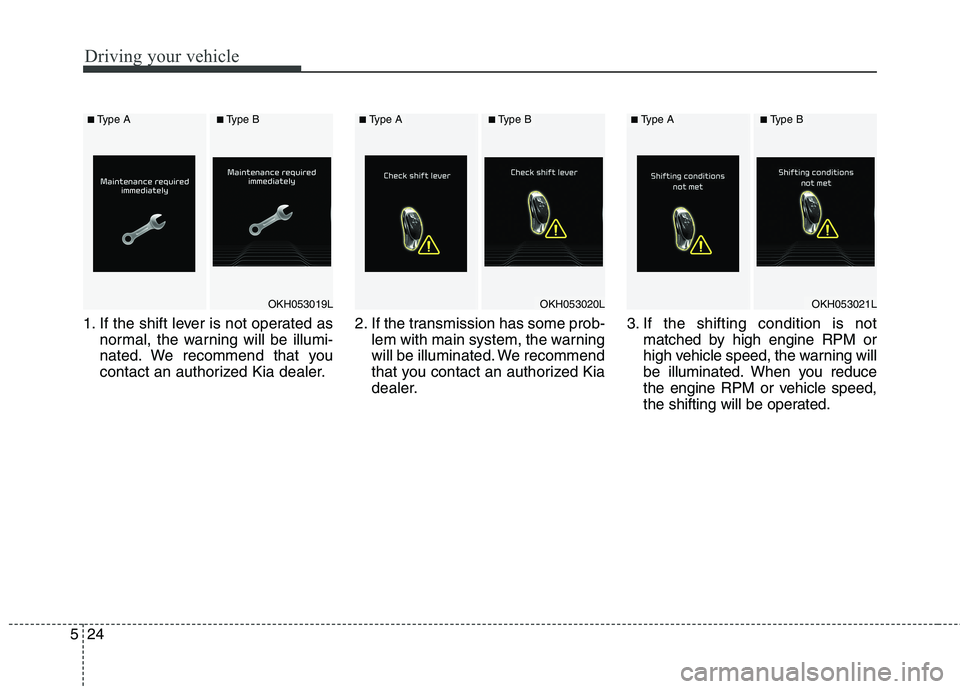
1. If the shift lever is not operated as
normal, the warning will be illumi-
nated. We recommend that you
contact an authorized Kia dealer. 2. If the transmission has some prob-
lem with main system, the warning
will be illuminated. We recommend
that you contact an authorized Kia
dealer. 3. If the shifting condition is not
matched by high engine RPM or
high vehicle speed, the warning will
be illuminated. When you reduce
the engine RPM or vehicle speed,
the shifting will be operated.
OKH053019L
■Type A■Type B
OKH053020L
■Type A■Type B
OKH053021L
■Type A■Type B
Page 270 of 486
![KIA QUORIS 2015 Owners Manual Driving your vehicle
26
5
7. While stopping in [D], [R] and [M],
when you get off the vehicle, the
warning will be illuminated for your
safety and the shifting is automati-cally changed to [P]. If yo](/img/2/57972/w960_57972-269.png "KIA QUORIS 2015 Owners Manual Driving your vehicle
26
5
7. While stopping in [D], [R] and [M],
when you get off the vehicle, the
warning will be illuminated for your
safety and the shifting is automati-cally changed to [P]. If yo")
Driving your vehicle
26
5
7. While stopping in [D], [R] and [M],
when you get off the vehicle, the
warning will be illuminated for your
safety and the shifting is automati-cally changed to [P]. If you do not press [UNLOCK] but-
ton, the warning will be illuminated. Good driving practices
Never move the shift lever from P
(Park) or N (Neutral) to any other
position with the accelerator pedaldepressed.
Never move the shift lever into P (Park) when the vehicle is in motion.
Be sure the car is completely stopped before you attempt to shift
into R (Reverse) or D (Drive).
Never take the car out of gear and coast down a hill. This may be
extremely hazardous. Always leave
the car in gear when moving.
Do not "ride" the brakes. This can cause them to overheat and mal-
function. Instead, when you are
driving down a long hill, slow down
and shift to a lower gear. When you
do this, engine braking will help
slow the car.
Slow down before shifting to a lower gear. Otherwise, the lower
gear may not be engaged.
OKH053025L
■Type A■Type B
OKH053102L
■Type A■Type B
Page 273 of 486
529
Driving your vehicle
BRAKE SYSTEM
Power brakes
Your vehicle has power-assisted
brakes that adjust automatically
through normal usage.
In the event that the power-assisted
brakes lose power because of a stalled
engine or some other reason, you can
still stop your vehicle by applying
greater force to the brake pedal than
you normally would. The stopping dis-
tance, however, will be longer.
When the engine is not running, the
reserve brake power is partially
depleted each time the brake pedal
is applied. Do not pump the brake
pedal when the power assist has
been interrupted.
Pump the brake pedal only when
necessary to maintain steering con-
trol on slippery surfaces.
(Continued) Always test your brakes in this fashion after driving
through deep water. To dry the
brakes, apply them lightly
while maintaining a safe for-
ward speed until brake per-
formance returns to normal.
Always, confirm the position of the brake and accelerator
pedal before driving. If you
don’t check the position of theaccelerator and brake pedal
before driving, you maydepress the accelerator
instead of the brake pedal. It
may cause a serious accident.WARNING - Brakes
Do not drive with your foot resting on the brake pedal. This will create abnormal high
brake temperatures, excessive
brake lining and pad wear, andincreased stopping distances.
When descending a long or steep hill, shift to a lower gear
and avoid continuous applica-
tion of the brakes. Continuousbrake application will cause
the brakes to overheat and
could result in a temporary
loss of braking performance.
Wet brakes may impair the vehicle’s ability to safely slow
down; the vehicle may alsopull to one side when the
brakes are applied. Applying
the brakes lightly will indicate
whether they have been
affected in this way.
(Continued)
Page 275 of 486
531
Driving your vehicle
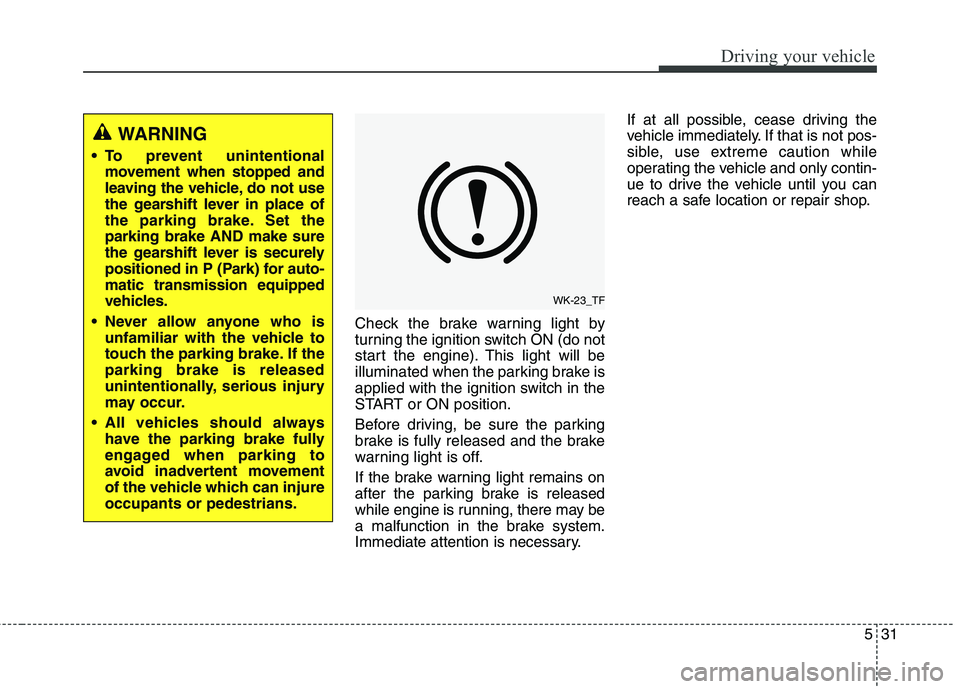
Check the brake warning light by
turning the ignition switch ON (do not
start the engine). This light will be
illuminated when the parking brake is
applied with the ignition switch in the
START or ON position.
Before driving, be sure the parking
brake is fully released and the brake
warning light is off.
If the brake warning light remains on
after the parking brake is released
while engine is running, there may be
a malfunction in the brake system.
Immediate attention is necessary.If at all possible, cease driving the
vehicle immediately. If that is not pos-
sible, use extreme caution while
operating the vehicle and only contin-
ue to drive the vehicle until you can
reach a safe location or repair shop.
WK-23_TF
WARNING
To prevent unintentional movement when stopped and
leaving the vehicle, do not use
the gearshift lever in place of
the parking brake. Set theparking brake AND make sure
the gearshift lever is securely
positioned in P (Park) for auto-matic transmission equipped
vehicles.
Never allow anyone who is unfamiliar with the vehicle to
touch the parking brake. If theparking brake is released
unintentionally, serious injury
may occur.
All vehicles should always have the parking brake fully
engaged when parking to
avoid inadvertent movement
of the vehicle which can injureoccupants or pedestrians.
Page 276 of 486
Driving your vehicle
32
5
Anti-lock brake system (ABS)
The ABS continuously senses the
speed of the wheels. If the wheels
are going to lock, the ABS system
repeatedly modulates the hydraulic
brake pressure to the wheels.
When you apply your brakes under
conditions which may lock the wheels,
you may hear a “tik-tik’’ sound from the
brakes, or feel a corresponding sensa-
tion in the brake pedal. This is normal
and it means your ABS is active.
In order to obtain the maximum ben-
efit from your ABS in an emergencysituation, do not attempt to modulate
your brake pressure and do not try to
pump your brakes.Press your brake pedal as hard as
possible or as hard as the situation
warrants and allow the ABS to con-
trol the force being delivered to the
brakes.
✽✽
NOTICE
A click sound may be heard in the
engine compartment when the vehi-
cle begins to move after the engine is
started. These conditions are normal
and indicate that the anti-lock brake
system is functioning properly.
Even with the anti-lock brake sys- tem, your vehicle still requires suf-
ficient stopping distance. Always
maintain a safe distance from the
vehicle in front of you.
Always slow down when cornering. The anti-lock brake system cannot
prevent accidents resulting from
excessive speeds.
On loose or uneven road surfaces, operation of the anti-lock brake sys-
tem may result in a longer stopping
distance than for vehicles equipped
with a conventional brake system.
(Continued)
On roads where the road sur-face is pitted or has different surface height.
The safety features of an ABS
(or ESC) equipped vehicle
should not be tested by high
speed driving or cornering. This
could endanger the safety of
yourself or others.
WARNING
ABS (or ESC) will not prevent
accidents due to improper or
dangerous driving maneuvers.
Even though vehicle control is
improved during emergency
braking, always maintain a safe
distance between you and
objects ahead. Vehicle speeds
should always be reduced dur-
ing extreme road conditions.
The braking distance for cars
equipped with an anti-lock brak-
ing system (or Electronic
Stability Control system) may be
longer than for those without it
in the following road conditions. During these conditions the
vehicle should be driven atreduced speeds:
Rough, gravel or snow-cov- ered roads.
With tire chains installed.
(Continued)
Page 277 of 486
533
Driving your vehicle
W-78
CAUTION
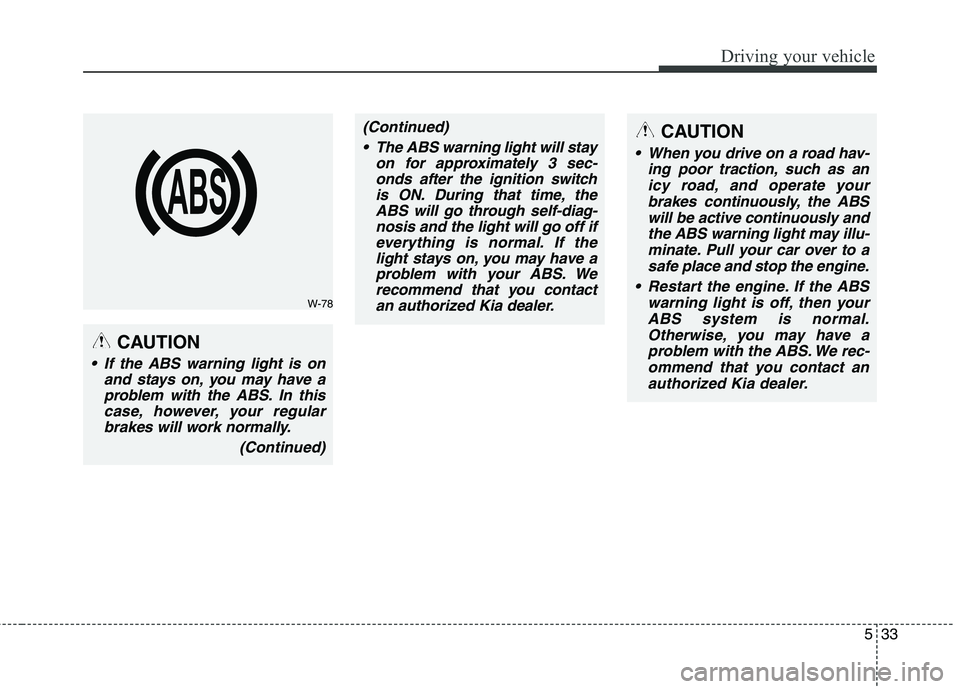
If the ABS warning light is onand stays on, you may have aproblem with the ABS. In thiscase, however, your regularbrakes will work normally.
(Continued)
(Continued) The ABS warning light will stay on for approximately 3 sec-onds after the ignition switchis ON. During that time, theABS will go through self-diag-nosis and the light will go off ifeverything is normal. If thelight stays on, you may have aproblem with your ABS. Werecommend that you contactan authorized Kia dealer.CAUTION
When you drive on a road hav-
ing poor traction, such as anicy road, and operate your brakes continuously, the ABSwill be active continuously andthe ABS warning light may illu- minate. Pull your car over to asafe place and stop the engine.
Restart the engine. If the ABS warning light is off, then yourABS system is normal. Otherwise, you may have aproblem with the ABS. We rec-ommend that you contact an authorized Kia dealer.