display KIA QUORIS 2015 User Guide
[x] Cancel search | Manufacturer: KIA, Model Year: 2015, Model line: QUORIS, Model: KIA QUORIS 2015Pages: 486, PDF Size: 35.55 MB
Page 136 of 486
455
Features of your vehicle
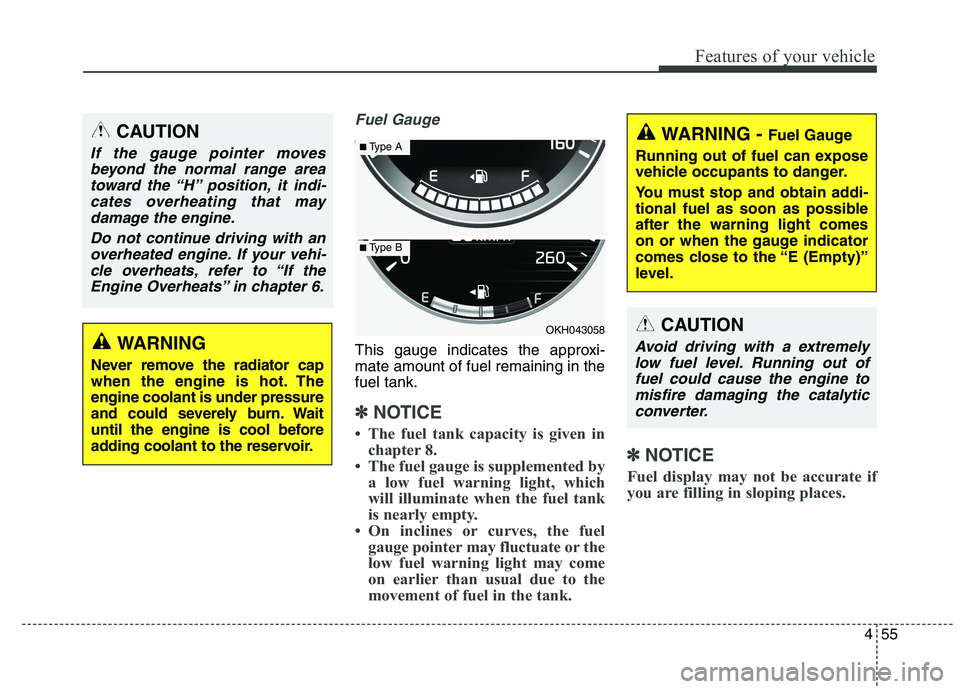
Fuel Gauge
This gauge indicates the approxi- mate amount of fuel remaining in thefuel tank.
✽✽NOTICE
The fuel tank capacity is given in chapter 8.
The fuel gauge is supplemented by a low fuel warning light, which
will illuminate when the fuel tank
is nearly empty.
On inclines or curves, the fuel gauge pointer may fluctuate or the
low fuel warning light may come
on earlier than usual due to the
movement of fuel in the tank. ✽
✽
NOTICE
Fuel display may not be accurate if
you are filling in sloping places.
WARNING
Never remove the radiator cap
when the engine is hot. Theengine coolant is under pressure
and could severely burn. Wait
until the engine is cool before
adding coolant to the reservoir.
CAUTION
If the gauge pointer moves beyond the normal range area toward the “H” position, it indi-cates overheating that maydamage the engine.
Do not continue driving with anoverheated engine. If your vehi- cle overheats, refer to “If theEngine Overheats” in chapter 6.
OKH043058
■ Type A
■Type B
WARNING - Fuel Gauge
Running out of fuel can expose
vehicle occupants to danger.
You must stop and obtain addi-
tional fuel as soon as possibleafter the warning light comes
on or when the gauge indicator
comes close to the “E (Empty)”
level.
CAUTION
Avoid driving with a extremely low fuel level. Running out offuel could cause the engine tomisfire damaging the catalytic converter.
Page 137 of 486
Features of your vehicle
56
4
Odometer
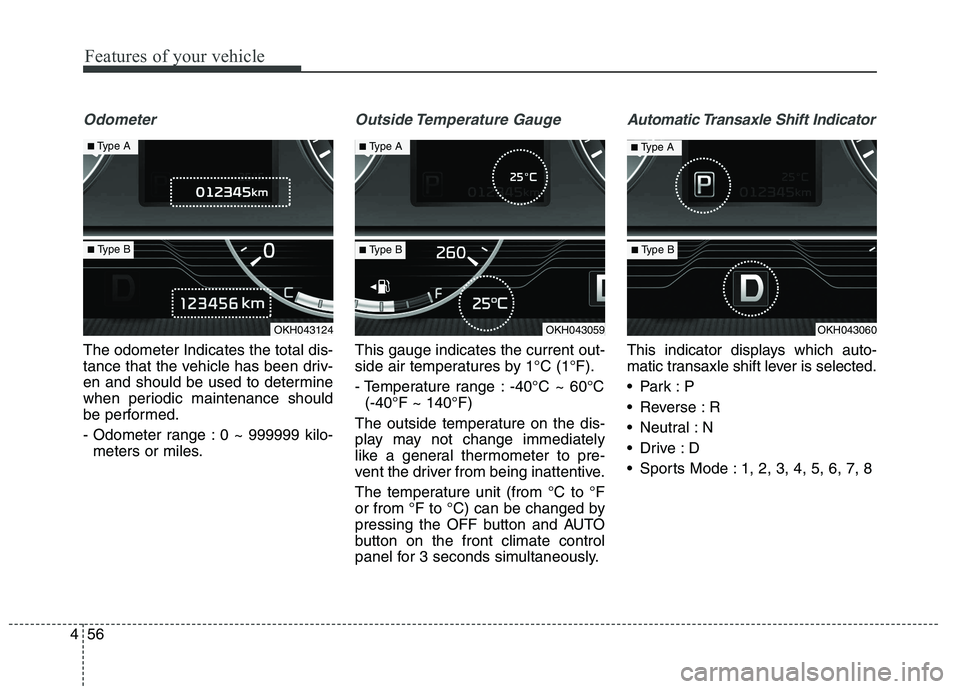
The odometer Indicates the total dis-
tance that the vehicle has been driv-
en and should be used to determine
when periodic maintenance should
be performed.
- Odometer range : 0 ~ 999999 kilo-
meters or miles.
Outside Temperature Gauge
This gauge indicates the current out-
side air temperatures by 1°C (1°F).
- Temperature range : -40°C ~ 60°C(-40°F ~ 140°F)
The outside temperature on the dis-
play may not change immediately
like a general thermometer to pre-
vent the driver from being inattentive.
The temperature unit (from °C to °F
or from °F to °C) can be changed by
pressing the OFF button and AUTO
button on the front climate control
panel for 3 seconds simultaneously.
Automatic Transaxle Shift Indicator
This indicator displays which auto-
matic transaxle shift lever is selected.
Reverse : R
Neutral : N
Sports Mode : 1, 2, 3, 4, 5, 6, 7, 8
OKH043124OKH043059OKH043060
■ Type A
■ Type B
■Type A■Type A
■ Type B■ Type B
Page 138 of 486
457
Features of your vehicle
LCD ModesLCD DISPLAY
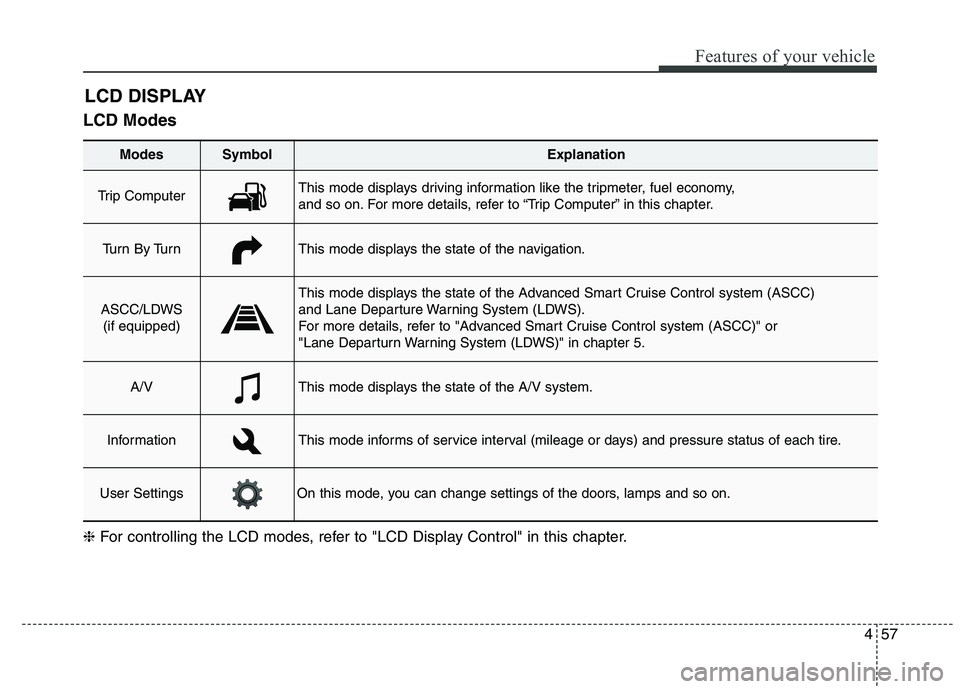
Modes SymbolExplanation
Trip Computer This mode displays driving information like the tripmeter, fuel economy,
and so on. For more details, refer to “Trip Computer” in this chapter.
Tu r n B y Tu r nThis mode displays the state of the navigation.
ASCC/LDWS
(if equipped)
This mode displays the state of the Advanced Smart Cruise Control system (ASCC)
and Lane Departure Warning System (LDWS).
For more details, refer to "Advanced Smart Cruise Control system (ASCC)" or
"Lane Departurn Warning System (LDWS)" in chapter 5.
A/VThis mode displays the state of the A/V system.
InformationThis mode informs of service interval (mileage or days) and pressure status of each tire.
User SettingsOn this mode, you can change settings of the doors, lamps and so on.
❈ For controlling the LCD modes, refer to "LCD Display Control" in this chapter.
Page 139 of 486
Features of your vehicle
58
4
Trip Computer Mode
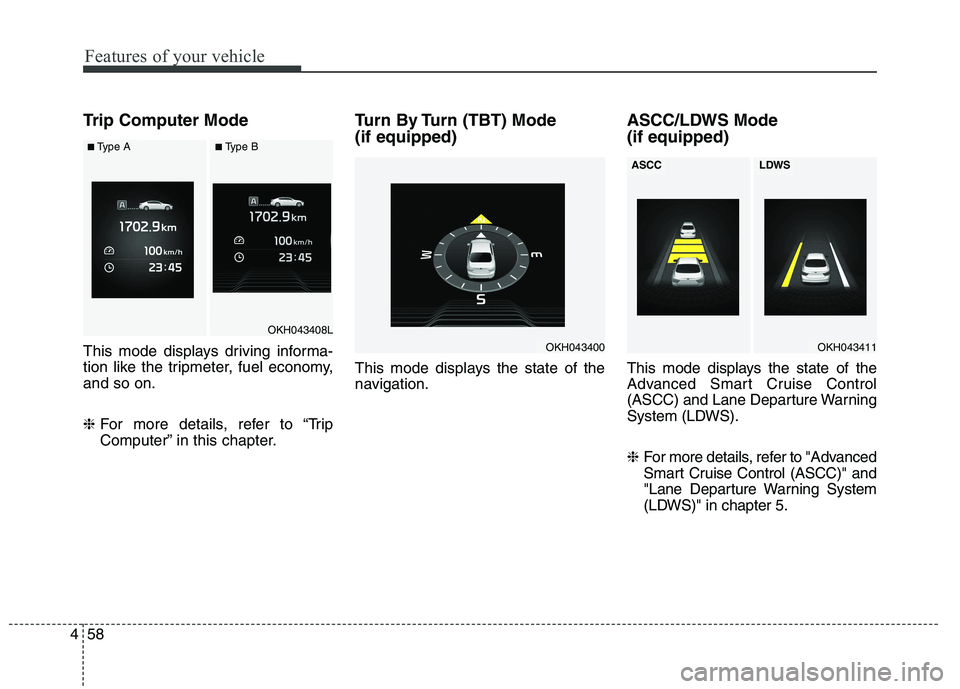
This mode displays driving informa-
tion like the tripmeter, fuel economy,and so on. ❈ For more details, refer to “Trip
Computer” in this chapter. Turn By Turn (TBT) Mode (if equipped)
This mode displays the state of the
navigation.
ASCC/LDWS Mode (if equipped)
This mode displays the state of the
Advanced Smart Cruise Control
(ASCC) and Lane Departure Warning
System (LDWS). ❈
For more details, refer to "Advanced
Smart Cruise Control (ASCC)" and
"Lane Departure Warning System
(LDWS)" in chapter 5.
OKH043400
OKH043408L
■Type A■Type B
OKH043411
ASCCLDWS
Page 140 of 486
459
Features of your vehicle
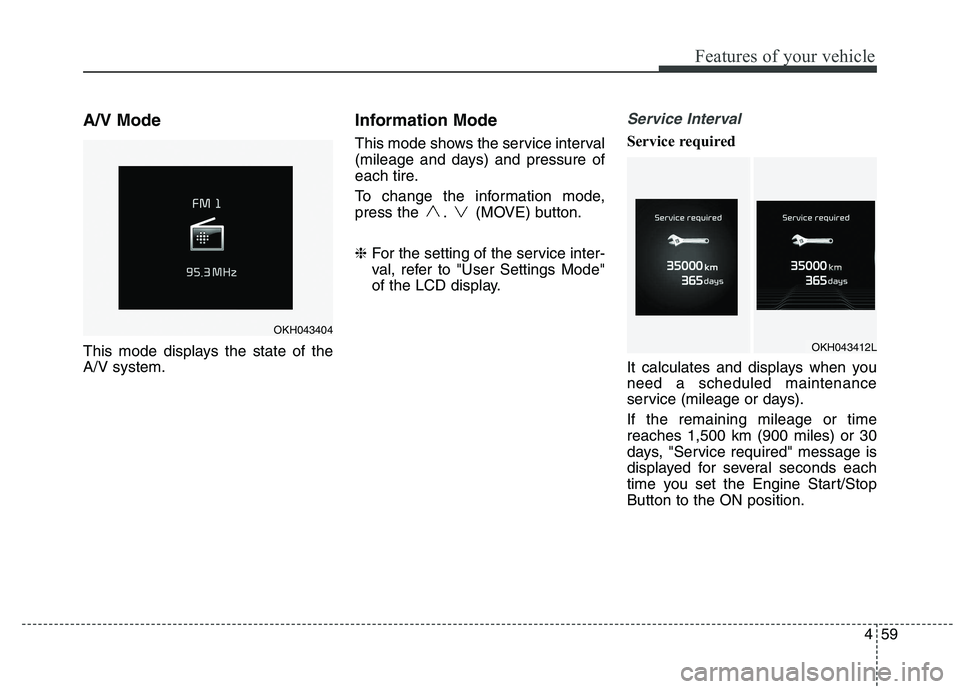
A/V Mode
This mode displays the state of the A/V system.Information Mode
This mode shows the service interval
(mileage and days) and pressure of
each tire.
To change the information mode,
press the . (MOVE) button. ❈
For the setting of the service inter-
val, refer to "User Settings Mode"
of the LCD display.Service Interval
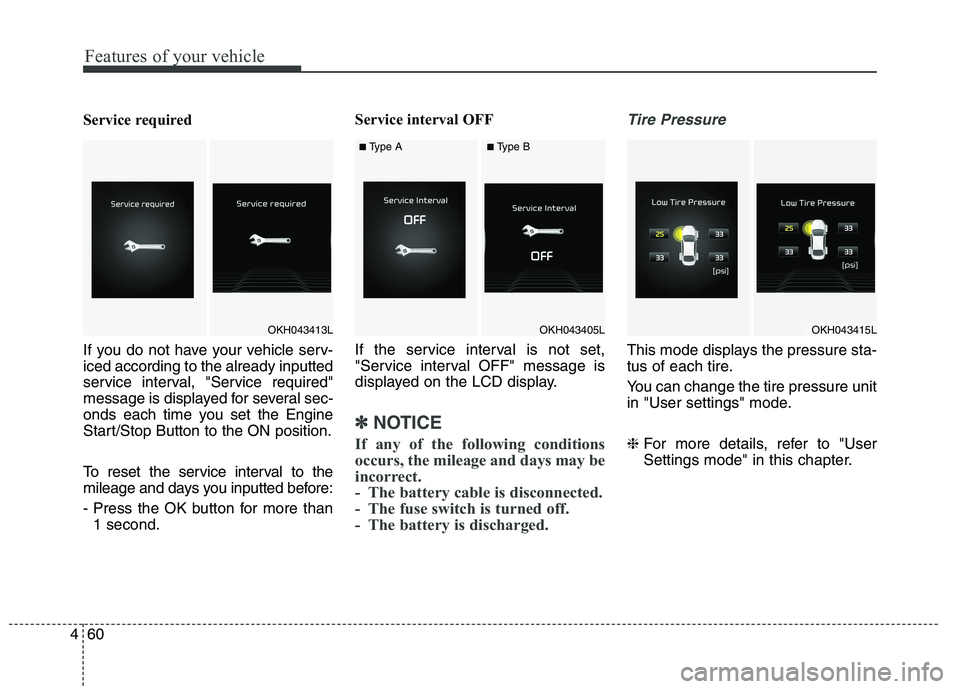
Service required
It calculates and displays when you need a scheduled maintenance
service (mileage or days). If the remaining mileage or time reaches 1,500 km (900 miles) or 30
days, "Service required" message is
displayed for several seconds each
time you set the Engine Start/StopButton to the ON position.
OKH043404
OKH043412L
Page 141 of 486
Features of your vehicle
60
4
Service required
If you do not have your vehicle serv- iced according to the already inputted
service interval, "Service required"
message is displayed for several sec-
onds each time you set the Engine
Start/Stop Button to the ON position.
To reset the service interval to the
mileage and days you inputted before:
- Press the OK button for more than
1 second. Service interval OFF
If the service interval is not set,
"Service interval OFF" message is
displayed on the LCD display.
✽✽
NOTICE
If any of the following conditions
occurs, the mileage and days may be
incorrect.
- The battery cable is disconnected.
- The fuse switch is turned off.
- The battery is discharged.
Tire Pressure
This mode displays the pressure sta-
tus of each tire.
You can change the tire pressure unit
in "User settings" mode. ❈ For more details, refer to "User
Settings mode" in this chapter.
OKH043413LOKH043415LOKH043405L
■Type A■Type B
Page 142 of 486
461
Features of your vehicle
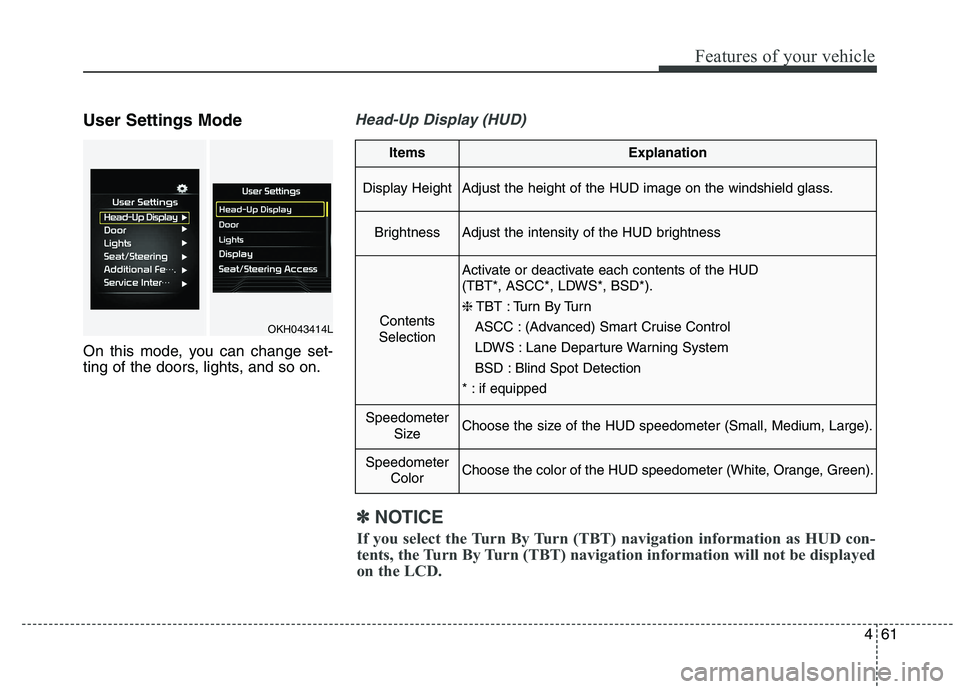
User Settings Mode
On this mode, you can change set-
ting of the doors, lights, and so on.Head-Up Display (HUD)
ItemsExplanation
Display HeightAdjust the height of the HUD image on the windshield glass.
BrightnessAdjust the intensity of the HUD brightness
Contents
Selection
Activate or deactivate each contents of the HUD
(TBT*, ASCC*, LDWS*, BSD*). ❈ TBT : Turn By Turn
ASCC : (Advanced) Smart Cruise Control
LDWS : Lane Departure Warning System
BSD : Blind Spot Detection
* : if equipped
Speedometer SizeChoose the size of the HUD speedometer (Small, Medium, Large).
SpeedometerColorChoose the color of the HUD speedometer (White, Orange, Green).
✽✽NOTICE
If you select the Turn By Turn (TBT) navigation information as HUD con-
tents, the Turn By Turn (TBT) navigation information will not be displayed
on the LCD.
OKH043414L
Page 144 of 486
463
Features of your vehicle
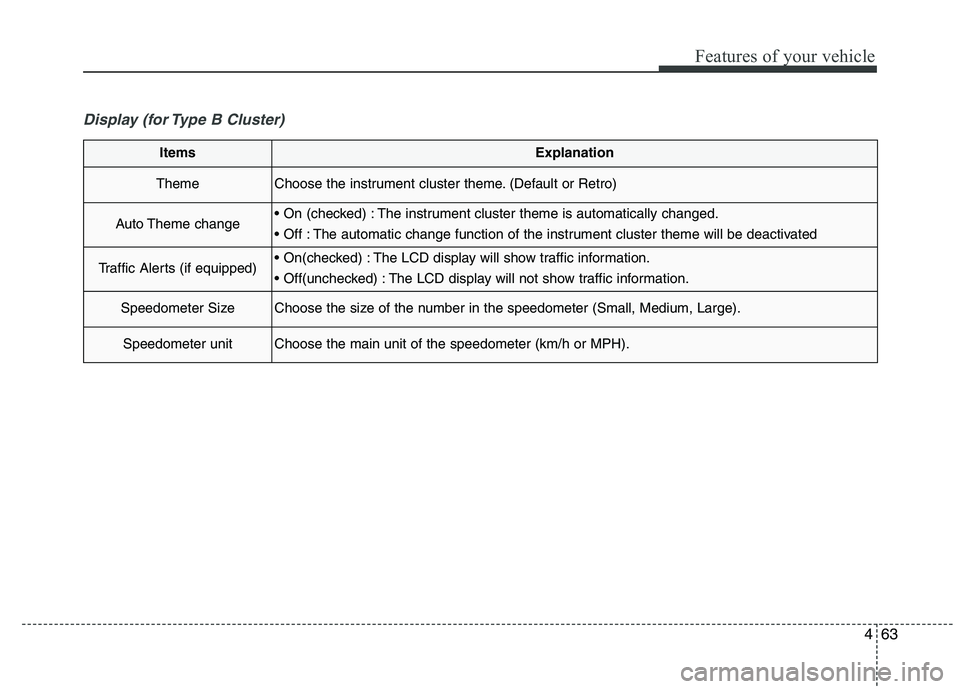
Display (for Type B Cluster)
ItemsExplanation
ThemeChoose the instrument cluster theme. (Default or Retro)
Auto Theme change The instrument cluster theme is automatically changed.
The automatic change function of the instrument cluster theme will be deactivated
Traffic Alerts (if equipped) The LCD display will show traffic information.
The LCD display will not show traffic information.
Speedometer SizeChoose the size of the number in the speedometer (Small, Medium, Large).
Speedometer unitChoose the main unit of the speedometer (km/h or MPH).
Page 146 of 486
465
Features of your vehicle
Seat/Steering
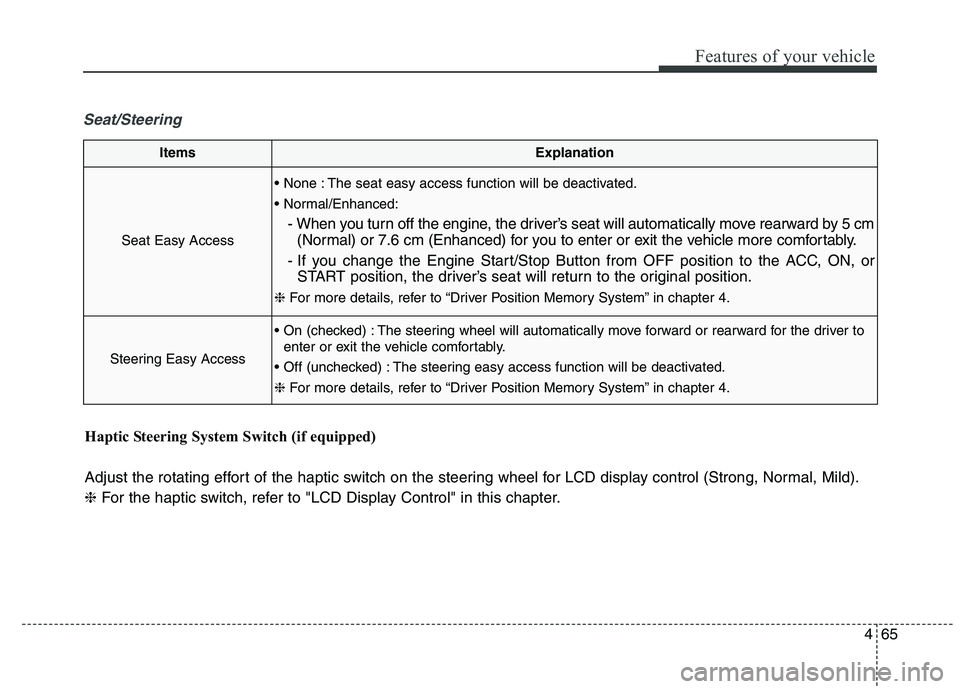
ItemsExplanation
Seat Easy Access
The seat easy access function will be deactivated.
- When you turn off the engine, the driver’s seat will automatically move rearward by 5 cm(Normal) or 7.6 cm (Enhanced) for you to enter or exit the vehicle more comfortably.
- If you change the Engine Start/Stop Button from OFF position to the ACC, ON, or START position, the driver’s seat will return to the original position.
❈ For more details, refer to “Driver Position Memory System” in chapter 4.
Steering Easy Access
The steering wheel will automatically move forward or rearward for the driver to
enter or exit the vehicle comfortably.
The steering easy access function will be deactivated. ❈ For more details, refer to “Driver Position Memory System” in chapter 4.
Haptic Steering System Switch (if equipped)
Adjust the rotating effort of the haptic switch on the steering wheel for LCD display control (Strong, Normal, Mild). ❈ For the haptic switch, refer to "LCD Display Control" in this chapter.
Page 155 of 486
Features of your vehicle
74
4
Overview
Description
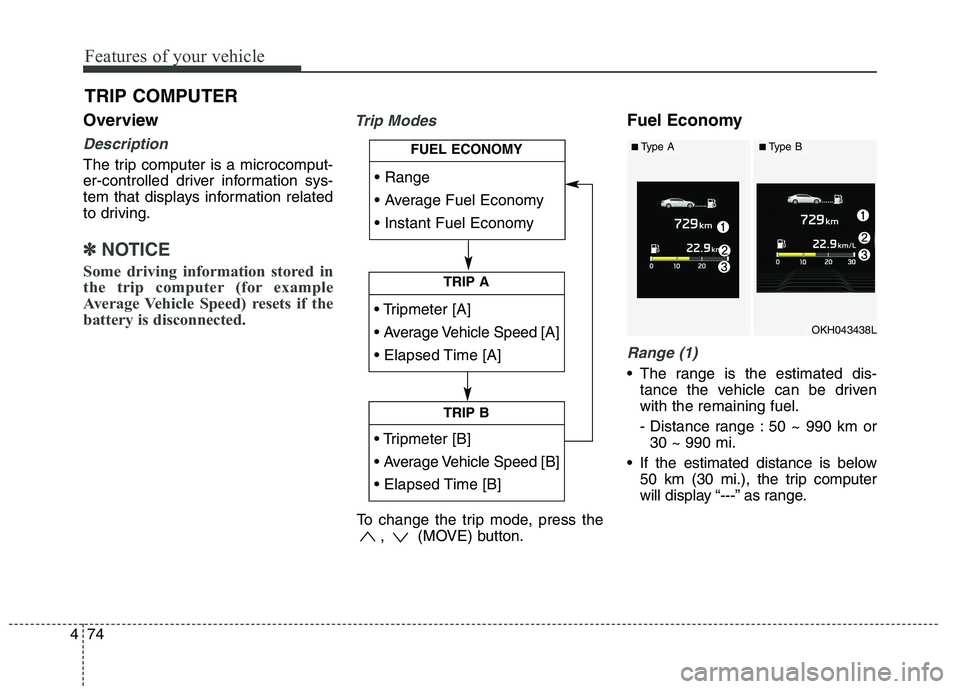
The trip computer is a microcomput-
er-controlled driver information sys-
tem that displays information related
to driving.
✽✽
NOTICE
Some driving information stored in
the trip computer (for example
Average Vehicle Speed) resets if the
battery is disconnected.
Trip ModesFuel Economy
Range (1)
The range is the estimated dis- tance the vehicle can be driven with the remaining fuel.
- Distance range : 50 ~ 990 km or30 ~ 990 mi.
If the estimated distance is below 50 km (30 mi.), the trip computer
will display “---” as range.
TRIP COMPUTER
TRIP A
TRIP B
FUEL ECONOMY
To change the trip mode, press the , (MOVE) button.
OKH043438L
■Type A■Type B