ignition KIA QUORIS 2015 User Guide
[x] Cancel search | Manufacturer: KIA, Model Year: 2015, Model line: QUORIS, Model: KIA QUORIS 2015Pages: 486, PDF Size: 35.55 MB
Page 150 of 486
469
Features of your vehicle
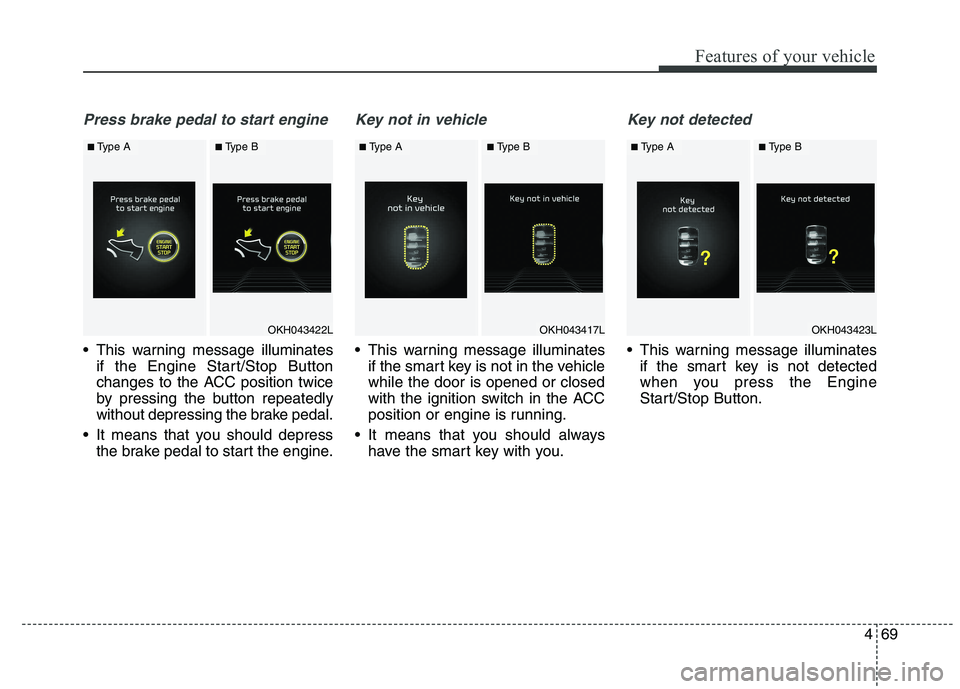
Press brake pedal to start engine
This warning message illuminatesif the Engine Start/Stop Button
changes to the ACC position twice
by pressing the button repeatedly
without depressing the brake pedal.
It means that you should depress the brake pedal to start the engine.
Key not in vehicle
This warning message illuminatesif the smart key is not in the vehicle while the door is opened or closed
with the ignition switch in the ACC
position or engine is running.
It means that you should always have the smart key with you.
Key not detected
This warning message illuminatesif the smart key is not detected
when you press the Engine
Start/Stop Button.
OKH043422L
■Type A■Type B
OKH043417L
■ Type A■Type B
OKH043423L
■Type A■Type B
Page 168 of 486
487
Features of your vehicle
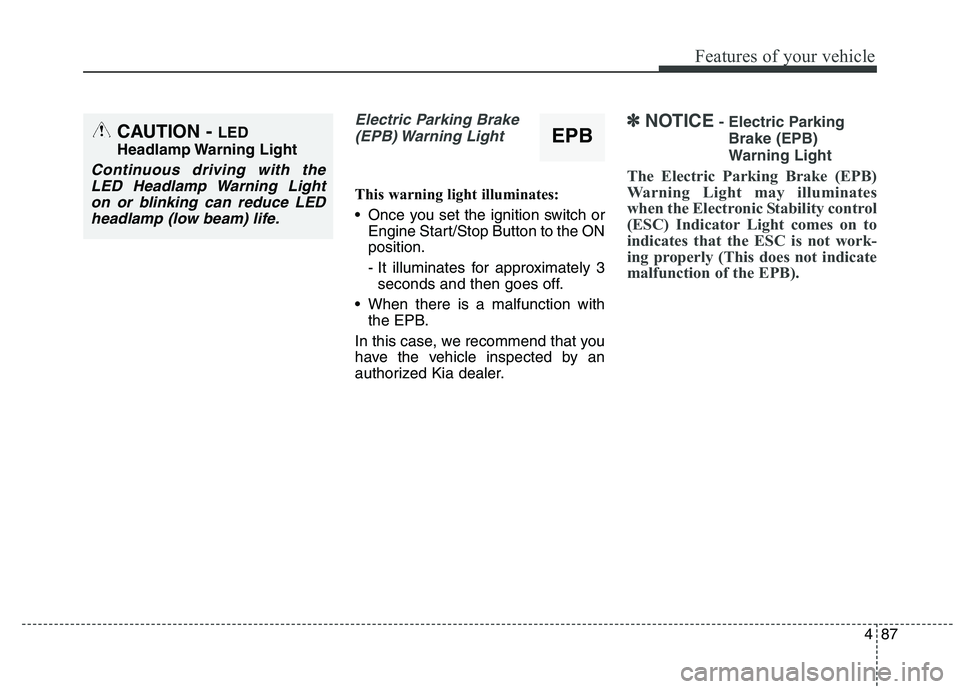
Electric Parking Brake(EPB) Warning Light
This warning light illuminates:
Once you set the ignition switch or Engine Start/Stop Button to the ON position.
- It illuminates for approximately 3seconds and then goes off.
When there is a malfunction with the EPB.
In this case, we recommend that you
have the vehicle inspected by an
authorized Kia dealer.
✽✽ NOTICE - Electric Parking
Brake (EPB)
Warning Light
The Electric Parking Brake (EPB)
Warning Light may illuminates
when the Electronic Stability control
(ESC) Indicator Light comes on to
indicates that the ESC is not work-
ing properly (This does not indicate
malfunction of the EPB).CAUTION - LED
Headlamp Warning Light
Continuous driving with the LED Headlamp Warning Lighton or blinking can reduce LED headlamp (low beam) life.
EPB
Page 178 of 486
497
Features of your vehicle
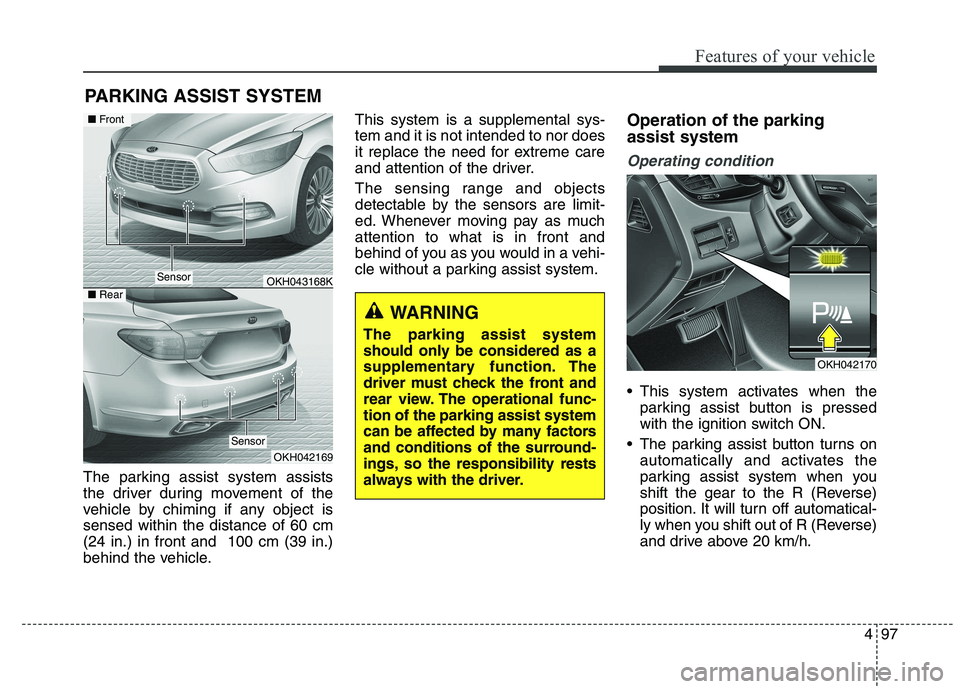
The parking assist system assists
the driver during movement of the
vehicle by chiming if any object issensed within the distance of 60 cm(24 in.) in front and 100 cm (39 in.)
behind the vehicle.This system is a supplemental sys-tem and it is not intended to nor does
it replace the need for extreme care
and attention of the driver.
The sensing range and objects
detectable by the sensors are limit-
ed. Whenever moving pay as muchattention to what is in front and
behind of you as you would in a vehi-
cle without a parking assist system.
Operation of the parking assist system
Operating condition
This system activates when the
parking assist button is pressed
with the ignition switch ON.
The parking assist button turns on automatically and activates the
parking assist system when you
shift the gear to the R (Reverse)
position. It will turn off automatical-
ly when you shift out of R (Reverse)
and drive above 20 km/h.
PARKING ASSIST SYSTEM
WARNING
The parking assist system
should only be considered as a
supplementary function. The
driver must check the front and
rear view. The operational func-tion of the parking assist system
can be affected by many factors
and conditions of the surround-
ings, so the responsibility rests
always with the driver.
OKH043168K
OKH042169
Sensor
■ Front
■ Rear
Sensor
OKH042170
Page 183 of 486
Features of your vehicle
102
4
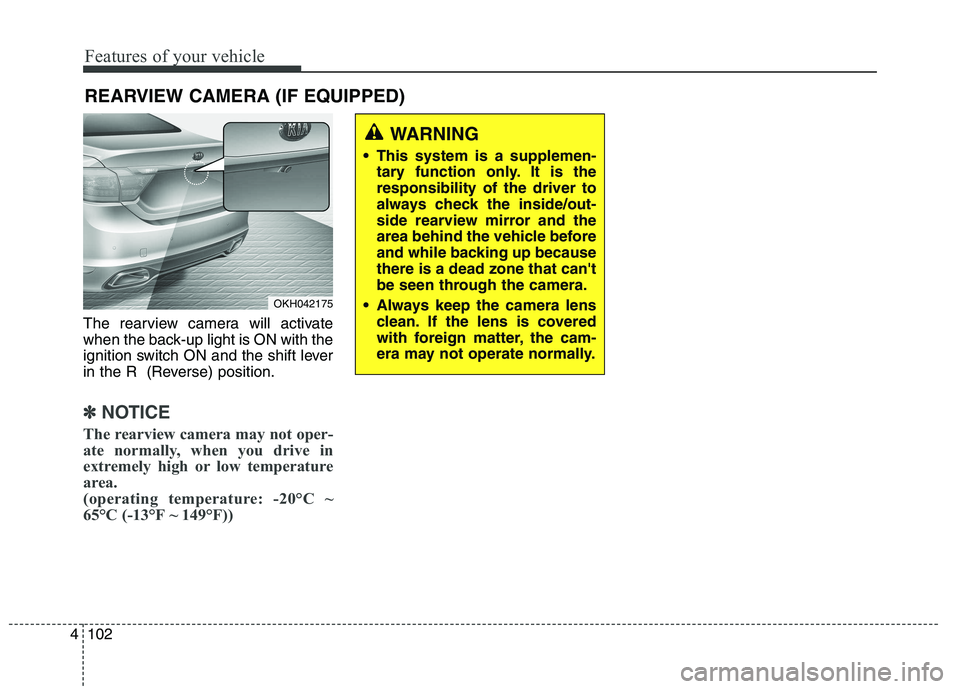
The rearview camera will activate
when the back-up light is ON with the
ignition switch ON and the shift lever
in the R (Reverse) position.
✽✽
NOTICE
The rearview camera may not oper-
ate normally, when you drive in
extremely high or low temperature
area.
(operating temperature: -20°C ~
65°C (-13°F ~ 149°F))
REARVIEW CAMERA (IF EQUIPPED)
OKH042175
WARNING
This system is a supplemen- tary function only. It is the responsibility of the driver to
always check the inside/out-
side rearview mirror and the
area behind the vehicle before
and while backing up becausethere is a dead zone that can't
be seen through the camera.
Always keep the camera lens clean. If the lens is covered
with foreign matter, the cam-
era may not operate normally.
Page 188 of 486
![KIA QUORIS 2015 User Guide 4107
Features of your vehicle
This is the parking support system to
show around circumstance when you
park the vehicle in monitor. When
you push the button in [ON] position,
it is operated. To cancel](/img/2/57972/w960_57972-187.png "KIA QUORIS 2015 User Guide 4107
Features of your vehicle
This is the parking support system to
show around circumstance when you
park the vehicle in monitor. When
you push the button in [ON] position,
it is operated. To cancel")
4107
Features of your vehicle
This is the parking support system to
show around circumstance when you
park the vehicle in monitor. When
you push the button in [ON] position,
it is operated. To cancel the system,push again.
Operating conditions
- When ignition is ON
- When the transaxle is on D, N or R
- When the vehicle speed is not over20km/h When the vehicle speed is over
20km/h, the SVM system is turned
off. If the vehicle speed is not over
20km/h after turning off the SVM
by over speed, the SVM is not
turned on. To operate again, push
the button.
When the vehicle moves back- wards, regardless of On/Off of but-
ton and vehicle speed, the SVM is
operated.
When the trunk and driver/passen- ger door are opened and the out-
side mirror is folded, the warning isilluminated in SVM system.
If the SVM system is not normally operated, we recommend that you
contact an authorized Kia dealer.
* SVM : Surround View Monitoring
SURROUND VIEW MONITORING SYSTEM
OKH042184
Page 192 of 486
4111
Features of your vehicle
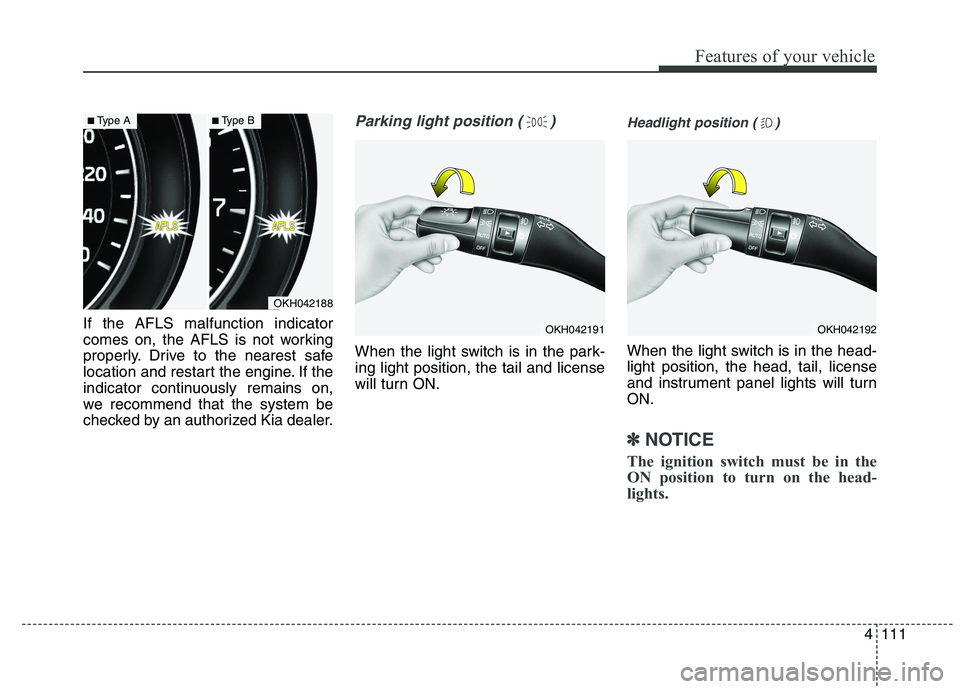
If the AFLS malfunction indicator
comes on, the AFLS is not working
properly. Drive to the nearest safe
location and restart the engine. If the
indicator continuously remains on,
we recommend that the system be
checked by an authorized Kia dealer.
Parking light position ( )
When the light switch is in the park- ing light position, the tail and license
will turn ON.
Headlight position ( )
When the light switch is in the head- light position, the head, tail, license
and instrument panel lights will turnON.
✽✽NOTICE
The ignition switch must be in the
ON position to turn on the head-
lights.
OKH042188
■ Type A■Type B
OKH042191OKH042192
Page 194 of 486
4113
Features of your vehicle
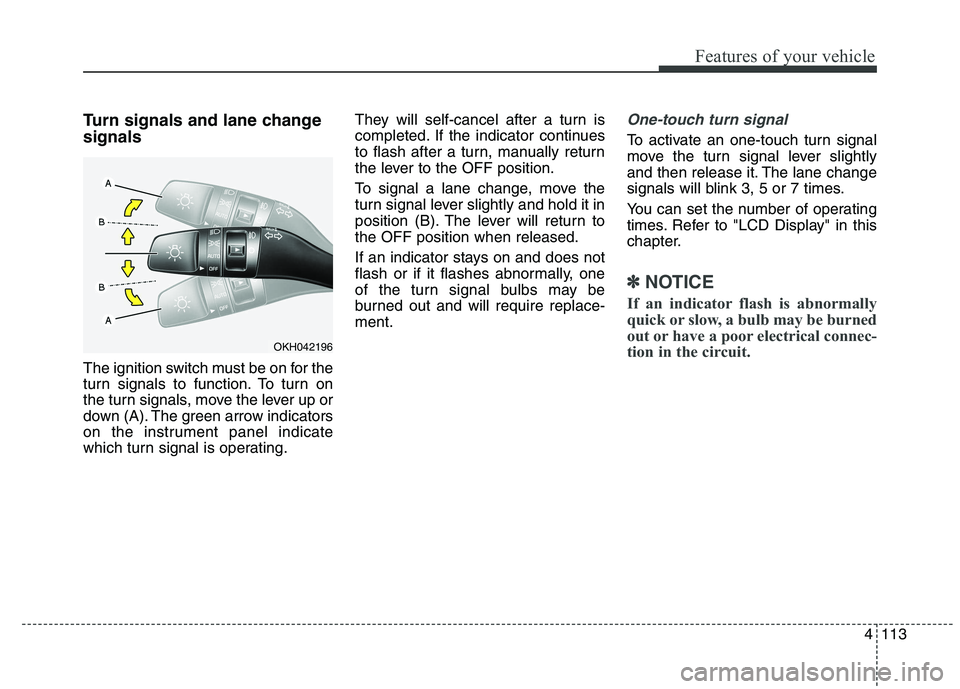
Turn signals and lane change signals
The ignition switch must be on for the
turn signals to function. To turn on
the turn signals, move the lever up or
down (A). The green arrow indicators
on the instrument panel indicate
which turn signal is operating.They will self-cancel after a turn is
completed. If the indicator continues
to flash after a turn, manually return
the lever to the OFF position.
To signal a lane change, move the
turn signal lever slightly and hold it in
position (B). The lever will return tothe OFF position when released.
If an indicator stays on and does not
flash or if it flashes abnormally, one
of the turn signal bulbs may be
burned out and will require replace-ment.One-touch turn signal
To activate an one-touch turn signal
move the turn signal lever slightly
and then release it. The lane change
signals will blink 3, 5 or 7 times.
You can set the number of operating
times. Refer to "LCD Display" in this
chapter.
✽✽
NOTICE
If an indicator flash is abnormally
quick or slow, a bulb may be burned
out or have a poor electrical connec-
tion in the circuit.
OKH042196
Page 197 of 486
Features of your vehicle
116
4
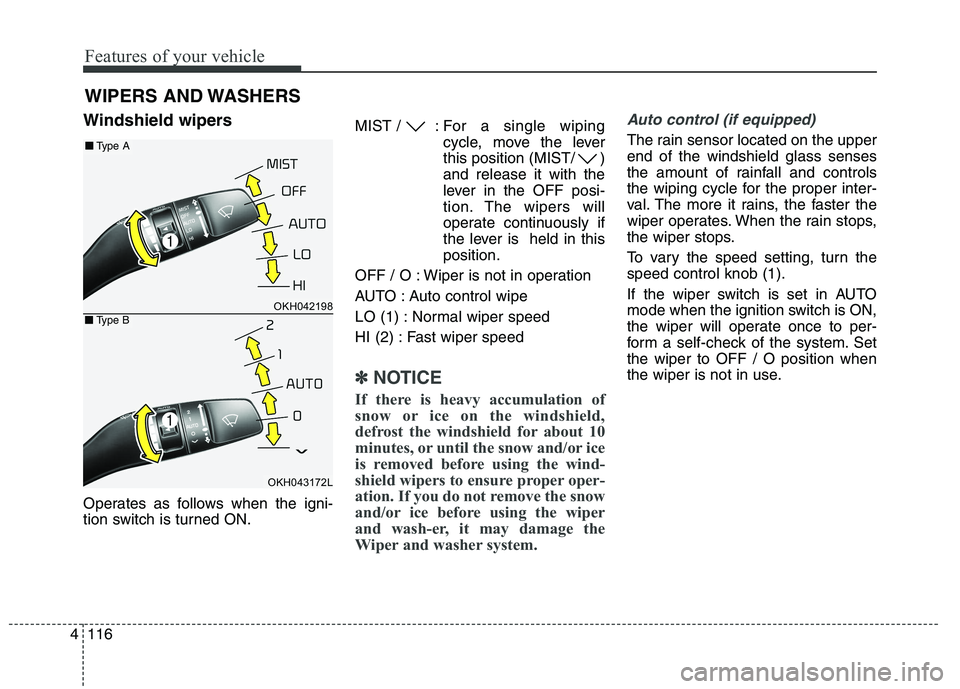
Windshield wipers
Operates as follows when the igni-
tion switch is turned ON. MIST / : For a
single wiping
cycle, move the lever
this position (MIST/ )and release it with the
lever in the OFF posi-
tion. The wipers will
operate continuously if
the lever is held in thisposition.
OFF / O : Wiper is not in operation
AUTO : Auto control wipe
LO (1) : Normal wiper speed
HI (2) : Fast wiper speed
✽✽ NOTICE
If there is heavy accumulation of
snow or ice on the windshield,
defrost the windshield for about 10
minutes, or until the snow and/or ice
is removed before using the wind-
shield wipers to ensure proper oper-
ation. If you do not remove the snow
and/or ice before using the wiper
and wash-er, it may damage the
Wiper and washer system.
Auto control (if equipped)
The rain sensor located on the upper end of the windshield glass senses
the amount of rainfall and controls
the wiping cycle for the proper inter-
val. The more it rains, the faster the
wiper operates. When the rain stops,
the wiper stops.
To vary the speed setting, turn the speed control knob (1).
If the wiper switch is set in AUTO
mode when the ignition switch is ON,
the wiper will operate once to per-
form a self-check of the system. Setthe wiper to OFF / O position when
the wiper is not in use.
WIPERS AND WASHERS
OKH042198
OKH043172L
■■ Type A
■■Type B
Page 198 of 486
4117
Features of your vehicle
Windshield washers
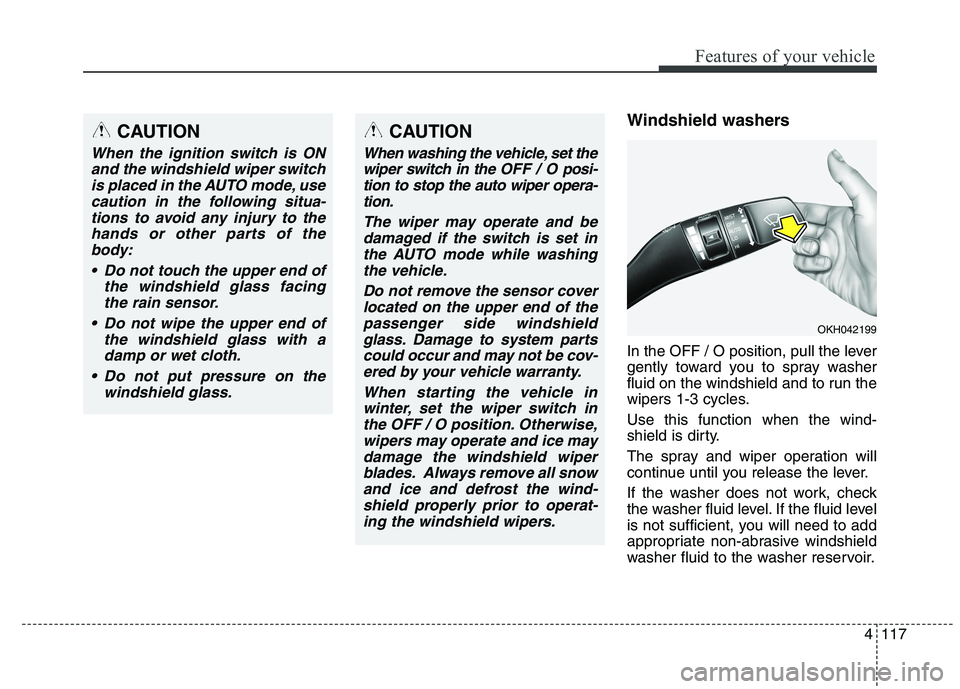
In the OFF / O position, pull the lever
gently toward you to spray washer
fluid on the windshield and to run the
wipers 1-3 cycles. Use this function when the wind-
shield is dirty.
The spray and wiper operation will
continue until you release the lever.
If the washer does not work, check
the washer fluid level. If the fluid level
is not sufficient, you will need to add
appropriate non-abrasive windshield
washer fluid to the washer reservoir.CAUTION
When the ignition switch is ONand the windshield wiper switchis placed in the AUTO mode, use caution in the following situa-tions to avoid any injury to thehands or other parts of the body:
Do not touch the upper end of the windshield glass facingthe rain sensor.
Do not wipe the upper end of the windshield glass with adamp or wet cloth.
Do not put pressure on the windshield glass.
OKH042199
CAUTION
When washing the vehicle, set thewiper switch in the OFF / Oposi-
tion to stop the auto wiper opera- tion.
The wiper may operate and bedamaged if the switch is set inthe AUTO mode while washingthe vehicle.
Do not remove the sensor coverlocated on the upper end of the passenger side windshieldglass. Damage to system partscould occur and may not be cov- ered by your vehicle warranty.
When starting the vehicle inwinter, set the wiper switch inthe OFF / O position. Otherwise,wipers may operate and ice may damage the windshield wiperblades. Always remove all snowand ice and defrost the wind-shield properly prior to operat- ing the windshield wipers.
Page 206 of 486
4125
Features of your vehicle
DEFROSTER
✽✽NOTICE
If you want to defrost and defog the
front windshield, refer to
“Windshield defrosting and defog-
ging” in this section.
Rear window defroster
The defroster heats the window to
remove frost, fog and thin ice from
the rear window, while the engine is
running.
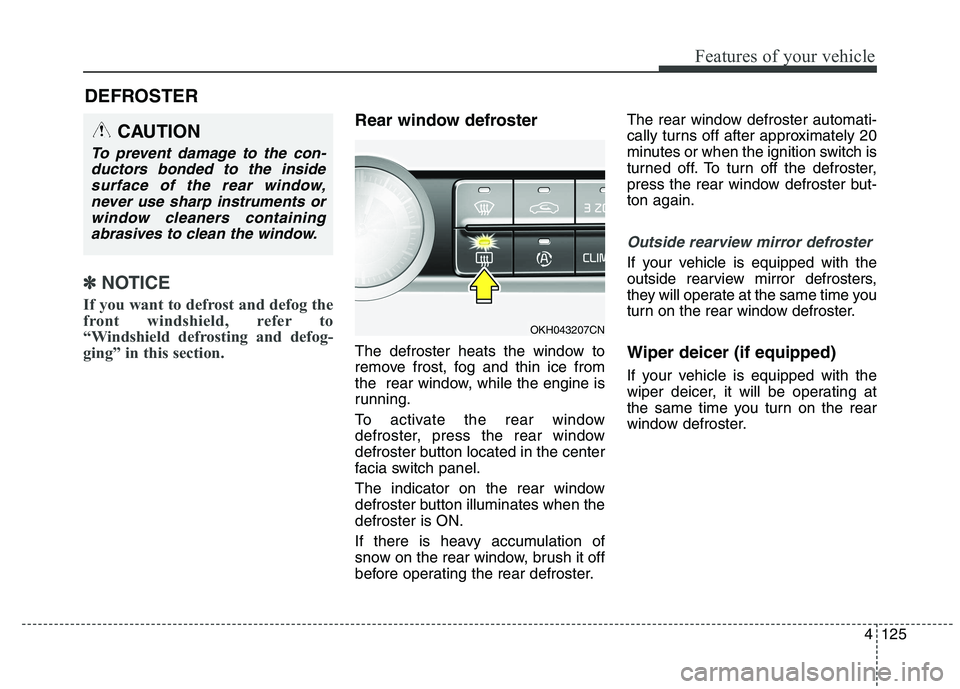
To activate the rear window
defroster, press the rear window
defroster button located in the center
facia switch panel.
The indicator on the rear window
defroster button illuminates when thedefroster is ON.
If there is heavy accumulation of
snow on the rear window, brush it off
before operating the rear defroster. The rear window defroster automati-
cally turns off after approximately 20
minutes or when the ignition switch is
turned off. To turn off the defroster,
press the rear window defroster but-ton again.
Outside rearview mirror defroster
If your vehicle is equipped with the
outside rearview mirror defrosters,
they will operate at the same time you
turn on the rear window defroster. Wiper deicer (if equipped)
If your vehicle is equipped with the
wiper deicer, it will be operating at
the same time you turn on the rear
window defroster.
CAUTION
To prevent damage to the con-
ductors bonded to the insidesurface of the rear window, never use sharp instruments orwindow cleaners containingabrasives to clean the window.
OKH043207CN