brake light KIA QUORIS 2015 Owner's Manual
[x] Cancel search | Manufacturer: KIA, Model Year: 2015, Model line: QUORIS, Model: KIA QUORIS 2015Pages: 486, PDF Size: 35.55 MB
Page 285 of 486
541
Driving your vehicle
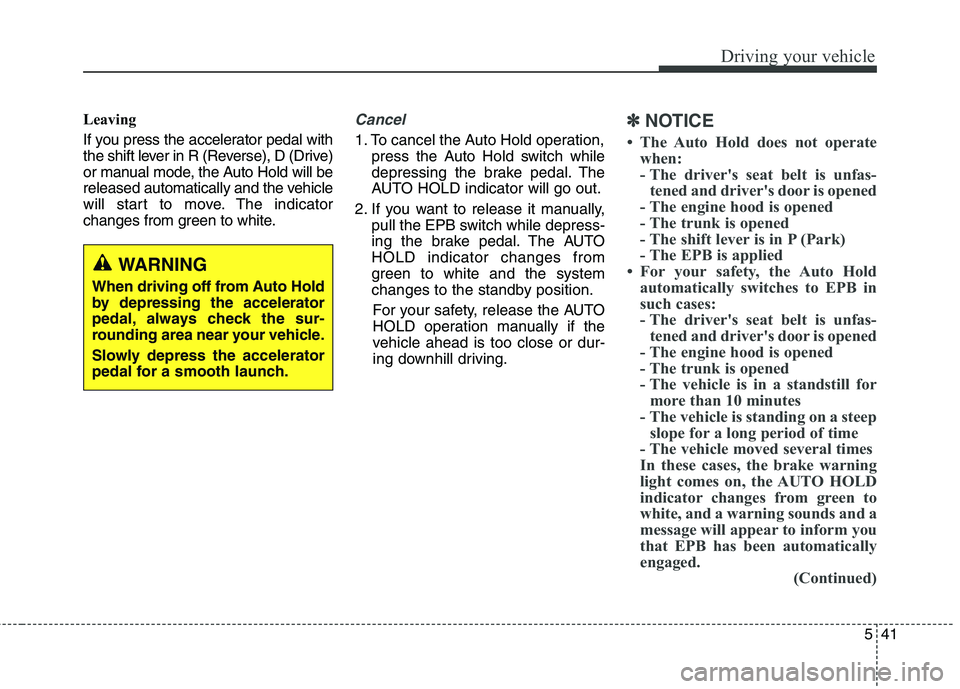
Leaving
If you press the accelerator pedal with
the shift lever in R (Reverse), D (Drive)
or manual mode, the Auto Hold will be
released automatically and the vehicle
will start to move. The indicator
changes from green to white.Cancel
1. To cancel the Auto Hold operation,press the Auto Hold switch while
depressing the brake pedal. The
AUTO HOLD indicator will go out.
2. If you want to release it manually, pull the EPB switch while depress-
ing the brake pedal. The AUTOHOLD indicator changes from
green to white and the system
changes to the standby position.
For your safety, release the AUTO
HOLD operation manually if the
vehicle ahead is too close or dur-
ing downhill driving.
✽✽ NOTICE
The Auto Hold does not operate when:
- The driver's seat belt is unfas-tened and driver's door is opened
- The engine hood is opened
- The trunk is opened
- The shift lever is in P (Park)
- The EPB is applied
For your safety, the Auto Hold automatically switches to EPB in
such cases:
- The driver's seat belt is unfas-tened and driver's door is opened
- The engine hood is opened
- The trunk is opened
- The vehicle is in a standstill for more than 10 minutes
- The vehicle is standing on a steep slope for a long period of time
- The vehicle moved several times
In these cases, the brake warning
light comes on, the AUTO HOLD
indicator changes from green to
white, and a warning sounds and a
message will appear to inform you
that EPB has been automatically
engaged. (Continued)
WARNING
When driving off from Auto Hold
by depressing the accelerator
pedal, always check the sur-
rounding area near your vehicle.
Slowly depress the accelerator
pedal for a smooth launch.
Page 286 of 486
Driving your vehicle
42
5
(Continued)
Before driving off again, press foot
brake pedal, check the surround-
ing area near your vehicle and
release parking brake manually
with the EPB switch.
If the AUTO HOLD indicator lights up yellow, the Auto Hold is
not working properly. Take your
vehicle to an authorized Kia deal-
er and have the system checked.
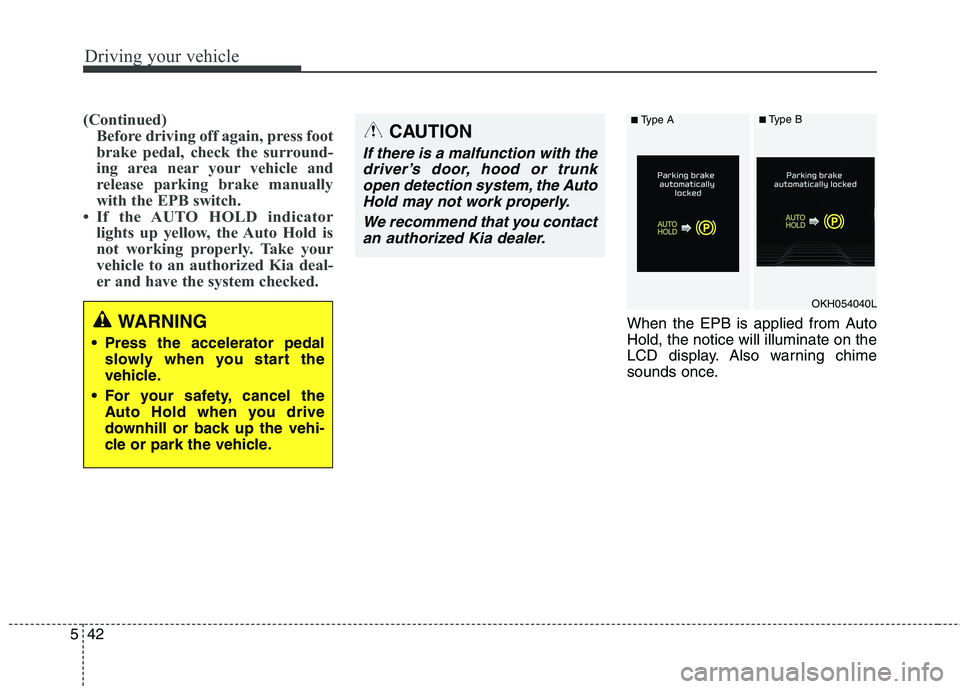
When the EPB is applied from Auto Hold, the notice will illuminate on the
LCD display. Also warning chime
sounds once.WARNING
Press the accelerator pedal slowly when you start the
vehicle.
For your safety, cancel the Auto Hold when you drive
downhill or back up the vehi-
cle or park the vehicle.
CAUTION
If there is a malfunction with the
driver’s door, hood or trunkopen detection system, the Auto Hold may not work properly.
We recommend that you contactan authorized Kia dealer.
OKH054040L
■ Type A■Type B
Page 289 of 486
545
Driving your vehicle
✽✽NOTICE
A click sound may be heard in the
engine compartment when the vehi-
cle begins to move after the engine is
started. These conditions are normal
and indicate that the Electronic
Stability Control System is function-
ing properly. ESC operation
ESC ON condition ON, ESC and ESC OFF
indicator lights illuminate for
approximately 3 seconds,
then ESC is turned on.
ton for at least half a sec-
ond after turning the igni-
tion ON to turn ESC off.(ESC OFF indicator will
illuminate). To turn theESC on, press the ESC
OFF button (ESC OFFindicator light will go off).
you may hear a slight tick-
ing sound. This is the ESC
performing an automatic
system self-check and does
not indicate a problem. When operating
When the ESC is in opera- tion, the ESC indicator light
blinks.
Stability Control is operat-
ing properly, you can feel a
slight pulsation in the vehi-
cle. This is only the effect
of brake control and indi-
cates nothing unusual.
mud or slippery road,
pressing the accelerator
pedal may not cause the
engine rpm (revolutions
per minute) to increase.
-
Page 290 of 486
Driving your vehicle
46
5
ESC operation off
ESC OFF state
This car has 2 kinds of ESC
off states. If the engine stops when
ESC is off, ESC remains off.
Upon restarting the engine,the ESC will automatically
turn on again.
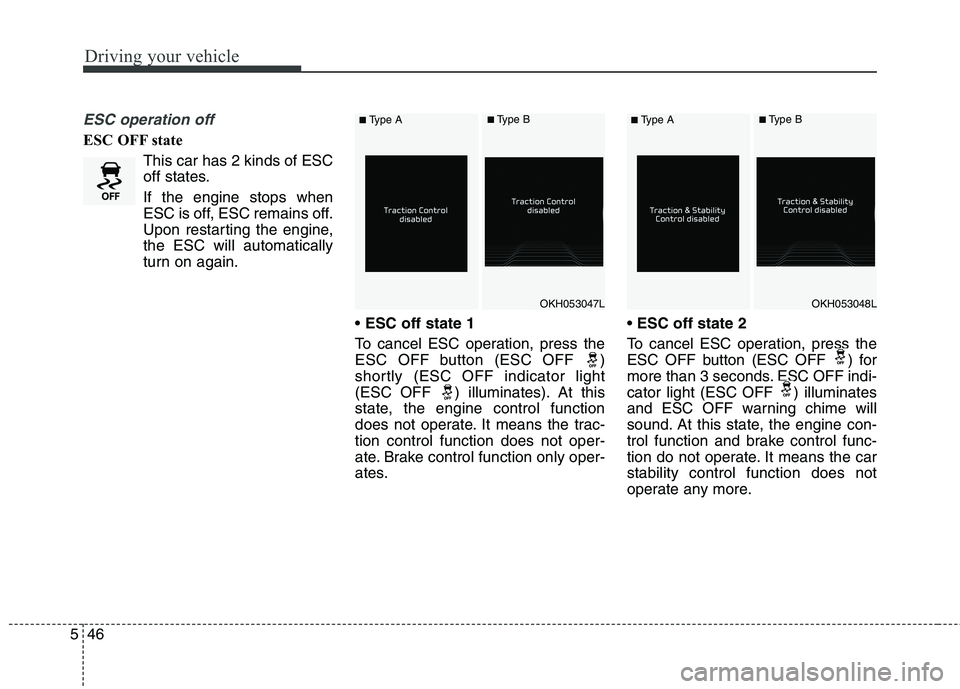
ESC off state 1
To cancel ESC operation, press the
ESC OFF button (ESC OFF )
shortly (ESC OFF indicator light
(ESC OFF ) illuminates). At this
state, the engine control function
does not operate. It means the trac-tion control function does not oper-
ate. Brake control function only oper-
ates.
ESC off state 2
To cancel ESC operation, press the
ESC OFF button (ESC OFF ) for
more than 3 seconds. ESC OFF indi-
cator light (ESC OFF ) illuminates
and ESC OFF warning chime will
sound. At this state, the engine con-
trol function and brake control func-
tion do not operate. It means the carstability control function does not
operate any more.
OKH053047LOKH053048L
■ Type A■Type B■Type A■Type B
Page 291 of 486
547
Driving your vehicle
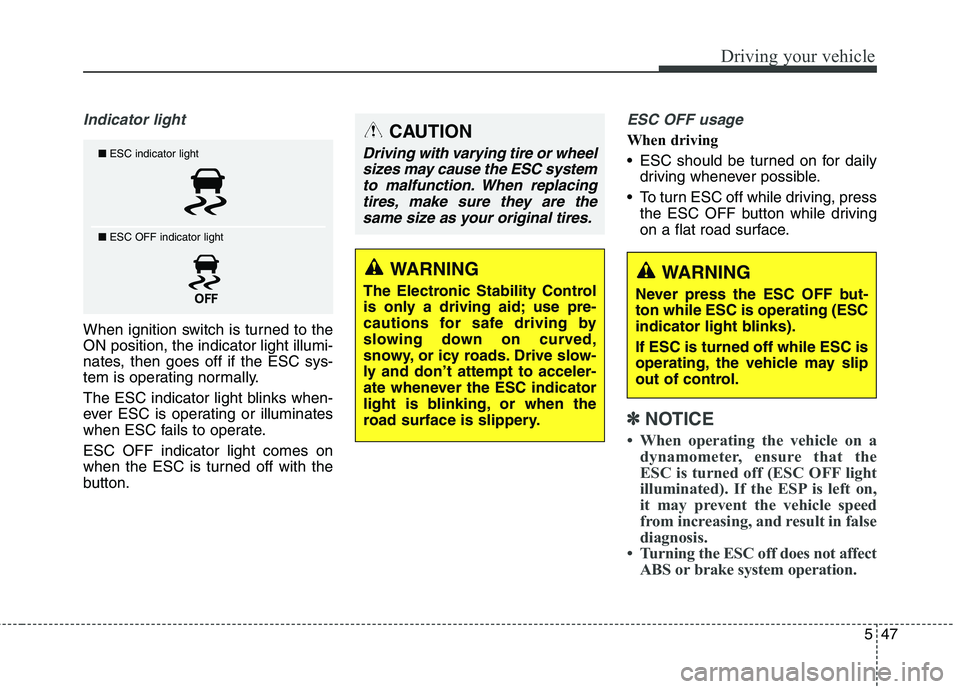
Indicator light
When ignition switch is turned to the ON position, the indicator light illumi-
nates, then goes off if the ESC sys-
tem is operating normally.
The ESC indicator light blinks when-
ever ESC is operating or illuminates
when ESC fails to operate. ESC OFF indicator light comes on
when the ESC is turned off with the
button.
ESC OFF usage
When driving
ESC should be turned on for dailydriving whenever possible.
To turn ESC off while driving, press the ESC OFF button while driving
on a flat road surface.
✽✽ NOTICE
When operating the vehicle on a dynamometer, ensure that the
ESC is turned off (ESC OFF light
illuminated). If the ESP is left on,
it may prevent the vehicle speed
from increasing, and result in false
diagnosis.
Turning the ESC off does not affect ABS or brake system operation.
■ESC indicator light
■ ESC OFF indicator light
CAUTION
Driving with varying tire or wheel
sizes may cause the ESC systemto malfunction. When replacing tires, make sure they are thesame size as your original tires.
WARNING
The Electronic Stability Control
is only a driving aid; use pre-
cautions for safe driving by
slowing down on curved,
snowy, or icy roads. Drive slow-
ly and don’t attempt to acceler-
ate whenever the ESC indicator
light is blinking, or when the
road surface is slippery.WARNING
Never press the ESC OFF but- ton while ESC is operating (ESC
indicator light blinks). If ESC is turned off while ESC is
operating, the vehicle may slip
out of control.
Page 292 of 486
Driving your vehicle
48
5
Hill-start assist control (HAC) (if equipped)
A vehicle has the tendency to slip
back on a steep hill when it starts to
go after stopping. The Hill-start Assist
Control (HAC) prevents the vehicle
from slipping back by operating the
brakes automatically for about 2 sec-
onds. The brakes are released when
the accelerator pedal is depressed or
after about 2 seconds.
✽✽
NOTICE
The HAC does not operate when the transaxle shift lever is in the P
(Park) or N (Neutral) position.
The HAC activates even though the ESC is off but it does not acti-
vate when the ESC has malfunc-
tioned.
Good braking practices After parking the vehicle, check to
be sure the parking brake is not
engaged and that the parking
brake indicator light is out before
driving away.
Driving through water may get the brakes wet. They can also get wet
when the car is washed. Wet
brakes can be dangerous! Your car
will not stop as quickly if the brakes
are wet. Wet brakes may cause the
car to pull to one side.
To dry the brakes, apply the brakes
lightly until the braking action
returns to normal, taking care to
keep the car under control at all
times. If the braking action does not
return to normal, stop as soon as it
is safe to do so and call an author-
ized Kia dealer for assistance.
Do not coast down hills with the car out of gear. This is extremely haz-
ardous. Keep the car in gear at all
times, use the brakes to slow
down, then shift to a lower gear so
that engine braking will help you
maintain a safe speed.
WARNING
The HAC is activated only for
about 2 seconds, so when the
vehicle is starting off alwaysdepress the accelerator pedal.
WARNING
Whenever leaving vehicle or parking, always set the park-
ing brake as far as possible
and fully engage the vehicle'stransmission into the park
position. Vehicles not fully
engaged in park with the park-
ing brake set are at risk for
moving inadvertently and
injuring yourself or others.
All vehicles should always have the parking brake fully
engaged when parking to
avoid inadvertent movement
of the car which can injureoccupants or pedestrians.
Page 294 of 486
Driving your vehicle
50
5
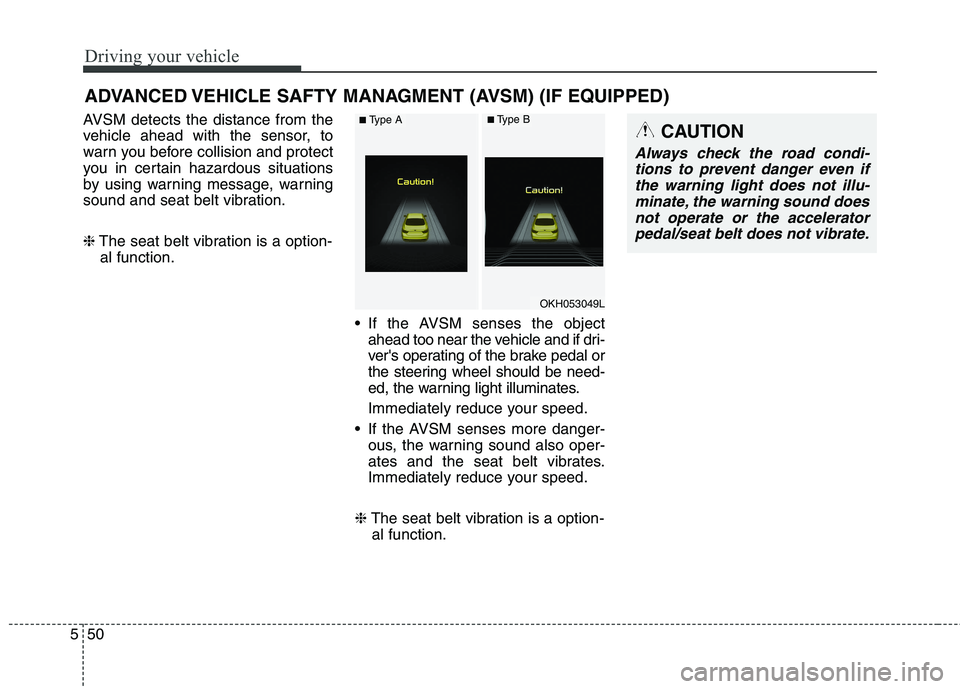
AVSM detects the distance from the
vehicle ahead with the sensor, to
warn you before collision and protect
you in certain hazardous situations
by using warning message, warning
sound and seat belt vibration. ❈ The seat belt vibration is a option-
al function.
If the AVSM senses the objectahead too near the vehicle and if dri-
ver's operating of the brake pedal or
the steering wheel should be need-
ed, the warning light illuminates.
Immediately reduce your speed.
If the AVSM senses more danger- ous, the warning sound also oper-
ates and the seat belt vibrates.
Immediately reduce your speed.
❈ The seat belt vibration is a option-
al function.
ADVANCED VEHICLE SAFTY MANAGMENT (AVSM) (IF EQUIPPED)CAUTION
Always check the road condi-
tions to prevent danger even ifthe warning light does not illu-minate, the warning sound does not operate or the acceleratorpedal/seat belt does not vibrate.
OKH053049L
■ Type A■Type B
Page 305 of 486
561
Driving your vehicle
✽✽NOTICE
During normal cruise control oper- ation, when the SET switch is acti-
vated or reactivated after applying
the brakes, the cruise control will
energize after approximately 3 sec-
onds. This delay is normal.
To activate cruise control, depress the brake pedal at least once after
turning the ignition switch to the
ON position or starting the engine.
This is to check if the brake switch
which is important part to cancel
cruise control is in normal condi-
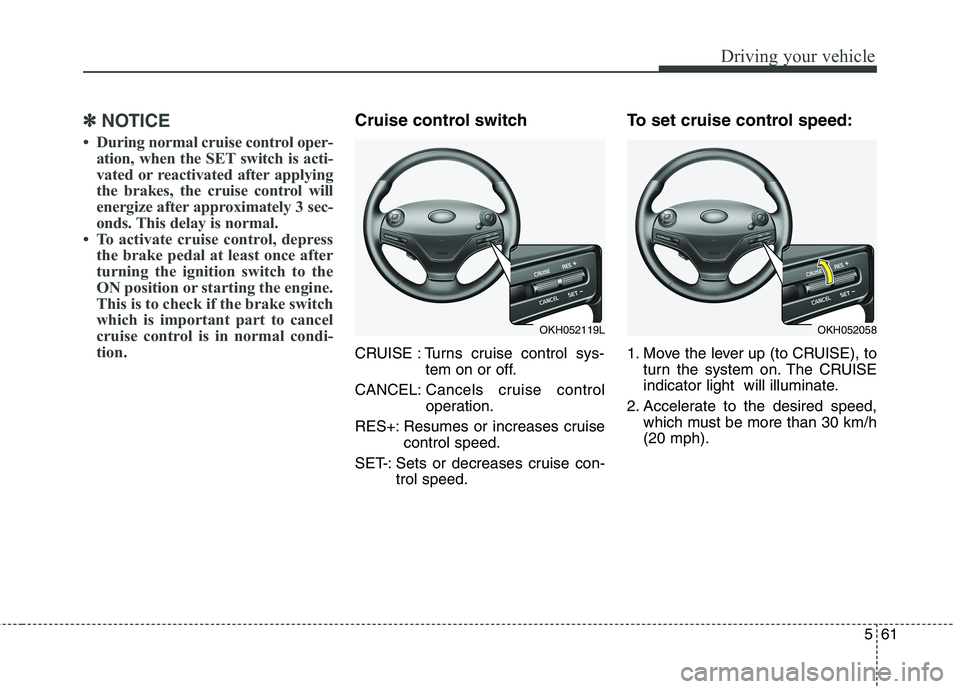
tion.Cruise control switch
CRUISE : Turns cruise control sys- tem on or off.
CANCEL: Cancels cruise control
operation.
RES+: Resumes or increases cruise control speed.
SET-: Sets or decreases cruise con- trol speed. To set cruise control speed:
1. Move the lever up (to CRUISE), to
turn the system on. The CRUISE
indicator light will illuminate.
2. Accelerate to the desired speed, which must be more than 30 km/h(20 mph).
OKH052119LOKH052058
Page 307 of 486
563
Driving your vehicle
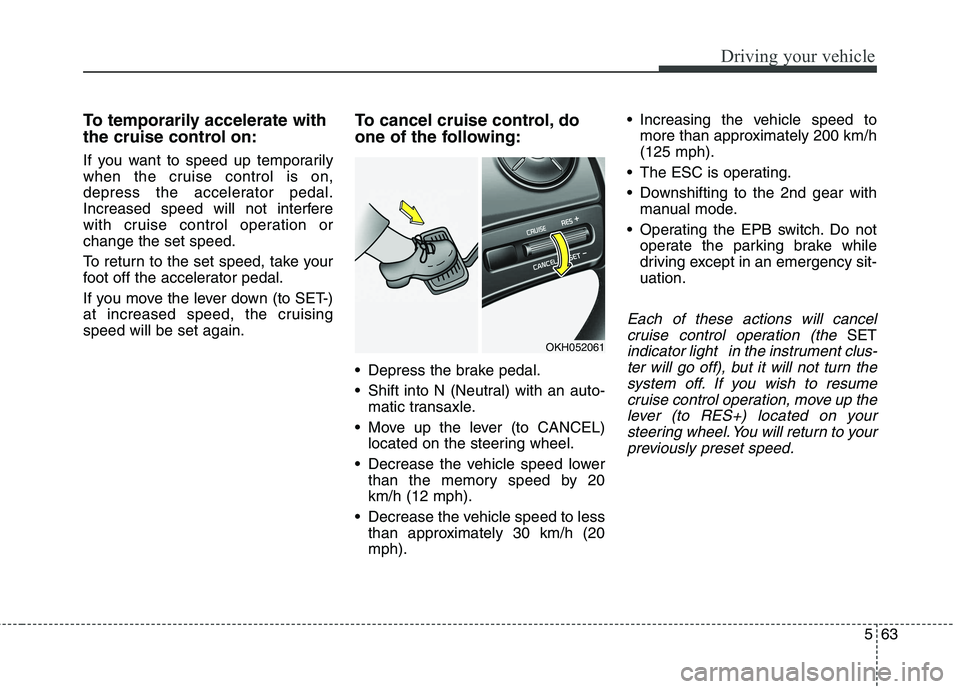
To temporarily accelerate with
the cruise control on:
If you want to speed up temporarily
when the cruise control is on,
depress the accelerator pedal.
Increased speed will not interfere
with cruise control operation orchange the set speed.
To return to the set speed, take your
foot off the accelerator pedal.
If you move the lever down (to SET-)
at increased speed, the cruisingspeed will be set again.To cancel cruise control, do
one of the following:
Depress the brake pedal.
Shift into N (Neutral) with an auto-
matic transaxle.
Move up the lever (to CANCEL) located on the steering wheel.
Decrease the vehicle speed lower than the memory speed by 20 km/h (12 mph).
Decrease the vehicle speed to less than approximately 30 km/h (20mph). Increasing the vehicle speed to
more than approximately 200 km/h(125 mph).
The ESC is operating.
Downshifting to the 2nd gear with manual mode.
Operating the EPB switch. Do not operate the parking brake while
driving except in an emergency sit-uation.
Each of these actions will cancel
cruise control operation (the
SET
indicator light in the instrument clus-ter will go off), but it will not turn thesystem off. If you wish to resumecruise control operation, move up the lever (to RES+) located on yoursteering wheel. You will return to yourpreviously preset speed.OKH052061
Page 309 of 486
565
Driving your vehicle
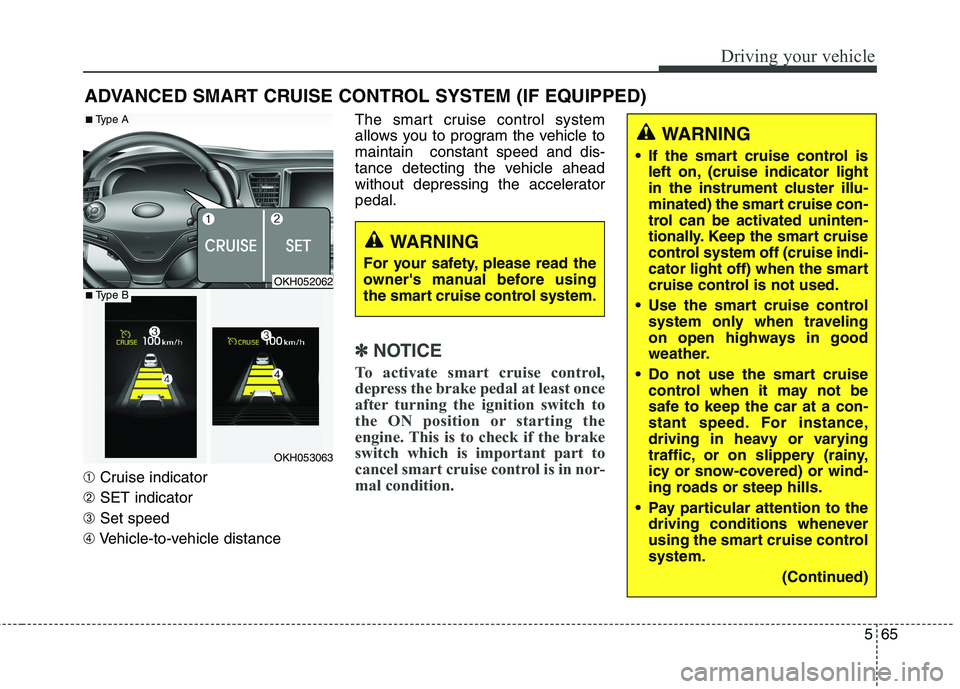
➀Cruise indicator
➁ SET indicator
➂ Set speed
➃ Vehicle-to-vehicle distance The smart cruise control system
allows you to program the vehicle tomaintain constant speed and dis-
tance detecting the vehicle ahead
without depressing the acceleratorpedal.
✽✽
NOTICE
To activate smart cruise control,
depress the brake pedal at least once
after turning the ignition switch to
the ON position or starting the
engine. This is to check if the brake
switch which is important part to
cancel smart cruise control is in nor-
mal condition.
ADVANCED SMART CRUISE CONTROL SYSTEM (IF EQUIPPED)
WARNING
If the smart cruise control is left on, (cruise indicator light
in the instrument cluster illu-
minated) the smart cruise con-
trol can be activated uninten-
tionally. Keep the smart cruise
control system off (cruise indi-
cator light off) when the smart
cruise control is not used.
Use the smart cruise control system only when traveling
on open highways in good
weather.
Do not use the smart cruise control when it may not be
safe to keep the car at a con-
stant speed. For instance,
driving in heavy or varying
traffic, or on slippery (rainy,
icy or snow-covered) or wind-
ing roads or steep hills.
Pay particular attention to the driving conditions whenever
using the smart cruise controlsystem.
(Continued)
WARNING
For your safety, please read the
owner's manual before using
the smart cruise control system.
OKH052062
OKH053063
■ Type A
■Type B