lights KIA QUORIS 2015 Owner's Manual
[x] Cancel search | Manufacturer: KIA, Model Year: 2015, Model line: QUORIS, Model: KIA QUORIS 2015Pages: 486, PDF Size: 35.55 MB
Page 190 of 486
4109
Features of your vehicle
Traffic change (for Europe)
Use this function when you visit a
country with opposite traffic direction.
If the traffic change is activated when
you visit a country with opposite traf-fic direction, it will decrease the daz-
zle on oncoming vehicle drivers.
Follow the below procedure.
1. Select “User Settings” by pressingthe mode button ( ) on the steer- ing wheel.
2. Select “Lamp” by pressing the move button ( ) and select but-
ton ( ) on the steering wheel.
3. Select “Travel Mode” by pressing the move button ( ) and select
button ( ) on the
steering wheel.
4. change function.
Select "Off" to deacticate the traf- fic change function.✽✽ NOTICE
If the engine is turned off with the
traffic change function activated,
and the engine turned on again, a
message "Headlamp beam pattern
set to opposite side range has been
reduced" will appear. It is to notify
the driver the function is activated.Lighting control
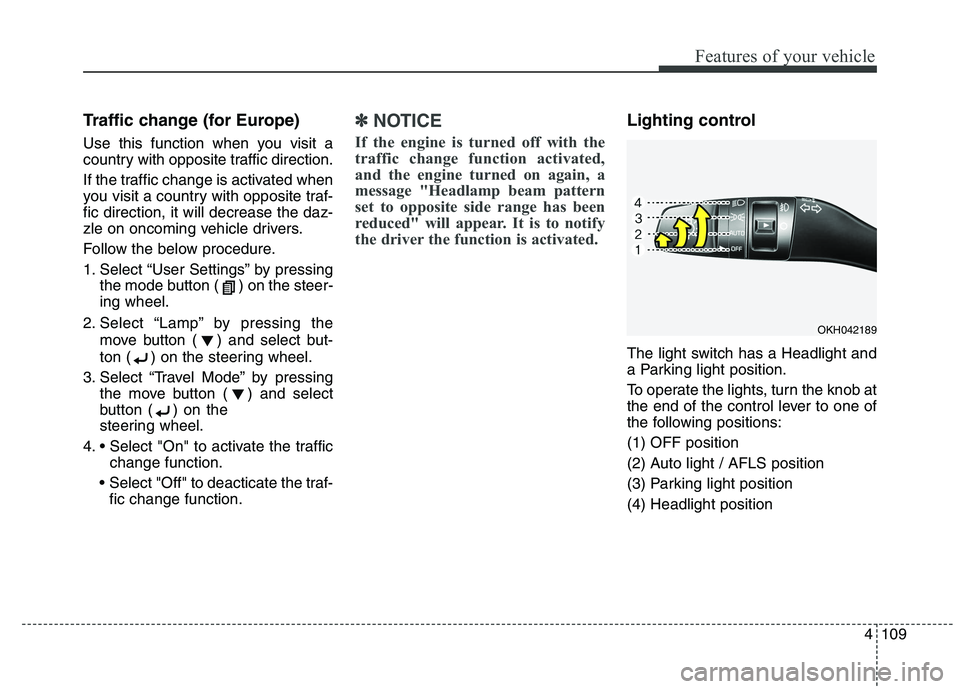
The light switch has a Headlight and
a Parking light position.
To operate the lights, turn the knob at
the end of the control lever to one of
the following positions: (1) OFF position
(2) Auto light / AFLS position
(3) Parking light position(4) Headlight position
OKH042189
Page 191 of 486
Features of your vehicle
110
4
Auto light/AFLS position
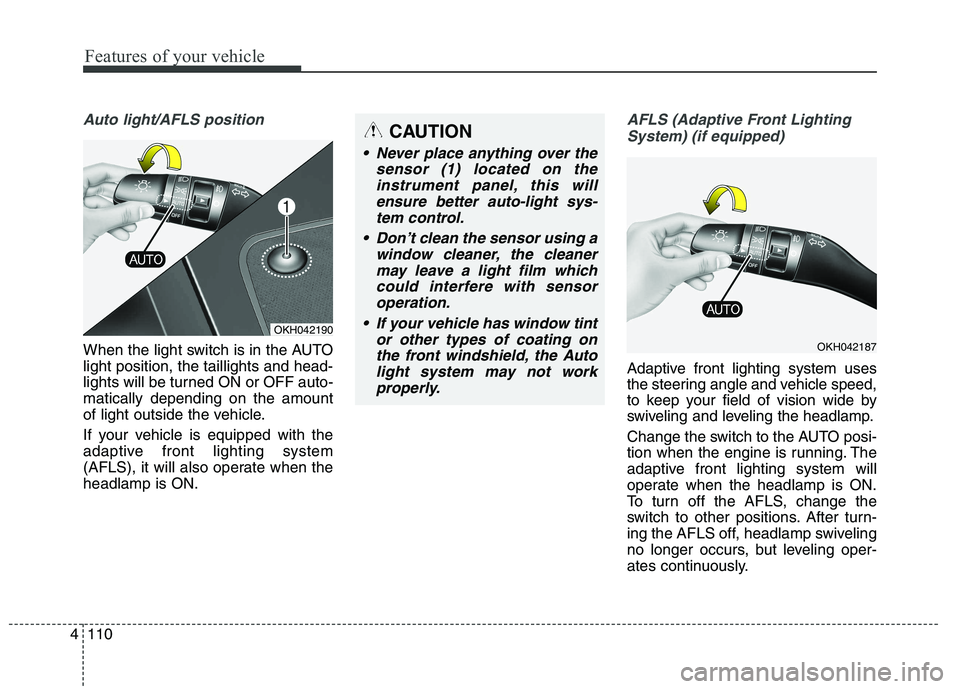
When the light switch is in the AUTO light position, the taillights and head-
lights will be turned ON or OFF auto-matically depending on the amount
of light outside the vehicle.
If your vehicle is equipped with the
adaptive front lighting system
(AFLS), it will also operate when theheadlamp is ON.
AFLS (Adaptive Front Lighting
System) (if equipped)
Adaptive front lighting system uses
the steering angle and vehicle speed,
to keep your field of vision wide by
swiveling and leveling the headlamp.
Change the switch to the AUTO posi-
tion when the engine is running. The
adaptive front lighting system will
operate when the headlamp is ON.
To turn off the AFLS, change the
switch to other positions. After turn-
ing the AFLS off, headlamp swiveling
no longer occurs, but leveling oper-
ates continuously.
OKH042190
CAUTION
Never place anything over the sensor (1) located on theinstrument panel, this willensure better auto-light sys-tem control.
Don’t clean the sensor using a window cleaner, the cleanermay leave a light film whichcould interfere with sensoroperation.
If your vehicle has window tint or other types of coating onthe front windshield, the Autolight system may not workproperly.
OKH042187
Page 192 of 486
4111
Features of your vehicle
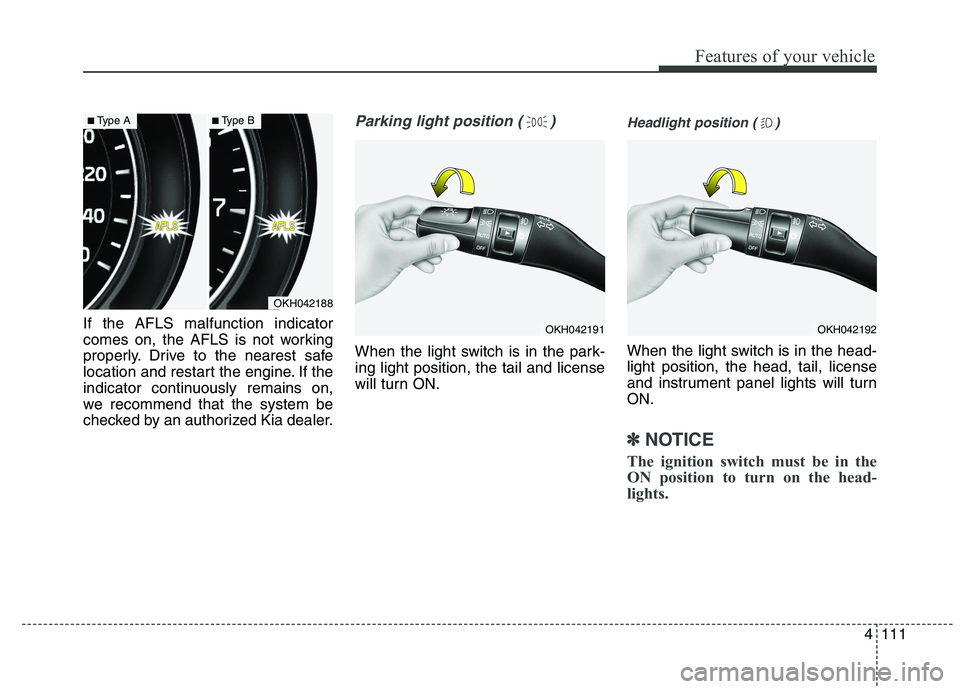
If the AFLS malfunction indicator
comes on, the AFLS is not working
properly. Drive to the nearest safe
location and restart the engine. If the
indicator continuously remains on,
we recommend that the system be
checked by an authorized Kia dealer.
Parking light position ( )
When the light switch is in the park- ing light position, the tail and license
will turn ON.
Headlight position ( )
When the light switch is in the head- light position, the head, tail, license
and instrument panel lights will turnON.
✽✽NOTICE
The ignition switch must be in the
ON position to turn on the head-
lights.
OKH042188
■ Type A■Type B
OKH042191OKH042192
Page 193 of 486
Features of your vehicle
112
4
High beam operation
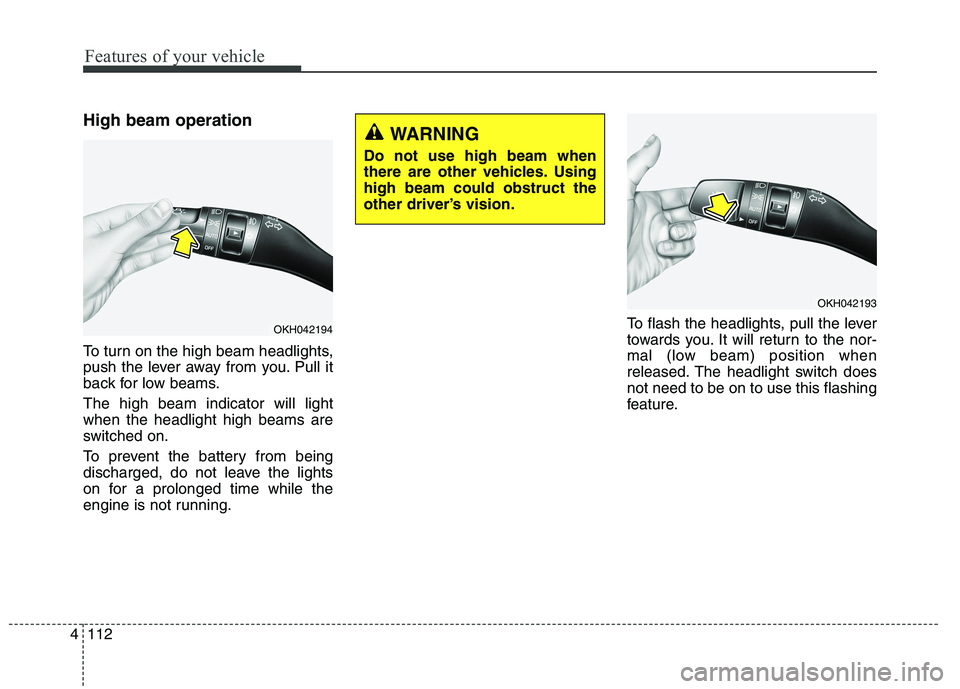
To turn on the high beam headlights,
push the lever away from you. Pull it
back for low beams. The high beam indicator will light when the headlight high beams are
switched on.
To prevent the battery from being
discharged, do not leave the lights
on for a prolonged time while the
engine is not running. To flash the headlights, pull the lever
towards you. It will return to the nor-
mal (low beam) position when
released. The headlight switch doesnot need to be on to use this flashing
feature.
OKH042194
WARNING
Do not use high beam when
there are other vehicles. Usinghigh beam could obstruct the
other driver’s vision.
OKH042193
Page 195 of 486
Features of your vehicle
114
4
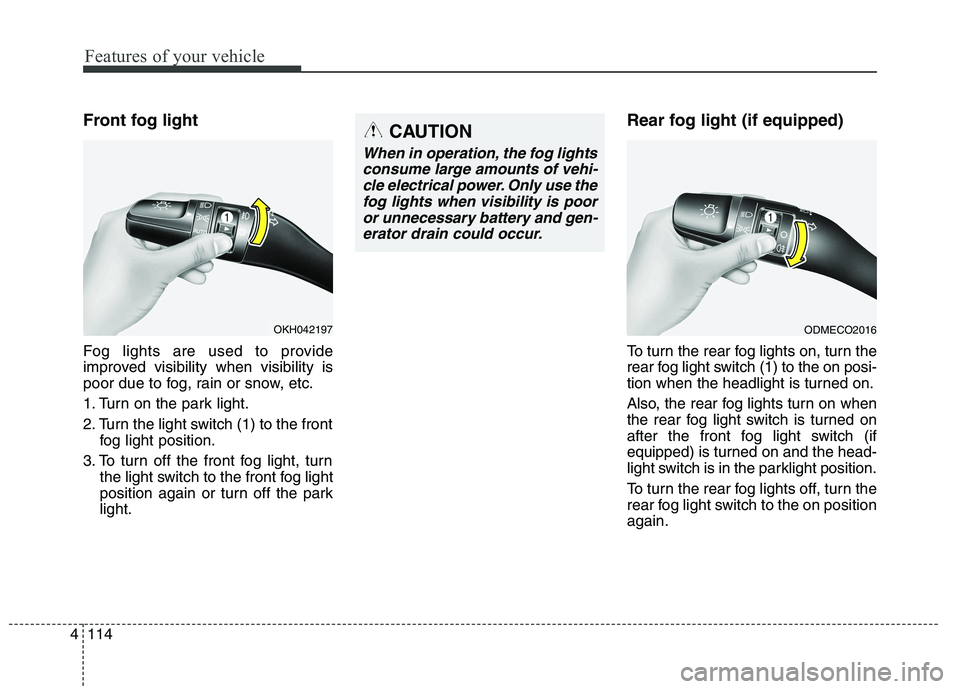
Front fog light
Fog lights are used to provide
improved visibility when visibility is
poor due to fog, rain or snow, etc.
1. Turn on the park light.
2. Turn the light switch (1) to the front
fog light position.
3. To turn off the front fog light, turn the light switch to the front fog light
position again or turn off the parklight. Rear fog light (if equipped)
To turn the rear fog lights on, turn the
rear fog light switch (1) to the on posi-
tion when the headlight is turned on.
Also, the rear fog lights turn on when
the rear fog light switch is turned on
after the front fog light switch (if
equipped) is turned on and the head-
light switch is in the parklight position.
To turn the rear fog lights off, turn the
rear fog light switch to the on positionagain.
OKH042197
CAUTION
When in operation, the fog lights
consume large amounts of vehi-cle electrical power. Only use the fog lights when visibility is pooror unnecessary battery and gen-erator drain could occur.
ODMECO2016
Page 196 of 486
4115
Features of your vehicle
Headlight leveling device It is automatically adjusted the head-
light beam level according to the
number of the passengers and the
loading weight in the luggage area.
And it offers the proper headlight
beam under the various conditions.Headlight washer
If your vehicle is equipped with the
headlight washer it will be operating
at the same time when you operate
the windshield washer. It will operate
when the headlight switch is in thefirst or second position and the
engine start/stop button is in the ONposition.
The washer fluid will be sprayed on
to the headlights.
✽✽
NOTICE
Check the headlight washers peri- odically to confirm that the wash-
er fluid is being sprayed properly
onto the headlight lenses.
The headlight washer can be oper- ated 15 minutes after being oper-
ated last time.
WARNING
If it does not work properly even
though your car is inclined
backward according to passen-
ger's posture, or the headlightbeam is irradiated to the high or
low position, we recommend
that the system be inspected by
an authorized Kia dealer. Do not attempt to inspect or
replace the wiring yourself.
Page 200 of 486
4119
Features of your vehicle
INTERIOR LIGHTAutomatic turn off function (if equipped)
The interior lights automatically turn
off approximately 20 minutes after
the engine is turned off.
If your vehicle is equipped with the
theft alarm system, the interior lights
automatically turns off several sec-
onds after the system is armed stage. Type A
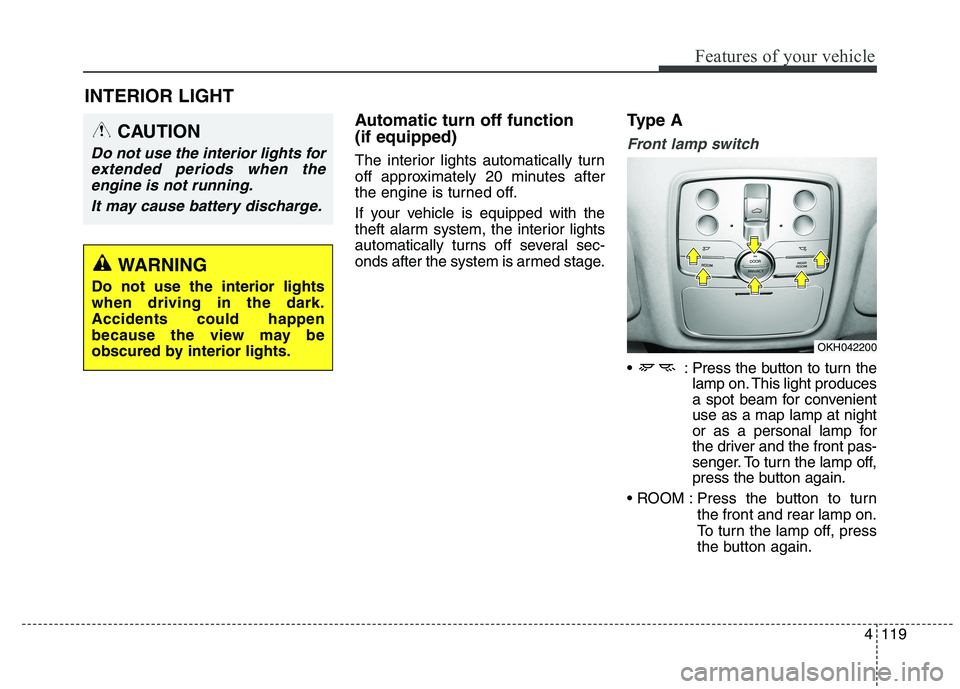
Front lamp switch
: Press the button to turn the
lamp on. This light produces
a spot beam for convenientuse as a map lamp at night
or as a personal lamp for
the driver and the front pas-
senger. To turn the lamp off,
press the button again.
Press the button to turn the front and rear lamp on.
To turn the lamp off, press
the button again.
CAUTION
Do not use the interior lights for
extended periods when theengine is not running.
It may cause battery discharge.
OKH042200
WARNING
Do not use the interior lights when driving in the dark.Accidents could happen
because the view may be
obscured by interior lights.
Page 247 of 486
53
Driving your vehicle
Before entering vehicle
• Be sure that all windows, outsidemirror(s), and outside lights are clean.
Check the condition of the tires.
Check under the vehicle for any sign of leaks.
Be sure there are no obstacles behind you if you intend to back up. Necessary inspections
Fluid levels, such as engine oil,
engine coolant, brake fluid, and
washer fluid should be checked on a
regular basis, with the exact interval
depending on the fluid. Further
details are provided in section 7,“Maintenance”.
Before starting
Close and lock all doors.
Position the seat so that all con-
trols are easily reached.
Adjust the inside and outside rearview mirrors.
Be sure that all lights work.
Check all gauges.
Check the operation of warning lights when the ignition switch is
turned to the ON position.
Release the parking brake and make sure the brake warning lightgoes out.
For safe operation, be sure you are
familiar with your vehicle and itsequipment.
BEFORE DRIVING
WARNING
Driving while distracted can
result in a loss of vehicle control,
that may lead to an accident,
severe personal injury, and
death. The driver’s primary
responsibility is in the safe and
legal operation of a vehicle, and
use of any handheld devices,
other equipment, or vehicle sys-
tems which take the driver’s
eyes, attention and focus away
from the safe operation of a vehi-
cle or which are not permissible
by law should never be used dur-
ing operation of the vehicle.
Page 250 of 486
Driving your vehicle
6
5
✽✽
NOTICE
If the steering wheel doesn't unlock
properly, the engine start/stop but-
ton will not work. Press the engine
start/stop button while turning the
steering wheel right and left to
release the tension.
✽
✽
NOTICE
You are able to turn off the engine
(START/RUN) or vehicle power (ON),
only when the vehicle is not in motion.
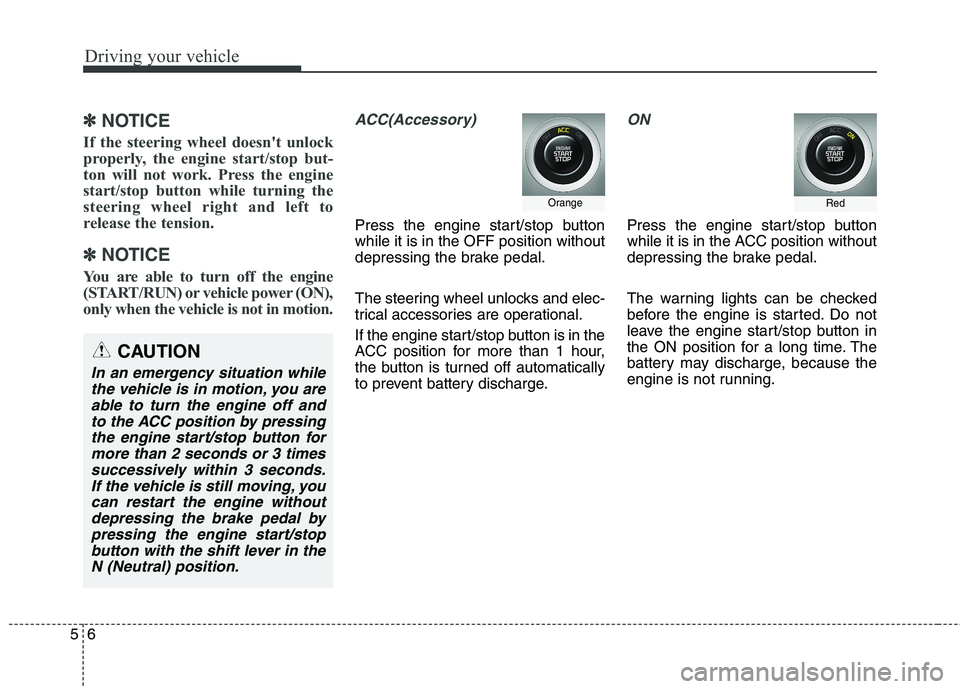
ACC(Accessory)
Press the engine start/stop button while it is in the OFF position without
depressing the brake pedal.
The steering wheel unlocks and elec-
trical accessories are operational.
If the engine start/stop button is in the
ACC position for more than 1 hour,
the button is turned off automatically
to prevent battery discharge.
ON
Press the engine start/stop button
while it is in the ACC position without
depressing the brake pedal.
The warning lights can be checked
before the engine is started. Do not
leave the engine start/stop button in
the ON position for a long time. The
battery may discharge, because the
engine is not running.
Orange
CAUTION
In an emergency situation while the vehicle is in motion, you areable to turn the engine off and to the ACC position by pressingthe engine start/stop button formore than 2 seconds or 3 times successively within 3 seconds.If the vehicle is still moving, youcan restart the engine withoutdepressing the brake pedal by pressing the engine start/stopbutton with the shift lever in theN (Neutral) position.
Red
Page 286 of 486
Driving your vehicle
42
5
(Continued)
Before driving off again, press foot
brake pedal, check the surround-
ing area near your vehicle and
release parking brake manually
with the EPB switch.
If the AUTO HOLD indicator lights up yellow, the Auto Hold is
not working properly. Take your
vehicle to an authorized Kia deal-
er and have the system checked.
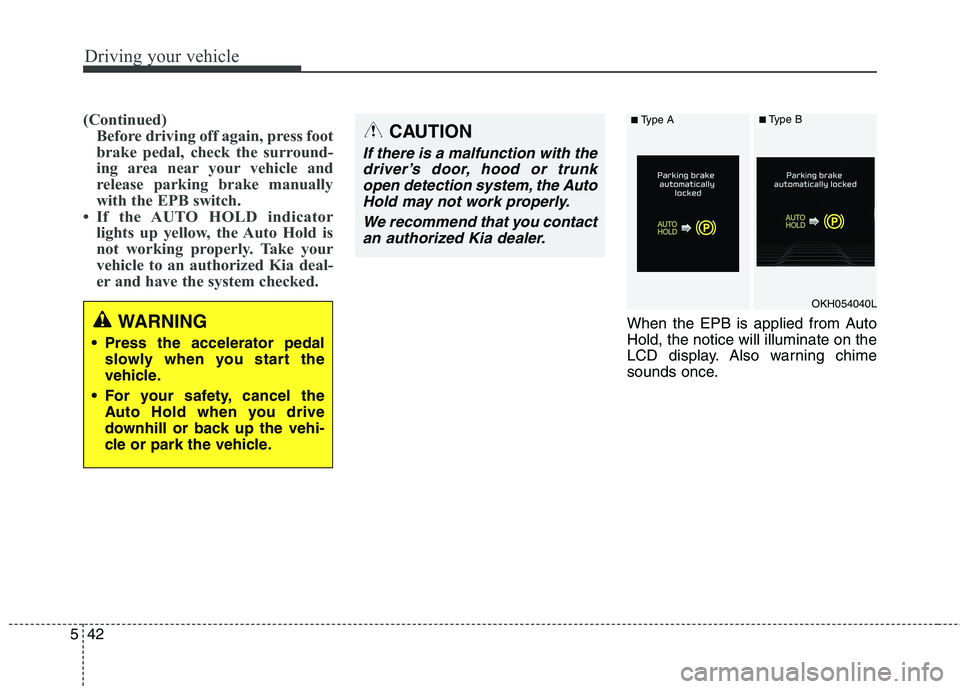
When the EPB is applied from Auto Hold, the notice will illuminate on the
LCD display. Also warning chime
sounds once.WARNING
Press the accelerator pedal slowly when you start the
vehicle.
For your safety, cancel the Auto Hold when you drive
downhill or back up the vehi-
cle or park the vehicle.
CAUTION
If there is a malfunction with the
driver’s door, hood or trunkopen detection system, the Auto Hold may not work properly.
We recommend that you contactan authorized Kia dealer.
OKH054040L
■ Type A■Type B