lights KIA QUORIS 2015 User Guide
[x] Cancel search | Manufacturer: KIA, Model Year: 2015, Model line: QUORIS, Model: KIA QUORIS 2015Pages: 486, PDF Size: 35.55 MB
Page 132 of 486
451
Features of your vehicle
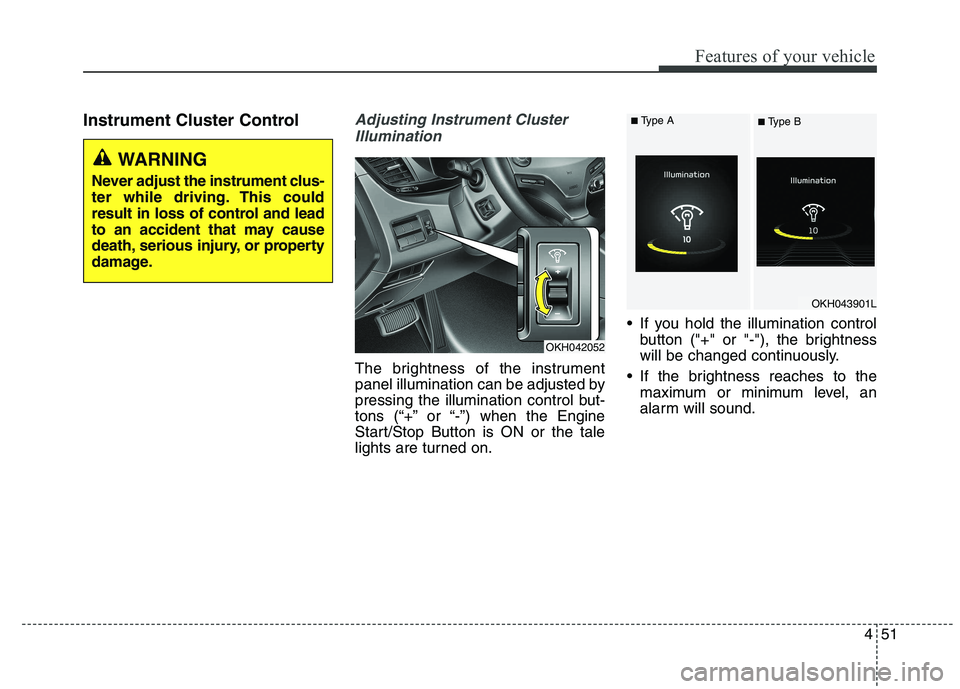
Instrument Cluster ControlAdjusting Instrument ClusterIllumination
The brightness of the instrument
panel illumination can be adjusted by
pressing the illumination control but-
tons (“+” or “-”) when the Engine
Start/Stop Button is ON or the tale
lights are turned on. If you hold the illumination control
button ("+" or "-"), the brightness
will be changed continuously.
If the brightness reaches to the maximum or minimum level, an
alarm will sound.
OKH042052
OKH043901L
WARNING
Never adjust the instrument clus-
ter while driving. This could
result in loss of control and lead
to an accident that may cause
death, serious injury, or property
damage.
■ Type A
■ Type B
Page 142 of 486
461
Features of your vehicle
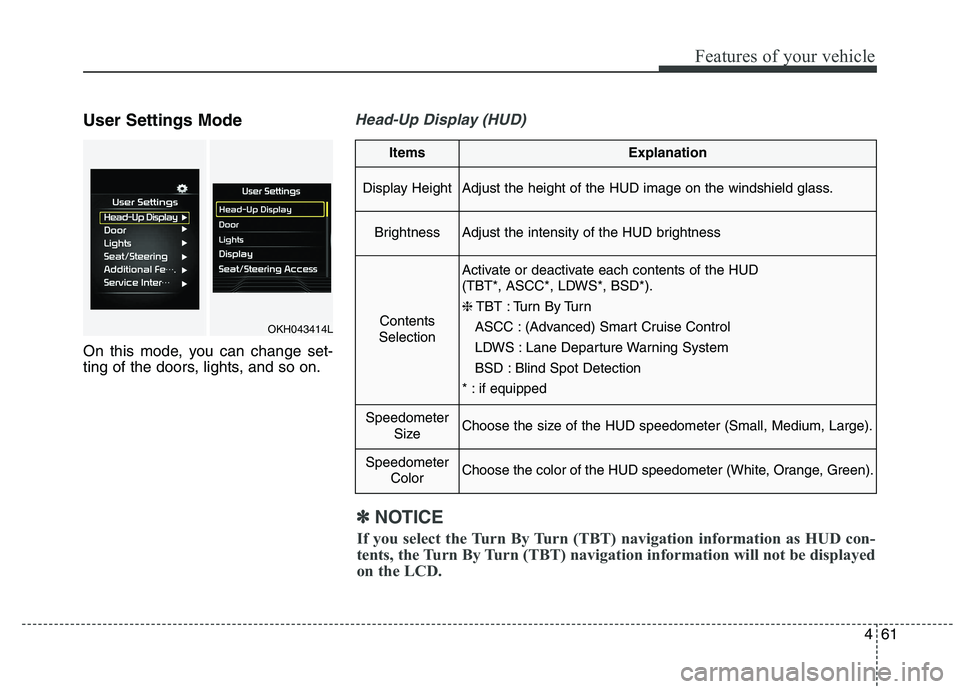
User Settings Mode
On this mode, you can change set-
ting of the doors, lights, and so on.Head-Up Display (HUD)
ItemsExplanation
Display HeightAdjust the height of the HUD image on the windshield glass.
BrightnessAdjust the intensity of the HUD brightness
Contents
Selection
Activate or deactivate each contents of the HUD
(TBT*, ASCC*, LDWS*, BSD*). ❈ TBT : Turn By Turn
ASCC : (Advanced) Smart Cruise Control
LDWS : Lane Departure Warning System
BSD : Blind Spot Detection
* : if equipped
Speedometer SizeChoose the size of the HUD speedometer (Small, Medium, Large).
SpeedometerColorChoose the color of the HUD speedometer (White, Orange, Green).
✽✽NOTICE
If you select the Turn By Turn (TBT) navigation information as HUD con-
tents, the Turn By Turn (TBT) navigation information will not be displayed
on the LCD.
OKH043414L
Page 145 of 486
Features of your vehicle
64
4
Lights
ItemsExplanation
One Touch Turn Signal
The one touch turn lamp function will be deactivated.
The lane change signals will blink 3, 5, or 7 times when the turn signal lever is
moved slightly.
❈ For more details, refer to “Lighting” in this chapter.
Head Lamp DelayActivate or deactivate the head lamp delay function. ❈ For more details, refer to “Lighting” in this chapter.
Welcome LightActivate or deactivate the welcome light function. ❈ For more details, refer to “Welcome system” in this chapter.
Page 159 of 486
Features of your vehicle
78
4
Warning lights
✽✽
NOTICE - Warning lights
Make sure that all warning lights
are OFF after starting the engine. If
any light is still ON, this indicates a
situation that needs attention.
Air bag Warning Light
This warning light illuminates:
Once you set the Engine Start/Stop Button to the ON position.
- It illuminates for approximately 6seconds and then goes off.
When there is a malfunction with the SRS.
In this case, we recommend that
you have the vehicle inspected by
an authorized Kia dealer.
Seat Belt Warning Light
This warning light informs the driver
that the seat belt is not fastened.
For more details, refer to the “Seat
Belts” in chapter 3.
WARNING AND INDICATOR LIGHTS
Page 161 of 486
Features of your vehicle
80
4
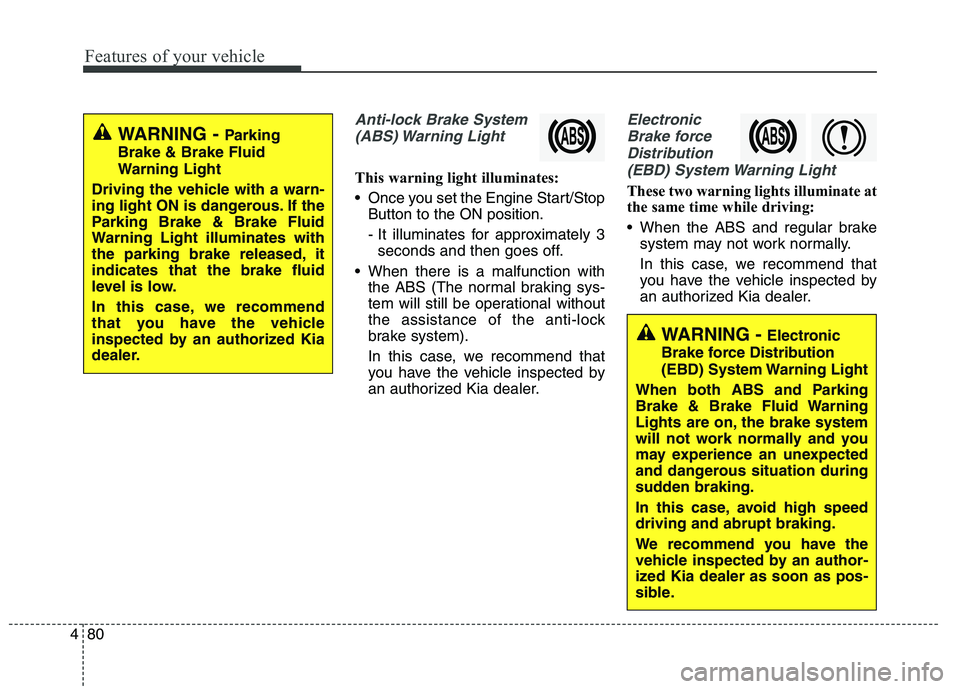
Anti-lock Brake System
(ABS) Warning Light
This warning light illuminates:
Once you set the Engine Start/Stop Button to the ON position.
- It illuminates for approximately 3seconds and then goes off.
When there is a malfunction with the ABS (The normal braking sys-
tem will still be operational without
the assistance of the anti-lock
brake system).
In this case, we recommend that
you have the vehicle inspected by
an authorized Kia dealer.
Electronic
Brake force Distribution(EBD) System Warning Light
These two warning lights illuminate at
the same time while driving:
When the ABS and regular brake system may not work normally.
In this case, we recommend that
you have the vehicle inspected by
an authorized Kia dealer.
WARNING - Parking
Brake & Brake Fluid
Warning Light
Driving the vehicle with a warn-
ing light ON is dangerous. If the
Parking Brake & Brake Fluid
Warning Light illuminates with
the parking brake released, itindicates that the brake fluid
level is low.
In this case, we recommend
that you have the vehicle
inspected by an authorized Kia
dealer.
WARNING - Electronic
Brake force Distribution
(EBD) System Warning Light
When both ABS and Parking
Brake & Brake Fluid Warning
Lights are on, the brake system
will not work normally and you
may experience an unexpected
and dangerous situation during
sudden braking.
In this case, avoid high speed driving and abrupt braking.
We recommend you have the
vehicle inspected by an author-
ized Kia dealer as soon as pos-
sible.
Page 162 of 486
481
Features of your vehicle
✽✽NOTICE- Electronic Brake
force Distribution (EBD)
System Warning Light
When the ABS Warning Light is on
or both ABS and Parking Brake &
Brake Fluid Warning Lights are on,
the speedometer, odometer, or trip-
meter may not work. Also, the EPS
Warning Light may illuminate and
the steering effort may increase or
decrease.
In this case, we recommend you
have the vehicle inspected by an
authorized Kia dealer as soon as
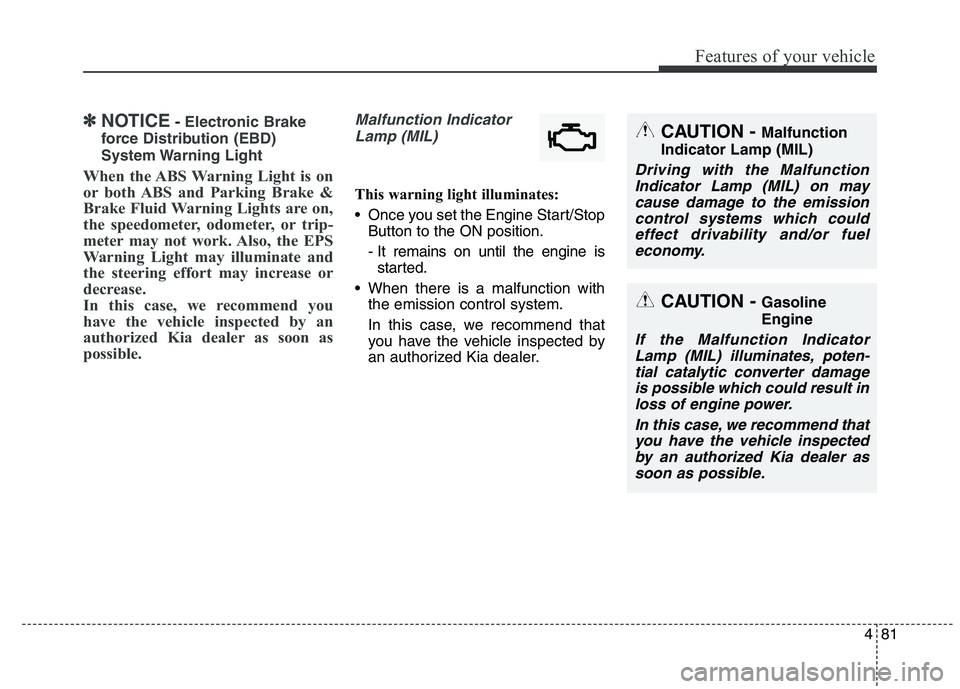
possible.Malfunction Indicator Lamp (MIL)
This warning light illuminates:
Once you set the Engine Start/Stop Button to the ON position.
- It remains on until the engine isstarted.
When there is a malfunction with the emission control system.
In this case, we recommend that
you have the vehicle inspected by
an authorized Kia dealer.
CAUTION - Malfunction
Indicator Lamp (MIL)
Driving with the Malfunction Indicator Lamp (MIL) on maycause damage to the emissioncontrol systems which could effect drivability and/or fueleconomy.
CAUTION - Gasoline Engine
If the Malfunction Indicator
Lamp (MIL) illuminates, poten-tial catalytic converter damageis possible which could result in loss of engine power.
In this case, we recommend thatyou have the vehicle inspectedby an authorized Kia dealer assoon as possible.
Page 169 of 486
Features of your vehicle
88
4
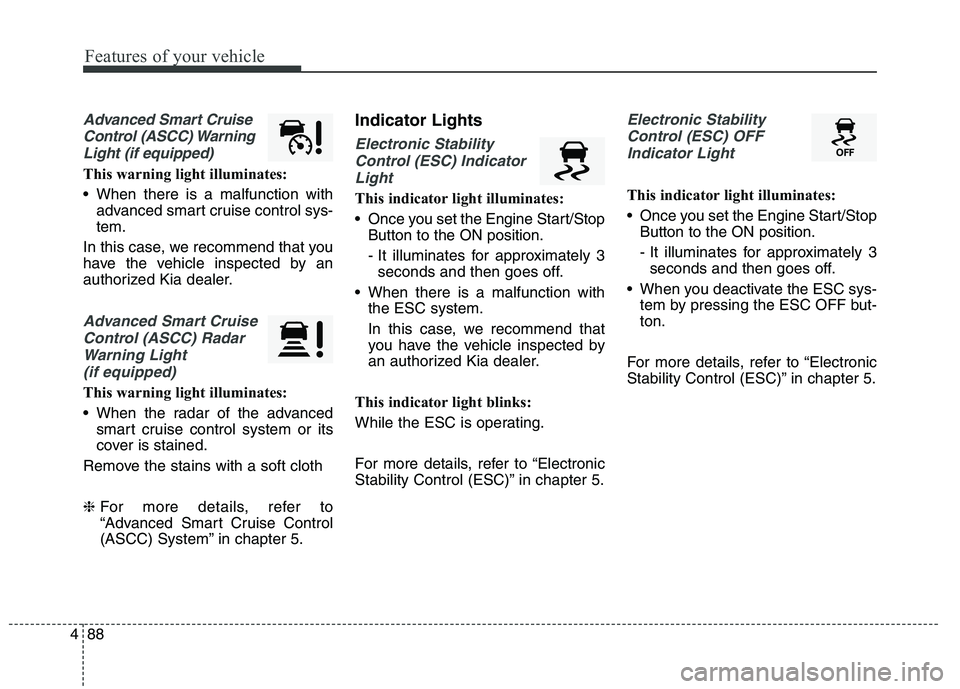
Advanced Smart Cruise
Control (ASCC) Warning Light (if equipped)
This warning light illuminates:
When there is a malfunction with advanced smart cruise control sys- tem.
In this case, we recommend that you
have the vehicle inspected by an
authorized Kia dealer.
Advanced Smart Cruise Control (ASCC) Radar Warning Light (if equipped)
This warning light illuminates:
When the radar of the advanced smart cruise control system or its
cover is stained.
Remove the stains with a soft cloth ❈ For more details, refer to
“Advanced Smart Cruise Control
(ASCC) System” in chapter 5. Indicator Lights
Electronic Stability
Control (ESC) Indicator Light
This indicator light illuminates:
Once you set the Engine Start/Stop Button to the ON position.
- It illuminates for approximately 3seconds and then goes off.
When there is a malfunction with the ESC system.
In this case, we recommend that
you have the vehicle inspected by
an authorized Kia dealer.
This indicator light blinks:
While the ESC is operating.
For more details, refer to “Electronic
Stability Control (ESC)” in chapter 5.
Electronic Stability Control (ESC) OFF Indicator Light
This indicator light illuminates:
Once you set the Engine Start/Stop Button to the ON position.
- It illuminates for approximately 3seconds and then goes off.
When you deactivate the ESC sys- tem by pressing the ESC OFF but- ton.
For more details, refer to “Electronic
Stability Control (ESC)” in chapter 5.
Page 173 of 486
Features of your vehicle
92
4
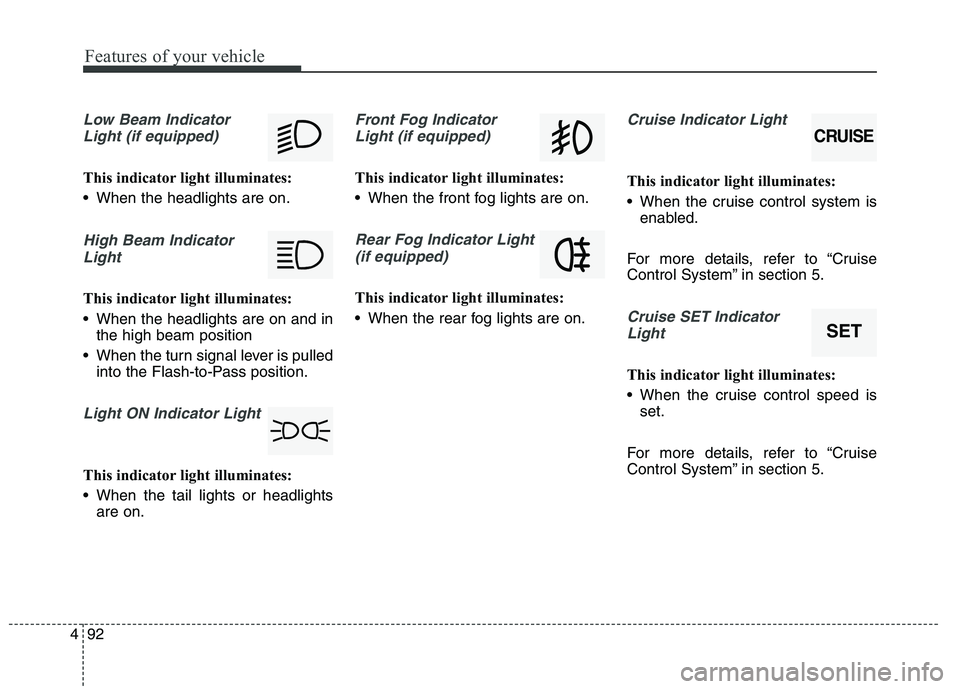
Low Beam Indicator
Light (if equipped)
This indicator light illuminates:
When the headlights are on.
High Beam IndicatorLight
This indicator light illuminates:
When the headlights are on and in the high beam position
When the turn signal lever is pulled into the Flash-to-Pass position.
Light ON Indicator Light
This indicator light illuminates:
When the tail lights or headlightsare on.
Front Fog Indicator
Light (if equipped)
This indicator light illuminates:
When the front fog lights are on.
Rear Fog Indicator Light (if equipped)
This indicator light illuminates:
When the rear fog lights are on.
Cruise Indicator Light
This indicator light illuminates:
When the cruise control system is enabled.
For more details, refer to “Cruise
Control System” in section 5.
Cruise SET Indicator Light
This indicator light illuminates:
When the cruise control speed is set.
For more details, refer to “Cruise
Control System” in section 5.
CRUISE
SET
Page 176 of 486
495
Features of your vehicle
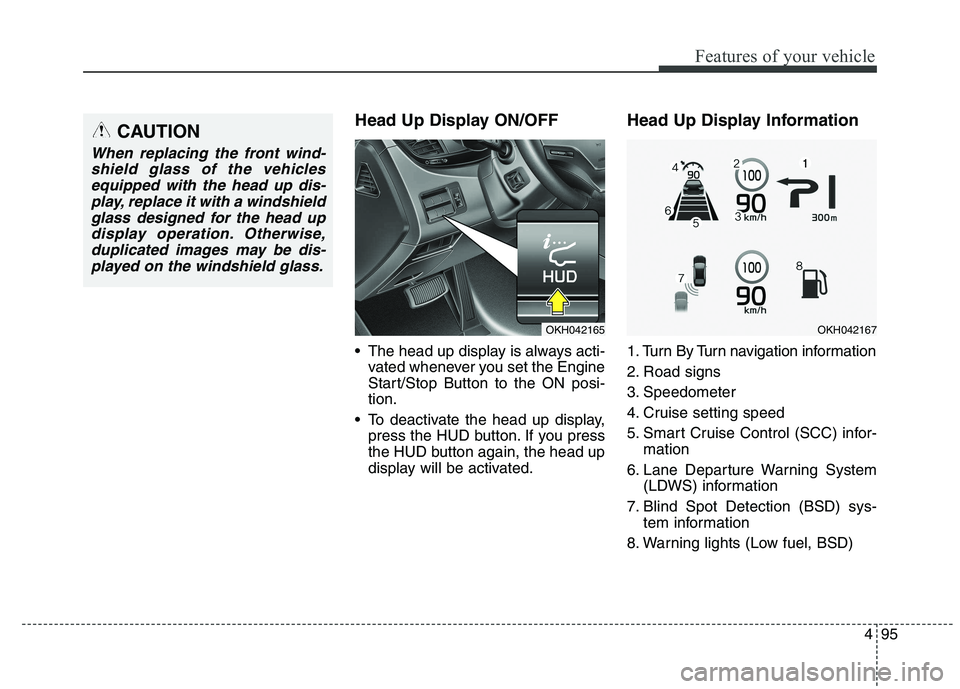
Head Up Display ON/OFF
The head up display is always acti-vated whenever you set the Engine
Start/Stop Button to the ON posi-tion.
To deactivate the head up display, press the HUD button. If you press
the HUD button again, the head up
display will be activated. Head Up Display Information
1. Turn By Turn navigation information
2. Road signs
3. Speedometer
4. Cruise setting speed
5. Smart Cruise Control (SCC) infor-
mation
6. Lane Departure Warning System (LDWS) information
7. Blind Spot Detection (BSD) sys- tem information
8. Warning lights (Low fuel, BSD)CAUTION
When replacing the front wind- shield glass of the vehiclesequipped with the head up dis- play, replace it with a windshieldglass designed for the head updisplay operation. Otherwise, duplicated images may be dis-played on the windshield glass.
OKH042165OKH042167
Page 189 of 486
Features of your vehicle
108
4
Battery saver function
The purpose of this feature is to
prevent the battery from being dis-
charged. The system automatically
turns off the parking lights when
the driver turns off the engine and
opens the driver-side door.
With this feature, the parking lights will be turned off automatically if
the driver parks on the side of roadat night.
If necessary, to keep the lights on
when the engine is turned off per-
form the following:
1) Open the driver-side door.
2) Turn the parking lights OFF and ON again. Headlight escort function
The headlights (and/or parking
lights) will remain on for approxi-
mately 5 minutes after the engine
start/stop button is turned to the ACC
or OFF position. However, if the dri-
ver’s door is opened and closed, the
headlights are turned off after 15
seconds.
The headlights can be turned off by
pressing the lock button on the smart
key twice or turning off the light
switch from the headlight or Autolight position.
Daytime running light (if equipped)
The Daytime Running Lights (DRL)
can make it easier for others to see
the front of your vehicle during the
day. DRL can be helpful in many dif-
ferent driving conditions, and it is
especially helpful after dawn and
before sunset.
The DRL system will turn the dedi- cated lamp OFF when:
1. The headlight or fog lamp switch is
ON.
2. The engine is OFF.
LIGHTING
CAUTION
If the driver gets out of the vehi-
cle through other doors (exceptdriver's door), the battery saver function does not operate andthe headlight escort functiondoes not turn off automatically.Therefore, It causes the battery to be discharged. In this case,make sure to turn off the lampbefore getting out of the vehicle.