lock KIA QUORIS 2015 Repair Manual
[x] Cancel search | Manufacturer: KIA, Model Year: 2015, Model line: QUORIS, Model: KIA QUORIS 2015Pages: 486, PDF Size: 35.55 MB
Page 233 of 486
Features of your vehicle
152
4
During mild weather or under condi-
tions where the operation of the seat
warmer is not needed, keep the
switches in the "OFF" position.
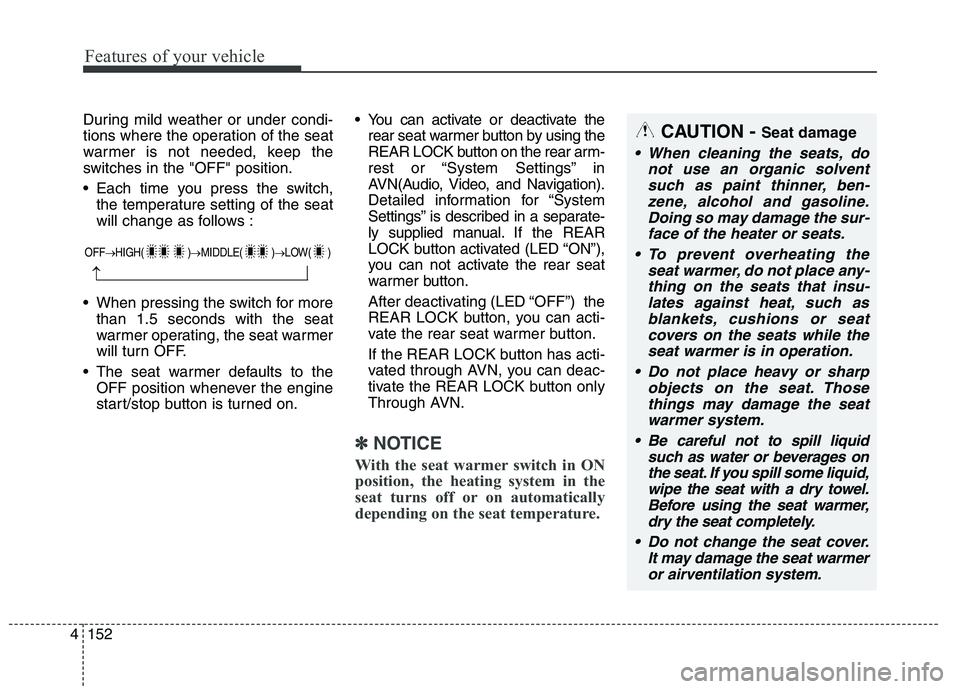
Each time you press the switch,
the temperature setting of the seat
will change as follows :
When pressing the switch for more than 1.5 seconds with the seat
warmer operating, the seat warmer
will turn OFF.
The seat warmer defaults to the OFF position whenever the engine
start/stop button is turned on. You can activate or deactivate the
rear seat warmer button by using the
REAR LOCK button on the rear arm-
rest or “System Settings” in
AVN(Audio, Video, and Navigation).
Detailed information for “System
Settings” is described in a separate-
ly supplied manual. If the REAR
LOCK button activated (LED “ON”),
you can not activate the rear seat
warmer button.
After deactivating (LED “OFF”) the
REAR LOCK button, you can acti-
vate the rear seat warmer button.
If the REAR LOCK button has acti-
vated through AVN, you can deac-
tivate the REAR LOCK button only
Through AVN.
✽✽ NOTICE
With the seat warmer switch in ON
position, the heating system in the
seat turns off or on automatically
depending on the seat temperature.
CAUTION - Seat damage
When cleaning the seats, do
not use an organic solventsuch as paint thinner, ben- zene, alcohol and gasoline.Doing so may damage the sur-face of the heater or seats.
To prevent overheating the seat warmer, do not place any-thing on the seats that insu-lates against heat, such asblankets, cushions or seat covers on the seats while theseat warmer is in operation.
Do not place heavy or sharp objects on the seat. Thosethings may damage the seat warmer system.
Be careful not to spill liquid such as water or beverages onthe seat. If you spill some liquid,wipe the seat with a dry towel. Before using the seat warmer,dry the seat completely.
Do not change the seat cover. It may damage the seat warmeror airventilation system.
OFF HIGH( ) MIDDLE( ) LOW( )
Page 235 of 486
Features of your vehicle
154
4
You can activate or deactivate the
rear air ventilation button by using
the REAR LOCK button on the rear
armrest or “System Settings” in
AVN(Audio, Video, and Navigation).
Detailed information for “System
Settings” is described in a sepa-
rately supplied manual. If the REAR
LOCK button activated (LED “ON”),
you can not activate the rear air
ventilation button.
After deactivating (LED “OFF”) the
REAR LOCK button, you can acti-
vate the rear air ventilation button.
If the REAR LOCK button has acti-
vated through AVN, you can deacti-
vate the REAR LOCK button only
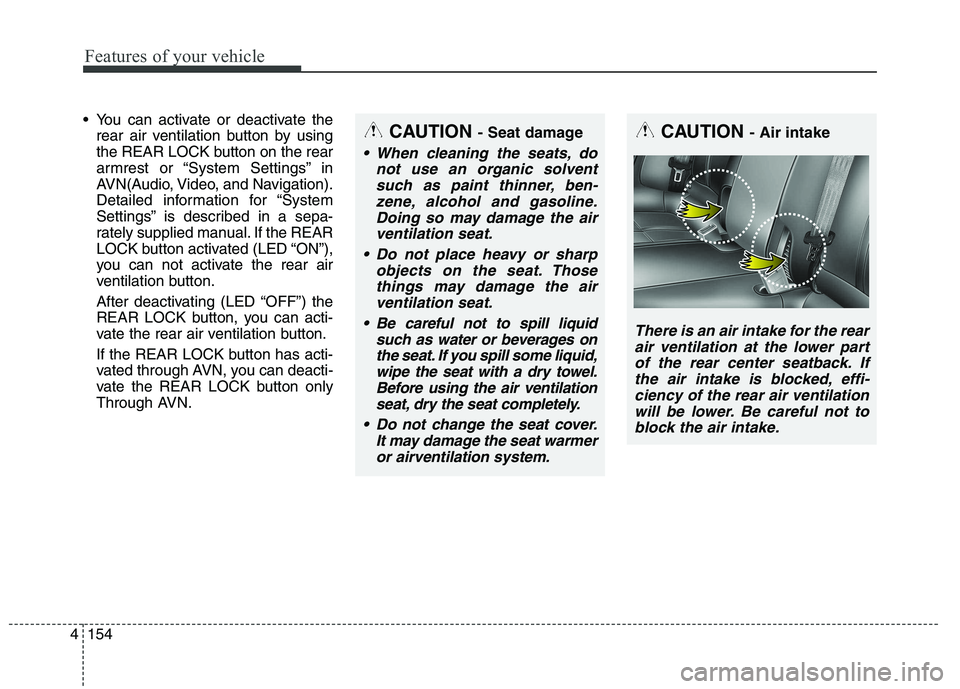
Through AVN.CAUTION - Air intake
There is an air intake for the rear
air ventilation at the lower partof the rear center seatback. If the air intake is blocked, effi-ciency of the rear air ventilationwill be lower. Be careful not toblock the air intake.
CAUTION - Seat damage
When cleaning the seats, do
not use an organic solventsuch as paint thinner, ben- zene, alcohol and gasoline.Doing so may damage the airventilation seat.
Do not place heavy or sharp objects on the seat. Thosethings may damage the airventilation seat.
Be careful not to spill liquid such as water or beverages onthe seat. If you spill some liquid, wipe the seat with a dry towel.Before using the air ventilationseat, dry the seat completely.
Do not change the seat cover. It may damage the seat warmeror airventilation system.
Page 236 of 486
4155
Features of your vehicle
Clock
You can set the clock by using the
AVN (Audio or Navigation)
For the details, refer to the AVN man- ual.Clothes hanger (if equipped)
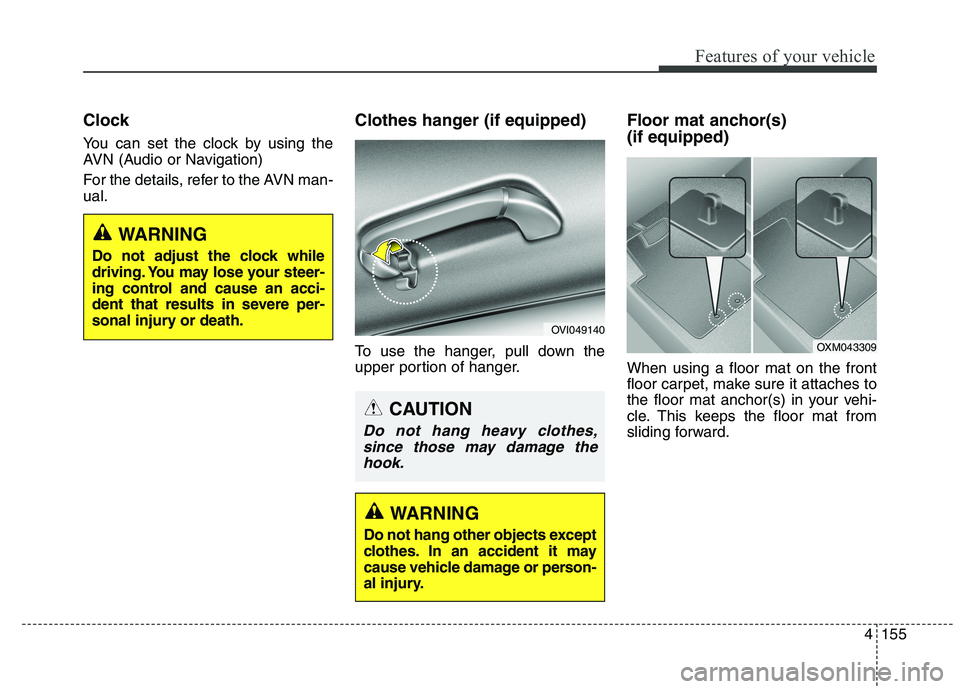
To use the hanger, pull down the
upper portion of hanger.Floor mat anchor(s) (if equipped) When using a floor mat on the front
floor carpet, make sure it attaches to
the floor mat anchor(s) in your vehi-
cle. This keeps the floor mat from
sliding forward.
OVI049140
OXM043309
WARNING
Do not adjust the clock while
driving. You may lose your steer-
ing control and cause an acci-
dent that results in severe per-
sonal injury or death.
WARNING
Do not hang other objects except
clothes. In an accident it may
cause vehicle damage or person-
al injury.
CAUTION
Do not hang heavy clothes,
since those may damage thehook.
Page 239 of 486
Features of your vehicle
158
4
To fold the rear curtain, press the
button. To unfold the rear curtain,
press the button again.
The rear curtain will fold automatical-
ly when you shift the shift lever into R
(Reverse) and unfold automatically
when you shift the shift lever from R
(Reverse) into P (Park).
After the rear curtain is folded by shift-
ing the shift lever into R (Reverse) and
drive more than 20 km/h with the shift
lever in D (Drive), the rear curtain will
unfold automatically.
You can activate or deactivate the
rear curtain button on the rear arm-
rest by using the REAR LOCK button
on the rear armrest or “System
Settings” in AVN(Audio, Video, and
Navigation).
Detailed information for “System
Settings” is described in a separately
supplied manual. If the REAR LOCK button activated
(LED “ON”), you can not activate the
rear curtain button.
After deactivating (LED “OFF”) the
REAR LOCK button, you can acti-
vate the rear curtain button.
If the REAR LOCK button has acti-
vated through AVN, you can deacti-
vate the REAR LOCK button only
Through AVN.
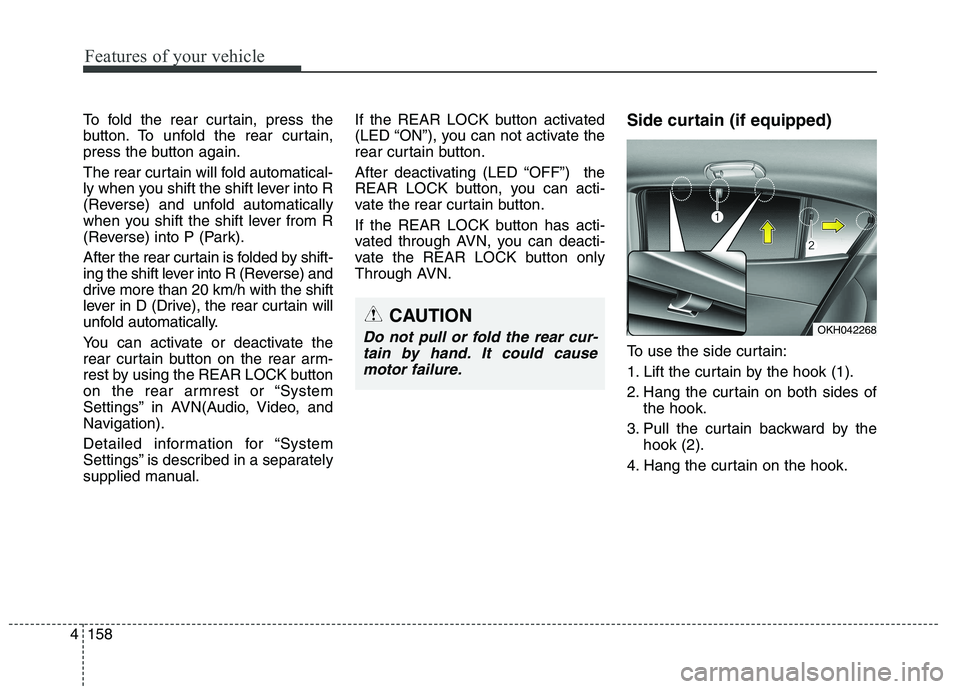
Side curtain (if equipped)
To use the side curtain:
1. Lift the curtain by the hook (1).
2. Hang the curtain on both sides of
the hook.
3. Pull the curtain backward by the hook (2).
4. Hang the curtain on the hook.
OKH042268CAUTION
Do not pull or fold the rear cur- tain by hand. It could causemotor failure.
Page 247 of 486
53
Driving your vehicle
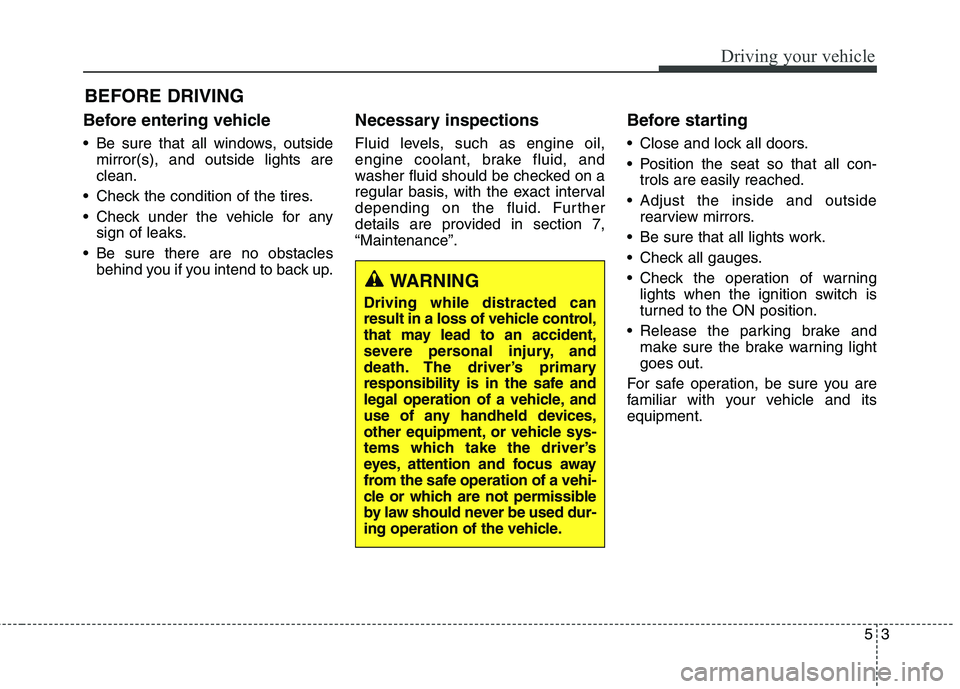
Before entering vehicle
• Be sure that all windows, outsidemirror(s), and outside lights are clean.
Check the condition of the tires.
Check under the vehicle for any sign of leaks.
Be sure there are no obstacles behind you if you intend to back up. Necessary inspections
Fluid levels, such as engine oil,
engine coolant, brake fluid, and
washer fluid should be checked on a
regular basis, with the exact interval
depending on the fluid. Further
details are provided in section 7,“Maintenance”.
Before starting
Close and lock all doors.
Position the seat so that all con-
trols are easily reached.
Adjust the inside and outside rearview mirrors.
Be sure that all lights work.
Check all gauges.
Check the operation of warning lights when the ignition switch is
turned to the ON position.
Release the parking brake and make sure the brake warning lightgoes out.
For safe operation, be sure you are
familiar with your vehicle and itsequipment.
BEFORE DRIVING
WARNING
Driving while distracted can
result in a loss of vehicle control,
that may lead to an accident,
severe personal injury, and
death. The driver’s primary
responsibility is in the safe and
legal operation of a vehicle, and
use of any handheld devices,
other equipment, or vehicle sys-
tems which take the driver’s
eyes, attention and focus away
from the safe operation of a vehi-
cle or which are not permissible
by law should never be used dur-
ing operation of the vehicle.
Page 249 of 486
55
Driving your vehicle
ENGINE START/STOP BUTTON
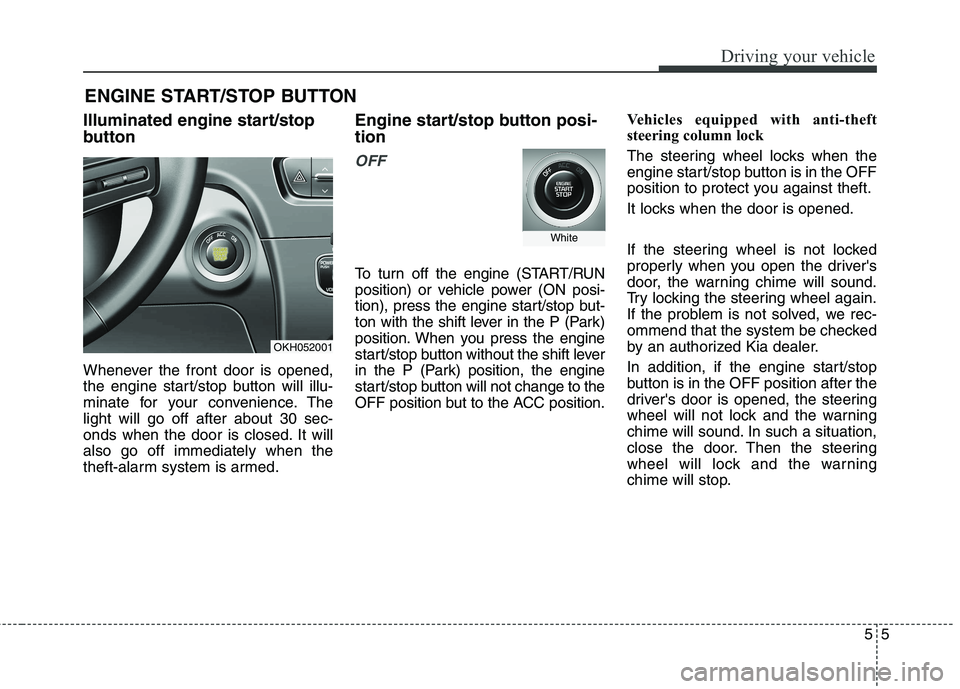
Illuminated engine start/stop
button
Whenever the front door is opened,
the engine start/stop button will illu-
minate for your convenience. Thelight will go off after about 30 sec-
onds when the door is closed. It willalso go off immediately when the
theft-alarm system is armed. Engine start/stop button posi- tion
OFF
To turn off the engine (START/RUN
position) or vehicle power (ON posi-
tion), press the engine start/stop but-
ton with the shift lever in the P (Park)
position. When you press the engine
start/stop button without the shift lever
in the P (Park) position, the engine
start/stop button will not change to the
OFF position but to the ACC position.
Vehicles equipped with anti-theft
steering column lock
The steering wheel locks when the
engine start/stop button is in the OFF
position to protect you against theft.
It locks when the door is opened.
If the steering wheel is not locked
properly when you open the driver's
door, the warning chime will sound.
Try locking the steering wheel again.
If the problem is not solved, we rec-
ommend that the system be checked
by an authorized Kia dealer.
In addition, if the engine start/stop
button is in the OFF position after the
driver's door is opened, the steering
wheel will not lock and the warning
chime will sound. In such a situation,
close the door. Then the steering
wheel will lock and the warning
chime will stop.
OKH052001
White
Page 250 of 486
Driving your vehicle
6
5
✽✽
NOTICE
If the steering wheel doesn't unlock
properly, the engine start/stop but-
ton will not work. Press the engine
start/stop button while turning the
steering wheel right and left to
release the tension.
✽
✽
NOTICE
You are able to turn off the engine
(START/RUN) or vehicle power (ON),
only when the vehicle is not in motion.
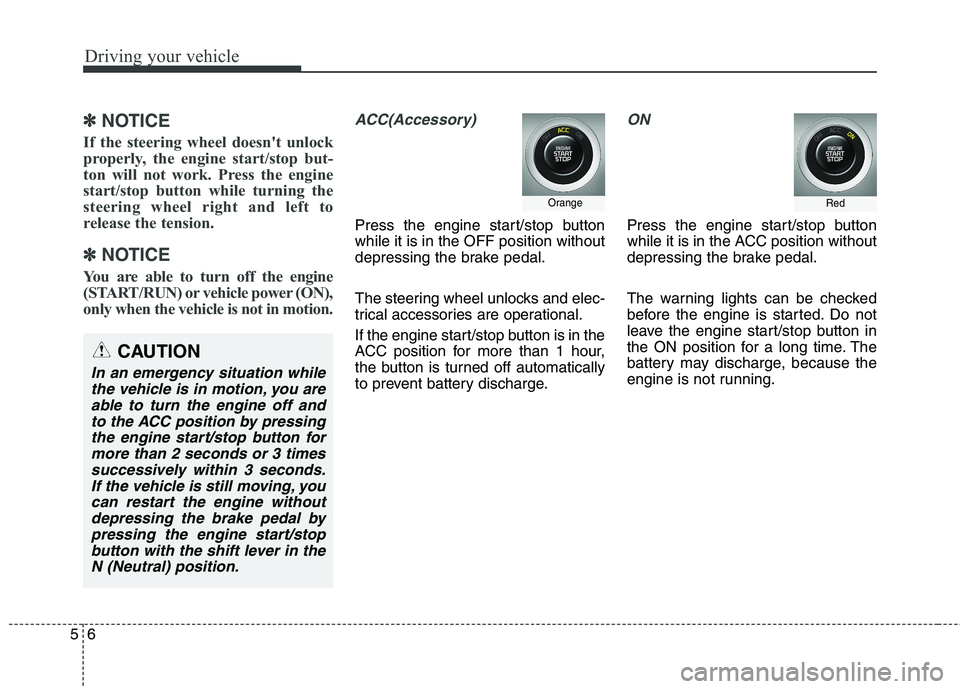
ACC(Accessory)
Press the engine start/stop button while it is in the OFF position without
depressing the brake pedal.
The steering wheel unlocks and elec-
trical accessories are operational.
If the engine start/stop button is in the
ACC position for more than 1 hour,
the button is turned off automatically
to prevent battery discharge.
ON
Press the engine start/stop button
while it is in the ACC position without
depressing the brake pedal.
The warning lights can be checked
before the engine is started. Do not
leave the engine start/stop button in
the ON position for a long time. The
battery may discharge, because the
engine is not running.
Orange
CAUTION
In an emergency situation while the vehicle is in motion, you areable to turn the engine off and to the ACC position by pressingthe engine start/stop button formore than 2 seconds or 3 times successively within 3 seconds.If the vehicle is still moving, youcan restart the engine withoutdepressing the brake pedal by pressing the engine start/stopbutton with the shift lever in theN (Neutral) position.
Red
Page 251 of 486
57
Driving your vehicle
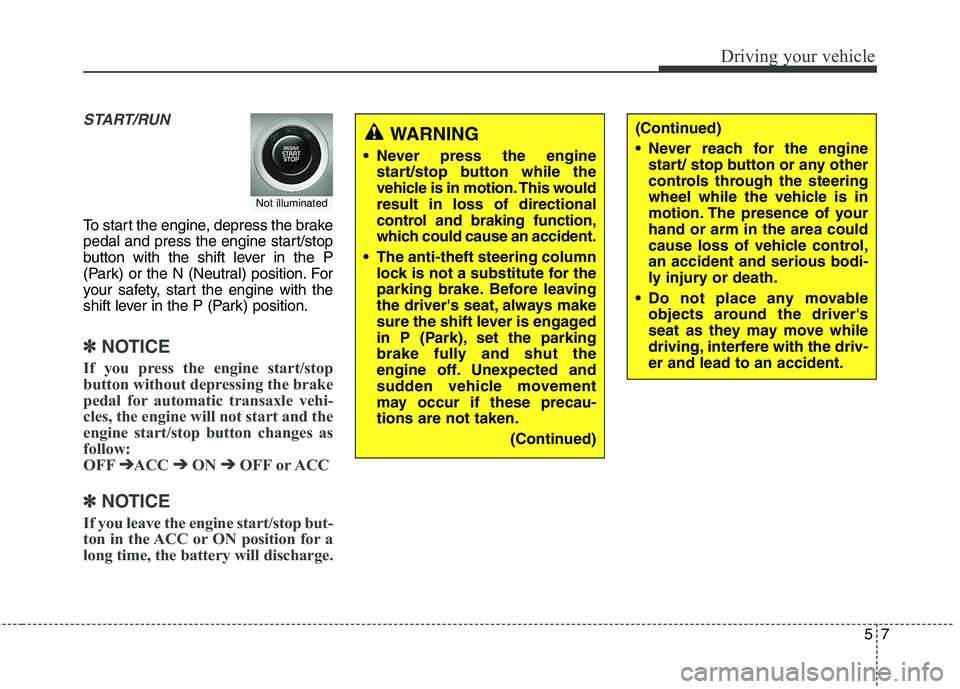
START/RUN
To start the engine, depress the brake
pedal and press the engine start/stop
button with the shift lever in the P
(Park) or the N (Neutral) position. For
your safety, start the engine with the
shift lever in the P (Park) position.
✽✽
NOTICE
If you press the engine start/stop
button without depressing the brake
pedal for automatic transaxle vehi-
cles, the engine will not start and the
engine start/stop button changes as
follow:
OFF ➔
➔
ACC ➔➔
ON ➔➔
OFF or ACC
✽
✽
NOTICE
If you leave the engine start/stop but-
ton in the ACC or ON position for a
long time, the battery will discharge.
Not illuminated
WARNING
Never press the engine start/stop button while the
vehicle is in motion. This wouldresult in loss of directional
control and braking function,
which could cause an accident.
The anti-theft steering column lock is not a substitute for the
parking brake. Before leaving
the driver's seat, always make
sure the shift lever is engaged
in P (Park), set the parking
brake fully and shut the
engine off. Unexpected and
sudden vehicle movement
may occur if these precau-tions are not taken.
(Continued)(Continued)
Never reach for the enginestart/ stop button or any other
controls through the steering
wheel while the vehicle is in
motion. The presence of yourhand or arm in the area could
cause loss of vehicle control,an accident and serious bodi-
ly injury or death.
Do not place any movable objects around the driver's
seat as they may move while
driving, interfere with the driv-er and lead to an accident.
Page 253 of 486
59
Driving your vehicle
✽✽
NOTICE
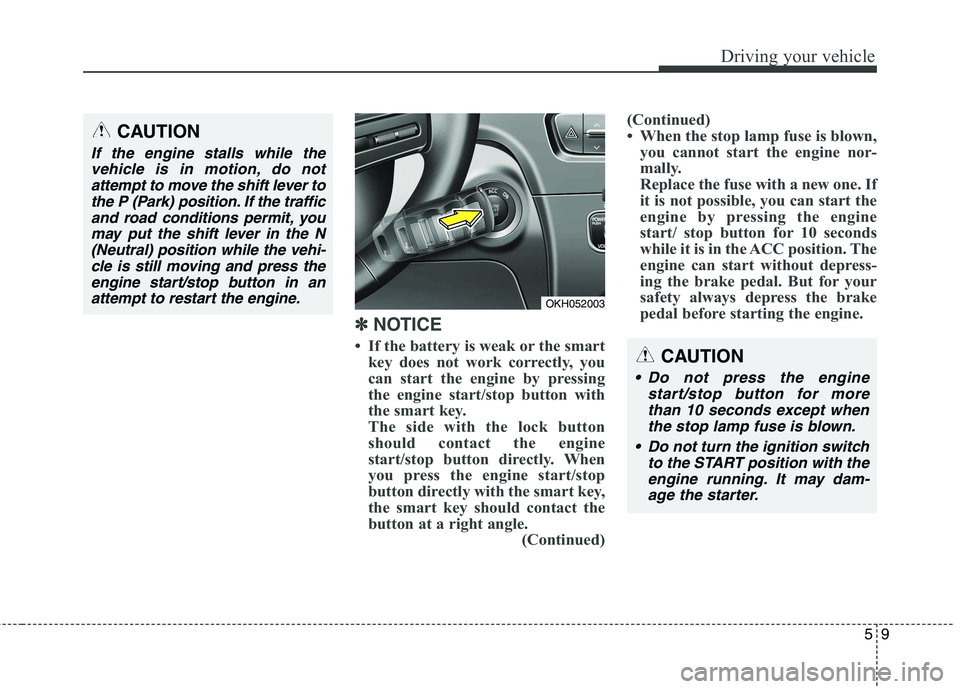
If the battery is weak or the smart key does not work correctly, you
can start the engine by pressing
the engine start/stop button with
the smart key.
The side with the lock button
should contact the engine
start/stop button directly. When
you press the engine start/stop
button directly with the smart key,
the smart key should contact the
button at a right angle. (Continued)(Continued)
When the stop lamp fuse is blown,
you cannot start the engine nor-
mally.
Replace the fuse with a new one. If
it is not possible, you can start the
engine by pressing the engine
start/ stop button for 10 seconds
while it is in the ACC position. The
engine can start without depress-
ing the brake pedal. But for your
safety always depress the brake
pedal before starting the engine.
CAUTION
Do not press the engine
start/stop button for morethan 10 seconds except when the stop lamp fuse is blown.
Do not turn the ignition switch to the START position with theengine running. It may dam-age the starter.
OKH052003
CAUTION
If the engine stalls while thevehicle is in motion, do notattempt to move the shift lever to the P (Park) position. If the trafficand road conditions permit, youmay put the shift lever in the N (Neutral) position while the vehi-cle is still moving and press theengine start/stop button in an attempt to restart the engine.
Page 254 of 486
Driving your vehicle
10
5
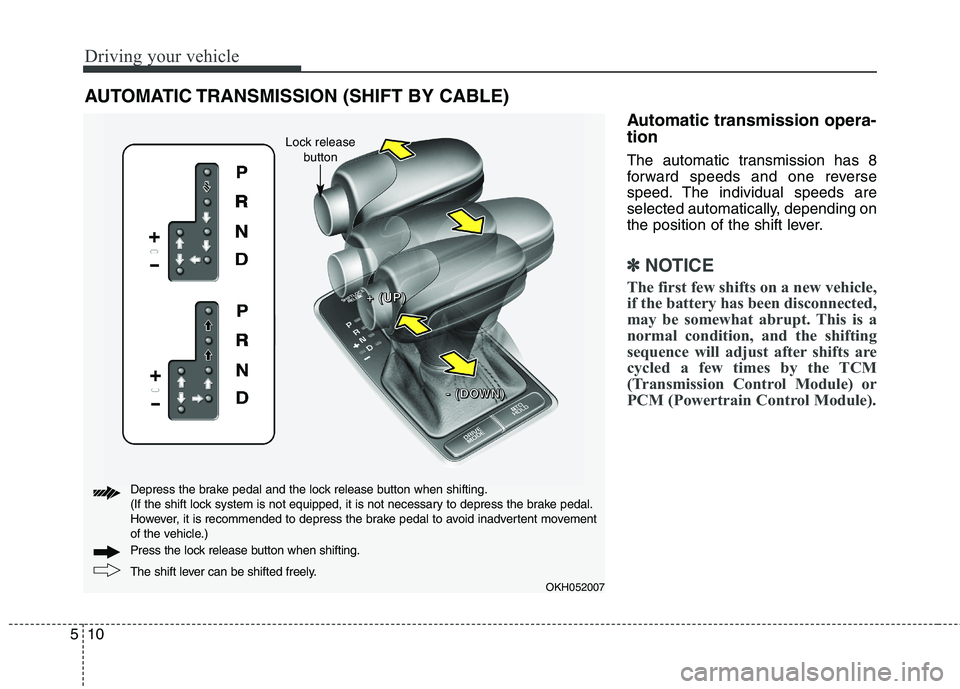
Automatic transmission opera- tion
The automatic transmission has 8
forward speeds and one reverse
speed. The individual speeds are
selected automatically, depending on
the position of the shift lever.
✽✽
NOTICE
The first few shifts on a new vehicle,
if the battery has been disconnected,
may be somewhat abrupt. This is a
normal condition, and the shifting
sequence will adjust after shifts are
cycled a few times by the TCM
(Transmission Control Module) or
PCM (Powertrain Control Module).
AUTOMATIC TRANSMISSION (SHIFT BY CABLE)
OKH052007
+
+++ ((((UUUUPPPP))))
---- ((((DDDDOOOOWWWWNNNN))))
The shift lever can be shifted freely.
Press the lock release button when shifting.
Depress the brake pedal and the lock release button when shifting.
(If the shift lock system is not equipped, it is not necessary to depress the brake pedal.
However, it is recommended to depress the brake pedal to avoid inadvertent movement
of the vehicle.)
Lock release
button