warning KIA QUORIS 2016 Owners Manual
[x] Cancel search | Manufacturer: KIA, Model Year: 2016, Model line: QUORIS, Model: KIA QUORIS 2016Pages: 513, PDF Size: 30.14 MB
Page 329 of 513
Driving your vehicle
68
5
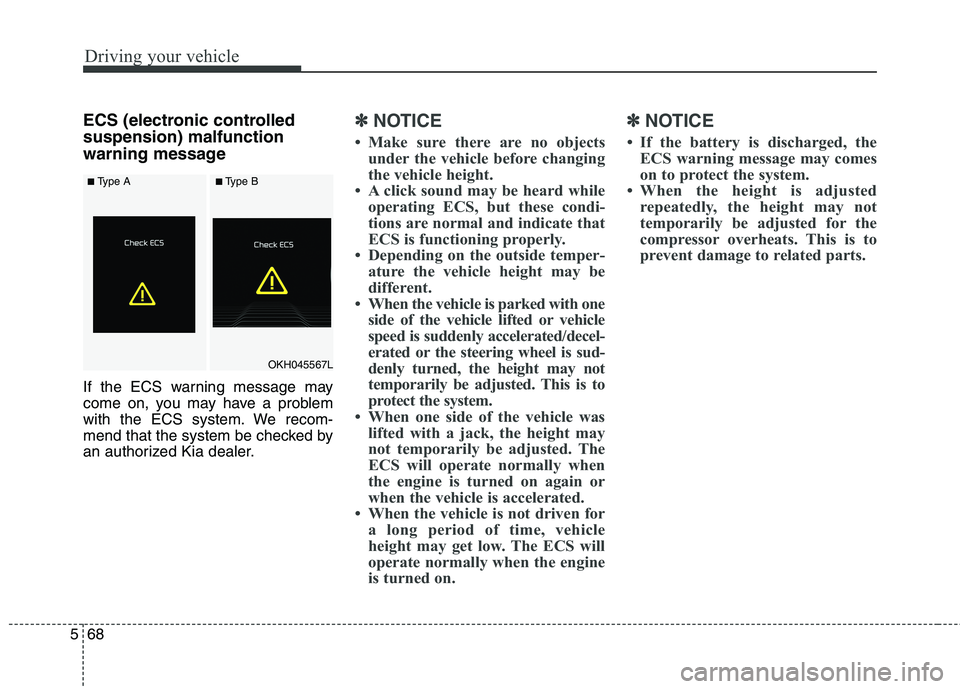
ECS (electronic controlled suspension) malfunction
warning message
If the ECS warning message may
come on, you may have a problem
with the ECS system. We recom-
mend that the system be checked by
an authorized Kia dealer.✽✽
NOTICE
Make sure there are no objects under the vehicle before changing
the vehicle height.
A click sound may be heard while operating ECS, but these condi-
tions are normal and indicate that
ECS is functioning properly.
Depending on the outside temper- ature the vehicle height may be
different.
When the vehicle is parked with one side of the vehicle lifted or vehicle
speed is suddenly accelerated/decel-
erated or the steering wheel is sud-
denly turned, the height may not
temporarily be adjusted. This is to
protect the system.
When one side of the vehicle was lifted with a jack, the height may
not temporarily be adjusted. The
ECS will operate normally when
the engine is turned on again or
when the vehicle is accelerated.
When the vehicle is not driven for a long period of time, vehicle
height may get low. The ECS will
operate normally when the engine
is turned on. ✽✽
NOTICE
If the battery is discharged, the ECS warning message may comes
on to protect the system.
When the height is adjusted repeatedly, the height may not
temporarily be adjusted for the
compressor overheats. This is to
prevent damage to related parts.
OKH045567L
■Type A■Type A■Type B■Type B
Page 330 of 513
569
Driving your vehicle
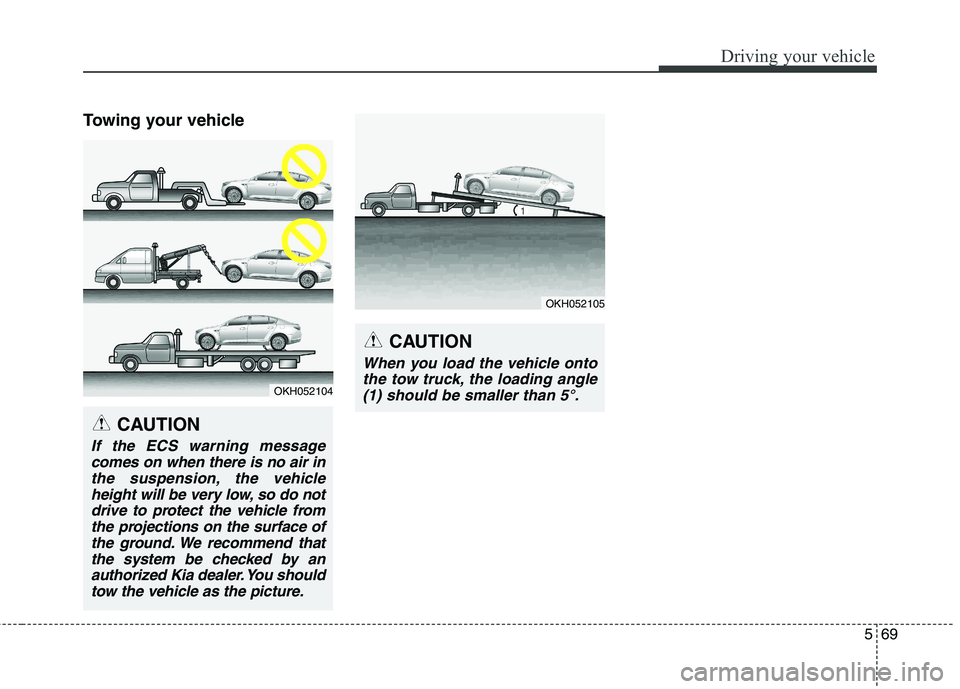
Towing your vehicle
OKH052104
CAUTION
If the ECS warning messagecomes on when there is no air inthe suspension, the vehicle height will be very low, so do notdrive to protect the vehicle fromthe projections on the surface of the ground. We recommend thatthe system be checked by anauthorized Kia dealer. You should tow the vehicle as the picture.
CAUTION
When you load the vehicle ontothe tow truck, the loading angle(1) should be smaller than 5°.
OKH052105
Page 331 of 513
Driving your vehicle
70
5
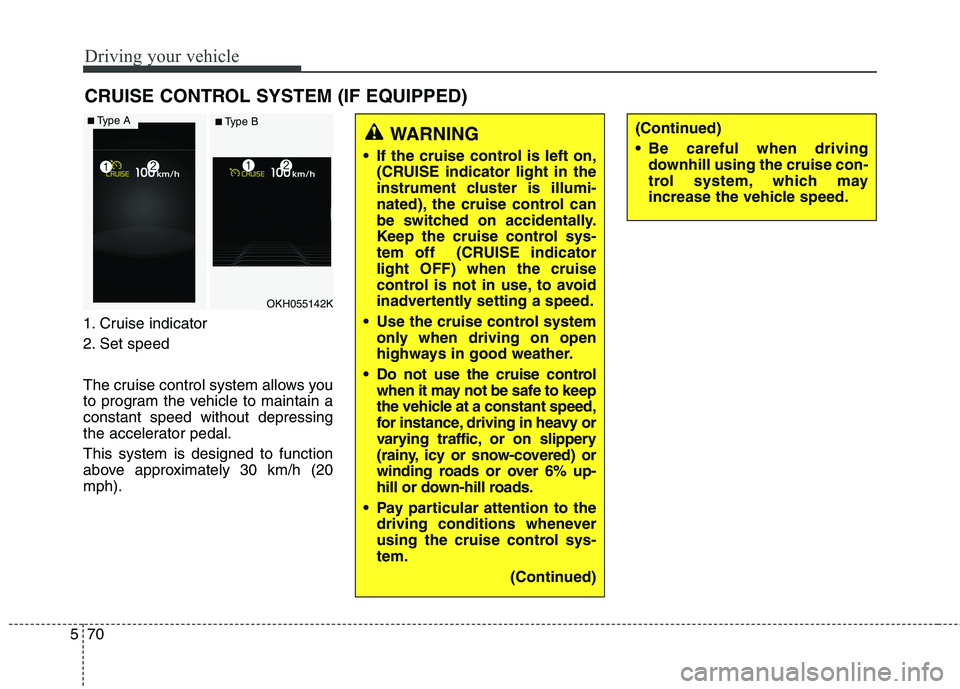
1. Cruise indicator
2. Set speed
The cruise control system allows you
to program the vehicle to maintain aconstant speed without depressing
the accelerator pedal. This system is designed to function
above approximately 30 km/h (20mph). CRUISE CONTROL SYSTEM (IF EQUIPPED)
WARNING
If the cruise control is left on, (CRUISE indicator light in the
instrument cluster is illumi-
nated), the cruise control can
be switched on accidentally.
Keep the cruise control sys-
tem off (CRUISE indicatorlight OFF) when the cruise
control is not in use, to avoid
inadvertently setting a speed.
Use the cruise control system only when driving on open
highways in good weather.
Do not use the cruise control when it may not be safe to keep
the vehicle at a constant speed,
for instance, driving in heavy or
varying traffic, or on slippery
(rainy, icy or snow-covered) or
winding roads or over 6% up-
hill or down-hill roads.
Pay particular attention to the driving conditions whenever
using the cruise control sys-tem.
(Continued)(Continued)
Be careful when drivingdownhill using the cruise con-
trol system, which may
increase the vehicle speed.
OKH055142K
■Type A■ Type B
Page 336 of 513
575
Driving your vehicle
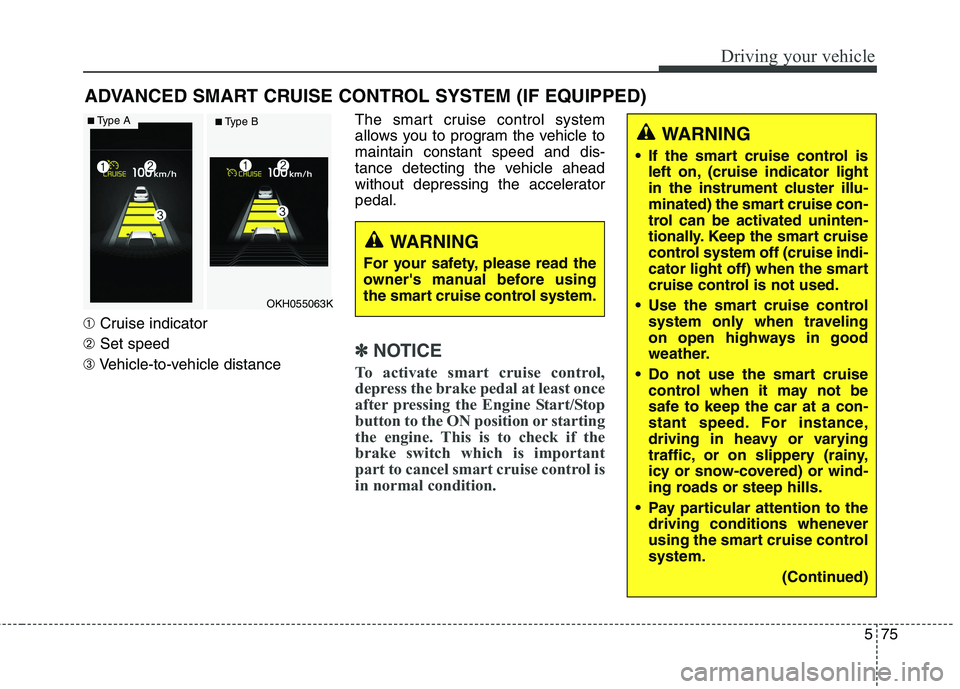
➀Cruise indicator
➁ Set speed
➂ Vehicle-to-vehicle distance The smart cruise control system
allows you to program the vehicle tomaintain constant speed and dis-
tance detecting the vehicle ahead
without depressing the acceleratorpedal.
✽✽
NOTICE
To activate smart cruise control,
depress the brake pedal at least once
after pressing the Engine Start/Stop
button to the ON position or starting
the engine. This is to check if the
brake switch which is important
part to cancel smart cruise control is
in normal condition.
ADVANCED SMART CRUISE CONTROL SYSTEM (IF EQUIPPED)
WARNING
If the smart cruise control is left on, (cruise indicator light
in the instrument cluster illu-
minated) the smart cruise con-
trol can be activated uninten-
tionally. Keep the smart cruise
control system off (cruise indi-
cator light off) when the smart
cruise control is not used.
Use the smart cruise control system only when traveling
on open highways in good
weather.
Do not use the smart cruise control when it may not be
safe to keep the car at a con-
stant speed. For instance,
driving in heavy or varying
traffic, or on slippery (rainy,
icy or snow-covered) or wind-
ing roads or steep hills.
Pay particular attention to the driving conditions whenever
using the smart cruise controlsystem.
(Continued)
WARNING
For your safety, please read the
owner's manual before using
the smart cruise control system.
OKH055063K
■ Type A■ Type B
Page 340 of 513
579
Driving your vehicle
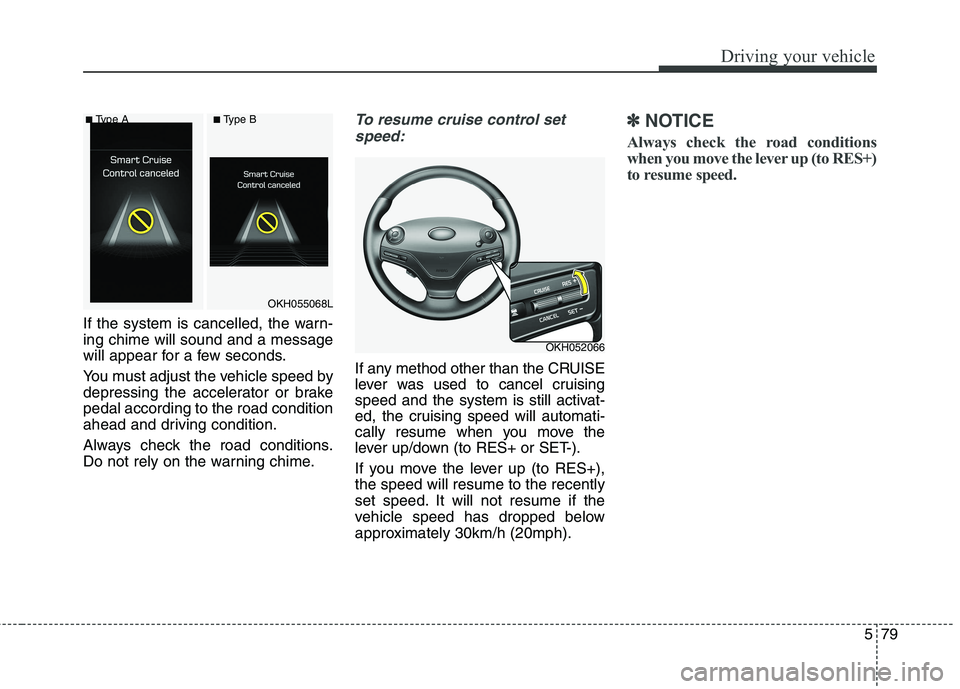
If the system is cancelled, the warn- ing chime will sound and a message
will appear for a few seconds.
You must adjust the vehicle speed by
depressing the accelerator or brakepedal according to the road condition
ahead and driving condition.
Always check the road conditions.
Do not rely on the warning chime.
To resume cruise control setspeed:
If any method other than the CRUISE
lever was used to cancel cruising
speed and the system is still activat-
ed, the cruising speed will automati-
cally resume when you move the
lever up/down (to RES+ or SET-).
If you move the lever up (to RES+), the speed will resume to the recently
set speed. It will not resume if the
vehicle speed has dropped below
approximately 30km/h (20mph).
✽✽ NOTICE
Always check the road conditions
when you move the lever up (to RES+)
to resume speed.
OKH052066
OKH055068L
■
Type A ■Type B
Page 342 of 513
581
Driving your vehicle
■Type A■Type B
Distance 4 Distance 3
Distance 2 Distance 1
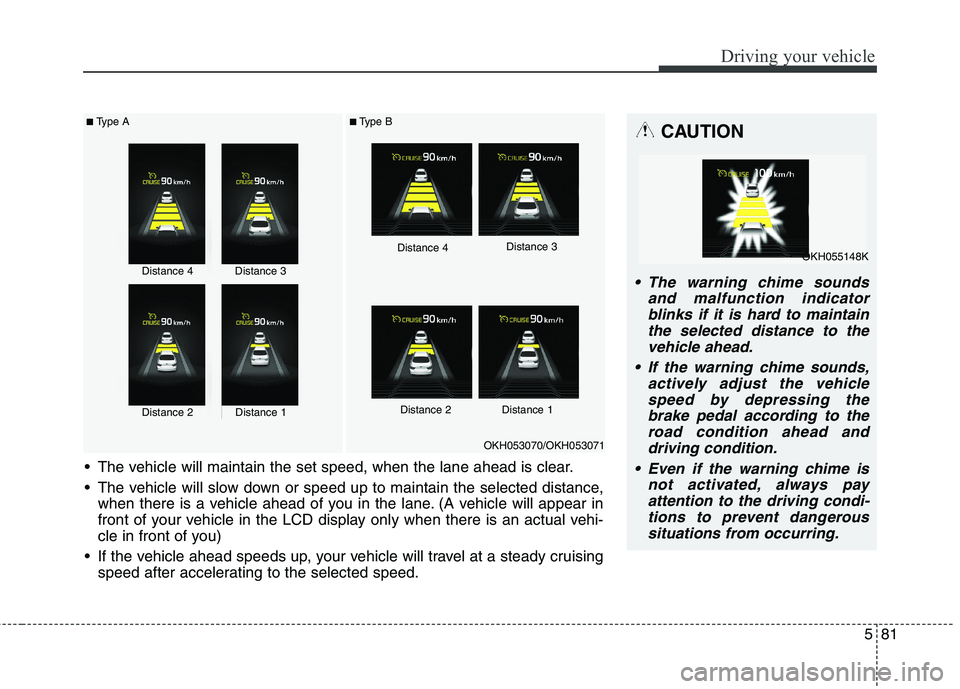
The vehicle will maintain the set speed, when the lane ahead is clear.
The vehicle will slow down or speed up to maintain the selected distance, when there is a vehicle ahead of you in the lane. (A vehicle will appear in
front of your vehicle in the LCD display only when there is an actual vehi-
cle in front of you)
If the vehicle ahead speeds up, your vehicle will travel at a steady cruising speed after accelerating to the selected speed.
OKH053070/OKH053071
CAUTION
The warning chime sounds
and malfunction indicatorblinks if it is hard to maintain the selected distance to thevehicle ahead.
If the warning chime sounds, actively adjust the vehiclespeed by depressing the brake pedal according to theroad condition ahead anddriving condition.
Even if the warning chime is not activated, always payattention to the driving condi-tions to prevent dangeroussituations from occurring.Distance 4Distance 3
Distance 2Distance 1
OKH055148K
Page 344 of 513
583
Driving your vehicle
Sensor warning message
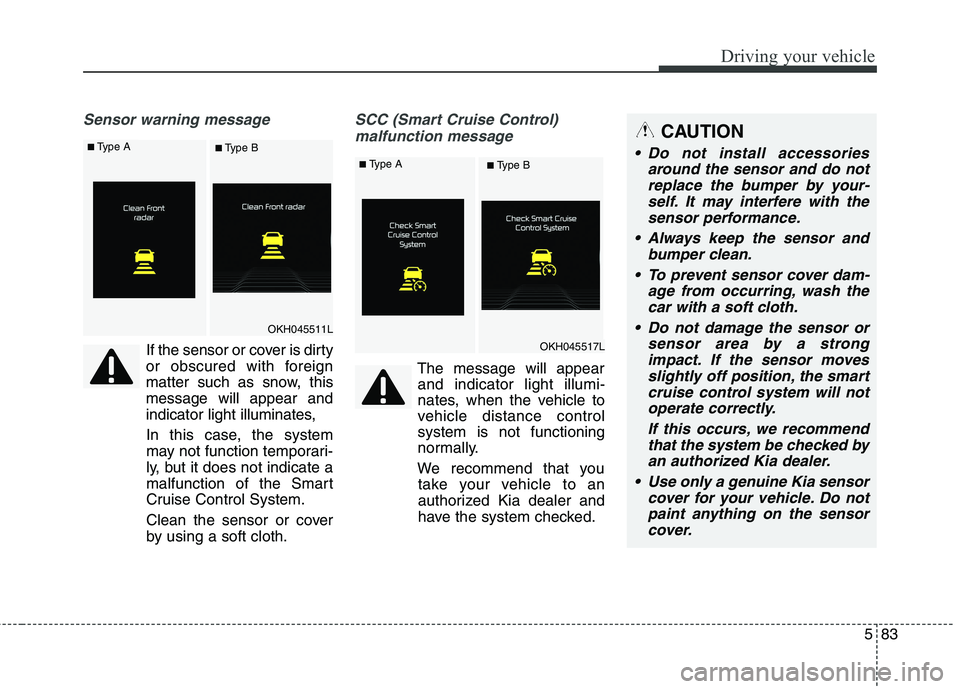
If the sensor or cover is dirty
or obscured with foreign
matter such as snow, thismessage will appear and
indicator light illuminates,
In this case, the system
may not function temporari-
ly, but it does not indicate a
malfunction of the Smart
Cruise Control System.
Clean the sensor or cover
by using a soft cloth.
SCC (Smart Cruise Control) malfunction message
The message will appearand indicator light illumi-
nates, when the vehicle to
vehicle distance controlsystem is not functioning
normally.
We recommend that you take your vehicle to an
authorized Kia dealer and
have the system checked.
CAUTION
Do not install accessories
around the sensor and do notreplace the bumper by your- self. It may interfere with thesensor performance.
Always keep the sensor and bumper clean.
To prevent sensor cover dam- age from occurring, wash thecar with a soft cloth.
Do not damage the sensor or sensor area by a strongimpact. If the sensor movesslightly off position, the smart cruise control system will notoperate correctly.
If this occurs, we recommendthat the system be checked byan authorized Kia dealer.
Use only a genuine Kia sensor cover for your vehicle. Do notpaint anything on the sensorcover.
OKH045511L
OKH045517L
■ Type A■ Type B
■Type A■ Type B
Page 345 of 513
Driving your vehicle
84
5
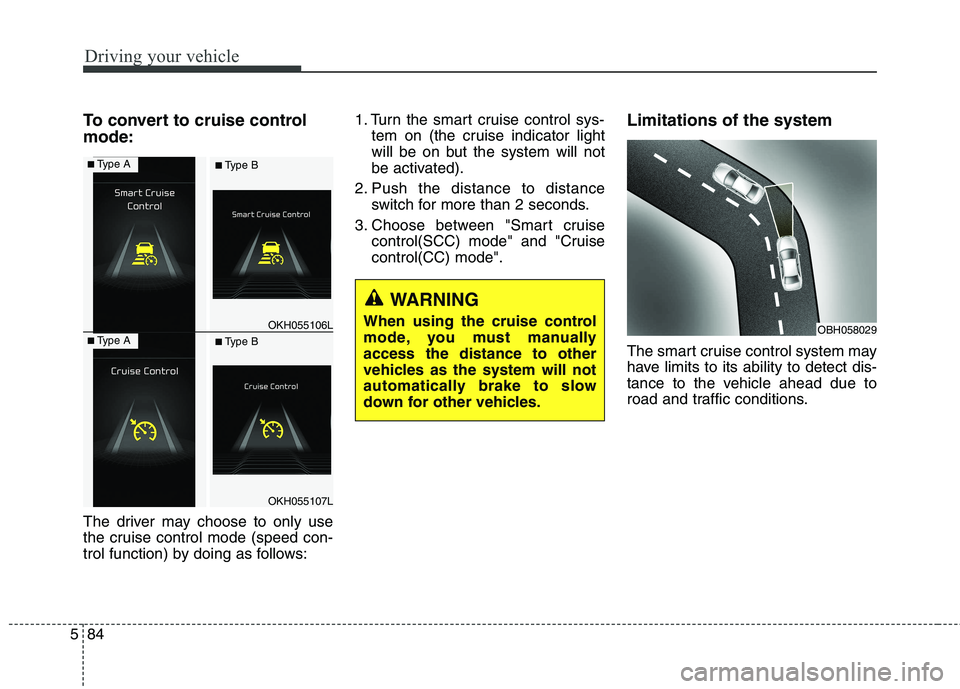
To convert to cruise control mode:
The driver may choose to only use
the cruise control mode (speed con-
trol function) by doing as follows: 1. Turn the smart cruise control sys-
tem on (the cruise indicator light
will be on but the system will not
be activated).
2. Push the distance to distance switch for more than 2 seconds.
3. Choose between "Smart cruise control(SCC) mode" and "Cruisecontrol(CC) mode". Limitations of the system
The smart cruise control system may
have limits to its ability to detect dis-
tance to the vehicle ahead due to
road and traffic conditions.
WARNING
When using the cruise control
mode, you must manuallyaccess the distance to other
vehicles as the system will not
automatically brake to slow
down for other vehicles.
OBH058029OKH055106L
OKH055107L
■ Type A■ Type B
■Type A■ Type B
Page 349 of 513
Driving your vehicle
88
5
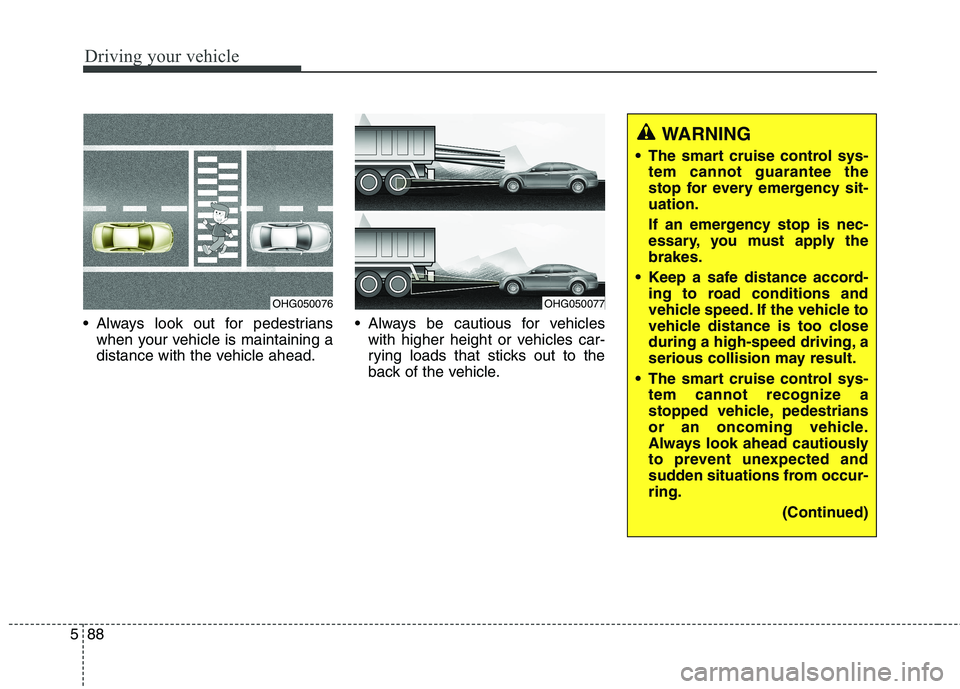
Always look out for pedestrians
when your vehicle is maintaining a
distance with the vehicle ahead. Always be cautious for vehicles
with higher height or vehicles car-
rying loads that sticks out to the
back of the vehicle.
OHG050076OHG050077
WARNING
The smart cruise control sys- tem cannot guarantee the
stop for every emergency sit-uation.
If an emergency stop is nec-
essary, you must apply thebrakes.
Keep a safe distance accord- ing to road conditions and
vehicle speed. If the vehicle to
vehicle distance is too close
during a high-speed driving, a
serious collision may result.
The smart cruise control sys- tem cannot recognize a
stopped vehicle, pedestrians
or an oncoming vehicle.
Always look ahead cautiously
to prevent unexpected and
sudden situations from occur-ring.
(Continued)
Page 351 of 513
Driving your vehicle
90
5
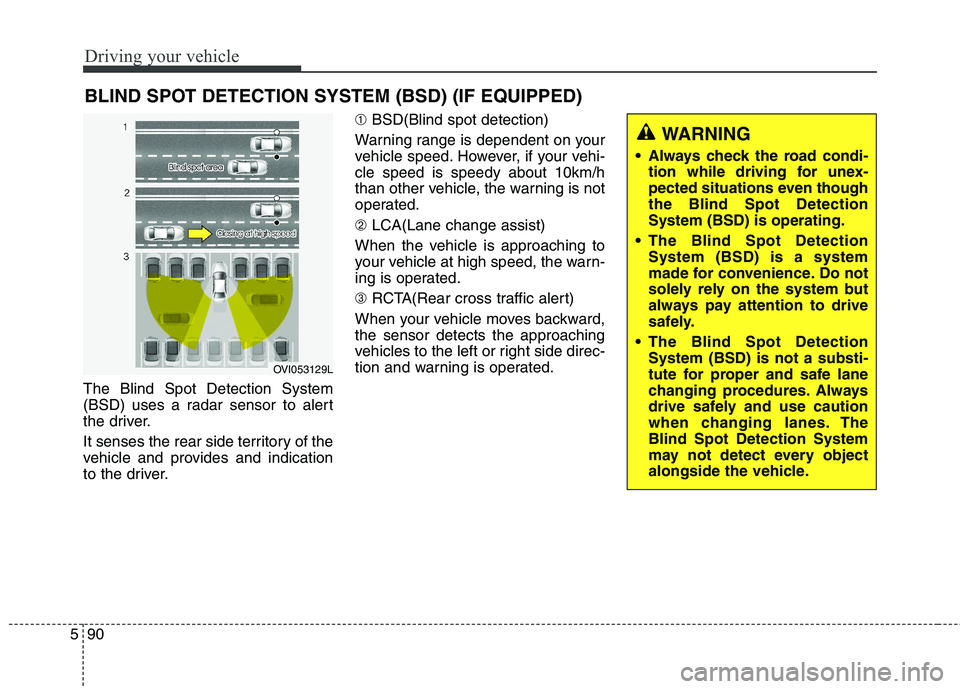
The Blind Spot Detection System
(BSD) uses a radar sensor to alert
the driver.
It senses the rear side territory of the
vehicle and provides and indication
to the driver. ➀
BSD(Blind spot detection)
Warning range is dependent on your
vehicle speed. However, if your vehi-cle speed is speedy about 10km/h
than other vehicle, the warning is not
operated. ➁ LCA(Lane change assist)
When the vehicle is approaching to
your vehicle at high speed, the warn-
ing is operated. ➂ RCTA(Rear cross traffic alert)
When your vehicle moves backward, the sensor detects the approaching
vehicles to the left or right side direc-
tion and warning is operated.
BLIND SPOT DETECTION SYSTEM (BSD) (IF EQUIPPED)
OVI053129L
WARNING
Always check the road condi- tion while driving for unex-
pected situations even thoughthe Blind Spot DetectionSystem (BSD) is operating.
The Blind Spot Detection System (BSD) is a system
made for convenience. Do not
solely rely on the system but
always pay attention to drive
safely.
The Blind Spot Detection System (BSD) is not a substi-
tute for proper and safe lane
changing procedures. Always
drive safely and use caution
when changing lanes. TheBlind Spot Detection System
may not detect every object
alongside the vehicle.