change time KIA QUORIS 2016 User Guide
[x] Cancel search | Manufacturer: KIA, Model Year: 2016, Model line: QUORIS, Model: KIA QUORIS 2016Pages: 513, PDF Size: 30.14 MB
Page 250 of 513
4163
Features of your vehicle
You can activate or deactivate therear seat warmer button by using the
REAR LOCK button on the rear arm-
rest or “System Settings” in
AVN(Audio, Video, and Navigation).
Detailed information for “System
Settings” is described in a separate-
ly supplied manual. If the REAR
LOCK button activated (LED “ON”),
you can not activate the rear seat
warmer button.
After deactivating (LED “OFF”) the
REAR LOCK button, you can acti-
vate the rear seat warmer button.
If the REAR LOCK button has acti-
vated through AVN, you can deac-
tivate the REAR LOCK button only
Through AVN.
✽✽ NOTICE
With the seat warmer switch in ON
position, the heating system in the
seat turns off or on automatically
depending on the seat temperature.
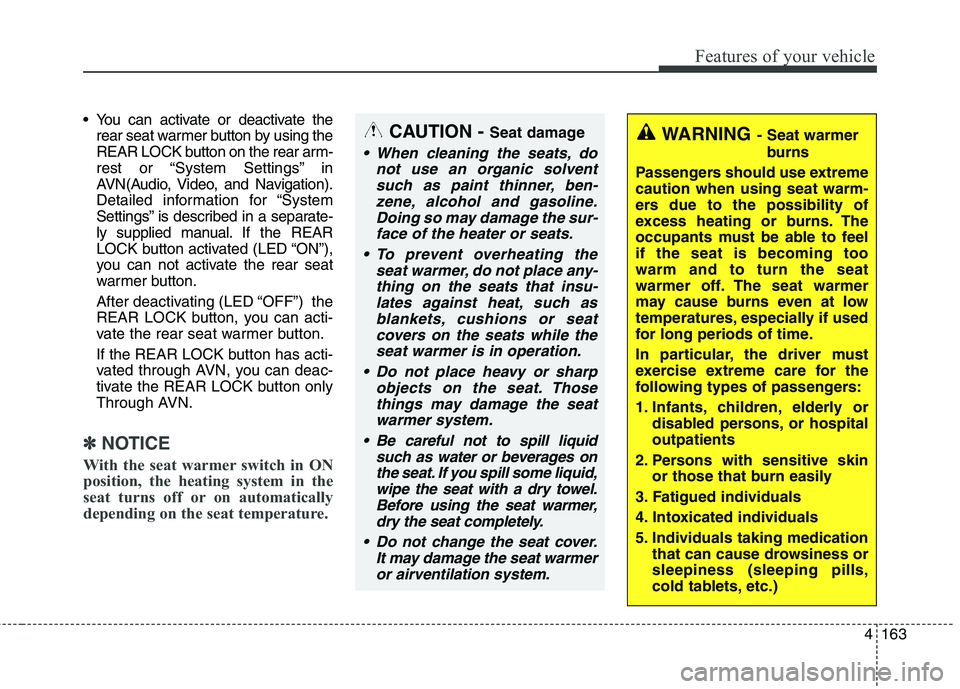
CAUTION - Seat damage
When cleaning the seats, do
not use an organic solventsuch as paint thinner, ben- zene, alcohol and gasoline.Doing so may damage the sur-face of the heater or seats.
To prevent overheating the seat warmer, do not place any-thing on the seats that insu-lates against heat, such asblankets, cushions or seat covers on the seats while theseat warmer is in operation.
Do not place heavy or sharp objects on the seat. Thosethings may damage the seat warmer system.
Be careful not to spill liquid such as water or beverages onthe seat. If you spill some liquid,wipe the seat with a dry towel. Before using the seat warmer,dry the seat completely.
Do not change the seat cover. It may damage the seat warmeror airventilation system.
WARNING - Seat warmer
burns
Passengers should use extreme caution when using seat warm-
ers due to the possibility of
excess heating or burns. The
occupants must be able to feelif the seat is becoming toowarm and to turn the seat
warmer off. The seat warmer
may cause burns even at low
temperatures, especially if used
for long periods of time.
In particular, the driver must
exercise extreme care for the
following types of passengers:
1. Infants, children, elderly or disabled persons, or hospital outpatients
2. Persons with sensitive skin or those that burn easily
3. Fatigued individuals
4. Intoxicated individuals
5. Individuals taking medication that can cause drowsiness or sleepiness (sleeping pills,
cold tablets, etc.)
Page 251 of 513
Features of your vehicle
164
4
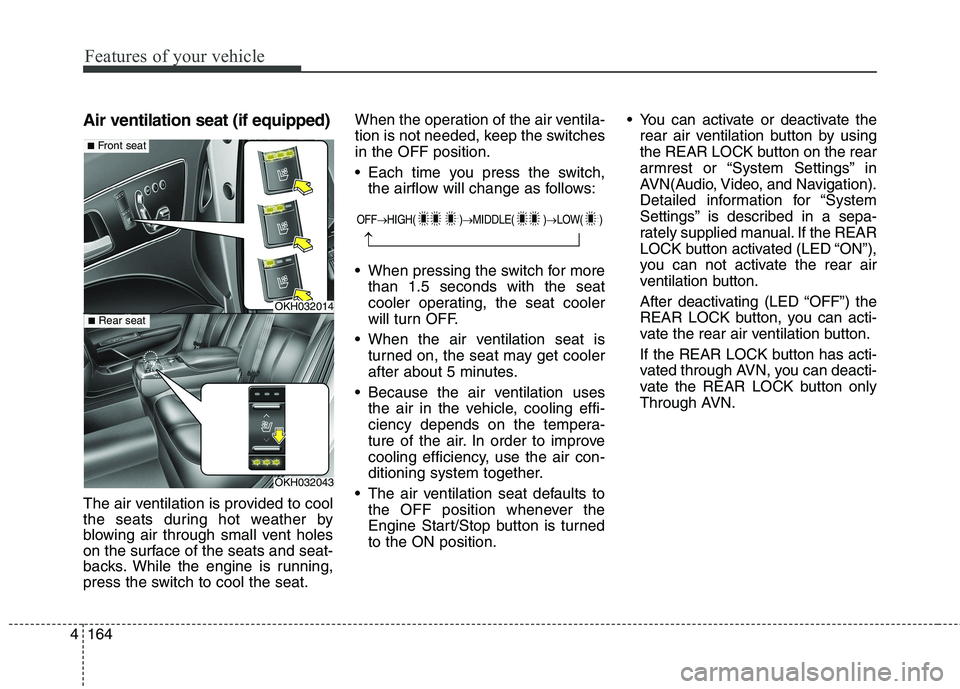
Air ventilation seat (if equipped)
The air ventilation is provided to cool
the seats during hot weather by
blowing air through small vent holes
on the surface of the seats and seat-
backs. While the engine is running,
press the switch to cool the seat. When the operation of the air ventila-
tion is not needed, keep the switchesin the OFF position.
Each time you press the switch,
the airflow will change as follows:
When pressing the switch for more than 1.5 seconds with the seat
cooler operating, the seat cooler
will turn OFF.
When the air ventilation seat is turned on, the seat may get cooler
after about 5 minutes.
Because the air ventilation uses the air in the vehicle, cooling effi-
ciency depends on the tempera-
ture of the air. In order to improve
cooling efficiency, use the air con-
ditioning system together.
The air ventilation seat defaults to the OFF position whenever the
Engine Start/Stop button is turnedto the ON position. You can activate or deactivate the
rear air ventilation button by using
the REAR LOCK button on the rear
armrest or “System Settings” in
AVN(Audio, Video, and Navigation).
Detailed information for “System
Settings” is described in a sepa-
rately supplied manual. If the REAR
LOCK button activated (LED “ON”),
you can not activate the rear air
ventilation button.
After deactivating (LED “OFF”) the
REAR LOCK button, you can acti-
vate the rear air ventilation button.
If the REAR LOCK button has acti-
vated through AVN, you can deacti-
vate the REAR LOCK button only
Through AVN.
OFF HIGH( ) MIDDLE( ) LOW( )
OKH032014
OKH032043
■Front seat
■ Rear seat
Page 263 of 513
Driving your vehicle
2
5
WARNING - ENGINE EXHAUST CAN BE DANGEROUS!
Engine exhaust fumes can be extremely dangerous. If, at any time, you smell exhaust fumes inside the vehicle,
open the windows immediately.
• Do not inhale exhaust fumes. Exhaust fumes contain carbon monoxide, a colorless, odorless gas that can cause unconsciousness and death
by asphyxiation.
The exhaust system should be checked whenever the vehicle is raised to change the oil or for any other purpose.
If you hear a change in the sound of the exhaust or if you drive over something that strikes the underneath side
of the vehicle, we recommend that the system be checked by an authorized Kia dealer.
Letting the engine idle in your garage, even with the garage door open, is a hazardous practice. Never run the
engine in your garage any longer than it takes to start the engine and back the vehicle out.
If it is necessary to idle the engine for a prolonged period with people inside the vehicle, be sure to do so only in
an open area with the air intake set at "Fresh" and fan operating at one of the higher speeds so fresh air is drawn
into the interior.
If you must drive with the trunk lid open because you are carrying objects that make this necessary:
1. Close all windows.
2. Open side vents.
3. Set the air intake control at "Fresh", the air flow control at "Floor" or "Face" and the fan at one of the higher speeds.
To assure proper operation of the ventilation system, be sure the ventilation air intakes located just in front of the
windshield are kept clear of snow, ice, leaves or other obstructions.
Page 268 of 513
57
Driving your vehicle
START/RUN
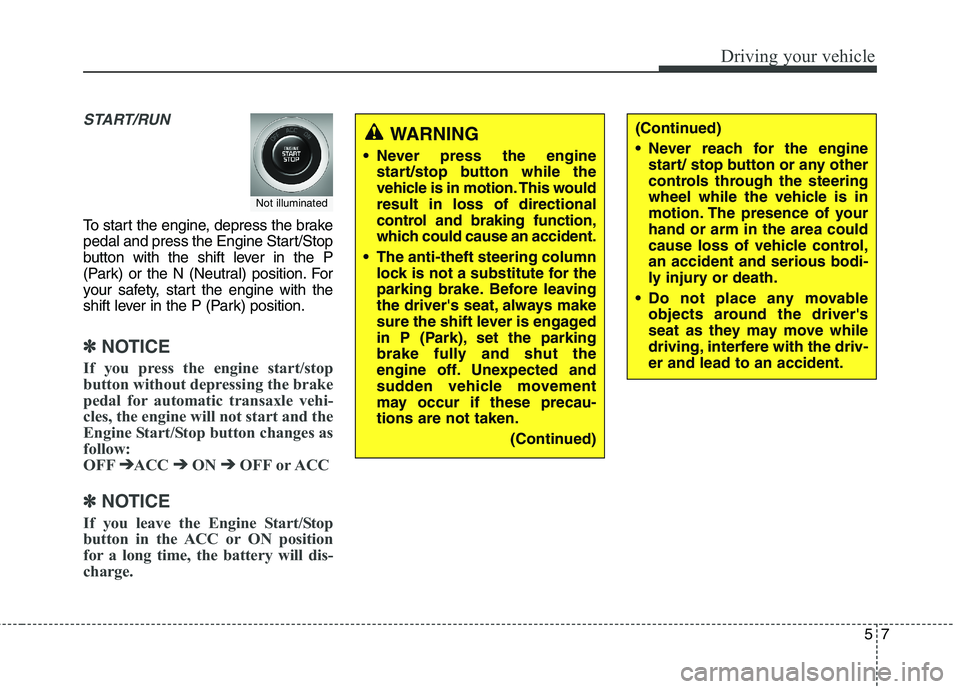
To start the engine, depress the brake
pedal and press the Engine Start/Stop
button with the shift lever in the P
(Park) or the N (Neutral) position. For
your safety, start the engine with the
shift lever in the P (Park) position.
✽✽
NOTICE
If you press the engine start/stop
button without depressing the brake
pedal for automatic transaxle vehi-
cles, the engine will not start and the
Engine Start/Stop button changes as
follow:
OFF ➔
➔
ACC ➔➔
ON ➔➔
OFF or ACC
✽
✽
NOTICE
If you leave the Engine Start/Stop
button in the ACC or ON position
for a long time, the battery will dis-
charge.
Not illuminated
WARNING
Never press the engine start/stop button while the
vehicle is in motion. This wouldresult in loss of directional
control and braking function,
which could cause an accident.
The anti-theft steering column lock is not a substitute for the
parking brake. Before leaving
the driver's seat, always make
sure the shift lever is engaged
in P (Park), set the parking
brake fully and shut the
engine off. Unexpected and
sudden vehicle movement
may occur if these precau-tions are not taken.
(Continued)(Continued)
Never reach for the enginestart/ stop button or any other
controls through the steering
wheel while the vehicle is in
motion. The presence of yourhand or arm in the area could
cause loss of vehicle control,an accident and serious bodi-
ly injury or death.
Do not place any movable objects around the driver's
seat as they may move while
driving, interfere with the driv-er and lead to an accident.
Page 282 of 513
![KIA QUORIS 2016 User Guide 521
Driving your vehicle
To turn off engine :
1. Press the engine start/stop buttonagain to the ON position.
2. Press the [P] button on the shift lever.
3. Press the engine start/stop button again, t](/img/2/57973/w960_57973-281.png "KIA QUORIS 2016 User Guide 521
Driving your vehicle
To turn off engine :
1. Press the engine start/stop buttonagain to the ON position.
2. Press the [P] button on the shift lever.
3. Press the engine start/stop button again, t")
521
Driving your vehicle
To turn off engine :
1. Press the engine start/stop buttonagain to the ON position.
2. Press the [P] button on the shift lever.
3. Press the engine start/stop button again, the engine start/stop button will change to the OFF position.
However, when you open the door
with the shift lever in N (Neutral) and
the engine start/stop button in the
ACC position, the shift lever will auto-
matically move to P (Park) and the
engine start/stop button will changeto the OFF position. D (Drive)
This is the normal forward driving
position. The shift lever will automat-ically shift through a 8-gear
sequence, providing the best fuel
economy and power.
For extra power when passing anoth-
er vehicle or climbing grades,
depress the accelerator fully, at
which time the shift lever will auto-
matically downshift to the lower gear.
To shift into [D], depress the brake
pedal and press the [UNLOCK] but-
ton of shift lever. And then move the
shift lever to backward.
To shift into [D], from [N] you must
depress the brake pedal.
✽✽
NOTICE
Always come to a complete stop
before shifting into D (Drive).
Manual mode
Whether the vehicle is stationary or
in motion, sports mode is selected by
pushing the shift lever from the D
(Drive) position into the manual gate.
To return to D (Drive) range opera-
tion, push the shift lever back into the
main gate.
In manual mode, moving the shift
lever backwards and forwards will
allow you to make gearshifts rapidly.
Up (+) : Push the lever forward once to shift up one gear.
Down (-) : Pull the lever backwards
once to shift down one gear.
OKH055018L
+ (UP)
- (DOWN)
Manual mode
Page 284 of 513
![KIA QUORIS 2016 User Guide 523
Driving your vehicle
■■When the battery is discharged:
When the battery is discharged, the
automatic transmission (shift by wire)is not shifted.
In emergency, if you want to shift into
[N],](/img/2/57973/w960_57973-283.png "KIA QUORIS 2016 User Guide 523
Driving your vehicle
■■When the battery is discharged:
When the battery is discharged, the
automatic transmission (shift by wire)is not shifted.
In emergency, if you want to shift into
[N],")
523
Driving your vehicle
■■When the battery is discharged:
When the battery is discharged, the
automatic transmission (shift by wire)is not shifted.
In emergency, if you want to shift into
[N], follow actionsYou can shift into [N] by using the
driver if the jump starting is impossi-
ble to do.
1) Open the storage cover.
2) Remove the rubber on bottom of
storage box.
3) Insert the driver (-) to service hole as direction of clockwise 10 times. The shifting is changed to [N] from
[P] position. If you want to shift to
[P] position, turn the driver count-
er-clockwise.
OKH055045L
WARNING
Always fully depress the brake
pedal before and while shifting
out of the P (Park) position into
another position to avoid inad-
vertent motion of the vehicle
which could injure persons in
or around the car.CAUTION
If the electric parking brake is not released, we recommendthat the vehicle is towed as flat-bed towing.
Page 300 of 513

539
Driving your vehicle
Leaving
If you press the accelerator pedal with
the shift lever in R (Reverse), D (Drive)
or manual mode, the Auto Hold will be
released automatically and the vehicle
will start to move. The indicator
changes from green to white.Cancel
1. To cancel the Auto Hold operation,press the Auto Hold switch while
depressing the brake pedal. The
AUTO HOLD indicator will go out.
2. If you want to release it manually, pull the EPB switch while depress-
ing the brake pedal. The AUTOHOLD indicator changes from
green to white and the system
changes to the standby position.
For your safety, release the AUTO
HOLD operation manually if the
vehicle ahead is too close or dur-
ing downhill driving.
✽✽ NOTICE
The Auto Hold does not operate when:
- The driver's seat belt is unfas-tened and driver's door is opened
- The engine hood is opened
- The trunk is opened
- The shift lever is in P (Park)
- The EPB is applied
For your safety, the Auto Hold automatically switches to EPB in
such cases:
- The driver's seat belt is unfas-tened and driver's door is opened
- The engine hood is opened
- The trunk is opened
- The vehicle is in a standstill for more than 10 minutes
- The vehicle is standing on a steep slope for a long period of time
- The vehicle moved several times
In these cases, the brake warning
light comes on, the AUTO HOLD
indicator changes from green to
white, and a warning sounds and a
message will appear to inform you
that EPB has been automatically
engaged. (Continued)
WARNING
When driving off from Auto Hold
by depressing the accelerator
pedal, always check the sur-
rounding area near your vehicle.
Slowly depress the accelerator
pedal for a smooth launch.
Page 320 of 513
559
Driving your vehicle
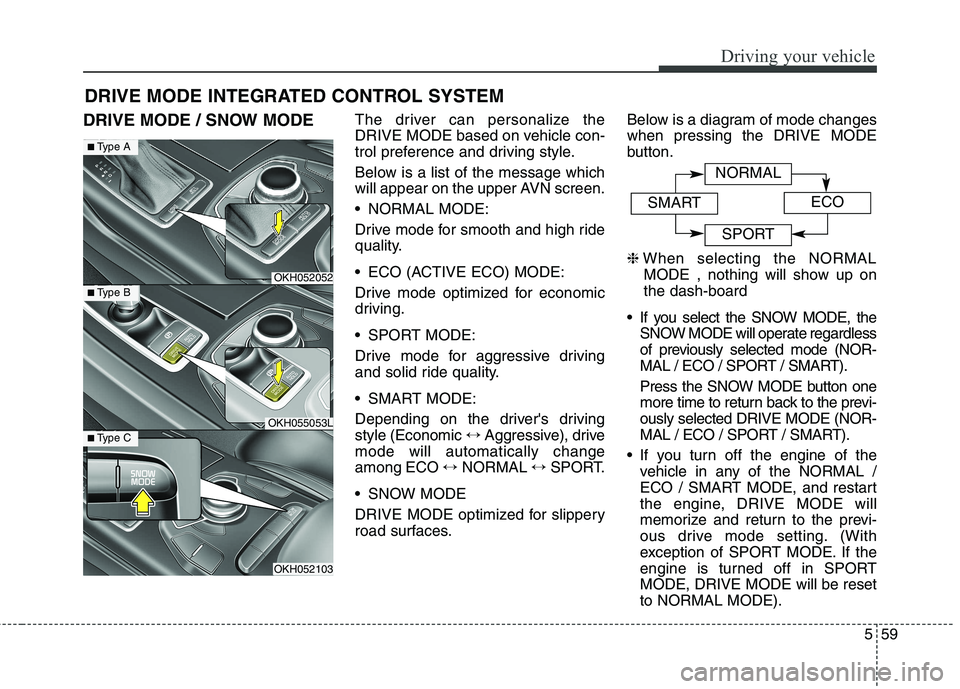
DRIVE MODE / SNOW MODEThe driver can personalize the
DRIVE MODE based on vehicle con-
trol preference and driving style.
Below is a list of the message which
will appear on the upper AVN screen.
NORMAL MODE:
Drive mode for smooth and high ride
quality.
ECO (ACTIVE ECO) MODE:
Drive mode optimized for economic
driving.
SPORT MODE:
Drive mode for aggressive driving
and solid ride quality.
SMART MODE:
Depending on the driver's driving style (Economic
↔Aggressive), drive
mode will automatically changeamong ECO ↔NORMAL ↔SPORT.
SNOW MODE
DRIVE MODE optimized for slippery
road surfaces. Below is a diagram of mode changeswhen pressing the DRIVE MODE
button. ❈
When selecting the NORMAL
MODE , nothing will show up on the dash-board
If you select the SNOW MODE, the SNOW MODE will operate regardless
of previously selected mode (NOR-
MAL / ECO / SPORT / SMART).
Press the SNOW MODE button one
more time to return back to the previ-ously selected DRIVE MODE (NOR-
MAL / ECO / SPORT / SMART).
If you turn off the engine of the vehicle in any of the NORMAL /
ECO / SMART MODE, and restart
the engine, DRIVE MODE will
memorize and return to the previ-
ous drive mode setting. (With
exception of SPORT MODE. If the
engine is turned off in SPORTMODE, DRIVE MODE will be resetto NORMAL MODE).
DRIVE MODE INTEGRATED CONTROL SYSTEM
OKH052052
OKH055053L
OKH052103
■
Type A
■Type B
■Type C
NORMAL
SMARTECO
SPORT
Page 324 of 513
563
Driving your vehicle
DRIVE MODE Indicator Screen The DRIVE MODE indicator screen
can be displayed by using the trip com-
puter button on the steering wheel. DRIVE MODE indicator screen dis-
plays status of current drive mode.
DRIVE MODE button is located onthe lower part of the transmission
lever for selecting drive mode.
If drive mode is selected manually
by the user, the drive mode indica-
tor screen will show user-selected
drive mode. (NORMAL, ECO, or
SPORT)
If SMART MODE is selected by
DRIVE MODE button, the drive
mode indicator screen will show
current drive mode automatically
selected by SMART MODE sys-
tem. (SMART NORMAL, SMART
ECO, or SMART SPORT) When the trip computer mode is
selected to show DRIVE MODE
and the SMART MODE is in oper-ation, an automatically selected
driving mode SMART ECO,
SMART NORMAL, or SMART
SPORT, will be selected on the
cluster's center.
And right below is the horizontal
driving style gauge which reflects
the driving style in real time.
If you drive carefully and slowly in SMART MODE, the left side of the
driving style gauge will illuminate,and be automatically shifted to the
SMART ECO MODE.
When the driver accelerates more
frequently, the right side of the driv-
ing style gauge will fill up, and shift
to SMART NORMAL MODE.
In addition, if the rate of accelera-
tion and speed is high, drive mode
will change to SMART SPORTMODE. If the auto cruise control function is
operated or the transmission is
shifted to manual mode while
SMART MODE is on, the SMART
MODE will stop temporarily, and
the DRIVE MODE will be displayed
as OFF. The driving style gauge
light will be turned off accordingly.
If the trip computer is not set to show DRIVE MODE indicator
screen, and you want to know the
on/off status of the SMART MODE,
simply check whether the letters
'SMART' is lighten up on the
screen or not (green - ECO MODE,white - NORMAL MODE, red -
SPORT MODE).
Page 326 of 513
565
Driving your vehicle
Attributes of SMART MODE.
If the accelerator pedal is pressedgently, your vehicle will recognize it
as a economic driving style. After
some time, the system will automat-
ically shift to SMART ECO MODE.
If you press the accelerator pedal frequently and heavily in SMARTECO MODE, the system will auto-
matically shift to SMART NORMALMODE.
Even when driving style has not changed from SMART ECO
MODE, if your vehicle is driven
uphill considerably, the system will
detect the gradient. Then, the
SMART system will automatically
change the setting to the SMART
NORMAL MODE temporarily.
Once your vehicle is out of the hilly
ground, your vehicle will automati-
cally return to the SMART ECOMODE. The SMART system will recognize
sudden and repetitive acceleration or
steering as aggressive driving and
automatically turn to the SMART
SPORT MODE. Your vehicle will run
at a lower gear in SMART SPORTMODE compared to those in
SMART NORMAL MODE.
The vehicle's start and stop
response rate will become faster.
When the SMART SPORT MODE is activated, and you take your feet
off the accelerator pedal, the vehi-
cle will remain in low gear and you
may sense engine brake. This is
due to necessary preparatory time
for the next acceleration and is
only normal.
The SMART SPORT MODE is acti- vated only when very aggressiveand high speed is detected.
Therefore, in average driving
styles, the SMART system will
select either SMART ECO or
SMART NORMAL MODE. The artificial intelligence algorithm
will instantly calculate each driver's
style of driving. So if the driver is
changed to a different person, the
algorithm will measure accordingly.