reset KIA QUORIS 2016 User Guide
[x] Cancel search | Manufacturer: KIA, Model Year: 2016, Model line: QUORIS, Model: KIA QUORIS 2016Pages: 513, PDF Size: 30.14 MB
Page 227 of 513
Features of your vehicle
140
4
The temperature will decrease to the
minimum (Lo) by pushing the down
( ) button (for front) or turn the knob
to the left (for rear).
When pushing the button (for front) or
turning the knob (for rear), the tem-
perature will increase or decrease by
0.5°C/1°F. When set to the lowest
temperature setting, the air condition-
ing will operate continuously.
Adjusting the driver and passenger
side temperature equally
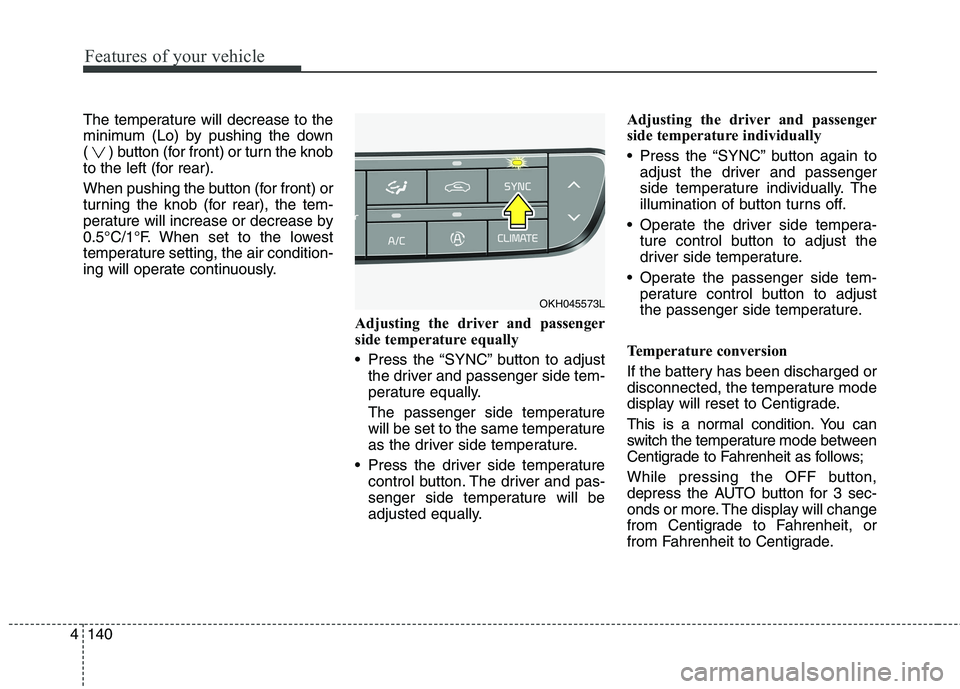
Press the “SYNC” button to adjustthe driver and passenger side tem-
perature equally.
The passenger side temperature
will be set to the same temperature
as the driver side temperature.
Press the driver side temperature control button. The driver and pas-
senger side temperature will be
adjusted equally. Adjusting the driver and passenger
side temperature individually
Press the “SYNC” button again to
adjust the driver and passenger
side temperature individually. The
illumination of button turns off.
Operate the driver side tempera- ture control button to adjust the
driver side temperature.
Operate the passenger side tem- perature control button to adjust
the passenger side temperature.
Temperature conversion
If the battery has been discharged or
disconnected, the temperature mode
display will reset to Centigrade.
This is a normal condition. You can
switch the temperature mode between
Centigrade to Fahrenheit as follows;
While pressing the OFF button,
depress the AUTO button for 3 sec-
onds or more. The display will change
from Centigrade to Fahrenheit, or
from Fahrenheit to Centigrade.
OKH045573L
Page 237 of 513
Features of your vehicle
150
4
Defogging logic
To reduce the probability of fogging up the inside of the windshield, the
air intake or air conditioning are con-trolled automatically according to
certain conditions such as or
position. To cancel or return the
defogging logic, do the following.
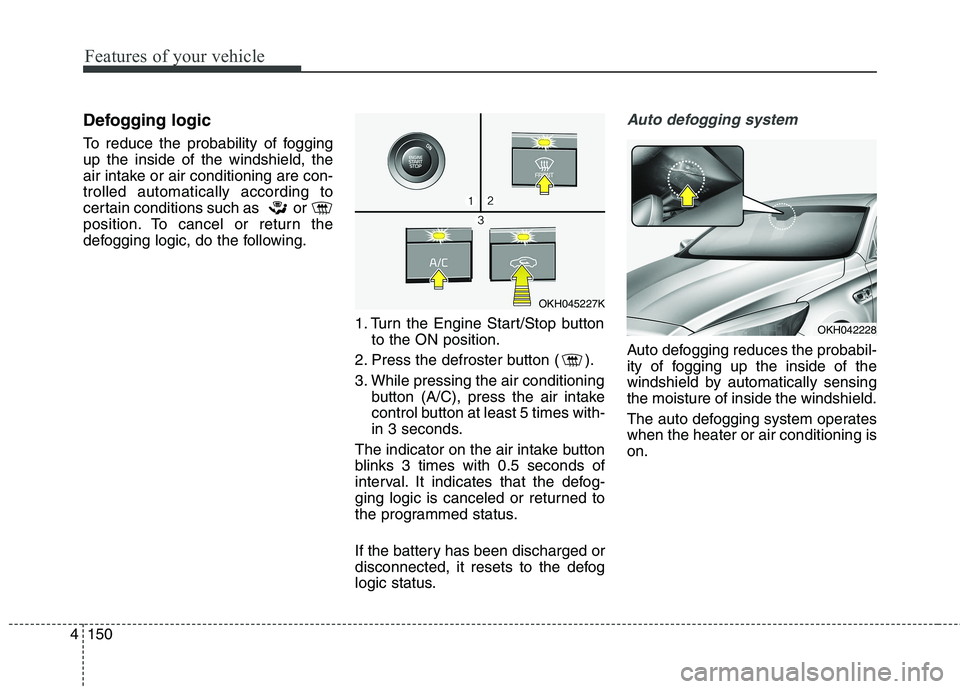
1. Turn the Engine Start/Stop buttonto the ON position.
2. Press the defroster button ( ).
3. While pressing the air conditioning button (A/C), press the air intake
control button at least 5 times with-
in 3 seconds.
The indicator on the air intake button
blinks 3 times with 0.5 seconds of
interval. It indicates that the defog-
ging logic is canceled or returned to
the programmed status.
If the battery has been discharged or
disconnected, it resets to the defog
logic status.Auto defogging system
Auto defogging reduces the probabil-
ity of fogging up the inside of the
windshield by automatically sensingthe moisture of inside the windshield.
The auto defogging system operates when the heater or air conditioning ison.
OKH045227K
OKH042228
Page 238 of 513
4151
Features of your vehicle
This indicator illuminates
when the auto defoggingsystem senses the mois-ture of inside the wind-
shield and operates.
If more moisture is in the vehicle, the
higher steps operate as follow. For
example if auto defogging does not
defog inside the windshield at step 2
Outside air position, it tries to defog
again at step 1 Blowing air towardthe windshield. Step 1 : Operating the air conditioning
Step 2 : Outside air position
Step 3 : Blowing air toward the wind- shield
Step 4 : Increasing air flow toward the windshield To cancel or reset the Auto Defogging
System Press the front windshield defroster
button for 3 seconds when the
Engine Start/Stop button is in the ON
position. When the Auto Defogging
System is canceled, Front defroster
button will blink 6 times.
When the Auto Defogging System is
reset, Front defroster button will blink3 times without a signal.
✽✽
NOTICE
If the A/C off is manually selected while the auto defogging system is
on, the auto defogging indicator
will blink 3 times to give notice
that manual operation is canceled.
If the air quality system (AQS) is selected while the auto defogging
system is operating at the step 1
outside air position, the recirculat-
ed air position may operate when
the outside air is polluted.
CAUTION
Do not remove the sensor cover
located on the upper end of thepassenger side windshield glass. Damage to system partscould occur and may not be cov-ered by your vehicle warranty.
Page 239 of 513
Features of your vehicle
152
4
Auto defogging system ON/OFF
If your vehicle is equipped with the
auto defogging system, it is automat-
ically activated when the conditionsare met.
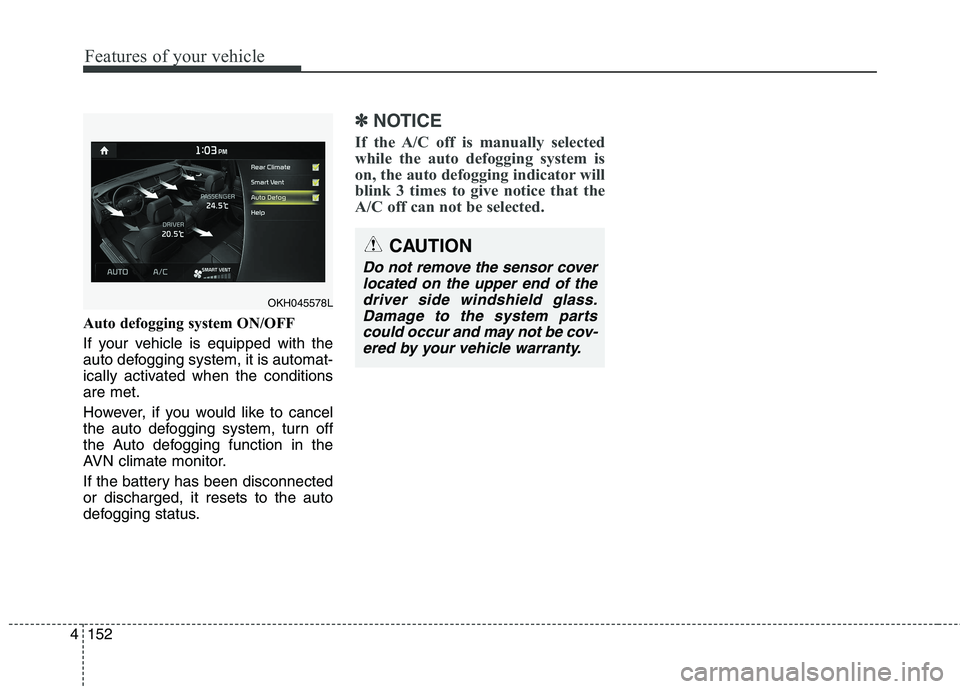
However, if you would like to cancel
the auto defogging system, turn off
the Auto defogging function in the
AVN climate monitor.
If the battery has been disconnected or discharged, it resets to the auto
defogging status.
✽✽
NOTICE
If the A/C off is manually selected
while the auto defogging system is
on, the auto defogging indicator will
blink 3 times to give notice that the
A/C off can not be selected.
CAUTION
Do not remove the sensor cover located on the upper end of thedriver side windshield glass. Damage to the system partscould occur and may not be cov-ered by your vehicle warranty.
OKH045578L
Page 261 of 513
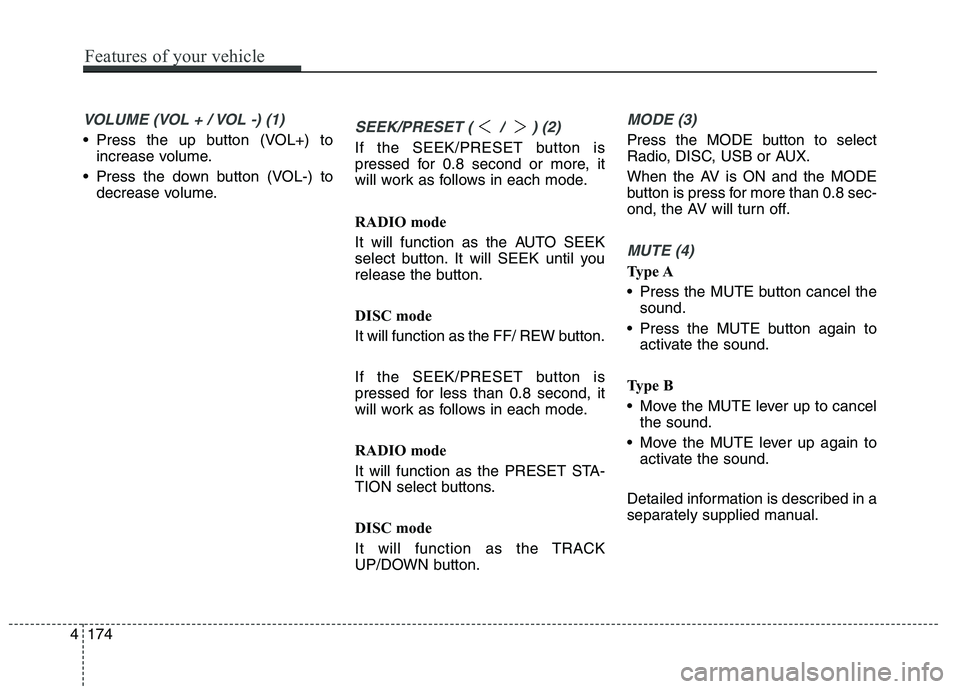
VOLUME (VOL + / VOL -) (1)
Press the up button (VOL+) toincrease volume.
Press the down button (VOL-) to decrease volume.SEEK/PRESET ( / ) (2)
If the SEEK/PRESET button is
pressed for 0.8 second or more, it
will work as follows in each mode.
RADIO mode
It will function as the AUTO SEEK
select button. It will SEEK until you
release the button.
DISC mode
It will function as the FF/ REW button.
If the SEEK/PRESET button is
pressed for less than 0.8 second, it
will work as follows in each mode.
RADIO mode
It will function as the PRESET STA-
TION select buttons.
DISC mode
It will function as the TRACK
UP/DOWN button.
MODE (3)
Press the MODE button to select
Radio, DISC, USB or AUX.
When the AV is ON and the MODE
button is press for more than 0.8 sec-
ond, the AV will turn off.
MUTE (4)
Type A
Press the MUTE button cancel thesound.
Press the MUTE button again to activate the sound.
Type B
Move the MUTE lever up to cancel the sound.
Move the MUTE lever up again to activate the sound.
Detailed information is described in a
separately supplied manual.
4174
Features of your vehicle
Page 320 of 513
559
Driving your vehicle
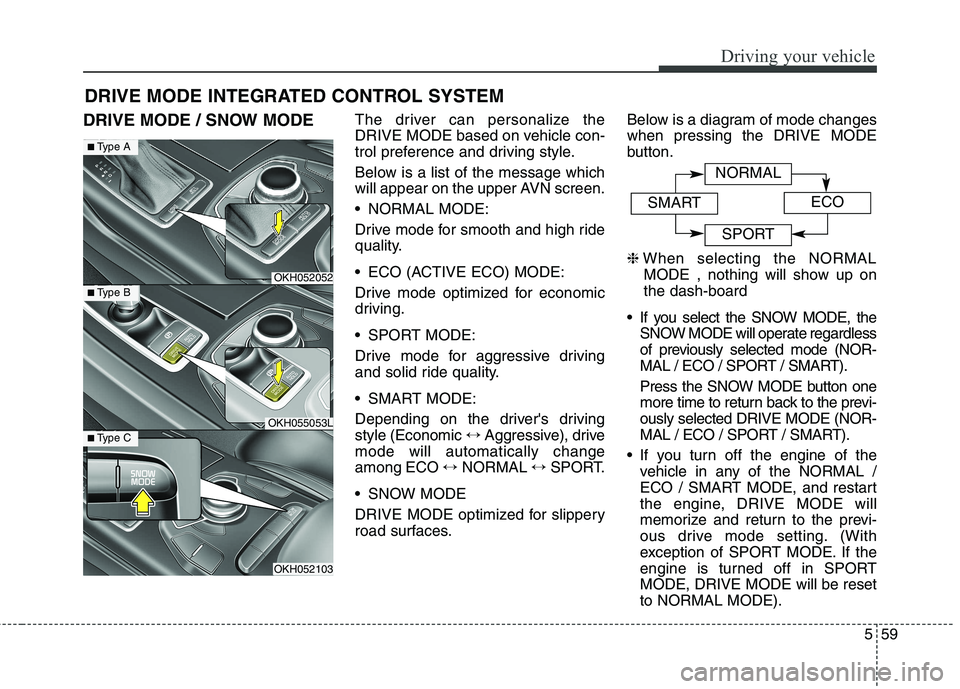
DRIVE MODE / SNOW MODEThe driver can personalize the
DRIVE MODE based on vehicle con-
trol preference and driving style.
Below is a list of the message which
will appear on the upper AVN screen.
NORMAL MODE:
Drive mode for smooth and high ride
quality.
ECO (ACTIVE ECO) MODE:
Drive mode optimized for economic
driving.
SPORT MODE:
Drive mode for aggressive driving
and solid ride quality.
SMART MODE:
Depending on the driver's driving style (Economic
↔Aggressive), drive
mode will automatically changeamong ECO ↔NORMAL ↔SPORT.
SNOW MODE
DRIVE MODE optimized for slippery
road surfaces. Below is a diagram of mode changeswhen pressing the DRIVE MODE
button. ❈
When selecting the NORMAL
MODE , nothing will show up on the dash-board
If you select the SNOW MODE, the SNOW MODE will operate regardless
of previously selected mode (NOR-
MAL / ECO / SPORT / SMART).
Press the SNOW MODE button one
more time to return back to the previ-ously selected DRIVE MODE (NOR-
MAL / ECO / SPORT / SMART).
If you turn off the engine of the vehicle in any of the NORMAL /
ECO / SMART MODE, and restart
the engine, DRIVE MODE will
memorize and return to the previ-
ous drive mode setting. (With
exception of SPORT MODE. If the
engine is turned off in SPORTMODE, DRIVE MODE will be resetto NORMAL MODE).
DRIVE MODE INTEGRATED CONTROL SYSTEM
OKH052052
OKH055053L
OKH052103
■
Type A
■Type B
■Type C
NORMAL
SMARTECO
SPORT
Page 322 of 513
561
Driving your vehicle
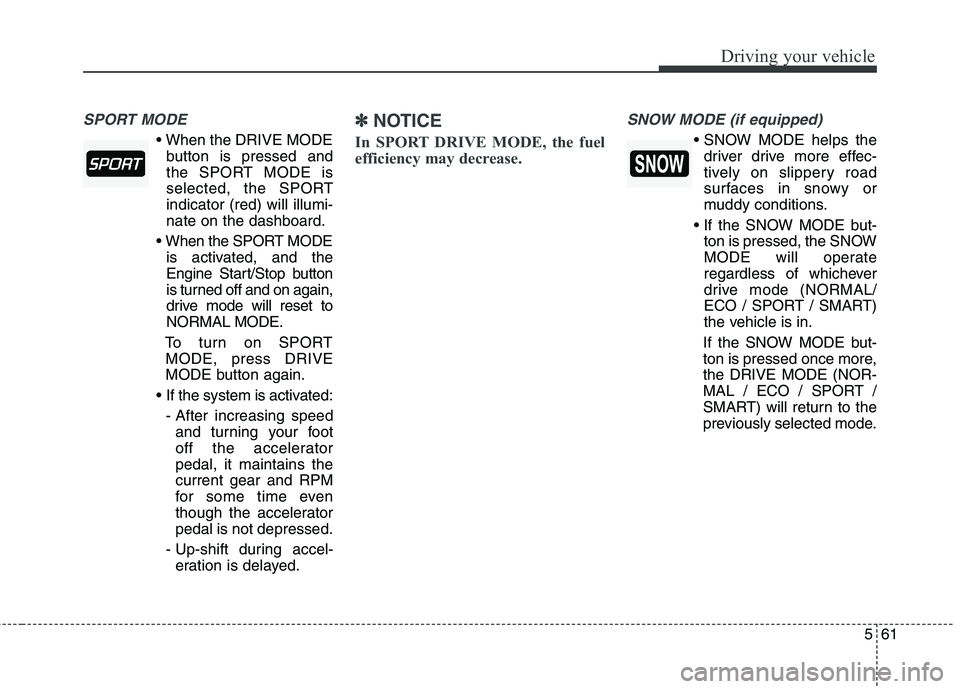
SPORT MODE
button is pressed and
the SPORT MODE is
selected, the SPORTindicator (red) will illumi-nate on the dashboard.
is activated, and the
Engine Start/Stop button
is turned off and on again,
drive mode will reset toNORMAL MODE.
To turn on SPORT MODE, press DRIVE
MODE button again.
- After increasing speed and turning your foot
off the acceleratorpedal, it maintains thecurrent gear and RPM
for some time even
though the acceleratorpedal is not depressed.
- Up-shift during accel- eration is delayed.
✽✽ NOTICE
In SPORT DRIVE MODE, the fuel
efficiency may decrease. SNOW MODE (if equipped)
driver drive more effec-
tively on slippery road
surfaces in snowy or
muddy conditions.
ton is pressed, the SNOW
MODE will operate
regardless of whichever
drive mode (NORMAL/
ECO / SPORT / SMART)
the vehicle is in.
If the SNOW MODE but-
ton is pressed once more,the DRIVE MODE (NOR-
MAL / ECO / SPORT /
SMART) will return to the
previously selected mode.
Page 334 of 513
573
Driving your vehicle
To temporarily accelerate with
the cruise control on:
If you want to speed up temporarily
when the cruise control is on,
depress the accelerator pedal.
Increased speed will not interfere
with cruise control operation orchange the set speed.
To return to the set speed, take your
foot off the accelerator pedal.
If you move the lever down (to SET-)
at increased speed, the cruisingspeed will be set again.To cancel cruise control, do
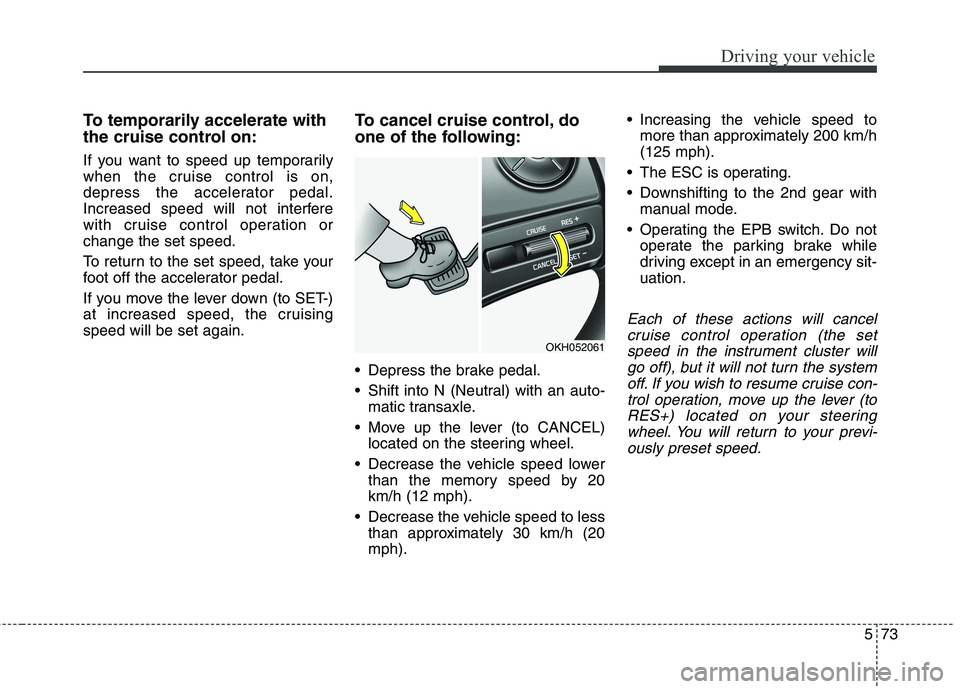
one of the following:
Depress the brake pedal.
Shift into N (Neutral) with an auto-
matic transaxle.
Move up the lever (to CANCEL) located on the steering wheel.
Decrease the vehicle speed lower than the memory speed by 20 km/h (12 mph).
Decrease the vehicle speed to less than approximately 30 km/h (20mph). Increasing the vehicle speed to
more than approximately 200 km/h(125 mph).
The ESC is operating.
Downshifting to the 2nd gear with manual mode.
Operating the EPB switch. Do not operate the parking brake while
driving except in an emergency sit-uation.
Each of these actions will cancel
cruise control operation (the setspeed in the instrument cluster willgo off), but it will not turn the system off. If you wish to resume cruise con-trol operation, move up the lever (toRES+) located on your steering wheel. You will return to your previ-ously preset speed.
OKH052061
Page 444 of 513

Maintenance
44
7
Reset items Items should be reset after the bat-
tery has been discharged or the bat-
tery has been disconnected.
Auto up/down window
(See section 4)
Sunroof (See section 4)
Driver position memory system (See section 4)
Trip computer (See section 4)
Climate control system (See section 4)
Clock (See section 4)
Audio (See section 4)WARNING
Before performing mainte- nance or recharging the bat-
tery, turn off all accessories
and stop the engine.
The negative battery cable must be removed first and
installed last when the batteryis disconnected.
We recommend that the sys- tem be serviced by an author-
ized Kia dealer.
CAUTION
Keep the battery away from
water or any liquid.
We recommend that you use parts for replacement from anauthorized Kia dealer.
Page 448 of 513
Maintenance
48
7
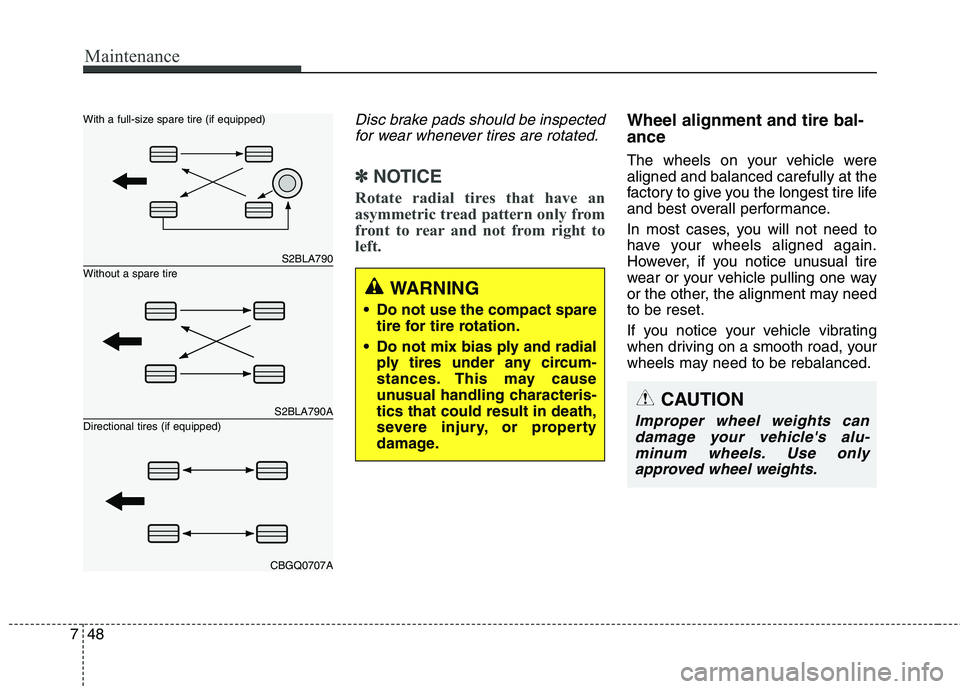
Disc brake pads should be inspected
for wear whenever tires are rotated.
✽✽ NOTICE
Rotate radial tires that have an
asymmetric tread pattern only from
front to rear and not from right to
left.
Wheel alignment and tire bal- ance
The wheels on your vehicle were aligned and balanced carefully at the
factory to give you the longest tire life
and best overall performance.
In most cases, you will not need to
have your wheels aligned again.
However, if you notice unusual tire
wear or your vehicle pulling one way
or the other, the alignment may needto be reset.
If you notice your vehicle vibrating
when driving on a smooth road, your
wheels may need to be rebalanced.
S2BLA790
S2BLA790A
CBGQ0707A
Without a spare tire
With a full-size spare tire (if equipped) Directional tires (if equipped)
WARNING
Do not use the compact spare tire for tire rotation.
Do not mix bias ply and radial ply tires under any circum-
stances. This may cause
unusual handling characteris-tics that could result in death,
severe injury, or property
damage.
CAUTION
Improper wheel weights can
damage your vehicle's alu-minum wheels. Use onlyapproved wheel weights.