key KIA QUORIS 2016 Owner's Manual
[x] Cancel search | Manufacturer: KIA, Model Year: 2016, Model line: QUORIS, Model: KIA QUORIS 2016Pages: 513, PDF Size: 30.14 MB
Page 111 of 513
Features of your vehicle
24
4
Closing the trunk
To close the power trunk, do one of
the following:
Push the close button of the power
trunk main switch until the power
trunk is closed securely (Type A).
The chime will sound twice.
Push the power trunk main switch until the power trunk is closed
securely (Type B). The chime will
sound twice.
Push the power trunk close button.
Push the power trunk lock button when all doors and engine hood
are closed with the smart key in
your possession. After closing, all
doors and trunk lock automatically.
✽✽ NOTICE
The chime sound will operate if you
push the power trunk lock button
when:
- Any door is open.
- The engine start/stop button is not in the OFF position.
- The smart key is in the vehicle.
Power trunk non-opening condi-
tions
The power trunk will not open or
close automatically, when the vehicle
is moving more than 3 km/h (2 mph).
✽✽ NOTICE
If there are obstacles such as snow
on the power trunk, it may not open
automatically. After remove the
obstacle, try to open it again. ✽
✽
NOTICE
The power trunk can be operated when the engine is not running.
However the power trunk opera-
tion consumes large amounts of
vehicle electric power. To prevent
the battery from being discharged,
do not operate it excessively e.g.:
more than approximately 10 times
repeatedly.
To prevent the battery from being discharged, do not leave the power
trunk in the open position for a
long lime.
Do not apply excessive force while operating the power trunk. This
could cause damage to the power
trunk.
Do not modify or repair any part of the power trunk by yourself. We
recommend that the system be
serviced by an authorized Kia
dealer.
When jacking up the vehicle to change a tire or repair the vehicle,
do not operate the power trunk.
This could cause the power trunk
to operate improperly.
CAUTION
The chime will sound 10 times if
you drive over 3km/h(2mph)with the trunk opened. Stop your vehicle immediately at asafe place and check if yourtrunk is opened.
Page 113 of 513
Features of your vehicle
26
4
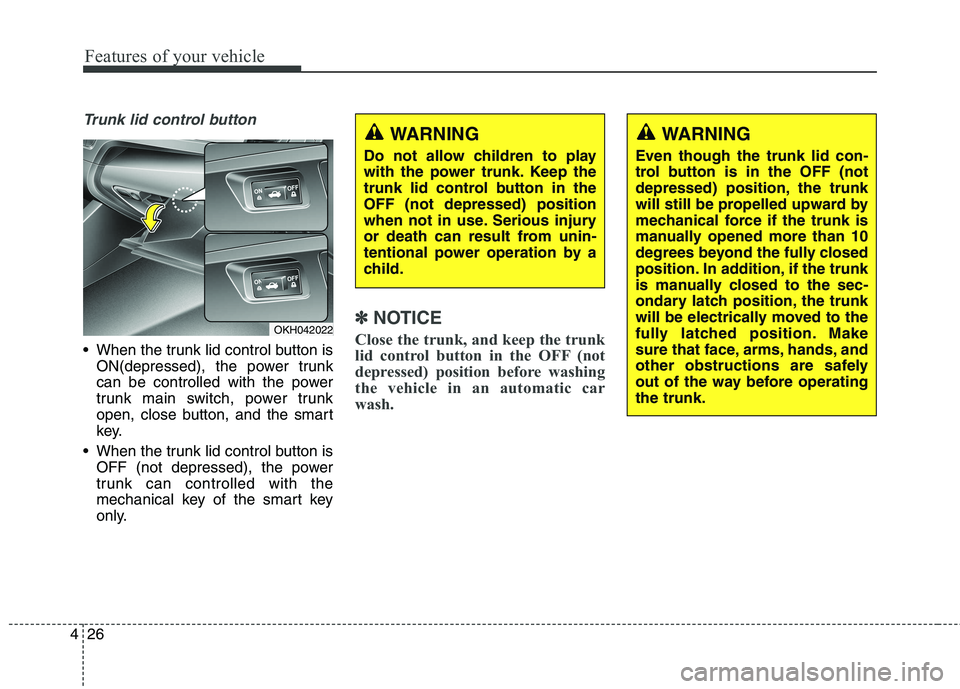
Trunk lid control button
When the trunk lid control button is
ON(depressed), the power trunk
can be controlled with the power
trunk main switch, power trunk
open, close button, and the smart
key.
When the trunk lid control button is OFF (not depressed), the power
trunk can controlled with the
mechanical key of the smart key
only.
✽✽ NOTICE
Close the trunk, and keep the trunk
lid control button in the OFF (not
depressed) position before washing
the vehicle in an automatic car
wash.OKH042022
WARNING
Do not allow children to play
with the power trunk. Keep the
trunk lid control button in theOFF (not depressed) position
when not in use. Serious injury
or death can result from unin-
tentional power operation by a
child.WARNING
Even though the trunk lid con-
trol button is in the OFF (not
depressed) position, the trunk
will still be propelled upward by
mechanical force if the trunk is
manually opened more than 10
degrees beyond the fully closed
position. In addition, if the trunk
is manually closed to the sec-
ondary latch position, the trunk
will be electrically moved to the
fully latched position. Make
sure that face, arms, hands, and
other obstructions are safely
out of the way before operatingthe trunk.
Page 115 of 513
Features of your vehicle
28
4
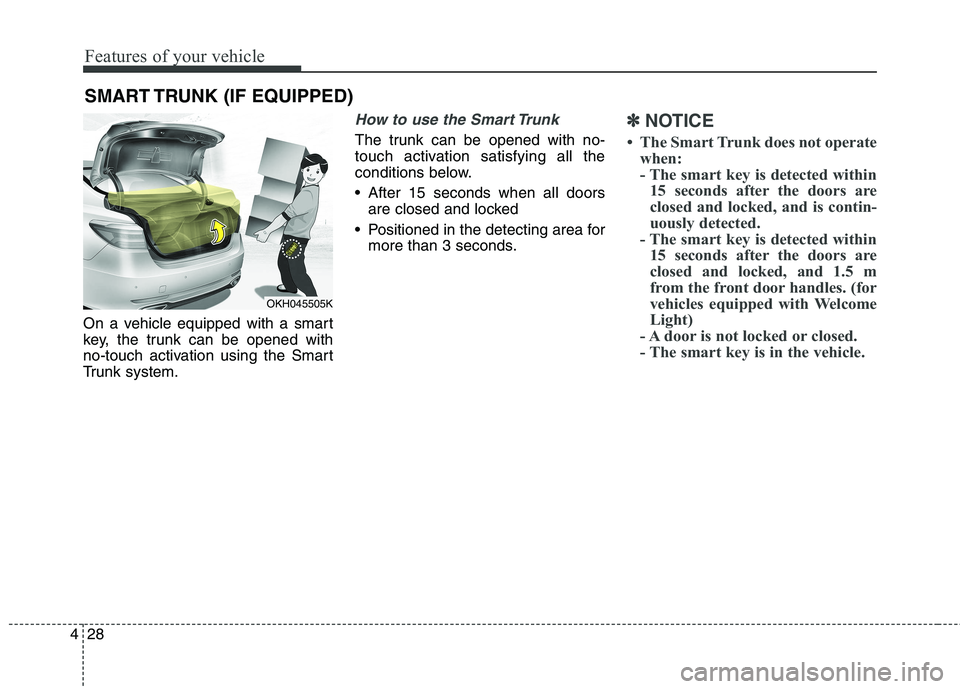
On a vehicle equipped with a smart
key, the trunk can be opened with
no-touch activation using the Smart
Trunk system.
How to use the Smart Trunk
The trunk can be opened with no-
touch activation satisfying all the
conditions below.
After 15 seconds when all doors
are closed and locked
Positioned in the detecting area for more than 3 seconds.
✽✽ NOTICE
The Smart Trunk does not operate when:
- The smart key is detected within15 seconds after the doors are
closed and locked, and is contin-
uously detected.
- The smart key is detected within 15 seconds after the doors are
closed and locked, and 1.5 m
from the front door handles. (for
vehicles equipped with Welcome
Light)
- A door is not locked or closed.
- The smart key is in the vehicle.
SMART TRUNK (IF EQUIPPED)
OKH045505K
Page 116 of 513
429
Features of your vehicle
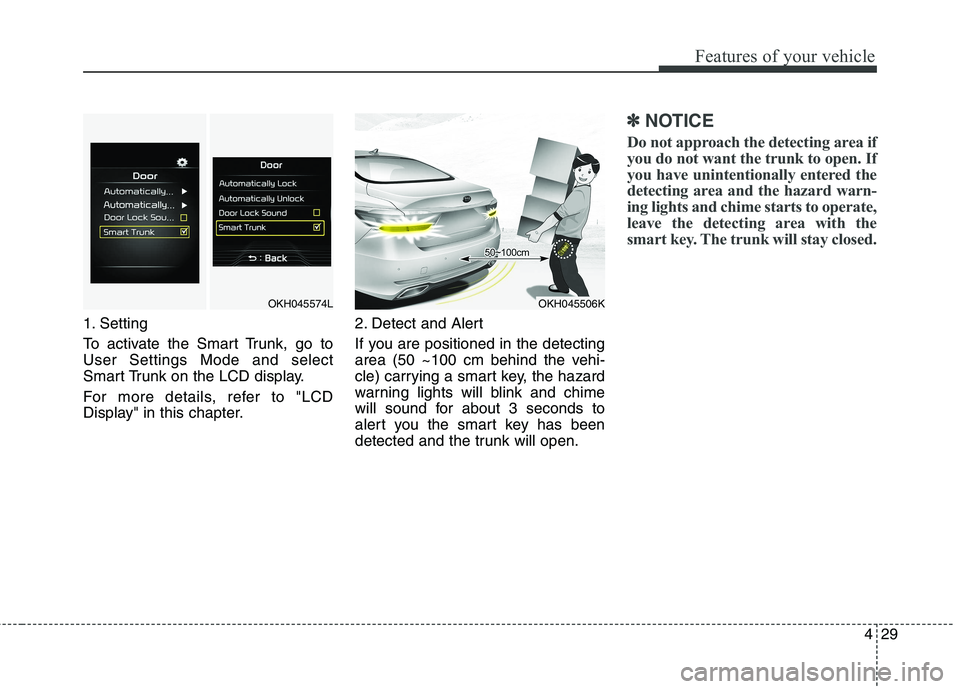
1. Setting
To activate the Smart Trunk, go to User Settings Mode and select
Smart Trunk on the LCD display.
For more details, refer to "LCD
Display" in this chapter.2. Detect and Alert
If you are positioned in the detecting
area (50 ~100 cm behind the vehi-
cle) carrying a smart key, the hazard
warning lights will blink and chime
will sound for about 3 seconds to
alert you the smart key has been
detected and the trunk will open.
✽✽
NOTICE
Do not approach the detecting area if
you do not want the trunk to open. If
you have unintentionally entered the
detecting area and the hazard warn-
ing lights and chime starts to operate,
leave the detecting area with the
smart key. The trunk will stay closed.
OKH045574LOKH045506K
Page 117 of 513
Features of your vehicle
30
4
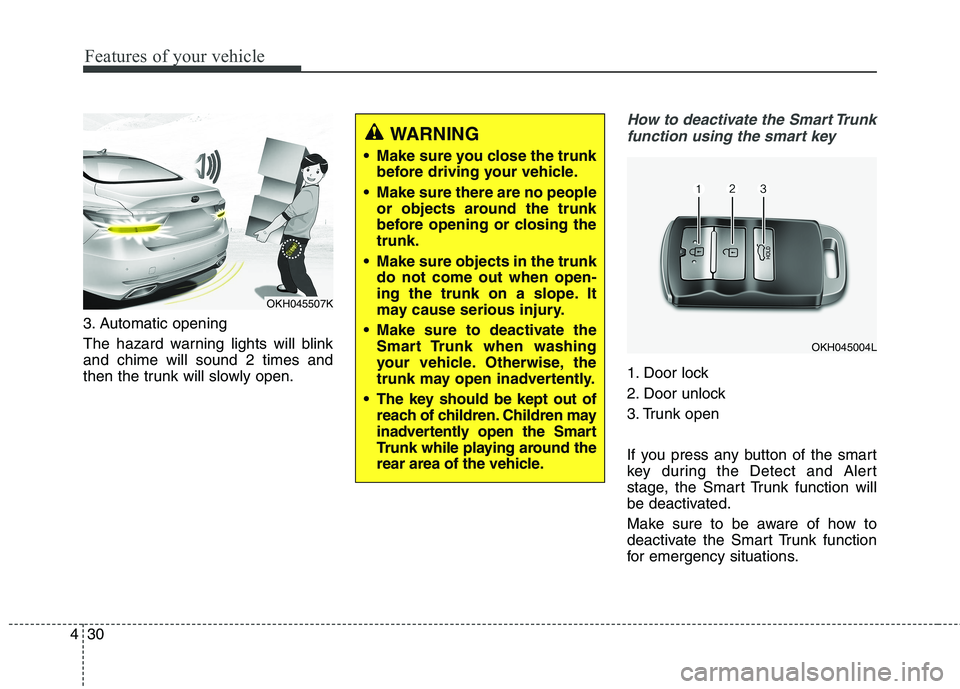
3. Automatic opening
The hazard warning lights will blink and chime will sound 2 times and
then the trunk will slowly open.
How to deactivate the Smart Trunk
function using the smart key
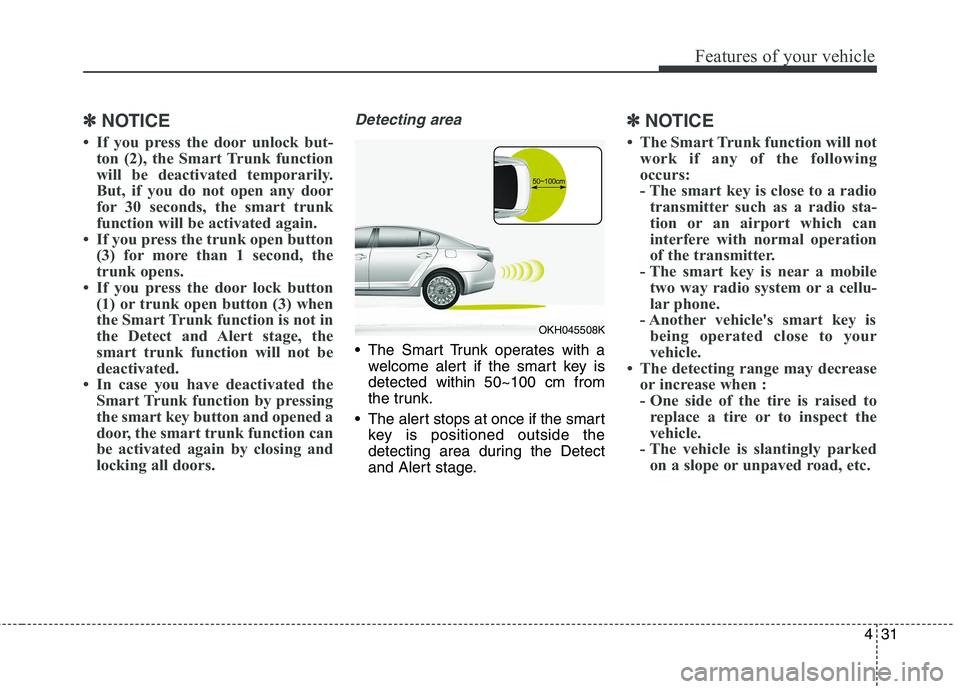
1. Door lock
2. Door unlock
3. Trunk open
If you press any button of the smart
key during the Detect and Alert
stage, the Smart Trunk function will
be deactivated.
Make sure to be aware of how to
deactivate the Smart Trunk function
for emergency situations.
OKH045004L
OKH045507K
WARNING
Make sure you close the trunk before driving your vehicle.
Make sure there are no people or objects around the trunk
before opening or closing thetrunk.
Make sure objects in the trunk do not come out when open-
ing the trunk on a slope. It
may cause serious injury.
Make sure to deactivate the Smart Trunk when washing
your vehicle. Otherwise, the
trunk may open inadvertently.
The key should be kept out of reach of children. Children may
inadvertently open the Smart
Trunk while playing around the
rear area of the vehicle.
Page 118 of 513
431
Features of your vehicle
✽✽NOTICE
If you press the door unlock but- ton (2), the Smart Trunk function
will be deactivated temporarily.
But, if you do not open any door
for 30 seconds, the smart trunk
function will be activated again.
If you press the trunk open button (3) for more than 1 second, the
trunk opens.
If you press the door lock button (1) or trunk open button (3) when
the Smart Trunk function is not in
the Detect and Alert stage, the
smart trunk function will not be
deactivated.
In case you have deactivated the Smart Trunk function by pressing
the smart key button and opened a
door, the smart trunk function can
be activated again by closing and
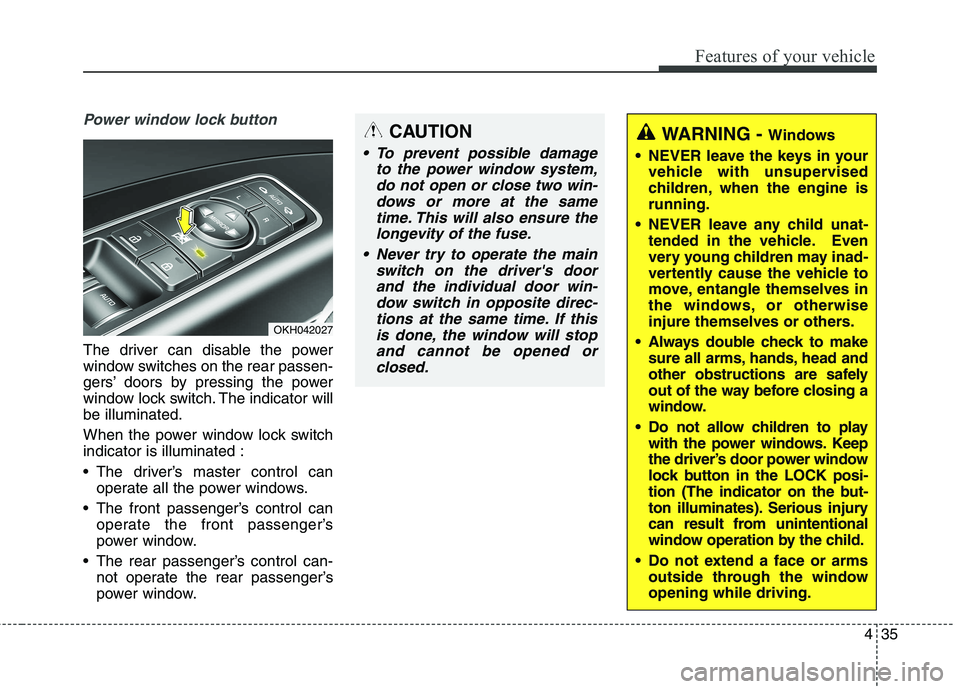
locking all doors.Detecting area
The Smart Trunk operates with awelcome alert if the smart key is detected within 50~100 cm from
the trunk.
The alert stops at once if the smart key is positioned outside the
detecting area during the Detect
and Alert stage.
✽✽ NOTICE
The Smart Trunk function will not work if any of the following
occurs:
- The smart key is close to a radiotransmitter such as a radio sta-
tion or an airport which can
interfere with normal operation
of the transmitter.
- The smart key is near a mobile two way radio system or a cellu-
lar phone.
- Another vehicle's smart key is being operated close to your
vehicle.
The detecting range may decrease or increase when :
- One side of the tire is raised toreplace a tire or to inspect the
vehicle.
- The vehicle is slantingly parked on a slope or unpaved road, etc.
OKH045508K
Page 122 of 513
435
Features of your vehicle
Power window lock button
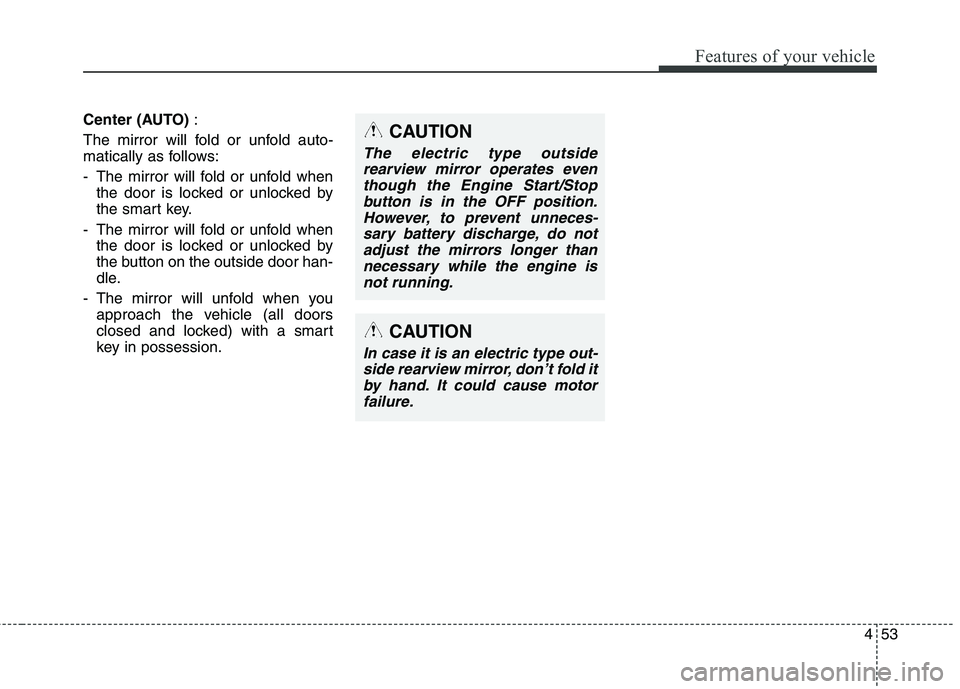
The driver can disable the power
window switches on the rear passen-
gers’ doors by pressing the power
window lock switch. The indicator willbe illuminated.
When the power window lock switch indicator is illuminated :
The driver’s master control canoperate all the power windows.
The front passenger’s control can operate the front passenger’s
power window.
The rear passenger’s control can- not operate the rear passenger’s
power window.
OKH042027
CAUTION
To prevent possible damage
to the power window system,do not open or close two win-dows or more at the sametime. This will also ensure the longevity of the fuse.
Never try to operate the main switch on the driver's doorand the individual door win-dow switch in opposite direc- tions at the same time. If thisis done, the window will stopand cannot be opened orclosed.
WARNING - Windows
NEVER leave the keys in your vehicle with unsupervised
children, when the engine isrunning.
NEVER leave any child unat- tended in the vehicle. Even
very young children may inad-
vertently cause the vehicle to
move, entangle themselves in
the windows, or otherwise
injure themselves or others.
Always double check to make sure all arms, hands, head and
other obstructions are safely
out of the way before closing a
window.
Do not allow children to play with the power windows. Keep
the driver’s door power window
lock button in the LOCK posi-
tion (The indicator on the but-
ton illuminates). Serious injury
can result from unintentional
window operation by the child.
Do not extend a face or arms outside through the windowopening while driving.
Page 140 of 513
453
Features of your vehicle
Center (AUTO):
The mirror will fold or unfold auto-
matically as follows:
- The mirror will fold or unfold when the door is locked or unlocked by
the smart key.
- The mirror will fold or unfold when the door is locked or unlocked by
the button on the outside door han-
dle.
- The mirror will unfold when you approach the vehicle (all doors
closed and locked) with a smart
key in possession.
CAUTION
In case it is an electric type out-
side rearview mirror, don’t fold itby hand. It could cause motor failure.
CAUTION
The electric type outsiderearview mirror operates eventhough the Engine Start/Stop button is in the OFF position.However, to prevent unneces-sary battery discharge, do notadjust the mirrors longer than necessary while the engine isnot running.
Page 161 of 513
Features of your vehicle
74
4
Warning Messages (if equipped)
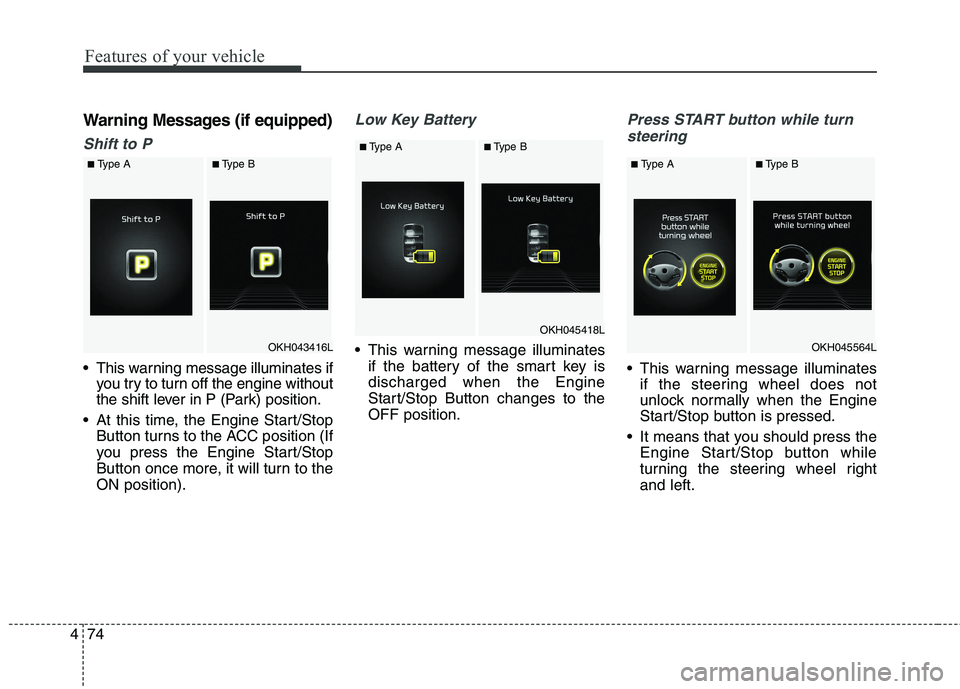
Shift to P
This warning message illuminates if
you try to turn off the engine without
the shift lever in P (Park) position.
At this time, the Engine Start/Stop Button turns to the ACC position (If
you press the Engine Start/Stop
Button once more, it will turn to theON position).
Low Key Battery
This warning message illuminatesif the battery of the smart key is discharged when the Engine
Start/Stop Button changes to theOFF position.
Press START button while turn
steering
This warning message illuminates if the steering wheel does not
unlock normally when the Engine
Start/Stop button is pressed.
It means that you should press the Engine Start/Stop button while
turning the steering wheel rightand left.
OKH043416L
■Type A■Type B
OKH045418L
■Type A■Type B
OKH045564L
■Type A■Type B
Page 163 of 513
Features of your vehicle
76
4
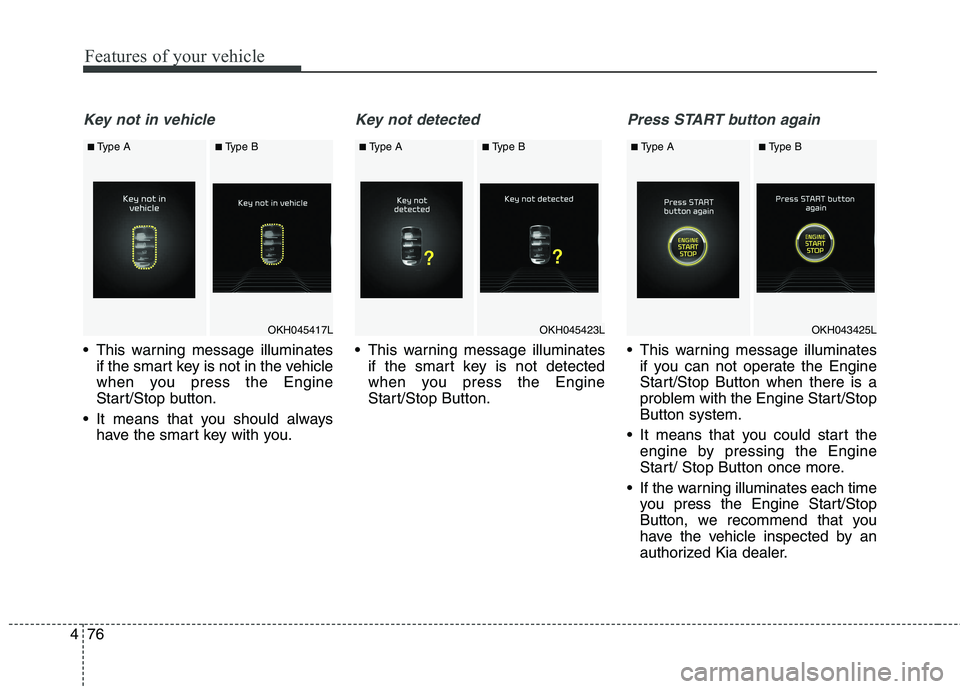
Key not in vehicle
This warning message illuminates
if the smart key is not in the vehicle
when you press the Engine
Start/Stop button.
It means that you should always have the smart key with you.
Key not detected
This warning message illuminatesif the smart key is not detected
when you press the Engine
Start/Stop Button.
Press START button again
This warning message illuminatesif you can not operate the Engine
Start/Stop Button when there is a
problem with the Engine Start/StopButton system.
It means that you could start the engine by pressing the Engine
Start/ Stop Button once more.
If the warning illuminates each time you press the Engine Start/Stop
Button, we recommend that you
have the vehicle inspected by an
authorized Kia dealer.
OKH045423L
■Type A■Type B
OKH045417L
■Type A■Type B
OKH043425L
■ Type A■Type B